
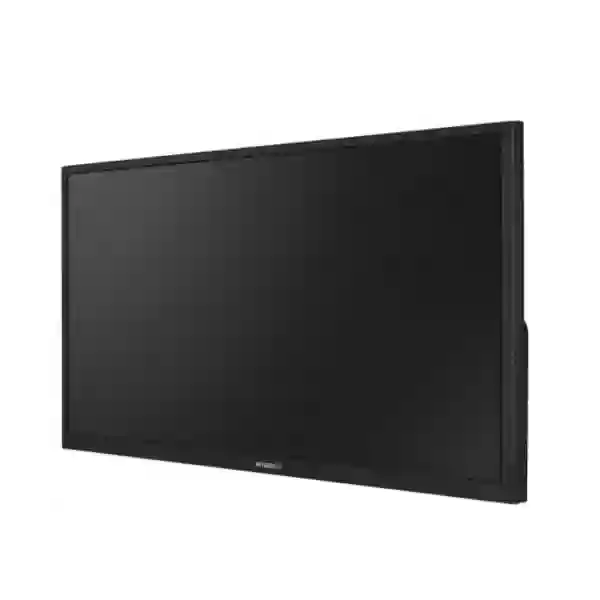
Hanwha SMT-3234 32-inch Full HD LED CCTV Monitor
The Hanwha SMT-3234 is a 32-inch class Full HD security monitor for indoor CCTV viewing. It combines HDMI, DVI-D, VGA and composite BNC inputs with a wide-angle LED screen, making it a practical model to evaluate when a recorder or workstation already provides a supported display signal. Confirm exact-model availability and regional lifecycle status before ordering in Tanzania.
Key specifications at a glance
The specification values above are based on the Hanwha Vision product information and March 2022 datasheet. Physical versions and regional status should be confirmed before procurement.
Make the right connection first
HDMI
For a compatible modern recorder or workstation providing a supported digital video signal.
DVI-D and VGA
For suitable existing digital or analogue display sources after checking format and connector details.
Composite BNC
For compatible NTSC/PAL composite video, not every coaxial analogue-HD format.
VESA mounting
100 × 100 mm fixing pattern; verify bracket, load and accessories.
Is the Hanwha SMT-3234 right for your surveillance display?
Choosing a security monitor is not simply a matter of buying a large screen. A monitoring operator needs a picture that is readable from the intended seating position, connections that match the existing recorder, and a display suited to the hours of use. The Hanwha SMT-3234 combines a 31.5-inch viewable LED panel with Full HD resolution and several established video interfaces. That combination can make sense where a CCTV system already produces a compatible monitor output and the team wants a dedicated display rather than an office television.
Start with the signal path, not the diagonal size. Identify whether the recorder, workstation or analogue camera supplies HDMI, DVI, VGA or composite BNC output, and confirm the actual output format. Then decide how many camera tiles must be visible at once and how far the operator will sit from the screen. A single 1080p display can present a multi-camera layout generated by an external recorder, but the amount of useful detail in each tile depends on that layout. Ask for a deployment-specific recommendation rather than assuming that a larger diagonal automatically delivers more evidence detail.
What exactly does the monitor do?
The SMT-3234 is a display endpoint. It shows a video signal supplied through its input connections and provides on-screen controls for the display. It does not, by itself, replace a recorder, process IP-camera streams as an independent video management server, or provide storage for security footage. This distinction matters when a buyer searches for a “32-inch CCTV monitor” and expects the screen to manage a complete camera installation. The monitoring workflow is normally built around cameras, a recorder or compatible workstation, a viewing interface, appropriate connectivity and the physical display.
For example, an NVR with a compatible HDMI display output may present live views, playback or alarms on the screen, according to the recorder’s own capabilities. The SMT-3234 then displays that prepared output. An analogue composite video source may instead use the BNC input, provided the signal is supported. Features such as event searches, recording schedules, remote viewing, user permissions and video analytics must be verified on the connected systems. The monitor should be specified as one well-defined component in that wider design.
Display size, Full HD detail and reading distance
The panel’s stated active diagonal is 31.5 inches, commonly marketed in the 32-inch class. Its native maximum resolution is 1920 × 1080, also described as Full HD or 1080p, with a 16:9 aspect ratio. This gives the operator a familiar widescreen layout for a single video view or a recorder-generated camera grid. It does not make a 4K source display at 4K resolution. When a source outputs a higher format, any required conversion must be checked on the source device rather than presumed to happen automatically inside this monitor.
Think about where people stand or sit. A security desk looking at one entrance may benefit from an uncluttered large image, while a workstation that shows many small camera windows may need different arrangements. Text, timestamps and faces can be difficult to assess when each tile becomes too small. Test the preferred split-screen arrangement from the real viewing distance and confirm that critical information is legible. If a site expects detailed visual inspection across many cameras at once, assess a higher-resolution monitor or several screens rather than relying on diagonal size alone.
Why the wide viewing angle matters
Hanwha lists viewing angles of 178 degrees horizontally and vertically for the SMT-3234. Wide viewing-angle specifications are useful when more than one person must see an operating display from different positions in a room. They help buyers consider whether a screen installed on a wall or shared control desk can remain practical for staff who are not seated directly in front of it. Actual perceived contrast and colour can still vary with viewing position, ambient light, content and installation geometry.
Positioning remains important. Avoid placing the monitor where strong reflections from windows or direct lighting can wash out the picture. Check the height of the mounting point, the direction of the operator’s gaze, and whether the screen is seen over a desk or through a reception barrier. The published 300 cd/m² brightness is a specification, not a guarantee that every sunlit indoor location will be comfortable. For challenging glare or unusually bright environments, test the proposed installation or specify a display designed for that environment. A good placement decision can matter as much as an attractive headline viewing angle.
Understanding HDMI on this model
HDMI is often the simplest connection between a modern CCTV recorder and a Full HD monitor, provided both devices support a matching signal format. The manufacturer’s specifications identify one HDMI connection and include 1920 × 1080p at 60 Hz among supported HDMI formats. Confirm the output setting on the recorder before installation, especially when replacing an older screen or using a newly configured NVR. If the recorder produces a different resolution or refresh rate, select a supported format or verify the converter or source configuration in advance.
An HDMI cable carries the display signal, but cable quality, route length and electrical conditions still affect reliability. For a short equipment-rack connection, a correctly specified cable may be straightforward. For a more distant operator desk, evaluate appropriate extension equipment and its compatibility rather than assuming any cable run will work. Do not confuse a monitor’s HDMI input with recording capability or network connectivity. The video is prepared upstream by a compatible device; this display presents it. Include the recorder output model and intended cable route in a quote request so the connection can be reviewed.
DVI and VGA: useful for existing installations
Not every surveillance system has been replaced with a recent HDMI-only recorder. The SMT-3234 includes a DVI-D connection and a VGA input, so it may fit installations where a workstation, older DVR or control-room computer still uses those display interfaces. This flexibility is valuable during phased upgrades, provided the source supplies a supported format and the physical connectors are correct. Check whether the upstream device outputs digital DVI, analogue VGA or another variant; the presence of a similar-looking socket is not sufficient proof of compatibility.
The manufacturer’s VGA format list includes resolutions up to 1920 × 1080 at 60 Hz. Lower-resolution signals may display, but should be tested for scaling, readability and image geometry. If a buyer intends to use an adapter, make sure it addresses the actual signal conversion required. A passive connector change cannot necessarily turn analogue video into digital video. Document current source connectors before ordering, photograph the rear panel when possible, and identify every converter or cable already installed. These small checks can prevent costly delays during a monitoring-desk replacement.
What the BNC composite input is for
The BNC connection is particularly relevant when discussing legacy CCTV equipment. Hanwha’s specification identifies one composite-video input through BNC and lists NTSC/PAL video systems. It is intended for a compatible analogue composite signal, not a network Ethernet cable and not every high-definition analogue CCTV format. A BNC connector alone does not mean that AHD, HD-TVI, HD-CVI or SDI video can be displayed directly. The actual electrical video format must match the monitor’s supported input.
When a site has existing analogue cameras or old switching equipment, ask for the output format in writing. A compatible composite source may be useful for a direct status display, but a multi-camera view still requires upstream switching or recording equipment. If the site is converting to IP cameras, the common route is to use a compatible recorder or workstation with one of the monitor’s supported display outputs. Avoid promising plug-and-play compatibility with every camera brand. Identify the source type, cable condition, conversion equipment and expected picture quality before confirming the proposed wiring.
Brightness, contrast and response time
The SMT-3234 datasheet specifies brightness of 300 cd/m² and a typical contrast ratio of 2250:1, with a stated minimum of 2000:1. Its response time is listed as 8 ms grey-to-grey. These figures provide a technical basis for evaluating image characteristics, but they should not be translated into claims that every dark scene, rapid movement or reflective room will look perfect. Actual image quality depends on the camera, lighting, video compression, recorder output, display settings and viewing conditions.
A useful commissioning test includes daytime and nighttime camera footage, bright entrances, shadowed corridors and moving subjects. Check whether the operator can read timestamps and distinguish details in the use cases that matter. If there are colour-critical tasks, evaluate whether the display is appropriate rather than assuming a security monitor is calibrated for forensic colour work. The monitor’s role is reliable viewing of a supported signal. Recording quality, evidential detail and the availability of analytics remain characteristics of the broader surveillance system, not something the screen can create on its own.
24/7 operational design and panel-life expectations
Hanwha describes this model as designed and tested for 24/7 operation and lists a panel life of 30,000 hours. These are important reasons a buyer may consider a professional security monitor for an always-staffed location. However, “24/7 design” is not a promise of a particular service life under every condition, and the panel-life figure should not be treated as a full-product warranty. Real operating life depends on temperature, ventilation, brightness settings, use patterns, installation quality and maintenance.
For continuous monitoring, put thermal management and dependable power at the centre of the design. Leave suitable clearance for ventilation and follow the installation instructions. Avoid locating the display next to a heat source or inside a sealed enclosure that traps warmth. Use appropriate power protection for the site’s electrical conditions and ensure staff know how to restore the input source after an interruption. A clear maintenance procedure, spare-cable plan and approved replacement strategy can reduce avoidable interruptions even when no specific uptime guarantee is available.
Operating conditions for indoor Tanzanian installations
The published operating temperature range is 0 to +40 °C, with 10% to 80% non-condensing relative humidity. These numbers should be checked against the actual equipment room, not just the regional climate. A hot security cabin, a poorly ventilated guardhouse or a sun-exposed wall can develop local conditions very different from those measured elsewhere on a site. The specification does not establish outdoor weather protection, water resistance or suitability for condensation-prone enclosures.
If equipment is to be installed in a warm indoor environment, consider airflow, dust accumulation, heat emitted by adjacent electronics and the expected length of continuous use. Where a coastal or otherwise humid environment is involved, evaluate condensation risk and room conditioning rather than assuming the humidity range will always be maintained. Do not place the display in direct rain or an unprotected outdoor position. For sites with uncertain conditions, arrange an environmental assessment and compare alternative commercial displays if necessary. These checks are more helpful to a buyer than a generic claim that a monitor is suitable for every location in Tanzania.
Power requirements and interruption planning
The manufacturer lists an AC 100–240 V, 50/60 Hz input and power consumption below 60 W. The wide stated input range is useful information when planning the supply, but it does not remove the need to check the supplied power cord, outlet type, earthing, electrical safety and local site conditions. A power label is also not evidence that the product carries any particular Tanzanian approval. Have the installation checked by a suitably qualified person when electrical work is involved.
Security monitoring is often needed most during a power disturbance. If cameras and recorders remain powered but the display goes dark, operators lose local visibility. Think of the monitor as part of the complete protected load when sizing any UPS. Include the recorder, switching equipment and other essential devices in the overall power plan; verify actual consumption and required runtime rather than using a single monitor’s maximum figure as the whole calculation. Ask how the system should recover after a blackout, whether users need to reselect an input and what staff should do if the display does not return normally.
Mounting, dimensions and desk layout
Hanwha specifies a VESA 100 × 100 mm mounting interface and dimensions without a stand of 728.8 × 433.1 × 51.4 mm in the March 2022 datasheet. That source lists a weight of 5.6 kg. Some regional or older documents describe different physical configurations and weights, so buyers should verify the actual delivered version and accessory details rather than designing a bracket around a copied retail listing. Always confirm the load rating and screw requirements from the monitor and bracket installation instructions.
For wall mounting, review wall strength, fixing type, ventilation clearance, cable entry and the ability to reach the display controls. For desk use, determine whether an appropriate stand is supplied, sold separately or no longer available for the chosen region. A photograph showing a stand is not proof that it is included in a quoted configuration. Check the depth and width of the desk and the desired viewing height. When several screens are arranged side by side, leave enough room for cable bends, maintenance access and comfortable operator posture.
Speakers, audio signal and alarm workflows
The datasheet lists two integrated 2 W speakers and a 3.5 mm audio connection. These features may be relevant when a compatible source provides audible information in a monitoring environment, but the audio workflow should be validated carefully. Confirm which connected source produces the sound, whether the selected input carries usable audio, and how an alarm or recorded clip is expected to play. Do not assume the presence of speakers means the monitor includes microphones, an intercom service or independent alarm analytics.
In a shared control room, audible alerts can be helpful but may also distract staff or create privacy and noise issues. Decide whether sound is genuinely needed at the workstation and whether alerts should instead use a separate annunciator or software notification. Check volume management and any site-specific requirements before enabling audio. For a quiet reception area or a monitoring wall with many screens, the speakers might never be used. The right procurement decision is based on the operator’s workflow, not on counting every available feature as a must-have benefit.
On-screen controls and everyday operation
The product documentation describes on-screen display controls, remote-controller support and VESA DPM compatibility. These functions help staff manage normal display settings and input selection. Their presence does not mean the monitor can control camera pan, tilt and zoom or alter settings inside an NVR. Separate those functions clearly during training: screen controls affect viewing, while recorder or video-management controls affect the surveillance system. This prevents operators from troubleshooting the wrong component when a live view disappears.
Before handover, document the preferred input, image settings and the normal startup procedure. Keep the remote control or physical-button instructions accessible to authorized operators. If the display unexpectedly switches inputs or reports no signal, the first checks should be the selected source, source power, cable and upstream video-output setting. Where the monitor is used by rotating staff, a short laminated operating note may save time. Use access and equipment-management procedures that suit the site rather than relying on informal knowledge held by one person.
How a CCTV recorder connects to this display
A practical installation normally begins with a camera system sending feeds to a suitable DVR, NVR or video-management workstation. That device generates a display output, which the monitor receives through an appropriate input. For example, a compatible HDMI-equipped NVR might supply its graphical interface and live-view grid to the SMT-3234. The monitor does not need direct access to each IP camera in that arrangement. It simply presents the recorder’s configured screen, including the menus and windows the recorder makes available.
Confirm the recorder’s connector, video-output resolution, refresh rate and any dual-monitor settings. Some recorders present separate information on primary and secondary outputs, and not all outputs have the same capabilities. Check those behaviors on the actual model. If a long cable run, splitter, matrix or extender is proposed, include that equipment in compatibility testing. The correct screen may still deliver an unreliable experience if the upstream format or cable topology is wrong. Treat end-to-end testing as part of buying the display, rather than waiting for the installation team to discover a mismatch.
Using one display for multiple camera views
Many buyers want one large screen for several cameras. The SMT-3234 can show a multi-camera image when the connected recorder or workstation composes the grid and sends it at a supported display resolution. How many tiles can be selected, whether the layout is customizable, and what appears during an alarm are recorder or software questions. The monitor’s specification alone cannot answer them. Ask for screenshots of the planned layout if the operator has critical areas to watch throughout a shift.
A grid of sixteen cameras on a Full HD panel gives each camera much less screen space than a single full-screen view. That may be acceptable for general activity awareness but less suitable for reading a registration plate, inspecting a doorway closely or confirming a small object. Set expectations based on task priority. Consider a split arrangement with a general overview screen and a dedicated close-up display if the workflow requires it. This approach can improve operator decisions without claiming the monitor adds pixels or creates detail absent from the source footage.
Control rooms and staffed security desks
In a staffed control room, monitor selection influences concentration, sightlines and incident response. A 32-inch class display may work as a shared overview monitor, a dedicated alert screen or part of a multi-display desk, depending on the layout. Consider who will watch it, whether staff must stand or sit, and which images deserve permanent prominence. Hanwha’s wide viewing-angle specification is relevant to these arrangements, while the Full HD resolution sets a clear limit on the amount of on-screen detail.
Plan for cable serviceability, clean power, workable ambient lighting and straightforward source switching. The model is described as designed and tested for continuous operation, yet a risk-based security design should still anticipate a failed monitor or loss of upstream signal. Decide whether a spare display, secondary viewing station or remote monitoring option is required by the operation. Those provisions come from the site design and cannot be assumed to ship with this product. An informed purchase discussion should cover both what the screen does well and how the organization maintains visibility when equipment fails.
Reception, entrances and visitor-facing positions
A reception area may use a surveillance screen to show the front gate, visitor entrance or selected common areas to authorized staff. The SMT-3234’s 31.5-inch viewable panel and Full HD format can support a clear, dedicated viewing position when installed at a suitable distance. A display showing a single camera or a small number of views may be easier for reception personnel to interpret than a busy grid. As always, the source system must provide the video output and any layouts or access controls.
Position the monitor to reduce reflections and avoid exposing sensitive camera views to the public. Consider whether visitors can see the picture from the counter and whether that is desirable. Cable management and physical mounting are especially relevant in an open desk environment. A purpose-made bracket may improve ergonomics, but mounting compatibility and availability must be checked. If the screen is intended for public deterrence rather than staff monitoring, confirm the actual use case; a public-view monitor with integrated camera functions is a different product category. Do not assume this display includes a built-in surveillance camera.
Warehouses, facilities and industrial-adjacent spaces
Facilities teams sometimes place a security monitor in a logistics office, warehouse control desk or protected dispatch room to maintain awareness of doors, loading points and vehicle movements. In these situations, the video input flexibility can help with existing equipment, especially if the system includes older source hardware. However, this model’s published environmental limits are for its specified operating conditions and should not be stretched into claims of rugged industrial, outdoor or dust-sealed performance.
Check the actual room, including airborne dust, vibration, heat sources and the likelihood that a door remains open throughout the day. Use a protected indoor position that meets the manual’s requirements, or evaluate a more appropriate specialist display. If the monitoring desk sits far from the recorder, plan the signal extension and power arrangement in advance. Also decide how staff will report a lost picture and who can restore the view. The best equipment choice is one that fits real working conditions and can be supported practically, not simply the lowest-effort substitution for an old monitor.
When to choose a different monitor instead
The SMT-3234 should not be the automatic answer to every surveillance-screen requirement. If the application needs a native 4K display, an ultrawide workspace, a high-brightness panel for difficult lighting or a certified weather-resistant outdoor screen, the published specifications indicate that another product class may be more appropriate. Similarly, a buyer seeking direct network camera management, recording or an all-in-one public-view camera display needs additional equipment or a different solution. Clearly distinguishing these needs protects the project’s budget.
The model’s regional lifecycle position also deserves attention. Hanwha Vision’s UK page marks the SMT-3234 discontinued, while other regional product pages and support materials remain visible. This should not be rewritten as a verified universal discontinuation or as proof of Tanzanian inventory. Before committing to a new rollout, ask whether this exact model can actually be supplied, what equivalent models are proposed and whether replacement continuity is important. Compare candidate screens on native resolution, video connectors, mounting, operating conditions, power and verified commercial terms, not on diagonal size alone.
Compare a professional monitor with a consumer television
A consumer television may appear attractive because it offers a large screen, but the right choice depends on the intended duty, signal inputs, deployment environment and support plan. Hanwha describes the SMT-3234 as designed and tested for 24/7 operation. That is relevant to an always-on monitoring requirement, although it is not proof that any particular consumer television will fail or that this screen will never need repair. Evaluate exact competing models rather than relying on category stereotypes.
Security environments may also require legacy connectors, predictable source selection and a known mounting arrangement. HDMI, DVI, VGA and composite BNC are useful to assess against the equipment already installed. On the other hand, a buyer who needs built-in streaming applications, a particular smart-TV platform or advanced entertainment features should not expect them from this monitor. Ask procurement and technical staff to define essential display functions, acceptable downtime and support requirements first. That requirement-led approach usually produces a more defensible choice than comparing screens solely by the price per inch.
A simple checklist before requesting a quote
Prepare a short installation brief so the product inquiry can be evaluated accurately. Include the exact source device model, current output connector, chosen resolution, number of camera tiles, viewing distance, room temperature expectations and proposed mounting position. If the monitor is replacing an existing unit, note its size, fixing points, power arrangement and why it is being replaced. These details help distinguish a straightforward screen replacement from a system-design issue that requires additional hardware.
Also specify whether the screen must work continuously, whether audio is required, how outages are handled and whether the buyer needs a desk stand or wall bracket. State the quantity required, but do not assume available stock or a price. For installations involving multiple buildings, mention the estimated cable distance and the equipment that will carry the display signal. Ask the supplier to confirm the exact model, package contents, regional lifecycle status, applicable support terms and any proposed alternative in writing. Clear inputs now can reduce change orders and avoid unsuitable equipment reaching site.
Commissioning and picture-quality checks
A successful handover should confirm more than the presence of an image. Verify the monitor is physically secure, cable connectors are seated properly, ventilation is unobstructed and the selected input matches the documentation. Set the video source to an officially supported resolution and check that the screen shows the complete image without unexpected cropping or scaling. Review representative camera views, including scenes with motion, high contrast and low light. Examine text and timestamps at the actual operator position rather than from directly in front of the panel.
Test the normal start-up sequence and recovery from a controlled power interruption, where safe and approved. If the system uses an extender, splitter or matrix switch, test those components in their final arrangement. Confirm whether staff can recognize a source failure and whom they should contact for assistance. Where the site maintains an equipment register, record the model, serial number, cable source, mounting location and approved maintenance contact. These steps are general commissioning practices, not a claim that the SMT-3234 includes diagnostics or functions not described in its documentation.
Maintaining a readable and serviceable display
Routine care can help a security monitor remain usable in a busy room. Follow the manufacturer’s cleaning instructions and do not spray liquid directly into the enclosure. Keep ventilation routes clear, check for dust buildup and avoid pulling cables tight behind a wall-mounted screen. If a picture is missing, confirm the power and selected input first, then inspect the upstream recorder output and cable. A blank screen does not necessarily mean the monitor panel has failed.
It is also worth reviewing whether display settings remain appropriate as the monitoring layout changes. A new recorder configuration, additional cameras or a changed shift position may affect readability even when the screen is functioning correctly. Keep operator instructions current and arrange authorized technical assessment if the picture is unstable, distorted or intermittently lost. Do not open the monitor housing as a routine troubleshooting step. For large sites, a documented spare-unit strategy can be considered separately from the manufacturer’s stated panel-life figure. Replacement planning is an operational decision, not a guaranteed failure forecast.
Regional availability and lifecycle transparency
The official product record for the SMT-3234 is not presented identically in every region. The Hanwha Vision UK page labels it discontinued, while the manufacturer maintains product specifications and support materials elsewhere. Retailers may also show differing inventory and replacement recommendations. None of that establishes that this exact model is currently on sale in Tanzania, that a specific replacement is locally approved, or that a particular warranty will apply. A customer-facing page should be candid about the uncertainty.
If a procurement team is standardizing monitors across several locations, regional lifecycle information becomes especially important. Ask for written confirmation of the proposed item and, if relevant, compare a current alternative before deciding. For an existing SMT-3234 installation, compatibility with the old source and bracket may matter more than finding an identical replacement at any cost. In either situation, use the exact technical requirements to assess substitutions. The purchasing decision should be based on verified supply and supported fit rather than a web page that implies stock, delivery dates or official local authorization without evidence.
Tanzania procurement considerations without assumptions
For a Tanzanian buyer, the useful commercial questions are practical: can the specified monitor or a suitable substitute be supplied, what is included, and who will confirm compatibility with the existing CCTV system? This product description does not establish an office location, delivery route, installed service coverage, price in Tanzanian shillings or local certification. Those details belong in an actual written quotation or verified listing rather than a generic product statement.
When reviewing an offer, ask whether taxes and freight are included, what power plug and mounting accessories are supplied, whether the exact model number appears on the quotation and what support terms are documented. Do not convert a foreign retailer’s listed price into a local selling price and assume the result is payable. If the equipment will be integrated by a third party, coordinate the source format, mounting and handover responsibilities before purchase. A technically correct display can still cause delays if responsibility for cables, brackets or commissioning is not assigned. The aim is a realistic, checkable quotation rather than an unsupported promise of fast or universal service.
How to evaluate alternatives and avoid a wrong replacement
A replacement shortlist should start with the actual workload and existing signal path. Record the current output interface and test whether the source can support a different display resolution. Then compare panel size, native pixels, viewing angle, brightness, environmental limits, power requirements and mounting interface. If the old installation depends on composite BNC, be careful: a newer screen with HDMI only may require upstream conversion or a recorder change. That is a material engineering difference, not a minor cable preference.
Likewise, a replacement described as “32-inch Full HD” might not have the same physical dimensions or mounting requirements. Verify wall brackets, desk stands, cable clearance and package contents for the proposed model. If the project has a long operational horizon, discuss lifecycle and service information for the alternative as well. Avoid presenting any particular replacement as officially approved for Tanzania unless verified. Where a discontinued-model label appears in one region, it is sensible to ask about alternatives, but not to publish an unverified local substitution as a fact.
A useful final decision framework
The SMT-3234 is strongest as a candidate when a buyer wants a professional, Full HD, 32-inch class surveillance display connected to a supported external video source and values its multiple legacy and modern inputs. The manufacturer’s stated continuous-operation testing and broad viewing angles are relevant to a staffed indoor monitoring environment. The important boundaries are equally clear: no native 4K picture, no independent camera recording, no direct network camera management and no basis for treating composite BNC as universal compatibility with every analogue-HD format.
A considered choice weighs those characteristics against the room, people, existing system and supply situation. Confirm the actual signal, layout, viewing distance, mounting, power and local operating conditions. Where rollout continuity matters, verify whether the exact model is still obtainable for the required market. Where it is not, compare another monitor that meets the same functional specification. The best outcome is a display that helps operators see what they need, paired with a procurement record that states precisely what has and has not been confirmed.
What to include in a FourTeck product inquiry
To obtain a useful answer about the Hanwha SMT-3234, share a concise technical and commercial brief: the required monitor quantity, deployment type, recorder or workstation model, expected display output, cable distance and mounting arrangement. If the project uses an older analogue signal, state whether it is composite NTSC/PAL or another standard rather than calling it simply “BNC CCTV.” If operators need audio, provide the source details. If the monitor will run every day, explain the intended duty and how power continuity is managed.
Ask for a response that separates verified facts from assumptions. A suitable reply can confirm exact-model availability, identify any required accessories, flag a source mismatch or propose a technically comparable alternative. It should also document the applicable commercial conditions instead of placing generic prices or warranty claims on the product page. This approach is particularly helpful for a phased security upgrade where old and new equipment will coexist. The purpose of the inquiry is a working, supportable surveillance display arrangement, not merely a box with a familiar model number.
Frequently asked questions
Is the Hanwha SMT-3234 a 32-inch CCTV monitor?
Yes. Hanwha markets it as a 32-inch class LED monitor; the datasheet specifies a 31.5-inch visible screen. It has a Full HD 1920 × 1080 display and multiple video inputs. It is a display, not a complete CCTV recorder or an IP-camera management platform.
Can I connect an NVR using HDMI?
Potentially, yes. The monitor includes HDMI and supports 1080p at 60 Hz among other specified formats. Confirm the exact NVR output and cable arrangement before purchasing. Any camera grid or playback interface comes from the recorder or connected workstation, not from the monitor itself.
Does the BNC input support every analogue CCTV camera?
No. The datasheet identifies the BNC input as composite video with NTSC/PAL support. AHD, HD-TVI, HD-CVI, SDI and other formats must not be assumed compatible simply because a coaxial connector looks similar. Verify the actual source video format or plan appropriate conversion.
Can this monitor record video or connect directly to IP cameras?
No standalone recording or IP-camera management capability is specified. An IP video system normally needs a suitable recorder, decoder or workstation to create a video signal for the display. The monitor then shows that output through a supported input such as HDMI.
Is the SMT-3234 suitable for continuous operation?
Hanwha states that the model was designed and tested for 24/7 operation and lists a 30,000-hour panel life. These facts do not guarantee uninterrupted service or define a warranty period. Installation conditions, ventilation, power quality and maintenance still require attention.
What wall mount does it use?
The March 2022 manufacturer datasheet lists a 100 × 100 mm VESA interface. Check the actual supplied version, mounting hardware, wall strength and bracket instructions before installation. Confirm separately whether a desk stand or other accessory is included with a quotation.
Is this a 4K CCTV monitor?
No. Its native maximum resolution is 1920 × 1080, which is Full HD. A source may offer other output formats, but the monitor does not become a native 4K panel. Buyers who need more screen pixels for dense camera grids should assess a different display.
Does the monitor have sound?
The datasheet identifies two 2 W speakers and a 3.5 mm audio connection. How sound reaches the speakers depends on the connected source and supported settings. The monitor should not be described as having a built-in microphone, intercom platform or independent alarm analytics.
Is the SMT-3234 discontinued?
Hanwha Vision’s UK product page marks the model discontinued. Other regional manufacturer pages and support records remain visible, so the exact local lifecycle and availability should be confirmed for a Tanzanian purchase. Do not interpret a foreign retailer’s stock label as proof of Tanzanian inventory.
What should I verify before ordering in Tanzania?
Confirm exact-model supply, the source-device output, intended screen layout, wall or desk mounting, operating conditions, electrical plan, package contents and written commercial terms. Where the SMT-3234 cannot be obtained, request a model-specific comparison against a proposed alternative.
What price or warranty applies in Tanzania?
No Tanzanian selling price, stock status, delivery terms or local warranty has been verified for this listing. Request a written quote identifying the exact product, applicable terms and any accessories. Avoid relying on foreign-market prices or assuming that a regional manufacturer’s warranty automatically applies locally.
Request a Hanwha SMT-3234 suitability and supply check
Share the recorder model, display output, required quantity, installation environment and mounting details. Request confirmation of exact-model supply in Tanzania, the current regional lifecycle position, accessory requirements and any technically suitable alternative. No local stock, selling price, delivery period or warranty is stated without a verified quote.




Reviews
There are no reviews yet.