
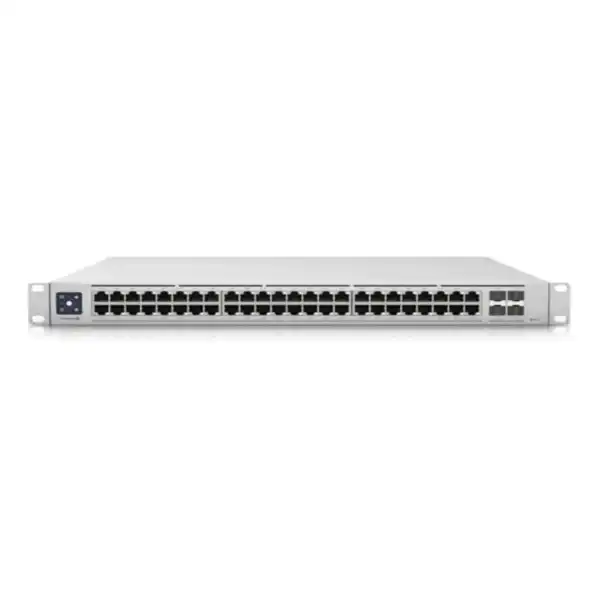
Ubiquiti Enterprise Campus 48 PoE (ECS-48-PoE)
An enterprise-class 48-port PoE+++ switch with 32 ten-gigabit copper connections, 16 2.5-gigabit connections and four 25G SFP28 uplinks. Review what the port mix and power mode really mean for your network before you buy.
The quick decision
The Ubiquiti ECS-48-PoE suits enterprise networks requiring dense multigigabit copper connectivity and many PoE-powered endpoints. Its highest stated PoE budget is 2,150W at 200–240V AC in shared mode; the corresponding redundant-mode limit is 950W. The two budgets cannot be used interchangeably. Before ordering, identify the endpoint power classes, 10G versus 2.5G demand, SFP28 link partners, management environment and physical rack suitability.
Manufacturer-verified specification snapshot
The following values apply to the exact ECS-48-PoE model. When preparing an order, verify the hardware variant, software and accessories rather than borrowing details from similarly named Ubiquiti products.
| Characteristic | Specification |
|---|---|
| Model | ECS-48-PoE — Enterprise Campus 48 PoE |
| RJ45 ports | 32 × multi-speed 10GbE; 16 × multi-speed 2.5GbE |
| PoE output | 48 × PoE+++; up to 90W per copper port |
| Uplinks | 4 × SFP28; 25G / 10G / 1G |
| PoE at 200–240V AC | 2,150W shared; 950W redundant |
| PoE at 100–120V AC | 1,750W shared; 750W redundant |
| Performance | 920Gbps switching; 460Gbps non-blocking; 684Mpps forwarding |
| Power modules | 2 × 1,200W hot-swappable AC/DC |
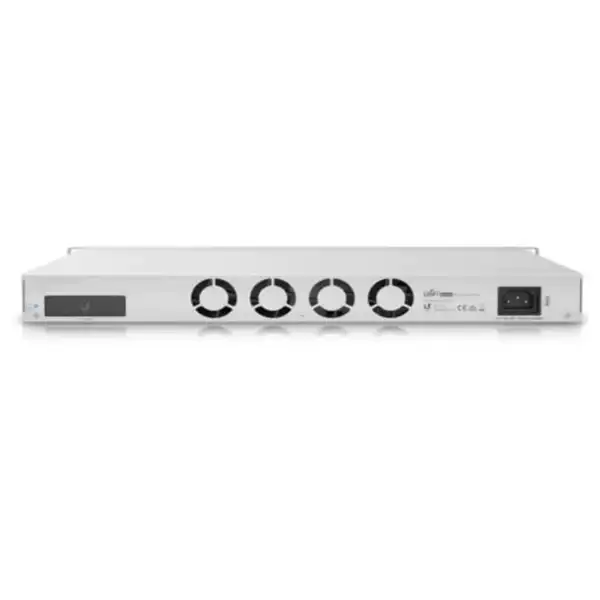
| Cooling | 4 × hot-swappable fans |
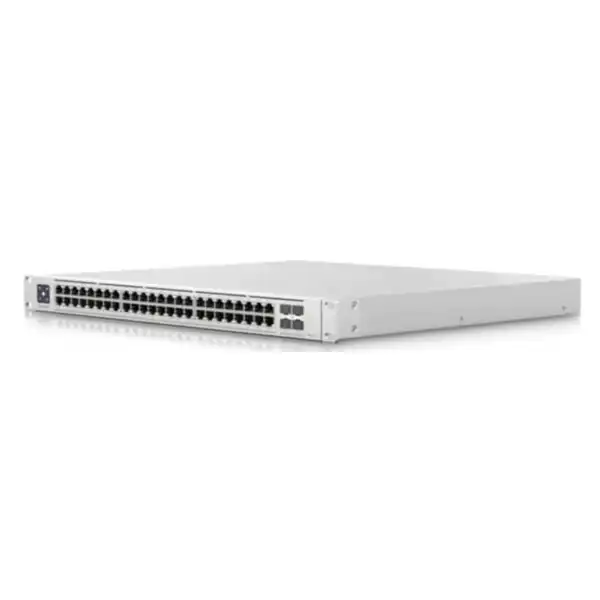
| Chassis | 1U full-depth; 442.4 × 43.7 × 496mm |
| Ambient limits | -5 to 40°C; 10–90% RH noncondensing |
| Management | UniFi Network 9.0.114 or later |
Who needs an enterprise campus PoE switch?
Choosing a switch starts with the actual users, devices and services that must connect to it. The Ubiquiti ECS-48-PoE is a strong candidate when one distribution point needs many powered endpoints, multigigabit copper connectivity and high-capacity upstream links. Wireless access points, networked video equipment, compatible telephones, high-bandwidth workstations and building systems may share the same physical rack, yet they seldom have identical requirements. A realistic design separates bandwidth, port count and electrical power into three independent planning tasks. Buyers should capture current requirements and the likely expansion of each device category before ordering.
An older network can be limited by one-gigabit access ports, insufficient PoE power, congested uplinks or a combination of all three. This switch supplies 32 copper ports capable of speeds up to 10GbE and another 16 capable of up to 2.5GbE. Those capabilities are valuable only when the attached endpoints, cable plant and upstream path can use them. A one-gigabit device does not become multigigabit merely because it is connected to a faster switch. Identify specific workloads such as file transfers, high-density wireless access and local servers rather than making a generic claim that faster switching improves every application.
The right buying decision also weighs operating cost and risk. A smaller or lower-power switch may be more sensible for ordinary desktops with modest network demand. One large switch can simplify rack layout but can also concentrate more connected devices into a single fault domain. Projects that demand physical stacking should examine the separately identified ECS-48S-PoE model rather than assume stacking is provided by the ECS-48-PoE. Clarify which objectives are essential, which are desirable and which are future possibilities. That approach helps justify capital expenditure and avoids paying for headline features that have no identified business purpose.
Understand the 48-port copper layout
The ECS-48-PoE has 32 RJ45 ports offering 10G, 5G, 2.5G, 1G, 100M and 10M operation. The other 16 RJ45 ports support 2.5G, 1G, 100M and 10M operation. All 48 of these copper interfaces support PoE+++, but they are not 48 identical ten-gigabit ports. This distinction is important when assigning workstations and Wi-Fi infrastructure to physical locations. A port schedule should identify the expected speed, connected device, PoE requirement, relevant VLAN, rack or room location and the patch-panel position for every active connection.
Assigning ports thoughtfully can reduce operational confusion. For example, the most demanding wired devices might require the 10G-capable group, while multigigabit access points can use suitable ports according to their own interface speeds. Leave spare positions in both groups if the project has credible growth plans. Document the reason for every allocation so another technician can understand the layout after the original installer has left. A drawing that merely labels the switch as 48 ports provides too little detail for a reliable enterprise rollout, especially where several types of powered endpoints share a cable plant.
Link negotiation is subject to both endpoints and the installed cable channel. Assess cable categories, route lengths, connectors, patch leads and actual condition before promising ten-gigabit copper performance. Old or damaged cabling can produce a functional connection at a lower rate or intermittent service. Check that any powered endpoints support the relevant PoE standard and power class, and confirm that termination practices are suitable for the load. The device’s front-panel port specification is only one part of the end-to-end link, so acceptance testing should measure negotiated speed and stability at the destination.
Four SFP28 uplinks for high-capacity connections
Four dedicated SFP28 interfaces provide support for 25G, 10G and 1G link modes. They can connect to compatible aggregation equipment over suitable optics, fiber or direct-attach cable arrangements, depending on the distance and chosen hardware. These are not four extra PoE copper ports. Their actual link speeds depend on what the equipment and modules at both ends support. A correct materials list therefore identifies each uplink peer, medium, distance, module type and planned negotiated speed instead of assuming that any SFP28 module will work automatically.
Uplink sizing should reflect where traffic travels. A building with many access points may send most traffic towards a firewall, internet gateway or central server. Another site may have substantial communication among devices on the same switch. Estimate those patterns before selecting the uplink topology. Ubiquiti lists LACP support, but the design must confirm that any intended aggregation configuration is supported and consistent at both ends. Bundling links provides an approach to aggregate capacity and resilience; it should not be advertised as multiplying the speed of a single individual data flow.
The manufacturer recommends pairing this campus switch with an Enterprise Campus Aggregation model, but architects should still evaluate the actual network infrastructure already installed. A mixed-vendor or mixed-generation environment may be appropriate if interfaces, modules and protocols have been checked for compatibility. Cross-building uplinks should also account for fiber routing, physical security, labeling and protection against accidental disconnection. When requesting a quotation, specify whether the uplink transceivers and cables are included. The advertised switch hardware does not eliminate the need to design or purchase the correct interconnect components.
PoE+++ explained: individual port versus total output
PoE enables compatible network devices to receive electrical power and data through an Ethernet cable. Ubiquiti rates each of this model’s 48 powered copper ports for up to 90W PoE+++, and lists lower output classes of 15.4W, 30W and 60W. The 90W value is an individual port capability rather than a guaranteed simultaneous allocation to every port. Forty-eight devices requesting 90W would require more power than the switch’s listed aggregate budget. Equipment planners must distinguish a possible maximum for one connection from the total supply available to the entire switch.
An accurate power schedule records the number of powered devices, their supported PoE standard, maximum requested consumption and expected operating pattern. A wireless access point may need a higher class than an ordinary desk phone, while networked cameras and building devices may have entirely different profiles. Use documented device ratings rather than guesses based on product category. Add an engineering reserve based on project requirements and consider whether upgrades will increase the future load. A port count without a device-level wattage schedule is not an adequate basis for selecting high-density PoE hardware.
Cabling remains an important part of power delivery. Four-pair high-power PoE can make cable quality, connector condition, bundle size and ambient temperature relevant to reliable operation. A connection that passes data is not necessarily suitable for the highest supported power class. Device input power may be less than the amount sourced by the switch because of cable losses. Ask the installer to evaluate the installed channel and applicable standards for the particular environment. Do not treat the ability to enable a high-power profile as proof that every existing cable run or receiving device is acceptable.
The critical power-mode difference
At 200–240V AC, the manufacturer lists up to 2,150W total PoE availability in shared power mode but 950W in redundant mode. At 100–120V AC, those values change to 1,750W shared and 750W redundant. These figures describe different operating assumptions. Shared mode offers a higher combined budget, while the lower redundant-mode figure is the relevant planning limit for the documented redundant arrangement. A quotation or design that simply says 2,150W PoE should be clarified to ensure that the intended power mode and continuity requirement have not been omitted.
Consider an illustrative installation with twenty endpoints budgeted at 30W each and twenty others at 15W each. Their combined nameplate-style planning sum is 900W before an additional operating reserve. That scenario would leave little room beneath a 950W redundant-mode figure even though it is well below 2,150W. If thirty devices each require a 60W allocation, the combined 1,800W already exceeds the quoted redundant-mode budget. Such examples show why a seemingly modest change in the endpoint mix can alter the correct resilience choice. Real device loads and permissible margin must still be verified.
Two physical power modules do not mean that the shared-mode maximum will survive the failure of one module. The ECS-48-PoE uses two hot-swappable 1,200W power modules; the selected configuration determines how much PoE capacity is available under particular operating conditions. If uptime through a module or feed failure is required, design against the supported redundant mode and verify the configuration under controlled test conditions. Check whether the electrical arrangement can provide suitable protected feeds and how power alarms will reach responsible staff. Resilience must be engineered, not inferred from hardware count.
The manufacturer’s maximum power consumption figure is 250W excluding PoE output or 2,400W including PoE output. It should inform protected-power and electrical planning, but it is not a prediction of everyday energy consumption. Actual demand depends on the traffic and attached equipment. UPS selection should take account of the complete rack load, expected operating demand, battery condition, power factor, conversion efficiency and requested backup duration. Avoid purchasing a UPS based only on the switch’s label. Have the electrical and network teams agree on the acceptable outage and recovery scenario.
Layer 3 capabilities and network segmentation
Ubiquiti lists local-network inter-VLAN routing, static routing, DHCP server and DHCP relay capabilities for the ECS-48-PoE. These can be useful in a larger campus topology, but they do not automatically replace an edge router, a security firewall or the policies that govern traffic between departments. Decide where routing should occur and where connections must be inspected. A network may be segmented into business workstations, guest traffic, wireless infrastructure, video equipment and management, but the reason for each segment and its permitted destinations should be documented clearly.
The published scale figures include 1,000 supported VLANs, 512 IPv4 static routes and a 32,000-entry MAC address table. They help describe hardware capacity, not a recommendation to use that many segments in ordinary installations. Most organizations benefit more from a small number of understandable, well-managed networks. For each VLAN, record the subnet, DHCP authority, default gateway, security policy, ownership and uplink tagging. A consistent naming convention and an accurate traffic-flow diagram reduce the risk of accidental access between systems that were meant to remain separate.
When integrating this switch with existing routing equipment, verify the difference between local switching and traffic that must cross a gateway. Test DHCP relay, access controls, service discovery and traffic symmetry in a staging environment. A change that improves local routing performance can unintentionally bypass an inspection point if the policy has not been designed with care. Use a change window and maintain a rollback plan for critical sites. Layer 3 functionality is valuable when paired with disciplined configuration and validation rather than treated as a one-click solution for complex enterprise routing needs.
Layer 2 network controls and practical security
The manufacturer’s listed Layer 2 functions include LACP, STP and RSTP, DSCP-based quality of service, IGMP snooping, enhanced multicast controls, voice VLAN and LLDP-MED. These address different aspects of enterprise operations. A spanning-tree plan helps manage some accidental loop risks, while QoS policies can differentiate traffic classes when supported across the relevant path. Multicast configuration matters in environments with streaming or discovery-intensive services. No single feature guarantees service quality without appropriate endpoint behavior, network capacity and consistent end-to-end design.
Ubiquiti also lists 802.1X control, DHCP snooping and guarding, ACLs, port isolation, storm control, port restrictions and port mirroring. Those options are useful for building a defensible access policy, but administrators need to know how every intended device authenticates and communicates. Some managed computers may suit 802.1X while particular infrastructure systems need a different documented process. Pilot security policies on representative endpoints before applying them broadly. An over-restrictive policy can interrupt legitimate equipment just as effectively as a damaged physical uplink.
Security should extend beyond switch features to the management environment. Restrict administrative access, maintain a secure inventory, monitor configuration changes and keep an approved backup. Document the purpose of each exception to a port or VLAN policy and review exceptions periodically. If port mirroring is used for troubleshooting, handle captured traffic according to organizational privacy and security requirements. Include operational owners in the design process so protective features can be maintained. A secure network is one that staff can operate consistently, not merely one with the longest list of checkboxes.
Etherlighting, touchscreen and UniFi management
Etherlighting allows technicians to identify relevant ports visually and can communicate information about link or network state. It is particularly helpful in a dense rack where many adjacent patch leads look alike. Use it to support installation and fault isolation, not as a substitute for durable labels and a complete port schedule. A technician should be able to locate a connected device even when a visual indication is unavailable or a configuration has changed. Keep patch-panel numbering, room details and switch profiles aligned after every move or replacement.
The switch also includes a 1.3-inch touchscreen, while broader device management takes place through the UniFi Network environment. Ubiquiti states a UniFi Network requirement of version 9.0.114 or later. If the organization already has an installation, check the current application version, supported host and planned upgrade path before committing to the switch. Updating a network management system can itself require change approval and compatibility testing. It is better to identify controller dependencies in procurement than to discover them during a live cutover.
Centralized management helps administrators apply consistent settings and understand a larger deployment, but the value depends on operational discipline. Decide who can make changes, which ports are business-critical and how configuration backups are maintained. Confirm management reachability and recovery steps in case an upstream network path fails. Record software versions and keep a maintenance history so troubleshooting does not rely on memory. A well-managed switch includes a clear human process for safely changing VLANs, PoE settings, uplinks and security controls during its life.
Rack dimensions, cooling and service access
The chassis measures 442.4 × 43.7 × 496mm and occupies a single rack unit, but it is a full-depth switch. Its physical depth can be a more important constraint than its height. Ubiquiti specifies 19-inch four-post rack support within post depths of 650 to 1,000mm and advises suitable center-mount or cantilever support for two-post arrangements. Measure the usable space behind the device for power cables, fiber connections and ventilation. A cabinet that has one free rack unit is not automatically a cabinet that can safely house this equipment.
At about 9.46kg without mounting brackets, the switch needs secure support. Review the rack’s mounting hardware and loading arrangements, especially when other heavy devices or extensive cable bundles are nearby. Plan bend radius and clearance for fiber jumpers and avoid routing cables where they block fan or power-module access. The complete equipment layout should permit safe inspection and supported maintenance without disconnecting unrelated services. Ask for a physical survey if the communications room uses a shallow enclosure, wall-mounted cabinet or an improvised rack arrangement.
Four hot-swappable fan modules are included in the hardware design, but fans cannot compensate for inadequate room ventilation. The published ambient operating range is -5°C to 40°C, with 10% to 90% noncondensing relative humidity. These are operating limits rather than preferred conditions. Heat from attached powered devices and other rack equipment can affect the room’s cooling requirement even when the switch itself remains within its specification. Confirm airflow clearance using the installation guide, monitor environmental conditions and avoid treating the upper temperature figure as a routine operating target.
Redundancy and maintenance have real boundaries
The dual hot-swappable power modules and four hot-swappable fans provide serviceability options under the procedures supported by Ubiquiti. They do not mean the entire network path is fault-proof. An upstream gateway issue, a failed chassis, disconnected fiber or an unsuitable software change can still interrupt services. Start resilience planning by identifying the business applications that must continue running and the number of endpoints that would lose both power and data if this switch went offline. That impact assessment should determine whether a single access switch is an acceptable design.
If the plan requires protection from a power-module or feed failure, verify the appropriate redundant operating mode and size the endpoints within its lower PoE availability figure. Test the selected behavior carefully according to manufacturer guidance and the site electrical plan. Two modules connected to the same unprotected power source do not create independent power availability at the facility level. Where the risk warrants it, an organization may need separate protected feeds, backup power or more than one access-switch failure domain. These are design choices, not promises inherent in a product listing.
Maintenance planning should cover spare modules, approved firmware versions, support channels, a record of power mode and documented replacement procedures. The term hot-swappable does not authorize uncontrolled replacement or guarantee unchanged operation under every load. Know what needs to be checked afterwards: module status, available PoE headroom, network links and the health of connected devices. Keep a readable handover record so staff can identify the correct model and service components. A reliable maintenance strategy is more useful than an unsupported guarantee that a particular fault cannot cause downtime.
Suggested commissioning and migration approach
Begin by surveying the existing network. Record connected endpoints, their physical locations, patch-panel ports, PoE classes, link speeds, VLANs, IP addressing arrangements and business criticality. Draw the intended uplinks and identify the systems providing internet access, routing, authentication and DHCP. Mark any hardware that behaves differently from normal managed workstations, such as specialty cameras or building controllers. A complete inventory reduces last-minute surprises and enables accurate port and power calculations. Agree on the permissible service interruption before scheduling the migration.
Stage the switch in a controlled environment and verify that the intended UniFi Network version can adopt and manage it. Set appropriate administrator access, management policies and VLAN profiles. Test representative endpoints for speed negotiation, PoE behavior and stable connectivity; then validate the intended SFP28 links and routing policies. Where power redundancy is part of the requirement, perform an approved test with the planned load and configuration. Save a known-good baseline so the installation team can distinguish an existing problem from a change introduced during cutover.
Move a limited group of devices first, confirm expected service, then continue in sensible groups. Monitor link errors, PoE output, switch health and the actual operation of key applications. Maintain a rollback method until acceptance criteria are met. At the end, update port labels, topology diagrams, controller access records and change history. Explain to the customer’s team which components will be affected by a switch reboot or power interruption. This incremental rollout is appropriate for offices and campuses where one switching device may supply both connectivity and electricity to many downstream endpoints.
Tanzania site planning and environment
For a Tanzania installation, assess the actual building and power source rather than assuming that all premises share the same conditions. This switch accepts 100–240V AC, 50/60Hz input according to Ubiquiti. Confirm safe, compatible local cabling, earthing, protected electrical distribution and appropriate qualified installation. If the facility experiences power disruptions, design a UPS based on the full equipment load and the required runtime. A product specification alone does not establish backup duration, site wiring suitability or compliance with local installation requirements. The proposed electrical arrangement must be evaluated independently.
Heat, dust, moisture and cabinet access also deserve site-specific review. The manufacturer publishes a noncondensing humidity range and an upper operating temperature of 40°C. A poorly ventilated communications closet can be problematic regardless of the nominal climate in the surrounding office. In a multi-building deployment, assess fiber routing, physical security and the impact of long or exposed cable paths. Confirm that environmental monitoring and fault escalation are practical for the facilities team. Good engineering is particularly important where the switch also powers infrastructure that must remain available.
Commercial details must be verified separately from technical specifications. A global manufacturer’s storefront does not establish FourTeck Tanzania’s price, stock, warranty, installation coverage or shipment timing. This description deliberately avoids inventing Tanzanian shilling prices, local certifications or guaranteed delivery dates. For an accurate enquiry, provide the destination site, required quantity, endpoint inventory, power estimates and expected installation scope. Ask for a written offer confirming what hardware, accessories, services and support are included. A scoped quotation is more useful than an overseas price converted without reference to the actual transaction.
Practical use cases and their constraints
A wireless refresh is a natural scenario when newer access points have multigigabit uplink requirements and suitable PoE power needs. The ECS-48-PoE can supply a mix of high-speed copper ports and high-output power, but the chosen access points determine the actual benefit. Check each access point’s interface and power class, as well as the expected upstream traffic to the gateway. It is unnecessary to attach a basic one-gigabit endpoint to a ten-gigabit port solely for appearance. Plan coverage and wireless capacity separately from the wired switch purchase.
Another scenario is an enterprise department handling large files or local data-intensive applications. Selected workstations, network appliances or distribution devices may benefit from ten-gigabit copper access, provided that servers, storage and applications can handle the traffic. The switch’s headline fabric capacity should not be interpreted as a guarantee of ten-gigabit performance between every pair of users in all circumstances. Measure the likely traffic paths, assess uplink congestion and identify where network capacity is genuinely limited. The application architecture may matter more than the access-port capability alone.
Video surveillance, door control and building systems can use PoE and VLAN separation, but these services have special continuity and security considerations. Verify camera or controller power demand, recording bandwidth, policy requirements and any dependency on upstream services. Concentrating all security endpoints on one switch may create a larger single point of failure than the business can accept. Some sites may prefer distribution across multiple devices or protected network paths. Such choices should follow the operational risk assessment rather than a generic preference for the largest available PoE budget.
Ubiquiti also lists Pro AV profiles and multicast-related functions, which may interest installations carrying audio or video over IP. Compatibility and performance depend on the actual protocols, endpoints and tested settings; the presence of a named profile is not proof that any third-party product will operate flawlessly. Identify multicast listeners, latency requirements, receiver locations and the necessary traffic isolation. Perform a representative proof of concept where specialist media applications are critical. A clear test plan protects the buyer from promising more than a feature list can establish.
Comparing the ECS-48-PoE with nearby alternatives
The similarly named ECS-48S-PoE is a separate model that Ubiquiti markets with stacking support. The standard ECS-48-PoE should not be represented as stackable without specific official confirmation. If native stacking is a written requirement, ask the design team to compare the S variant and its associated topology. If a single high-density multigigabit PoE switch is sufficient, the non-S model may be more relevant. Getting the suffix right in the purchase order, quote and installation guide avoids receiving a product that does not meet an important architectural requirement.
The Enterprise Campus 24 PoE variant can be a candidate for a smaller device count, while other designs may split endpoint power and high-speed access across different switches. Compare more than the total number of ports. The right equipment mix depends on actual ten-gigabit devices, 2.5-gigabit endpoints, PoE load, redundancy objectives, rack constraints and expected growth. Two smaller switches can provide different service boundaries compared with a single larger unit. The operational implications of those boundaries may justify a design that differs from the cheapest hardware-only quotation.
Look at the entire network bill of materials: switch hardware, racks, UPS, power distribution, optics, DACs, patch cables, cable testing, configuration and maintenance. A price comparison that excludes required accessories is not meaningful. Likewise, a switch without PoE may make sense for a server-facing segment but not for a concentration of powered devices. Ask suppliers to quote equivalent scope and explicitly identify assumptions. A well-scoped procurement process makes the technical tradeoffs visible and avoids hidden installation costs appearing after hardware has already arrived.
Interpret the published performance figures
Ubiquiti publishes a 920Gbps switching capacity, 460Gbps non-blocking throughput and a 684Mpps forwarding rate. These describe different aspects of the switch and must not be presented as a single workstation’s guaranteed bandwidth. A client remains constrained by its own negotiated link rate, the far-end equipment, higher-layer protocols and the path its traffic follows. Aggregate switch performance is valuable in a busy environment, but performance claims should be tied to real traffic patterns. Simple comparisons based only on the largest number in a table can mislead purchasing decisions.
Identify which flows remain local to the switch and which must traverse its SFP28 uplinks. A network with many clients accessing one central server may have a very different bottleneck from one where most traffic stays within a local subnet. For latency-sensitive services, inspect queueing and contention in addition to raw throughput. For bulk file transfers, evaluate server capability and available path capacity. When the switch is deployed, collect representative monitoring data to validate assumptions and establish a baseline for future expansion. This is more reliable than extrapolating from the backplane rating alone.
The published scale limits for VLANs, MAC addresses, routes and access lists should be considered if the environment is unusually large or segmented. However, a high published limit does not mean a complicated configuration is automatically a good configuration. Feature behavior should be checked against the intended UniFi software version and the rest of the architecture. Keep policies and traffic paths understandable to future maintainers. The most useful design outcome is predictable service, manageable risk and adequate measured headroom, rather than the maximum number of features enabled.
What to include in a request for quotation
Provide the exact model ECS-48-PoE and required quantity, then describe the intended application. List the number of devices in each speed category, expected PoE consumption and whether the higher shared-mode budget or lower redundant-mode budget is essential. Identify the uplink peer and its speed requirements. Mention any existing UniFi environment and controller version. This basic information helps the technical reviewer assess whether the switch is appropriate before considering local supply terms. A request that gives only the model name may conceal a configuration mismatch.
Add physical and electrical details. State the type and usable depth of rack, available space for cables, site cooling arrangements and protected power feeds. If a UPS is required, specify the desired runtime and other connected equipment so a proper sizing exercise can occur. For copper connections, provide installed cable information where known. For fiber links, state distance, medium and module needs after compatibility review. Clarify whether the request includes accessories, installation, staging, configuration, cable tests, documentation or operator handover.
Ask the supplier to document the exact included items, delivery assumptions, commercial scope and applicable support terms. Pricing and availability for this exact Tanzania transaction should come from a current quotation, not an overseas listing. Confirm who is responsible for any software update, design validation or change approval. Where the network is mission-critical, agree on the maintenance and fault response process before purchasing. These steps make the commercial offer more accurate while reducing the risk of missing items or unrealistic expectations at the point of installation.
Commissioning and acceptance checklist
On arrival, inspect the model label, physical condition, included modules and any ordered accessories. Confirm the selected mounting method and ensure the rack can support the full-depth chassis. Verify the planned power wiring, management connectivity and installed UniFi software environment. Make a record of the intended power mode before allowing a large number of powered devices to connect. A switch that starts successfully has passed only a small part of the acceptance process. The actual service configuration and connected loads still require verification.
Check representative RJ45 ports at each required line rate and verify all uplinks that will be used. Test PoE power-up for each device category, VLAN assignment, addressing, routing, access restrictions and application connectivity. Capture expected monitoring values, port errors and the measured or reported power load. If redundant operation is a contractual requirement, perform an approved, controlled test at the intended load. Keep results in the handover pack and record any exception that must be corrected. Clear acceptance criteria turn a technical installation into a testable deliverable.
Before handover, confirm the management owner, configuration backup procedure, escalation contacts, patch-panel schedule and change-management process. Mark which endpoints would lose power or connectivity when the switch is stopped. Establish periodic checks for PoE headroom, link utilization, software maintenance and environmental health. These operational details make it possible to distinguish ordinary growth from an emerging fault and prevent the network from drifting away from its documented design. Long-term maintainability should be part of the original purchase decision.
Common buying mistakes to avoid
Do not describe the switch as 48 ten-gigabit copper ports: the real breakdown is 32 ten-gigabit-capable and 16 2.5-gigabit-capable RJ45 interfaces. Do not multiply 48 by 90W and assume the resulting wattage is simultaneously available. And do not quote the 2,150W shared-mode figure as though it also represents redundant-mode output. These errors can cause a network design to fail its electrical or port-capacity requirements before any traffic has been connected. Include both the port map and the power-mode assumptions in procurement documentation.
Do not confuse the ECS-48-PoE with the stackable ECS-48S-PoE, and do not rely solely on matching connectors to approve optical modules. Also avoid assuming that Layer 3 support removes the need for deliberate gateway and security design. Verify the actual controller version and required software behavior in advance. The presence of many advanced features is only helpful when their implementation meets the site’s needs and the operations team understands their implications. Test unusual equipment or workflows rather than promising compatibility based on broad categories.
Finally, pay attention to the physical environment and the ongoing support model. A full-depth 1U device may not fit an existing shallow cabinet; substantial PoE output calls for careful electrical and thermal planning; and a large concentration of powered endpoints deserves a realistic recovery procedure. FourTeck Tanzania can evaluate the intended application and prepare a configuration-specific offer, but local price, stock, delivery and warranty details require explicit confirmation. An accurate specification and clear handover process protect the value of the investment.
Frequently asked questions
How many RJ45 Ethernet ports are provided?
There are 48 powered RJ45 ports in total: 32 support speeds up to 10GbE and 16 up to 2.5GbE. The additional four SFP28 interfaces are uplinks, not powered RJ45 access ports.
Can all 48 ports deliver 90W simultaneously?
No. Every port has a per-port maximum of up to 90W PoE+++, but the combined load must remain within the applicable total PoE budget and the receiving devices’ requirements.
What PoE budget is available at 200–240V AC?
The manufacturer specifies up to 2,150W in shared mode and 950W in redundant mode. The choice matters when deciding how much powered equipment can continue operating with the intended resilience arrangement.
What changes at 100–120V AC?
Ubiquiti lists 1,750W in shared mode and 750W in redundant mode at the lower AC input range. Confirm the site’s actual supply and the selected operating configuration.
Are the SFP28 uplinks 25G compatible?
Yes. The four SFP28 ports support 25G, 10G and 1G modes. Compatible modules or direct-attach cabling and the far-end equipment are needed to achieve the intended rate.
Does ECS-48-PoE support native stacking?
Do not assume so. Ubiquiti explicitly markets stacking on the separate ECS-48S-PoE model. Select the proper variant when stacking is a defined requirement.
Does the switch have Layer 3 capability?
Yes. The manufacturer lists local inter-VLAN routing, static routing, DHCP server and relay functionality. This does not remove the need to plan appropriate firewall and gateway services.
What UniFi Network version is required?
The published product specification calls for UniFi Network version 9.0.114 or later. Check the exact controller environment before integration or migration.
Can it be installed in a shallow cabinet?
The device is approximately 496mm deep and is classified as a full-depth 1U chassis. Measure the rack and rear cable clearance, and follow the manufacturer’s mounting guidance.
Is it suitable for high-power wireless access points?
Potentially, if the access points’ PoE standards, power class and interface speeds are compatible. Sum the entire device load and allow the headroom specified by the deployment design.
Does it guarantee service continuity if one power feed fails?
No unconditional guarantee is appropriate. Resilience depends on the supported power mode, total PoE load, electrical feeds and broader network topology. Test the intended fault scenario.
Are Tanzania price, delivery and warranty already confirmed?
No. Those commercial details must be confirmed for the exact FourTeck Tanzania quotation. Technical specifications do not establish local stock, prices, service terms or shipping dates.
Request a FourTeck Tanzania quotation
Send your planned endpoint quantities, PoE wattages, uplink requirements, rack details and resilience needs to FourTeck Tanzania for a configuration-specific assessment. Ask for confirmation of the exact Ubiquiti ECS-48-PoE model, local price, stock status, accessory scope and applicable terms before placing an order.
Next step: contact FourTeck Tanzania for a tailored product and deployment quote.




Reviews
There are no reviews yet.