
UniFi wireless | Tanzania product guide
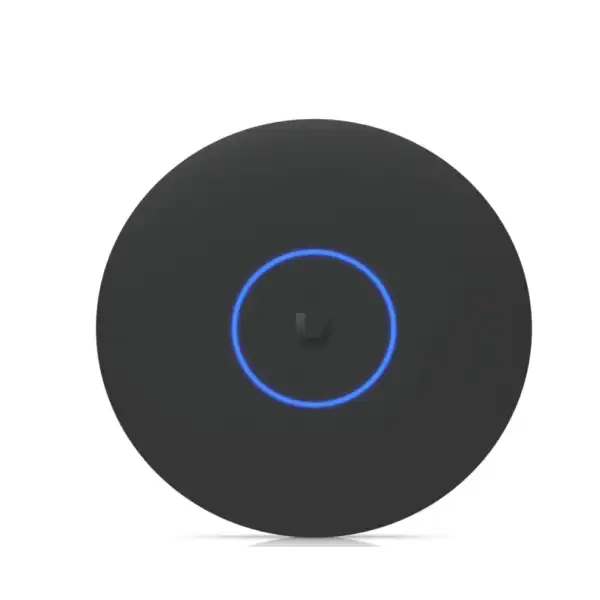
Ubiquiti U7 Pro XG (U7-Pro-XG) Wi-Fi 7 Access Point
Build a more capable managed wireless network with a six-stream, tri-band Wi-Fi 7 access point and a 10 GbE-capable Ethernet uplink. The Ubiquiti U7 Pro XG is designed for customers who want to plan around real application demand, reliable coverage and a multi-gigabit wired network.
For Tanzania, verify regional 6 GHz availability and current regulatory requirements before planning to use that band. Request a configuration review or quotation covering switching, power, site layout and the exact hardware variant.
Key specifications at a glance
Manufacturer radio maxima: 2.4 GHz up to 688 Mbps; 5 GHz up to 4.3 Gbps; 6 GHz up to 5.8 Gbps. These are theoretical radio link rates, not guaranteed delivered throughput. Availability of 6 GHz operation depends on applicable country rules and supported device configuration.
Who should choose the U7 Pro XG?
The Ubiquiti U7 Pro XG is a ceiling- or wall-mounted UniFi WiFi 7 access point for organizations that want more wireless capacity without making the wired connection an early constraint. It is most compelling where a network is being refreshed for multi-gigabit switching, modern laptops, collaborative work and high local-network traffic. A small office with ordinary internet and mostly older devices may not need every capability today. The right purchase starts with the users, applications and existing cabling, not with the largest number printed on a product box.
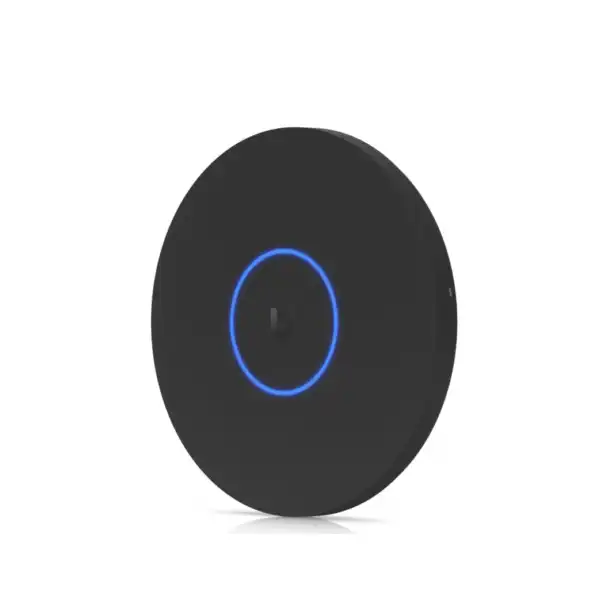
This model is designed for indoor professional Wi-Fi deployments such as offices, training facilities, hospitality spaces, studios and technically demanding homes. Its compact circular form can sit on a ceiling or suitable wall position, while UniFi Network provides centrally managed configuration. It is not a substitute for a router, security gateway, internet subscription or appropriate Ethernet switch. Those pieces still determine external connectivity, segmentation, traffic policy and the reliability of the overall service.
Choose it when there is a clear reason to prefer the 10 GbE capable RJ45 interface over an access point with a slower uplink. Examples include a wired multi-gigabit backbone, many active clients sharing large files, a business upgrading its switching layer, or an installation designed to last through several wireless client generations. If budget must prioritize basic coverage, a thoughtful layout with multiple suitable access points may outperform a single premium access point placed in the wrong location.
What the 10 GbE uplink really changes
The U7 Pro XG has one RJ45 network interface supporting 10, 5, 2.5 and 1 GbE connections. This flexibility matters because the same access point can join an existing lower-speed network and later connect to a higher-speed switch without changing the access point itself. The negotiated link speed depends on both ends of the connection, the switch port, cable quality and installation conditions. Merely using an Ethernet cable labelled for fast service does not make an older one-gigabit switch port operate at 10 gigabits per second.
A 10 GbE uplink helps reduce the risk that many simultaneous wireless sessions compete behind a narrow wired link. Consider colleagues transferring project files to a local server while other staff join meetings and access cloud applications. The faster uplink gives the shared wired path more headroom when the rest of the network supports it. However, it does not increase an internet circuit’s subscribed speed, remove latency on a congested provider network, or guarantee that a single wireless laptop will achieve a ten-gigabit data transfer.
The port should be considered part of a complete end-to-end path. Evaluate the switch, uplink from that switch, router throughput, local storage, application server and power budget. If the switch has 10 GbE downlink capability but its onward connection is saturated, improvement at the access point may be limited. Conversely, a business that frequently uses local network resources could benefit from the uplink even when its internet service is comparatively modest. The useful metric is performance across the intended workflow, not only a port specification.
Understanding tri-band Wi-Fi 7
The access point contains radios for 2.4 GHz, 5 GHz and 6 GHz frequency bands, with two transmit and receive spatial streams on each band for six spatial streams overall. The 2.4 GHz band remains relevant for compatible older devices and some lower-bandwidth equipment. The 5 GHz band serves many current phones and computers. Where permitted by local regulation and enabled by the relevant device region and software, the 6 GHz band creates another option for compatible modern clients. The three-band architecture allows administrators to make more considered decisions about distribution of traffic.
Wi-Fi 7 is the IEEE 802.11be generation of wireless networking. Its potential advantages include new modulation and channel options and improved efficiency with compatible clients and firmware. It should not be presented as a uniform speed upgrade for every device. An older phone continues to operate according to the radio standards and capabilities that it supports, while a new Wi-Fi 7 laptop may use advanced features only under suitable conditions. Client capability, channel settings, interference and the surrounding network all influence what is achievable.
The manufacturer lists theoretical maximum radio data rates of up to 688 Mbps at 2.4 GHz, 4.3 Gbps at 5 GHz and 5.8 Gbps at 6 GHz. These are link-layer figures under specified channel and modulation conditions, not guaranteed user throughput or the speed of a single download. Airtime overhead, contention, encryption, retransmissions, device antenna arrangements and application protocols reduce real application speeds. A buyer planning performance targets should request measurements with representative client devices rather than treating the advertised radio rates as a service-level promise.
A specific note about 6 GHz in Tanzania
The U7 Pro XG hardware includes a 6 GHz radio, but a Tanzania deployment must not assume that the band can be activated simply because it appears in the global technical sheet. Ubiquiti maintains a country-by-country list of regions in which UniFi currently enables 6 GHz operation. Tanzania was not identified in the supported-country list reviewed for this content. Official spectrum rules, equipment variant and software country settings must therefore be checked before the 6 GHz capability becomes part of a purchasing decision.
The Tanzania Communications Regulatory Authority publishes national frequency plans and technical requirements for wireless local area networking. Those documents and any newer applicable guidance must be assessed for the exact planned radio use, rather than relying on a generic international description of Wi-Fi 7. A frequency band appearing in a global product specification is not proof of authorization for an individual deployment. A buyer or installer should confirm the current applicable rules, whether the device firmware enables the correct regulatory profile, and whether separate local equipment requirements apply.
For budgeting purposes, treat 2.4 GHz and 5 GHz planning as the practical starting point, subject to the current national rules applicable to those bands. Discuss 6 GHz as a conditional hardware feature, not a guaranteed operating service in Tanzania. This avoids selecting an access point solely for an unverified radio benefit. It also protects the network design from requiring illegal settings, unsupported country changes or inappropriate firmware modifications. The final wireless configuration should always respect authorized channels, transmit limits and installation conditions.
Coverage, capacity and a realistic site survey
Ubiquiti states a coverage area of 140 square metres and a maximum client count of 300 or more for this access point. These are manufacturer planning indicators, not promises that every room in a 140-square-metre floor will receive the same data rate or that hundreds of active clients can all sustain demanding throughput simultaneously. Concrete walls, glazing, ceiling height, dense shelving, device positions and adjacent wireless networks can radically alter real results. The advertised maximum client count must be separated from an engineered estimate of simultaneous user demand.
Start a design with a floor plan and a map of how the space is used. Identify desks, meeting rooms, reception areas, corridors, equipment rooms and any locations where workers need reliable voice or video. Consider both signal strength and usable capacity. A room receiving a signal through several reinforced walls may still experience poor application performance. An access point positioned for broad corridor coverage might not have enough capacity in a crowded training room. Good placement should be based on measured building conditions and actual application requirements.
For a building with multiple floors, do not calculate access point quantities by dividing total square metres by 140. Wireless signals travel unpredictably through floors and surrounding materials. Instead, use an initial predictive plan, inspect feasible cable and mounting routes, and validate with an on-site survey when possible. Allow for changes in occupancy, furniture and neighboring radio activity. A carefully placed second access point can be the better investment when the objective is reliable coverage throughout a complex layout rather than a single headline maximum radius.
Power over Ethernet and switching requirements
The U7 Pro XG uses PoE+ and has a manufacturer-stated maximum power consumption of 22 watts. That means the powering source must supply an appropriate compatible PoE connection, not simply a data-only Ethernet port. A PoE-capable switch or suitable power adapter may form part of the installation. Check the switch’s total available PoE budget as well as the power capability of each individual port. The number of powered access points, phones and cameras connected to a switch all affect how much electrical headroom remains.
Multi-gigabit data speed and power delivery are two different requirements. A switch can have a fast Ethernet port that does not provide power, or a PoE port whose negotiated data speed is lower than the desired uplink. Before ordering, confirm that the exact port supplies the required power and supports the intended link speed. If using an injector, verify both its power specification and its data-port capability. Avoid assuming any injector described as PoE will automatically preserve a 10 GbE connection.
Resilience deserves attention in facilities where Wi-Fi is business-critical. If access points are powered by a rack-mounted PoE switch, the switch, gateway and other necessary components may need appropriately sized backup power. Power continuity cannot maintain an internet service if the upstream provider equipment is offline, but it can help preserve internal connectivity through brief power interruptions. Leave margin for growth and ventilation in the switch cabinet, label ports clearly, and record which devices are supported by each power source for easier troubleshooting.
Cabling and the full network path
A high-speed wired uplink should be designed alongside cable length, connectors, patch panels and the environment through which the cable runs. The actual maximum supported transmission rate is a function of the complete installed channel, not just the marking on a cable jacket. Ask the installer to assess the existing run before committing to ten-gigabit operation. Where new cabling is planned, specify suitable components and installation testing for the required distance, electrical noise conditions and network standard. Reusing an older cable without testing can create a difficult-to-diagnose bottleneck.
The access point should normally connect to an Ethernet switching environment with appropriate uplinks towards the router, firewall, servers or storage appliances. Where a business expects faster transfers to an internal NAS or shared workstation, verify those endpoints and the entire path between them. A fast wireless link cannot compensate for a saturated storage device or overloaded gateway. Where the primary use is email, messaging and basic cloud applications, improvements in signal design, switching stability and internet reliability can be more valuable than chasing the maximum wired rate.
Link negotiation deserves a place in the acceptance checklist. Record the negotiated speed visible at the connected switch, observe port error counters, inspect the cable termination and confirm stable operation under representative load. A ten-gigabit capable access point operating at one or 2.5 gigabits is not automatically defective; it may be negotiating to match the available switch port. If it negotiates below the expected rate, investigate both ends before changing wireless configuration. This distinction separates a wired infrastructure problem from a radio performance issue.
Roaming and multi-access-point design
The U7 Pro XG includes support for common UniFi roaming assistance features, including 802.11k, 802.11v and 802.11r. These tools can help compatible client devices discover neighboring access points and transition through managed areas. They do not force every phone to roam at exactly the same signal level, because client software and radio behavior still matter. For voice and mobile applications, test movement through corridors and between rooms with actual client devices rather than relying solely on the presence of a feature checkbox.
In a multi-access-point layout, plan channel assignments and transmit power to reduce unnecessary overlap while maintaining useful coverage. Running every access point at maximum power is not always the best strategy. Excessive overlap can increase competition for airtime and cause devices to remain associated with a distant access point longer than expected. Smaller, well-planned cells often provide a more predictable experience than one highly powered radio trying to reach the entire premises. Management tools can assist, but field measurements should guide the final settings.
Use consistent network names and appropriate security settings where a continuous roaming experience is needed. At the same time, separate staff, guest and device-specific access according to policy rather than placing every device in one unrestricted wireless network. A staff member walking between meeting rooms should not require repeated manual reconnection if the network is designed properly. Any critical application, including real-time calling, should be tested across the actual roaming route and across the busiest time periods expected at the site.
Guest access for customer-facing venues
Guest Wi-Fi can be useful in reception areas, customer waiting rooms, meeting venues and hospitality environments. The UniFi feature set for this access point includes guest network isolation and captive portal capabilities such as voucher authentication, password access and custom landing-page branding. These are configuration options; activating a suitable experience still requires the network operator to define access policies, any necessary backend services and the information shown to guests. An organization should choose the simplest guest access method that meets operational needs and applicable privacy obligations.
Guest isolation matters because a visitor should not receive unintended access to the office’s printers, management systems, staff computers or confidential files. Wireless client isolation and VLAN-based network segmentation can help implement that boundary, but they must be coordinated with the switching and gateway configuration. Creating a guest SSID alone does not prove that upstream routing and firewall policy are correct. Test access attempts from the guest network towards sensitive resources, and document the intended internet access and any exceptions.
A venue should also decide how it will handle bandwidth use, peak periods and abusive traffic. UniFi offers Wi-Fi speed-limiting and scheduling features that can help manage demand. Guest experience must be balanced against the needs of employees and business applications. A hotel lounge with moderate browsing traffic differs from a conference hall whose participants all start video sessions at once. Estimates of concurrent users and session types inform the number and placement of access points more reliably than a simplistic maximum-device figure.
Security and network separation
A modern wireless network needs more than a strong radio. The access point can participate in policies for staff access, separate guest service, centrally managed changes and identity-aware configurations where supported by the surrounding UniFi infrastructure. Ubiquiti lists features including Private Pre-Shared Key, RADIUS over TLS and dynamic RADIUS-assigned VLANs for the U7 Pro XG. These capabilities are useful building blocks, but their value depends on correctly configured authentication services, gateway rules, supported clients and administrator procedures.
For many small businesses, an achievable starting point is a protected staff network with access restricted to authorized users, a separate guest network and another suitable network for devices that need limited connectivity. Confirm that the right devices can reach the services they need while other cross-network paths remain blocked. The exact SSID and VLAN structure should reflect how the business operates. Adding many networks without understanding their purpose can make support more difficult and increase opportunities for configuration mistakes.
Security also requires ordinary maintenance. Keep access point and UniFi Network software on suitable supported releases, back up configuration, review administrator permissions and remove unused credentials. Before changing production settings, check the effects on older equipment, printers and other devices with specialized wireless requirements. The U7 Pro XG does not independently replace firewall inspection, endpoint protection, secure application design or safe account administration. It is one component in a larger system that must be managed consistently.
UniFi Network software and ongoing management
The U7 Pro XG is administered through the UniFi Network ecosystem rather than through a standalone consumer router-style setup. Ubiquiti specifies UniFi Network version 9.0.114 or later for the white U7 Pro XG and version 9.1.120 or later for the black version. Verify the selected hardware color or variant and the software version actually available in the intended controller environment. Where a site already runs UniFi, compatibility with its gateway and management platform should be confirmed before a production rollout.
An administrator can use central management to review access point status, wireless network configuration, clients and relevant troubleshooting information. Central visibility is valuable in an office with multiple rooms or buildings because repeated changes can be organized consistently rather than applied independently to each access point. The benefits still depend on thoughtful access rights, documented naming and responsible change management. A dashboard does not eliminate the need to understand radio conditions, bandwidth demand or the physical installation.
Define an operating handover before the site is commissioned. Record management access procedures, wireless network names, VLAN assignments, firmware versions, switch port locations, mounting locations and any intentional radio restrictions. Keep sensitive passwords out of public documentation and store administrative credentials using an appropriate secure process. This practical record becomes especially important when staff change, network equipment is moved or later installations add more access points. Clear documentation reduces the risk that small modifications disrupt an otherwise well-designed network.
What Wi-Fi 7 speeds mean in daily use
The advertised radio link rate and the useful throughput observed by a person are different measurements. A link rate is negotiated by the access point and client under particular radio conditions. Actual file transfer or application speed includes contention, protocol overhead, distance, signal quality, processing capability and the target server or internet connection. It is possible for a device to show an impressive wireless link rate and still experience a slow web application because the bottleneck is elsewhere. For purchase decisions, ask which workload needs improvement and how that improvement will be tested.
Use cases such as transferring large media assets, accessing a shared design library, backing up workstations or serving many parallel laptops can benefit from greater capacity if the endpoint systems and wired path are suitably fast. Streaming, cloud meetings and general business applications may instead depend more on stability, packet loss and latency than peak throughput. Wi-Fi 7 can offer additional tools for capable devices, but no access point guarantees uniform performance across all operating systems, driver releases and client models.
Set clear acceptance measurements that relate to the business’s work. A useful trial could compare file-transfer time to a known local server, video-call stability in the busiest meeting space, connectivity across a walking route and concurrent client behavior during a normal working day. Repeat tests at reasonable distances and with more than one client device type. Avoid drawing conclusions from a single speed-test result to an internet server, because that measurement includes conditions outside the wireless access point.
Business scenarios and recommended planning approach
For a growing office, the primary goals are dependable staff connectivity, useful capacity in meeting spaces and manageable permissions for visitors. The U7 Pro XG can be part of a design that uses a multi-gigabit backbone and centrally managed access points. Before selecting quantity, check how many people work simultaneously in each room, which devices support modern bands and what traffic stays on the local network. A floor-plan-based estimate is more reliable than assuming one premium unit will cover the entire workplace.
For a school or training centre, device count alone is misleading. Thirty participants streaming or updating files at the same time create a different demand pattern from thirty mostly idle devices. Plan access point placement around classroom walls, seats and peak-session schedules. Define whether student devices need internet only or selected internal learning resources, then design guest and staff separation accordingly. Include a validation session during an actual class or training event, because empty-room testing may not reveal busy-period congestion.
For a hotel lobby, venue or customer reception area, guest onboarding and consistent coverage may be more important than maximum raw speed. Consider whether captive portal functionality, vouchers and client isolation fit the operating model, and how the network handles visitors who move between spaces. In a high-performance home or creative studio, faster local storage access may drive the decision instead. Each scenario changes the importance of the 10 GbE uplink, 6 GHz regulatory uncertainty, client mix and overall budget.
Comparing the U7 Pro XG with nearby UniFi options
The standard U7 Pro also offers a six-stream Wi-Fi 7 architecture, but Ubiquiti lists its wired uplink at 2.5 GbE rather than the U7 Pro XG’s 10 GbE capability. The practical distinction is the Ethernet growth path, not a promise that every device will suddenly connect faster to an XG model. Where an installation will retain a 2.5 GbE switching infrastructure and the client demand is moderate, assess whether the less demanding uplink meets the real need. The best choice is the one that fits the network and budget.
The U7 Pro XGS is a different, higher-capacity model and should not be confused with the U7 Pro XG. Ubiquiti lists additional spatial stream capacity for the XGS and a different PoE requirement. These distinctions matter if a site expects high density or is provisioning switches and injectors. Do not substitute installation guidance for one model merely because the names are similar. Compare the exact manufacturer’s model and currently applicable power requirements before ordering or upgrading network components.
The U7 Pro XG Wall is also a separate model with a different form factor and installation purpose. A ceiling-mounted disc may fit a traditional office layout, while a wall-oriented unit could make sense in another cabling arrangement. Model identity is especially important for purchase orders, accessory selection and mounting. When requesting a quote, specify U7-Pro-XG for this page’s product and state whether a color or regional variant is required. Ask for the exact supplied configuration rather than accepting an ambiguous shorthand such as U7 Pro.
Installation planning from first survey to handover
First, define the expected users and applications. Record the peak number of active devices, critical locations, desired security separation and whether the main traffic goes to the internet or to internal services. Then examine the current gateway, switching, cabling and electrical support. This initial inventory determines whether a 10 GbE access point can deliver a meaningful improvement or whether another component should be upgraded first. The objective is a complete and supportable network, not just the installation of one new device.
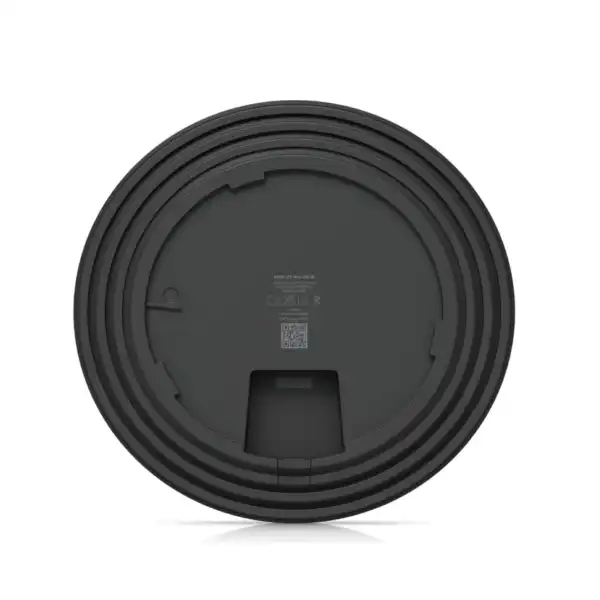
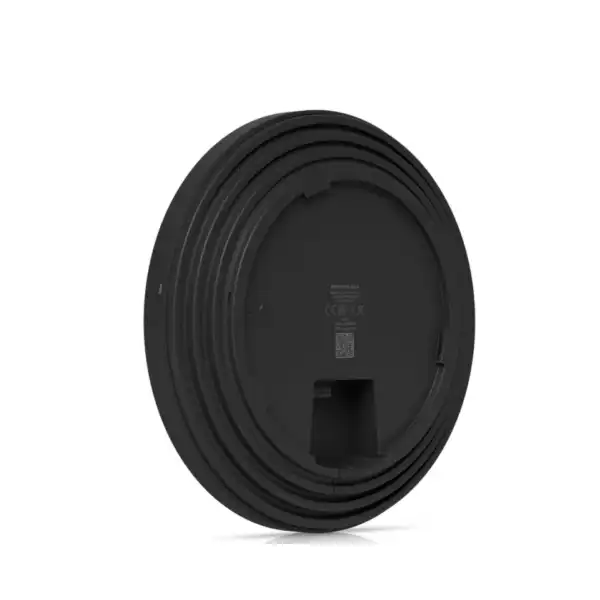
Second, choose candidate mounting positions and assess obstructions, available Ethernet routes and future changes to the room. Ubiquiti specifies ceiling and wall mounting with a Lite Mount included for the U7 Pro XG, but the actual mount must be installed appropriately for the surface and local conditions. Maintain safe cable routing, suitable mechanical support and accessible maintenance arrangements. Avoid locations where moisture, inappropriate heat, damage or poor ventilation would compromise operation. The product’s environmental specifications should be checked against the actual mounting location.
Third, verify compatible power and networking equipment. Confirm PoE+ availability, maximum 22-watt device draw, sufficient total switch budget and an appropriate data speed on the powering path. Configure the UniFi Network application at a compatible version, adopt the access point and apply a country profile consistent with applicable requirements. Do not work around national restrictions to enable unsupported radio options. Validate the port negotiation, intended SSIDs, guest isolation, roaming behavior and client connectivity before declaring the deployment complete.
Finally, conduct application-level acceptance testing with representative users, not just a momentary connection check. Walk the site, test occupied rooms and assess performance at peak demand. Capture a record of the final configuration, cable labels, switch ports and measured issues. Explain who administers the network and how support requests should be handled. A professional handover helps buyers understand both what the U7 Pro XG can do and which outcomes depend on their wider network, software, power and local regulatory conditions.
Buying checklist before requesting a quotation
Confirm the precise manufacturer model: U7-Pro-XG. Check whether the request concerns the white or black variant and whether the available management software satisfies its version requirement. List the number of access points required only after reviewing the floor plan and expected device density. Clarify the mounting surface, available ceiling or wall routes and any accessories needed. This prevents a quotation for the access point alone from concealing the cost of cabling, power, switching or installation work.
Ask for a network equipment list that includes the intended multi-gigabit PoE switching configuration, any necessary power adapter, gateway capacity, cabling work and available backup power. The U7 Pro XG does not create 10 GbE performance unless the connected path can support it. Compare the planned upgrade against the traffic that actually matters to users. For a site still using one-gigabit switching, determine whether the first phase will run at the current rate and whether a later switch replacement is part of the roadmap.
For Tanzania, check the applicable TCRA requirements and the precise radio operation that can be legally and practically enabled on the device at installation time. Confirm commercial details such as availability, price, taxes, delivery and warranty through the current individual quotation rather than relying on overseas store listings. No Tanzania-specific price, stock status, installation territory or manufacturer authorization is asserted on this page. A quote request should make all those details explicit so the purchasing decision is based on facts.
Mistakes to avoid during a Wi-Fi refresh
A common mistake is choosing a premium access point mainly for an advertised peak radio rate. That number does not account for older clients, walls, network contention, current switching or internet capacity. Another mistake is confusing the manufacturer’s client limit with a guaranteed number of simultaneous high-throughput users. A conference room packed with devices needs careful airtime and capacity planning. A modest office with evenly distributed light users has a different profile, even if both appear to have the same number of connected devices on paper.
Do not equate a 10 GbE RJ45 port with a ten-gigabit internet service. It is a wired link capability between the access point and connected network device. Do not equate tri-band hardware with guaranteed 6 GHz operation in Tanzania. Regional permissions and Ubiquiti’s supported-country configuration must be verified. Likewise, do not assume all PoE switches supply the correct power or all cable runs support the intended negotiated Ethernet speed. These checks should happen before equipment is ordered or mounted.
Finally, avoid treating installation as complete as soon as the access point appears online. Test the intended segmentation, guest isolation, throughput path, stability and actual coverage. Review the software support requirement for the selected model variant. Keep a small record of settings and physical connections. A measured acceptance process usually uncovers more useful improvements than maximizing every slider in the wireless management screen. Proper design and maintenance remain more important than a feature label when a business relies on its network every day.
Operating conditions and maintenance considerations
Ubiquiti specifies an ambient operating temperature range of minus 30 to 40 degrees Celsius and a non-condensing humidity range of 5 to 95 percent for the U7 Pro XG. Those specifications do not make the access point an outdoor weatherproof unit. The product should be placed in an environment and mounting arrangement appropriate for the exact hardware and the official installation instructions. Avoid locations exposed to rain, leaking ceilings, persistent condensation or other conditions outside the stated limits.
The 206-millimetre-diameter enclosure is designed for unobtrusive installation, but physical position still matters for reliable radio service. Mounting above heavy metal surfaces, inside enclosed cabinets or immediately beside substantial electrical equipment can interfere with intended wireless coverage. A practical site survey should balance aesthetics with performance and maintenance access. Where the building is frequently reconfigured, document the access point’s location and identify changes such as new partitions or shelving that may require another wireless assessment.
For ongoing upkeep, set a procedure for reviewing relevant UniFi software updates and user-reported issues without disrupting important working periods. Monitor connectivity events, negotiated uplink speed and recurring problem locations where management data makes that practical. Keep the switch and gateway configuration aligned with wireless policies. The purpose of regular review is not constant adjustment; it is to detect a meaningful change in user experience or infrastructure before it becomes a persistent service issue.
Common deployment fits
Small and expanding offices
Prioritize reliable collaboration, separate staff and guest networks, and allow room for multi-gigabit infrastructure growth.
Classrooms and training spaces
Estimate concurrent devices per learning space and validate busy-session capacity rather than relying on a client-count maximum.
Hotels, venues and guest areas
Coordinate guest onboarding, network isolation, roaming and consistent access across public indoor areas.
Studios with fast local storage
Examine the entire path between wireless clients, multi-gigabit switching and local storage before setting throughput expectations.
Advanced home networks
Choose the model for a defined cabling and switching upgrade path, not because peak radio numbers promise faster internet.
Frequently asked questions
Is the U7 Pro XG a router?
No. The U7 Pro XG is a wireless access point. It provides Wi-Fi connectivity to a network but does not replace the router or internet gateway that normally handles upstream routing and the internet connection. It also requires appropriate power and a wired network link for its primary connection. A functioning deployment may include a UniFi management platform, switches, gateway, internet service and any required VLAN or security policy. Buyers should include those components when estimating the cost of a complete installation.
What is the main benefit of the XG version?
The distinctive benefit is the single RJ45 uplink capable of 10, 5, 2.5 and 1 GbE rather than a more limited Ethernet interface. This provides growth room for a multi-gigabit switching architecture and higher combined demand from active wireless devices. It does not mean that a single wireless device necessarily achieves 10 Gbps or that an internet provider automatically offers a faster connection. The benefit is greatest when the rest of the network and the intended workload can use the additional wired capacity.
Does it support Wi-Fi 7 on all three bands?
Ubiquiti identifies the U7 Pro XG as a tri-radio Wi-Fi 7 access point with 2.4 GHz, 5 GHz and 6 GHz hardware. Supported client features vary by band, client device and software. For a Tanzania installation, the available radio configuration must match local regulatory requirements and the manufacturer-supported region. Do not assume 6 GHz can be enabled or used merely because the device contains that radio. Ask for confirmation of the exact deployment configuration before relying on this capability.
Will my Wi-Fi 6 and older devices still connect?
Ubiquiti lists supported earlier wireless standards, including Wi-Fi 6, Wi-Fi 5 and Wi-Fi 4 data rates. Compatible older clients can therefore be accommodated within a properly configured wireless network. Their performance remains limited by the client device’s capabilities and the relevant band and security settings. Before rollout, test any older or specialist devices that the organization cannot easily replace. A modern access point can coexist with legacy equipment, but compatibility should still be checked in the actual network configuration.
Is 300+ clients a guaranteed capacity?
No. The figure is a manufacturer-stated maximum client count, not a promise of equal high-speed service to hundreds of actively transferring devices. A client that is connected but largely idle consumes different resources from one that is streaming video or moving large files. Capacity planning must consider concurrency, airtime, application needs, client capabilities, interference and the rest of the network. For a busy venue, a survey and real workload testing should determine whether more than one access point is required.
Does the device need a PoE+ switch?
It needs a compatible PoE+ power source. Ubiquiti lists a maximum power draw of 22 watts, and an appropriate PoE adapter may be an alternative to a suitable PoE switch. Check the source’s per-port capability and total available power. If a power adapter is used, verify that its Ethernet data path supports the link speed desired. An ordinary unpowered Ethernet port cannot provide the required electrical supply by itself. The exact accessories should be confirmed during equipment selection.
Can it deliver a 10 Gbps wireless speed test?
A 10 GbE port indicates the capability of the wired interface, not a guaranteed individual wireless transfer rate. Even the manufacturer’s maximum radio rates are theoretical physical-layer figures under specific channel conditions. Real-world speed is affected by the client, distance, channel width, interference, network path, servers and internet connection. The more useful question is whether the system can carry the expected simultaneous business traffic within a satisfactory latency and reliability target. Test those real workloads rather than expecting one particular speed-test number.
Is the U7 Pro XG suitable for outdoor use?
It is primarily presented as a ceiling- or wall-mounted access point, and its stated environmental limits should be respected. Do not treat it as a weatherproof outdoor model merely because the operating temperature range is broad. Exposure to rain, persistent condensation and other uncontrolled conditions may require different hardware and mounting arrangements. Outdoor wireless operation also has radio regulatory implications, especially for bands whose permitted use can differ from indoor installation. Select a purpose-appropriate access point for exposed locations.
How many U7 Pro XG units will a building need?
There is no reliable answer from floor area alone. The 140 square metre manufacturer coverage figure is a planning reference under unspecified real building conditions. Walls, floor construction, furniture, user concentration and the desired performance level influence the number required. Start with a floor plan, occupancy estimate and intended applications. Then use a site survey or validation measurements to decide whether one or several access points are appropriate. A poorly placed single device cannot be repaired simply by using its maximum transmit setting.
Does it include guest Wi-Fi features?
Yes. The U7 Pro XG feature list includes captive portal capabilities, password and voucher authentication, guest network isolation and related policy options. Those capabilities require deliberate network configuration and may depend on surrounding UniFi infrastructure for the intended workflow. Ensure guest devices cannot reach sensitive business systems and that the access process suits the venue. An access point providing guest Wi-Fi is not a substitute for proper routing, firewall rules, privacy practices and capacity planning.
What software is required to manage it?
Ubiquiti states a minimum UniFi Network version of 9.0.114 for the white U7 Pro XG and 9.1.120 for the black U7 Pro XG. Verify the selected variant and current software compatibility before deploying it on an existing site. A manager should also confirm permissions, update planning and documentation. Where several access points are installed, consistent central management helps preserve uniform settings and simplifies future changes. The software version alone does not guarantee coverage or bandwidth performance.
What should a Tanzania buyer verify before ordering?
Verify the exact model and variant, intended number of units, compatibility with switching and PoE+, cable readiness, UniFi management version and proposed mounting location. Confirm the current Tanzania radio requirements and Ubiquiti’s 6 GHz regional enablement rather than assuming every global specification is available. Obtain current quotation details for price, stock, delivery, taxes, warranty and any professional installation separately. A written bill of materials and an installation plan help avoid missing components or promises that do not match the actual network.
Request a U7 Pro XG configuration and quotation review
Share your building layout, expected users, existing switch model and internet or local-network requirements when contacting FourTeck Tanzania through its verified enquiry channel. Ask for confirmation of the exact U7-Pro-XG variant, current commercial terms, PoE+ and switching needs, and the radio settings supported for the intended Tanzania installation.
No local pricing, stock, warranty, installation coverage or 6 GHz enablement is promised by this page. Obtain those details in a current written quotation and technical review.




Reviews
There are no reviews yet.