
UniFi networking | Tanzania product guide
Ubiquiti Gateway Fiber UXG-Fiber
High-speed, security-focused network routing for organizations that want an independent UniFi gateway managed through a compatible external UniFi host. Consider the Ubiquiti Gateway Fiber UXG-Fiber when fast uplinks, sensible network segmentation, and established central management are more important than a built-in controller.
Key decision: 10G physical ports, up to 5 Gbps rated IDS/IPS throughput, and a separate UniFi management requirement. Ask FourTeck Tanzania for a configuration-based quotation after confirming your ISP handoff and required accessories.
Verified technical specifications
| Model | UXG-Fiber; independent UniFi gateway |
|---|---|
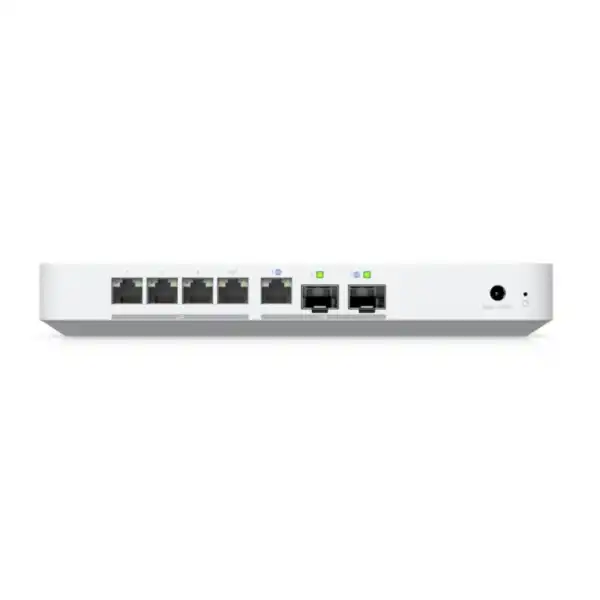
| Physical interfaces | (2) 10G SFP+, (1) 10 GbE RJ45, (4) 2.5 GbE RJ45 |
| Default WAN interfaces | (1) 10G SFP+ and (1) 10 GbE RJ45 |
| Integrated switching | Four 2.5 GbE ports |
| PoE output | One PoE+ port; 30W total budget |
| IDS/IPS throughput | 5 Gbps manufacturer specification |
| Management | CloudKey, UniFi OS Server, or Official UniFi Hosting |
| Maximum WAN port count | 6 with appropriate port assignments |
| CPU and memory | Quad-core ARM Cortex-A73 2.2 GHz; 2 GB RAM |
| Dimensions | 212.8 × 127.6 × 30 mm |
| Power | Included 54V DC / 1.1A adapter; 100–240V AC input |
Specifications are drawn from Ubiquiti’s model-specific published product information. Port assignments, feature implementation, and software capabilities should be checked for the installed UniFi version.
Why this gateway exists
The Gateway Fiber occupies a useful position between simple small-office routers and larger network appliances. It gives an organization high-speed WAN interfaces, built-in multi-gigabit switching, strong security controls, and the familiar UniFi management experience without requiring the gateway itself to run the UniFi management software. This is particularly relevant when a technical team already operates a CloudKey or an externally hosted UniFi control plane and wants to maintain one established management approach.
The main buying question is not simply whether the product has a 10G port. It is whether its 5 Gbps IDS/IPS specification, port mix, controller dependency, and routing features match the actual environment. A small site with a basic internet package may need far less capacity, while an office using fast internet, multiple networks, and an existing UniFi controller may appreciate the headroom. Identify the design goal before choosing hardware.
At a glance: practical capabilities
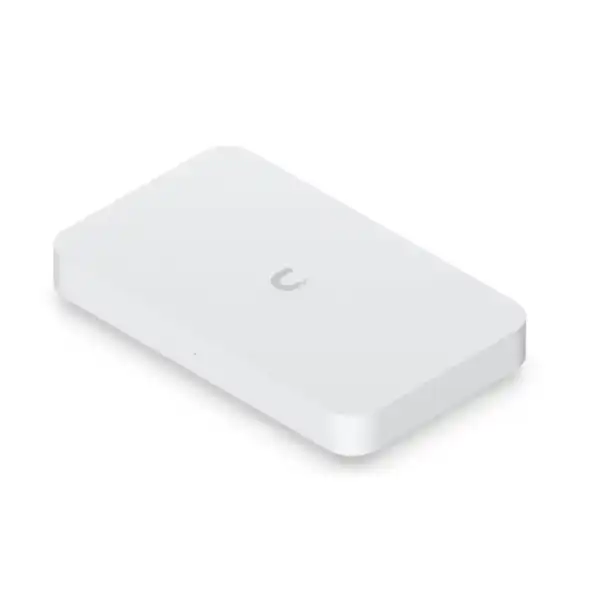
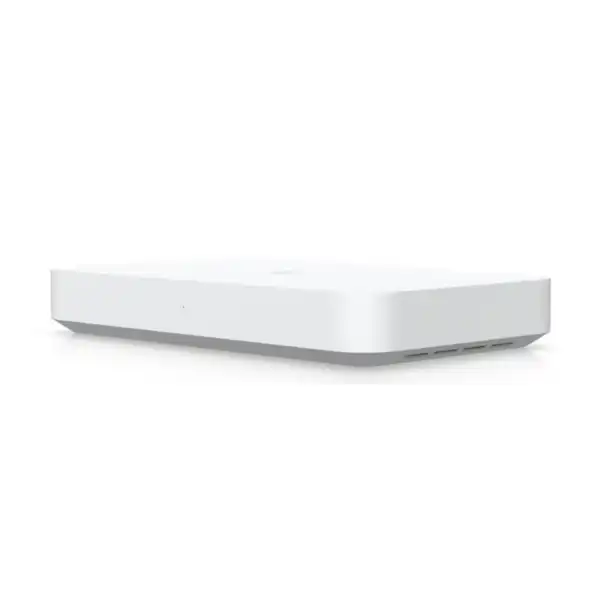
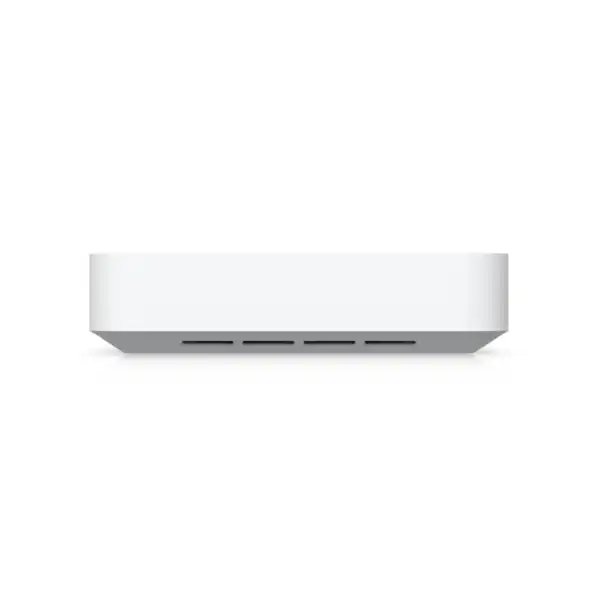
The manufacturer specifies one 10 GbE RJ45 interface, two 10G SFP+ interfaces, and four 2.5 GbE RJ45 interfaces. By default, one SFP+ and the 10 GbE copper interface are WAN ports, while another SFP+ is assigned to LAN. The four 2.5 GbE ports act as an integrated switch, with one providing PoE+ output. The product is a compact desktop appliance, not a wireless access point.
Security capabilities include a stateful firewall, application-aware Layer 7 controls, traffic identification, content filtering, and intrusion detection and prevention. Network features include multi-WAN load balancing, advanced quality of service, dynamic routing with OSPF, and several VPN options. Exact availability of certain workflows can depend on current UniFi software, management hosting, connected equipment, and the configuration selected.
A 10G interface is not a 10G security-throughput promise
The two 10G SFP+ ports and 10 GbE copper port describe physical link capability. Ubiquiti separately publishes an IDS/IPS throughput rating of 5 Gbps for the UXG-Fiber. The distinction matters when planning multi-gigabit internet access because inspecting traffic, applying security rules, and handling real application flows can shape effective performance. A fast physical link does not eliminate these constraints or guarantee a fixed speed for every service.
Real-world delivery also depends on the internet subscription, upstream handoff, duplex and negotiated speed, provider congestion, packet characteristics, VPN configuration, client hardware, and downstream switches. A 10G port might be used to provide bandwidth headroom for aggregated traffic even when individual devices connect at 2.5 GbE or 1 GbE. Use the published security figure as an architectural planning reference, not an unconditional performance guarantee.
Understanding the default WAN and LAN layout
The default WAN arrangement uses one 10G SFP+ and one 10 GbE RJ45 interface. This makes it possible to consider an optical or module-based uplink alongside a copper Ethernet handoff, subject to the exact provider setup and module compatibility. A separate 10G SFP+ connection can serve as a fast downstream link toward an aggregation or switching layer. Ports should be assigned according to the network topology, not merely because their physical connectors are available.
Ubiquiti lists a maximum WAN port count of six and provides port remapping functionality in UniFi. That upper limit should not be interpreted as six independent default WAN sockets ready to connect without configuration. Remapping consumes interfaces that would otherwise serve LAN devices and requires an appropriate software version and design. Record the chosen WAN and LAN assignments so future staff understand which cables and configurations are intentional.
SFP+ selection and optical handoffs
An SFP+ cage is a flexible high-speed interface, but it is not a universal direct connection to every fiber subscription. The type of fiber service, approved optic, connector, wavelength, speed, and termination method must match what the internet provider supplies. Some connections finish at an optical network terminal that presents standard Ethernet; other arrangements may involve approved optics or different service-delivery equipment. The Gateway Fiber should never be assumed to replace an operator-controlled ONT.
Before purchase, ask the provider whether the site will receive RJ45 Ethernet, a supported optical handoff, or another managed device. Document expected link speed and whether VLAN tagging, authentication, static addresses, or IP addressing restrictions apply. Also plan patch cords, optics, cable lengths, and a protected place for the termination equipment. A quick connector check avoids an expensive situation in which the right gateway is paired with an unusable handoff.
Four integrated 2.5 GbE Ethernet connections
The built-in four-port 2.5 GbE switch is useful when an installation needs a few directly connected devices. For example, one port might connect an office workstation with a compatible network interface, another may serve a small managed switch, and another may support a wireless access point. A connected device running at 1 GbE will still use its negotiated 1 GbE link; purchasing a multi-gigabit gateway does not automatically upgrade older endpoints.
For larger offices, these built-in connections are a convenient starting point rather than a substitute for a suitably sized access-switching design. Consider total port demand, managed VLAN support, power delivery, uplink concentration, future expansion, and physical cable routes. Where many users or devices share the network, a dedicated managed switch with appropriate uplinks and PoE capacity will usually make operations and fault isolation easier.
Using the 30W PoE+ output responsibly
The UXG-Fiber includes a PoE+ output on one integrated switch port with a published 30W PoE budget. That can simplify a small deployment by powering one compatible peripheral without adding a separate injector. The relevant questions are the connected device’s required power standard, its maximum consumption, cable condition, and whether the full budget is available with the chosen power arrangement.
The 30W figure is not a promise that every access point, camera, or other PoE device will be supported. Some products require higher power or different standards. If several powered devices are needed, budget for an external PoE switch and compare its total output capacity with the simultaneous draw of all connected equipment. Avoid treating the UXG-Fiber as a general-purpose multi-port PoE distribution switch.
Independent gateway versus a built-in UniFi console
The distinction between UXG-Fiber and UCG-Fiber is essential. The UXG-Fiber performs gateway, routing, and firewall duties but does not host the UniFi Network application itself. It must be managed using a supported external UniFi host such as a CloudKey, UniFi OS Server, or Official UniFi Hosting. This separation can be valuable when management infrastructure already exists or when a network team administers several sites through an established platform.
Customers expecting a self-contained console may prefer to evaluate a UniFi Cloud Gateway instead. The choice affects installation work, the equipment list, ongoing administration, backup responsibilities, and potentially the cost of hosting. Before a purchase decision, confirm where the controller will run, who maintains it, how administrators will access it, and what happens if that host temporarily becomes unavailable.
Choosing an appropriate management host
A local CloudKey may appeal to sites that want dedicated onsite management hardware. A UniFi OS Server may fit an organization that already has suitable compute resources and administrative processes. Official UniFi Hosting offers a separate hosted management approach. Each option has practical implications for updates, access management, backups, monitoring, resilience, and any service charges associated with the selected hosting arrangement.
Do not assume that simply owning an unrelated UniFi device provides the control plane needed by an independent gateway. Verify the specific host’s supported software and the current adoption workflow. Where a company manages multiple sites, review site ownership, permissions, operational handover, and how secure remote access will be handled. A coherent management model often matters more than a small difference in the purchase price of individual devices.
Initial setup and adoption planning
A successful installation begins with an inventory of the upstream internet service, planned LAN ranges, controller access, and physical connections. Make sure the management host is working and reachable through the intended network path. Confirm current official guidance for the exact host type, then adopt the independent gateway into the appropriate UniFi site. Avoid disconnecting a working production gateway until the replacement has been prepared and a rollback plan exists.
Plan the first maintenance window around the importance of the applications that use the connection. Save the existing WAN details, network ranges, any static address reservations, VPN settings, firewall rules, and port-forwarding dependencies. Test administrative access and backups before making changes. After migration, verify internet access, DNS, VLAN reachability, guest isolation, VPN connectivity, and the reporting dashboard. Document what was changed and who approved it.
Questions to ask a Tanzania internet provider
Before deploying a high-speed gateway in Tanzania, obtain the exact handoff information for the chosen service rather than assuming every fiber connection is installed in the same way. Ask whether the connection is delivered as Ethernet or through an optical network terminal, whether the provider requires PPPoE or another authentication method, whether VLAN tags are used, and whether the subscription includes a static public IPv4 address.
Additional questions include the contracted speed, upstream and downstream symmetry, the permitted customer equipment arrangement, the method of reporting faults, and any limitations on public inbound connections. These are design questions rather than claims about a particular operator’s offering. Keep a copy of the agreed technical handoff and provider escalation process with the network documentation. This makes future troubleshooting faster and keeps the gateway configuration aligned with the subscribed service.
Avoiding unexpected double NAT
Some providers install a managed router or ONT that performs network address translation before handing traffic to a customer firewall. If the UXG-Fiber is connected behind that device without a bridge or suitable routed arrangement, the network may end up with two NAT boundaries. Basic browsing can continue to work, yet inbound services, site-to-site VPNs, remote access, or certain voice applications may become harder to configure.
Ask the service provider what operating modes are available and whether bridge mode or an equivalent handoff is supported. Do not change provider-owned equipment without approval. If double NAT is unavoidable, document the constraints and design VPN and application access around them. Also verify whether the provider uses carrier-grade NAT, because that changes the feasibility of some inbound networking patterns.
Multi-WAN: resilience needs more than two cables
The Gateway Fiber supports multi-WAN load balancing, making it relevant for sites using more than one eligible internet connection. The design should distinguish distributing new sessions across links from keeping critical traffic available after a fault. Those are related goals, but they are not identical. A second connection only improves resilience if the physical and operational failure points have been considered.
For stronger continuity, examine the independence of the providers or access paths, power sources, building entry routes, and upstream equipment. Decide which applications should prefer a particular link and which can tolerate an address change during failover. Test failure behavior by disconnecting the primary connection in a controlled window, then inspect application sessions, VPN reconnection, and recovery once the original line returns. No multi-WAN design can guarantee uninterrupted sessions under every condition.
Using bandwidth policies for important work
Bandwidth alone does not tell the whole story for collaboration tools, payment systems, cloud applications, and voice services. Advanced quality of service can help prioritize designated traffic, but policies need a clear business purpose and accurate identification of the affected devices or applications. A poorly chosen rule can create unpredictable performance or starve other users, especially when the actual internet uplink is much slower than the gateway’s physical port.
Start with measurements from real use. Identify whether bottlenecks occur on the WAN, wireless radio, switching uplink, client device, or a service outside the organization. Then apply a small number of targeted controls and compare the outcome. Quality of service does not manufacture additional internet capacity, and an equipment upgrade is not automatically the answer to a provider-side latency or congestion problem.
Firewall segmentation by trusted and less-trusted zones
Ubiquiti lists a stateful firewall, application-aware Layer 7 controls, and zone-based filtering among the Gateway Fiber’s security capabilities. These features can help separate networks with different trust requirements. A practical example is keeping guest wireless devices away from financial systems, management interfaces, and shared office infrastructure while allowing each group only the internet or internal services that it genuinely needs.
Begin with an inventory of users, applications, and traffic flows. Create a clear distinction between staff, visitors, IoT equipment, infrastructure management, and any servers or business systems. Test required communications before enforcing more restrictive policy, because an overly broad block can interrupt printing, discovery services, or application integrations. Review exceptions periodically and ensure responsibility for firewall changes is assigned rather than shared informally among many administrators.
Threat detection without exaggerated security claims
Intrusion detection and prevention adds another control to a layered security design, but no gateway should be presented as a complete protection guarantee. Effective security still depends on up-to-date devices, protected administrator accounts, sensible firewall policy, secure endpoints, staff awareness, backups, and incident-response preparation. The published 5 Gbps IDS/IPS throughput is a useful rated capability, not a promise that every attack will be detected or blocked.
Unusual traffic alerts should lead to investigation, not automatic assumptions that a particular device has been compromised. Teams should set an alert-review process, document known business applications, and make careful decisions before allowing or blocking traffic. Ubiquiti also offers enhanced security-related options; verify any additional subscription, coverage, or current software requirement before including them in a purchasing plan.
Remote users and site-to-site VPN options
The manufacturer lists several VPN capabilities for this gateway family, including WireGuard, OpenVPN, IPsec site-to-site connectivity, and UniFi Site Magic. These options help network teams evaluate secure access for administrators, selected remote workers, and links between offices. The preferred solution depends on user identity needs, device support, public IP availability, network addressing, and how centrally the organization wants to manage policy.
Plan remote access as a controlled business service rather than opening broad administrative access to the internet. Limit who may connect, use strong account security, keep remote endpoints updated, and verify which internal resources should be visible. For site-to-site designs, check that LAN ranges do not overlap and review the applicable UniFi hosting and public-IP requirements. Test recovery after a WAN failure and record how authorized staff can revoke access quickly.
Site Magic and multi-office coordination
Organizations with several UniFi locations may find Site Magic and related SD-WAN capabilities useful when the requirements are supported by the chosen gateway and management configuration. Centralized visibility can make it easier to observe site health, manage selected connections, and standardize operational processes. This is most relevant when branch sites share legitimate applications or when administrators need consistent oversight across a distributed network.
Do not assume that selecting an SD-WAN feature resolves every routing, addressing, or provider issue. Begin by mapping which sites must communicate, which applications cross site boundaries, and what happens when an internet path is unavailable. Review the current official prerequisites for the chosen architecture, including public-IP requirements where applicable. Deploy using a staged plan that confirms reachability, segmentation, permissions, and behavior during an upstream outage.
Advanced routing and NAT considerations
OSPF dynamic routing and advanced NAT functions are included in Ubiquiti’s technical feature list for the UXG-Fiber. These are useful to administrators designing more complex internal networks, but they are not necessary for every installation. Dynamic routing becomes relevant when routes change between several routed networks, while NAT variations may be needed for selected application publishing, address translation, or connectivity arrangements.
Any advanced routing feature should be selected to solve a documented requirement. Before implementing it, define the intended traffic path, the owners of the upstream and downstream equipment, and how routing loops or unintended exposure will be prevented. Keep a tested recovery procedure for routing changes. Organizations without a dedicated network specialist should consider support planning before enabling policies they cannot confidently monitor or troubleshoot.
Guest Wi-Fi, staff devices, and IoT
A hospitality property, office, or shared facility often mixes trusted workstations with guest phones, smart displays, printers, cameras, and other connected equipment. The UXG-Fiber can participate in a design that uses separate logical networks and corresponding gateway firewall policies. The gateway itself does not provide Wi-Fi, so compatible access points, switching, and an appropriate UniFi management setup must be included in the broader solution.
Decide how guests receive internet access, whether devices should be isolated from each other, and how staff can reach required printers or application services. Keep infrastructure management interfaces out of guest networks. Check that any access point or switch used in the design supports the intended VLAN and uplink features. The gateway is a central part of segmentation, but end-to-end isolation requires every connecting component to be configured correctly.
A practical fit for professional offices
For a professional office, the key advantages are the combination of multi-gigabit interfaces, central firewall policy, and compatibility with an established UniFi management arrangement. A network team could use one fast port toward a core switch, separate staff and visitor networks, and establish protected remote access for administrators. The exact design depends on employee count, subscribed bandwidth, application traffic, and existing cabling.
Not every office needs a 10G capable appliance. Start by checking current peak utilization, the age and capability of the existing switching system, and the costs of any controller, optics, or power backup equipment. If the connection is far below gigabit speed and no additional routing features are needed, a smaller gateway may be a better financial choice. The UXG-Fiber is most compelling when its extra connectivity and security headroom will actually be used.
A possible role in educational environments
An education network may need to keep teaching devices, administration systems, guest access, and shared infrastructure in different security groups. A gateway with a modern firewall and VPN functions can be one component of that architecture. At the same time, classrooms and labs may generate heavy local traffic that never crosses the gateway, so the switch and wireless design must be sized independently from the internet connection.
Before planning a campus or training-centre deployment, count access points, identify wired and wireless user densities, document the internet service, and consider whether a separate aggregation layer is required. Evaluate logging and acceptable-use policies under the institution’s own requirements. A compact desktop gateway is not automatically a complete campus core, and large-scale deployments may justify a different gateway class or redundant equipment.
Business hospitality and guest connectivity
Hotels, serviced offices, and guest-facing businesses need dependable internet access, but individual properties have very different traffic patterns. The Gateway Fiber can help enforce separation between guest browsing, staff systems, and infrastructure while supporting fast links into appropriate switches. The key requirements are guest density, wireless coverage, uplink capacity, operational support, and resilience across the full network rather than at one appliance alone.
Where reservations, payment applications, or communication services are important, plan both internet continuity and local power continuity. Put important applications on clearly identified networks and test that guest access cannot reach restricted systems. Do not assume that a 10G port will solve weak Wi-Fi reception in distant rooms. Wireless placement, building materials, roaming behavior, and access-point capacity require their own survey and design.
Branch offices and distributed IT teams
A business with several small locations may prefer a shared UniFi management strategy rather than purchasing a self-hosted console for every site. The UXG-Fiber is an independent gateway and therefore fits the conversation when an organization already has a suitable central or externally hosted UniFi control plane. It can provide local routing and policy enforcement at the branch while allowing administrators to work through their chosen management platform.
Branch rollout should be standardized but never blindly copied. Different sites may have different internet handoffs, address plans, backup providers, and sensitive services. Prepare a documented template with room for local settings, then verify it at each site. Determine how administrators will recover access after a configuration error or failure of the primary WAN. A remote-only rollout is risky if nobody onsite can identify and reconnect essential cables.
Connecting high-speed switches and access points
One SFP+ interface is designated for LAN by default, making it a candidate for a high-speed downstream connection where the attached switch and transceiver support the selected link. This may reduce a bottleneck when several 2.5 GbE devices share an upstream path. However, the benefit depends on actual traffic direction: local switching traffic between devices may remain within the downstream switch and not traverse the gateway at all.
Choose switching equipment by required port count, PoE output, VLAN support, management compatibility, and expected uplink utilization. Match DAC cables or optical transceivers carefully, especially when using equipment from different manufacturers. Do not assume every SFP+ module negotiates at every intermediate speed. Identify whether the application needs a 10G backbone, a 2.5G access layer, or simply better Wi-Fi coverage before spending on additional hardware.
Physical placement, heat, and electrical protection
Ubiquiti specifies a compact desktop enclosure measuring 212.8 by 127.6 by 30 millimetres, weighing approximately 605 grams. Its operating temperature range is 0 to 40 degrees Celsius and its ambient humidity specification is 5 to 95 percent, noncondensing. These figures make location selection important, especially in hot equipment closets, dusty work areas, or spaces where sunlight and poor ventilation increase device temperature.
The included power adapter provides 54V DC at 1.1A from a 100–240V AC supply. The manufacturer lists a maximum device power consumption of 25W excluding PoE output. Select an appropriately rated, protected power outlet and consider a UPS for the gateway, management host, upstream ONT, and any essential switches. A UPS protecting only the gateway does little if the provider termination equipment loses power at the same moment.
Power planning for network uptime
An electrical outage can affect several pieces of equipment in sequence: provider termination, gateway, controller, switch, access points, and client devices. For business continuity, identify which parts must stay on long enough to allow staff to complete work or migrate operations. Calculate the electrical load of each essential component, including external PoE switches and any equipment with variable draw, before selecting backup capacity.
Also decide what should happen after power returns. Test whether the gateway and its management host restart cleanly, whether upstream connections re-establish, and whether staff can regain remote administration. Where the internet service itself depends on unprotected building or neighborhood infrastructure, local backup power cannot guarantee upstream availability. Document both the limits and the intended recovery priorities.
Maintaining stable firmware and policies
Gateway ownership continues after the first successful connection. Establish a routine for reviewing UniFi gateway firmware, management-host software, access permissions, configuration backups, and alert history. Read release guidance before upgrading production systems, particularly when routing, VPN, or firewall behavior is business-critical. Schedule disruptive changes and keep a rollback plan that reflects the topology as installed.
Good maintenance also includes housekeeping. Remove obsolete port forwards, VPN users, and firewall exceptions; review the intended role of each VLAN; and identify devices still relying on older link speeds. Keep a record of optics, cables, provider settings, and support responsibilities. Security and reliability come from consistent administration, not from leaving advanced features enabled without monitoring their effect.
Monitoring internet health and user experience
Ubiquiti lists internet quality and outage reporting, traffic identification, and traffic-flow features among the gateway’s capabilities. These can help an administrator distinguish an internet incident from a busy local switch, a poor wireless connection, or a single overloaded client. Measurements are most useful when the team knows what normal looks like for its own business applications and time of day.
Set practical thresholds and keep the response process simple. If staff report a slow cloud application, check WAN utilization, latency, packet loss where available, client link speed, and whether multiple users see the same problem. Record incidents together with provider tickets and configuration changes. Without this context, even an advanced dashboard can produce plenty of data but few actionable conclusions.
What it does not replace
The UXG-Fiber is not an all-in-one wireless router with built-in Wi-Fi radios. It is not a substitute for a dedicated large PoE switch when many powered endpoints are required. It does not independently host UniFi Network, and it should not be described as an integrated UniFi Protect recorder. Those boundaries matter because an otherwise attractive equipment quotation may omit critical pieces of the final working system.
Likewise, SFP+ connectivity alone does not make the gateway an approved GPON or XGS-PON terminal for a given operator. It is not a guaranteed solution for inadequate internet capacity, and it will not protect business data without suitable endpoints, authentication, backups, and operational policy. Defining these limitations clearly helps buyers avoid both overpaying and discovering missing infrastructure during installation.
UXG-Fiber compared with UCG-Fiber
Both names include Fiber and both are part of the wider UniFi ecosystem, which makes ordering mistakes possible. The distinguishing feature is the control plane. UXG-Fiber is an independent gateway that relies on separate compatible management. UCG-Fiber is a Cloud Gateway product designed around an integrated console experience. Choosing the correct model depends on whether a site needs a new self-contained management platform or will join an existing one.
Do not compare these models solely by their shared high-speed interface terminology. Assess the required applications, local or external controller, camera-recording architecture, equipment budget, and administration plan. If a customer already has an appropriately sized UniFi management host, the independent approach may be sensible. If no controller exists and simple one-device administration is a priority, evaluating a Cloud Gateway may reduce extra equipment and setup work.
UXG-Fiber compared with a smaller independent gateway
The Gateway Max and Gateway Fiber target different capacity and interface needs within the independent UXG family. Ubiquiti positions the Gateway Max around 2.5G-class connectivity and publishes an IDS/IPS throughput figure of up to 2.3 Gbps, while the Gateway Fiber offers 10G interfaces and up to 5 Gbps of IDS/IPS throughput. Either can be appropriate when managed through a suitable external UniFi control plane.
Select by the connection speeds actually required, expected security-inspected traffic, future expansion, and the cost of surrounding components. A customer whose network never exceeds modest WAN speeds may not gain useful performance from the higher-end ports. Conversely, a growing multi-gigabit deployment can justify 10G uplink options even when today’s provider subscription is smaller. Review the complete topology rather than treating a published headline number as the sole decision factor.
A sensible pre-purchase equipment checklist
Before requesting a final quotation, gather the ISP handoff details; current and planned internet speeds; intended primary and secondary WAN connections; controller or hosting arrangement; downstream switch models; number of wired users; Wi-Fi and PoE requirements; and any site-to-site VPN destinations. Include special cases such as public IP addressing, telephony, remote-work access, and legacy devices requiring specific VLAN or DNS behavior.
Add a practical physical checklist: available AC outlets, UPS arrangements, mounting or shelf space, ventilation, cable lengths, optics or DAC requirements, and who will perform the initial configuration. Confirm whether an existing CloudKey or hosting plan is already in place. A clear requirement list makes it much easier to decide whether the UXG-Fiber is sufficient on its own, needs accessories, or is better replaced by a different gateway architecture.
How to scope a quote for Tanzania
When discussing this product for a Tanzania installation, request the exact hardware model and the related items that make the deployment usable. The final scope might include approved modules, patch cables, a compatible management host, extra switching or PoE equipment, a UPS, and configuration assistance, depending on what the organization already owns. Each extra item should be justified by the network diagram rather than being added as a generic package.
Ask for written confirmation of the quotation terms, current local availability, delivery arrangements, applicable support scope, and any commercial conditions before placing an order. This page does not assert a Tanzania selling price, on-hand stock, local authorization, installation coverage, or warranty term. These details are specific to the actual offer and should be verified through FourTeck’s quotation process rather than inferred from another market.
Frequently asked questions
Is the UXG-Fiber a router or a controller?
It is an independent gateway that performs routing and firewall functions. It does not run the UniFi Network application itself. A compatible external management host, such as a CloudKey, UniFi OS Server, or Official UniFi Hosting, is required for the intended UniFi-managed deployment. This is one of the most important differences between the UXG-Fiber and the similarly named Cloud Gateway Fiber.
Does it include built-in Wi-Fi?
No. The Gateway Fiber is a wired gateway. To create wireless coverage, plan compatible access points and whatever switching, power delivery, and cabling those access points require. Wireless signal strength and roaming depend on the separate wireless design rather than on the gateway’s 10G WAN interface.
Can I connect fiber directly to its SFP+ port?
It depends on the ISP handoff, module type, and approved termination equipment. An SFP+ port is not automatically compatible with a provider’s GPON or XGS-PON service. Confirm whether the ISP provides standard Ethernet, requires an ONT, or supports a specific optical module before selecting cables and transceivers.
Will a 10G interface provide 10 Gbps of inspected traffic?
Not necessarily. Ubiquiti lists 10G-capable interfaces but rates the UXG-Fiber at 5 Gbps for IDS/IPS throughput. Actual application performance varies with the service, configuration, traffic patterns, switching, and client equipment. Plan around the relevant published performance figure rather than assuming line-rate inspection on every flow.
How many PoE devices can the gateway power?
The integrated switch includes one PoE+ output with a total budget of 30W. Whether a particular device will work depends on its power standard and draw. For several access points, cameras, or other powered devices, consider a separate PoE switch with a suitably sized total budget.
Does the UXG-Fiber support a backup internet line?
It supports multi-WAN functionality, including load balancing, and can form part of a redundant internet design. The backup line and routing settings must be configured, and availability depends on the independence and health of the upstream services. Some existing sessions may need to reconnect when an active path changes.
Can it be used for several office locations?
Yes, it can be considered for distributed UniFi deployments, with VPN and SD-WAN capabilities that may support inter-site connectivity. Confirm the selected UniFi host, addresses, public-IP prerequisites where applicable, and current site-to-site feature requirements. Plan network segmentation and support access at every branch.
Does the gateway replace a CloudKey?
No. In fact, the independent UXG-Fiber needs an appropriate external UniFi management environment. If a customer wants the gateway hardware itself to host the management application, a compatible Cloud Gateway may be the better product category to evaluate.
Is a 10G network switch required?
Not for every deployment. The built-in ports support several connection speeds, and the right downstream switching layer depends on the connected devices and traffic. A 10G-capable switch becomes useful when the aggregation demands justify it; small sites can still have a sound design with appropriately sized lower-speed connections.
Can it help separate guest and staff internet access?
It supports firewall policies that can be used with segmented networks. To implement effective separation, the VLAN and security design must extend through the connected switches and access points. A guest SSID by itself does not prove that every internal application is protected; verify the actual access rules.
What information should I supply for a Tanzania quotation?
Provide your internet handoff type, contracted speed, existing UniFi host if any, intended WAN links, switch and access point requirements, PoE load, VPN needs, and whether accessories or setup assistance are required. Ask FourTeck to confirm actual local availability and commercial terms for the requested configuration.
Is a Tanzania price or delivery date confirmed here?
No. This content deliberately does not publish an unverified Tanzania price, inventory status, delivery commitment, installation promise, or warranty arrangement. Obtain those details in a current quotation for the exact model and deployment scope before making a purchasing decision.
Request a Gateway Fiber configuration quote
Tell FourTeck Tanzania about your internet handoff, network size, existing UniFi management host, 10G uplink plans, PoE devices, and any VPN or multi-WAN requirements. Ask for a quotation covering the exact gateway, any necessary optics or switching accessories, and the commercial details relevant to your installation.
Next step: Contact FourTeck Tanzania to confirm the required configuration, current availability, and quotation terms.




Reviews
There are no reviews yet.