
24 GHz • POINT-TO-POINT BACKHAUL • TANZANIA
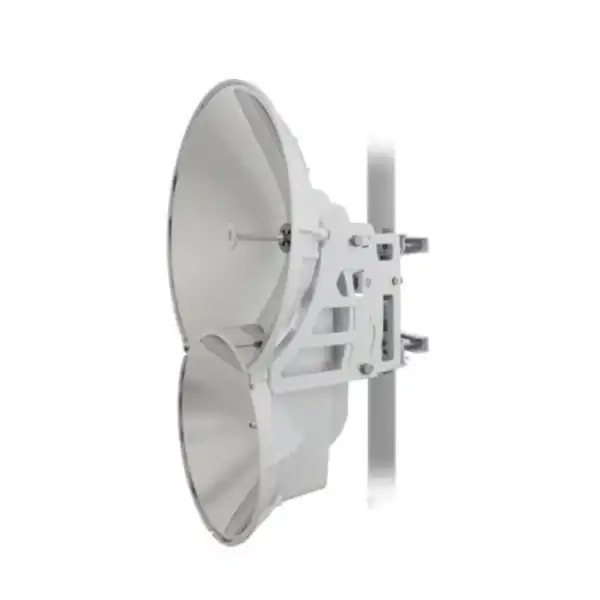
Ubiquiti airFiber 24 AF-24 Wireless Bridge
Connect two fixed network locations using a professionally engineered 24 GHz wireless backhaul. The Ubiquiti airFiber 24 AF-24 offers manufacturer-advertised throughput up to 1.5+ Gbps and range up to 13+ km; real performance depends on the individual link design.
Request a site-specific quote and confirm radio suitability, regulatory obligations and complete equipment requirements before buying.
AF-24 technical highlights
| Model | AF-24 |
|---|---|
| Wireless use | 24 GHz fixed point-to-point |
| Operating band | 24.05–24.25 GHz |
| Manufacturer-listed maximum throughput | 1.5+ Gbps |
| Manufacturer-listed maximum range | 13+ km |
| Radio channels | 24.1 GHz and 24.2 GHz |
| Channel bandwidth | 100 MHz |
| Data port | 1 × GbE RJ45 |
| Configuration port | 1 × 10/100 MbE RJ45 |
| Antenna gain | 33 dBi TX / 38 dBi RX |
| Encryption | AES-128 |
| PoE supply | 50V, 1.2A included adapter |
| Max. consumption | 50W |
| Dimensions | 649 × 426 × 303 mm |
| Weight | 10.5 kg |
| Operating temperature | −40 to +55 °C |
Manufacturer ratings are not site guarantees. Validate the exact radio variant and current local operating requirements.
What the airFiber 24 AF-24 is designed to do
The Ubiquiti airFiber 24 AF-24 is an outdoor 24 GHz point-to-point wireless bridge for connecting two fixed sites. It is appropriate for operators and organizations that want a dedicated network path between buildings, network towers, facilities or distribution points without trenching a fibre cable along the entire route. Each link uses two correctly configured radios, one at each endpoint. The equipment is not a conventional indoor Wi-Fi router, a mesh access point, or a device intended to serve laptops and phones directly.
For a buyer planning a network project in Tanzania, the important first question is not simply how much throughput the product advertises. It is whether a 24 GHz path can be engineered to support the distance, service availability and real traffic requirements of the project. Clear radio line of sight, accurate dish alignment, suitable tower rigidity and adequate rain-fade margin all matter. The AF-24 is a candidate for a carefully surveyed, high-capacity fixed link, not a substitute for site-specific engineering.
When a dedicated 24 GHz link makes sense
Consider this radio where a business, service provider or institution needs to extend Ethernet connectivity between identifiable fixed locations. Typical plans include linking two office buildings, connecting a campus building to a network core, bringing connectivity from an aggregation point to a nearby remote facility, or building a private transport path between telecommunications sites. These examples describe potential applications rather than promises that every terrain, route or installation is suitable.
A 24 GHz bridge can be attractive when a physical cable route would require costly civil work, difficult access permissions or extensive construction. It can also be useful when deployment speed and a dedicated point-to-point design are important. However, a wireless path has different risks from buried fibre. Terrain, obstruction, weather, interference, equipment power and tower movement require attention throughout design and operation. Where the service is mission critical, ask how link redundancy and alternate connectivity will be provided before selecting equipment.
Understand the throughput specification
Ubiquiti currently lists maximum throughput of 1.5+ Gbps for the airFiber 24 on its technical specifications. This is a device-level advertised figure, not a guarantee of sustained application traffic or internet speed at a specific installation. Earlier product literature may present a 1.4+ Gbps description; the current official technical listing is the reference used here. Real delivery depends on modulation, link budget, channel choice, duplex configuration, signal quality, environmental conditions and Ethernet-side limitations.
It is especially important not to assume that the combined wireless throughput rating equals a symmetrical 1.5 Gbps in each direction. Plan around the uplink and downlink demand of the particular site, and distinguish aggregate capacity from directional capacity. For example, a location transmitting large CCTV archives toward a central server may need a different traffic split from a facility consuming mainly cloud applications. Ask the network designer to document expected net usable traffic, traffic direction, peak loads and performance under degraded modulation rather than quoting only the best-case headline.
Distance, visibility and practical range
Ubiquiti advertises a range of 13+ km, but that headline must never be interpreted as a guaranteed service distance. An actual link is determined by the surveyed path, antenna geometry, Fresnel-zone clearance, expected rain attenuation, local environmental exposure and the availability target. At 24 GHz, rain-fade analysis is particularly important; a path that looks acceptable in dry conditions may experience reduced link margin during intense rain. A short unobstructed link can be substantially more practical than a longer path through trees or over moving structures.
Before procurement, obtain endpoint coordinates, mounting elevations, pole or tower specifications, the approximate proposed distance and a clear assessment of obstructions. Inspect the complete path, including vegetation growth, new construction risk and the stability of each mounting point. Confirm that both sites can provide protected power and a suitable network handoff. When a route is close to the system’s practical limits, a professional should model the expected availability and discuss other frequencies or fibre instead of relying on the nominal range number.
Frequency planning and regulatory checks in Tanzania
The AF-24 operates in the 24.05–24.25 GHz band and offers operating channels centered at 24.1 and 24.2 GHz. An installer must verify the current Tanzanian spectrum rules, permissible power, registration or licensing requirements and any other deployment conditions before transmission. A manufacturer’s international product specification or a sales claim that a band is licence-free elsewhere does not establish permission to operate in Tanzania. Spectrum policy can vary by country, device class, power level and site conditions.
In addition to checking relevant TCRA requirements, the deployment team should validate the specific hardware variant, configured output power, intended channel and antenna system. RF output limits and installation obligations must be interpreted using current applicable rules, not a generic internet listing. The manufacturer also assigns regulatory compliance responsibility to the professional installer in its installation documentation. This page makes no claim that an AF-24 shipment has a Tanzanian type approval or that every configuration is authorised for local use. Obtain the relevant verification before commissioning.
Radio architecture and directional antennas
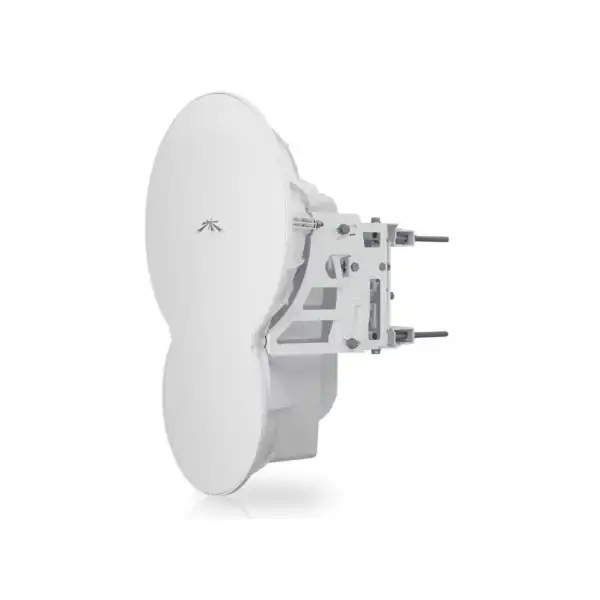
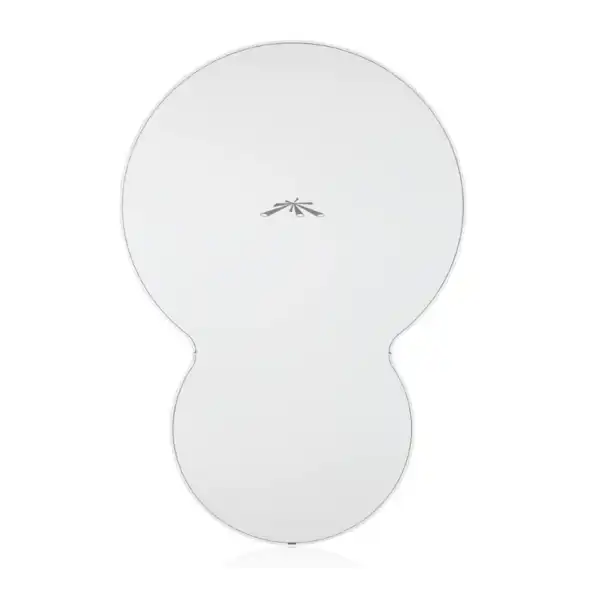
The airFiber 24 uses an integrated, directional radio and antenna assembly rather than a small omnidirectional Wi-Fi antenna. Ubiquiti specifies a 33 dBi transmit gain, 38 dBi receive gain, dual-slant polarization and narrow beamwidth. These characteristics help concentrate energy along an engineered path, but they also make alignment precision essential. The radios must point accurately toward one another while the mounting system remains stable in changing weather. A few degrees of error can seriously affect a narrow-beam microwave installation.
Plan adequate working space for alignment, safe access to the mounting structure and sufficient mechanical stability to preserve the chosen azimuth and elevation. The site survey must also consider reflections, nearby metallic structures, obstructions and potential future tower loading. Directional antennas do not eliminate all interference, and a link should be tested under realistic operational conditions. Because the antenna is integrated, procurement should confirm that all necessary mounting parts and recommended site accessories are included in the final quote.
FDD, TDD and traffic distribution
The AF-24 supports configurations that must be chosen with traffic direction and available spectrum in mind. Manufacturer documentation provides separate FDD and TDD capacity information, with characteristics that vary by modulation. This matters when the same site carries both upstream and downstream traffic: an advertised capacity figure alone does not describe how much data a given application will transmit in each direction at once. A network architect should understand the required duplex behaviour before fixing the radio plan.
For ISP backhaul, downstream subscriber demand might dominate at some times while uploads or backups become important later. A video surveillance deployment may reverse the normal pattern. An enterprise extension can require predictable two-way application traffic, voice and interactive services. Record each direction’s committed and burst demand and validate that the chosen airFiber settings can deliver them with acceptable headroom. Avoid assuming that modulation, channel width or throughput will remain constant through every weather event. Configure the system for reliable service rather than maximum lab-style throughput.
Ethernet ports and network integration
Ubiquiti lists one Gigabit RJ45 data interface and one 10/100 Mbps RJ45 interface for configuration. The ports are not interchangeable as if they were two equal-capacity production uplinks. Build the Ethernet topology around the designated data connection, and ensure switch configuration, cabling, grounding and PoE arrangements follow the official installation guide. The presence of a Gigabit port should also prompt careful interpretation of any higher aggregate radio throughput claim; end-to-end usable performance depends on the complete hardware and traffic configuration.
In a routed network, the radio link can connect switches or routing equipment at both endpoints as part of a larger design. Network teams should test required VLAN behaviour, management reachability, packet size assumptions, security controls and monitoring. Do not assume that an existing firewall or switch configuration can be copied unchanged without verification. Document IP addressing, management permissions, configuration backups and access procedures so that future troubleshooting does not require re-discovering how the bridge was built.
Powering the AF-24 safely
The airFiber 24 uses a manufacturer-specified passive Power over Ethernet arrangement. Its official hardware listing specifies a 50V, 1.2A Gigabit PoE adapter, included with the radio, with a supported DC voltage range of 42–58V and a maximum power consumption of 50W. Passive PoE should not be casually treated as interchangeable with every IEEE 802.3af, 802.3at or 802.3bt switch output. Incorrect injectors, wiring or substitutes can lead to equipment damage or an unreliable installation.
Before energising the radio, confirm the supplied adapter, the correct ports, cable termination and local mains arrangement. The network design should account for surge protection, proper grounding and a reliable source of power at both endpoints. Where power interruptions are common, choose a suitably engineered UPS or backup supply based on the complete site load. The radio’s nominal consumption is just one element of a power budget that may also include switches, routers, environmental equipment and other outdoor electronics.
Grounding, surge protection and cables
Outdoor microwave links are exposed to electrical surges, lightning-related events and differences in ground potential. The AF-24 installation guide emphasizes proper grounding and recommends suitable outdoor shielded Ethernet cabling, shielded connectors and surge protection. The document also gives specific installation details for grounding conductors and tower mounting. These instructions should be followed by a qualified installer in conjunction with applicable local electrical requirements and the site’s lightning-protection design.
Do not regard surge protectors as a complete replacement for bonding, grounding or careful cable routing. Plan how Ethernet cables enter equipment rooms and where protective devices will be fitted. Keep weather seals intact, use appropriate outdoor-rated materials and avoid unsupported cabling practices. Check the manufacturer guidance for supported cable distances and category requirements, especially for long tower runs. A well-performing microwave radio can still fail to deliver dependable service if its copper connection, surge protection or site earthing is poor.
Mechanical installation and wind exposure
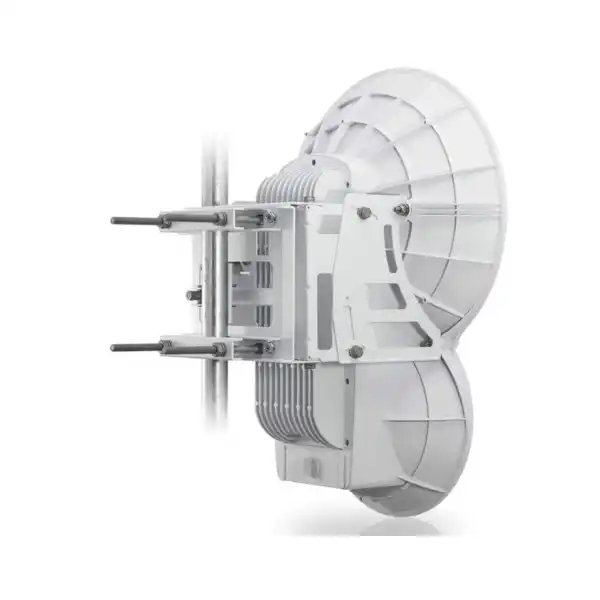
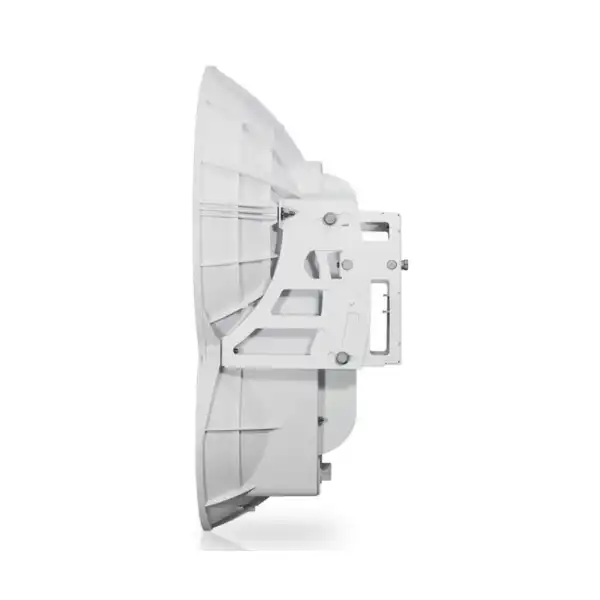
Ubiquiti lists the AF-24 assembly at approximately 649 × 426 × 303 mm with a weight of 10.5 kg and an included pole mount kit. The current manufacturer specifications list wind survivability up to 200 km/h; that rating is not a guarantee that every pole or tower can safely withstand the same conditions. Loads on the mounting system and movement of the supporting structure require independent assessment. The official guide also advises selecting a location with very limited displacement due to twist and sway.
Use a structural assessment suitable for the installation site, including the pole material, mounting height, attachment arrangement, tower capacity and access for safe servicing. Keep sufficient clearance around the antenna for adjustment and maintenance, and consider how mounting hardware may loosen over time. During commissioning, establish a baseline signal and alignment reading for later comparison. If the tower is likely to flex or rotate, consider a different mounting position or engineered reinforcement before accepting the link into production.
How an AF-24 pair is commissioned
A basic point-to-point deployment needs two compatible radios. Ubiquiti’s quick start guide recommends configuring the units as a pair before final mounting, setting one to Master and the other to Slave, and then installing and aligning them. The installer should identify the desired channel and output settings only after completing the regulatory and link-design checks. Correct management credentials, secure administration and saved configurations are as important as receiving an initial RF signal.
After mounting, align the endpoints while observing the hardware indicators and management readings specified in the official guide. Verify that signal levels, modulation behaviour, throughput and packet delivery match the engineering target. Test the intended traffic directions and monitor the link over a suitable observation period when possible. Produce a record of radio serial identifiers, firmware versions, configuration, mounting details, measured performance and recovery contacts. Commissioning should end with a documented acceptance test, not just a screenshot that shows the radios are connected.
GPS synchronization and timing
The AF-24 includes GPS clock synchronization according to the manufacturer’s technical specification, and its hardware indicators provide GPS-related status information. The installation instructions call for a suitable view of the sky for GPS operation. Site teams should include that practical requirement in mounting plans rather than choosing a location solely for proximity to a network switch or easy access to mains electricity.
GPS-related capabilities need to be considered as part of the equipment’s specific operating and synchronization design. They should not be marketed as proof of uninterrupted network service, location tracking for assets, or a replacement for full link management. Confirm the correct operating mode, configuration and GPS status during commissioning, and retain a baseline of expected indicators. If the device is installed in a location that blocks satellite reception, investigate the mounting arrangement and the manufacturer’s guidance before assuming that normal performance is unaffected.
Link reliability during heavy rain
Rain attenuation is a critical design consideration for high-frequency fixed wireless links. At 24 GHz, substantial rainfall can reduce received signal strength, forcing modulation changes or causing interruption if the design lacks sufficient fade margin. This concern is particularly relevant when evaluating a path for a business that needs year-round service rather than occasional access. Local rainfall characteristics, path length and the exact availability objective should be included in engineering calculations.
Businesses should define their acceptable downtime before purchasing a pair of radios. A link intended for routine data exchange may have a different availability requirement from a hospital, payment operation or essential service. For critical deployments, consider whether an independently routed fibre, a differently engineered RF path, or an alternate service is needed as a fallback. The airFiber 24’s advertised long-range capability does not remove the need for resilient network design. Ask for a documented rain-fade study, clear performance assumptions and an explicit statement of residual risk.
Security and access management
The AF-24 technical specification identifies AES-128 encryption. Encryption at the radio link layer is a useful feature, but it is not a complete cybersecurity architecture. A secure deployment also needs robust administrator credentials, controlled management access, supported firmware maintenance, protected credentials and adequate separation between management and customer traffic. Network-level encryption may still be appropriate for sensitive applications depending on organizational requirements and threat models.
Agree on who owns operational access before installation. Keep configuration backups in an access-controlled location, document any monitoring integration and avoid exposing device management interfaces unnecessarily. Where the bridge is part of an internet service network, apply the same firewall, segmentation and change-management discipline as for the connected wired infrastructure. The security review should include both endpoint rooms, switches and the radio-to-radio link. No radio specification alone guarantees protection from misuse, misconfiguration or compromised adjacent equipment.
Monitoring and ongoing maintenance
An outdoor microwave backhaul should be monitored rather than forgotten after commissioning. Useful operational indicators include RF signal level, modulation, Ethernet link state, traffic utilization, device uptime, system alerts and configuration change history. Baseline values collected on the installation day make later fault diagnosis more effective. Whether the team uses native device management or another network monitoring system, it should agree on thresholds and escalation paths suited to the organization.
Plan periodic physical checks for mounting integrity, cable protection, grounding condition and weather seals, using safe access procedures. Compare current alignment and received signal readings against baseline measurements if performance declines. Investigate rising retransmissions or frequent modulation changes before they develop into extended outages. Keep a practical spare-parts and replacement plan, taking into account the consequences of losing service at one endpoint. Monitoring does not prevent all failures, but it helps teams distinguish radio path degradation from unrelated router, power or upstream network problems.
Use case: inter-building enterprise connectivity
Suppose an organization has a main office and a second fixed building that need to share an enterprise network. The AF-24 could create a directional Ethernet bridge when the buildings have compatible mounting positions and a clear path between them. Potential traffic includes application access, internal voice, file transfers and centralized network services. Actual suitability depends on path engineering, the expected number of users, network policies and service availability requirements.
The best buying process starts with a traffic estimate and an endpoint survey rather than a choice of radio alone. Identify where the core firewall and routing reside, whether the second building needs a locally resilient internet connection and what happens during radio downtime. Plan separate guest and operational traffic policies where appropriate. Do not assume the product itself replaces an enterprise router or firewall. The goal is to use the wireless bridge as one dependable component within a deliberate network architecture.
Use case: ISP distribution and transport
A wireless internet service provider may consider the AF-24 for a high-capacity path between a network aggregation site and another fixed distribution point. A suitable deployment can help move traffic where building a cable route is impractical or uneconomic. However, this is a point-to-point backhaul component, not a direct subscriber distribution access point. It should be paired with appropriate routing, switching and separately selected subscriber-access equipment as needed.
For an ISP, busy-hour throughput, traffic symmetry, availability and expansion headroom can matter more than maximum link distance. Model how many downstream customers rely on the path, how the link behaves when the weather deteriorates and what fallback route exists if the radio or tower becomes unavailable. Plan management traffic, monitoring and out-of-band recovery where practical. Capacity planning should consider how projected customer growth could change demand over the life of the deployment. Confirm applicable spectrum obligations before incorporating the radio into a commercial telecommunications network.
Use case: video surveillance and facility operations
Some industrial or institutional sites need to transport high-resolution camera streams from a remote building to central storage. The AF-24 might provide the transport connection when the two endpoint locations are fixed and properly surveyed. Video workflows can create sustained upstream traffic, so link planners should calculate the aggregate camera bitrates, recording schedules, resilience needs and any other applications sharing the path. Large advertised peak throughput alone is not a sufficient design basis.
Consider what happens if the wireless link is interrupted: can cameras buffer recordings locally, is another backhaul available, and how quickly must central viewing recover? Design network segmentation for cameras and management systems rather than treating everything attached to the bridge as trusted. Provide stable power at the remote site, because loss of the PoE supply may stop all transported video regardless of RF conditions. A professional design should distinguish expected continuous load from short bursts and test performance during an intentional failover exercise if continuity is important.
Choosing between AF-24, AF-24HD and other options
The Ubiquiti airFiber 24 AF-24 and airFiber 24 Hi-Density AF-24HD are different manufacturer models. Buyers should not substitute AF-24HD headline specifications for the AF-24, or assume the two are identical because both operate in the 24 GHz family. Evaluate the exact model named in the quotation, supported link capacity, path distance, hardware, antenna characteristics and lifecycle information before purchasing. This listing refers specifically to AF-24.
Alternatives may include other licensed or permitted microwave technologies, different frequency bands or a physical fibre route. The right choice depends on route conditions and availability requirements rather than on a single throughput number. Lower-frequency paths can have different propagation characteristics, while fibre may offer different expansion and maintenance economics. Compare whole-project costs: survey, towers, protection, power, mounting, radios, networking equipment, monitoring and any regulatory processes. Ask a qualified engineer to explain why the selected technology fits this particular site pair.
What to confirm before requesting a quote
For a useful quotation, provide two proposed endpoint locations or coordinates, approximate path distance, mounting heights, available structures, intended traffic and required service availability. Also provide information about site power, cable routes, grounding arrangements and the network interface expected at both ends. If one endpoint is not yet built, state that clearly. A preliminary equipment quote may still be possible, but detailed capacity and availability recommendations should remain conditional until proper survey and design.
Confirm whether the quotation covers one radio or the two radios needed for a complete link. Clarify what installation materials are included, what additional surge protection or cabling must be sourced, and who will handle configuration and commissioning. Request the exact product model, supply terms, shipping arrangements, warranty conditions and support scope in writing. Price, local stock, lead time and warranty terms are not stated on this page because they have not been verified for the FourTeck Tanzania listing.
Procurement checklist for the project team
A sensible procurement process separates the radio model from the complete link bill of materials. Request a written proposal identifying each endpoint’s AF-24 equipment, the compatible 50V passive PoE supply, suitable mounting arrangement, network termination and recommended outdoor-rated shielded cable. Where applicable, include surge protection, grounding materials, power continuity, site access, labour, alignment tools and testing. The manufacturer’s package contents are not a substitute for the complete accessories needed at a real site.
Before issuing a purchase order, ask the supplier to confirm the condition and exact variant of the goods, a documented support route and whether the proposed installation has completed regulatory and RF feasibility checks. Establish responsibility for tower safety, electrical works, radio configuration and post-installation acceptance. If the network is essential to business operations, specify repair procedures and spare-equipment expectations. A transparent procurement checklist helps prevent surprises in projects where the radio itself is only one part of the cost.
Installation acceptance checklist
At handover, record the installed device model at each endpoint, the expected and observed RF readings, operational channel, firmware version and configured management information. Confirm that the physical mount is secure, that Ethernet and power cabling are protected and that surge/grounding arrangements match the approved site design. Validate actual traffic transfer across the network under a repeatable test method and retain results with the installation documents.
Then check the services that depend on the link: required VLANs, routing, voice, application sessions or camera streams. Test failure and recovery behaviour to the extent permitted by the site. Verify that designated staff can access monitoring and that a responsible party holds secure configuration backups. If the accepted performance differs from the planned capacity, identify whether the cause is RF quality, network configuration or traffic load before declaring completion. A documented baseline supports future troubleshooting and prevents commissioning decisions from relying on assumptions.
Frequently asked questions
Is one AF-24 enough to connect two sites? No. A point-to-point link ordinarily requires compatible equipment at both ends, configured and aligned together. Confirm whether a supplier’s price describes one radio or a complete pair.
Can the AF-24 provide ordinary Wi-Fi to phones? It is designed as a fixed directional backhaul radio, not a conventional client Wi-Fi access point. Additional network equipment is needed for local end-user access.
Is 13+ km guaranteed? No. This is a manufacturer-advertised range figure. The engineered distance and availability depend on the terrain, line of sight, rainfall, alignment and other factors.
Will every link deliver 1.5+ Gbps? No. The headline is an advertised maximum. Link settings, modulation, weather, traffic direction and Ethernet design determine usable throughput.
Does the radio need a licence in Tanzania? Current Tanzanian spectrum and equipment-approval requirements must be checked for the specific deployment. Do not infer local permission from marketing descriptions for other countries.
Is the unit supplied with an injector? The official Ubiquiti guide lists a 50V, 1.2A Gigabit PoE adapter in package contents. Confirm the precise contents of any specific supplier shipment.
Can I mount it on any rooftop pole? No. Check structural strength, movement, safe access, wind exposure, grounding and line-of-sight geometry before installing.
Can it be used for an ISP backhaul? It is a candidate for a professionally designed fixed transport link, subject to network capacity, resilience and applicable spectrum requirements.
What if it rains heavily? The 24 GHz radio path can experience rain fading; an availability model and suitable contingency planning are important.
What is different about AF-24HD? AF-24HD is a distinct model with its own specifications. Compare exact product documentation rather than mixing model ratings.
How do I know the actual price in Tanzania? Request a current itemized quote. This description does not claim a verified FourTeck Tanzania price or stock position.
Can the same equipment replace fibre everywhere? No. Compare path feasibility, capacity, weather availability, ownership costs and alternative transport before selecting a technology.
Plan a reliable AF-24 deployment in Tanzania
The Ubiquiti airFiber 24 AF-24 is best evaluated as part of a complete outdoor point-to-point network project. Its advertised high throughput, directional 24 GHz radio design and integrated mounting system can serve relevant fixed-link applications, but good results require an appropriate path, approved configuration, reliable power, mechanical stability and disciplined operation. Buyers who compare products only by peak capacity or maximum range risk overlooking the factors that make a real link usable over time.
To discuss an AF-24 project with FourTeck Tanzania, prepare the two endpoint locations, proposed distance, desired network capacity, site photographs if available and the required reliability level. Request a technical and commercial review covering radio suitability, accessories, regulatory checks, installation responsibility and full project scope. No unverified stock, delivery promise or product price is implied. A practical, site-specific review is the next step toward choosing the right backhaul design.
Request an AF-24 project quote
Share your endpoint locations, approximate distance, expected capacity and required availability for a project-specific discussion. Pricing, stock and local supply terms require confirmation.
Contact FourTeck Tanzania to discuss the complete point-to-point link.




Reviews
There are no reviews yet.