
UBIQUITI • EDGEMAX • TANZANIA
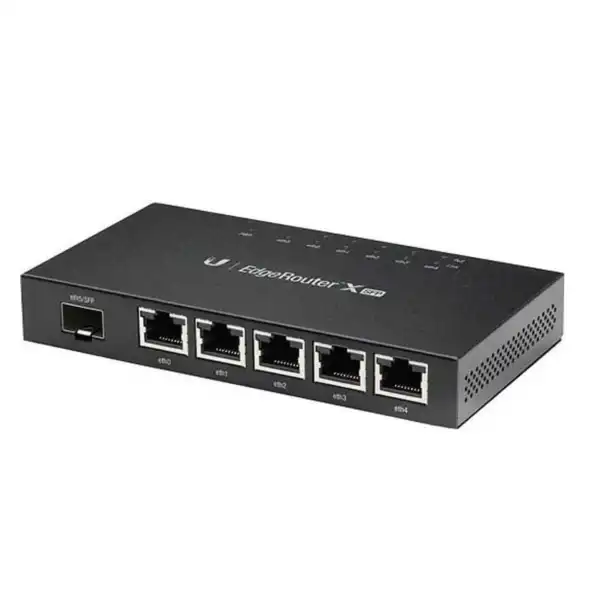
Ubiquiti EdgeRouter X SFP ER-X-SFP
Compact Gigabit routing with five copper ports, a 1G SFP interface and configurable 24V passive PoE for compatible equipment. Plan your internet handoff, fibre module and power budget before ordering.
Quick feature summary
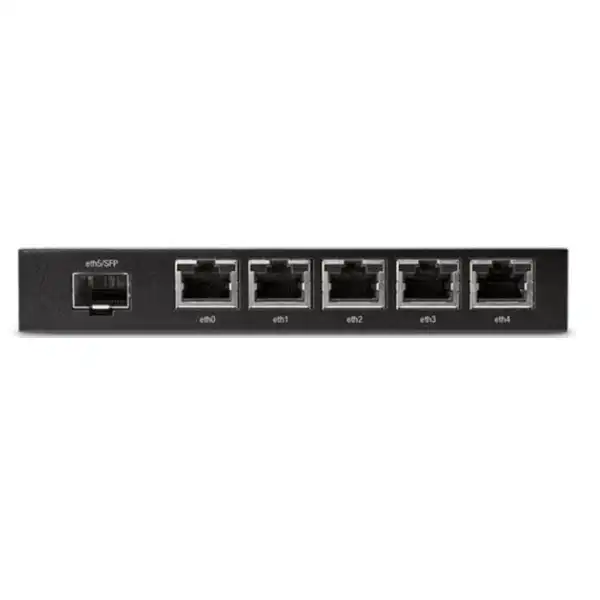
- Five Gigabit RJ45 interfaces and one 1G SFP port
- Five ports capable of 24V passive PoE; 12W per port maximum
- 50W shared PoE output budget
- EdgeOS administration and UISP management options
- External 24V DC, 2.5A adapter included in manufacturer package
- Important: not IEEE 802.3af/at negotiated PoE
Who should choose this router?
The Ubiquiti EdgeRouter X SFP ER-X-SFP is best suited to buyers who need a compact wired router, a dedicated optical uplink option and carefully controlled power delivery to compatible 24V passive-PoE equipment. Typical candidates include small offices, branch sites, service-provider customer-premises installations, outdoor wireless access distribution points and technician-managed network cabinets. The strongest reason to choose this model over a basic router is the combination of configurable routing, five Gigabit copper interfaces and a separate SFP interface. It is not a plug-and-play mesh Wi-Fi system, a wireless access point or an automatic replacement for every fibre operator’s equipment. Before ordering, identify the internet handoff, the number of downstream devices, whether network segmentation is needed and the exact power requirements of any attached radios. A practical buying decision begins with the physical topology rather than a generic claim about speed. If the installation uses an ordinary Ethernet handoff and has no passive-PoE devices, a simpler alternative may offer better value.
At-a-glance capabilities
This model has five 10/100/1000 Mbps RJ45 network interfaces and one 1G SFP interface, according to Ubiquiti’s current product technical specifications. The integrated copper ports can be configured to deliver 24V passive PoE to suitable equipment; power is not an assumption for every Ethernet device. The manufacturer states a combined PoE allowance of 50W, with a maximum of 12W per port. Its external adapter is rated 24V DC and 2.5A, and the adapter is included in the manufacturer’s described package. The router has 256MB DDR3 RAM and 256MB NAND code storage, with a compact housing measuring approximately 142 × 75 × 23mm and weighing 215g. The stated power consumption of the router itself is up to 5W excluding PoE output. These details describe interface and electrical capabilities, not a guarantee that every combination of firewall policies, tunnels or packet sizes will achieve line-rate forwarding. Size the deployment using real traffic patterns and feature requirements.
How the SFP connection helps
The dedicated SFP slot gives network designers a useful option when the upstream or inter-building network presents a compatible optical Ethernet connection. Select a transceiver that meets the required interface speed, wavelength, fibre type, connector and distance, then verify Ubiquiti’s applicable module guidance and the upstream equipment’s expectations. An SFP socket alone does not turn the router into a GPON or XGS-PON optical network terminal. Many fibre broadband services require an operator-issued ONT, serial provisioning or another form of authentication. In those situations the EdgeRouter may connect behind the existing ONT using an RJ45 port. Check whether the service is supplied as copper Ethernet, active Ethernet over fibre or a managed passive optical service before recommending any optic. For building-to-building links, document fibre termination and optical budgets rather than assuming that any module will work. The SFP interface is a one-gigabit class connection, not a 10G SFP+ port. This is a key boundary when planning future upgrades or aggregating high-capacity links.
Five copper ports and practical port planning
Five Gigabit RJ45 interfaces provide flexibility in a compact footprint. A network administrator can allocate interfaces to WAN, LAN or other roles according to the intended EdgeOS configuration, but the number of physical connections should be mapped before installation. One port may be needed for the provider handoff, another for a managed switch and others for radio links or separately managed subnets. Do not assume that five spare powered endpoints remain after accounting for WAN connections. Where a branch has more users or printers than available ports, connect a suitable Ethernet switch and design its uplink deliberately. A managed switch may be advisable when VLAN separation, access policies or detailed monitoring are required. Copper Gigabit ports do not promise one gigabit of encrypted or inspected throughput under every workload; routing performance depends on packet size and active software services. Maintain a basic port schedule identifying function, VLAN, cable destination, PoE state and contact person. Such documentation makes future fault isolation and change control considerably easier.
Understanding 24V passive PoE
The ER-X-SFP’s five copper ports support 24V passive PoE output using the specified two-pair pin arrangement. Passive PoE is not the same as an automatically negotiated IEEE 802.3af or 802.3at supply. Ubiquiti’s installation guidance states that the PoE setting is off by default and warns administrators to confirm supported voltage before enabling power on a port. That warning has commercial importance: an incompatible camera, laptop, switch or access point must not receive passive 24V power merely because its Ethernet plug fits. Confirm the device label and official technical documentation, including voltage, polarity, pair arrangement and maximum draw. Each output is limited to 12W, and all enabled outputs together must remain within the stated 50W budget. For devices requiring 48V standards-based PoE, choose a suitable standards-compliant injector or switch instead. A short compatibility worksheet prevents costly mistakes: equipment model, required input standard, port number, expected wattage and approved commissioning test. Configure the power setting only after the cable’s destination is verified.
Sizing the shared power budget
The 50W combined PoE allowance must be treated as a shared ceiling, not fifty watts available on every interface. For example, four compatible devices expected to draw 10W each total 40W, subject to their actual specified maximum input and normal engineering margin. Five devices each requiring 12W would total 60W and therefore exceed the combined limit even though each individual request meets the per-port cap. Use device datasheets for maximum input, not optimistic idle measurements. The router’s own consumption is separately identified in Ubiquiti’s specifications, while the adapter supports the intended powering arrangement. Consider start-up demand, replacement models and possible future expansion. Power planning is especially important when wireless radios run from an enclosure that also contains grounding and surge-protection equipment. If a project needs more headroom, separate power feeds or a dedicated PoE switch may simplify maintenance. Record which port powers which device; technicians should not enable PoE indiscriminately during troubleshooting.
EdgeOS controls and administration
EdgeOS provides a web-based management interface along with command-line administration for technicians who need more control over routing and network policy. This makes the device suitable for networks where the installer is comfortable specifying interfaces, addresses, DHCP behavior, firewall rules and service routes. Ease of use depends on that experience: a technician-managed router can be powerful without being suitable for an untrained user. Start from a documented configuration and a defined management subnet. Change default administrative credentials, restrict management access, choose suitable logging and preserve an encrypted backup in an approved location. Review configuration after firmware changes, particularly if the site depends on VPN, VLAN or other advanced services. EdgeOS is distinct from the UniFi Network controller experience used by many UniFi access points; buyers should not assume this EdgeRouter will adopt as a UniFi gateway. Ubiquiti also describes UISP management options, which should be considered in the context of the organization’s supported versions and operational workflow.
Internet handoff and ISP questions
An internet connection may arrive as plain Ethernet, as a tagged Ethernet service or through an operator-controlled optical unit. The router’s SFP slot is helpful only when the upstream service and selected transceiver are technically compatible. Ask the provider how the handoff is delivered, whether VLAN tagging is required, which IP assignment method is used, and whether PPPoE, a static address or DHCP is expected. Also ask whether customer-owned routing hardware is permitted and whether the optical terminal must remain in place. The correct configuration may use an RJ45 port even when the service is sold commercially as fibre broadband. Keep login details and assigned public addresses secure, and never place sensitive service credentials in product reviews or public support messages. If a customer needs hosted applications, verify public-address availability, inbound filtering, NAT arrangements and upstream policies. These checks are more informative than a statement that the router simply supports fibre. The device does not create an internet service contract or guarantee compatibility with any particular Tanzanian operator.
Small office deployment example
Consider a compact office with an ISP-provided Ethernet handoff, an internal managed switch, wired workstations and a separate visitor network. The EdgeRouter can form the routed boundary while the managed switch distributes access to desks and wireless access points. Plan separate address ranges for staff, guests and management where supported by the complete switching and wireless design. Decide which segments may communicate with printers or internal servers, and which must be isolated. If the access points expect 802.3af or 802.3at power, do not connect them to an enabled passive-PoE output; provide a compatible injector or PoE switch. An office also needs a basic power continuity plan, since a router that has no electricity cannot maintain an internet connection. Back up the finished EdgeOS settings and record the WAN handoff, management address and firmware. The ER-X-SFP fits this example when its port count and expected traffic are sufficient. It should be assessed against business-critical resilience requirements rather than treated as a replacement for redundant enterprise routing.
Wireless service and radio deployments
Wireless contractors may find the five configurable passive-PoE-capable RJ45 ports attractive where several compatible 24V-powered radios connect near a routing point. This does not mean every Ubiquiti wireless product is electrically compatible. Some newer devices require different voltages or negotiation standards; validate the precise model and revision before powering it. For outdoor equipment, plan correct Ethernet surge protection, cable shielding where appropriate, grounding and lightning-risk management according to the installation environment. Measure cable routes, avoid unsupported mechanical strain and place the router in a suitable protected location. Record alignment, IP addressing and uplink routing independently of the power plan. If an SFP fibre backhaul is used, choose the optic and cabling based on endpoint specifications and budget for transceiver compatibility testing. A reliable radio site also depends on mounting, environmental sealing and upstream link quality. The EdgeRouter is one element in that design, not an all-in-one radio or weatherproof outdoor cabinet.
Branch connectivity and multi-site operation
For a small remote location, the EdgeRouter can provide a manageable boundary between local wired devices and the chosen upstream network. Decide whether staff need access to central applications, an on-premises server or simply the public internet. Route and security policy should follow that requirement. Where site-to-site encrypted connectivity is necessary, plan the tunnel method and benchmark the expected throughput for the actual firmware and enabled security features. Never select a router solely from the nominal speed of its Ethernet interfaces. A branch often benefits more from documented recovery steps, tested configuration backups and a practical way to reach an administrator when the primary connection fails. If the business depends on uninterrupted uptime, investigate separate upstream connections or an alternative architecture, recognizing that additional connectivity may require extra interfaces and careful design. Deployment success depends on who will manage credentials, updates and fault reports after handover. The ER-X-SFP is best positioned as a professionally configured compact router, not a guarantee of failover or advanced security outcomes by default.
VLANs and network separation
Network segmentation allows designers to keep different traffic groups under distinct policies where the surrounding switch and access point configuration support the arrangement. For example, an organization may isolate guest access, management equipment and staff workstations. Define VLAN identifiers, subnets, tagged and untagged ports and permitted communication before configuring equipment. A mistake in either the router or switch can unintentionally expose a management network or prevent legitimate work. Create a small policy matrix documenting which groups require internet, printers, DNS and administrative access. Test both permitted and blocked traffic from representative endpoints. Do not promise VLAN isolation merely from buying this router: segmentation is a configuration and topology outcome. In installations with several wireless networks, the downstream access points and switch ports must carry the correct tags. VLAN design should remain simple enough that support teams can troubleshoot it. When requirements become extensive, evaluate whether a larger firewall and switching platform provides the necessary performance, visibility and operational assurance.
Firewall planning and secure access
A router sits at a critical trust boundary. Establish firewall policies based on a site-specific risk assessment rather than assuming the default setup is appropriate for every business. Restrict administration to trusted sources and avoid exposing the management interface directly to the public internet unless a documented secure access design requires it. Review port forwards carefully and prefer limiting inbound access to essential services. Separate management access from guest and general user networks where practical. Use strong unique credentials, keep records of authorized administrators and perform periodic firmware and configuration reviews. If VPN access is required, assess the supported protocol, client compatibility, encryption configuration and measured throughput before promising a result. Some security features increase processor load, so test the combination that will actually be used. Maintain logs appropriate to business requirements without implying that the router alone provides a complete monitoring service. A disciplined commissioning checklist should include negative tests: a visitor must not reach the management interface, and an unauthorized external host must not access private services.
Performance and realistic expectations
Gigabit-labeled interfaces describe port link capability, not a universal guaranteed routing throughput. Performance varies with features, packet sizes, firewall rules, NAT, encapsulation and encryption. The ER-X-SFP is appropriate to investigate for compact networks, but demanding multi-gigabit, high-session-count or heavily inspected environments should be evaluated against more capable hardware. Before selecting any router, document the internet plan, maximum expected simultaneous users, main applications, video-call load and whether traffic crosses a tunnel. A lab or pilot should reproduce the configuration rather than simply transferring a manufacturer’s ideal benchmark to a different deployment. Measure latency and packet loss as well as speed. Where connectivity serves point-of-sale or business-critical applications, specify the service’s acceptable recovery time and escalation procedure. Good sizing also accommodates growth: adding cameras, cloud backups or remote users can change the traffic profile quickly. Ask for an equipment proposal that states the intended workload and power assumptions, not just the count of ports.
Power adapter and installation
Ubiquiti lists an included external 24V DC, 2.5A adapter for the ER-X-SFP. This distinguishes the SFP model from the standard EdgeRouter X’s own power-input arrangements, so installers should not casually interchange powering instructions between models. The compact unit supports wall mounting and is intended for an appropriately protected installation environment. Manufacturer operating temperature is stated as -10°C to 45°C, with noncondensing humidity limits. A hot or dusty telecom cabinet may require airflow, dust control and other equipment protection rather than relying only on the published ambient limits. Route power and communications cables so that labels remain readable and connectors are not under tension. Maintain access to the reset control while preventing casual tampering. If power interruptions are common at a site, size a compatible UPS solution for the router, upstream modem or ONT, switch and wireless equipment together. Keeping only the router energized is insufficient if the rest of the connection chain loses power.
Installation and commissioning checklist
Before work begins, verify the supplied router model, adapter voltage, required transceiver, copper cable quality and power needs for every endpoint. Build an interface map identifying the intended WAN connection, LAN connections, address plan, VLAN tags and whether any PoE outputs will be enabled. Complete basic administration first: update the management credentials, review the appropriate current firmware path and save a known-good starting configuration. Connect unpowered Ethernet devices with PoE explicitly off, then enable 24V output only on a documented compatible destination after verifying the budget. Confirm link speed, address assignment, internet reachability and DNS operation. If fibre is used, inspect the optic’s match to the remote interface and follow safe optical-handling procedures. Apply firewall and segmentation rules and test expected restrictions. Record the finished settings, asset label, cables and contact details in the business’s controlled documentation. Handover should include backup and restore instructions, a simple support escalation path and an agreed maintenance responsibility. Never declare a site complete merely because an internet speed test succeeds.
Comparing ER-X and ER-X-SFP
The model names are similar, but buyers should not assume identical physical or powering arrangements. The ER-X-SFP adds a dedicated SFP network interface and is specified with 24V passive-PoE output capability across its five RJ45 interfaces, within the per-port and aggregate limits. The standard ER-X has a different power-input and passthrough design. Choose the SFP model when the additional optical interface or its particular compatible passive-PoE layout genuinely contributes to the intended network. If the required internet handoff is ordinary Ethernet, no optic will be used and all accessories are powered separately, the feature difference may be less valuable. Conversely, a project requiring a 10G interface, standards-based 48V PoE on several devices or many copper ports should consider other hardware. Comparison must include installation time, compatibility, switching needs and future growth as well as the unit itself. The right model is the one that reduces system complexity without violating technical requirements.
What this product does not include
The EdgeRouter X SFP is not itself a Wi-Fi access point, so customers who require wireless coverage will still need suitable access points and an appropriate network design. Its SFP port is not a universal replacement for a fibre provider’s optical terminal, nor is it an SFP+ 10G interface. Its passive 24V PoE output must not be described as automatic IEEE PoE negotiation. It does not include a managed Ethernet switch with unlimited ports, a complete surveillance system or an internet subscription. A single power adapter is not the same as redundant power, and buying a configurable router does not implement secure firewall policy automatically. Customers also need to plan suitable optics where applicable, cables, protection accessories, downstream switching and professional configuration when local skills are limited. This clarity helps avoid returns and installation delays. The purchase decision should cover the whole bill of materials, not just the central router, and should be supported by a clear deployment drawing.
Choosing SFP modules and fibre
Treat transceiver selection as a separate engineering decision. An optical link requires compatibility at both ends: interface speed, wavelength, single-mode or multimode fibre, connector style, distance and relevant optical levels. Check any SFP-module restrictions or compatibility guidance published for the EdgeRouter platform and the actual switch or upstream terminal. SFP optics are not interchangeable solely because their metal cages fit. Different optical standards use different signalling and reach characteristics. Distinguish between a fibre Ethernet handoff and a provider’s passive optical network service, since these may require entirely different equipment. For an existing fibre run, obtain the termination specification and test result if available. Plan for patch lead routing, cleanliness and cable protection in the enclosure. Avoid staring into optical connectors; follow appropriate fibre safety practice. Document the installed module model as part of maintenance records so a replacement can be selected accurately. When uncertain, confirm the optical specification with the network owner before purchasing.
Managing updates and lifecycle
A router is an ongoing operational responsibility. Review Ubiquiti’s official software download and release guidance for the exact ER-X-SFP hardware before applying an update, and verify that configuration backups can be restored by the intended support process. Do not promise that firmware supplied today will remain supported indefinitely or that every feature works identically across versions. Schedule changes for a suitable maintenance window and record the current version, expected change and rollback process. For remote offices, make sure there is an alternative method to recover access if a configuration or update interrupts the link. Rotate credentials when responsibilities change and remove obsolete administrator access. Periodically inspect interface errors, power demands and connectivity health rather than relying on an initial acceptance test. Decide who owns escalation to the ISP and who owns the local router configuration. A well-documented operating model is particularly valuable when the installer is not the person who will support the site six months later.
When a larger router is the better option
Not every site benefits from using the smallest router that can physically connect its cables. A network with many gigabit subscribers, high encrypted throughput, numerous security policies, several upstream connections or advanced availability needs may require a more powerful architecture. Similarly, a site with many 802.3af/at-powered access points should consider a standards-based PoE switching solution rather than forcing those loads onto passive 24V ports. If full centrally managed UniFi gateway integration is a hard requirement, assess compatible UniFi gateways rather than assuming an EdgeOS device performs that role. If multiple high-speed fibre uplinks are required, evaluate the appropriate optical and interface capacities. These are not defects in the ER-X-SFP; they are scope boundaries. A transparent quotation should list technical assumptions and propose an alternative when any key requirement falls outside the model’s limits. Investing in the appropriate platform initially can avoid rewiring and power changes later.
Questions for Tanzania buyers
When evaluating the Ubiquiti EdgeRouter X SFP in Tanzania, start with the exact internet connection the premises already receives, not assumptions based on the phrase fibre broadband. Ask the service provider about handoff type, authentication, upstream equipment and any restrictions on customer-owned routers. Confirm the electrical rating of local connected devices and the environment in which the unit will be installed. Request a quote that distinguishes router hardware from optional SFP modules, installation accessories, compatible injectors or switches and configuration services. Availability, selling price, shipping arrangements, warranties and installation coverage should be confirmed through the actual seller’s current offer rather than inferred from international listings. If your network has operations across multiple sites, describe the traffic and support requirements so that configuration and hardware can be evaluated together. The ER-X-SFP may be a compact foundation for a technician-managed network, but the complete solution should be tailored to the site’s physical interfaces, support needs and power constraints.
Technical specification reference
The manufacturer’s current technical listing identifies five GbE RJ45 ports, one 1G SFP port, 256MB of DDR3 memory, 256MB NAND code storage and the included 24V DC, 2.5A adapter. Passive 24V output is specified on five copper interfaces using two pairs; the stated output limits are 12W per port and 50W combined. The compact chassis measures 142 × 75 × 23mm and weighs approximately 215g. The manufacturer identifies a -10°C to 45°C operating temperature range and 10% to 90% noncondensing ambient humidity range. A wall-mount option and reset button are included in the technical information. Power consumption without PoE delivery is listed at a maximum of 5W. Installation documentation also identifies a dual-core 880MHz processor. These figures should be used as a reference during selection and checked against the exact current manufacturer release if they affect contractual requirements. Note that a manufacturer certification list does not establish local market-specific regulatory approval; do not infer such approval without a relevant authority’s evidence.
A sensible quotation request
A useful request for quotation can be brief but specific. State whether the handoff is copper Ethernet or optical Ethernet, the existing ISP hardware, the number of wired endpoints, any current managed switch and the purpose of the SFP link. Include the exact models and power-input requirements of devices that might be powered from the router. Specify whether the requested work includes basic internet setup, segmentation, firewall rules, VPN, monitoring, documentation or a commissioning visit. If a fibre module is needed, provide both endpoints and cable information so compatibility can be assessed. Ask for the proposed equipment list and any exclusions to be shown separately. Do not treat a quotation as confirmation that all network designs are approved or all features are enabled. The seller should clarify which support or installation services, if any, are included. For a straightforward deployment, these details help establish what the router will do and which additional components remain necessary.
Frequently asked questions: SFP and internet
Does the ER-X-SFP connect directly to every fibre broadband line? No. The SFP port provides an appropriate Ethernet optical interface with a compatible transceiver; some provider connections require a separate ONT or other managed equipment. Is the SFP port ten-gigabit? No, the manufacturer’s current specification describes a 1G SFP port. Can a copper RJ45 interface be used for the internet connection? Interface assignment depends on the configured network topology, and a copper WAN handoff is a common scenario. Do buyers need to purchase an optic? Only where the intended installation uses the SFP interface and an appropriate module is not already available. Is the fibre module included? Do not assume it is included unless the seller’s exact package states that it is. Can this model replace a wireless access point? No; wireless coverage requires separate wireless equipment. These answers should guide an upfront discussion with the ISP and installer.
Frequently asked questions: PoE and devices
Does the router supply standard 48V PoE? No; Ubiquiti specifies 24V passive PoE on its copper interfaces. Can every IP camera or access point be connected to a powered port? No. Confirm the connected product’s exact supported input voltage and pin arrangement before enabling output. Is PoE enabled automatically? Ubiquiti’s quick-start instructions say its PoE configuration is off by default. What is the maximum power available? The published maximum is 12W on an individual PoE port and 50W combined. What happens if five devices each need 12W? That expected 60W total exceeds the stated aggregate budget and calls for a different supply arrangement. Is an ordinary laptop safe on a port? Keep passive PoE disabled for ordinary data connections unless the connected device explicitly supports the required input; never assume automatic negotiation will protect incompatible equipment. Good power documentation is as important as a correct network configuration.
Frequently asked questions: operation and support
Does the EdgeRouter X SFP use EdgeOS? Yes, the EdgeRouter line is configured with EdgeOS, including graphical and command-line management methods. Is it a UniFi gateway managed in exactly the same way as a UniFi Cloud Gateway? No; the management families differ. Can it support a VPN or VLAN deployment? Those requirements should be assessed against the applicable EdgeOS feature set, firmware and expected workload, then configured and tested by a qualified administrator. Is performance guaranteed to match the speed printed on a port? No; interface rate is not an all-features throughput guarantee. Is the unit suitable for outdoor exposure? Its described chassis should be housed and protected appropriately; do not assume weatherproofing. Does it require a separate power supply purchase? The manufacturer’s product description includes an external 24V DC adapter, though the seller’s exact package should be checked. Are local stock and warranty known? Those commercial details are not verified here and should be confirmed at quotation time.
Final buying guidance
Choose this router when the installation genuinely benefits from a compact EdgeOS-configurable Gigabit routing platform, a 1G SFP interface and carefully planned 24V passive-PoE outputs. The most important pre-purchase checks are internet handoff compatibility, optical-module requirements, interface count, downstream electrical compatibility, aggregate power demand and the competence of the team managing configuration. The device can simplify a small routing cabinet by placing several relevant connections in one compact chassis, but it should not be selected by port count alone. A properly scoped deployment also covers protection, cabling, switching, backup power and documented security policy. For Tanzania-based enquiries, provide your ISP handoff details and a list of the devices to be connected when requesting a quotation for the Ubiquiti EdgeRouter X SFP ER-X-SFP. Ask for current product availability and a solution-specific assessment rather than assuming local stock, price or certification. A useful next step is a compatibility review followed by a clear, itemised quote.
Preparing an equipment list
Start with an inventory of all current and proposed endpoints. Identify the exact model of each radio, access point, camera, switch, modem, ONT and workstation, and distinguish devices that merely send data from devices that need PoE. Include the power requirements and expected port allocation for every item. If the equipment is mounted in separate rooms or buildings, identify the cabling length and medium. List any uplink requiring optical fibre and note whether the provider supplies a transceiver or optical terminal. Such preparation lets a technician spot a voltage incompatibility before equipment is installed. It also reveals when the five copper interfaces are insufficient without downstream switching. When a network grows, an accurate inventory makes replacement planning easier and reduces the chance that an old passive-PoE setting is carried forward to a new incompatible device. Record model revisions where power capabilities differ. This exercise is a simple way to prevent a purchase driven only by a headline port count.
Documenting the finished network
A small network is easier to maintain when the installer leaves clear records. Draw a single-page topology showing the internet provider’s demarcation point, the router’s WAN interface, SFP transceiver where used, downstream switches, access points and powered devices. Label every RJ45 port with its destination and PoE status, and record the shared power-budget calculation. Keep a secure record of administrative access, the router’s management address, essential firewall rules and the location of approved configuration backups. Avoid placing passwords in printed diagrams or insecure spreadsheets. Record the firmware version used at acceptance and list who is authorized to approve changes. If an operator manages the upstream optical terminal, make that responsibility explicit. This documentation is useful when a cable is moved, an access point fails or a new employee takes over maintenance. The router may be physically small, but the configuration deserves the same discipline as any critical network component.
Testing a complete service path
A good acceptance test evaluates more than whether a link LED turns on. Begin at the physical layer by checking negotiated link speeds, patch leads, optic compatibility and cable labeling. Next verify IP addressing, DNS resolution, default-route operation and basic reachability to approved endpoints. Test actual business applications such as cloud collaboration, payment services or remote access according to the site’s requirements. If the network uses VLANs, verify both authorized flows and intended isolation; if it uses firewall rules, confirm that blocked paths remain blocked. Monitor for packet loss or unstable interfaces over a useful observation period. Check that equipment receiving passive 24V power starts reliably and that each port remains within its electrical limit. Where backup power is part of the design, perform an appropriate controlled interruption test. Save the final configuration only after these tests are complete. Clear acceptance criteria are more useful than promises of universal peak throughput.
Maintenance and replacement planning
Operational planning should include a backup of the configuration, a named owner for updates and a list of replacement accessories likely to be needed. Keep the approved power-adapter characteristics and SFP-transceiver details with the records, because substituting an electrically or optically incompatible component may create a new fault. Schedule periodic visual checks of cabinet ventilation, cable strain and surge-protection arrangements. Review whether the original 50W total power plan remains valid after equipment changes. A new radio may require a different PoE standard even if it looks similar to the previous one. If the branch has limited technical staff, arrange a practical recovery method and access to the configuration information held by the support provider. Document how to contact the ISP for upstream faults and how to distinguish them from local router issues. These modest practices protect the value of the hardware and reduce avoidable service interruptions.
Understanding total solution cost
A realistic project budget considers more than the router’s purchase price. The system may also need a supported SFP module, fibre patch lead, managed switch, appropriate PoE injectors, cables, surge protection, cabinet hardware, backup power and configuration work. The chosen internet service might require an operator-managed ONT that remains part of the installation. Maintenance responsibilities and firmware-update support should also be considered. None of those accessories should be represented as automatically included with the router. Comparing alternatives is easier when the quotation shows each required component and the reason for selecting it. A lower-priced router may lead to extra injectors or a switch, while a larger device may reduce cabling and expansion complexity. The relevant measure is compatibility and lifecycle cost for the actual network design, not a single unverified online price. Request confirmed commercial terms from FourTeck Tanzania for the final bundle.
Procurement verification checklist
Before approving a purchase order, confirm the exact manufacturer model is ER-X-SFP and not the standard ER-X or an unrelated SFP-equipped router. Request confirmation of the seller’s current product condition, available accessories and any applicable commercial terms. Review the required adapter rating, local mains-connection arrangement and installation environment. For each planned passive-PoE port, confirm the endpoint model and specification from an authoritative document. For the fibre connection, require a named transceiver specification and agreement with the network operator where relevant. Verify management and security needs, including who will carry out installation and who will support the result. If the proposed network demands more performance or standards-based PoE than the model provides, escalate the design before ordering. Keep the quotation, topology and compatibility assumptions together. This helps the buyer compare offers consistently and reduces misunderstandings about what the supplied router alone can achieve.
Request an ER-X-SFP compatibility review and quotation
Share your internet handoff type, proposed SFP module, device models and PoE requirements. Request confirmation of availability, supply terms and optional configuration assistance for your actual installation.
Ask FourTeck Tanzania for a tailored quotation.




Reviews
There are no reviews yet.