
Business earbuds · Communication · Tanzania
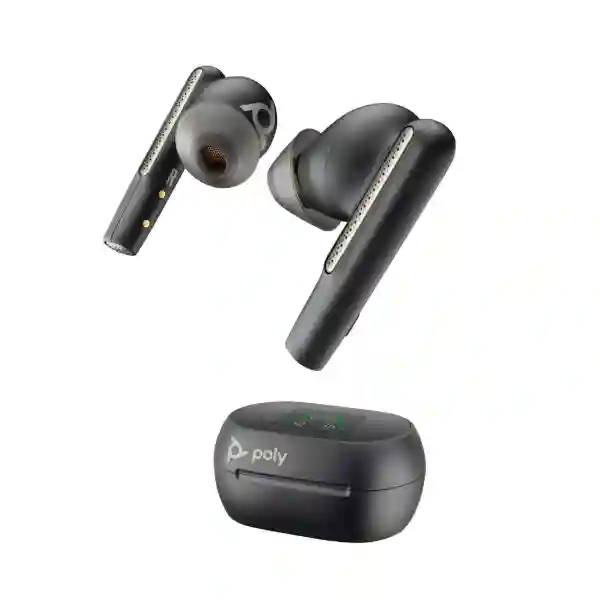
HP Poly Voyager Free 60 UC Wireless Earbuds
Compact true wireless audio for people who switch between work calls and focused listening. The UC configuration combines a BT700 USB Bluetooth adapter, an ordinary charging case, adaptive active noise cancellation and three-microphone earbud arrays. Choose the exact configuration for your computer and collaboration software before seeking a Tanzania quotation.
Is this the right choice?
The strongest reason to select the Free 60 UC is its combination of compact in-ear wear and an adapter intended for professional laptop communications. The most important reasons to reconsider are discomfort with in-ear designs, the need for very long uninterrupted talk time or the requirement for touchscreen case functions reserved for the Free 60+ UC. A good purchasing decision begins with the actual work pattern, not the product picture.
Action: Confirm the specific UC package, USB connector and platform edition before requesting a quote.
Specifications and practical checks
| Topic | Details to know |
|---|---|
| Use case | Personal computer meetings, mobile calls and listening |
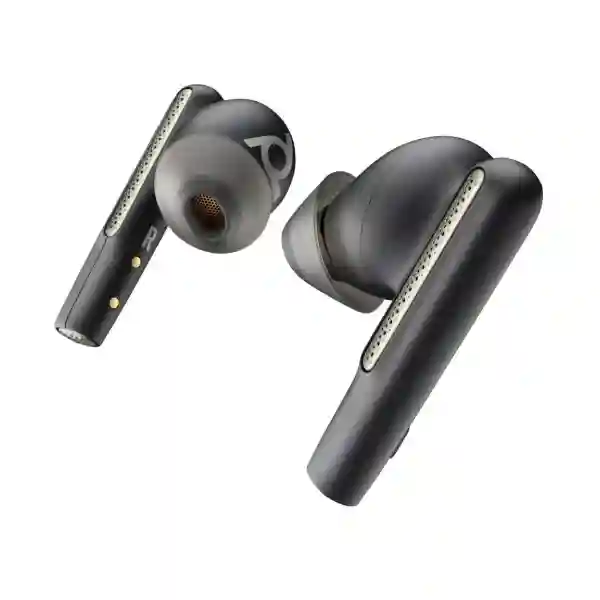
| Form factor | True wireless in-ear earbuds with replaceable tip sizes |
| Computer interface | BT700 Bluetooth USB adapter; interface varies by configuration |
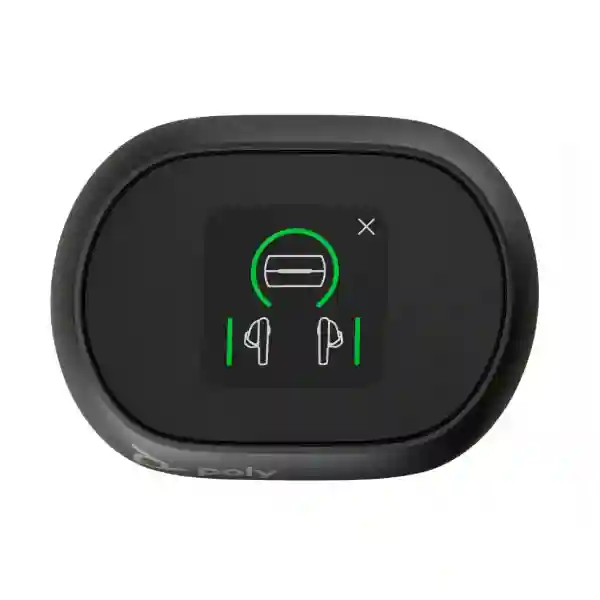
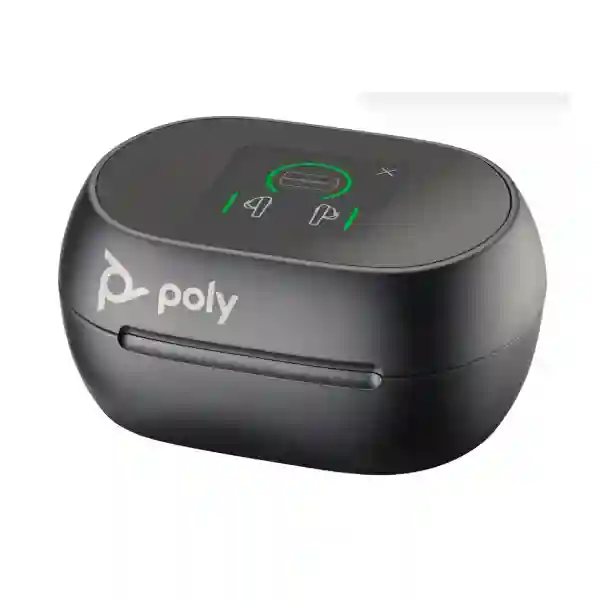
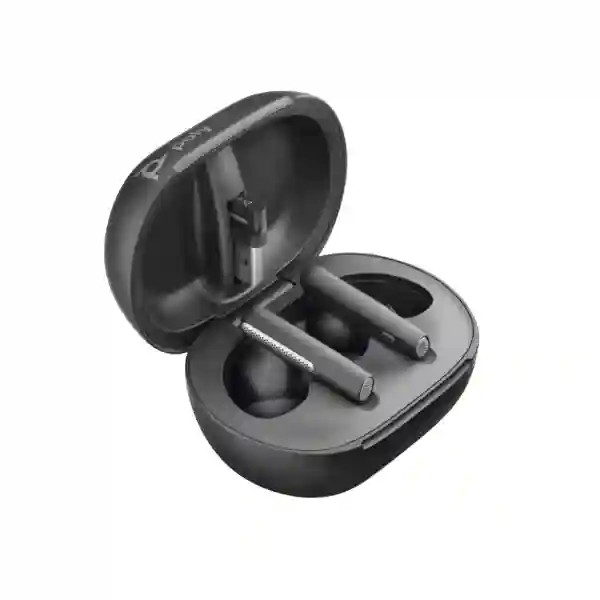
| Charging case | Basic case, not the touchscreen Free 60+ UC case |
| Microphones | Three per earbud with WindSmart and family voice-processing features |
| Listening | Adaptive ANC and transparency mode |
| Multi-device operation | Two active Bluetooth device connections supported |
| Talk time | Up to 5.5 hours, or up to 16.5 hours with case |
| Music with ANC | Up to 8 hours, or up to 24 hours with case |
| Audio hardware | 10 mm speakers in verified UC technical documentation |
| Management | Supported Poly Lens user and IT features |
| Must confirm | Exact edition, connector, country commercial terms and warranty |
Manufacturer battery figures are maxima, and exact package specifications must be confirmed for the model being quoted.
Free 60 vs Free 60 UC vs Free 60+ UC
Voyager Free 60
The standard family model, without a BT700 adapter in HP’s comparison of the basic configuration.
Voyager Free 60 UC
The business package here: BT700 computer adapter and basic charge case.
Voyager Free 60+ UC
A separate UC option with touchscreen charge case and associated advanced case functions.
Why choose a UC earbud for work?
The HP Poly Voyager Free 60 UC Wireless Earbuds bring a compact headset format to business conversations. They suit professionals who alternate between a computer, a mobile phone and focused listening. The UC configuration includes a dedicated BT700 Bluetooth USB adapter for use with compatible computers, rather than depending only on the computer’s built-in Bluetooth radio. This difference is relevant to people who spend much of their working day in conference calls and want a familiar personal audio device at each desk.
The model is not a promise of perfect calls in every environment. Sound quality depends on the meeting application, the network, correct audio-device selection, ear fit and surrounding noise. A buyer in Tanzania should start with the intended workflow: frequent video meetings, occasional telephone calls, or prolonged customer-service conversations. The correct answer may be a compact pair of earbuds, a headset with a boom microphone or a dedicated conference-room system. Choose the device for the job rather than for its size alone.
What the standard Free 60 UC actually includes
HP distinguishes the ordinary Voyager Free 60, the Voyager Free 60 UC and the Voyager Free 60+ UC as different offerings. The standard UC configuration includes a BT700 Bluetooth USB adapter and a basic charging case. Its main appeal is business-oriented computer connectivity in an in-ear format. The phrase UC does not imply that every advanced capability shown for the more expensive-looking plus family is present in this version. Understanding this boundary makes a quotation easier to interpret.
The exact USB interface depends on the ordering configuration. Both USB-A and USB-C BT700 variants exist, and collaboration-specific editions can also differ. The title of the product family therefore cannot establish a particular manufacturer part number, stock-keeping unit, colour or platform certification. Before a company issues a purchase order, ask the supplier to confirm the complete manufacturer name, adapter connector, case type and package contents. A little clarity at this stage can prevent incompatible purchases and avoidable support requests.
Why the BT700 USB adapter deserves attention
The BT700 provides a dedicated wireless connection between the UC earbuds and a compatible computer. HP states that the adapter supports dependable computer audio, supported remote call-control behaviour and device update functions that may not be available when pairing directly through a computer’s internal Bluetooth interface. This does not make the adapter a wired headset connection: the earbuds remain wireless. It does mean that losing the adapter can remove an important benefit of the UC package.
For a company with standardised laptops, check the available USB connector and the organisation’s peripheral-security policy. A USB-C notebook may suit one configuration while an existing workstation with USB-A ports may call for another. Do not assume that a random conversion accessory has been approved or tested. During a pilot, verify that Windows or macOS recognises the adapter, that the meeting software selects it correctly and that users know where to keep it when travelling.
Active noise cancellation explained in practical terms
Adaptive active noise cancellation, usually shortened to ANC, aims to reduce distracting sound reaching the person wearing the earbuds. It can be useful when a professional wants to concentrate on a training recording, a discussion or independent work in a shared space. Ear-tip fit matters because the physical seal influences how much outside sound enters. Low-frequency background sounds and nearby speech can behave differently, so ANC should never be described as removing all noise.
ANC is not the same as the treatment of the user’s outgoing voice. It addresses listening, while the microphone array and signal processing help the person on the far end of a call. Someone who mostly wants quiet music playback should assess the ANC effect and fit, whereas a person taking customer calls should prioritise actual microphone tests. Workplace safety rules still apply, and people should remove earbuds when full hearing of instructions, warning sounds or nearby activity is necessary.
Microphones, WindSmart and background speech
The Voyager Free 60 series uses three microphones in each earbud and includes WindSmart technology. HP also describes Poly NoiseBlockAI in the family feature set. These technologies are intended to improve the clarity of the wearer’s voice when background sound or wind interferes. Their value is easiest to understand during a call: colleagues should hear words more clearly without the speaker having to shout. Results vary depending on the room, competing voices and how the earbuds sit in the ears.
An organisation should test voice quality with a remote listener, not just listen to music locally. Try one call in a quiet room, another in a typical office and a third in a more demanding but appropriate environment. Ask whether important words are lost, whether background conversations dominate and whether sound changes as the speaker moves. A boom-microphone headset may still be better for extended high-volume calling in a noisy office. An earbud’s compactness cannot replace the acoustic advantage of positioning a microphone close to the mouth.
Transparency mode and staying aware
There are situations when outside sound should remain audible. The Free 60 family includes transparency mode, intended to allow more ambient sound into the listener’s experience without taking the earbuds out. For example, a user may want to hear a colleague nearby or remain aware of a routine announcement. This gives the device more flexibility than an ANC-only approach, especially when workers switch frequently between independent concentration and collaboration.
Transparency is a listening feature, not a certification for hazardous environments or a guarantee that every warning signal will be heard. Loud audio, ear fit and background conditions all affect awareness. Company policy should determine when earbuds are acceptable, and a user should remove them when attention to traffic, machines or human instructions is essential. A practical employee guide can explain when to select ANC, when to choose transparency and when to have no earphones in place at all.
Two-device Bluetooth use without confusion
HP advertises multipoint Bluetooth support for the Free 60 series, allowing two devices to remain actively connected while the earbuds remember several previously paired devices. A common business arrangement is a work computer and a personal or company mobile phone. That can make it easier to move between meetings and phone calls without repeatedly going through a new pairing process. It does not mean the earbuds mix two independent soundtracks into one simultaneous stream.
People should test switching with their actual devices, because audio priority, notifications and meeting-app settings can change the experience. If the phone interrupts computer playback, check whether the phone is still in a call or another audio session. If the computer remains silent after a call, confirm its output selection. Multipoint is best treated as a convenience supported by the hardware, not a contractual promise that every combination of apps will switch instantly with no input from the user.
How to prepare Windows laptops for meetings
On a compatible Windows computer, insert the supplied BT700 into an authorised USB port and make sure the charged earbuds are paired with the adapter. Open Windows sound settings and select the relevant Poly device for output and input. Then open the conferencing application and confirm its microphone and speaker settings separately. Teams, Zoom and other apps can remember previously chosen devices, so inserting an adapter is not always enough to move an existing meeting to the correct audio source.
Make a brief test call before an important presentation. Ask the listener to confirm voice clarity and make sure incoming speech is comfortably audible. Check mute status in the application and observe whether any supported headset controls work as intended. If the device is missing, inspect the USB connection, endpoint restrictions and pairing state before assuming hardware failure. On company-managed computers, seek IT approval before changing drivers, installing management applications or adjusting device-permission policies.
How to prepare macOS laptops for meetings
The same basic workflow applies on supported Macs. Insert the appropriate BT700 adapter, verify that the earbuds are connected and select the Poly audio device in macOS sound settings. Set the same input and output within the selected meeting application. The system may still be configured to use the built-in microphone or the speakers of an external display. The resulting mismatch can be particularly confusing because the wearer may hear remote participants while the remote participants hear nothing.
A short call with a colleague will confirm whether the microphone and speakers have the intended route. Test device changes when moving between a desk, a docking station and another room. For managed Macs, check that any required Poly Lens functions are permitted by the company’s software controls. A deployment guide should document the supported process for the actual OS release and app versions. Avoid assuming that direct Bluetooth pairing provides the same business controls as the included USB adapter.
Microsoft Teams, Zoom and certified variants
The product family is marketed for collaboration, and HP publishes platform certifications across the range. However, certification depends on the exact model and edition. For example, some configurations are specifically associated with Microsoft Teams, while other manufacturer documentation identifies Zoom certification. The ability to carry microphone and speaker audio in a meeting application does not necessarily mean the hardware has formal certification for every feature of that platform.
Before buying multiple units, list the applications employees must use. Ask the seller to identify the exact manufacturer configuration and confirm its relevant certification and supported call controls. In a pilot meeting, test joining, muting, accepting calls and ending sessions. If the computer is used with several applications, record any differences because one app may handle integrated controls differently from another. This is more useful than relying on a broad claim that all business meeting services work identically.
What the published battery numbers mean
HP gives the Voyager Free 60 series up to 5.5 hours of talk time from the earbuds and up to 16.5 hours including the charging case. For music listening with ANC enabled, HP quotes up to 8 hours from the earbuds and up to 24 hours with the case. These figures describe manufacturer maxima under relevant test conditions. They are not a promise that every worker will reach the same endurance during frequent calls, high-volume playback or years of battery ageing.
Separate continuous use from total combined use. The case carries extra charge, but the earbuds must be returned to it to recharge. An employee with several scheduled meetings and natural breaks may find this practical; someone working continuously on calls for a lengthy shift may prefer equipment with longer uninterrupted talk time. Plan a charging routine using realistic work periods, not only the combined marketing figure. Carry a charged case when away from the desk and verify the device state before a critical appointment.
Charging case and Qi wireless charging
The Free 60 UC comes with a basic charging case. HP also describes Qi wireless charging capability for the series, with a compatible charging pad not included as a standard bundled accessory in its family information. The verified UC USB-C package includes a USB-C charging cable, but exact contents should still be checked for the offered ordering configuration. The case is a useful part of the travel setup because it stores and recharges the separate earbuds between sessions.
Keep charging contacts clean and dry and ensure each earbud sits properly in its slot. A simple charging routine at the end of the working day can prevent the next morning’s meeting from starting with low power. Where a team provides shared desks, arrange a safe storage location for personal accessories and their BT700 adapters. Do not assume the basic case can provide the touchscreen controls or audio-input capabilities of the separate Free 60+ UC package.
Fit, tip sizes and comfort over longer calls
The verified Free 60 UC USB-C package lists small, medium and large ear tips. This is a meaningful part of the product rather than a decorative extra. In-ear seal and comfort vary from person to person, and a better-fitting tip can improve passive isolation and the apparent effectiveness of ANC. The correct size should remain secure during normal movement without creating persistent pressure. One ear may need a different choice from the other.
Try the earbuds for a realistic listening period before deciding that the fit is successful. If soreness develops, change the tip size or positioning rather than accepting discomfort as unavoidable. Employees who do not tolerate an in-ear design should be offered another headset form factor. Fit testing is especially useful before a bulk purchase because an earbud that is comfortable for one manager may be unsuitable for another. Clean and maintain ear tips according to product guidance and avoid sharing fitted accessories without appropriate hygiene measures.
Speech and music are different audio tasks
The verified HP specification describes 10 mm speakers and distinct frequency ranges for speech and media playback. That technical detail explains why an earbud can serve more than one kind of listening, but specifications alone do not tell a purchaser how comfortable a particular voice will sound or whether music reproduction will match a personal preference. Business meetings demand intelligible spoken language and dependable microphone routing; leisure listening may place more weight on tonal balance and isolation.
Test the product with ordinary conversation, a training video and familiar audio at a moderate volume. Avoid judging sound quality only at maximum loudness or in a single quiet room. If a user has specialised studio-monitoring or hearing-related needs, a separate audio product may be more appropriate. For everyday professional use, the most useful indicators are understandable speech, stable device switching, reliable app selection and comfort throughout a realistic session.
Travel and hybrid-work habits
The compact form makes Voyager Free 60 UC relevant to professionals who carry a laptop and phone between work locations. A simple pre-travel check should cover a charged case, both earbuds, a correctly specified BT700 adapter and an available USB port at the destination. Check a meeting’s audio route before entering a client conversation. Familiar equipment can simplify transitions between workplaces, but the location’s network and meeting conditions remain independent factors.
Do not mistake the basic case for the touchscreen case with a 3.5 mm audio-input function. HP associates that extra function with the Free 60+ UC variant. Avoid unsupported claims that the standard earbuds are waterproof, suitable for industrial hazards or approved for all travel conditions. Protect the case and charging contacts from moisture and physical damage. Store the small USB adapter securely, since replacing a missing piece of the UC package may be inconvenient.
Open-plan offices and shared working spaces
An open-plan office creates a two-sided audio challenge. The employee wants to reduce distractions while remote colleagues need to hear the employee’s words. ANC and microphone processing address different halves of that problem, but neither removes the need for appropriate room conditions. A nearby conversation may remain distracting and the person’s own voice can still disturb colleagues. The best approach combines suitable equipment with practical rules for meetings and shared space.
When evaluating a rollout, compare short calls made from real desks rather than only from a silent showroom. Ask remote listeners to rate intelligibility, and ask local employees whether they can concentrate without turning the volume unnecessarily high. A mixed equipment standard may work best: earbuds for people who move frequently, boom headsets for intensive phone agents and separate room audio for group calls. Assigning equipment by role is more defensible than requiring one compact form factor for everyone.
Poly Lens and IT administration
Poly Lens provides supported device settings, update functions and management capabilities in the HP Poly ecosystem. The value to an IT team depends on the exact earbud configuration, installed software and operating environment. HP identifies the BT700 adapter as an important element of supported computer-side functionality. A direct internal Bluetooth connection may transmit basic audio without exposing the same update and remote-control experience.
A deployment plan should identify supported Windows or macOS images, permitted USB peripherals, application versions and who is authorised to manage headset settings. Decide how staff will replace a misplaced adapter, request help for pairing and report a failed firmware update. Test the actual Poly Lens experience in a pilot rather than advertising fleet-management functions that have not been validated on the final configuration. Consistent device naming and documented setup steps can reduce avoidable tickets.
Privacy, etiquette and microphone awareness
Listening through earbuds can help keep meeting audio from playing aloud through laptop speakers. It does not automatically make a call private. People nearby may hear the user’s side of the conversation, and microphones can capture unwanted background discussion. Meeting platforms also have their own recording and transcription settings. Workers handling confidential information should use authorised apps and suitable locations according to organisational policy.
Check mute status in the application before discussing sensitive matters. Physical earbud gestures may behave differently by meeting platform, so test them instead of relying on an unverified control assumption. Consider the people working nearby: speaking more softly may improve shared-office etiquette even when ANC makes the wearer less conscious of surrounding noise. Good audio hardware should support, not replace, information security and sensible meeting habits.
A basic troubleshooting sequence
If the user hears no sound, first inspect the computer’s chosen output device and the meeting application’s own speaker setting. The laptop may still be sending audio to internal speakers or a previous headset. Confirm the earbuds are charged, connected and seated correctly. When using BT700, inspect the authorised USB port and whether the operating system recognises the device. Testing an ordinary audio file can help separate a system problem from an application-specific one.
If outgoing speech is missing, check the input device, microphone permission and both app and device mute status. A quick test recording may reveal that the computer’s built-in microphone was selected inadvertently. If integrated call buttons behave unexpectedly, confirm the exact model edition, supported application and adapter path. Company IT should lead any driver or security configuration changes. Record the symptom and what was tested so troubleshooting remains consistent rather than relying on repeated random pairing attempts.
How to plan a fair pilot
Before ordering for a whole department, invite a small group of employees to try the equipment in their normal work settings. Include people with different laptop connectors, different ear shapes and different meeting workloads. Compare calls against any existing headset under the same network and conferencing conditions. Collect comments on intelligibility, comfort, switching, charging and ease of using the basic case. Specific incidents are more useful than broad statements such as good or bad.
A repeatable demonstration might include a quiet indoor call, a typical office call, music playback at a reasonable volume and a switch between computer and phone. Ask a remote participant to compare voice clarity without being told which headset is active. Use results to decide whether the earbuds are right for everyone, only for mobile staff or not at all. This approach makes the eventual purchase easier to justify and supports a realistic help-desk guide.
Questions to include on a Tanzania quotation
A useful quotation request should specify the full Voyager Free 60 UC product family, the quantity, the required BT700 USB connector and the intended conferencing environment. It should state that the standard basic charging case is required unless the buyer deliberately chooses the plus model. Ask the supplier to identify the exact ordering configuration, collaboration certification if needed, colour and confirmed in-box accessories. Do not use a guessed SKU or a foreign retailer’s stock code as the local listing identifier.
Request a written price and clarification of applicable local taxes, seller conditions, availability, delivery arrangements, warranty applicability and after-sales support. Manufacturer technical data cannot establish those local commercial facts. Where the purchase is important to a team, ask about a pilot or evaluation process before placing a large order. Avoid assuming that product availability, a delivery promise or service coverage in another country will apply in Tanzania.
Comparing overall business value
A consumer earbud, a business UC earbud, a boom headset and a conference speaker serve different needs. A consumer model may deliver strong personal entertainment features but lack the dedicated adapter or supported controls an organisation wants. A boom headset may prioritise continuous speech capture in a noisy working area. A more feature-rich Free 60+ UC adds a touchscreen case that not every employee requires. Value depends on how closely equipment matches the job.
Evaluate the total practical package: audible meetings, accurate microphone input, compatibility with company computers, ease of replacing missing small accessories, fit and time between charges. An attractive headline price loses value if users spend time troubleshooting, while a complex model may be unnecessary if the core UC functions are enough. Score the criteria that matter daily and request confirmation of the exact variant before comparing quotations.
Storage, handling and long-term care
True wireless earbuds rely on several small components working together. Put the earbuds back in their case after use, protect the case during transport and keep the BT700 adapter in a defined location. Avoid liquid or dirt around charging contacts and maintain the removable tips. A simple routine is particularly helpful for staff moving between desks because one missing earbud or adapter can interrupt use even when the main computer is working normally.
Over time, battery endurance, fit and user expectations may change. Check whether the product still suits the worker’s normal meeting length and whether its ear tips remain comfortable. If a component fails, record the exact configuration and symptom for the supplier. Local warranty, replacement-part access and repair arrangements should be confirmed in the offered terms rather than inferred from the international product family. Responsible ownership means having realistic expectations as well as protecting the device.
The decision: when to buy and when to choose something else
Choose the standard Free 60 UC when a portable, in-ear business headset with a dedicated BT700 computer adapter is a good fit for the user’s meetings and mobile calls. It is especially worth evaluating when staff dislike bulky headsets and need to move between personal audio and work calls. Confirm that the charging rhythm and tip comfort match their day. An early test should establish that speech remains clear on the actual conferencing application.
Choose another format when an employee needs sustained call-centre talk time, a prominent boom microphone, a different wearing style or specialised environmental protection. Choose Free 60+ UC if touchscreen case controls or that variant’s audio-input functionality are essential. No international specification substitutes for verifying a Tanzania quotation, including the precise manufacturer variant and support arrangements. A short, role-based trial is the most reliable way to turn a technical shortlist into a practical purchasing decision.
Frequently asked questions
Does Free 60 UC have a touchscreen case?
No. HP identifies the standard Free 60 UC with a basic charging case. The touchscreen charging case belongs to Free 60+ UC. Ask the supplier to state the case type rather than relying on images of other models in the same family.
What is special about the UC package?
It includes the BT700 USB Bluetooth adapter for supported computer communication functions. The ordinary Free 60 family configuration does not list that adapter. The exact USB connector and software edition must be checked with the actual manufacturer configuration.
Can it stay connected to a phone and laptop?
HP lists multipoint support for two active Bluetooth devices in the series. A worker can use this to simplify switching between phone calls and computer activity. Actual sound priority and switching depend on the applications and devices involved.
How long does it last on a call?
HP publishes up to 5.5 hours from the earbuds and up to 16.5 hours with charging case replenishment. Those are manufacturer maximum figures, not guaranteed uninterrupted working shifts. Charging breaks and real-world usage patterns affect results.
Does ANC improve the sound heard by my colleagues?
ANC primarily reduces unwanted sound heard by the wearer. A separate set of microphones and voice processing technologies works on outgoing audio. For a fair assessment, test both listening comfort and the sound heard by remote participants.
Is there a USB-C version?
Yes. HP describes both USB-A and USB-C adapter configurations within the Free 60 UC family. The model name alone does not identify which is supplied. Request the exact interface in writing before ordering for company computers.
Is it certified for all conferencing platforms?
Do not assume every regional model has the same certifications. HP describes platform-specific offerings. Check the exact part configuration and supported integrated controls for the primary meeting application used by the organisation.
Can the standard case take a 3.5 mm aircraft audio input?
That feature is associated with the touchscreen case on Free 60+ UC, not the standard Free 60 UC basic case. Buyers who require analogue-source listening should evaluate the plus configuration explicitly.
Is a Qi wireless charging pad included?
HP describes Qi charging capability for the series but notes that the charging pad is not included. The supplied charging cable and accessories should be confirmed against the exact ordering configuration.
Are these better than a boom headset for call centres?
Not necessarily. In-ear comfort, microphone position and published continuous talk-time limits make a boom headset worth comparing for demanding, all-day customer-service roles. Conduct realistic calls under the same conditions before choosing.
How should IT support this model?
Document the BT700 connection, permitted operating systems, meeting-app audio selection and any Poly Lens deployment. Provide guidance for replacing a misplaced adapter and resolving microphone selection. Test each supported configuration before a broad rollout.
Can a manufacturer datasheet confirm a Tanzania selling price?
No. Technical specifications do not establish local availability, price, taxation, warranty applicability or delivery. Ask the seller for a written, configuration-specific quotation and support terms rather than relying on prices or inventory from another market.
What is the first thing to check when a meeting has no audio?
Confirm the device selected in the computer’s sound settings and the application’s separate microphone and speaker menus. Ensure the earbuds are charged and connected through the intended Bluetooth path, then test with a colleague.
How can I tell if the earbuds will be comfortable?
Try the included ear-tip sizes over a realistic call period. The seal should feel stable without persistent pressure. If an in-ear design remains uncomfortable, consider a different headset shape instead of forcing a poor fit.
Request a configuration-specific Tanzania quote
Specify the quantity, required BT700 USB connector, main meeting application and whether a Teams-specific or other platform version is necessary. Ask for confirmation of the basic charging case, exact manufacturer variant, verified commercial terms and available support. A complete quote is more useful than an assumed price or an unverified product image.
Ask for a product-specific quotation and compatibility confirmation.




Reviews
There are no reviews yet.