
HP POLY · WORKSTATION ACCESSORY
HP Poly Focus Wireless Charging Stand
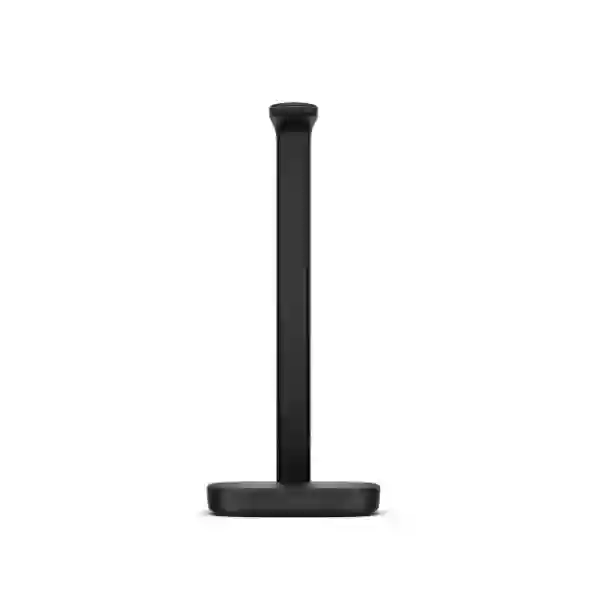
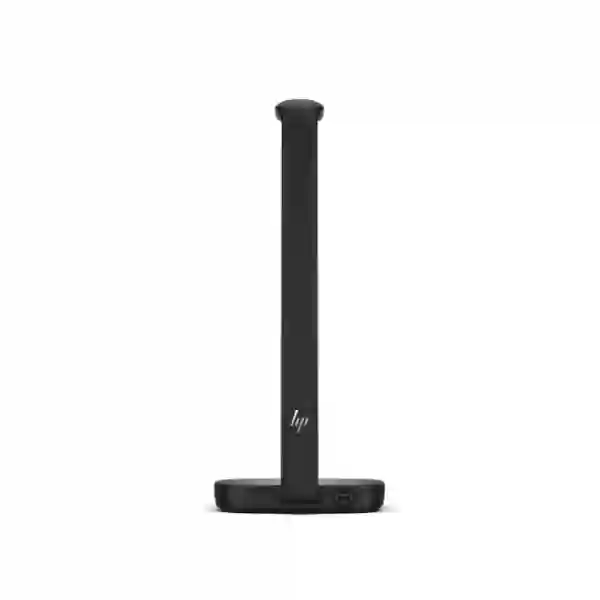
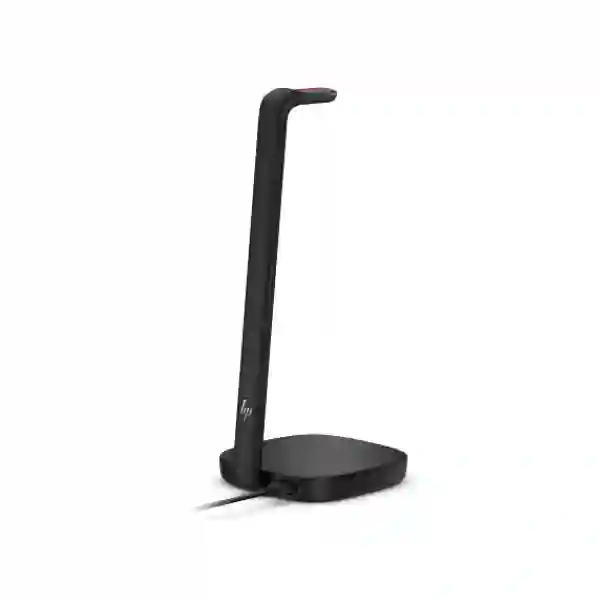
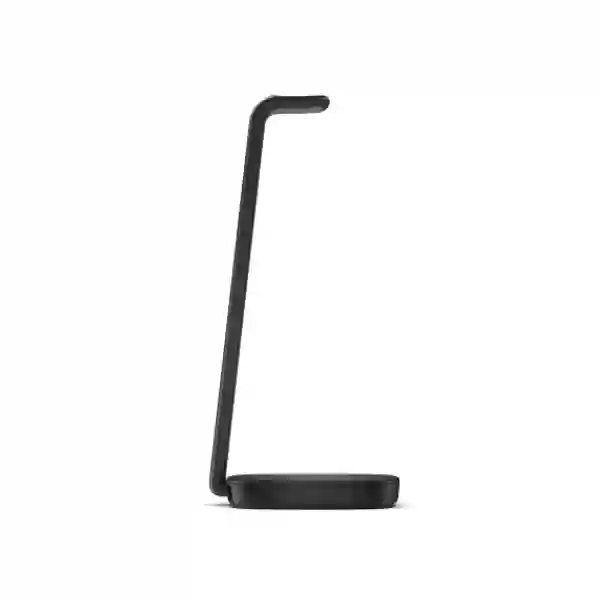
Give a compatible Focus 620 or Focus 625 headset a clear place to rest and recharge between calls. This standard stand uses magnetic docking, supports forward or backward placement and has a no-slip base for everyday desk use.
Verify your precise headset model and request the C56Y0AA standard stand for your Tanzania workstation. The headset itself and a mains adapter are not listed as included.
Before you buy: four checks
- Headset match: Focus 620 or 625, including specified Fold variations.
- Exact stand: HP Poly Focus Wireless Charging Stand, manufacturer number C56Y0AA.
- Desk setup: space for the stand, cable routing and a suitable powered USB-C source.
- Local purchase: confirm Tanzania price, availability, contents and applicable warranty terms.
Manufacturer-verified specifications
| Manufacturer / brand | HP Poly |
|---|---|
| Product | Focus Wireless Charging Stand |
| Manufacturer product number | C56Y0AA |
| Type | Single-compatible-headset wireless charging stand |
| Compatible headsets | HP Poly Focus 620 / 625 and specified Fold models |
| Docking | Magnetic; forward or backward orientation |
| Base | No-slip |
| Charging plug | USB Type-C |
| Cable | USB-C to USB-C, approximately 1.5 m |
| Colour | Black |
| Dimensions | 116 × 106 × 253 mm (W × D × H) |
| Weight | Approximately 368 g |
These specifications describe the standard charging stand, not the separate multi-device premium accessory. Confirm exact local package contents and commercial terms.
Two different HP Poly Focus stands
Standard · C56Y0AA
Designed as a dedicated charging position for the named compatible Focus headset family. HP lists a USB-C to USB-C cable in the package.
Multi-device premium · C56Y1AA
A separate model described for charging a headset and compatible personal devices. HP’s regional package listing includes a 30 W adapter. Verify device support separately.
Purpose and buyer fit
The HP Poly Focus Wireless Charging Stand gives a compatible Focus headset a specific place to rest and recharge at a desk. It is designed for people who repeatedly remove a headset between calls and want to leave it somewhere visible rather than on a notebook, chair or loose cable. A dedicated position can make the daily routine simple: finish the meeting, return the headset to the dock, and pick it up again when another conversation begins. The product is an accessory rather than a complete headset, communications platform or universal wireless charger.
For a buyer in Tanzania, the first decision is not appearance or price. It is whether the existing headset is in HP’s verified compatible Focus family. The manufacturer’s information identifies Focus 620 and Focus 625 models, including specified Fold versions. If that match is confirmed, the stand is a practical option for a fixed workstation. If the model is different, identify its intended charging accessory instead of assuming all HP Poly headsets can use the same stand.
The stand is particularly relevant to office administrators, contact-centre staff, account managers, remote workers and other users who move repeatedly between conversations and desk tasks. It can support an orderly workstation, but it does not itself enhance wireless coverage, audio processing, microphone quality or software integration. Choose it because you need a dependable desktop charging position for the supported headset, not because you want to upgrade the headset’s communication features.
What the product does
The standard stand is powered through USB Type-C and uses magnetic headset docking to support wireless charging for the compatible headset when placed on it. HP says that supported headsets can dock facing either forward or backward. This makes it easier to position the stand to suit a user’s reach and a desk’s arrangement. A no-slip base helps maintain stable placement on an appropriate surface. These are functional advantages aimed at convenience rather than claims about faster charging or longer battery life.
The charging arrangement should be understood precisely. The headset does not need a separate loose charging cable plugged into it every time it is docked, but the stand itself still requires a suitable external USB-C power connection. The accessory is not a portable battery and should not be expected to charge when disconnected from power. A physical fit alone also does not establish electrical compatibility with a different headset model; use the manufacturer’s list as the starting point.
HP identifies the standard accessory with product number C56Y0AA. It is a separate item from the Multi-Device Premium Wireless Charging Stand, model C56Y1AA. The standard product is described for a compatible Focus headset, while the premium alternative has a different intended device coverage. That distinction is important when reading quotes and procurement specifications, because features and included equipment from one version should never be assigned to the other.
Which Focus headsets are compatible
HP’s technical information identifies compatibility with HP Poly Focus 620 and 625 headsets and the specified Focus 620/625 Fold variations. Manufacturer regional product pages also identify Focus 620 and Focus 625 examples. These named models form the supported buying guidance on this page. They should not be replaced by an unrestricted statement that the stand works with every Poly Focus or every headset in the wider HP Poly catalogue.
Do not assume a Poly Voyager Focus 2 headset will work merely because the product name contains Focus. Likewise, a Bluetooth headset, a headset with a USB-C charging port or an office headset supplied with another cradle is not automatically compatible. Physical docking design matters. Incorrect assumptions can produce an accessory that fits poorly or does not charge as expected. Where model information is unavailable, obtain it before ordering rather than relying on a general description from an inventory spreadsheet.
For organisations buying several accessories, check each headset generation and variation separately. A team may use Focus 620 units at some desks and unrelated products elsewhere. Count only the supported devices when preparing an order for C56Y0AA. Where a headset-and-stand bundle is already in use, verify whether another stand is genuinely needed. This avoids paying twice for the same function and keeps the equipment list aligned with the real workplace.
How to identify your exact headset
Start with the purchase record, the product packaging, the headset’s model information or an appropriate asset-management record. Write down the complete model name, not just the brand or the fact that the unit connects by Bluetooth. The desk computer’s make, the meeting software used by the employee and the headset’s general appearance are not reliable substitutes for its actual identity. If you have multiple headset variations in the same team, ask the user or IT team to verify the particular item being equipped.
Next, compare that information with HP’s stated compatible models for the standard Focus stand. Note any Fold designation if applicable. This check is especially important when a company has acquired headsets over several years or through different purchasing channels. Similar product names may refer to distinct hardware generations, and a catalogue title can omit details that are important for charging compatibility. The best purchasing description combines the complete headset model with the manufacturer’s charging-stand product number.
If the quotation lists a suffix or a seller-specific stock code, keep that separate from C56Y0AA, the manufacturer product number. It must not be used as a FourTeck Tanzania SKU without verification from the target listing. A simple two-column equipment record showing headset model and intended accessory model can be valuable for future support, replacement and reassignment. This small preparation step helps prevent a mismatch from being repeated across an entire order.
Magnetic docking in everyday work
HP describes a magnetic attachment that assists the docking connection and permits headset placement facing forward or backward. For a compatible headset, the intended action is straightforward: place the headset into its designated position between uses. This can make charging part of the normal end-of-call routine. The main practical value is consistency. Users know where to return the headset, and the device remains readily accessible when another conversation or meeting begins.
A front-facing position may be easier on one desk; a rear-facing position may be more natural on another. Select the orientation that avoids nearby monitors, wall edges, shelves and other equipment. Magnetic attachment is intended to aid correct seating, not to justify force or careless placement. If the headset feels obstructed, review the surrounding clearance and model compatibility rather than pressing it into position. The expected charging indication should be checked according to the headset’s own instructions.
This arrangement suits employees who alternate between short calls and other tasks. It is less compelling when a headset is rarely used at a fixed desk or already has a charging solution that the user finds satisfactory. The stand should be evaluated against the user’s actual habits rather than an assumed productivity figure. No promise about charging speed, battery capacity or reduced call interruptions is necessary to explain the value of an accessible, well-positioned dock.
Dimensions, weight and placement
HP specifies a width of 116 mm, depth of 106 mm and height of 253 mm for the standard stand. The weight is approximately 368 g, and the finish is black. The footprint offers a defined location for the accessory, but workstation planners should look beyond the base measurements. A headset occupies additional space when it is docked, and a person needs room to lift it off naturally. Do not position the stand where a shelf or monitor arm blocks that movement.
Choose a level, clean, stable desk surface. HP highlights a no-slip base, but the stand should still be kept clear of table edges and areas where people regularly place bags, cups or stacks of documents. Think about reach from the user’s normal seated position and the direction from which the headset is picked up. An accessory that is technically compact may still be inconvenient if it is hidden behind a screen or squeezed against a partition.
Power routing deserves equal attention. A stand could fit physically while the included USB-C cable cannot reach an appropriate source without crossing the work area. Plan the cable path before installing several units. Keep it clear of chair wheels, tight bends and frequently moved accessories. An organised setup is not merely an aesthetic preference: it makes the dock easier to use and reduces the risk of disturbing its power connection during ordinary desk activity.
Power through USB-C
The listed stand uses a USB Type-C charging plug, and the manufacturer’s package includes a USB-C to USB-C cable. HP lists the cable length at approximately 1.5 metres. That cable powers the stand, while the headset charges through the supported docking arrangement. The distinction matters because wireless charging here means the compatible headset can be placed on the stand without plugging a separate cable into the headset; it does not mean the stand operates without its own wired power supply.
Choose an appropriate powered USB-C source consistent with the instructions supplied for the accessory. A computer, docking station, monitor or external USB-C charger can have different power behaviour, and the presence of a port does not prove it will supply suitable power in every state. In particular, do not assume that a laptop USB-C port remains powered when the laptop is shut down. Check the actual equipment and its configuration before designing a charging routine around it.
A mains wall adapter is not in the standard box contents listed by HP for this accessory. Buyers should therefore confirm how they will power the stand before ordering. Do not borrow an unverified power specification from a third-party listing or from the separate premium model. If an office purchase depends on precise electrical details or a specified power source, request the current manufacturer instructions and check compatibility with the chosen local equipment.
Getting started at one desk
Begin by unpacking the stand, USB-C to USB-C cable and quick start guide. Choose a flat surface where the headset can be lifted on and off without striking adjacent objects. The desk should have enough clearance above and around the stand, as well as a practical path to a powered USB-C source. Before connecting power, confirm once again that the headset is the specified compatible model. This protects against the common mistake of testing an unrelated headset on a visually similar accessory.
Connect the stand to the selected suitable USB-C power source and route the cable without tension. Place the supported headset into the docking area, using the magnetic attachment to help guide correct placement. HP permits forward or backward orientation. Select the side that provides the most natural reach and check the charging indication described in the relevant headset instructions. If charging does not appear to begin, verify power, seating and compatibility before concluding that the unit is faulty.
Once the arrangement works, make it routine. Return the headset to the dock when it is not being used for a conversation. Keep the stand in the same place so it is easy to find. For office deployments, test one complete workstation before duplicating the setup elsewhere. That simple test can reveal cable-routing problems, unexpected USB-C power behaviour or clearance issues while they are still easy to correct.
Forward and backward docking options
The ability to place a compatible headset facing forward or backward is an explicit HP feature of this stand. It allows a user to choose how the headset sits relative to a monitor, laptop and keyboard. On a desk with a partition immediately behind the stand, one orientation may provide better clearance. On a desk where the user reaches from the opposite side, the other may feel more natural. The flexibility is about physical convenience rather than an alternate operating mode.
Try the preferred orientation carefully and make sure the headset is properly seated. If there is resistance or an obstruction, adjust the desk arrangement instead of forcing the headset. The headset’s microphone boom, ear cups and headband should not be caught against another object when docked or removed. The stand should have enough surrounding space that lifting the headset is a natural motion, even when a worker is answering a call quickly.
Do not infer different charging power or compatibility from the orientation. Both directions refer to docking the same supported headset family. Users do not need to learn an elaborate procedure, but they should understand that magnetic attachment helps guide the headset and does not eliminate the need for correct placement. Keeping the docking spot clear and checking the expected charging indication are more useful habits than choosing one universal orientation for every desk.
The tidy workstation advantage
Workstations often accumulate microphones, cables, papers, keyboards and personal devices. A defined headset location can reduce the chance of the unit being left on a pile of documents or an unused chair. The HP Poly stand supports this simple organisational benefit with an upright form and no-slip base. It also makes the headset visible and easy to reach. The result can be a more predictable desk routine without changing the headset’s communications features.
That convenience depends on placement. If the stand is hidden behind other objects or connected through a cable that is regularly unplugged, the user may not return the headset consistently. A practical setup places the dock close to the normal work area and gives the USB-C lead an orderly route. The connection between the headset and its computer or mobile device is separate from the stand’s charging function, so plan both parts of the workspace accurately.
Customer-facing desks can benefit from keeping equipment in an obvious, orderly place between calls. Home workers may value having a standard place for the headset at the end of the day. These are everyday use cases rather than independently measured claims about efficiency or cleanliness. The accessory should be selected because those characteristics matter to the particular user, and because the headset’s confirmed compatibility makes the charging function appropriate.
Meetings, administration and call workflows
A person who spends the morning moving between online meetings may remove the headset repeatedly to speak with nearby colleagues or complete quiet work. A dedicated stand provides a natural place to put it each time. A customer-service representative may use a similar routine between calls, while a project coordinator may rely on it during gaps between scheduled discussions. The charging stand addresses where the supported headset rests and charges during those intervals.
Employees with long, continuous headset sessions may use the stand differently. They may return the headset to the dock only during breaks or at the end of a shift. That can still be useful, but the buying case should reflect the actual routine. Do not assume every department needs a stand for every employee. Where headsets are mobile or are mostly used away from desks, assess the supported charging options available in those environments separately.
For organisations in Tanzania planning new workstations, specify the headset and its charging arrangement as a combined requirement. If the headset is not yet chosen, settle headset suitability first rather than allowing a stand accessory to dictate the communication solution. If the supported headset is already deployed, the standard stand is an accessory decision that can be made with a much narrower checklist focused on charging location, desk space and USB-C power.
Dedicated and shared workstations
A dedicated desk is the simplest deployment. The stand can remain connected near the same computer, and the user can return the compatible headset after a conversation. With a fixed cable route and consistent position, there is little day-to-day setup involved. The user should still know how to recognise the expected charging indication and what to check if the accessory becomes disconnected. A charging stand is most convenient when people actually return the headset to it.
Shared workstations need additional planning. Decide whether each user brings a personal compatible headset or whether equipment remains assigned to the desk. If several headset models are in circulation, avoid assuming they all fit the same dock. Establish who checks power at the beginning of a shift and how the stand is left for the next person. A monitor hub or computer port that loses power outside working hours may also affect the intended routine.
The stand does not identify users, provide inventory tracking or sanitise headsets between shifts. Those responsibilities require separate workplace procedures. Staff should follow appropriate cleaning guidance for the headset and maintain any shared-equipment records needed by the organisation. The stand helps make a physical location consistent; it does not replace an equipment-management process. Matching the hardware and keeping the desk tidy are both essential to a successful shared setup.
Buying for a Tanzania office
When an organisation plans to buy several charging stands, start with a count of compatible Focus 620 and 625 headsets. Note any Fold variants and determine whether the existing headset packages already include stands. Check USB-C power availability and cable routes at the target desks. This is more reliable than requesting a large number of generic HP Poly chargers, because the exact headset family is central to the product’s intended use.
Request a quotation for the standard HP Poly Focus Wireless Charging Stand, manufacturer product number C56Y0AA. Specify quantity and intended headset models. Ask for the exact accessory description, in-box contents, current local price, availability, fulfilment arrangements and applicable warranty terms. Overseas retail listings cannot establish a Tanzania price or local service promise. Likewise, a manufacturer warranty statement for another country must not be presented as a confirmed entitlement for an order here.
For a larger rollout, test a representative supported headset and charging stand at one desk before extending the layout to others. Check that staff can dock the headset easily, the selected USB-C connection supplies power as intended and the arrangement fits the desk. Keep the purchase documents and accessory models in the equipment inventory. These checks are practical, low-complexity ways to reduce procurement mistakes without assuming anything about local stock or delivery times.
Standard versus premium multi-device model
HP lists the standard Focus Wireless Charging Stand as C56Y0AA. It separately lists the Focus Multi-Device Premium Wireless Charging Stand as C56Y1AA. These are distinct products. The standard stand is the accessory described on this page for a compatible Focus headset, while HP describes the premium unit for charging a headset and compatible personal devices. The premium product’s regional package includes a 30 W power adapter, an inclusion that must not be attributed to the standard accessory.
If you only need a charging place for one supported Focus headset, assess the standard stand first. If you also want to charge other personal devices from one station, investigate the premium unit and verify its compatibility list and exact bundle contents. Do not infer that any phone, watch, earbud case or other wireless device works with a product simply because it is labelled multi-device. Manufacturer-supported device information, not appearance, should determine the choice.
Compare the two products as separate quotations, with the correct product numbers and included equipment. The standard stand’s physical measurements and power arrangement cannot be used as the premium model’s specifications. This distinction matters for desk planning and accessory budgeting alike. A supplier description should make clear which stand is being offered, particularly when a procurement system shortens both names to a generic charging-stand label.
Stand versus a loose charging cable
The clearest advantage of a desktop stand is convenience of placement. It gives a compatible headset a repeatable location and makes charging part of a normal desk routine. A user does not need to find a loose cable for the headset after every call. However, the stand still requires its own USB-C power lead, so it does not create a cable-free workstation. Its purpose is to simplify the way the headset is put away and charged at a fixed location.
If someone already uses an approved headset charging method comfortably and rarely leaves the headset at a desk, an additional stand may be unnecessary. A frequent headset user might find a dedicated dock more valuable. Evaluate how often the headset is removed, whether the current charging process is inconvenient and whether a suitable stand is already included in a bundle. These factors matter more than an unverified assertion about faster charging.
Neither a stand nor a direct charging cable should be presented as a solution to wireless range, microphone noise or meeting-software problems. Those issues involve other components and settings. Keep the purchasing requirement narrow: the buyer wants an easy desktop charging location for a verified compatible headset. This avoids attaching unrelated performance claims to a simple accessory and helps users select the item that actually addresses their need.
Package contents and installation expectations
HP’s listed standard package includes the Focus Wireless Charging Stand, a USB-C to USB-C charging cable and a quick start guide. Some HP regional product pages also mention a warranty card. The manufacturer lists the cable at about 1.5 metres. Exact regional package details should be confirmed on the quotation for the item supplied in Tanzania; the contents of a foreign offer should not be assumed to apply unchanged to every purchase.
The product is an accessory-only stand, not a Focus 620 or 625 headset. If a user needs both the headset and a charging dock, ask for a separate headset package or bundle description that clearly names both components. A mains USB-C power adapter is not listed among the standard C56Y0AA box contents by HP. Before installation, ensure that a suitable powered USB-C connection is available rather than assuming that a wall plug will be included.
Keep the quick start guide and the purchase record. They can help users recognise the correct docking arrangement and allow IT staff to identify the accessory during support. Where multiple stands are ordered, record the model number alongside the assigned desk or headset. A manufacturer product number and a local selling SKU are different identifiers, and the latter should remain unassigned until verified from the exact target listing.
Technical details that matter most
The verified product number is C56Y0AA, the finish is black, and the stand uses a USB Type-C power connection. The manufacturer specifies dimensions of 116 × 106 × 253 mm, weight of about 0.368 kg and a USB-C to USB-C cable of roughly 1.5 metres. HP describes a magnetic headset docking attachment, forward and backward docking orientation and a no-slip base. The headset compatibility listing identifies Focus 620/625 and the stated Fold models.
These values should be used for the stand itself. Shipping package dimensions, package weight and any regional suffix are different fields and should not be substituted. Equally, a third-party seller’s SKU is not FourTeck Tanzania’s listing SKU. A quote should name the standard accessory clearly so that the product can be matched with the correct headset. The exact compatibility statement is more important than a broad category label such as ‘computer accessory’.
No local price, stock figure, delivery promise or Tanzania warranty duration is asserted here. No claim is made about charging speed, electrical wattage, phone charging, software certification or the ability to dock an unsupported headset. If a deployment requires more detailed technical or compliance documentation, obtain current manufacturer information for the exact accessory and check the intended country’s requirements independently.
Checking a headset that is not charging
If the headset does not show its expected charging indication, begin by verifying the model. Make sure it is one of the explicitly supported Focus 620/625 variants and that the stand is the standard C56Y0AA accessory. Then inspect the cable connections at the stand and at the powered USB-C source. A port on a laptop or monitor can be present even when that equipment is not currently providing suitable power, so check the real power state.
Carefully remove and re-seat the compatible headset in its intended docking position. HP permits forward and backward placement, but correct seating remains necessary. Do not push, bend or force the headset into place. Follow the current headset instructions to interpret its charging indication. If it does not charge, consider compatibility, power availability and dock position before assuming the stand or battery is defective. A problem that appears during setup can have several straightforward causes.
If those checks fail, consult the supplied quick start guide and current HP support guidance for the exact headset and stand. A workplace IT team can test a known suitable power arrangement and examine the equipment safely. Do not dismantle the stand, use improvised electrical modifications or attempt unsupported repairs. Keep the product details and purchase information available when seeking assistance. Troubleshooting should be methodical rather than based on trial-and-error use of unrelated accessories.
Routine handling and care
Keep the no-slip base on a stable, level surface and avoid placing the stand where it can be knocked off a desk. Leave clear space around the headset and do not hang unrelated objects from the support. Position the USB-C cable so that it does not cross a walking route, sit under a chair wheel or pull against the connector. These basic choices make the stand easier to use and help keep the power connection undisturbed during normal work.
Handle the headset and magnetic docking point deliberately. The magnetic feature helps with alignment; it is not an invitation to drop the headset roughly from a distance. Where a shelf, monitor arm or partition is nearby, verify that the headset can be lifted and returned without collision. When moving the stand to another desk, disconnect the power lead and move the accessory carefully. Do not attempt to treat it as a portable, battery-powered charging device.
Follow current HP care guidance for cleaning the accessory and headset. Keep liquid away from electrical connections, and avoid assuming that a cleaning product used on ordinary furniture is appropriate for electronic equipment. For shared headsets, cleaning and user-handover procedures should address the headset separately. The stand offers organised physical storage but is not a hygiene or security system.
Rollout guidance for IT and purchasing teams
A small technical pilot is a useful starting point. Confirm the exact supported headset and accessory, install the stand at a representative desk, connect it to the intended power source and check the expected charging behaviour. Consider reach, cable routing and clearance. If the office uses several types of headset, make an explicit compatibility list rather than deploying identical stands everywhere. The pilot should resolve practical uncertainties before a larger quantity is requested.
During deployment, give employees simple guidance: identify the correct docking position, return the headset between sessions, and check the USB-C connection when charging does not appear to start. Record which desks have the standard stand and whether the corresponding headset package already included a charging accessory. Keep purchase documents where the support team can find them. This preparation can be more valuable than a complex procedure for an otherwise straightforward desktop accessory.
After installation, review whether the intended outcome has been achieved. The headset should be easy to reach and have an obvious charging position. If the stand is left unused, it may be placed poorly or unnecessary for that employee’s routine. If power is inconsistent, the desk’s USB-C arrangement may need attention. Adjust the setup before assuming the solution requires additional accessories. The goal is a simple, workable routine supported by verified equipment compatibility.
Common buying errors to prevent
The first avoidable error is buying by brand alone. A headset labelled HP Poly is not automatically compatible with C56Y0AA. The second is confusing the standard stand with the C56Y1AA multi-device premium model. The third is forgetting that the stand needs a suitable USB-C power connection even though the compatible headset charges while docked. These three mistakes can be avoided by reading the manufacturer product number, compatibility list and package description together.
Another common mistake is ordering a second stand for a headset bundle that already includes one. Check the original package before purchasing a spare. Do not infer that an overseas retail price, shipping promotion or region-specific warranty applies to a Tanzania order. Commercial details must be confirmed by the seller for the intended transaction. Similarly, a product code from a different retailer cannot be assigned as the local SKU without exact listing evidence.
Finally, do not buy the stand to solve an unrelated problem. It does not create a new headset, improve microphone performance, extend Bluetooth range or make an unsupported headset compatible. If the user needs a different audio device or broader multi-device charging, evaluate those requirements separately. A disciplined accessory choice keeps the specification clear and reduces the chance of paying for features that the standard stand does not provide.
Requesting a quotation from FourTeck Tanzania
When enquiring about this product, ask specifically for the HP Poly Focus Wireless Charging Stand, manufacturer product number C56Y0AA. Provide the exact model of the compatible Focus headset and the required number of stands. Note whether any headsets are Fold variations or come from bundles that already include a charging accessory. This level of detail makes it easier to distinguish the requested stand from alternative HP Poly products with similar names.
Ask for confirmation of the item supplied, package contents, appropriate power arrangement, local price, stock position, order-specific warranty terms and fulfilment details. If you are buying for a team, describe whether the desks are dedicated or shared and whether USB-C power is already provided. Do not treat general information about other markets as a guarantee for a transaction in Tanzania. The correct local information belongs in the actual seller quotation.
The sensible next step is a model-confirmed enquiry, not an assumption that the stand is available immediately or comes with any particular service. Use your verified FourTeck Tanzania sales or quotation channel to confirm the details before placing an order. The stand is straightforward once the headset match is known, but that compatibility check remains the foundation of a good purchase.
Frequently asked questions
Is this a headset or an accessory?
It is a charging accessory, not a headset. The accessory-only package does not include a Focus 620 or 625 headset. Buy it for an already supported headset, or confirm a separate bundle if you need the headset and stand together.
Which headsets fit?
HP identifies Focus 620 and Focus 625 headsets, including the specified Fold variants. Verify the exact model instead of relying on a generic HP Poly or Bluetooth description. The charging stand should not be assumed to fit every similarly named headset.
Can it charge Poly Voyager Focus 2?
Voyager Focus 2 is not named in HP’s compatibility listing for this standard stand. Do not assume it will work. Obtain the correct manufacturer-approved accessory for that headset rather than choosing C56Y0AA based on the word Focus alone.
Is the charging completely cable free?
The compatible headset can charge while correctly docked without a loose cable plugged directly into the headset. However, the stand itself requires external power through its USB-C cable. It is not a portable battery charger.
What comes in the standard box?
HP lists the stand, USB-C to USB-C charging cable and quick start guide. Some regional product listings also mention a warranty card. A mains USB-C adapter is not listed for this standard product. Confirm regional package contents on your quotation.
Can the headset face either direction?
Yes. HP describes forward and backward docking with a magnetic attachment. Choose the direction that works with the desk and allows the headset to settle naturally. Placement must still be correct and the USB-C connection must be powered.
Is this also a charger for phones?
Do not treat the standard stand as a universal phone charging pad. It is described for the named compatible Focus headsets. HP has a separate multi-device premium stand; device compatibility for that product must be confirmed independently.
How big is the stand?
HP specifies dimensions of 116 mm wide, 106 mm deep and 253 mm high, with a weight of approximately 368 g. Leave additional room to place and lift the headset, particularly under shelves or next to monitors.
What is the difference between C56Y0AA and C56Y1AA?
C56Y0AA is the standard Focus headset charging stand described here. C56Y1AA is a different multi-device premium stand, described by HP for a headset and compatible personal devices. Do not mix their specifications, accessories or quotations.
What if the headset does not charge?
First confirm compatible headset and stand models. Then check the USB-C power source and cable, re-seat the headset carefully and review its expected charging indication. Consult HP support instructions if basic checks do not resolve the issue.
Does it improve sound quality?
The stand provides a convenient charging location. It is not claimed to change microphone processing, speaker performance, wireless range or meeting-software behaviour. Investigate communication issues through the headset and its connected system separately.
Can a company order several stands?
Yes, provided the order is based on the correct supported headset models and an appropriate powered workstation setup. Count existing bundled stands before purchasing extras, and consider testing one representative desk configuration first.
Is the stand suitable for shared desks?
It can provide a consistent physical location for a supported headset. Shared desk teams should still manage equipment ownership, cleaning procedures, model compatibility and the power arrangement. The stand is not an authentication or hygiene solution.
Does a laptop supply power while switched off?
That depends on the laptop, port and power settings. Do not assume every USB-C port remains powered when its host is off or asleep. Check the equipment’s behaviour and the stand’s instructions before relying on overnight charging.
What is the FourTeck Tanzania SKU?
The target listing’s SKU has not been supplied or verified. C56Y0AA is the manufacturer’s product number and should not be copied into a local SKU field without exact listing evidence. Ask for the seller’s confirmed identifier when needed.
What should Tanzanian buyers confirm?
Ask for the exact accessory C56Y0AA, local price, current availability, delivery arrangements, applicable warranty terms and package contents. Verify your headset model and planned USB-C power connection. No local price or stock claim is implied here.
Request the correct accessory
Ask FourTeck Tanzania for a quotation for the HP Poly Focus Wireless Charging Stand C56Y0AA. Include your confirmed headset model and quantity. Request current local price, availability, warranty position, delivery conditions and regional box contents before ordering.
Contact FourTeck Tanzania using its verified sales or quotation channel.




Reviews
There are no reviews yet.