
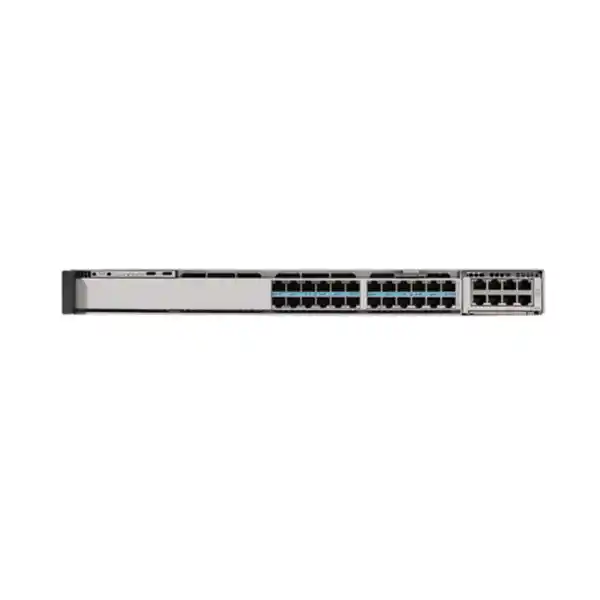
Cisco C9350-24HX Smart Switch in Tanzania
The Cisco C9350-24HX is a 24-port enterprise access switch built for networks that need more than ordinary 1 Gigabit edge connectivity. Each copper downlink can operate from 10 Mbps through 10 Gigabit Ethernet, including 2.5G and 5G multigigabit speeds, while Cisco UPOE+ can deliver up to 90W per port when the power system is sized for the required load. For organizations planning Wi-Fi 6E or Wi-Fi 7, high-power building systems, advanced cameras, collaboration endpoints, or mixed IT and operational-technology devices, this combination of bandwidth and power can reduce the need to redesign the access layer each time endpoint requirements increase.
For a Tanzania deployment, the important purchasing question is not simply whether you need “24 ports.” The correct design must match the number of multigigabit endpoints, PoE load, uplink capacity, stacking plan, software and licensing tier, optics, rack power, cooling, and redundancy target. FourTeck Tanzania can prepare a configuration and quotation around those inputs without assuming price, stock, lead time, or a one-size-fits-all bill of materials.
Up to 90W UPOE+ per port
StackWise-1.6T
Modular high-speed uplinks
Fast buyer summary
Access ports
24 RJ-45 multigigabit downlinks supporting 10M, 100M, 1G, 2.5G, 5G and 10G Ethernet. This is useful where newer access points or other endpoints can exceed 1G.
Power delivery
Cisco specifies UPOE+ up to 90W per port and up to 2160W total PoE budget for the model. Actual available PoE depends on the installed power-supply configuration and system load.
Uplinks
The platform uses replaceable network modules. Supported choices for this model include dual 40/100G QSFP28 or multi-rate SFP56-based options, with up to 200G modular uplink bandwidth.
Stacking
StackWise-1.6T provides a high-bandwidth stacking architecture for environments that want a unified access-layer system rather than independent switches managed one by one.
Who should consider the C9350-24HX?
The C9350-24HX makes the most sense when a standard 1G PoE access switch would create a clear performance or power ceiling. A common example is a wireless refresh. Modern access points may use 2.5G, 5G, or 10G wired interfaces and can require substantially more power than older access points. Installing a new wireless system on top of an older 1G access layer can leave the radio side capable of more throughput than the wired uplink can carry. The 24HX addresses that mismatch by combining multigigabit copper access with high-power UPOE+.
It is also relevant to smart-building and converged campus networks. High-resolution cameras, digital signage, sensors, building controllers, collaboration endpoints, badge systems, and other connected devices increasingly share the same structured cabling and switching infrastructure. Not every device requires 10G or 90W, but a switch that supports a broad range of speeds and power levels gives the design more room to accommodate mixed endpoint generations. That can be valuable in offices, campuses, education, healthcare, hospitality, logistics, industrial facilities, and other environments where the network must support both user computing and connected operational systems.
The model is less compelling when all endpoints are fixed at 1G, PoE demand is modest, uplinks are limited to low speeds, or budget efficiency matters more than future multigigabit headroom. In those cases, a C9350 24-port 1G PoE or UPOE model may be more appropriate. The selection should follow measured requirements rather than automatically choosing the highest specification.
Performance for a high-throughput access layer
Cisco positions the C9350-24HX as a high-performance enterprise access switch powered by a Silicon One A100/L ASIC. The model supports 24 multigigabit copper ports and is designed for environments where access traffic can rise quickly because of high-speed wireless, large file transfers, video, security systems, application delivery, and dense endpoint populations. Cisco lists an 880 Gbps bandwidth specification for the C9350-24HX and a forwarding rate of 654.72 million packets per second. With stacking, Cisco lists a switching-capacity figure of 2480 Gbps and a forwarding rate of 1845.12 Mpps.
Those numbers are useful for platform comparison, but they should not be treated as a guarantee that every application will experience a particular throughput. Real network performance depends on traffic patterns, packet sizes, uplink design, oversubscription, routing, security policy, QoS, endpoint capabilities, cabling, and the rest of the network path. For procurement, the more practical question is whether the switch can keep the access layer from becoming an obvious bottleneck as edge devices move beyond 1G and uplinks move toward 25G, 40G, 50G, or 100G designs.
A 24-port form factor can also be useful when very high per-port capability is needed without filling a rack with unused 48-port capacity. For example, a floor with a smaller number of Wi-Fi 7 access points, advanced cameras, and high-bandwidth workstations may need premium port capability but not forty-eight active access ports. The 24HX can therefore be evaluated as a density and power decision, not only a port-count decision.
24 multigigabit ports: what that means in practice
Each C9350-24HX downlink supports 10 Mbps, 100 Mbps, 1 Gigabit, 2.5 Gigabit, 5 Gigabit, and 10 Gigabit Ethernet. This speed range allows the switch to connect a mixed estate rather than forcing every endpoint to use the same generation of Ethernet. Existing 1G devices can remain connected while selected ports serve newer multigigabit endpoints. That flexibility is especially useful during phased refresh projects, where wireless access points, workstations, cameras, and building devices may be upgraded on different schedules.
The purchasing team should still validate the physical cabling. A multigigabit switch does not automatically make every existing copper run capable of every supported speed at every distance. Cable category, installation quality, patching, termination, interference, length, and endpoint interface all affect the result. A network refresh should therefore include a cabling assessment for any ports expected to operate at 5G or 10G, rather than assuming that an older structured-cabling plant will deliver the highest rate simply because the switch supports it.
This also influences the uplink plan. If multiple access ports can run at multigigabit speeds, a low-capacity uplink can become the next bottleneck. The C9350-24HX is designed with replaceable high-speed network modules so the uplink can be selected according to the distribution or core architecture. The bill of materials should therefore define the network module and transceivers at the same time as the switch chassis.
UPOE+ and PoE budgeting: plan the power system, not just the port count
Cisco specifies up to 90W UPOE+ per port on the C9350-24HX using IEEE 802.3bt Type 4, and the current data sheet lists up to 2160W total PoE budget for the model. This is a major reason to choose the 24HX: it can power devices whose requirements go beyond conventional PoE+ access switching. Suitable endpoint categories can include modern wireless access points, building-automation equipment, cameras, and other IT or OT devices that use compatible PoE standards.
However, “90W on every port” should never be interpreted as a promise that a minimal power-supply configuration can sustain the theoretical maximum simultaneously. The switch has three power-supply bays and supports field-replaceable power supplies. Available PoE depends on the installed PSU mix, input power, switch consumption, redundancy policy, and endpoint demand. A quote for a high-power deployment should therefore be based on an actual PoE worksheet: list each powered endpoint, its expected maximum draw, the number of devices, growth allowance, and whether power redundancy is required.
Power continuity matters as much as power capacity. Cisco supports Fast PoE and Perpetual PoE capabilities on the C9350 family, but the overall design still depends on the electrical environment. For a Tanzania site, include UPS or generator strategy, circuit capacity, grounding, rack power distribution, surge protection, and cooling in the deployment review. A switch that can supply high PoE loads can also place a substantial demand on the electrical and thermal design of the communications room.
If most connected devices need only 15W or 30W and will remain at 1G for the expected life of the network, buying 90W-per-port capability everywhere may not be economical. Conversely, if a wireless or smart-building project is likely to add higher-power endpoints, undersizing the switch can force a second hardware refresh. The best choice balances present load with credible growth rather than maximizing a specification without a deployment reason.
Designed for Wi-Fi 6, Wi-Fi 6E and Wi-Fi 7 access
Cisco specifically identifies Wi-Fi 6, Wi-Fi 6E, and Wi-Fi 7 access points as a use case for the C9350-24HX. The reason is straightforward: as wireless capacity increases, the wired access layer must provide enough Ethernet bandwidth and PoE to avoid constraining the access point. A 1G PoE+ switch may continue to work for some deployments, but it can become the limiting element when an access point is designed to use multigigabit Ethernet or higher power.
For a wireless refresh, do not choose the switch in isolation. Confirm the exact access-point Ethernet interface, maximum power requirement, number of radios, expected client density, uplink design, controller or management architecture, and cabling. Then calculate the aggregate switch PoE requirement and uplink demand. The C9350-24HX is attractive where several access points need 2.5G, 5G, or 10G copper access and where 60W or 90W power headroom may be useful.
It can also support a phased transition. Existing access points can remain on lower link rates while newly installed units use multigigabit ports. This avoids making the access-switch replacement depend on a single-day wireless migration. For multi-floor or multi-building projects, a repeatable access-layer design can simplify standards, but each closet should still be sized for its own port count, power load, and uplink distance.
Modular uplinks for distribution and core connectivity
The C9350-24HX does not force a single fixed uplink format. Cisco lists support for replaceable network modules including the C9350-NM-2C, which provides two 40G/100G QSFP28 slots, and the C9350-NM-8Y, which can provide eight 1/10/25G links or four 50G links using SFP56 interfaces. Cisco also states that the C9350-24HX can support up to 200G of modular uplink bandwidth. This allows the access switch to be matched to different distribution architectures.
The correct module depends on what is already installed upstream. A campus using 25G links may favor a different module and optic plan from a design based on 40G or 100G. The fiber type, connector type, transceiver reach, redundancy topology, link aggregation, and upstream port capability all need to match. A quote should therefore avoid presenting the chassis alone as a complete solution when the project requires uplink modules and optics.
This modular approach is especially useful when the access layer is expected to remain in service through a future core or distribution refresh. The switch can be ordered for the current topology while retaining a path to higher-capacity uplinks, subject to supported module and software combinations. Final compatibility should be checked against Cisco’s current hardware and transceiver documentation before procurement.
StackWise-1.6T and access-layer resilience
Cisco StackWise-1.6T is available on the C9350-24HX and provides up to 1.6 Tbps of stack bandwidth. Stacking can simplify operation where multiple access switches need to behave as one coordinated system, and it can make it easier to scale port capacity while keeping a consistent management model. Cisco’s C9350 platform supports stacks of up to eight switches, although the exact design should be validated for the software release, topology, and mixed-model plan in use.
The stack design requires the correct C9350 StackWise-1.6T cables. Cisco explicitly notes that C9350 switches are designed for their listed StackWise-1.6T and StackPower cables and are not compatible with older Catalyst 9300 stacking or StackPower cables. This is a practical migration issue: a team replacing Catalyst 9300 hardware should not assume that existing stack cables can be moved across to the new platform.
Resilience also includes power and cooling. The C9350 chassis provides multiple power-supply bays and field-replaceable fan and power components. Redundancy depends on how many supplies are installed, their capacities, the PoE load, and the failure scenario being protected against. If the business requirement is to maintain a defined PoE load after one PSU fails, that condition should be included in the power calculation rather than treated as an automatic property of the chassis.
For critical sites, document failure behavior before ordering: What should happen if an uplink fails? If a power supply fails? If a stack member fails? Which endpoints must remain powered? How much spare port capacity is required? Answering these questions turns a switch purchase into an availability design instead of a simple hardware line item.
Security, segmentation and visibility
The C9350 family runs Cisco IOS XE and supports enterprise Layer 2 and Layer 3 functions, access control, routing, quality of service, visibility, segmentation, and programmability. Cisco lists capabilities including Flexible NetFlow, Software-Defined Access, TrustSec-based segmentation, IP routing, IPv6 routing, multicast functions, and hardware-assisted encryption features. These functions can help an organization apply policy closer to users and devices instead of treating the access switch as an unmanaged transport layer.
For identity-based segmentation, Cisco TrustSec can use Security Group Tags and policy supplied through Cisco Identity Services Engine in supported designs. That can be useful when the network needs to separate employees, guests, cameras, building systems, servers, or operational devices based on role rather than only on physical port location. The value comes from the complete architecture, not from the switch alone: identity services, policy design, authentication, software versions, and licensing must all be planned together.
Cisco also documents MACsec support on the C9350 series, with feature availability evolving across IOS XE releases. Because some advanced security functions are release- or license-dependent, procurement should confirm the exact software feature set required before selecting license tiers or promising a capability in production. A page or quote should not treat every family-level feature as automatically active on every software image and entitlement.
Visibility features are equally important in troubleshooting. Flexible NetFlow, SPAN or ERSPAN, endpoint tracking, and related telemetry can help operations teams understand traffic patterns and isolate problems. These tools are most useful when they are integrated into a monitoring and security workflow, with retention, dashboards, alerting, and access responsibilities defined in advance.
Cisco IOS XE, management and licensing considerations
Cisco C9350 smart switches use Cisco IOS XE and are designed for flexible management across enterprise environments. Cisco describes the platform as supporting consistent management choices across cloud, on-premises, and hybrid deployment models. The exact management architecture may include Cisco tools and services selected by the customer, and it should be aligned with the organization’s operational model rather than assumed from the word “smart.” This is an enterprise C9000 access switch, not an unmanaged or basic web-managed small-business switch.
Cisco’s current licensing documentation identifies Switching Essentials and Switching Advantage tiers for the C9350 family. The right tier depends on the required routing, automation, security, segmentation, analytics, and management features. Cisco also changes software and subscription packaging over time, so a quotation should state the intended license or subscription explicitly and validate feature requirements against the current Cisco licensing matrix.
The C9350-24HX was introduced with Cisco IOS XE 26.1.1a as its minimum software requirement according to Cisco’s current platform data. Newer releases add or change features, so a deployment standard should define the approved IOS XE train, maintenance policy, security update process, configuration backup, and rollback procedure. Do not select a release only because it is numerically newest; validate compatibility with the features, optics, network modules, management system, and operational change policy.
For lifecycle planning, record the switch product ID, serial number, software level, license tier, support entitlement, installed network module, power supplies, optics, stack cables, and rack location in the asset register. That information simplifies future upgrades and avoids a common problem where the chassis is documented but the components that determine its actual capabilities are not.
Common business scenarios
Wi-Fi 7 floor or campus refresh
Use multigigabit access and high PoE capability to avoid limiting new access points with a 1G edge. Validate AP interface speeds, PoE class, cable plant, and uplink capacity.
Smart-building convergence
Connect a mixture of building systems, cameras, wireless, collaboration, sensors, and user devices on a policy-controlled access layer while preserving room for higher-power endpoints.
High-performance office edge
Provide 2.5G, 5G, or 10G access to selected workstations, creative teams, labs, local compute, or other endpoints that exceed ordinary 1G requirements.
Access-layer standardization
Use StackWise-1.6T and modular uplinks as part of a standardized enterprise access design, while sizing each communications room for its own port, power, and redundancy needs.
Tanzania deployment planning checklist
A Tanzania network project should translate the product specification into site requirements before purchase. The country does not change the Ethernet standards, but local facilities, electrical conditions, internet dependencies, support arrangements, and procurement process can materially affect a deployment. The following checks help reduce surprises between quotation and installation.
| Area | What to confirm | Why it matters |
|---|---|---|
| Endpoints | Device count, NIC speed, PoE requirement, growth | Determines whether 24 multigigabit ports and 90W capability are justified. |
| Cabling | Installed cable category, length, termination quality, patching | The switch cannot guarantee the highest copper speed over unsuitable cabling. |
| PoE | Maximum watts per device and aggregate load | Required PSU configuration depends on real power demand and redundancy. |
| Uplinks | 25G, 40G, 50G or 100G requirement, fiber type, optics, upstream ports | Ensures the access layer is not constrained by an undersized uplink. |
| Stacking | Standalone versus stack, stack-member count, cable lengths | C9350 requires its own StackWise-1.6T cable family. |
| Electrical | Rack circuits, UPS, generator, PDU, grounding and surge protection | High PoE loads increase rack power and continuity requirements. |
| Cooling | Room temperature, airflow, dust control and heat load | High-power access switching must operate within Cisco environmental limits. |
| Software | IOS XE release, license tier, management and security integrations | Feature availability can depend on software and licensing. |
What should be included in a C9350-24HX bill of materials?
The chassis is only one part of a complete enterprise switching order. A good bill of materials should state the C9350-24HX quantity and then identify the components and entitlements required for the actual design. Depending on the project, this can include power supplies, the selected network module, compatible transceivers or direct-attach connectivity, StackWise-1.6T cables, StackPower cables where used, rack-mount requirements, software or subscription licensing, and support. Optional storage or application-hosting components should be included only if the deployment has a defined requirement for them.
Power supplies deserve explicit treatment. The switch supports multiple PSUs, but the right combination is driven by PoE load and redundancy. A small number of powered devices can have a very different PSU requirement from a design that intends to approach the model’s maximum PoE capability. The quote should therefore show the intended power configuration rather than leaving the buyer to assume that the default hardware can support every possible PoE scenario.
Uplink optics are another frequent source of procurement errors. “100G uplink” is not enough information. The optic or cable must match the network module, fiber type, connector, required distance, upstream platform, and supported compatibility matrix. For an existing network, provide the current distribution or core switch model and interface details so the uplink can be designed as a pair rather than as two independent purchases.
C9350-24HX compared with nearby C9350 choices
Cisco offers several C9350 copper access models because not every network needs the same mix of speed and power. The 24HX sits at the high-capability end of the 24-port copper range. The comparison below is intended as a selection guide; final product IDs, licenses, modules, and power supplies should be checked in the current Cisco ordering documentation.
| Model direction | Access profile | Best-fit question |
|---|---|---|
| C9350-24HX | 24 × up to 10G mGig, up to 90W UPOE+ | Do you need multigigabit access and high PoE on a 24-port platform? |
| C9350-24U | 24 × 1G, up to 60W UPOE | Are 1G endpoints sufficient while higher-than-PoE+ power is still useful? |
| C9350-24P | 24 × 1G, PoE+ up to 30W | Is a conventional enterprise 1G PoE+ edge the more economical fit? |
| C9350-48HX | 48 × up to 10G mGig, up to 90W UPOE+ | Do you need the same high-end access capability at roughly double the port density? |
| C9350-48TX | 48 × up to 10G mGig, data only | Do you need multigigabit copper but no PoE delivery? |
When the C9350-24HX may be more switch than you need
A technically impressive switch is not automatically the right commercial choice. If the network contains ordinary desktops, printers, phones, and low-power access points that will remain at 1G for the planned lifecycle, a 24-port 1G PoE+ model may meet the requirement at lower overall project cost and with lower power demand. Likewise, a server-room environment needing multigigabit copper but no powered endpoints may be better served by a data-only model.
Port density also matters. A 24-port switch can be ideal in a smaller communications room, but a floor expected to exceed twenty-four active copper endpoints may be better designed around 48-port units or a stack from the beginning. Conversely, buying 48 premium multigigabit PoE ports for a location with twelve high-speed endpoints and little growth can waste budget. Capacity planning should therefore include both the number of ports and the number of ports that genuinely require high speed or high PoE.
Finally, the surrounding network must be able to use the capability. Installing 10G access ports behind a 1G uplink, weak cabling, undersized power, or an outdated aggregation layer can shift rather than solve the bottleneck. A C9350-24HX project should be reviewed end to end: endpoint, copper, access switch, uplink, distribution or core, WAN or internet path, power, cooling, software, and operations.
Rack, power and installation considerations
The C9350-24HX is a one-rack-unit enterprise switch. Cisco lists the chassis at approximately 4.4 cm high, 44.5 cm wide, and 47.2 cm deep before allowance for connected cables and the depth added by the power-supply installation. Rack planning should therefore consider more than nominal chassis depth: allow space for rear power cords, airflow, cable bend radius, cable-management hardware, and safe service access. Verify the actual cabinet depth before ordering, particularly in older wall cabinets that were originally selected for shallower access switches.
High PoE designs also change the thermal profile of the rack. Twenty-four ports do not automatically mean a low-power installation when many endpoints can draw substantial power. Communications rooms should have adequate ventilation or cooling, and the electrical design should account for both the switch itself and the power delivered to endpoints. Where business continuity is important, the UPS runtime calculation should use the expected operating load rather than only the chassis nameplate.
Before installation, confirm rack space, input power, earthing, environmental conditions, PSU quantities, fan direction and airflow requirements, uplink-module fit, optics, patch leads, stacking cables, and console or management access. This pre-installation checklist is inexpensive compared with discovering on deployment day that a cabinet is too shallow, a circuit is undersized, an uplink optic is incompatible, or the planned redundancy cannot support the required PoE load after a failure.
Frequently asked questions
Is the Cisco C9350-24HX a 24-port 10G switch?
It has 24 copper multigigabit downlink ports that can operate at speeds up to 10 Gigabit Ethernet. The supported range includes 10M, 100M, 1G, 2.5G, 5G, and 10G, so the ports do not need to run at 10G all the time.
How much PoE can the C9350-24HX provide?
Cisco specifies UPOE+ up to 90W per port and up to 2160W total PoE budget for the model. The usable power in a real installation depends on the installed power supplies, input power, system consumption, and redundancy design. The PSU configuration should be calculated from the endpoint load.
Is it suitable for Wi-Fi 7 access points?
Yes, Cisco specifically identifies Wi-Fi 6, 6E, and 7 as use cases for the C9350-24HX. Final suitability still depends on the exact access-point Ethernet speed, PoE requirement, cabling, and wireless design.
What uplink speeds are available?
The switch supports replaceable network modules, including options for 40G/100G QSFP28 and multi-rate 1/10/25/50G SFP56 connectivity. Cisco lists up to 200G modular uplink bandwidth for the C9350-24HX.
Can C9350-24HX switches be stacked?
Yes. StackWise-1.6T is supported. Use the C9350 StackWise-1.6T cable family and design the stack around the current Cisco software and hardware guidance. Older Catalyst 9300 stack cables are not a drop-in substitute.
Does the switch support Layer 3 routing?
Cisco lists IP routing, IPv6 routing, multicast routing, and other enterprise Layer 3 functions for the C9350 platform. The exact feature set available to a deployment can depend on the IOS XE release and licensing tier.
Which Cisco license should I order?
Cisco supports Switching Essentials and Switching Advantage on the C9350 family. The right choice depends on the required routing, automation, security, segmentation, and management features. Provide the feature requirements with the quote request so the license can be matched to the design.
Do I need to replace my existing copper cabling?
Not necessarily. It depends on the cable type, quality, distance, and the speed each endpoint must achieve. Existing cabling should be assessed before assuming that every run can support 5G or 10G reliably.
Can I reuse Catalyst 9300 stack cables?
No. Cisco states that C9350 switches use the listed StackWise-1.6T and StackPower cable families and are not compatible with stacking or StackPower cables from the Catalyst 9300 generation.
What information should I send for a Tanzania quotation?
Send the required quantity, endpoint types, number of powered devices, PoE wattage, desired link speeds, current cabling, uplink speed, upstream switch model, fiber and optic details, stacking requirement, redundancy target, license features, and support requirement. This allows the bill of materials to be built around the actual deployment instead of quoting only the chassis.
Request a Cisco C9350-24HX configuration and quote for Tanzania
For a useful quotation, include the planned number of switches, how many ports need 2.5G/5G/10G, the maximum PoE requirement of connected devices, preferred uplink speed, existing core or distribution platform, stack requirements, and the desired licensing or management features. FourTeck Tanzania can use those details to prepare a model-specific bill of materials and identify the questions that should be resolved before purchase.
Procurement note: price, local stock, delivery time, warranty terms, support entitlement, and final component availability should be confirmed in the current quotation. They are not assumed on this page.




Reviews
There are no reviews yet.