
CISCO CATALYST 1200 · TANZANIA
Connect a business floor. Plan the power. Strengthen the uplink.
Cisco Catalyst C1200-48P-4X Network Switch for organizations planning a managed Gigabit access network with PoE+ and 10G uplinks.
A practical access switch for a busy business floor
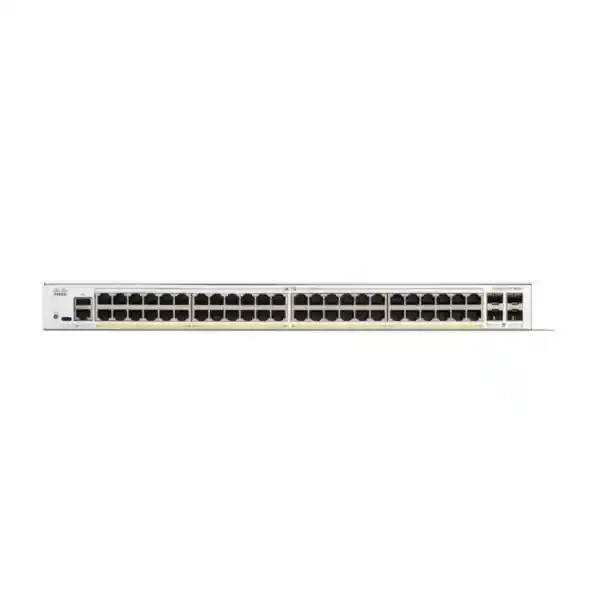
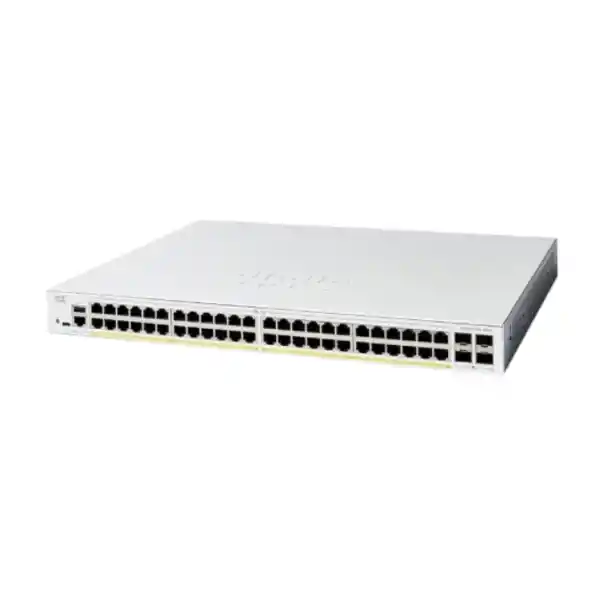
Choose the Cisco Catalyst C1200-48P-4X when a business network needs many wired connections, centrally powered endpoints and faster links back to the rest of the network. This model combines 48 Gigabit Ethernet access ports with four 10 Gigabit SFP+ uplinks and a shared 375 W PoE budget. It is a useful candidate for offices, branches and other indoor business environments where phones, compatible wireless access points, cameras and ordinary data devices share the access layer.
For a Tanzania procurement project, begin with the devices you need to connect rather than the number of desks alone. Count wired computers, printers, meeting-room equipment and powered endpoints, then identify which traffic leaves this switch. Request a quotation from FourTeck Tanzania with the endpoint list, uplink requirements and installation details so the proposed equipment can be assessed against the actual deployment.
The main buying decision is whether the available power, access speed and management approach match your requirements together. A spare Ethernet socket does not guarantee spare PoE capacity, and a fast uplink does not increase the speed of an individual Gigabit access port. Reviewing these three areas before ordering makes the specification more useful than a simple port-count comparison.
Verified specification at a glance
The specification below describes this exact model. Treat it as a starting point for design review, then check the proposed accessories and endpoint requirements on the quotation.
| Specification | Model detail |
|---|---|
| Access connections | 48 × 10/100/1000 RJ-45 ports |
| Uplink connections | 4 × 10 Gigabit SFP+ ports |
| PoE standards | IEEE 802.3af PoE and 802.3at PoE+ |
| Shared PoE budget | 375 W across the switch |
| Individual PoE port ceiling | Up to 30 W, within the shared budget |
| Switching capacity | 176 Gbps |
| Forwarding rate | 130.94 Mpps with 64-byte packets |
| Network functions | VLANs, QoS, ACLs and static routing |
| Cooling | One fan |
| Installation format | Rack-mountable; indoor business deployment |
Check the fit before selecting the quantity
This switch is worth considering when a wiring cabinet serves a mixture of ordinary Ethernet devices and moderate-power PoE equipment. It can suit a floor where several departments need separate networks while sharing an upstream connection. It also gives buyers room to plan higher-capacity uplinks without replacing every connected desktop device.
Start with the busiest realistic operating period. An office may need all phones online during calls while access points serve meetings and computers transfer files. A surveillance installation may place continuous traffic on the path toward its recorder. A training room may generate concentrated traffic for only a few hours, but those hours can still define the required design.
Record the requirements that would disqualify a candidate. Examples include an endpoint needing more power than PoE+ can provide, a workstation requiring a multigigabit copper connection, or an architecture depending on a specific enterprise switching feature. Raise these requirements before comparing prices. A model that meets the general description can still be unsuitable for a particular application.
Also decide how much spare capacity the organization wants at handover. Empty ports, unused power and uplink capacity are different reserves. Allocate each intentionally rather than assuming one generous specification compensates for a shortage elsewhere.
Good candidate
Mixed wired devices, compatible PoE endpoints and a planned 10G upstream path.
Calculate first
Count physical connections and endpoint power allocations separately.
Review another platform
Check alternatives when access speed, endpoint power or required architecture exceeds the proposed model.
Understand the shared PoE budget
PoE planning needs two checks: the requirement of each individual device and the total allocation across the switch. This model supports IEEE 802.3af PoE and IEEE 802.3at PoE+, with up to 30 W supplied at an individual eligible port, subject to the overall budget. The published total is 375 W. It does not mean 48 devices can each receive 30 W simultaneously.
Create a worksheet with one row per endpoint type. Include quantity, manufacturer power requirement, PoE standard and operating conditions that increase consumption. Cameras with auxiliary functions, access points with different radio modes and phones with accessories may have different requirements from their simplest operating state. Use the endpoint documentation and the intended configuration.
Power at the switch port and power available at the endpoint are not interchangeable figures. Allow for the way the PoE standard and cable losses affect the device’s usable power. When documentation gives several numbers, identify whether each is a maximum draw, a negotiated allocation or a typical consumption estimate before using it in the calculation.
Leave deliberate headroom for growth and changing endpoint behavior. No single reserve percentage fits every site. A lightly loaded office and a cabinet supporting critical cameras may justify different margins, but both benefit from a documented assumption.
A worked power example for planning
Consider an illustrative design with 20 phones budgeted at 7 W each, eight cameras budgeted at 10 W each and four access points budgeted at 20 W each. The arithmetic is 140 W plus 80 W plus 80 W, giving 300 W. Against a 375 W ceiling, that leaves 75 W before any additional allowance chosen by the designer.
These are example planning allocations, not verified consumption figures for a particular phone, camera or access point. They demonstrate why a mixed deployment can fit while a smaller number of demanding devices might not. Replace every assumption with the actual proposed equipment’s documented power requirements and the relevant switch allocation behavior.
Port occupancy is a separate calculation. The example uses 32 access ports, leaving 16 physical ports before connecting other devices. Filling those remaining sockets with non-PoE computers changes the port count without adding endpoint PoE demand. Filling them with additional access points could change the power result substantially.
Review both the immediate project and any planned expansion. If the next phase adds cameras, put those devices into the worksheet now. A quotation that accounts for the second phase can be more useful than a first-phase design that exhausts its power allowance immediately.
Use the 10G uplinks where aggregate traffic needs them
The four SFP+ uplinks provide a higher-speed path to compatible upstream equipment. Their practical value is in carrying traffic from several access devices toward shared services or other network segments. They are especially relevant when many endpoints depend on the same distribution path.
Draw the path for each important application. A workstation reaching a local server may follow a different route from a camera reaching a recorder or a guest reaching the internet. Find the links that those paths share. Improving a link that carries little of the important traffic will not resolve a bottleneck elsewhere.
Do not interpret the switch’s 176 Gbps switching capacity or 130.94 Mpps forwarding figure as an internet service speed. Those are platform performance specifications; application throughput still depends on link speeds, endpoints, traffic patterns and the rest of the network. They are useful comparison data when read in that context.
An individual copper access connection remains limited by its own negotiated speed. Four fast uplink slots also do not automatically form one combined connection. Decide how each slot will be used, document any resilience or aggregation design, and validate the configuration at both ends.
Specify optics, cables and the far-end connection together
An SFP+ slot is a connection point for suitable media hardware. Include the required transceivers or compatible direct-attach cables in the project scope rather than assuming the chassis alone completes the uplink. Check both ends of every proposed connection.
For fiber, record the existing fiber type, estimated route length, connector arrangement and the upstream equipment’s interface. Ask the designer to select an appropriate supported module pair and confirm the fiber path is suitable. The length of the visible patch lead is not the length of the full installed route.
For a short connection within a rack, assess a compatible direct-attach option where the equipment and layout permit it. Check the exact cable part, length, bend clearance and support at each connected device. Physical convenience should not replace an interface compatibility check.
Existing optics also deserve review. Similar-looking modules can differ in speed, wavelength, media type or platform support. Provide their exact labels when asking whether they can be reused. Record the agreed module and cable quantities on the quotation so installation does not depend on discovering missing components after the switch arrives.
Plan segmentation around business roles
VLAN support allows separate logical networks to share the switching infrastructure. A useful starting design might distinguish employee devices, voice endpoints, surveillance equipment, guests and management. The final grouping should follow the organization’s access requirements and the capabilities of the surrounding network.
Write a simple communication matrix before creating VLAN numbers. Identify which users need which applications, which devices need internet access and which systems should be reachable only by administrators. This makes the segmentation plan easier to review than a list of technical identifiers without an explanation.
Configure the upstream path consistently. A VLAN present on an access port still needs the correct treatment on relevant trunks, gateways and services. For wireless, align the access point’s network mapping with the switch configuration. For phones, review the handset’s expected voice and data behavior.
Segmentation alone is not a complete security policy. The routing location and access rules determine which networks can communicate. Ask the implementation team to demonstrate both allowed and blocked paths during acceptance, using representative devices. That provides better evidence than simply seeing several VLANs listed in the management interface.
Choose where routing and security policy will operate
The Catalyst 1200 family includes static routing capabilities. These can be useful in a design where the access switch has a defined role in moving traffic between local networks. The right placement depends on how the organization intends to inspect, control and troubleshoot that traffic.
Decide whether gateways should remain on an upstream firewall or be placed elsewhere in the LAN. Keeping a traffic path through a security device may be important for a particular policy. Moving routing into the switching layer changes that path, so the design should explain the consequence before implementation.
Static routes also require operational ownership. Someone must maintain the destination networks and next hops when topology changes. For a small stable environment that may be straightforward; a more complex or frequently changing network needs a careful platform and architecture review.
Provide a diagram of the existing gateways, subnets and upstream connections when requesting design assistance. Include any requirement for dynamic routing or a particular enterprise feature, rather than assuming all Catalyst families offer the same behavior. Confirm the exact feature and software support against the intended platform before treating it as part of the purchase.
Support IP phones with a complete voice path
An office telephony design should account for handset power, the voice network and the path to call services. PoE can simplify desk cabling for compatible phones, while VLAN and QoS capabilities support an organized access configuration. The switch is one part of that design.
List each phone model and any attached expansion module. Identify whether a computer connects through the phone’s integrated network port or uses its own wall outlet. This changes how ports are counted and how the desk’s data and voice settings should be tested.
Review traffic priority across the full call path. A policy applied only at the access switch cannot guarantee call quality through a congested WAN, an overloaded security device or an unsuitable provider connection. Establish which devices can mark traffic and where those markings should be trusted.
Acceptance should include a real call, a computer connection at a representative desk and a restart test within an approved maintenance window. Check registration, audio in both directions and the intended network assignment. If telephony must survive a local power interruption, include the switch, call platform and other necessary network equipment in the backup-power discussion.
Check wireless requirements beyond the PoE label
A compatible access point may obtain both data and power from one access connection, but the exact radio model still matters. Confirm its required PoE standard, requested power and supported Ethernet speed for the intended operating mode before ordering.
This model’s copper access ports are Gigabit Ethernet. If a wireless project requires a faster copper backhaul for an access point, select the switching platform around that requirement. A 10G uplink elsewhere in the chassis does not change the speed of the AP’s own access port.
Also review how wireless networks are mapped to the wired LAN. Staff, guest and operational SSIDs may need separate treatment upstream. Confirm the access point’s management path and the routing and access rules needed for each wireless network.
For a broader wireless project, consult the related FourTeck Tanzania wireless planning page alongside the switching specification. Bring the actual AP list and intended service design to the quotation discussion. This helps identify power-mode restrictions, port-speed mismatches or missing upstream capacity before those issues become installation delays.
Build a surveillance network around recorder traffic
For cameras, identify where video is recorded and how the traffic reaches that recorder. Cameras connected to one switch may send streams locally or across an uplink depending on the placement of the recording system. That difference affects both capacity planning and fault isolation.
Collect the exact camera models, power requirements and expected stream settings. A camera’s highest power requirement can occur under conditions that are absent during an initial daytime test. Use the manufacturer’s relevant specifications rather than a single observed reading when deciding whether the installation fits.
Consider access for maintenance as well as video transport. Administrators may need to reach cameras from a defined management network, while ordinary users should have only the access appropriate to their roles. Document those intended paths and test them with the relevant recording and viewing applications.
Describe any outdoor camera runs to the installation team. The presence of cameras outside does not make the switch suitable for outdoor installation. The site design must address cabling routes, environmental protection and the transition back to the indoor network equipment. Include these requirements explicitly in the project scope.
Make network administration manageable
Cisco lists web-based management and Cisco Business management options for this family. Choose the approach that matches the team’s working practices and verify the requirements of the intended management software. Define who owns the accounts and who is responsible for maintaining the configuration.
A useful handover includes a management address, a secure credential handover process, a port map and a copy of the accepted configuration. It should also identify how an administrator can regain access if the normal management path becomes unavailable.
Standardize naming before connecting all the endpoints. Descriptions such as a room, cabinet, patch-panel reference or device purpose help staff find the right connection later. A clear naming convention also makes it easier to distinguish an intended spare port from a disconnected critical device.
Separate routine observation from configuration changes in the team’s procedures. Record who may approve changes, how backups are taken and how the team will know a change succeeded. The goal is a network that can be understood by the next administrator as well as the person who installed it.
Apply access controls with a recovery plan
Features such as access control lists and IEEE 802.1X can support a more controlled network, but they require a planned policy and the appropriate surrounding services. Begin with the business requirement: who should connect, what they should reach and how exceptions will be handled.
Authentication projects should inventory devices that cannot follow the same process as employee computers. Printers, phones, cameras and specialist equipment may need different onboarding arrangements. Agree those arrangements before enabling enforcement across an entire floor.
Apply changes in stages using representative endpoints. Check that authorized users retain access and that the intended restrictions work. Retain a practical administrative recovery path so an incorrect rule can be corrected without disrupting unrelated services unnecessarily.
Management access needs its own review. Limit access to trusted administrators and networks according to the organization’s policy, and maintain current configuration records. A feature list does not establish the final security outcome; the implemented rules, surrounding systems and ongoing maintenance determine how the environment behaves.
Prepare the rack, power and cooling
Plan an indoor equipment location with suitable mounting, clear access and adequate ventilation. This model has a fan, so consider noise when deciding whether it belongs in a shared working area or an equipment cabinet. Avoid assuming that every model in the same series has the same cooling arrangement.
Check cabinet depth with connected cables included. Allow space for patching, uplink media and access to power. Ask the installer to follow the exact hardware guidance and maintain the required airflow clearance rather than fitting the chassis into the smallest available gap.
Review the electrical arrangement as a complete system. The endpoint PoE budget is not the switch’s total AC consumption and should not be used by itself to size a UPS. Include the switch’s own demand and the other equipment that must remain operational.
If backup power is required, define the required runtime and the services that must continue. A powered switch cannot preserve internet connectivity if the essential upstream equipment loses power. Ask for a load-based UPS calculation covering the relevant devices and confirm the appropriate power connection for the supplied unit.
Inspect copper cabling and labeling
The access layer depends on the installed cabling as well as the switch. Reused outlets should be checked before a refresh, especially where users report intermittent links or unexpectedly low negotiated speeds. Replacing the switch alone may leave a cable problem in place.
Provide the installer with patch-panel references and the intended endpoint at each outlet. Keep patch leads organized so ports and ventilation remain accessible. A consistent record is more useful than relying on cable color alone, particularly when devices move between departments.
Where an endpoint fails to connect, follow a structured check: verify the physical connection, the endpoint’s requirements, the port assignment and the upstream service. Change one variable at a time so the result identifies a cause rather than merely producing a temporary improvement.
Request the agreed cabling checks as part of acceptance if the project depends on existing infrastructure. Specify whether new cable installation, outlet testing and fault correction are included in the quotation. That prevents an unclear boundary between the switch supply and the work needed to make each outlet usable.
Plan the changeover before unplugging the old switch
A replacement project should begin with an inventory of the current connections and configuration. Capture active ports, powered devices, VLAN assignments, uplink media and management details. Identify any connection whose purpose is uncertain before the maintenance window.
Use that inventory to build a target port map. If the new layout differs, record the changes clearly rather than expecting the installer to remember them during cutover. Prepare representative tests for the business services that depend on the switch.
Back up the existing configuration and agree a rollback decision point. Define what evidence would justify returning to the previous setup and who can make that decision. Include the time needed to reconnect and verify the old arrangement if rollback becomes necessary.
Do not assume a configuration from a different Cisco platform can be applied unchanged. Compare the intended functions and validate the target configuration using the relevant documentation. For a legacy enterprise-switch replacement, assess architecture and feature dependencies separately from the physical port count.
Use a clear acceptance checklist
Accept the installation against outcomes that a buyer can review. Verify the expected endpoint count, correct network assignments, required application access and the agreed upstream connections. Record any exceptions with an owner and a resolution plan.
Check power behavior under the intended endpoint load. Confirm that the powered devices start and operate as expected, and compare the observed state with the design assumptions. Where critical functions increase endpoint consumption, include those functions in the agreed test scope.
Test representative traffic rather than relying only on link lights. A phone should complete the required calling test, a camera should reach its recorder and an employee device should reach its authorized services. A connected port establishes a link; it does not prove every application path.
Finish with documentation and saved configuration. The handover should identify the installed model, selected accessories, management method, port map and accepted design. Confirm that the responsible team can locate those records and administer the system through the agreed access process.
Compare alternatives by the requirement that changes
If the main requirement is fewer access connections, review a smaller suitable switch with the same care for power and uplinks. Reducing the port count can also change the available power budget, so it is not a purely physical comparison.
If the requirement is greater endpoint power, compare the total power allowance and the supported standard at each port. If the requirement is faster workstation or AP access, compare the copper port speeds. These are different purchasing questions and may point to different platforms.
If the requirement is an enterprise architecture, list the exact management, routing and resilience features that architecture needs. Ask for a documented fit assessment instead of selecting a family because it shares the Catalyst name. Include software and operational requirements in the comparison.
For a broader legacy refresh, the FourTeck Tanzania Catalyst replacement planning page offers a separate migration discussion. Keep this product decision focused on whether this model meets the proposed access role. The best comparison is the one that explains the business requirement behind a different selection.
Request a quotation with a complete bill of materials
Send the required quantity, site context and endpoint inventory to FourTeck Tanzania. Include the number of powered devices, their exact models and any growth planned during the equipment’s intended use. State whether the project is a new installation or a replacement.
Add the upstream equipment model, desired connection speed, link distance and existing media details. If optics or direct-attach cables are already installed, provide their part numbers. Ask for the quotation to identify which items can be retained and which require replacement.
Separate the switch hardware, uplink accessories, patching, backup power, installation and configuration services where they form part of the project. A transparent bill of materials helps procurement compare equivalent offers and helps the implementation team see whether any dependency is missing.
Confirm the commercial details in the actual offer, including price, taxes, availability, delivery arrangements and applicable support or warranty terms. Those details depend on the specific transaction. Provide the intended installation location and timing so the response can address the real project requirements.
Frequently asked buying questions
Can all 48 ports provide PoE power? All 48 copper access ports support PoE, but the combined allocation must remain within the shared budget. Assess both the individual device requirement and the total before deciding how many powered endpoints to connect.
Are the access ports 10 Gigabit? No. The copper access ports are Gigabit Ethernet; the four SFP+ uplinks provide the 10G connection capability. Choose a different access specification if an endpoint requires a faster copper connection.
Will every access point work at full capability? That depends on the exact AP’s power requirement, Ethernet interface and operating mode. Check the AP documentation and the full wired design. A connector that fits is not enough to confirm the intended performance.
Are uplink transceivers included? Do not assume a particular optic or cable is part of the offer. Ask for the exact accessories to be itemized and verify the connection at the far end.
Can it replace an existing enterprise switch? It may fit a suitable access role, but replacement suitability requires a feature and configuration review. Provide the existing model, topology and required functions for assessment.
Does it replace a firewall or an internet router? The switch’s role in a proposed design must be defined separately from internet-edge security and connectivity. Specify the routing and security requirements before assigning functions to it.
Operating questions to settle before handover
Who will maintain the network after installation? Nominate an owner for configuration records, administrator access, firmware review and incident handling. If outside assistance is required, clarify its scope and contact arrangements in the commercial agreement rather than assuming it accompanies hardware supply.
What happens when new devices are added? Update the port map and power worksheet before connecting additional equipment. Record which network the device belongs to and whether its traffic changes the uplink assumptions. A short review during expansion helps preserve the original design intent.
How will faults be investigated? Keep a record of the normal link arrangement and critical service paths. When a problem occurs, compare the observed state with that baseline. Knowing which services share an uplink or power source can shorten the search for the affected component.
What constitutes completion? Agree that the project finishes with tested services, saved settings and accessible documentation, alongside the physical installation. These operational details make the purchase easier to support and allow future changes to be evaluated against an understood starting point.
Prepare your Tanzania switch quotation
Request a Cisco Catalyst C1200-48P-4X quotation from FourTeck Tanzania with your device count, PoE requirements and upstream connection details. Include the intended installation location, required quantity and any existing equipment that the new switch must work with.
For the most useful response, attach a port or endpoint list and identify the applications that matter most during busy periods. Note any need for backup power, new cabling, configuration assistance or a planned maintenance window. Ask the quotation to show the switch and the accessories needed for the proposed connections.
Before approving the purchase, check that the chosen design has enough ports, adequate PoE allowance and an appropriate uplink path, then confirm the commercial terms of the offer. This gives procurement and the installation team a common, concrete scope for the deployment.




Reviews
There are no reviews yet.