
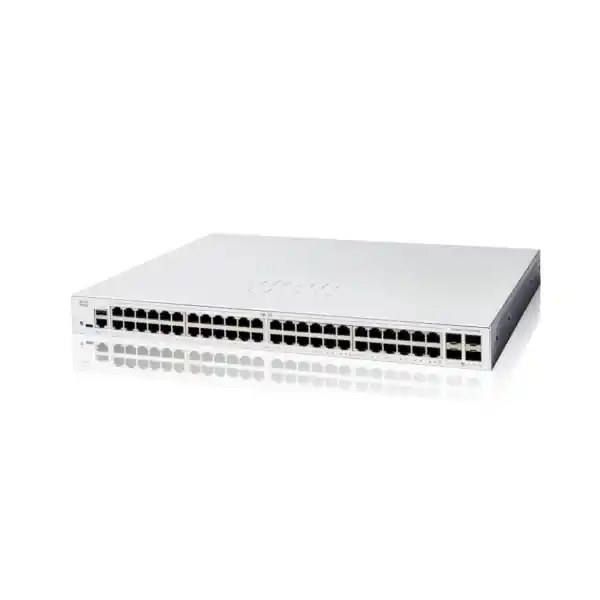
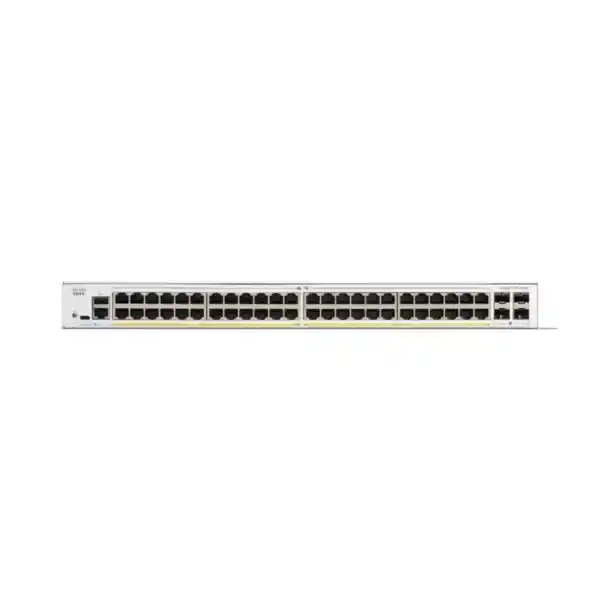
CISCO CATALYST 1200 · TANZANIA PRODUCT GUIDE
48 wired connections, with room to organise your business network
Choose the Cisco Catalyst C1200-48T-4G Network Switch when your Tanzania office needs many wired connections, manageable network separation and Gigabit uplinks, while endpoint power is provided separately. Its 48 copper access ports suit a concentrated desk or equipment area; the four SFP uplinks provide a separate path to the rest of the LAN. The buying decision is straightforward: check how your devices receive power, how much traffic leaves this switch and who will administer it.
This model is a practical candidate for a business access layer rather than an automatic answer to every network requirement. A desktop-heavy office can have very different needs from a camera installation, a wireless expansion or a server room. Request a FourTeck Tanzania quotation with your endpoint list, uplink details and installation requirements so the proposed bill of materials addresses the actual project.
Technical snapshot for the exact model
| Attribute | C1200-48T-4G |
|---|---|
| Manufacturer / family | Cisco / Catalyst 1200 Series |
| Model / manufacturer product ID | C1200-48T-4G |
| Copper access interfaces | 48 × 10/100/1000 Ethernet RJ-45 |
| Uplink interfaces | 4 × Gigabit SFP |
| Power over Ethernet | No PoE output |
| Switching capacity | 104 Gbps |
| Forwarding rate | 77.38 million packets per second, measured with 64-byte packets |
| Installation | Rack-mountable |
| Chassis dimensions | 445 × 288 × 44 mm, width × depth × height |
| Unit weight | 3.95 kg |
| AC power input | Internal universal supply, 100–240 V AC, 50–60 Hz |
| Cooling | One fan |
These hardware figures identify the requested variant. Switching capacity describes aggregate switching capability; it is not the bandwidth of an individual uplink, an internet circuit or a single file transfer. Transceiver selection, patching and upstream equipment still determine what can be connected in the finished installation. Ask for the quotation to identify accessories individually.
Where this switch fits best
Start with the devices you need to connect rather than a general description such as a medium-sized office. Count desktop PCs, printers, meeting-room appliances, locally powered phones, network storage connections and other Ethernet equipment. Then separate equipment that already has a suitable power source from devices that depend on PoE. This distinction often determines whether the requested model belongs on the shortlist.
A useful deployment might place this switch in a communications cabinet serving a floor of wired users. Another might use it to bring several groups of locally powered equipment into one documented access layer. In either case, plan the connection to the firewall, router or distribution switch before deciding that the access-port count is sufficient. Application traffic and management responsibility matter alongside the number of sockets.
Consider a different configuration if the project depends on powering a large number of phones or cameras from the switch, or if the access layer needs faster uplinks. For more demanding enterprise access requirements, FourTeck Tanzania’s published Catalyst 9200 overview can support a separate platform discussion. Select the family from documented requirements rather than assuming every Catalyst product offers the same operating model.
Build a port budget that reflects the room
Forty-eight access ports can be consumed more quickly than a headcount suggests. An employee may use a desk connection while a nearby printer, conferencing appliance and access-control interface require their own ports. A meeting room can contain several networked devices even when it is empty. Record fixed infrastructure separately from user positions so the requirement remains understandable when furniture or staffing changes.
Create a port schedule with one row per intended connection. Include the room or desk, patch-panel reference, endpoint type, expected network group and whether the port should be active immediately. Mark uncertain items as pending confirmation rather than quietly assigning them to the spare allowance. This gives procurement and installation teams the same starting point.
Leave an intentional allowance for growth, temporary troubleshooting and equipment changes. The appropriate reserve depends on the organisation’s expansion plans; there is no universal percentage that fits every office. If your current requirement already occupies every available connection, compare the operational cost of adding another switch later with choosing a different layout now.
A useful distinction is the number of installed wall outlets versus the number that must be connected at the same time. Both are relevant, but they answer different questions. Checking the patching plan prevents a quotation based only on employee numbers from overlooking the physical wiring.
Assess the four Gigabit uplinks before ordering
The 4G variant provides Gigabit SFP uplinks. It should therefore be assessed against the busiest traffic path beyond the access switch. Ask where files, business applications, backups and internet services are located. Devices communicating with a remote server or another floor may share an upstream connection even though each device has its own access port.
For example, an office that mainly accesses modest cloud applications may place a different load on an uplink from a design studio moving large project files to central storage. A backup window can also produce a traffic pattern that is invisible during an ordinary daytime demonstration. Review representative periods and important applications rather than relying only on a speed test from one laptop.
Several physical links do not automatically behave like one faster connection for every task. Where an aggregation design is proposed, review traffic distribution, peer configuration and failure behaviour with the network designer. Do not assume that one large transfer can use the sum of all member-link speeds.
If the design calls for 10G uplinks, compare the C1200-48T-4X as a separate model. The suffix changes a meaningful hardware characteristic. Put the full product identifier on the purchase request, quotation and acceptance checklist so an abbreviated description cannot conceal an uplink mismatch.
Specify fibre and optics as a complete link
An SFP slot is the starting point for a link specification, not the complete connection. Before choosing transceivers, establish the cable route, measured distance, fibre type, connector presentation and equipment at the other end. Check the proposed module against the switch’s current compatibility information and verify the peer’s requirements as well. A suitable module at only one end does not establish compatibility.
For an existing building link, ask for the fibre records or test results rather than inferring its type from the cable’s colour. Confirm available strands, termination condition and whether intermediate patch panels are included in the route. The installation team should have a clear patching plan and suitable cleaning and testing procedures.
List the required modules and fibre patch leads separately in the bill of materials. That makes a comparison between quotations more useful and helps identify whether a chassis-only price has been mistaken for an operational connection. Do not assume optics are supplied merely because the switch has SFP interfaces.
Acceptance should cover the complete installed path. Record which ports connect the two devices, the modules used and the observed operational link rate. Keep these details with the network diagram so future replacement work does not depend on reading a label in a crowded cabinet.
Plan separately for phone, camera and access-point power
The C1200-48T-4G does not supply PoE to connected endpoints. A device may still exchange Ethernet data through it when that device has an appropriate independent power arrangement. Check the endpoint manufacturer’s requirements before proposing an adapter, injector or separate power supply, and include that power arrangement in the design.
This is especially relevant when an existing office is adding wireless coverage or changing telephones. A working data socket does not demonstrate that the new endpoint will receive power. If the endpoint specification requires PoE, identify a compatible powering method or evaluate a suitable PoE switch instead. Include power requirements for future additions as well as the initial order.
Where external injectors are proposed, consider the practical cabinet layout: additional mains outlets, cable routing, labels, backup power and troubleshooting ownership. A low switch price can be misleading if the overall installation requires many separate accessories. Compare the completed system and its maintenance needs.
The C1200-48P-4G is a different PoE-capable variant to evaluate when centralised endpoint power is required. Its suitability still depends on individual endpoint requirements and the combined power budget. Ask for that calculation in the design review rather than treating a PoE label as proof that every planned device can be powered simultaneously.
Use VLANs to express business boundaries
VLAN support lets the access network be organised into separate broadcast domains. Port membership and tagging must match the rest of the network. For a typical business, useful planning categories might include employee devices, voice, guest access, operational equipment and administration. These are example groups; the right structure follows your access requirements and existing addressing plan.
Before configuration, write a simple access matrix. State which group needs which service, where that service resides and who approves the access. This helps identify whether traffic should remain within a group, cross a controlled gateway or be blocked. A VLAN name alone does not define the communication policy.
Document the intended behaviour of each uplink and endpoint port. A trunk carrying several networks needs consistent settings at its peer, while an endpoint connection needs the correct network assignment for the attached device. Errors here can look like an application outage even when cabling and link status are normal.
Keep the plan readable for the people who will operate it. A small number of well-defined groups can be more useful than a complicated scheme without clear ownership. When users move desks or equipment is replaced, the support team should be able to identify the intended network from the port schedule and change record.
Choose where routing and security policy will live
The Catalyst 1200 platform includes static routing capabilities. Whether to use them is an architecture decision. Establish which device will act as the gateway for each subnet, where traffic must be inspected and how return paths will be maintained. Switching and routing features should support the intended access policy rather than accidentally creating a path around it.
For networks that require firewall inspection between business groups, ask the designer to trace a representative connection in both directions. The answer should identify the source subnet, destination service, gateway and enforcement point. It should also explain what happens when the destination is at another site or reached through a remote-access service.
A modest network may benefit from keeping the gateway design simple and consistent. A more specialised installation may have a justified reason for local routing. Compare the operational consequences, including the number of places where routes and access rules must be changed when a new service is introduced.
If you are replacing a switch, do not assume its gateway role is obvious from the cables. Obtain the existing configuration and address plan before migration. The published FourTeck Tanzania firewall installation guidance is a relevant companion when the switch purchase also requires a review of gateways, network zones or security policy.
Protect administration and physical access
Treat the switch’s management access as part of the business network design. Decide who may administer it, from which locations and through which approved access path. Keep administrator credentials in the organisation’s authorised credential store and make ownership clear when an installer hands the equipment over.
The platform documents controls including secure management access, authentication and port security. Select and configure the controls that match your environment rather than assuming they are effective merely because the feature exists. If an authentication system is involved, include the dependency and the recovery procedure in the deployment plan.
Physical controls deserve the same attention. A locked cabinet, readable labels and controlled patching reduce the chance of an unexplained cable change. Record who can access the cabinet and how emergency access is handled. Keep any recovery information protected while ensuring the responsible team can retrieve it when needed.
Test the administration plan before leaving the site. An authorised administrator should be able to reach the device through the intended route, while an ordinary user should not receive administrative access. Include a recovery arrangement for a failed configuration change so support does not depend on a management path that the change itself may interrupt.
Keep voice and important applications usable under load
Quality of service, or QoS, is useful when different types of traffic compete for the same outgoing connection. The platform provides classification and scheduling options, but the policy should be tied to applications you actually run. Identify the traffic that is sensitive to delay and the traffic that can tolerate waiting.
For a phone deployment, the design review should cover endpoint configuration, voice network membership and treatment across the upstream network. Prioritising traffic in one place cannot resolve congestion or poor handling elsewhere in the path. Test a representative call while ordinary business traffic is present, rather than accepting an idle-network demonstration as sufficient.
For other applications, define the symptom and success criterion first. A slow report, interrupted meeting and delayed file copy may have different causes. Check server performance, wireless conditions and the internet connection where relevant before attributing every problem to the access switch.
Record any agreed traffic policy in the handover. Future changes to the firewall, uplink or phone system should be reviewed against it. This avoids a situation where the network depends on settings whose purpose is known only to the original installer.
Plan loops, extra links and failure behaviour
The switch family supports Spanning Tree and link aggregation functions. Use a deliberate topology rather than adding cables until a connection appears to work. Extra links between network devices can change traffic paths, and the configuration at both ends matters.
Draw every connection between switches, including links that are intended as backups. Identify the preferred path and the behaviour expected if a link fails. If an aggregation group is used, identify its member interfaces and its peer. Keep the drawing consistent with the labels on the installed equipment.
During acceptance, test an agreed failure scenario in a controlled maintenance window. Observe whether important applications recover as intended and whether the administrator can still reach the network. Record the actual outcome and any operational steps required; do not replace a measured result with a general promise of uninterrupted service.
A second cable is only one element of resilience. Power, the upstream device, the firewall and application hosting can remain common points of failure. Discuss the business’s tolerance for interruption so the design effort is directed at the dependencies that matter most.
Make day-to-day management understandable
Local web-based administration and CLI access are documented for the Catalyst 1200 platform. Choose an operating approach that the responsible team can support. A straightforward interface is useful, but it does not replace an agreed process for configuration changes, software maintenance and incident handling.
Give the device a meaningful name and record its location, management address and role. Keep the asset record separate from secrets such as passwords. A support engineer should be able to identify the correct cabinet and upstream connection without having to infer the topology during an outage.
Maintain a baseline after commissioning. Preserve the approved configuration securely, record the installed software version and document changes that affect connectivity. When updating software, review the exact release requirements and relevant vendor guidance before scheduling the work. Do not select a software version solely because its number appears newer.
Agree which events should result in action and who will receive them through the organisation’s existing monitoring arrangements. A monitoring system is most useful when somebody owns the response. Routine ownership is as important as the initial installation for a network that will be maintained over several years.
Check cabinet space, airflow and access
Use the chassis dimensions in the technical snapshot when checking cabinet depth and rack layout. Account for the space occupied by attached power cables, copper patch leads and fibre connections. A cabinet that can accommodate the bare chassis may still be awkward to maintain once everything is connected.
This model has active cooling. Place it where ventilation remains unobstructed and where equipment noise is appropriate for the room. Ask the installation team to check the applicable environmental and clearance requirements against the final cabinet arrangement, especially if other equipment contributes heat.
Plan the patching sequence before installation. Keep labels visible, avoid tightly bundled cables at ventilation openings and leave reasonable access to connectors. Fibre patch leads need suitable routing and protection rather than being pulled sharply around crowded metalwork.
An orderly cabinet improves more than appearance. When a printer loses connectivity or a floor needs to be repatched, the technician should be able to find the correct interface without disturbing adjacent services. Photograph the completed installation and retain the final port schedule with the equipment record.
Include power continuity in the network plan
The switch uses an internal AC power supply with the input range shown above. Confirm the power-cord arrangement, rack power distribution and electrical installation requirements for the supplied unit. Use qualified assistance for electrical work and assess the complete equipment arrangement before commissioning.
If backup power is part of the project, define the services that must remain available and the required operating time. Include the switch, the upstream network equipment and any separately powered endpoints needed for those services. A running access switch cannot preserve an application path if another necessary component has shut down.
For this non-PoE design, endpoint power can be distributed across several locations. Include those locations in the continuity discussion. A locally powered phone, an injector or an access-point adapter may need its own backed-up supply, depending on the intended service.
Document what the business should expect during an outage and after power returns. Test recovery within the agreed project scope and retain the result. Backup duration depends on the complete load and battery arrangement, so it should be calculated and confirmed for the actual installation rather than attached as a generic promise to the switch.
Practical deployment scenarios
A wired business office
A floor with desktops, printers and conferencing equipment can use a concentrated access switch when the cabling layout and traffic profile support it. Map the patch panels to occupied desks and shared equipment, then check how application traffic reaches the firewall or server network. Keep growth allowance visible in the requirement.
A teaching or computer-training room
A room containing many wired workstations may prioritise clear port mapping and separation from administration systems. Include simultaneous logins, classroom applications and software distribution in the load discussion. Access policies should follow the institution’s requirements, and equipment power should be checked independently.
A branch with locally powered equipment
A branch may need a manageable wired LAN while retaining existing endpoint adapters or another approved power arrangement. Define remote administration and recovery before deployment. Keep the relationship between the branch switch, router, internet link and business applications clear in the handover.
An equipment area with central storage access
Several devices sending traffic to storage elsewhere in the building can place significant demand on a shared path. Review the actual transfer pattern and busy periods. If the uplink requirement exceeds the requested model’s interface capabilities, revise the model selection before procurement.
These scenarios illustrate selection questions rather than guaranteed sizing outcomes. Provide the planned device list and traffic requirements so the final recommendation can be assessed against your environment.
Replace an existing switch with a controlled migration
Before removing an old switch, record what it is doing. Obtain its port map, network assignments, uplink details, management information and any role it has in routing or endpoint power. A replacement with the same number of sockets can behave differently if one of these functions is overlooked.
Prepare a migration worksheet that maps each old connection to its intended new interface. Identify fixed-address equipment, business-critical services and any device that is difficult to access physically. Include the person who can confirm that each important application works after reconnection.
Stage the new configuration and review it before the maintenance window. Confirm the intended management path, network groups and upstream settings with the people responsible for adjacent equipment. Keep a record of assumptions that still need to be resolved instead of allowing them to become hidden installation decisions.
Define a rollback point and preserve the information needed to reconnect the previous arrangement if an unresolved issue prevents acceptance. During the change, reconnect in a planned order and validate representative services before moving to the next group.
After migration, update the diagram and remove obsolete port references. Keep a short change record describing what moved, what was tested and any remaining work. The objective is a usable network and an accurate support baseline, not simply a cabinet containing a newer switch.
Agree acceptance tests before the installation day
A useful acceptance checklist describes observable results. Confirm the exact model delivered, inspect the installation and verify that the labelled connections correspond to the port schedule. Check the operational speed of important links and investigate unexpected negotiation results.
Choose representative tests for each network group. These might include an employee accessing a business application, a printer receiving a job, a phone registering through its approved power arrangement and an administrator reaching the management interface. Adapt the list to the equipment actually included in the project.
Test boundaries as well as successful connections. Where the design requires separation, confirm that an endpoint cannot reach services outside its approved access. Ask the application owner to validate the result because a successful network response alone does not demonstrate that the business workflow is complete.
Include an agreed restart and recovery check where the maintenance window permits. Confirm that the accepted configuration is retained and that the responsible team can find its backup. Record exceptions with an owner and next action rather than treating an incomplete test as a pass.
The final handover should make clear which checks were completed, what evidence was retained and whether any dependencies remain outside the installation scope.
What to include in your Tanzania quotation request
Send FourTeck Tanzania a concise requirement sheet for the requested model. Include the quantity, endpoint categories, current switch details, available rack space, upstream equipment and whether the requirement is for hardware alone or a broader deployment.
For fibre connections, provide the route and peer details or state that these need assessment. For independently powered phones, cameras or access points, identify the existing power arrangements. If the project instead needs PoE or faster uplinks, state that explicitly so the proposed variant can be reviewed before an order is placed.
Ask for an itemised bill of materials covering the switch, required transceivers, patch leads, mounting requirements and any separately scoped configuration work. This makes it easier to compare offers with the same scope and identify dependencies that otherwise appear only during installation.
Confirm the supplied unit’s condition, applicable support and warranty terms, commercial pricing, stock position and delivery arrangements directly in the written quotation. These details depend on the actual offer and should not be inferred from a family description.
For a procurement team, a clear technical acceptance line is valuable: the full model identifier, required interfaces, non-PoE design and approved accessory list. Keep commercial decisions linked to that reviewed requirement so a substitution is assessed before acceptance.
Frequently asked questions
Does this model provide Power over Ethernet?
No. It is the data-only variant. Check how every phone, camera and access point will receive power before choosing it. If your installation depends on centralised PoE, request a comparison with a suitable PoE-capable model and have the total endpoint power requirement assessed.
Are the four SFP uplinks 10 Gigabit?
No. The requested 4G model has Gigabit SFP uplinks. If the network design specifies 10G, assess a different variant such as the C1200-48T-4X. Include the full identifier in procurement documents, because an abbreviated family name is insufficient to confirm uplink capability.
Can I connect 48 computers and still use the SFP interfaces?
The hardware provides 48 copper access interfaces plus four separate SFP uplinks. Whether the installation performs as required depends on the traffic paths, upstream capacity and application demand. Count all wired equipment, including printers and shared devices, rather than treating the port total as a guaranteed user capacity.
Are fibre modules part of the switch price?
Have the quotation identify this explicitly. Do not assume that transceivers or fibre patch leads are included because SFP slots are present. Specify the fibre type, distance, connectors and peer equipment, then request the compatible modules and patching accessories as identifiable line items.
Can it support a segmented business network?
Yes, the platform supports VLANs. A deployment still needs an addressing plan, correct interface membership and an intentional gateway and access-policy design. Decide which systems may communicate before configuration and verify both permitted and restricted paths during acceptance.
Is it suitable for a wireless network expansion?
Assess the wired connection speed, total traffic and access-point power requirements first. A wireless project may need a PoE-capable switch or a different uplink design. Identify the exact access-point models and expected deployment before treating this switch as a complete wireless infrastructure solution.
Will it make my internet connection faster?
An access-switch replacement does not increase the speed purchased from an internet provider. Investigate the source of poor performance before buying. The relevant limit might be a local cable, a shared uplink, an overloaded application, Wi-Fi conditions or the internet service itself.
Can it be managed through a browser?
Cisco documents a local web interface for this platform, along with CLI access. Agree how administrators will reach and maintain the device, how credentials will be protected and who owns backups and changes. Verify the management arrangement during commissioning.
Can this replace an older Catalyst switch directly?
Review the older device’s actual roles first. Compare endpoint power, uplink speed, VLANs, gateway functions, configuration requirements and resilience expectations. A similar port count does not demonstrate that the replacement will support every service or operational practice already in use.
What are the current price and delivery time in Tanzania?
Request a written quotation for the required quantity and complete accessory list. Price, availability, delivery arrangements and applicable terms need confirmation for the actual order. Include the intended installation scope so a hardware-only offer is not confused with a commissioned network.
Request a quotation for your wired access network
Share your required quantity, endpoint list, power arrangements and upstream connection details with FourTeck Tanzania. Ask for the Cisco Catalyst C1200-48T-4G and a separately itemised accessory list, or request a model review if your project needs PoE or 10G uplinks.
Include your installation location and whether you need configuration, migration, testing or documentation included in the proposed scope. Confirm the commercial and service arrangements in the written offer before placing an order.




Reviews
There are no reviews yet.