
Cisco Catalyst • Business access networking
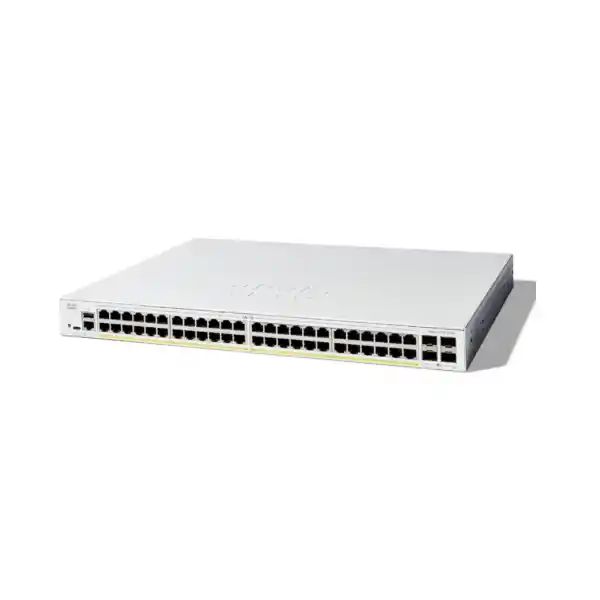
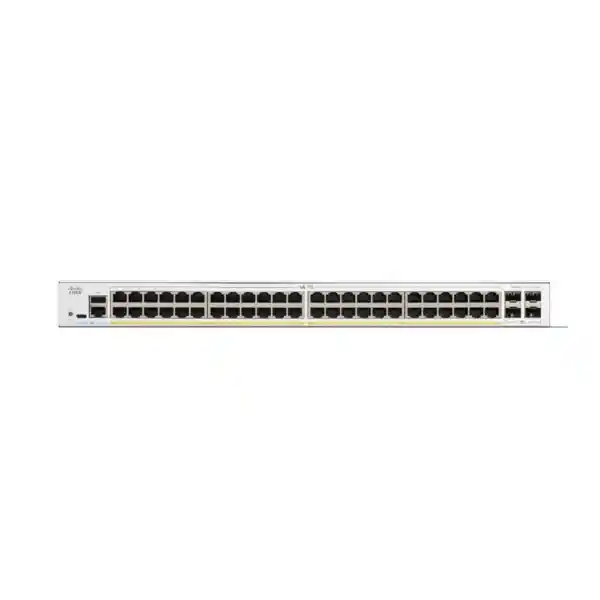
Cisco Catalyst C1300-48FP-4X Network Switch
Connect and power compatible business endpoints while planning faster connections to the wider network. Evaluate the complete port, power and uplink requirement before you buy.
Is this the right access switch for your network?
The Cisco Catalyst C1300-48FP-4X Network Switch is a managed access switch for organizations connecting a substantial number of wired and powered network devices. Its combination of Gigabit desktop connectivity, a large shared power allowance and faster uplink interfaces is relevant when phones, cameras and compatible wireless access points share one communications cabinet. For a Tanzania procurement enquiry, start with the endpoint inventory and the intended upstream connection rather than choosing by port count alone.
Request a quotation from FourTeck Tanzania with the exact model, quantity, device power requirements and uplink details. A useful quotation should identify the switch and any separately required optics, cables, installation work or support arrangements. Price, stock, delivery, warranty entitlement and included accessories should be confirmed for the actual offer before an order is approved.
This model is worth assessing for an office floor, a branch equipment room or an indoor building network where endpoint connections are predominantly Gigabit and powered devices fit the available PoE envelope. Requirements for faster copper access, higher power per endpoint, specialized routing or particular resilience arrangements deserve a separate platform comparison. A good fit is a technical decision supported by a complete bill of materials.
Exact-model specifications at a glance
| Manufacturer and model | Cisco Catalyst C1300-48FP-4X |
|---|---|
| Copper access interfaces | 48 × 10/100/1000 Ethernet ports |
| PoE support | IEEE 802.3af PoE and 802.3at PoE+; up to 30W per supported port |
| Total PoE budget | 740W shared across powered ports |
| Uplink interfaces | 4 × 10 Gigabit SFP+ |
| Switching capacity | 176 Gbps |
| Forwarding rate | 130.94 million packets per second, measured with 64-byte packets |
| Installation format | Rack-mountable |
These are switch specifications, rather than promised application throughput. Actual results depend on traffic patterns, endpoint capabilities, cable quality, configuration and the rest of the network. The shared power allowance and the power limit of an individual port must both be satisfied.
The model identifier is important when requesting an offer. Similar-looking Catalyst part numbers can describe different power budgets or uplink interfaces. Ask for the full identifier on the quotation and check it again against the delivered equipment label.
Plan PoE from the devices that will actually connect
Power over Ethernet carries electrical power and Ethernet data over the same compatible copper connection. This can simplify the physical arrangement for a ceiling access point, a desk phone or a suitable camera, because the endpoint may not need a separate nearby power adaptor. Compatibility still depends on the endpoint’s supported standard, required power and cabling. A device described merely as PoE should be checked against its own documentation.
The headline budget is a shared pool. As a simple planning calculation, 48 devices each requesting 30W would require 1,440W at the switch ports, which exceeds this model’s allowance. Dividing 740W by 48 gives about 15.4W per port as an equal-share arithmetic illustration. It is not a configured allocation, an endpoint power guarantee or a substitute for checking actual power negotiation.
Build a power worksheet with one row per endpoint type. Record quantity, maximum required power, intended operating mode and any optional accessories that change consumption. Camera heaters, infrared lighting, phone expansion modules and access-point radio modes can change the requirement. Use the manufacturer’s maximum requirements for the intended configuration rather than relying solely on a quiet daytime measurement.
Consider restart conditions as well as steady operation. A design that appears comfortable during normal use may behave differently when all connected devices return after a power interruption. Validate the planned mix on the intended software and configuration, and retain a deliberate growth allowance. That allowance should be chosen for the project rather than assumed from an arbitrary percentage.
Separate available power from device suitability. A large overall budget cannot make a single port deliver a higher unsupported power class. If an endpoint requires more than PoE+ permits, obtain a suitable higher-power switching or injector design. Do not assume a demanding camera or a recent wireless access point will operate fully just because it powers on.
Illustrative power worksheet
| Example device group | Assumed quantity × allocation | Illustrative total |
|---|---|---|
| Desk phones | 24 × 7W | 168W |
| Compatible wireless access points | 8 × 25W | 200W |
| Compatible fixed cameras | 12 × 12W | 144W |
| Combined example | 44 powered devices | 512W |
| Arithmetic remaining allowance | 740W − 512W | 228W |
This is a hypothetical calculation, not a tested compatibility list or a recommended allocation for any named endpoint. The assumed wattages are planning inputs only. Replace them with the appropriate maximum switch-side allocation for your real devices, including the effect of negotiation and cable losses where relevant.
The example also leaves four copper ports unassigned, but unused ports and unused watts are different resources. A later expansion could exhaust either one first. Track both in the same worksheet and revisit it whenever the endpoint list changes.
After commissioning, compare the design worksheet with observed operation. Investigate unexpected allocations or devices running with restricted features. Keep the approved worksheet with the network documentation so future additions can be assessed before they are connected.
Use the uplinks to match aggregate demand
Uplinks carry the combined traffic that needs to leave the access switch. A busy office can have relatively modest individual desktop activity yet place a substantial shared load on the connection to servers, storage or the distribution network. Estimate which traffic stays within the local switch and which crosses an uplink during normal work and peak events.
File transfers, backups, camera recording, software distribution and wireless client traffic can overlap. Consider these workloads together rather than sizing around the internet subscription alone. Local storage traffic can be significant even where internet use is light, while a site using mostly cloud applications may be constrained elsewhere in its path.
The presence of several uplink slots does not automatically create a single combined connection. Decide how each interface will be used and agree the topology with the upstream network owner. Where aggregation is appropriate, both ends need compatible configuration; individual traffic flows may still be limited by a member link and the selected distribution method.
Optics selection requires the exact remote interface, speed, fiber type, connector arrangement, installed distance and supported transceiver combination. For a short cabinet connection, a supported direct-attach cable may be considered. For a building fiber route, assess the actual link and patching rather than ordering a module from distance alone.
An SFP+ slot is an interface receptacle, not a complete fiber installation. Request a quotation that separately identifies required modules, patch leads and any supporting fiber work. Verify included items explicitly. If some high-speed interfaces are assigned to stacking, account for their consumption before promising the remaining connections to servers or upstream switches.
Separate users, phones, cameras and management traffic
Cisco documents VLAN configuration, access and trunk interface modes, voice VLAN functions and inter-VLAN configuration for the Catalyst 1300 platform. These tools let an administrator build an organized access layer rather than placing every attached device in one flat network. The useful outcome depends on a clear address and policy plan.
Start with the communication each device genuinely needs. A staff workstation may need business servers, a camera may need a recorder and time service, and a guest client may need internet access without access to internal systems. Write those relationships down before assigning ports or configuring uplink VLAN membership.
A port map should show the cabinet, patch-panel reference, endpoint role and assigned network. Include ports used by wireless access points, where several traffic groups may traverse one physical connection. Agree tagging behavior with the AP configuration and upstream equipment so a link that appears physically healthy does not conceal a VLAN mismatch.
Grouping devices is only part of segmentation. The routing point and applicable policy determine which groups can communicate. Test both permitted and prohibited paths, including management access. Keep a documented exception process for temporary contractor devices or equipment that needs access beyond its normal role.
Choose VLAN names and identifiers consistently across sites, but do not copy an old design without review. Existing address conflicts, undocumented trunk memberships or misplaced default gateways can follow an otherwise successful hardware replacement. A fresh inventory is an opportunity to make the network understandable to the team that will operate it.
Routing and security policy need a clear boundary
The administration documentation includes IPv4 interface and static-route configuration. These capabilities can support an access-layer design in which selected internal networks communicate through the switch. Decide where routing belongs before deployment, because moving a default gateway can also change where traffic encounters inspection and policy.
Use a simple traffic matrix to specify each source group, destination group and required service. Identify which relationships should remain behind the firewall and which, if any, are appropriate for local routing. This is especially important when cameras, business systems and guest services share physical infrastructure but need different permissions.
Cisco also documents MAC, IPv4 and IPv6 access-control lists with interface binding options. ACLs can be part of the intended traffic policy, but their direction, ordering and default action need careful review. Test the complete rule set against actual business workflows rather than checking only that a single connection succeeds.
Treat a switch purchase as one component of the security design. Internet access control, remote access, application inspection and user identity may involve other systems. Establish ownership for each control so a gap does not appear between the switching team, firewall administrator and application owner.
For a regulated or security-sensitive deployment, ask the responsible team to approve the traffic matrix and acceptance tests before cutover. The aim is a reviewable configuration with known responsibilities. Avoid assuming that a familiar brand or a newer device makes an existing policy suitable.
Voice and wireless deployment considerations
For IP phones, the practical requirement combines electrical power, network placement and a working path to the calling system. Confirm the exact phone model and its network behavior, especially where a computer connects through the phone. Test registration, an established call and the workstation connection as separate acceptance items.
Voice VLAN configuration is documented for this platform, and the QoS guide describes traffic classification and queue handling. Correctly applied policies can help manage contention, but a switch setting alone cannot guarantee call quality across an internet connection or a remote service. Review the full path and define where traffic markings are trusted.
Test representative voice use during realistic busy periods. An idle desk test may miss congestion caused by backups or large transfers. Include a phone restart and verify that the device returns to the intended network without manual intervention. Record the working settings for future moves and additions.
For wireless access points, check the intended wired speed and power requirement for full operation. A device can have a faster radio capability than its wired connection can use, and some operating modes can need more power than others. Match the switching decision to the AP deployment plan rather than the Wi-Fi generation label.
If wireless expansion is part of the same project, review FourTeck Tanzania’s Cisco wireless access point guidance. Use that planning work to establish coverage, client density and endpoint requirements before finalizing the wired bill of materials.
Camera networks require power and recording-path checks
A surveillance design needs more than enough powered sockets. Establish where each stream is recorded, which viewing stations consume additional traffic and how remote viewing reaches the system. A recorder on another switch or behind a constrained link can become the limiting part of the design even when the access ports are lightly loaded.
Obtain the maximum power requirements for each camera configuration. Outdoor accessories, infrared operation and movement mechanisms can change demand, and a generic camera count conceals those differences. Confirm that the camera’s required power standard is supported before adding its consumption to the worksheet.
Calculate the recording path using the intended resolutions, frame rates and encoding choices. Include expected concurrent viewing and any analytics workflows. The resulting estimate should inform the uplink design, recorder interfaces and storage planning. Do not infer camera capacity from the switch’s port count or switching-capacity figure alone.
During acceptance, check recording continuity, playback and time alignment as well as live pictures. A live preview can work while recording or playback remains unreliable. Test the camera system in the modes that matter to the customer, then document which team owns the switch, recorder, cameras and associated network policy.
Stacking, expansion and failure planning
Cisco’s stacking manual describes front-panel stacking through selected high-speed interfaces and requires compatible switch families. Stacking support varies by model group and software context, so confirm the permitted members, topology, cables and capacity for the exact proposed combination before ordering. Do not assume every Catalyst switch can join the same stack.
Decide what problem the proposed stack solves. A team may want simpler administration, more local ports or a particular connection arrangement. Those are different goals and can imply different designs. A stack drawing should show every member, stack connection, upstream path and endpoint group clearly enough for another engineer to review.
Allow for the physical interfaces used by the stack. High-speed ports assigned to inter-switch connectivity cannot simultaneously be promised for unrelated connections. Reconcile the drawing with the bill of materials so there are enough usable links after the stack is assembled.
Resilience should be tested against named failure events. Consider loss of an uplink, a member, a power feed or an upstream device separately. Identify which endpoints would be affected and how recovery would be verified. Stacking does not by itself provide independent power, separate cable routes or a guaranteed interruption-free application experience.
For future expansion, reserve cabinet space, patch-panel capacity and an understandable numbering scheme. Additional switching may also require more power, cooling and upstream capacity. Treat growth as a whole-cabinet plan rather than assuming another unit can be added without changes elsewhere.
Prepare the cabinet, cabling and backup power
This is a rack-mountable network device intended for an appropriate equipment installation. Review the cabinet layout with the installer before procurement. Check physical clearance, cable routing, access for maintenance and the effect of neighbouring equipment. A nominally available rack position can still be awkward if dense patching obstructs service access.
Plan power continuity for the complete service. A switch backed by a UPS is only one part of an operational path that may also include an internet router, firewall, wireless controller, recorder or server. List the components needed for each critical workflow and identify where an unprotected dependency would interrupt it.
Size the UPS from realistic equipment input consumption and required runtime. The PoE budget is not the complete AC input requirement, and the UPS capacity label alone does not establish how long a site will operate. Ask for a load assessment that includes the selected endpoint population and planned expansion.
Keep the cabinet in a suitable controlled environment and follow the exact hardware installation guidance. Review ventilation, dust exposure and access restrictions. Avoid treating a general indoor switch as an outdoor or industrial device merely because the connected cameras or wireless equipment operate in those environments.
Inspect the copper and fiber paths before the change window. Poor terminations, uncertain patching and unlabelled links can turn a straightforward replacement into a prolonged fault-finding exercise. Record cable test results where appropriate and keep spare compatible patch leads available for commissioning.
Management should remain usable after handover
The Catalyst 1300 documentation provides web-based management and administrative configuration guidance. Choose the operating method that suits the responsible IT team, then define who owns the device, who may change it and how access is recovered when personnel change. A usable management plan is more valuable than enabling every available service.
Cisco documents 802.1X authentication and RADIUS integration. Where these are part of the design, confirm the authentication service, endpoint behavior and intended response to a server outage. Roll out access enforcement in a controlled way with representative devices before applying it broadly to occupied ports.
Create a management address plan and keep administrative access within approved paths. Use individual accountability where the operating environment supports it, and maintain a controlled recovery process. The credentials and configuration belong in the customer’s chosen secure operational system rather than in an informal installation note.
Include configuration preservation in the handover. Cisco distinguishes the active running configuration from the startup configuration used after a reboot. Save approved changes appropriately and retain a protected external backup. A successful session in the management interface does not prove that the same settings will survive a restart.
Agree how updates will be reviewed and scheduled. The operating team should know the installed software, the reason for any selected release and the process for checking relevant advisories. Test significant changes in an appropriate window and keep a documented path back to the previous working state.
Commissioning: agree evidence before the change window
Define acceptance before deployment begins. A short checklist should name the services to prove, the people responsible and the evidence that will be retained. This prevents the project from ending at a basic link-light check when the customer’s real goal is working phones, reliable wireless access or continuous recording.
Begin with physical identification and the approved design. Check delivered model labels, connection assignments and any quoted modules. Verify management access and record the initial software state. Resolve discrepancies before moving production endpoints, especially where an uplink or power assumption differs from the agreed bill of materials.
Move a representative endpoint group first where the migration plan allows it. Test addressing, intended network membership and access to required services. Include at least one example of each important device type so a phone, camera or AP issue is identified before a large batch is transferred.
Measure behavior under an appropriate load and during planned recovery tests. Cisco’s status and statistics pages include port utilization and interface counters, which can support troubleshooting. Use observations to investigate unexpected congestion, physical errors or repeated link changes rather than interpreting one successful speed test as complete acceptance.
Finally, verify that approved settings are retained and that the operational team can use the documentation. Record any unresolved issues with an owner and next step. Handover should include the actual installed arrangement, not merely the original proposal that may have changed during installation.
Plan a controlled cutover and rollback
Prepare a written rollback decision before moving production connections. Name the symptoms that would trigger a return to the previous arrangement, the person who can make that decision and the latest point at which restoration remains practical within the agreed window. This is especially useful when several teams own different parts of the service.
Keep the previous configuration, a labelled connection record and the required restoration equipment available until acceptance is complete. Photograph or document patching before changing it, then update the record as each connection moves. Avoid leaving the team to reconstruct the original layout from memory during an interruption.
Choose the sequence around business dependencies. A reception phone, payment terminal or recording uplink may need a different change window from an ordinary workstation. Identify the affected service owner, verify their availability for testing and explain what completion evidence is required before the next group moves.
After the agreed observation period, reconcile the final port map with the installed configuration and retire superseded documents through the customer’s normal process. Keep the approved recovery information accessible to the support team. A staged change with clear decision points helps make the procurement investment usable in everyday operations.
Build a complete Tanzania procurement request
| Information to provide | Why it matters |
|---|---|
| Exact model and quantity | Prevents substitution based on port count alone |
| Endpoint models and quantities | Supports power and interface compatibility checks |
| Maximum intended PoE allocations | Supports a defensible shared-budget calculation |
| Upstream device and link details | Defines optics, cable and configuration needs |
| Cabinet, UPS and installation constraints | Identifies physical dependencies before delivery |
| Required commissioning and handover scope | Makes product supply and project work distinguishable |
Ask the quotation to distinguish equipment supply from any design, configuration, installation or support work. An agreed scope helps the buyer understand who will provide cabling, arrange the change window, configure connected devices and test applications. Service availability and responsibilities should be confirmed for the actual project.
For a Tanzania purchase, obtain current commercial details directly for the intended order. Confirm the quoted currency, applicable charges, delivery arrangements and payment terms. This page does not establish a live stock position, a local price or a delivery commitment.
Where support or warranty is important to the purchasing decision, request the applicable written terms and entitlement details for the offered equipment. Record who the customer contacts, what information is required and which services are included. Avoid substituting a general product-family statement for the terms of the specific offer.
A complete request also describes the desired result. State whether the project is a new office network, an expansion of powered endpoints or a replacement of existing access equipment. That context helps reveal dependencies that a product-name-only enquiry would leave unresolved.
Choose by the limiting requirement
If most endpoints are suitable for this access class and the worksheet leaves an appropriate power allowance, this model is a sensible candidate to assess. The strongest reason to choose it is a verified match between interface needs, shared power demand and the proposed uplink arrangement.
If the planned access points need multigigabit copper links, make that an explicit comparison requirement. If endpoints require a higher power class, compare suitable power-delivery options. If the site has demanding routing, operational or resilience requirements, assess those capabilities separately before selecting a platform.
A smaller or less power-intensive deployment may justify a different configuration. Conversely, buying additional unused capacity is only useful when it addresses a credible growth plan. Compare complete designs and their operational implications rather than treating the most powerful-looking model as automatically preferable.
For an existing enterprise switching estate, include configuration migration and operational standards in the decision. Retaining the Cisco brand name does not establish interchangeable software behavior or stack compatibility. If you are reviewing an older Catalyst 2960-X installation, consult FourTeck Tanzania’s Catalyst replacement planning guidance as a separate migration discussion.
Frequently asked buyer questions
Can every copper port power a PoE device?
The access ports support PoE+, subject to compatible devices, individual port limits and the shared power budget. The number of sockets does not establish how many endpoints can run at their maximum demand simultaneously. Prepare an endpoint worksheet before approving a fully populated design.
Does Full PoE mean maximum power on every port at once?
No. Treat the model’s full-power designation together with its published total budget. Check the sum of the required allocations against that allowance. A mixed population of phones, cameras and access points needs its own calculation rather than an assumption based on the product name.
Are fiber modules included?
Inclusions must be confirmed on the actual quotation. Specify the required remote interface, fiber path and supported module or cable combination. Ask for the complete connection components to be itemized so an available uplink slot is not mistaken for a ready-to-use fiber link.
Will it power any wireless access point?
Check the exact AP’s power standard, maximum requirement and intended operating mode. Also check its wired interface speed. A device that starts successfully may still operate with restrictions if its power or connection requirements are not fully met.
Can it replace my current switch without configuration work?
Plan a migration review. Existing VLANs, uplinks, routes, access rules, management settings and endpoint behavior all matter. Back up the current arrangement, prepare a port mapping and agree acceptance tests before disconnecting production equipment.
Can it act as the internet security gateway?
Assess the switch within the complete network design. Define where internet routing, remote access and security inspection will occur. Switching and traffic filtering features should not be assumed to replace every function provided by the site’s firewall or gateway.
Will new switching make my internet faster?
It can only address limitations within the part of the network it improves. Internet service capacity, application hosting, wireless conditions and other equipment can still constrain users. Identify the current bottleneck before deciding what performance improvement to expect.
What should I send with a quote enquiry?
Provide quantity, endpoint models, power requirements, current upstream equipment, intended link details and any migration constraints. State whether you need supply only or additional project work. Request confirmation of commercial terms and included components for the specific order.
Request a Cisco access-switch quotation
Send FourTeck Tanzania your required quantity of the C1300-48FP-4X, the powered endpoint list and the intended uplink arrangement. Include the existing switch configuration or a clear network outline when replacement is involved. Ask for an itemized offer covering the equipment and any agreed accessories or project work.
Before approving the order, confirm the final power worksheet, interface compatibility, included items, commercial terms and acceptance scope. The result should be a switch selection that fits the network you intend to operate, with the practical details ready for procurement and deployment.
Request an itemized quotation from FourTeck Tanzania




Reviews
There are no reviews yet.