
FOURTECK TANZANIA · MANAGED ACCESS SWITCHING
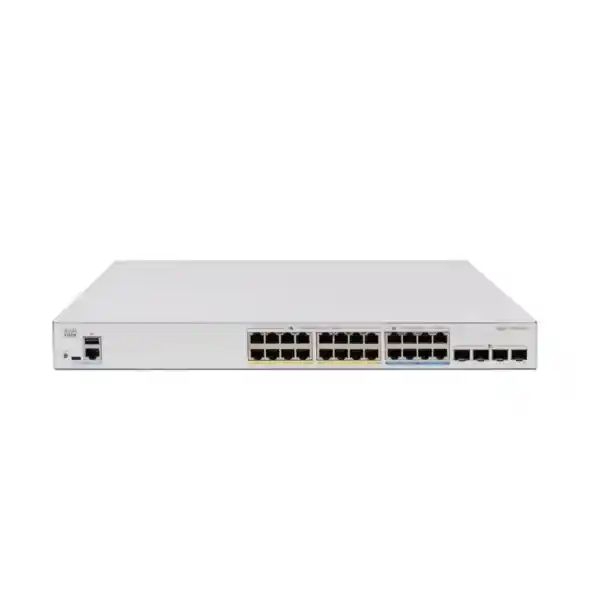
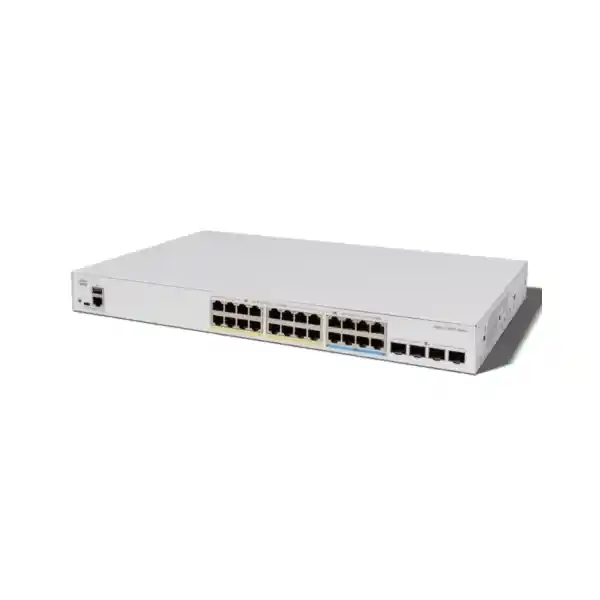
Cisco Catalyst C1300X-24NGU-4X Network Switch
Connect a mixed office network with dedicated capacity for faster powered endpoints. Evaluate the port groups, shared PoE allowance and uplink plan together, then request a configuration matched to your Tanzania project.
Match the switch to a mixed-speed access network
Choose this model when an access cabinet needs to connect ordinary office equipment alongside a smaller group of faster, higher-power endpoints. The buying decision should begin with an endpoint inventory: which devices need a basic data connection, which need power over Ethernet, and which can actually use multigigabit connectivity. A switch with the right mix of interfaces can serve these requirements without assigning every desk the same speed or power profile.
For a Tanzania business planning an office refresh, wireless upgrade or new branch, the important question is how the switch fits the complete network. Access point requirements, upstream connectivity, cable condition, rack space and power continuity all influence the result. Share those details with FourTeck Tanzania when requesting a quotation so the proposed configuration can be assessed against the intended deployment.
This page focuses on the exact C1300X-24NGU-4X model. Treat a different suffix as a separate product selection. Closely named switches can have a different copper-port mix, power allocation or uplink arrangement. Put the complete manufacturer part number on the purchase request, technical evaluation and supplier quotation so that procurement and engineering are comparing the same equipment.
Verified hardware at a glance
| Item | Specification |
|---|---|
| Manufacturer / family | Cisco / Catalyst 1300X |
| Model / manufacturer part number | C1300X-24NGU-4X |
| Copper access interfaces | 16 × 10/100/1000 Mbps; 8 × 5G multigigabit |
| Power per port group | 16 × up to 30W PoE+; 8 × up to 60W PoE++ |
| Total PoE allocation | 740W shared budget |
| Uplink interfaces | 4 × SFP28; up to 10G for ordinary network connections |
| Stacking speed distinction | 25G operation is available only for stacking |
| Installation format | Rack-mountable; 1RU in a standard 19-inch rack |
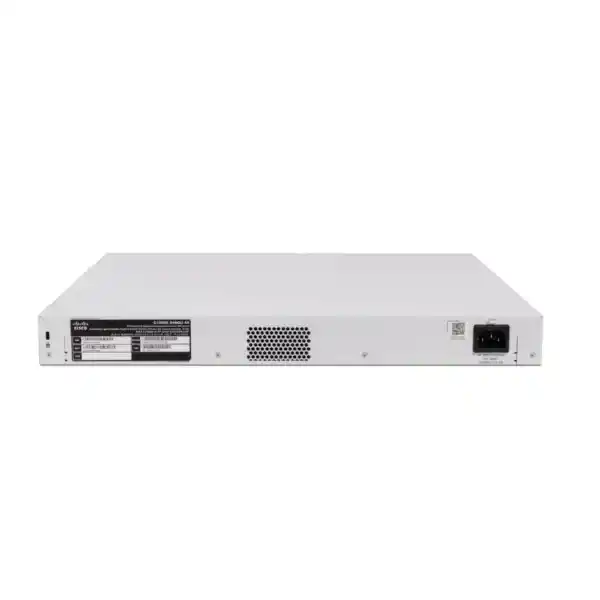
| AC input | Internal supply; 100–240V, 50–60Hz |
Port power ceilings and the shared power allocation describe different limits. A device must fit the capability of its assigned port, while the complete endpoint population must fit the switch-wide allowance. Optics, copper patching and stacking interconnects also need to be selected for the actual layout; the presence of a slot does not establish which accessories are included in a commercial offer.
Allocate the faster ports before installation
Start the port plan by reserving the multigigabit group for endpoints whose documented wired interfaces justify it. Likely candidates include suitable wireless access points and specialist equipment, but suitability depends on the exact device. Record its supported Ethernet rates, required PoE standard and expected operating mode. A wireless product’s advertised radio throughput alone does not tell you its wired-port requirement.
Assign conventional desk connections, printers and other appropriate endpoints to the Gigabit group after checking their needs. This makes the allocation easy to explain during installation and leaves an auditable record for later changes. Label the patch panel and switch-port descriptions consistently so that a technician can identify the intended device class without tracing every cable through the cabinet.
Leave a deliberate growth allowance within the faster group. If a planned wireless rollout will consume every suitable interface immediately, include the next phase in the evaluation before ordering. Spare copper ports elsewhere on the switch cannot automatically satisfy a future requirement for a different speed or power class. Expansion planning should track port capabilities as well as the total count.
Build a PoE worksheet around real endpoint requirements
Create one worksheet row per powered endpoint. Include the device model, location, maximum documented requirement, negotiated power class where known, intended operating mode and assigned switch port. Distinguish a vendor’s typical consumption figure from a maximum planning figure. Features such as additional radios, USB accessories or camera illumination may change the requirement, depending on the endpoint.
An illustrative allocation of eight endpoints budgeted at 45W each and sixteen budgeted at 15W each totals 600W. That arithmetic is a planning example, not a compatibility guarantee or a statement of actual consumption. Cable losses, power negotiation, manufacturer guidance and required reserve must still be considered. The worksheet should identify which values are measured, which are maximum specifications and which remain assumptions.
Do not assume that every powered device can receive its port’s maximum allocation at the same time. Decide what growth margin the business needs and document how additional endpoints will be approved. If the projected total is too close to the available budget, compare a different distribution of devices or an additional switch before the equipment is purchased.
During commissioning, compare the planned figures with the switch’s PoE status and consumption information. Investigate denied power, unexpected device operating modes or repeated endpoint restarts. A device that boots successfully during a short test may still need validation with all intended features active. Keep the final power worksheet with the network handover documents.
Understand the uplink and stacking trade-off
The connector format can be misleading if it is read without the operating-mode restriction. Do not specify this product as a switch with general-purpose 25G server or core uplinks. Cisco reserves that speed for stack interfaces on this platform; ordinary network use has a lower maximum. State the intended function of every uplink slot on the design drawing before selecting interconnects.
Stack links and upstream network links compete for the available front-panel interfaces. Draw the complete topology, including how members connect to one another and how the stack connects to the distribution layer. Count the interfaces remaining after the stack arrangement is defined. This avoids discovering during installation that the proposed design assumes more usable uplink ports than the equipment provides.
Specify each interconnect end to end. For a fiber link, identify the equipment at both ends, required speed, fiber type, connector, approximate distance and patching path. For a direct-attach connection, record the exact supported cable and length. Compatibility must be checked for both devices and the selected software, rather than inferred from physical fit.
Plan upstream capacity around traffic destinations
Separate traffic that stays within the access network from traffic that crosses an uplink. Wireless clients accessing internet applications, cameras writing to a recorder elsewhere and users transferring files to a server can create different uplink patterns. A useful design worksheet records the destination of each major workload and whether the activity is continuous, bursty or scheduled.
Estimate busy periods using evidence where available. Backup windows, software distribution, video recording and office opening times may overlap. Include those overlaps when evaluating upstream capacity. The sum of all access-port line rates is not a forecast of everyday traffic, and a single test from one laptop cannot represent an entire production floor.
Where the network design uses aggregated links, verify the arrangement at both ends and understand how traffic is distributed. Multiple physical links do not necessarily increase the speed of an individual conversation. Define the acceptance test around the actual application and expected concurrency so that the business receives a useful result instead of an isolated throughput number.
Check copper cabling as part of the upgrade
An access switch refresh is a useful time to inspect the whole copper path: switch patch lead, patch panel, permanent link, outlet and endpoint lead. Damaged plugs, poor terminations and undocumented joins can undermine a deployment even when the equipment specifications appear suitable. Record the installed cable category and obtain test evidence appropriate to the intended Ethernet rate and PoE application.
Do not promise a particular multigigabit rate solely because a cable is marked with a category. Link length, installation quality, interference, connector condition and the endpoint all matter. If an existing run does not negotiate as expected, investigate the complete path before forcing a speed setting. Preserve the test report so later technicians can distinguish a cabling issue from an equipment change.
High-power deployments also deserve a review of patching practices and cable bundling against the applicable installation guidance. Ask the cabling contractor to assess the actual environment and materials. The purchasing decision should account for any necessary remediation rather than assuming that every existing outlet is ready for the new endpoint population.
Separate users, voice, cameras and management deliberately
The platform’s VLAN facilities allow separate broadcast domains, with membership applied to the relevant interfaces. A practical design might distinguish staff access, guest access, voice, surveillance and infrastructure management. These are design examples, not a ready-made configuration. Choose the groups according to the organization’s applications, support model and security requirements.
Document the VLAN ID, subnet, gateway, DHCP source and permitted destinations for each group. Specify whether each connection carries one network or multiple tagged networks, especially where an access point, phone or downstream switch is attached. Both ends of the connection must agree on the intended arrangement. A named VLAN alone does not establish the complete traffic policy.
Decide where communication between groups should occur and where it should be inspected. A guest network may need internet access while being denied access to internal systems; a camera may need a recorder and time source without broad access to staff devices. Express those requirements as allowed traffic flows, then have the responsible engineer translate them into routing and enforcement rules.
Choose the routing role before enabling features
Cisco documents OSPFv2 and OSPFv3 for the 1300X platform. That makes dynamic routing a relevant evaluation point where the access layer needs to exchange routes. It does not mean that every installation should run a routing protocol. A smaller deployment may have a simpler operational model with gateways elsewhere, depending on its topology and policy.
Write down which device owns each subnet gateway, how default routes are established and how return traffic reaches the access networks. Confirm the role of the upstream firewall so that a routing change does not unintentionally bypass required inspection. If multiple teams administer the network, agree the ownership boundary before the configuration is staged.
For an OSPF design, validate the exact software release, required address families, neighbor relationships and operational procedures. Cisco’s release documentation notes that the web interface covers only a subset of OSPF commands in the referenced release. Make the management method part of the design review. Test routing behavior in the intended topology and record how an administrator will verify normal operation.
Use stacking with a documented failure plan
The 1300X family supports stacks of up to eight compatible switches. Cisco’s administration documentation distinguishes that family from stacking-capable 1300 models: a shared brand name does not make the two families interchangeable stack members. Confirm every proposed member and the supported software combination before planning an expansion or reusing existing hardware.
Decide whether a stack serves the organization’s management and availability objectives. A shared management system can simplify administration, but a stack still needs an intentional physical layout, interconnect design and maintenance procedure. Record member identities, cabinet positions, link paths and the expected effect of losing a member or a stack connection.
Where continuity matters, define the applications to observe during a controlled failure test. Test results depend on endpoint placement, upstream links and the chosen topology, so avoid treating stacking as a promise of uninterrupted service. Schedule disruptive checks in an approved window and document recovery steps. Keep the diagram current when members or uplink connections change.
Protect administration and change access
Separate everyday user connectivity from the path used to administer the switch. Agree which administrators and management systems require access, from which networks, and through which approved methods. Use named accounts and appropriate organizational credential controls. Include a local recovery procedure so the support team knows how to regain authorized access if a central service is unavailable.
The switch provides a browser interface and command-line administration. Choose the methods that match the support team’s skills and the organization’s operating practices. Cisco’s web interface offers Basic and Advanced display modes; seeing fewer settings in Basic mode should not be confused with a hardware limitation. Administrators should understand the interface before making production changes.
Apply access restrictions carefully. The platform supports ACL mechanisms, but each rule needs an explicit purpose, correct placement and a validation plan. Confirm that required monitoring and administration continue to work after changes. Keep the permitted-traffic matrix and configuration record together so future maintenance does not rely on one person remembering why a rule was added.
Prepare the cabinet, cooling and backup power
Measure the cabinet and check the usable mounting space, cable-management space, access to power and clearance around ventilation openings. Include the bend radius and handling needs of fiber patch cords or direct-attach cables. A cabinet can have enough nominal rack units while still being difficult to service once doors, patch panels and neighboring equipment are considered.
Plan the installation as active network equipment that requires an appropriate operating environment. Avoid enclosed, dusty or poorly ventilated spaces without an assessment. Consider staff comfort when locating a network cabinet near work areas, and verify the model’s environmental and acoustic information if the installation location is sensitive. Do not assume that every 24-port switch has the same cooling behavior.
Size backup power for the complete supported load, including switch overhead and powered endpoints, using verified electrical information and the UPS manufacturer’s guidance. Establish the runtime the business actually needs. Include the router, firewall, upstream switching and other dependencies when continuity is required; keeping only the access switch powered may leave applications unreachable.
Apply the model to a wireless refresh
A wireless upgrade is a strong reason to examine this interface mix, especially when only part of the access point estate needs faster wired connections or higher power. Begin with a schedule of exact access point models and intended operating modes. Assign suitable ports, map the management and client networks, and confirm the upstream path to controllers or required services.
Bring the wireless and switching designs together before installation. An access point may carry several networks, and guest traffic may need a different route from staff traffic. Confirm tagging, addressing, authentication and power requirements as one coordinated plan. A switch upgrade alone cannot establish radio coverage, remove interference or guarantee wireless client performance.
For broader endpoint selection, see the verified FourTeck Tanzania guidance on Cisco wireless access points. Use it to frame the requirements discussion, while checking the exact access point’s current technical documentation separately. Include a staged acceptance test with representative clients, application access and normal user movement through the intended coverage area.
Apply the model to offices, cameras and branch networks
In an office, build the design around the mix of desks, phones, meeting equipment and access points. Record where a phone shares an outlet with a computer and verify the endpoint’s own Ethernet capability. Define voice and data handling before moving patch leads. Test calling and business applications together so a successful data connection does not conceal a voice issue.
For surveillance, identify each camera’s power requirement, the location of recording systems and the traffic path between them. Camera count by itself is an incomplete sizing metric: resolution, encoding, recording mode and additional device functions can affect the network. Confirm recorder access and time synchronization while enforcing the agreed separation from staff and guest networks.
For a branch, keep operations manageable for the staff who will support it. Use clear labeling, a consistent address plan and a documented recovery method. Include a small spare-port allowance and a realistic growth forecast. These scenarios help organize the evaluation; final suitability depends on the actual endpoints, applications, environment and network design.
Stage a replacement before moving production cables
Capture the existing network before disconnecting it. Record switch models, active ports, endpoint locations, uplink details, VLAN membership, gateway roles and any special configuration. Obtain a current backup through the organization’s approved process. Photograph or diagram the patching where permitted, and reconcile it with the port list so that an unlabeled cable does not become an outage investigation.
Translate the intended behavior into the new platform rather than assuming an old configuration can be reused unchanged. Confirm the software and syntax required for the selected model. Stage management access, port settings, network segmentation and monitoring in an isolated preparation environment where practical. Test a representative phone, access point, camera or workstation before scheduling the full move.
Define the cutover order, business contacts, outage window and rollback trigger. Keep the previous arrangement recoverable until agreed acceptance checks pass. A migration plan should say what will happen if an uplink does not establish, an endpoint fails to receive power or an application cannot reach its server. Assign responsibility for each decision before the work starts.
Commission the switch against business outcomes
Use a written acceptance sheet rather than a general instruction to check that the network works. For each representative endpoint, verify the intended port, negotiated connection, addressing, gateway reachability and application access. For powered devices, confirm the required operating mode and stable behavior with normal features enabled. Check the results against the agreed design and record any exceptions.
Test separation as well as connectivity. Confirm that guest devices cannot reach restricted business systems and that authorized management remains available. Where the design uses multiple paths or a stack, include the agreed resilience checks. Measure application behavior under a realistic workload when performance is part of the purchase objective, using a method and baseline accepted by the customer.
Save the approved configuration and retain the final port map, software version, topology and acceptance results. Identify the person or team responsible for ongoing monitoring. Close any temporary access introduced during installation and hand over the recovery procedure. A complete commissioning record gives the business a usable operating reference for its next change.
Operate with useful monitoring and maintenance records
Monitor the conditions that affect service: link state, unusual errors, uplink use, power allocation, endpoint restarts and relevant system events. Choose thresholds that reflect normal business behavior instead of generating alerts for every harmless fluctuation. Record an initial baseline after commissioning so later changes can be interpreted in context.
Review powered-device consumption when endpoints are added or their operating modes change. Keep the worksheet current and investigate unexplained differences between expected and observed behavior. A pattern of power-denied events may require a different allocation, while a link problem may need cabling investigation. Use the evidence to isolate the issue before replacing equipment.
Before a software change, check Cisco’s current release documentation for the exact platform and intended configuration. Confirm compatibility, review relevant caveats, keep a backup and schedule the necessary maintenance window. Do not assume that the release supplied with an individual unit is the release selected for production. Retain the change record and post-change acceptance results.
Compare alternatives by the requirement that matters
If every planned copper endpoint needs a faster connection, compare a switch with a different access-port distribution. If only basic connectivity is required and no device needs PoE, evaluate whether a simpler model fits the project. If the design requires ordinary 25G network uplinks, choose a platform that explicitly supports that role instead of relying on this product’s stacking capability.
Keep the comparison consistent. Evaluate usable ports after stacking, required endpoint power, upstream connectivity, operational features, management methods and the complete accessory list. A lower hardware line price can be a poor comparison if one proposal omits optics, cabling, deployment work or the support arrangement the customer needs. Ask for assumptions to be stated clearly.
Existing network standards also matter. Confirm whether the organization requires a particular software platform, management ecosystem, authentication design or routing feature. The Catalyst name alone does not establish that every family operates identically. Where a requirement is mandatory, ask for explicit technical confirmation and a suitable validation method before accepting a substitution.
Prepare a complete Tanzania quotation request
Send FourTeck Tanzania the complete manufacturer part number, required quantity and a short description of the deployment. Include the endpoint inventory, intended access speeds, PoE worksheet and upstream device details. Add the existing topology if this is a replacement. Clear requirements help distinguish the switch hardware from the additional components and work needed to make it operational.
Ask the quotation to identify proposed transceivers or cables, stacking interconnects where required, power-cord details and any requested deployment or support services. Confirm the actual supply scope instead of assuming accessories are included. Where ongoing support is required, request the applicable terms and eligibility in writing for the offered equipment.
Obtain current Tanzania pricing, tax treatment, stock position, lead time and delivery terms directly in the quotation. No local price or availability is stated here. Specify the project deadline and installation location so the commercial response can address the actual request. Agree any acceptance criteria and installation responsibilities before the purchase order is finalized.
Buyer questions
Are all copper ports multigigabit?
No. The hardware table distinguishes the Gigabit group from the smaller multigigabit group. Allocate suitable endpoints to the correct interfaces and preserve room for the next phase of the project. If the planned endpoint population exceeds either group, compare a different model or a multi-switch design.
Can every powered port run at its individual maximum?
Do not assume that. Per-port capability and the aggregate PoE limit must both be satisfied. Build an endpoint worksheet, include the required reserve and validate the actual negotiated power during commissioning. The planning example on this page illustrates the arithmetic without guaranteeing compatibility.
Can I connect a server at 25G?
This model’s 25G mode is reserved for stacking. A server requiring a regular 25G Ethernet connection needs a different suitable switching design. Identify whether each interface is intended for stacking or ordinary network traffic before selecting accessories and allocating slots.
Will my existing access points work?
Check each exact access point’s supported Ethernet interface, power standard, maximum requirement and intended operating mode. Also confirm the VLAN and management design. Compatibility should be established from the endpoint documentation and a representative test; it cannot be guaranteed from the Cisco brand name alone.
Can it join an existing Catalyst 1300 stack?
Cisco distinguishes 1300X stack membership from stacking-capable 1300 devices. Check the exact family of every member. An existing network connection between different switch families is a separate design question from combining them into one hardware stack.
Does stacking eliminate outages?
No design should promise that from stacking alone. Availability depends on the topology, uplink arrangement, endpoint connections, software behavior and maintenance practices. Define the failure cases that matter to the business and test them in a controlled window before accepting the installation.
Do I need new copper cabling?
That depends on the installed path and the desired application. Inspect and test the complete run for the intended link rate and PoE use. Include patch leads, connectors and permanent cabling in the assessment. Replace or remediate failed sections based on evidence.
Is a firewall still relevant?
Yes, where the network requires firewall inspection, internet-edge protection or other functions assigned to that device. Plan the gateway and traffic paths deliberately so that switching or routing changes preserve the required policy. Match the enforcement design to the organization’s actual security requirements.
Are optics and stacking cables included?
Confirm the commercial bill of materials. An uplink slot specification does not establish the contents of a supplier package. Specify the required accessory at both ends of every connection and ask the quotation to list it explicitly, including any item that must be purchased separately.
How do I request a price in Tanzania?
Provide the model, quantity, endpoint mix, uplink requirements, installation location and project schedule. Request an itemized quotation with current commercial terms. Price, local availability, delivery, warranty applicability and support options need confirmation for the specific offer.
Agree service responsibilities before deployment
Separate hardware procurement from the work required to prepare the site. Assign responsibility for cabinet readiness, electrical work, copper testing, fiber patching, configuration, endpoint changes and the final acceptance record. A clear responsibility list helps the customer compare quotations that include different levels of work and prevents an important dependency from being overlooked.
For a remotely supported location, identify who can inspect patching, connect an approved administration device and coordinate with the network team during a fault. Agree how changes will be requested, who can authorize an outage and where approved configuration records will be kept. Include an escalation contact and the information needed to open a support case. These operating arrangements should reflect the services actually agreed for the project.
Request a configuration-led quotation
Ask FourTeck Tanzania for a quotation for the Cisco Catalyst C1300X-24NGU-4X Network Switch, supported by your port schedule and power requirements. Include the upstream equipment and proposed stack layout if applicable. This gives the requirements review a concrete starting point and helps procurement assess whether the proposed hardware and accessories meet the same specification.
Before ordering, confirm the complete bill of materials, current commercial terms and responsibility for installation and acceptance. Keep any unconfirmed requirement visible until it has a clear answer. The goal is a switch configuration that matches the endpoints, the wider network and the team that will operate it.




Reviews
There are no reviews yet.