
CISCO CATALYST ACCESS SWITCHING · TANZANIA
48 wired connections. A clearly specified access layer.
Plan a managed Gigabit network for desktop users and independently powered equipment. Match the uplinks, software edition and installation accessories to your site before ordering.
Choose a managed access switch around your actual port requirements
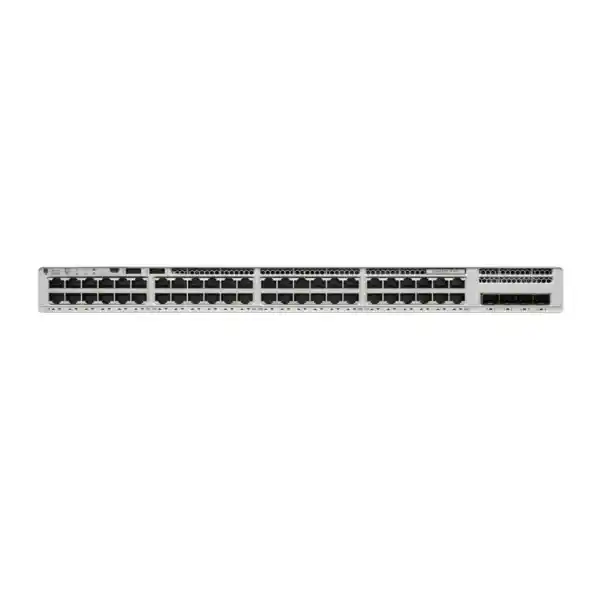
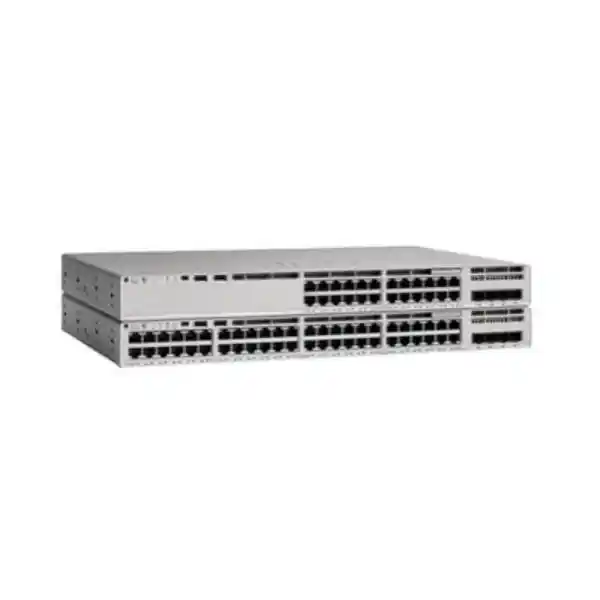
The Cisco Catalyst C9200L-48T-4G Network Switch is a practical option for a Tanzanian business that needs a dense bank of wired desktop connections, managed network segmentation and Gigabit connectivity to its upstream network. It provides 48 copper 10/100/1000 access ports and four fixed 1G SFP uplink ports. This is a data-only model: connected equipment must have its own power source when it requires electrical power.
Start your purchase decision with the devices, applications and building connections the switch must serve. A workplace dominated by desktop computers and independently powered printers has different requirements from a site installing ceiling access points and IP cameras. Identify both the present load and planned additions before choosing the hardware. Request a configuration-specific quotation from FourTeck Tanzania with the required license edition, uplink optics and accessories clearly itemized.
The base model name does not settle every purchasing detail. Cisco offers Network Essentials and Network Advantage variants, and accessories depend on the intended installation. The quotation should identify the complete orderable configuration. Price, stock, lead time, included services and support terms need confirmation for that quotation; they are not implied by this product description.
The technical facts that define this model
| Item | Specification | Buyer guidance |
|---|---|---|
| Access connections | 48 × 10/100/1000 copper Ethernet ports | Connect wired endpoints at up to Gigabit speed per port. |
| Dedicated uplinks | 4 × fixed 1G SFP ports | Select supported modules for the upstream connection. |
| Power over Ethernet | Not supported | Use separately powered devices or select a PoE switch. |
| Standalone switching capacity | 104 Gbps | An internal switching specification, not internet bandwidth. |
| Standalone forwarding rate | 77.38 Mpps | A packet-forwarding rating, not an application speed guarantee. |
| Stacking platform | Cisco StackWise-80; optional accessories required | Plan a compatible stack and its bill of materials. |
| Power and cooling | Two power-supply slots; two fixed fans | Confirm the installed supplies and rack ventilation. |
| Software family | Cisco IOS XE | Validate the intended release and feature entitlement. |
Treat the table as a selection guide, then validate the complete design. Internal switching capacity, uplink capacity, endpoint speed and application throughput describe different parts of the network. A fast switching fabric cannot remove congestion from an undersized upstream link. Likewise, a capable switch cannot correct a damaged cable, an overloaded server or a slow external connection.
The four uplink ports are part of this fixed hardware configuration. They should not be confused with an interchangeable uplink module or with four 10G connections. If the project specification requires 10G upstream links, compare the appropriate 4X variant before placing the order.
Build a useful endpoint inventory before ordering
Count active connections by purpose rather than simply counting desks. Include reception terminals, shared printers, meeting-room equipment, local servers, building-management interfaces and any devices in locked cabinets. Separate wired devices from wireless clients: a laptop using Wi-Fi does not consume its own physical switch port, although the access point providing that wireless service does.
Record each endpoint’s power method, network speed, cable location and expected business importance. This makes it easier to spot a mismatch early. A powered desktop may fit this switch well, while a camera expecting power through its Ethernet cable needs a different power arrangement. Avoid assuming that every device with an RJ-45 connector has the same requirements.
Reserve spare connections according to an actual expansion plan. A department expecting new staff or additional counters should identify those additions explicitly. Unallocated capacity is useful, but it should be balanced against cabinet space, upstream bandwidth and the cost of future expansion. More available ports do not automatically solve those other constraints.
Keep the inventory as an operational document after installation. Add wall-outlet labels and switch-port assignments so that support staff can locate a faulty connection without tracing every patch cable. A modest amount of documentation during procurement can reduce disruption when desks move, departments reorganize or an urgent repair is needed.
Size uplinks around busy periods and shared services
The important question is how much traffic must leave the access switch at the same time. Ordinary document editing, browser-based business tools, large file transfers and workstation backups create different traffic patterns. Consider the busiest realistic period rather than relying only on an average utilization figure. Several scheduled jobs can make an otherwise quiet network congested for a short but disruptive interval.
For illustration, a single 1G upstream connection is shared by traffic crossing that link. Forty-eight connected endpoints do not each receive a dedicated Gigabit path through that one connection. This is a planning example, not a prediction of the throughput a particular application will achieve. Protocol overhead, server capacity and other network links also affect the result.
Ask the network designer whether separate uplinks, a supported aggregation design or a faster-uplink switch best matches the workload. Aggregation must be validated at both ends, including traffic distribution and failure behavior. Do not assume that adding physical links makes every individual transfer faster.
Document the destinations that matter most: a local file server, a central application, a backup repository or a remote office. Traffic remaining within the access layer can behave differently from traffic crossing the building backbone. That distinction helps justify the selected uplink design with evidence instead of purchasing solely on the access-port count.
Plan SFP optics and the cable path together
An SFP slot is a connection interface, so the complete installation still needs a suitable supported transceiver and matching cable arrangement. Specify the equipment at the far end before selecting the module. Confirm the link speed, fiber type, connector, optical characteristics and distance against the relevant compatibility information for both devices.
Inspect the existing fiber path rather than judging it only by the connector visible at the cabinet. Patch panels, building-to-building runs and intermediate joints can affect the usable link. Keep a record of the fiber route and test results, especially when reusing infrastructure installed for an older network. A link that worked previously should still be checked for the new design.
Include patch leads and any required cable-management accessories in the purchasing list. Protect connectors from dust and physical strain, leave serviceable slack and label both ends clearly. Good installation practice helps distinguish an optical fault from a configuration problem when a link fails or becomes intermittent.
Confirm whether optics are included in the quotation and identify their exact part numbers. The presence of four SFP slots does not establish that four modules are supplied. If spare modules are required for operational continuity, specify the quantity and intended link type separately so that replacement parts match the deployed connections.
Decide where endpoint power will come from
This data-only switch suits devices that already have an appropriate independent power supply. For a project involving phones, wireless access points or cameras, prepare a device-by-device power schedule before deciding that this configuration is sufficient. A network cable can carry data without providing the electrical power an endpoint needs.
Where an injector or local adapter is proposed, verify it against the exact endpoint and installation. Consider outlet availability, adapter placement, maintenance access and whether the complete arrangement remains powered during an outage. Do not specify an injector simply because its connector fits; the electrical standard and power requirement must match.
A design with many powered endpoints may be easier to manage with a suitable PoE switch. Compare the required standard, power per device and simultaneous total load, then allow for planned additions. The correct alternative depends on the powered equipment, not merely on choosing a model with a similar number of ports.
Include endpoint power in the resilience discussion. Keeping the switch on a UPS will not preserve service if the connected equipment loses its separate power source. Map the full path from the workstation or other endpoint through the access switch and upstream equipment so that the power plan supports the business service you actually need.
Choose the license edition from a written feature list
Cisco identifies the -E ordering variant with Network Essentials and the -A variant with Network Advantage. Because the requested base model omits that suffix, the edition must be resolved in the quotation. Do not assume either package is included simply from the chassis name or from a general description of the Catalyst family.
Write down the functions the deployment needs before comparing the license options. Identify where routing occurs, which security controls are required and how the switch will be managed. Ask for confirmation against the chosen hardware, software release and entitlement. This is especially useful when an existing configuration contains features that are easy to overlook during a hardware refresh.
Have the quotation distinguish hardware, network entitlement, any applicable software subscription and separately purchased support. Record the subscription term and account arrangement where relevant. A clear breakdown makes competing offers easier to compare and reduces the chance that one proposal appears cheaper because a required component was omitted.
Assign someone within the organization to retain entitlement records and renewal information. Keep those records with the asset inventory and implementation documents. The procurement team and network administrator should agree on the configuration before purchase so that licensing questions do not first appear during a scheduled installation window.
Use segmentation to support clear business boundaries
Prepare a VLAN and addressing plan that reflects how the organization works. Staff computers, guest services, printers and administrative interfaces may need different access policies. Describe which systems each group should reach and who owns the policy. Meaningful separation begins with those requirements, not with creating a large number of VLAN names.
Identify the device that will enforce communication between network segments. Depending on the design, that role may sit on a firewall, a routing device or another part of the network. Confirm the required features and licensing before assigning the responsibility. A VLAN boundary by itself should not be presented as a complete security policy.
Check the upstream configuration and connected services as part of the plan. Address allocation, name resolution and application access all need to work for each intended segment. A workstation can show an active Ethernet link yet remain unable to reach its business application because the surrounding network configuration is incomplete.
Keep the initial design understandable for the people who will operate it. Consistent naming, clear port descriptions and a documented addressing scheme make changes safer. When departments move or a new service is added, the administrator should be able to understand the intended traffic path without reconstructing the network from individual device settings.
Apply access security with an implementation plan
Cisco documents controls including IEEE 802.1X authentication, DHCP snooping and Dynamic ARP Inspection for Catalyst 9200 software. Confirm the applicable release and configuration requirements before including them in an implementation. These features require deliberate setup and supporting network information; a product purchase does not mean an access-control policy is already operating.
An authentication rollout should identify the identity service, endpoint readiness and treatment of devices that cannot use the chosen method. Pilot representative computers and shared equipment before a broad change. Record the intended response when the authentication service is unavailable, and have the responsible security and operations teams agree on that behavior.
Dynamic ARP Inspection requires particular attention to valid address bindings and trust configuration. Environments using fixed addresses need an appropriate design rather than assumptions based on dynamically allocated addresses. Validate this with the selected software documentation and test it on a limited scope before enabling it widely.
Make the security acceptance criteria observable. Confirm that an approved endpoint obtains the expected access and that an unauthorized test connection is treated as intended. Preserve administrative recovery access during the change. A controlled rollout helps the team separate policy mistakes from cabling faults and application issues, and provides evidence that the intended controls are effective.
Make everyday administration manageable
Decide who will administer the switch, how they will connect and which records they must maintain. Cisco documents SSH administration and SNMP management for the platform. Match the configuration to the organization’s approved software and management practices. Restrict administrative reachability and assign privileges according to actual responsibilities.
If monitoring uses SNMPv3, select suitable authentication and privacy settings supported by both the switch software and the monitoring platform. Test polling and alert delivery before handover. Monitoring should answer useful operational questions, such as whether a critical uplink is down or whether errors are increasing on a connection.
Create a baseline when the network is healthy. Record important interface counters, normal traffic patterns and the expected topology. That reference helps an administrator recognize a change when users later report slow service. A dashboard with no owner or response process offers less value than a small set of reliable alerts assigned to a responsible person.
Retain configuration backups securely and document how restoration will be performed. Include the running software version, asset information and access-recovery procedure in the handover pack. Avoid making the entire support process depend on one person’s laptop or memory. Day-to-day manageability is a combination of hardware capability, sensible configuration and clear ownership.
Stacking: specify the complete arrangement
The C9200L platform supports StackWise-80 with the required optional stacking components. Cisco describes stacks of up to eight compatible switches. Check the intended combination and software requirements before buying adapters or cables. A future expansion plan should name the models and topology rather than relying on the assumption that any Catalyst switch can join.
C9200L cannot be mixed in a stack with C9200 modular-uplink models or older Catalyst 2960-X switches. Treat an existing stack as a design constraint during a replacement. Confirm how the new equipment connects to the wider network and whether the project requires a complete stack replacement or a separate access block.
List every stacking component in the bill of materials, including the planned cable lengths and physical routing. Confirm whether those items are supplied separately. Leave enough cabinet access for installation and maintenance, and label the stack connections so that a later replacement can follow the documented arrangement.
Define what continuity the stack is intended to provide and test the relevant failure cases during an agreed maintenance window. Shared management does not remove the need for upstream resilience, suitable power and recovery procedures. Keep the final topology and member assignments in the handover documentation so the team can expand or repair the installation consistently.
Prepare the rack, power and cooling
Cisco lists chassis dimensions of approximately 4.4 × 44.5 × 28.8 cm for this model, with a greater installed depth when power-supply components are included. Check the complete installed arrangement before selecting the cabinet. Allow space for connectors, patch leads, power connections and service access rather than matching only the bare chassis measurements.
The hardware has two power-supply slots and fixed fans. Confirm which power supplies are actually included in the proposed configuration. Two available slots do not establish that a quotation contains two supplies. If redundant power is required, specify the compatible components and how they will be connected.
Assess cabinet placement in the real room. Avoid obstructed ventilation paths and locations where equipment cannot be inspected or serviced safely. Check the manufacturer’s operating requirements against the temperature, dust exposure and ventilation expected at the site. A general office room description is not a substitute for checking conditions inside a populated cabinet.
Size any UPS around the equipment it must keep operating and the required runtime. Include the upstream network and separately powered endpoints where continuity depends on them. Ask the facilities and network teams to agree on the power arrangement, then record it with the rack layout. This helps prevent a later maintenance change from silently weakening the intended resilience.
Where this configuration can fit
Desktop-heavy workplace
Consider this model for a managed wired access layer serving computers and independently powered peripherals. Confirm that the building uplinks match the expected shared traffic.
Training room or computer lab
Build the port plan around workstation count, shared teaching resources and simultaneous updates. Schedule tests around the heaviest expected classroom workload.
Branch access cabinet
Assess local wired users, upstream connections and remote management. Keep recovery access and clear labeling in the operational plan.
Selected legacy data-switch refresh
Compare the complete old configuration with the proposed replacement. Preserve required connectivity, policy and operational behavior through a planned migration.
These are planning scenarios, not claims that every deployment in those environments has the same requirements. A small branch can generate heavy backup traffic, while a larger office may have modest upstream demand. The useful comparison is the workload and topology, not the organization size alone.
For a Tanzania project, provide the actual installation address and site conditions when requesting a quotation. Confirm delivery arrangements, installation scope and support responsibilities for that project. Do not assume that a general product enquiry includes surveying, cabling work, configuration or ongoing monitoring.
When a different switch deserves comparison
Compare a PoE model when powered endpoints are central to the project. Compare a faster-uplink model when the upstream traffic forecast calls for more capacity. Compare multigigabit access options when a required endpoint needs more than a Gigabit connection. These are separate requirements and should be evaluated independently.
A project can satisfy the port-count requirement and still choose the wrong switch if one of those other needs is missed. For example, enough copper ports do not establish that ceiling access points can be powered or connected at their intended speed. Put each mandatory requirement into the comparison sheet.
Also consider how the network will grow. If a planned application will change traffic patterns substantially, ask whether buying for the current workload creates an early replacement requirement. Use a realistic project horizon and documented expansion assumptions. Avoid paying for unused capability without a reason, but do not ignore an approved expansion simply because it is not active today.
Where the requirement is uncertain, request two clearly scoped options with the differences explained. Compare the complete installed cost and operational implications, including optics, power and licensing. This creates a more useful decision than comparing isolated chassis prices that may represent different hardware capabilities or commercial packages.
Replace an older access switch through a controlled migration
Inventory the existing configuration before disconnecting anything. Record port assignments, active VLANs, uplink settings, management access and dependencies on other devices. Identify the business services that must be tested after the change. A hardware replacement is easier to validate when success is defined before the maintenance window.
Do not assume an older configuration can be copied unchanged into a different software platform. Review the settings for the selected IOS XE release and license edition. Prepare the new configuration in advance, have another responsible reviewer check it where practical, and confirm how administrative access will work during the cutover.
Use a port-mapping sheet to connect each old outlet or patch lead to its intended new interface. Label cables before removal and keep the previous equipment available according to the agreed rollback plan. Where service continuity matters, define the point at which the team will restore the previous arrangement rather than continuing an unsuccessful migration indefinitely.
After the move, test representative users and every critical service. Confirm more than basic connectivity: check the real application, printing, name resolution and any required network separation. For broader refresh planning, the FourTeck Tanzania guide to Cisco Catalyst 2960-X replacement provides a separate migration-focused starting point.
Agree on commissioning and acceptance
Define acceptance tests in terms that the buyer and installer can both observe. Confirm the received model, complete part number and itemized accessories. Inspect the intended rack installation and verify the documented port map. Make sure any agreed management and monitoring arrangements are working before the installation is accepted.
Test a sample from every required network segment and each important type of endpoint. Include a device that uses a fixed address if such devices are part of the installation. Check access to the intended application and confirm that restricted services remain restricted. A successful login from one laptop does not validate every business use case.
Where redundant components or paths are part of the design, test their behavior through an agreed procedure. Capture the results and note any dependencies that remain outside the switch installation. Avoid disruptive improvisation on a live network; use a planned window and a clear restoration method.
Hand over a concise pack containing the final topology, addressing details, port assignments, software version, configuration backup location and support contacts. Record open issues and their owners. Acceptance should leave the organization able to operate the installation, understand its limitations and request effective help if a fault occurs.
Compare quotations on the complete scope
Ask each proposal to identify the full hardware configuration and license edition. Separate optional components from required items. Include quantities for optics, stacking accessories, power supplies and any site-specific cabling. A transparent list makes it easier to see whether two offers describe the same usable installation.
Confirm the commercial details directly for the proposed order. Request current pricing in the quoted currency, applicable charges, availability and the expected delivery arrangement. Have warranty and support terms stated in writing, including who handles a service request. This page does not establish those commercial terms for a particular transaction.
Clarify whether the scope covers hardware supply, configuration, physical installation, testing, migration or ongoing support. If multiple providers are involved, assign responsibility for the boundaries between them. A fiber link fault, for example, may require coordination across the switch installer and the cabling provider.
Evaluate operating effort as well as purchase cost. Consider who maintains configuration records, monitors faults and schedules software reviews. The most useful quotation explains what the organization will receive and what remains its responsibility. That clarity reduces avoidable changes after the equipment arrives and helps the team budget for a complete, supportable access network.
Keep the installation useful as requirements change
Schedule reviews around meaningful business changes: a new application, a department expansion, a move to a different office or a larger backup workload. Revisit the original assumptions and compare them with observed traffic. This helps distinguish a capacity issue from a fault and gives the organization evidence for its next purchase.
Include physical changes in that review. An added small switch under a desk, an undocumented patch lead or a relocated printer can alter the original design. Update the port map and investigate repeated link errors rather than allowing temporary workarounds to become permanent dependencies. Clear records keep routine support proportionate to the network’s size.
Review software and support requirements through the responsible administrator and the applicable vendor guidance. Plan maintenance with a configuration backup, a recovery method and a suitable service window. Treat a release choice as an engineering decision for the actual deployment rather than assuming that the newest available version is automatically the right one.
Finally, retain the procurement specification alongside the operational record. When the organization adds equipment or seeks support, that record explains why this particular configuration was chosen. It also makes future discussions more precise: the team can compare its current needs with the original port, bandwidth, power and management requirements.
Questions buyers ask before ordering
Does this switch supply power to connected devices?
No. This is the data-only T model. For any device that needs electrical power, confirm a separate suitable power source or choose an appropriate PoE configuration. Include the endpoint power arrangement in the quotation and continuity plan, especially for equipment mounted away from convenient electrical outlets.
Does 4G mean mobile connectivity?
In this Cisco model designation, 4G identifies the four fixed Gigabit uplink connections. It does not describe a cellular modem or a mobile data service. If the site requires mobile internet, evaluate the appropriate separate gateway and its integration with the wider network.
Can I order using only the base model name?
Use the base name to begin the enquiry, then request a complete configuration. The quotation should resolve the license suffix, software requirements and included accessories. Retain the final itemized proposal so procurement and the technical team can verify that the delivered equipment matches the agreed requirement.
Are the SFP modules included?
Do not assume they are. Confirm the supplied items and specify the exact modules required for each planned link. The selection depends on both connected devices and the cable path. Include suitable patch leads and identify any spare module requirement as part of the bill of materials.
Will this improve a slow internet service?
A switch replacement should be matched to the cause of the problem. Check the external connection, gateway, upstream links and application performance before attributing slow service to the access switch. Use measurements from busy periods to identify the bottleneck and justify the proposed change.
Is the switching-capacity rating the same as upload speed?
No. The internal switching rating describes a different capability from the speed of a particular upstream link or internet circuit. Assess each part of the traffic path separately. A useful performance test measures the intended application between the actual endpoints under representative operating conditions.
Can this model be used for phones or access points?
Evaluate the exact endpoint’s data speed and power requirements first. A separately powered device may be suitable, but equipment expecting power through Ethernet needs an appropriate power solution. Check the complete installation instead of treating all phones, cameras or access points as having identical requirements.
Is stacking hardware automatically supplied?
Confirm it explicitly. A stack requires compatible members and the correct optional accessories. The proposal should identify adapters, cables, topology and software considerations. Have the installer document the final arrangement and test the agreed resilience behavior before handing the network over to the operations team.
Should I choose Network Essentials or Network Advantage?
Choose from the written feature requirements for the deployment. Ask for confirmation that the intended functions are supported by the selected edition and software release. The base product name does not settle that decision. Keep entitlement records and any subscription details with the asset documentation.
Can the switch replace an existing 48-port unit?
Possibly, after reviewing the existing unit’s power delivery, uplinks, configuration and management requirements. Matching the number of ports is only one part of the comparison. Plan the cutover, document the cable mapping and define application tests and a rollback procedure before disconnecting the existing equipment.
What should a Tanzania quotation request include?
Provide the quantity, installation location, endpoint inventory, uplink requirements and desired license features. State whether the request covers supply only or also configuration, migration and testing. Ask for current commercial terms and a clear list of included items so the proposed solution can be reviewed accurately.
What should be checked after installation?
Verify the received configuration, important application paths, network separation and administrative access. Confirm monitoring and configuration backups if they are in scope. Where resilience was specified, review the agreed test results. Retain a handover record that identifies the topology, port assignments, responsible contacts and any outstanding issues.
Request a configuration-specific quote from FourTeck Tanzania
Share your quantity, endpoint power requirements, uplink design and preferred license features. Ask for the complete part number and an itemized list of optics, stacking components, power supplies and implementation services where required. Confirm current pricing, availability, delivery arrangements and support terms in the quotation before proceeding.
Your next step: prepare the site requirements and request a quote for the configuration that matches them.




Reviews
There are no reviews yet.