
Wi‑Fi 7 / 802.11be
External Antenna
Indoor Enterprise AP
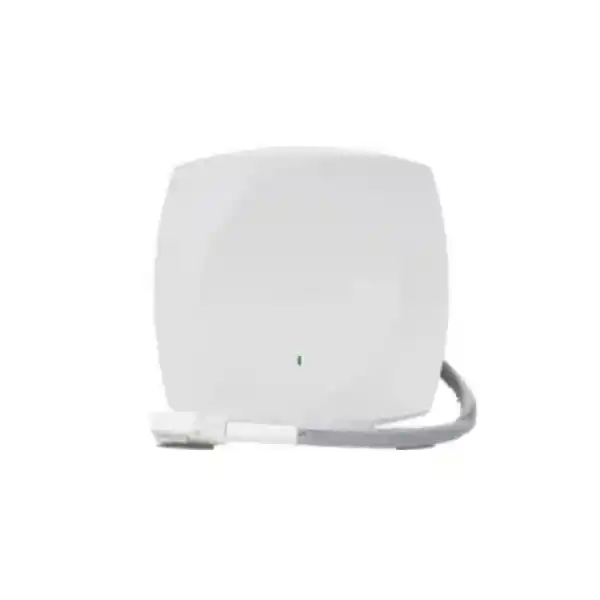
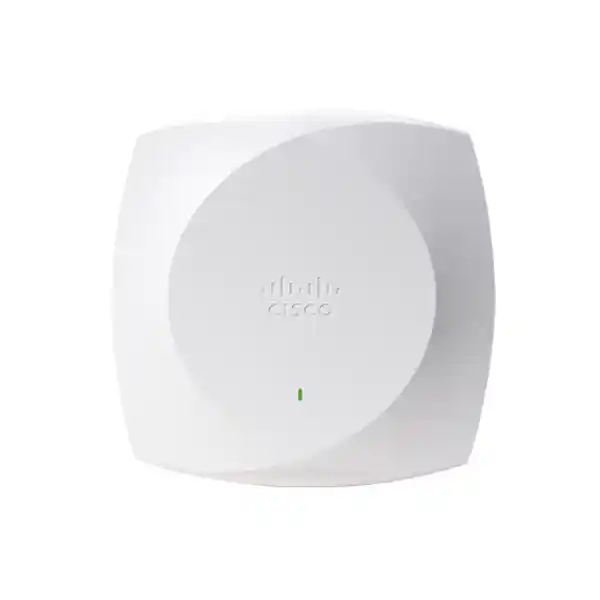
Cisco Wireless CW9174E Wi‑Fi 7 Access Point
The Cisco Wireless CW9174E is designed for enterprise wireless projects where coverage must be shaped with external antennas rather than relying on an integrated omnidirectional pattern. It combines modern Wi‑Fi 7 radio capabilities with a 5 Gbps multigigabit Ethernet interface, a single octal DART8 antenna connector, dedicated IoT and scanning radios, enterprise security, and flexible management options across Cisco controller-based and Meraki cloud architectures. For organizations in Tanzania, the main reason to consider the CW9174E is not simply “higher Wi‑Fi speed”; it is the ability to engineer radio coverage more precisely in difficult indoor spaces while building on Cisco’s current enterprise wireless platform.
Important Tanzania planning note: Cisco’s current country guidance limits 6 GHz support on the CW9174E external-antenna model to Canada, Puerto Rico, and the United States. A Tanzanian deployment should therefore be designed around supported 2.4 GHz and 5 GHz operation unless Cisco’s regulatory and software guidance is updated in the future. This does not remove the value of the platform: Wi‑Fi 7 features, improved radio efficiency, modern security, multigigabit uplink capability, unified management options, and external-antenna flexibility can still make the CW9174E a strong fit for demanding enterprise designs.
At a glance
IEEE 802.11be Wi‑Fi 7, with backward compatibility for earlier enterprise client generations.
Tri-band hardware capability with up to 10 serving spatial streams, or dual-band 8-stream mode.
Single DART8 connector supporting Cisco tri-band omni or directional antenna options and selected legacy antennas with restrictions.
One 100M/1G/2.5G/5G multigigabit Ethernet port.
802.3bt Class 5 UPOE or 54V DC for full 5G uplink and higher USB power; reduced modes apply with lower PoE classes.
Cisco Catalyst / Wireless 9800 controller environments and Meraki cloud-based deployments.
WPA3, WPA2, 802.1X, Enhanced Open/OWE and enterprise authentication options.
Indoor enterprise access point for moderate-to-high-density environments requiring external antenna flexibility.
Who should consider the CW9174E?
Choose the CW9174E when the antenna system is part of the wireless design. A typical office with standard ceilings may be better served by an access point with integrated omnidirectional antennas, because installation is simpler and the radio pattern is predictable. The CW9174E becomes more compelling when the building, shelving, equipment, ceiling height, client distribution, or installation restrictions require a directional pattern, remotely positioned antenna, or antenna placement separate from the access point body.
Cisco specifically positions the external-antenna version for specialized environments such as warehouses with high ceilings and narrow aisles, cold-storage areas, clean-room-adjacent deployments where the antenna can be placed in a controlled space while the AP remains outside, and public venues where carefully directed coverage can improve capacity planning. In Tanzania, the same design logic can apply to distribution centers, manufacturing floors, hospitals, education facilities, hospitality spaces, transport terminals, large retail areas, office campuses, and other indoor sites where RF conditions are more complicated than a standard open-plan office.
Why Wi‑Fi 7 matters even when 6 GHz is not currently available on CW9174E in Tanzania
Wi‑Fi 7 is often marketed around extremely wide 320 MHz channels and the 6 GHz band, but those are only part of the standard. The CW9174E hardware also brings a newer radio platform and 802.11be capabilities such as 4096-QAM, Multi-Link Operation, preamble puncturing, multi-resource-unit operation, and improved scheduling behavior. The practical benefit of any individual feature depends on the client device, enabled band, channel plan, interference level, software release, and local regulatory support. Buyers should therefore view Wi‑Fi 7 as a system upgrade rather than as a guaranteed single-device speed figure.
For the Tanzanian market, the distinction is particularly important. Cisco’s current regulatory guidance states that CW9174E 6 GHz support is limited to Canada, Puerto Rico, and the United States. On a Tanzania project, the external-antenna CW9174E should be planned primarily around 2.4 GHz and 5 GHz operation unless later Cisco documentation confirms a change. The 5 GHz radio can still use channel widths up to 160 MHz where the configured regulatory domain, RF environment, and enterprise design allow it, while 2.4 GHz continues to provide broad compatibility for legacy devices and many IoT endpoints.
This also changes how performance should be evaluated. A 320 MHz headline should not be used as a Tanzania selling point for this model today because Cisco associates that width with 6 GHz operation. Instead, focus on client density, airtime efficiency, RF design, multigigabit backhaul, controller or cloud operations, security, external antenna selection, and the AP’s ability to support a phased migration from Wi‑Fi 5 and Wi‑Fi 6 devices to newer Wi‑Fi 7 clients.
Radio architecture and client capacity
The CW9174E supports a tri-radio serving configuration with 2×2:2 on 2.4 GHz, 4×4:4 on 5 GHz and 4×4:4 on 6 GHz, providing up to 10 serving spatial streams when 6 GHz is available. It can also operate in a dual-radio configuration with 4×4:4 on 2.4 GHz and 4×4:4 on 5 GHz while the 6 GHz serving radio is disabled. This dual-band mode is particularly relevant for Tanzania under Cisco’s current country support guidance for the external-antenna model.
Cisco’s deployment documentation lists a platform scale of up to 768 clients, with 256 clients per radio. That number should be treated as a technical association scale rather than a guarantee that hundreds of active devices can simultaneously run demanding applications at full performance. Real capacity depends on client capabilities, signal quality, airtime use, application mix, retries, interference, channel reuse, transmit power, controller settings, and the wider wired network. For high-density projects, design to application requirements and airtime rather than to the maximum association count.
A dedicated scanning radio is also built into the platform for RF monitoring and optimization, while a dedicated 2.4 GHz IoT radio supports connected-device use cases. This separation allows the serving radios to focus on user traffic while the system can maintain additional visibility into the RF environment. Organizations using Cisco management platforms can combine this radio telemetry with network assurance and troubleshooting tools to investigate interference, coverage issues, and client experience.
External antenna design: the main reason to choose the “E” model
The CW9174E has a single octal DART8 connector. Instead of embedding the primary Wi‑Fi antennas inside the AP enclosure, Cisco allows the installer to attach compatible external antenna systems. This is valuable because antenna choice changes where RF energy is directed. A ceiling-mounted omnidirectional antenna is useful when clients surround the installation point, while a directional patch antenna can concentrate coverage toward an aisle, seating area, work zone, or other defined space.
Cisco lists the CW-ANT-T-O2-D8 as a tri-band omnidirectional ceiling-mount antenna with an integrated accelerometer and DART8 connection. The CW-ANT-T-D2-D8 is a tri-band directional patch antenna with an integrated accelerometer and includes the CW-MNT-ART2 mount. Cisco also supports selected adapter-based and legacy antenna options, but capabilities vary. Some older antenna families operate only on 2.4 GHz and 5 GHz when attached to the CW9174E, and some configurations disable IoT functions. The antenna bill of materials therefore needs to be verified as carefully as the access point itself.
For brownfield projects, this compatibility can reduce replacement effort when a site already uses certain Cisco brackets or antennas. However, reusing an antenna simply because the connector can be adapted is not the same as confirming that it suits the new RF design. Antenna frequency support, gain, beamwidth, mounting orientation, cable loss, regulatory limits, and physical environment must all be checked. In a warehouse, for example, a directional antenna can improve aisle-focused coverage, but a poor mounting angle can still create coverage gaps or excessive overlap.
Power and uplink planning
The CW9174E has one multigigabit Ethernet interface that can negotiate at 100 Mbps, 1 Gbps, 2.5 Gbps, or 5 Gbps. The uplink speed you actually receive depends on both the connected switch port and the power class provided to the access point. For full 5 Gbps uplink operation with the highest supported radio configuration and up to 9 watts of USB power, Cisco specifies 802.3bt Class 5 UPOE or the supported 54V DC power option.
| Power source | Representative radio mode | Ethernet link | USB | Planning implication |
|---|---|---|---|---|
| 802.3bt Class 5 UPOE or DC | Up to 10 streams in tri-band hardware mode, or 8 streams in dual-band mode | Up to 5 Gbps | Up to 9W | Preferred when designing for maximum platform capability. |
| 802.3at PoE+ | Supports the normal high-order serving radios, subject to configured band mode | Up to 2.5 Gbps | Reduced or unavailable depending on current platform table | Suitable where 2.5G backhaul meets requirements, but not the full 5G design target. |
| 802.3af PoE | Significantly reduced 1×1 radio operation | 1 Gbps | Disabled | Not recommended when purchasing this AP for its enterprise Wi‑Fi 7 capability. |
The switching layer should be planned at the same time as the wireless layer. A Wi‑Fi 7 AP connected to a 1 Gbps access switch port may still operate, but the wired uplink can become the bottleneck during periods of heavy aggregate traffic. Where the expected user density and application profile justify it, a 2.5G or 5G multigigabit switch port provides more headroom. Cisco recommends Cat 6 or Cat 6A cabling for best performance, although its deployment guide also documents 5 Gbps operation over suitable Cat 5e up to 100 meters.
Power budget is equally important. Confirm that the access switch has enough total PoE capacity for the number of planned access points, not merely that one port supports the required standard. This matters in dense floors with many APs, IP phones, cameras, and other PoE devices competing for the same switch power supply. If DC power or injectors are used, confirm the exact supported Cisco accessory and installation requirements before ordering.
Management options: controller-based or Meraki cloud
Cisco positions the CW9174E as part of its unified Wi‑Fi 7 access point portfolio. The same hardware platform can be deployed in a Cisco controller-based architecture or in a Meraki cloud-managed architecture, giving organizations more flexibility than older portfolios that required a different physical AP for each management model. Current Cisco documentation lists support for Catalyst and Cisco Wireless 9800 Series controllers, while the installation guide also references Catalyst Center and the Meraki cloud-based stack.
The choice between these management approaches should be made before procurement because it affects licensing, operational workflows, monitoring, configuration style, software planning, and staff skills. Existing Cisco Catalyst wireless customers may prefer controller-based integration for architectural consistency, while organizations standardized on Meraki may value cloud-managed operations. The hardware’s ability to participate in either ecosystem provides investment flexibility, but migration between operating modes still requires planning and appropriate software and licensing.
For controller-based deployments, confirm the exact supported IOS XE release before implementation. Cisco’s September 2026 data sheet lists IOS XE 17.18.2 or later and Meraki MR 32.1.5 or later for the 9174 Series. Because wireless software compatibility changes over time, the deployment team should always validate the current recommended release against the chosen controller, feature set, regulatory domain, and production change policy rather than treating a minimum release as the preferred long-term operating version.
Cisco Networking Subscription licensing
Cisco states that Wi‑Fi 7 access points in the 9174 Series require a Cisco Networking Subscription. The available wireless tiers include Cisco Wireless Essentials and Cisco Wireless Advantage. The correct tier depends on the organization’s required management and software features, so the license should be sized together with the AP quantity and management architecture rather than added as an afterthought.
When requesting a quotation, provide the expected number of access points, whether the deployment will use Meraki cloud or Cisco controller-based management, the existing controller or cloud environment, and any advanced operational requirements. This reduces the risk of purchasing hardware without the subscription entitlement needed for the intended platform. Subscription terms and commercial bundles can change, so pricing, duration, support coverage, and entitlement details should be confirmed on the actual quote.
Do not assume that the AP hardware price represents the full solution cost. Enterprise wireless projects may also need antennas, mounts, DART8 adapters, injectors, multigigabit access switches, controller capacity, licensing, cabling, site survey work, installation labor, configuration, and ongoing support. A complete bill of materials should cover the end-to-end design.
Security and access control
The CW9174E supports WPA3 as part of Cisco’s enterprise wireless security capabilities, along with WPA2 for compatible legacy environments. Cisco documentation also lists 802.1X-based authentication, Enhanced Open/OWE, and enterprise EAP methods such as EAP-TLS, PEAP, EAP-FAST, EAP-TTLS and related authentication frameworks. In practice, security depends on how the WLAN, identity system, certificates, client devices, VLANs, policies, and management platform are configured.
For business networks, use separate SSIDs and policies for corporate users, guests, operational technology, scanners, mobile devices, and IoT equipment where the risk model requires segmentation. WPA3-Enterprise and certificate-based authentication can improve identity assurance for managed endpoints, while guest networks may use different onboarding controls. Cisco Identity Services Engine integration can support more advanced policy and network access control designs where that platform is part of the environment.
Wireless security should also include management-plane protection, software lifecycle management, administrator access controls, logging, monitoring, and switch-port security. The AP is one component in a larger architecture. A secure Wi‑Fi 7 upgrade therefore includes controller or cloud hardening, network segmentation, identity design, appropriate encryption settings, and a process for applying tested software updates.
Practical deployment scenarios in Tanzania
Warehouses and distribution centers
Directional antennas can be aimed along narrow aisles where metal racking makes RF propagation difficult. The AP body and antenna can be positioned for maintenance access while the coverage pattern is engineered around scanners, handheld terminals, tablets and mobile workstations.
Manufacturing and production floors
External antennas can help work around machinery, structural steel, process areas and unusual ceiling layouts. A dedicated survey is important because moving equipment, reflective surfaces and electrical noise can change the RF environment significantly.
Healthcare environments
Where infection-control or clean-room requirements affect equipment placement, Cisco identifies the external-antenna model as useful for designs in which the antenna is positioned in one space and the access point body remains outside. Site rules and approved installation methods must still be followed.
Public venues and transport facilities
Directional coverage can help target seating areas, waiting zones, corridors and other high-user-density locations. Capacity planning should consider concurrent devices, roaming behavior, application mix, channel reuse and uplink bandwidth.
Education campuses
Lecture halls, labs, libraries and common spaces can have very different density profiles. The CW9174E may be useful where a directional pattern is needed, while integrated-antenna APs may remain simpler for ordinary classrooms and offices.
Hospitality and large commercial interiors
Ballrooms, conference areas, large retail floors and back-of-house spaces often need a mix of coverage approaches. External antennas provide another design tool when a standard ceiling omni pattern cannot meet the target user experience.
Tanzania-specific design considerations
The first local design consideration is the current band restriction. Cisco’s October 2026 country guidance limits CW9174E 6 GHz operation to Canada, Puerto Rico, and the United States. For Tanzania, do not design the project around 6 GHz coverage, 320 MHz channels, or 6 GHz-dependent performance claims unless Cisco later publishes updated regulatory support for the exact model and software release. Confirm regulatory status again at the time of deployment because country approvals and software support can change.
The second consideration is power continuity. Enterprise Wi‑Fi depends on access switches, controllers or cloud connectivity, WAN services, authentication systems, and upstream power. If a site uses backup power, include the PoE switches and critical network services in the power design rather than protecting only the internet router. In locations with unstable utility power, UPS runtime and generator transition behavior can directly affect wireless availability.
The third consideration is cabling quality. A 5 Gbps-capable AP cannot provide a 5 Gbps wired connection when terminated on legacy 1G switch ports or poor-quality copper runs. Verify cable category, length, patch panels, connectors, grounding practices, and switch capabilities. For new installations, Cat 6 or Cat 6A is a sensible design choice when multigigabit Ethernet is part of the requirement.
Finally, RF planning must reflect the building rather than a generic floor plan. Concrete walls, metal roofs, shelving, refrigeration panels, equipment, glass, furniture and people all influence signal propagation. A predictive design is useful, but difficult sites should also use on-site validation before final AP and antenna placement. External antennas provide flexibility, but they do not remove the need for professional RF engineering.
Technical specifications
| Model | Cisco Wireless CW9174E |
|---|---|
| Deployment type | Enterprise indoor wireless access point with external antenna connector |
| Wireless generation | Wi‑Fi 7 / IEEE 802.11be, with support for earlier 802.11 generations documented by Cisco |
| Serving radios | Tri-band hardware: 2.4 GHz 2×2:2, 5 GHz 4×4:4, 6 GHz 4×4:4; or dual-band 2.4 GHz 4×4:4 plus 5 GHz 4×4:4 |
| Tanzania 6 GHz note | Current Cisco guidance limits CW9174E 6 GHz support to Canada, Puerto Rico and the United States; plan Tanzania deployments around 2.4/5 GHz unless this changes. |
| Wi‑Fi 7 features | 4096-QAM, Multi-Link Operation, preamble puncturing, multi-resource-unit capabilities, OFDMA and other 802.11be enhancements; feature availability depends on band, client and software. |
| Antenna interface | Single octal DART8 external antenna connector |
| Primary current antenna options | CW-ANT-T-O2-D8 tri-band omnidirectional ceiling antenna; CW-ANT-T-D2-D8 tri-band directional patch antenna; additional supported options and adapters depend on design. |
| Ethernet | 1 x 100M/1G/2.5G/5G multigigabit RJ-45 |
| Other interfaces | RJ-45 management console, USB 2.0, 54V DC power jack |
| Integrated radios | Dedicated IoT radio and dedicated tri-band scanning radio |
| Power | 802.3bt Class 5 UPOE or 54V DC for full 5G/USB capability; 802.3at PoE+ and 802.3af PoE operate with reduced capabilities as documented by Cisco |
| Dimensions | Approx. 22.6 x 22.6 x 4.9 cm without mounting brackets |
| Weight | Approx. 1.47 kg |
| Operating temperature | -20°C to 50°C |
| Operating humidity | 10% to 90% non-condensing |
| Security | WPA2/WPA3, 802.1X and enterprise authentication capabilities documented by Cisco |
| Management platforms | Cisco controller-based deployments and Meraki cloud-based deployments, subject to supported software and licensing |
| Licensing | Cisco Networking Subscription; Wireless Essentials or Wireless Advantage tier as appropriate |
CW9174E versus CW9174I
The simplest distinction is antenna strategy. The CW9174I uses integrated omnidirectional antennas and is intended for straightforward indoor deployments where an AP can be mounted in the coverage area and distribute signal around itself. The CW9174E uses an external antenna connector, which adds installation complexity but provides much more control over antenna type and placement.
If the project is a normal office, classroom, meeting area, or retail floor with standard ceiling heights and no unusual RF constraints, the internal-antenna model may be easier to deploy. If the project involves warehouse aisles, high ceilings, industrial obstructions, clean-room boundaries, under-seat or targeted public-venue coverage, or a need to reuse certain compatible external antenna systems, the CW9174E is usually the model to evaluate first.
Do not choose the “E” model simply because an external antenna sounds more powerful. Antenna gain and direction change the RF pattern; they do not automatically make a network faster. The correct model is the one that fits the site survey, client density, mounting constraints and coverage objective.
Site survey and RF design recommendations
A proper wireless survey should identify target coverage areas, expected devices, application requirements, roaming paths, interference sources, wall and rack materials, antenna mounting points, cable routes, switch locations and available PoE budget. For directional antennas, the survey should also document orientation, downtilt or azimuth, expected beamwidth, and the physical ability to maintain that orientation over time.
High-density wireless design is not just about adding more access points. Too many APs operating at excessive transmit power can increase contention and co-channel interference. Channel reuse, power levels and antenna patterns should be designed together. In aisle environments, controlled directional coverage can improve channel reuse, but the design needs to account for reflections from metal shelving and changes in rack occupancy.
Client capabilities also matter. Many older devices cannot use Wi‑Fi 7 features, and some operational devices remain limited to 2.4 GHz. A mixed-client network should preserve reliable legacy connectivity while steering capable devices to the preferred band when appropriate. Application testing is particularly important for voice, video, handheld scanners, warehouse management systems and real-time operational traffic where roaming behavior is more important than peak throughput.
After installation, validate RSSI, signal-to-noise ratio, roaming, packet loss, retransmissions, channel utilization and application behavior in the real environment. Predictive designs are a starting point, not a substitute for post-installation verification.
Switching, cabling and upstream network requirements
A Wi‑Fi 7 access point can expose limitations elsewhere in the network. If the AP is connected to a 1G switch, traffic from multiple fast clients can reach the wired bottleneck quickly. For installations that expect high aggregate throughput, use a multigigabit access switch and verify that uplinks from the access layer to the distribution or core layer also have sufficient capacity. A 5G AP port is most useful when the rest of the path can carry the traffic.
Cabling must be installed and tested correctly. Cisco documents multigigabit support over common enterprise copper types, but cable quality, termination, length and interference still affect reliability. New installations should generally use quality Cat 6 or Cat 6A cabling when practical. Existing Cat 5e should be validated rather than assumed to support the desired rate.
The upstream network should also be reviewed for DHCP capacity, DNS performance, authentication latency, firewall throughput, internet bandwidth, VLAN design and quality-of-service policy. Wireless users experience the whole service path, so replacing access points alone will not fix bottlenecks in switching, WAN, security gateways or application servers.
Important buying limitations to understand
- It is an indoor AP. Do not treat the CW9174E as an outdoor-rated access point simply because it supports external antennas.
- 6 GHz is not currently supported for this model in Tanzania under Cisco’s current guidance. Design around 2.4 GHz and 5 GHz unless Cisco later updates country support.
- Full wired performance depends on power. 802.3bt Class 5 UPOE or supported DC power is required for the full 5 Gbps uplink and highest USB power capability.
- External antennas are a separate design decision. Confirm the exact antenna, mount, adapter and cable requirements before ordering.
- Licensing is required. The 9174 Series requires a Cisco Networking Subscription, with Wireless Essentials or Wireless Advantage selected according to the intended feature set.
- Headline PHY rates are not user throughput. Real performance depends on clients, RF conditions, channel widths, interference, switch capacity, application mix and configuration.
What to include in a CW9174E quotation
A useful quotation should go beyond the AP part number. For each location, identify whether the design requires the CW-ANT-T-O2-D8 omnidirectional antenna, CW-ANT-T-D2-D8 directional antenna, a supported legacy antenna, or a compatible adapter arrangement. Include the correct mounting hardware, power method, access switching, copper cabling requirements and Cisco Networking Subscription tier.
The quotation should also state the intended management architecture: Meraki cloud-managed or Cisco controller-based. For controller deployments, confirm the existing controller model, software level and capacity. For cloud-managed deployments, confirm the appropriate licensing and organization requirements. If the site is migrating from older Cisco APs, document which brackets or antennas can be reused and which items must be replaced.
For multi-site Tanzanian projects, standardize the bill of materials where possible, but do not force one antenna design across every building. A branch office, warehouse, retail showroom and hospital can all require different RF patterns even if they use the same AP family.
Frequently asked questions
Is the Cisco CW9174E a Wi‑Fi 7 access point?
Yes. Cisco specifies the CW9174E as an 802.11be Wi‑Fi 7 enterprise indoor access point. It includes Wi‑Fi 7 capabilities such as 4096-QAM, Multi-Link Operation, preamble puncturing and multi-resource-unit features, although actual use depends on the enabled bands, software, client devices and local regulatory support.
Can the CW9174E use 6 GHz in Tanzania?
Under Cisco’s current October 2026 country guidance, CW9174E 6 GHz support is limited to Canada, Puerto Rico and the United States. A Tanzania deployment should therefore be designed for 2.4 GHz and 5 GHz unless Cisco later publishes updated support for the country and the relevant software release.
What is the difference between CW9174E and CW9174I?
The key difference is the antenna system. CW9174I has integrated omnidirectional antennas. CW9174E uses an external DART8 antenna connector and is better suited to sites that need directional, specialized or remotely positioned antennas.
Does the CW9174E require a controller?
The AP can participate in Cisco controller-based deployments or Meraki cloud-based deployments. The intended management model should be chosen as part of the solution design, with the correct software and subscription licensing.
Does it require a license?
Yes. Cisco states that the 9174 Series requires a Cisco Networking Subscription. Cisco Wireless Essentials and Wireless Advantage are the relevant subscription tiers, with the appropriate option selected according to the required capabilities.
Can I power it with standard PoE?
It can operate with different PoE levels, but capability changes with available power. Cisco specifies 802.3bt Class 5 UPOE or supported DC power for full 5 Gbps uplink and higher USB power. PoE+ reduces the uplink to 2.5 Gbps, while 802.3af operation is significantly reduced and is not the preferred design for this platform.
Which antenna should I use?
That depends on the building and target coverage. The CW-ANT-T-O2-D8 is an omnidirectional ceiling antenna, while the CW-ANT-T-D2-D8 is directional. Warehouses and targeted public-space designs often benefit from directional coverage, but the final choice should come from an RF design or site survey.
Is the CW9174E suitable for outdoor installation?
Cisco identifies the CW9174E as an indoor access point. Outdoor projects should use a model specifically designed and rated for outdoor environmental exposure rather than assuming that an external antenna makes this AP suitable outdoors.
How many clients can it support?
Cisco’s deployment guide lists a scale of up to 768 clients, or 256 per radio. This is an association scale, not a guarantee of application performance. Real capacity should be engineered from airtime, client type, applications, interference and service-level goals.
Request a Cisco CW9174E solution quote for Tanzania
For a useful quotation, provide the site type, approximate floor or warehouse area, ceiling height, expected number of users and devices, current Cisco wireless platform, preferred cloud or controller management model, existing switch models, available PoE standard, and whether the project requires omnidirectional or directional coverage. If you already have Cisco external antennas or mounting hardware, include those part numbers so compatibility can be checked.
A complete proposal should confirm the access point quantity, antenna and mount selections, switch and power requirements, Cisco Networking Subscription licensing, cabling needs and any survey or installation work. Because regulatory and software support can change, 6 GHz eligibility for Tanzania should be rechecked against Cisco’s latest country guidance before final deployment.




Reviews
There are no reviews yet.