
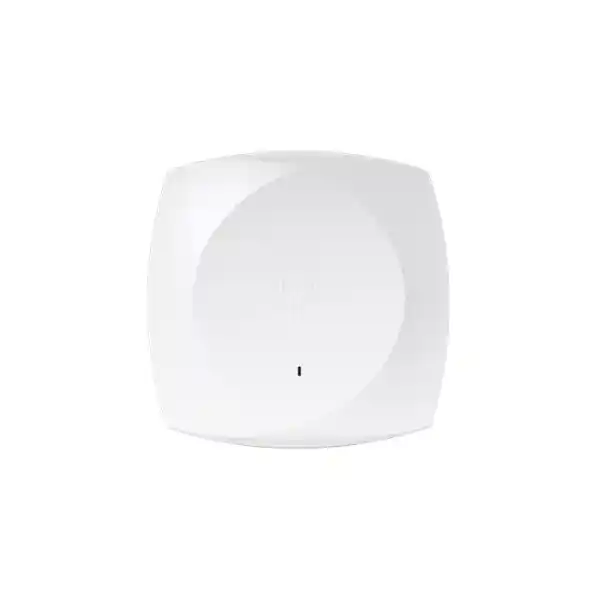
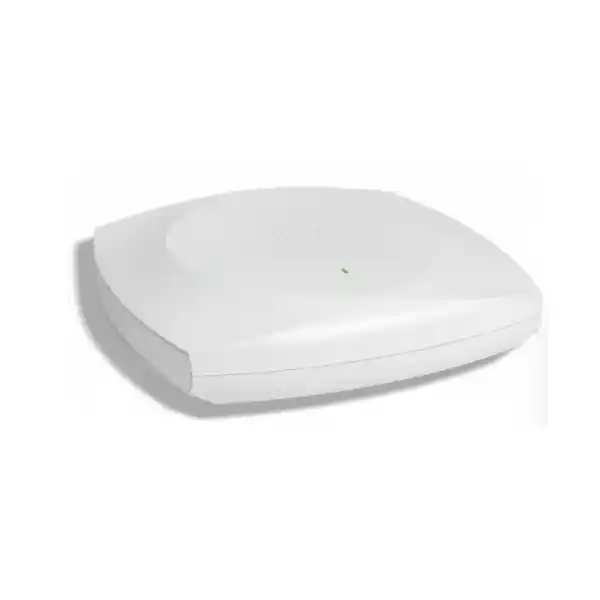
Cisco Wireless CW9176D1 Wi-Fi 7 Directional Access Point
The Cisco Wireless CW9176D1 is designed for organizations that need high-capacity Wi-Fi 7 with more deliberate RF coverage than a conventional omnidirectional ceiling access point can provide. Its integrated directional antenna system concentrates usable energy toward the intended service area, making the model particularly relevant for wall-mounted deployments, long aisles and corridors, auditoriums, warehouses, and high-ceiling spaces where coverage needs to be aimed rather than spread evenly in every direction.
4×4 tri-radio architecture
Integrated directional antennas
10G multigigabit Ethernet
Catalyst or Meraki management
Who should consider the CW9176D1?
Choose the CW9176D1 when the RF design calls for focused indoor coverage and the network must support modern high-density clients, low-latency applications, location services, and a long enterprise lifecycle. It is a strong fit for network teams moving from Wi-Fi 5, Wi-Fi 6, or Wi-Fi 6E to Wi-Fi 7 while retaining Cisco enterprise management, security, assurance, and policy workflows. The model also gives organizations a choice between Cisco Catalyst controller-based management and Cisco Meraki cloud management on the same global-use hardware platform.
It is not automatically the correct AP for every room. Directional antennas are most valuable when there is a defined target area. Open offices that need broad, even ceiling coverage may be better served by an omnidirectional model such as the CW9176I. The best choice should follow an RF survey, client-density estimate, cabling review, power-budget check, and confirmation of which frequency bands and channels are permitted at the final installation location in Tanzania.
CW9176D1 feature snapshot
| Wireless standard | Wi-Fi 7 / IEEE 802.11be, with backward support for earlier Wi-Fi generations as specified by Cisco |
|---|---|
| Client-serving radios | Three 4×4 radios, up to 12 spatial streams; flexible 2.4 GHz + 5 GHz + 6 GHz or 5 GHz + 5 GHz + 6 GHz operation |
| Directional antenna gain | Up to 7 dBi at 2.4 GHz and 8 dBi at 5 GHz and 6 GHz, with integrated directional antenna patterns |
| Wi-Fi 7 capabilities | 4096-QAM, Multi-Link Operation, preamble puncturing, OFDMA enhancements, 320 MHz channels on 6 GHz, Target Wake Time and WPA3 support |
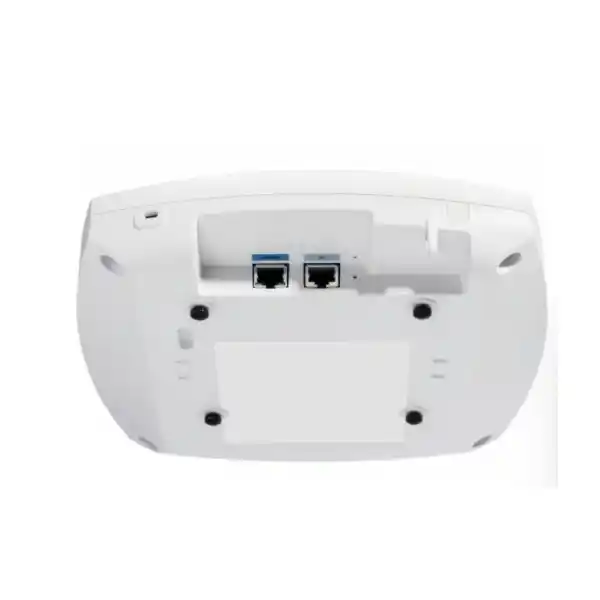
| Wired interface | One RJ-45 multigigabit Ethernet interface supporting up to 10 Gbps |
| Power | 802.3bt recommended for full radio, 10G uplink and USB capability; reduced operation is possible under lower PoE classes according to Cisco power tables |
| Integrated services | Dedicated scanning radio, IoT radio, Bluetooth Low Energy, Ultra-Wideband, GNSS/GPS, USB 2.0 and application-hosting support |
| Management | Cisco Catalyst 9800 infrastructure or Cisco Meraki cloud management, with an appropriate Cisco Networking Subscription |
Why the directional antenna design matters
Most indoor enterprise access points are designed to radiate broadly around the unit. That is useful when the AP is mounted near the center of a room or open office and users are distributed around it. The CW9176D1 takes a different approach. Cisco integrates a directional antenna array intended to project coverage toward a defined area. Cisco lists peak antenna gain of 7 dBi at 2.4 GHz and 8 dBi at both 5 GHz and 6 GHz, with approximately 80 x 80 degree beam width at 2.4 GHz and 70 x 70 degree beam width at 5 GHz and 6 GHz.
This makes placement and orientation important. The AP can be mounted on a wall and aimed along a corridor, toward seating in an auditorium, across a warehouse aisle, or down from a higher mounting point toward the intended client area. Directionality can improve the link budget where a broad omnidirectional pattern would waste energy in directions that do not contain users. It can also help RF designers create more deliberate cell boundaries in spaces where physical layout is predictable.
Directional does not mean “long range without design.” Client devices still have their own transmit-power and antenna limitations, and the return path matters. Walls, racks, glass, machinery, people, shelving, ceiling height, interference, channel width, client mix and mounting angle all affect real performance. A site survey should therefore validate both coverage and capacity. Cisco specifically recommends installation testing in very high-ceiling scenarios and careful validation when APs are placed close enough to create potential RF desensitization or interference.
Wi-Fi 7 performance: what changes in practice
Wi-Fi 7 introduces more than a headline increase in PHY rate. The CW9176D1 supports 4096-QAM, wider 320 MHz channels in the 6 GHz band, Multi-Link Operation, preamble puncturing and enhanced multi-user scheduling. These capabilities are designed to increase efficiency, make better use of available spectrum and reduce latency when compatible clients and appropriate channel conditions are present. The practical benefit is not simply “faster downloads”; it is the ability to engineer wireless capacity for more demanding collaboration, real-time media, dense client populations and applications that are sensitive to delay or jitter.
Multi-Link Operation allows Wi-Fi 7 systems to use multiple links in ways that can improve throughput, resiliency or latency, depending on client and network support. Preamble puncturing can help an AP use portions of a wide channel even when interference affects part of that channel. 4096-QAM can carry more bits per symbol than 1024-QAM, but it requires a strong signal-to-noise ratio, so its benefit is greatest for clients with high-quality RF conditions. 320 MHz channel width provides major theoretical capacity in 6 GHz, but wide channels consume more spectrum and may not be the best choice in every high-density design.
Cisco publishes aggregate theoretical PHY rates for the 9176 platform that can reach roughly 18 Gbps in a 2.4/5/6 GHz configuration and higher in a dual-5/6 GHz configuration. Those are physical-layer figures, not application throughput. Real user speeds depend on client capabilities, channel plan, contention, RF quality, wired uplink, switching, WAN bandwidth and protocol overhead. Buyers should therefore evaluate the CW9176D1 as a capacity and architecture upgrade rather than treating a peak PHY number as a guaranteed user speed.
Tri-radio flexibility for mixed client environments
The CW9176D1 provides three client-serving radios with 4×4 operation and up to four spatial streams per radio. Cisco supports a conventional tri-band mode using 2.4 GHz, 5 GHz and 6 GHz, as well as a dual-5 GHz mode that uses 5 GHz, 5 GHz and 6 GHz. This flexibility is useful because not every organization has the same client mix. A site with scanners, legacy IoT devices or older handhelds may still need 2.4 GHz service, while a modern office or venue with primarily 5 GHz and 6 GHz capable clients may benefit from allocating more radio resources to higher-frequency bands.
The 6 GHz band is especially important to Wi-Fi 6E and Wi-Fi 7 because it can provide additional clean spectrum and wider channels where local regulations permit them. However, enterprises should not assume that every 6 GHz channel, width or power level is available at every location. Cisco’s global-use access point process is designed to establish country-specific regulatory operation during onboarding, and Cisco also states that customers are responsible for confirming country approval. For Tanzania deployments, the RF design and commissioning plan should include a current regulatory check before relying on a specific 6 GHz channel plan.
The flexible radio architecture also helps protect the investment as the client population changes. A deployment may begin with a significant number of 2.4 GHz and 5 GHz devices and later transition toward 5 GHz and 6 GHz. The value is in having options, not in forcing every site into the same configuration. Radio mode, channel width, transmit power and minimum data rates should be chosen as part of a complete RF design.
10 Gigabit multigigabit Ethernet and cabling considerations
High-capacity Wi-Fi 7 can expose bottlenecks on the wired side of the network. The CW9176D1 includes one RJ-45 multigigabit Ethernet interface that can operate at up to 10 Gbps. This allows the AP uplink to move beyond the 1 Gbps limitation common in older wireless designs and gives network architects room to support higher aggregate wireless traffic. The switch port, switch fabric, uplink design and upstream routing must also be capable of carrying the traffic expected from the wireless edge.
Cabling should be reviewed before purchase, especially in brownfield buildings. Cisco notes that Cat6 and Cat6A are appropriate choices when planning for the highest multigigabit rates, while Cat5e may limit the achievable Ethernet speed. Cable length also matters: not every category supports 10 Gbps over the same maximum distance. For a new structured-cabling project, Cat6A is often the simpler way to preserve 10G capability over the full standard horizontal channel distance. For an existing site, cable certification can reveal whether the installed plant can support the intended link rate reliably.
The wired design should be evaluated together with PoE. An access switch may advertise multigigabit ports but still lack the power budget needed to run many high-end APs at full capability. Conversely, a switch may provide sufficient PoE but not 10G access ports. Count the number of APs per switch, the per-port power allocation, total chassis or switch power budget, redundant power requirements, uplink capacity and expected client traffic before finalizing the bill of materials.
Power planning: use 802.3bt for full capability
Power is a critical design point for the CW9176D1. Cisco’s current product data shows that the AP accepts 802.3bt, 802.3at PoE+, and 802.3af PoE, but the available features change with the power source. For full 4×4 operation across the client-serving radios, a 10G multigigabit uplink and USB availability, plan for 802.3bt. Under 802.3at PoE+, Cisco reduces the 2.4 GHz radio to 2×2, limits the wired link to 2.5 Gbps, and disables USB. Standard 802.3af is described for staging or configuration with serving radios disabled rather than normal production service.
This distinction matters during upgrades. A building may have enough Ethernet ports for new APs yet still need access-switch upgrades because older PoE budgets were designed for previous-generation radios. Check not only the nominal PoE standard but also the switch’s actual per-port power capability, total available PoE budget and redundancy behavior. If one power supply fails, the remaining budget should be understood so critical APs do not unexpectedly enter a reduced-power state.
Cisco recommends proper power negotiation using LLDP or Cisco Discovery Protocol. When planning a resilient deployment, document the expected power mode for every AP and verify it after installation. A Wi-Fi 7 AP running in a reduced power state can still be operational, but its radio configuration and uplink may not match the design assumptions used during capacity planning.
Cisco Catalyst or Meraki cloud management
The CW9176D1 is part of Cisco’s global-use Wi-Fi 7 access point strategy. The same hardware platform can be deployed in Cisco Catalyst management mode with Catalyst 9800 wireless controllers or in Cisco Meraki management mode with cloud-based management. This is useful for organizations that standardize on different operational models across sites or want hardware that is not tied to a region-specific regulatory SKU or a single management stack at purchase time.
In a Catalyst environment, the AP can participate in enterprise designs built around Catalyst 9800 controllers and can integrate with components such as Cisco Catalyst Center, Cisco Identity Services Engine and Cisco Spaces where the required software, versions and licenses are in place. Cisco lists IOS XE 17.15.2 as the first supported release for the 9176I and 9176D1 platform, with ongoing feature support documented in Cisco’s wireless feature matrix. The AP itself does not operate as an embedded wireless controller, so controller architecture should be designed accordingly.
In Meraki management mode, the AP can be operated through the Meraki cloud platform for centralized visibility, configuration and operational workflows. The right choice depends on the organization’s existing network architecture, IT operating model, automation requirements, branch strategy and licensing position. Buyers should define the intended management mode before deployment, confirm the associated subscription entitlement and check software compatibility with any existing controllers, dashboards or automation systems.
Cisco’s current ordering guidance states that Wi-Fi 7 access points require a Cisco Networking Subscription for wireless, with Wireless Essentials or Wireless Advantage options. Subscription selection should be treated as part of the solution, not as an afterthought to hardware procurement. The required entitlement depends on the management features, support level and broader Cisco architecture being deployed.
Security and assurance for enterprise wireless
The CW9176D1 supports WPA3 and Cisco enterprise security architecture, but secure wireless depends on more than the radio specification. Organizations should design authentication, segmentation, certificate handling, guest access, device onboarding and administrative controls as part of the deployment. Where Cisco Identity Services Engine is used, policy can be coordinated with identity and device context. In environments using Catalyst Center, wireless telemetry and assurance capabilities can help operations teams investigate client experience and network anomalies.
Cisco also documents hardware-rooted security capabilities for the 9176 family through its Trust Anchor technologies, including image signing, Secure Boot and a Cisco Trust Anchor module. These mechanisms support verification of trusted software and platform authenticity. They do not remove the need for disciplined operational security: software should remain on a supported release, administrator access should use strong identity controls, management traffic should be protected, and configuration changes should be auditable.
The dedicated scanning radio is another important part of the platform. Rather than requiring the primary client-serving radios to spend all of their time on background RF tasks, a dedicated scanning function can improve visibility into the wireless environment. Depending on the selected management stack and licensed features, this can support spectrum analysis, rogue detection, RF management and assurance workflows. Buyers should verify exact feature support against the intended software release because advanced wireless capabilities can evolve over time.
Built-in BLE, UWB, GNSS/GPS and IoT capabilities
Modern enterprise access points increasingly act as more than Wi-Fi radios. The CW9176D1 integrates Bluetooth Low Energy, Ultra-Wideband, GNSS/GPS and a dedicated IoT radio in addition to the client-serving Wi-Fi radios and scanning radio. This architecture can support location-aware and connected-space projects without requiring a completely separate overlay for every use case, provided the required Cisco platform, applications and endpoints are selected.
BLE can be used in location and asset-related workflows, while UWB is designed for higher-precision location use cases with compatible systems. Built-in GNSS/GPS supports geolocation functions and is also part of Cisco’s global-use onboarding approach for determining physical locality and applying appropriate regulatory operation. A built-in accelerometer can help verify physical installation orientation after deployment. These functions are particularly interesting in warehouses, large venues, healthcare, education and industrial environments where connectivity, visibility and asset context may converge on the same network.
The AP also provides USB 2.0 with up to 9 W output when sufficient power is available, and Cisco documents application-hosting and container capabilities for supported edge applications. These features should be planned as part of a solution architecture rather than assumed to work with any arbitrary USB device or application. Compatibility, licensing, supported software versions, power mode and lifecycle management should be checked before the IoT or application-hosting functions become a procurement requirement.
Deployment scenarios where the D1 model stands out
Auditoriums and lecture spaces
Wall or elevated mounting can aim RF energy toward seating areas, helping the designer create focused coverage instead of radiating equally behind the AP.
Warehouses and aisles
Directional patterns can be aligned with long aisles or work zones where shelving and inventory make omnidirectional coverage less predictable.
Long corridors
A wall-mounted AP can project along the corridor, reducing energy wasted into adjacent areas when that matches the RF plan.
High-ceiling environments
The directional array can be aimed toward the client zone from above, but installation testing remains essential because client return-path performance still sets practical limits.
These are not plug-and-play templates. A warehouse with metal racking behaves differently from an auditorium filled with people, and a corridor with concrete walls behaves differently from one with glass partitions. Mounting height, orientation, antenna pattern, expected client position and roaming path all affect the design. Directional coverage can be extremely useful when it is intentional and can be counterproductive when the AP is aimed poorly.
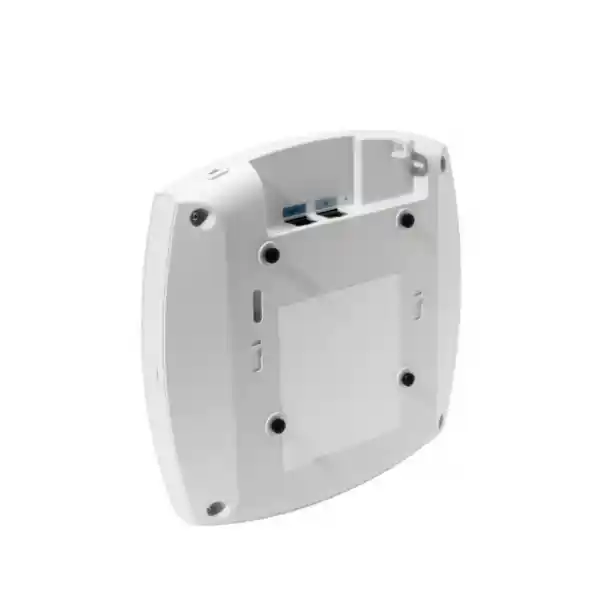
For a new project, map the expected client zones first, then place and orient APs to serve those zones with sufficient signal quality and overlap for roaming. For an upgrade, validate existing AP locations rather than assuming the old mounting points are ideal for a directional model. The CW9176D1 uses the AIR-AP-BRACKET-2 as its default bracket and is primarily designed for wall mounting; suitable articulating hardware can be considered where the deployment requires precise aiming.
Planning a Tanzania deployment
For organizations in Tanzania, the safest procurement process is to treat the CW9176D1 as one part of a complete wireless solution. Start with the intended coverage areas, client count, applications and roaming requirements. Then confirm access-switch capacity, PoE budget, cabling category, controller or cloud-management architecture, subscription licensing and regulatory eligibility. This avoids a common problem in wireless upgrades: buying a high-performance AP while leaving older switching, power or cabling as the limiting factor.
The product is described by Cisco as a global-use access point, but “global use” should not be interpreted as permission to operate every radio setting in every country without verification. Cisco’s ordering documentation explicitly advises customers to confirm approval for their country. During installation, the AP uses Cisco’s global-use onboarding methods to establish locality and appropriate regulatory operation. A project plan should therefore confirm current country support and allowed frequency use before the final channel plan is approved, especially for 6 GHz.
Environmental conditions should also be checked. Cisco specifies indoor operation, an operating temperature range of 0°C to 50°C and 10% to 90% non-condensing humidity for the 9176 platform. A warehouse, ceiling void or industrial building can have temperatures and dust conditions that differ significantly from an office. The CW9176D1 should be installed only within its documented environmental and mounting requirements, with appropriate structured cabling and power infrastructure.
FourTeck Tanzania can use the project requirements to help define the correct AP quantity, management model and supporting network components through the quotation process. Final availability, lead time, warranty terms, subscriptions and any local compliance requirements should be confirmed on the actual quote rather than assumed from a generic product page.
Migration from Wi-Fi 6 or Wi-Fi 6E
A Wi-Fi 7 refresh should begin with business and RF requirements rather than a one-for-one hardware replacement. Existing AP density may have been chosen for an older client mix, narrower channels, different antenna patterns and 1 Gbps uplinks. Reusing the same locations can be appropriate in some offices, but a directional model such as the CW9176D1 is often selected precisely because the physical coverage problem calls for a different pattern. Audit current dead zones, congestion areas, roaming failures and cabling constraints before deciding how many APs are needed.
Client readiness matters as well. Wi-Fi 7 benefits appear progressively as compatible endpoints enter the environment. Older Wi-Fi 6 and Wi-Fi 5 clients can still connect using supported legacy standards, but they will not gain every new feature. During a transition period, the network must serve a mixed population efficiently. This is one reason channel planning, minimum data rates, band steering and radio mode choices remain important even when the AP itself has very high peak capacity.
The wired upgrade path should be staged together with the wireless refresh. If the existing access switch supports only 1 Gbps Ethernet and standard PoE, the AP cannot deliver its full design envelope. Some organizations may deploy the AP first in a reduced mode and upgrade switching later, but that should be an intentional phased plan with documented limitations. For projects that require full capability from day one, provide 802.3bt power and a multigigabit switch port, and validate the horizontal cabling for the target rate.
Finally, review the management and license migration. Catalyst environments need compatible Catalyst 9800 software and associated architecture; Meraki environments need the appropriate cloud management and subscription setup. Software versions, feature support and subscriptions should be verified as part of the change plan so hardware installation does not get ahead of controller readiness.
Capacity planning: client count is not the same as user experience
Cisco’s deployment documentation lists a platform scale of up to 1,200 clients, with up to 400 clients per serving radio. That figure is useful as a platform limit, but it should never be interpreted as a recommended design target for every deployment. A satisfactory client count depends on what those clients are doing. Hundreds of mostly idle phones create a very different load from hundreds of laptops running video collaboration, cloud desktops, large file transfers or real-time applications.
Capacity planning should translate business activity into airtime demand. Estimate active clients per AP, expected throughput, application mix, channel width, protocol generation and simultaneous usage. In an auditorium, for example, a large number of devices may associate at once even if only a fraction transmit heavily. In a warehouse, handheld scanners may use modest bandwidth but require consistent roaming and predictable latency. In a corridor, the design may be driven more by mobility and cell overlap than by peak throughput.
Wi-Fi is a shared medium, so adding a more powerful AP does not eliminate contention. Good design distributes clients across appropriate radios and channels, avoids oversized cells, limits co-channel interference and provides enough AP density for the expected traffic. Directional antennas can help shape the cell, but the RF plan still needs a balanced combination of coverage, capacity and roaming. Post-deployment validation should include client experience measurements rather than only a signal-strength heat map.
What to verify before ordering
- Coverage objective: confirm that a directional AP is appropriate for the target area and mounting position.
- Management mode: decide whether the deployment will use Cisco Catalyst 9800 infrastructure or Cisco Meraki cloud management.
- Software compatibility: verify controller, dashboard and feature support for the intended release.
- Subscription: select the appropriate Cisco Networking Subscription and entitlement level for the required features.
- PoE capability: use 802.3bt where full 4×4 radio, 10G uplink and USB capability are required.
- Switching: confirm multigigabit access ports, aggregate switch capacity, uplinks and PoE budget.
- Cabling: validate installed copper or specify cabling suitable for the desired multigigabit rate and distance.
- Regulatory operation: confirm current country approval and permitted 6 GHz operation for the final Tanzania location.
- Mounting: plan wall or aimed installation with the correct bracket and physical clearance.
- RF survey: validate antenna orientation, channel plan, transmit power, coverage, roaming and expected client capacity on site.
CW9176D1 versus an omnidirectional enterprise AP
The most important difference is not Wi-Fi generation; it is antenna behavior. An omnidirectional AP is typically chosen when users surround the AP and the installation can place it near the center of the service area. A directional AP is chosen when users are primarily in front of the AP or when the RF designer wants to project coverage in a controlled direction. The CW9176D1 therefore solves a different physical problem from the CW9176I even though both are based on the same high-performance 9176 platform.
In a conventional office with standard ceiling heights and evenly distributed desks, the omnidirectional model may be simpler. In a warehouse aisle, auditorium, long hall, tall atrium or wall-mounted requirement, the D1 can provide a more useful pattern. The selection should be made on a floor plan and validated with predictive and on-site RF work. Choosing the D1 only because its antenna gain number is higher can lead to poor coverage if the beam is not aligned with the user area.
The management, subscription, Wi-Fi 7 feature set, multigigabit connectivity and integrated platform services remain broadly aligned within the 9176 family. That makes antenna pattern and installation geometry the primary decision point between these two models. A mixed design is also possible: omnidirectional APs in open offices and directional APs in corridors, auditoriums or special coverage zones.
Frequently asked questions
Is the Cisco CW9176D1 a Wi-Fi 7 access point?
Yes. It is an IEEE 802.11be Wi-Fi 7 enterprise access point. Cisco lists capabilities including 4096-QAM, Multi-Link Operation, preamble puncturing and up to 320 MHz channel width in 6 GHz, subject to client support, configuration and local regulatory availability.
What is special about the D1 version?
The D1 uses integrated directional antennas. Cisco positions it for focused coverage scenarios such as auditoriums, warehouses, long hallways and high-ceiling areas. It is primarily designed for wall mounting or other installations where the antenna pattern can be aimed toward the client zone.
Does it have a 10G Ethernet port?
Yes. Cisco specifies one RJ-45 100M/1G/2.5G/5G/10G multigigabit Ethernet interface. Full 10G link capability depends on sufficient PoE and appropriate switching and cabling.
Can it run on PoE+?
Yes, but with reduced capability. Under 802.3at PoE+, Cisco documents reduced 2.4 GHz spatial streams, a 2.5G wired link and disabled USB. For full radio capability, 10G uplink and USB, plan for 802.3bt.
Can the same AP be managed by Catalyst or Meraki?
The 9176 platform is a Cisco global-use access point designed to support either Catalyst controller-based or Meraki cloud management. The intended mode, software compatibility and subscription should be confirmed as part of the deployment design.
Does it require a license or subscription?
Cisco states that its Wi-Fi 7 access points, including the 9176 Series, require a Cisco Networking Subscription for wireless. Wireless Essentials and Wireless Advantage are the current subscription tiers referenced in Cisco product documentation.
Can I use 6 GHz in Tanzania?
The hardware supports 6 GHz, but the exact channels, widths and permitted operation depend on country approval and current regulation. Cisco advises customers to verify country approval for global-use access points. Confirm current Tanzania requirements during solution design and commissioning rather than assuming all 6 GHz options are available.
Is it suitable for outdoor installation?
The CW9176D1 is an indoor access point. Outdoor, exposed or harsh-environment deployments should use hardware specifically designed and rated for those conditions.
How many clients can it support?
Cisco lists a platform scale of up to 1,200 clients, with up to 400 clients per serving radio. This is a technical scale figure, not a recommended design target. Real capacity should be based on active-client load, applications, RF conditions and experience requirements.
Request a CW9176D1 solution quote for Tanzania
For an accurate quotation, provide the site type, approximate floor area, expected number of users and devices, key applications, existing switch model, available PoE standard, current wireless controller or cloud-management preference, and whether the APs will be mounted on walls, corridors, warehouse aisles or high ceilings. These details help determine whether the CW9176D1 is the right antenna pattern and what supporting switching, licensing, cabling and mounting components should be included.
Pricing, stock, lead time, subscription terms, warranty, country approval and final bill of materials should be confirmed in the current FourTeck Tanzania quotation. A professional RF design is recommended for high-density, directional or mission-critical deployments.




Reviews
There are no reviews yet.