
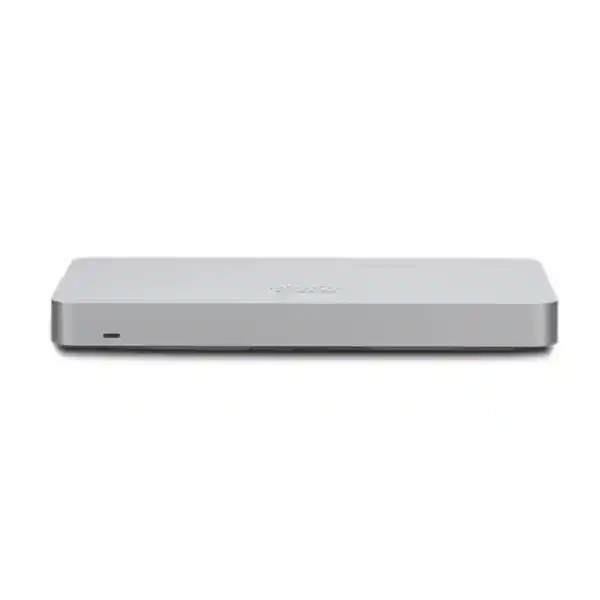
Cisco Meraki MX68
Cisco Meraki MX68 is a compact cloud-managed security and SD-WAN appliance built for small branch environments that need centralized control, secure internet access, VPN connectivity and straightforward multi-site administration. Cisco currently positions the MX68 for branches of up to 50 users, with two dedicated Gigabit Ethernet WAN interfaces, ten Gigabit Ethernet LAN interfaces and two PoE+ LAN ports. Current Cisco documentation lists 700 Mbps stateful firewall throughput for the MX68. For organizations in Tanzania, the practical value is not only the hardware specification: the Meraki Dashboard provides centralized configuration, monitoring, firmware management, application visibility and policy administration across distributed locations.
FourTeck Tanzania can assist procurement teams and IT managers with model suitability, Meraki licensing selection, network integration, branch design, WAN redundancy planning and quotation preparation. A correct MX68 purchase should be based on user count, internet speed, enabled security services, VPN requirements, branch topology, PoE needs and expected growth rather than on a single throughput number.
What is the Cisco Meraki MX68?
The Cisco Meraki MX68 is part of the Meraki MX family of cloud-managed security and SD-WAN appliances. It is aimed at small branches that need a compact edge device with integrated routing, firewall, VPN, WAN failover and centralized management. Cisco describes the MX family as multifunction security and SD-WAN appliances that can connect branch sites securely to headquarters, data centers, cloud environments and other branches while giving administrators one web-based management plane.
For a small office, retail branch, clinic, professional-services office, school administration site, warehouse office or distributed enterprise branch, the MX68 can simplify the edge architecture by combining functions that might otherwise require separate routing, firewall and SD-WAN devices. The appliance can use its two dedicated WAN interfaces for dual-internet designs and supports automatic WAN failover and load-balancing functions available through the Meraki platform. Its ten Gigabit LAN interfaces include two PoE+ ports, which can be useful when a small site needs to power compatible downstream devices without immediately adding a separate PoE switch.
The MX68 should still be treated as an engineered network component rather than a plug-and-forget box. Internet speed, encrypted traffic, security inspection, branch-to-branch VPN, user count, cloud application use and growth all affect sizing. Organizations that already operate Cisco Meraki switches, access points, cameras or Systems Manager may also value the operational consistency of a shared Dashboard. Buyers evaluating the appliance through the FourTeck Tanzania technology shop can discuss how the MX68 fits with switching, wireless, voice, CCTV and server infrastructure before finalizing a bill of materials.
Cisco Meraki MX68 verified specifications
| Recommended deployment | Small branch, up to 50 users |
| Stateful firewall throughput | 700 Mbps in current Cisco documentation |
| WAN interfaces | 2 × dedicated Gigabit Ethernet RJ45 |
| LAN interfaces | 10 × Gigabit Ethernet RJ45, including 2 × PoE+ |
| Management | Cisco Meraki Dashboard cloud management |
| Core functions | Firewall, SD-WAN, Auto VPN, VLAN/DHCP, traffic shaping, WAN failover and centralized monitoring |
| License families | Enterprise, Advanced Security and Secure SD-WAN Plus under relevant Meraki licensing models |
Cisco has revised published performance figures over the product lifecycle, which is why older reseller pages may show lower firewall values. Procurement teams should use current Cisco documentation and the intended firmware/license configuration when comparing the MX68 with alternative models.
Cloud-managed operations
Administrators can configure and monitor the MX68 through the Meraki Dashboard, reducing dependence on local command-line administration. This is especially useful for organizations with many small branches because templates, policy standards and visibility can be coordinated centrally.
Dual-WAN branch resilience
Two dedicated Gigabit WAN interfaces allow the appliance to participate in dual-internet designs. The value is greatest when the two circuits are genuinely independent and the failover policy, DNS behavior, VPN paths and application priorities are tested under realistic conditions.
Branch security and VPN
The MX platform supports Layer 3/Layer 7 firewalling, site-to-site Meraki Auto VPN, IPsec connectivity and client-VPN options. Advanced threat services depend on the selected license edition and current Meraki feature support, so licensing should be reviewed before ordering.
Cisco Meraki MX68 licensing: plan the license with the hardware
A Cisco Meraki MX appliance requires an appropriate Meraki cloud license for management and operation. Cisco documents Enterprise, Advanced Security and Secure SD-WAN Plus as MX licensing choices in its co-termination framework, while subscription licensing uses its own tier terminology. The correct option depends on the features your organization needs and on the licensing model already used in the Meraki Dashboard organization.
Suitable when the priority is core firewall, secure connectivity, Auto VPN and essential SD-WAN capabilities.
Adds the broader unified threat-management feature set documented by Cisco, including advanced security services where supported.
Adds advanced SD-WAN and analytics capabilities on top of the Advanced Security feature set for organizations with application-experience and WAN-visibility requirements.
Licensing should be checked at organization level, not only device level, because some Meraki licensing models apply edition consistency rules across an organization. When requesting a quotation, specify whether this is a new Meraki deployment or an addition to an existing Dashboard organization, the required term, the current license edition, and whether the new MX68 will participate in Auto VPN, security inspection, remote access or advanced SD-WAN analytics.
Where the MX68 fits in a small-branch architecture
The MX68 works best when its role is clear. It can sit at the branch edge between one or two internet services and the internal network, enforce security policies, terminate VPN connectivity and steer traffic across available WAN paths. Downstream, it can connect directly to a few devices or to managed switches when more ports, more PoE capacity, fiber uplinks, redundancy or a larger access layer are required. Wireless access points can then provide staff and guest connectivity with VLANs mapped back to the MX security policy.
For voice, CCTV and business applications, segmentation should be designed before deployment. A branch may use separate VLANs for corporate users, guest Wi-Fi, IP phones, cameras and infrastructure management. The MX68 can provide DHCP and routing functions in many small designs, while access switches handle endpoint connectivity. The exact topology depends on whether the site has local servers, cloud applications, a central data center, SaaS-heavy traffic or direct internet breakout.
If the project includes additional switching, Wi-Fi or structured cabling, review the FourTeck Tanzania networking and security services. The objective is to avoid buying a firewall in isolation when the real bottleneck may be an undersized switch, weak wireless design, poor cabling, insufficient UPS capacity or an internet service that does not match the applications.
Cisco Meraki MX68 Tanzania
For organizations evaluating Cisco Meraki MX68 in Tanzania, the most important question is whether the appliance matches the real branch profile. Cisco currently recommends the MX68 for a small branch with up to 50 users and documents dual Gigabit WAN, ten Gigabit LAN interfaces including two PoE+ ports, and 700 Mbps stateful firewall throughput. Those numbers are useful starting points, but a Tanzania deployment should also account for the quality and redundancy of available internet circuits, cloud-service dependence, VPN traffic, remote management requirements, inspection features and future growth. A site with 25 users running ERP, cloud backup, Teams or Zoom, IP telephony and frequent large transfers can place different demands on a firewall than a 45-user office with lighter applications.
Dual-WAN capability is particularly relevant for businesses that cannot tolerate a complete site outage when one provider fails. Two circuits can be connected to the MX68, but resilience depends on more than plugging in a second cable. The secondary service should be independently routed where practical, failover behavior should be tested, critical SaaS and VPN applications should be observed during path changes, and any public IP dependencies should be documented. Meraki Dashboard monitoring can help a central IT team observe uplink state and branch health without being physically present at every location.
For Tanzanian procurement teams, licensing must be budgeted with the hardware. The MX68 uses Meraki cloud licensing, and the appropriate edition should be selected according to required security and SD-WAN functions. If the organization already has Meraki equipment, check the existing Dashboard licensing model and organization-level edition before purchasing. If this is a new deployment, define the desired license term and security requirements from the beginning. FourTeck Tanzania can help structure the requirement around user count, bandwidth, number of sites, VPN topology, VLANs, PoE endpoints, wireless integration and support expectations. The FourTeck Tanzania business technology portfolio also covers related switching, Wi-Fi, cabling and power considerations that can affect a successful MX68 rollout.
Cisco Meraki MX68 Dar es Salaam
A Cisco Meraki MX68 deployment in Dar es Salaam is often most relevant to branch offices, retail locations, professional-service firms, logistics operations, clinics, education sites and organizations that want one centrally managed network edge across several premises. In a city environment where businesses may have a choice of connectivity providers, the two dedicated WAN interfaces give network designers the option to build a primary-and-secondary internet architecture. That can be useful when cloud applications, payment systems, communications platforms or remote access are important to daily operations. The key design task is to verify that the combined internet speed and enabled security services fit the MX68 performance envelope rather than assuming that a small physical appliance is automatically suitable for every small office.
Dar es Salaam sites also frequently combine many IP-based systems on the same local network: computers, printers, Wi-Fi, IP phones, cameras, access control and meeting-room devices. The MX68 can provide security and segmentation at the edge, while managed switching creates VLAN boundaries and supplies PoE where required. Its two integrated PoE+ LAN ports can be convenient for a very compact branch, but they should not be confused with the larger PoE budget of a dedicated access switch. If the site has many phones, cameras or access points, use a properly sized PoE switch and treat the MX68 as the security and SD-WAN control point.
Before requesting a Dar es Salaam quotation, document the internet services, expected number of users and devices, required VPN connections, existing switch and Wi-Fi models, desired Meraki license edition, rack or wall-mount location, UPS protection and any migration constraints. A business replacing an existing firewall should also identify its current VLANs, DHCP scopes, public IP rules, port forwarding, VPN peers and remote-access users so the cutover can be planned. Meraki’s centralized management can simplify ongoing administration after deployment, but a clean implementation still depends on correct discovery and documentation at the start.
Cisco Meraki MX68 Mwanza
For a Cisco Meraki MX68 project in Mwanza, branch manageability and WAN resilience may be more valuable than raw firewall throughput alone. Organizations with headquarters elsewhere can use the Meraki Dashboard to apply configuration, monitor uplinks and review network health without relying on continuous on-site administration. This is useful for a branch that needs secure connectivity to central applications, cloud services or other company locations. Meraki Auto VPN can simplify site-to-site connectivity between supported Meraki networks, while standard IPsec options can be considered when the branch must connect to non-Meraki peers.
The branch design should consider what happens when connectivity changes. If the site uses two internet providers, confirm how the MX68 will prefer, balance or fail over between links, and test business-critical applications across both paths. Some cloud sessions recover cleanly after failover; others may need to reconnect because the public source address changes. For remote access, administrators should verify the current supported VPN approach and authentication requirements rather than copying settings from an older firewall. For site-to-site traffic, define which local subnets should traverse the VPN and which applications should use direct internet breakout.
Mwanza procurement should also consider local infrastructure around the appliance. Network security devices need stable power, ventilation and documented cabling. A UPS can help reduce abrupt shutdowns during short interruptions, while clean patching makes WAN and LAN troubleshooting much easier. If the branch includes cameras or IP phones, calculate PoE demand separately and use suitable managed switching where the two PoE+ ports on the MX68 are not enough. When preparing a bill of materials, include the correct Meraki license term, any required switch or access-point hardware, patch leads, rack accessories and power protection. The result should be a complete branch design rather than a hardware-only purchase that leaves important dependencies unresolved.
Cisco Meraki MX68 Arusha
Cisco Meraki MX68 in Arusha can suit organizations that operate a compact business site but still need enterprise-style policy control, VPN and remote visibility. Hospitality administration offices, tourism companies, professional services, education, non-profit operations and distributed enterprises may all benefit from a cloud-managed security appliance when local IT resources are limited or centralized. The Meraki model is particularly useful when the same IT team manages several locations because network status, client activity, firewall rules and uplink information can be reviewed through a common Dashboard.
For Arusha deployments, network segmentation is worth planning early. Guest wireless, staff devices, IP cameras, voice endpoints and building systems should not automatically share one flat network. VLANs and firewall policies can separate traffic according to trust and operational need. A guest network can be restricted to internet access, cameras can be isolated from general user devices, and management interfaces can be limited to administrators. These controls work best when the switch and wireless design support the same segmentation strategy. The MX68 can be the policy anchor, but it does not remove the need for properly managed access infrastructure.
Cloud-managed equipment also needs dependable internet access for management, and branch applications may depend on DNS, SaaS services and remote authentication. If the site needs resilience, use the dual-WAN capability with two suitable circuits and test failover before the network is considered complete. When assessing whether the MX68 is large enough, review not only the number of employees but the total client count, internet bandwidth, VPN usage and security inspection. Cisco’s recommendation of up to 50 users is a useful guide, not a substitute for traffic analysis. A quotation request should therefore include branch purpose, user/device count, primary and backup WAN details, current network diagram if available, expected security features and the preferred Meraki licensing term.
Cisco Meraki MX68 Dodoma
Organizations looking for Cisco Meraki MX68 in Dodoma may be planning a government-facing office, professional branch, education site, project office, NGO location or commercial operation that needs secure and manageable connectivity. The MX68 is designed for small branches and can centralize firewall, routing, VPN and SD-WAN functions in a compact appliance. Because configuration is managed through the Meraki cloud, central administrators can maintain a consistent branch standard without treating every remote site as an independent firewall project.
A good Dodoma design begins with application priorities. Identify which services must remain available if the primary internet link fails, which traffic goes to cloud applications, which systems use site-to-site VPN, and whether voice or video needs traffic prioritization. Dual WAN provides the physical foundation for resilience, while traffic shaping and SD-WAN policies can help align network behavior with application importance. The actual design should be tested with both WAN links under load because latency, packet loss and upstream provider routing can have more impact on user experience than nominal link speed.
Security policy should also reflect the branch role. A site with sensitive internal applications may require stricter segmentation and remote-access controls than a small sales office. Advanced threat services depend on the Meraki licensing tier, so procurement must avoid assuming that every advertised security function is included with every license. If Advanced Security or Secure SD-WAN Plus functions are needed, specify that requirement in the quotation. Hardware, license term, configuration scope, VPN migration, VLAN design and any switching or wireless dependencies should be itemized clearly. This approach makes approval easier for finance and procurement teams and reduces the chance that a license or accessory is discovered only after the appliance has been ordered.
Cisco Meraki MX68 UAE
Cisco Meraki MX68 in the UAE is relevant to small corporate branches, retail sites, clinics, professional offices, hospitality locations and distributed organizations that want centralized security and SD-WAN management. The appliance can serve as the branch edge with two Gigabit WAN links and ten Gigabit LAN ports, allowing a compact site to combine secure internet access, VPN connectivity and local endpoint connections. Organizations that already have a regional IT team in the UAE may value the Meraki Dashboard because the same team can administer branches in multiple countries from one management plane.
For a UAE branch, the procurement discussion often includes internet diversity, cloud applications, voice/video, remote access and compliance with internal corporate security standards. Two WAN connections can be used to improve availability, but the WAN architecture should be designed around provider independence and tested failover rather than simply ordering two circuits. If the organization uses Microsoft 365, Google Workspace, cloud ERP, hosted contact-center services or public-cloud workloads, application visibility and SD-WAN policy can help the network team understand how those services behave across available paths. Secure SD-WAN Plus may be relevant when the organization needs the additional analytics and application-experience features documented by Cisco.
When a UAE headquarters is standardizing branches in East Africa, using the same Meraki platform can reduce configuration differences and make support procedures repeatable. Templates, VPN design, VLAN naming and monitoring practices can be standardized while each branch still receives the WAN circuits and local access infrastructure appropriate to its site. FourTeck’s UAE technology operation at FourTeck UAE can provide regional context for organizations coordinating technology across the UAE and Tanzania, while the Tanzania team can align the local branch requirement with the wider design.
Cisco Meraki MX68 Uganda
Cisco Meraki MX68 in Uganda can be a practical fit for small branches that need central management, secure connectivity and a repeatable architecture across several sites. A distributed organization may use the MX68 to protect local internet access, create VPN connectivity back to a regional hub and apply common firewall policies. Because the platform is cloud managed, technical teams can monitor branches without requiring an administrator to be physically present at each location for routine configuration changes.
For Uganda, the WAN design should be matched to local connectivity available at each site. A Kampala office may have different provider options from a branch in another city, so the same security appliance can be used with different internet services while maintaining consistent policy. Where business continuity matters, the MX68’s two dedicated WAN interfaces support dual-link designs. The implementation should document which link is primary, whether load balancing is appropriate, what should happen to VPN traffic during failover, and which applications have fixed public-IP dependencies.
Organizations that already use Meraki at headquarters can often simplify branch VPN rollout through Auto VPN. New deployments should still define addressing, VLANs and route ownership carefully to avoid overlapping subnets across branches. Licensing is another core requirement: each Meraki hardware component needs suitable cloud licensing, and the MX license edition should be selected according to security and SD-WAN needs. Businesses coordinating projects across East Africa can also review the FourTeck Uganda IT solutions site for related network requirements. A complete quotation should list the appliance, license term, implementation scope and any switches, access points, cabling or UPS equipment needed to make the branch deployment operational.
Cisco Meraki MX68 Kampala
A Cisco Meraki MX68 deployment in Kampala is well suited to organizations that want a centrally administered branch edge without building a large on-site networking stack. The device’s two WAN ports, ten LAN ports and cloud management can support compact offices that use cloud applications, VPN, business Wi-Fi, IP telephony and other IP-based services. Administrators can use the Meraki Dashboard to review connected clients, traffic behavior and uplink status, which is particularly valuable when a central IT team is responsible for several offices.
Sizing should be based on traffic rather than employee count alone. A small Kampala branch running continuous cloud backup, video meetings, voice, ERP and site-to-site VPN may need more headroom than another office with the same number of staff. Cisco’s up-to-50-user recommendation provides a planning reference, while the documented 700 Mbps stateful firewall throughput indicates the platform’s raw firewall capability under current specifications. Security services, encryption and real application patterns can affect usable performance, so the intended features must be considered in the design.
Kampala branches can also benefit from structured segmentation. Staff, guest Wi-Fi, voice devices, cameras and management interfaces can be placed into separate VLANs with controlled communication between them. The MX68 can enforce policy at the edge, while managed switches and access points extend those networks to endpoints. If the site requires many PoE devices, a dedicated PoE switch is usually more appropriate than relying only on the appliance’s two PoE+ ports. Before migration, capture existing public IP settings, DHCP scopes, static routes, VPN peers and port-forwarding rules. This prevents configuration gaps during cutover and gives the support team a clean record for future troubleshooting.
Cisco Meraki MX68 Arua
Cisco Meraki MX68 in Arua can support a small branch where remote manageability is an important operational requirement. When a site is geographically distant from the main IT team, a cloud-managed appliance can reduce the number of routine tasks that require local specialist access. Initial cabling, WAN service and physical installation still need on-site attention, but policy updates, monitoring and much of the ongoing administration can be handled through the Meraki Dashboard after the appliance is online.
Connectivity planning is critical. If a branch depends on one internet service, the firewall cannot create resilience that the upstream service does not provide. The MX68’s dual WAN capability allows a second circuit to be incorporated, but the business should decide what level of continuity is required and whether the backup provider is truly independent. For a remote branch, even a slower secondary link may be useful if it keeps essential applications and VPN traffic available during a primary outage. Traffic shaping can prioritize critical business applications so that constrained backup bandwidth is used more effectively.
Arua deployment planning should include power and environmental conditions as well. The firewall and supporting switch, access points and ISP equipment should be protected by appropriate power conditioning or UPS where interruptions are a concern. Equipment should be installed in a secure, ventilated location with labeled WAN and LAN connections. If the branch has cameras, voice or access-control devices, the network should separate them logically and size PoE capacity correctly. The MX68 provides two PoE+ LAN ports, but a dedicated PoE switch becomes important as endpoint count grows. Procurement should include the correct Meraki cloud license and document who will own Dashboard administration, firmware policy, incident monitoring and configuration changes after handover.
Cisco Meraki MX68 Mbarara
Cisco Meraki MX68 in Mbarara can be considered for a branch office, education site, healthcare administration location, retail operation or regional business site that needs secure internet access and connection to a wider organization. Its strength is the combination of compact hardware and centralized Meraki cloud management. A central administrator can maintain firewall policies, VPN settings and branch visibility in the same environment used for other Meraki devices, which can help organizations standardize operations across multiple branches.
A branch security design should start with the data flows. Determine which users need access to headquarters, which applications go directly to the internet, whether cloud services are business critical, whether remote users connect into the branch, and what systems should be isolated from ordinary user devices. This information guides VLAN and firewall policy. For example, guest wireless can be internet-only, camera networks can be prevented from reaching staff devices, and administrative management can be restricted. The MX68 can enforce these policies while downstream managed switches and access points carry the correct VLANs to endpoints.
WAN redundancy should be evaluated according to operational impact. Two providers can be connected to the MX68, but backup design should also consider provider routing, public addresses, VPN behavior and application sessions. It is useful to test a real outage rather than assume failover will be transparent to every service. If the site operates on limited backup bandwidth, application prioritization and traffic shaping can preserve essential services. When requesting a quotation for Mbarara, include the primary and backup internet speeds, number of users and devices, VPN sites, security features, license term, switch and Wi-Fi environment, and whether the project includes migration from another firewall. A complete scope reduces ambiguity and makes deployment planning more predictable.
Cisco Meraki MX68 Gulu
Cisco Meraki MX68 in Gulu is a strong candidate where a small branch needs secure connectivity but does not have a large local IT team. Meraki’s cloud-managed model allows configuration and monitoring to remain centralized, while the physical appliance provides firewall, WAN, VPN and local network connectivity at the site. For organizations running several regional branches, this can reduce configuration drift because policies, naming conventions and monitoring practices can be standardized across locations.
The branch should be designed around the number of devices, not just the number of employees. A Gulu office might have 20 staff but 50 or more networked clients once phones, access points, cameras, printers and other devices are counted. Cisco’s sizing guidance should therefore be interpreted alongside total device count and traffic demand. If many PoE endpoints are used, the two PoE+ LAN ports on the MX68 may cover only a small subset, so the switching design must include enough PoE capacity and spare ports for expansion.
Remote support becomes easier when the network is documented. WAN provider details, public IP assignments, VLAN subnets, switch uplinks, Wi-Fi SSIDs, VPN peers and administrative ownership should all be recorded. A branch outage can otherwise become difficult to diagnose remotely even with cloud visibility. Dual WAN can improve continuity when two suitable internet services are available, but test the backup path and ensure that critical systems work as expected after an IP or route change. Licensing should be treated as part of the solution cost from the beginning. The desired Meraki edition and term should be quoted together with hardware so the branch is delivered with the management and security features required for production use.
Cisco Meraki MX68 Kenya
Cisco Meraki MX68 in Kenya is relevant to small branches seeking standardized firewall and SD-WAN operations. Current Cisco documentation positions the MX68 for up to 50 users with 700 Mbps stateful firewall throughput, two dedicated Gigabit WAN ports and ten Gigabit LAN ports including two PoE+ connections. These specifications make it suitable for many compact business sites, but the correct model must still be validated against security inspection, VPN traffic, cloud usage and expected growth. Older reseller listings sometimes show earlier performance figures, so buyers should base sizing decisions on current Cisco material rather than copied historical specifications.
A Nairobi or regional Kenya branch can use dual WAN for internet continuity and Meraki Auto VPN for simplified site-to-site connectivity when the wider organization also uses compatible Meraki MX infrastructure. For a mixed-vendor environment, IPsec options may be required instead. The branch IP plan should avoid overlapping subnets, especially when multiple countries are being connected through VPN. Consistent addressing, VLAN naming and configuration templates can make troubleshooting much easier when IT teams manage sites across Kenya, Tanzania, Uganda and other markets.
Procurement should include the cloud license, not just the appliance. Decide whether the use case needs core Enterprise functionality, the broader security capabilities of Advanced Security, or the additional SD-WAN/analytics functionality of Secure SD-WAN Plus under the applicable licensing model. Organizations coordinating regional projects can review FourTeck Kenya networking and firewall solutions for country-specific requirements. A quotation request should state user count, internet bandwidth, primary and secondary WAN services, VPN sites, license term, expected security functions and whether switching, wireless or cabling is part of the same project.
Cisco Meraki MX68 Kuwait
Cisco Meraki MX68 in Kuwait can support small branches that need a centrally managed edge for secure internet connectivity and SD-WAN. The appliance is particularly useful for organizations that operate multiple locations and prefer to administer them through one cloud platform. Two dedicated Gigabit WAN interfaces provide options for resilient internet designs, while ten Gigabit LAN interfaces offer direct connectivity for a compact branch or uplinks to a larger managed switching environment.
A Kuwait deployment should be planned around cloud and branch application behavior. If the site uses SaaS platforms heavily, internet reliability and latency may matter more than internal routing complexity. If the site connects to a headquarters or data center, VPN throughput and path quality become more important. If users work remotely, the selected remote-access method, identity controls and license requirements should be confirmed before deployment. Meraki’s Dashboard can help administrators monitor uplink health and application traffic, but a strong operational design also needs clear escalation procedures for ISP faults and local power issues.
For buyers comparing firewalls, avoid selecting solely on the nominal internet service speed. Security inspection, encrypted traffic and future bandwidth upgrades can affect model suitability. The MX68 may be appropriate for a small office today but should not be forced into a larger role if the branch is expected to grow beyond the intended user and traffic profile. Licensing should also align with the organization’s existing Meraki environment. If the company already has an MX organization, check the current edition and licensing model before adding another appliance. A well-prepared request for quotation should include the exact MX68 hardware requirement, license edition and term, any implementation or migration work, desired VPN topology and the downstream switching or Wi-Fi environment.
Cisco Meraki MX68 Ghana
Cisco Meraki MX68 in Ghana can be evaluated by small businesses, branch offices and distributed enterprises that need centralized security and SD-WAN management. The platform combines cloud administration with a compact branch appliance, making it useful when IT teams need visibility across multiple locations. Current Cisco information lists two dedicated Gigabit WAN ports, ten Gigabit LAN ports, two PoE+ LAN ports and 700 Mbps stateful firewall throughput for the MX68, with a recommended small-branch profile of up to 50 users.
For a Ghana deployment, network resilience should be tied to the actual business process. A second internet service is most valuable when the branch has cloud applications, payment systems, communications or remote operations that cannot wait for a primary ISP fault to be resolved. The MX68 can use two WAN interfaces, but the secondary path should be tested for DNS, VPN and application behavior. If the secondary link has lower capacity, traffic shaping can be used to prioritize important services and reduce unnecessary consumption during failover.
Security features depend on licensing, so procurement teams should distinguish the appliance capability from the active license edition. Advanced threat functions require the appropriate Meraki license, while core firewall and SD-WAN features are available according to Cisco’s tier definitions. Customers with existing Meraki organizations should confirm organization-wide licensing compatibility. Regional buyers can also review FourTeck Ghana business IT and firewall solutions when coordinating multi-country standards. For a clean quotation, provide the user count, internet speeds, number of branch VPN connections, desired license term, VLAN requirements, existing firewall configuration and whether the project includes installation, switching, wireless or UPS components.
Cisco Meraki MX68 Nigeria
Cisco Meraki MX68 in Nigeria can be a practical small-branch platform for organizations that need centralized firewall and SD-WAN control across many sites. The MX68 is designed for up to 50 users and includes dual Gigabit WAN plus ten Gigabit LAN interfaces, allowing a branch to use two internet paths and connect local infrastructure. Its cloud-managed architecture is particularly useful for a distributed company because configuration and monitoring can be performed centrally through the Meraki Dashboard.
In Nigeria, branch connectivity can vary significantly by location and provider, so the WAN design should be treated as part of the firewall project rather than a separate procurement exercise. Two WAN services can improve continuity, but provider independence, public IP behavior, VPN requirements and failover testing all matter. A business-critical branch should have a documented expectation for what remains available when one circuit fails. If the backup path is slower, critical SaaS, voice and transactional applications may need priority over bulk transfers and software updates.
Organizations using the MX68 for site-to-site connectivity should standardize addressing and VPN design across branches to avoid overlap and policy confusion. Security policy should also separate user, guest, voice, camera and infrastructure traffic where appropriate. Licensing must be quoted with the appliance, and the selected edition should match the desired security and SD-WAN functionality. Multi-country organizations can align the Tanzania project with FourTeck Nigeria IT infrastructure services when they want a repeatable regional standard. Before ordering, share bandwidth, user/device count, existing firewall, VPN peers, switch topology and required license term so the solution can be checked for both current needs and reasonable growth.
Cisco Meraki MX68 Seychelles
Cisco Meraki MX68 in Seychelles can fit a small branch, hospitality administration site, professional office or distributed business location where remote management and dependable internet policy are priorities. A cloud-managed security appliance is attractive when specialized IT staff are not continuously present at the site because configuration, monitoring and firmware operations can be coordinated through the Meraki Dashboard. The appliance still needs reliable local installation, power and WAN services, but day-to-day administration can remain centralized.
For island environments, WAN resilience should be evaluated carefully against the connectivity options available to the specific site. The MX68 supports two dedicated Gigabit WAN interfaces, allowing a design with primary and backup internet services where practical. The value of the backup connection depends on how independent it is from the primary path and whether critical applications can operate through it. If a site depends heavily on cloud reservation systems, payment services, communications or remote corporate applications, the failover design should be tested under real operating conditions before handover.
The local network may include staff computers, guest Wi-Fi, IP phones, cameras, smart building devices and other endpoints. Segmentation can reduce unnecessary exposure between those systems. The MX68 can apply firewall policy while managed switches and access points carry the appropriate VLANs. Its two PoE+ ports can power a small number of compatible devices, but a dedicated PoE switch is more appropriate for larger endpoint counts. Procurement should include the correct Meraki cloud license and should clarify the license edition, term, VPN requirements and security features. If the branch is part of a wider regional estate, standardize IP addressing, VPN topology and policy naming so the Seychelles site can be supported consistently alongside other country locations.
Cisco Meraki MX68 buying and sizing checklist
Count computers, phones, cameras, access points, printers and other clients, not only employees. Compare the result with Cisco’s small-branch guidance and future growth.
Record primary and secondary WAN speeds and expected upgrades. Size for actual traffic and enabled security services, not only current contracted bandwidth.
Define intrusion prevention, content filtering, malware protection, remote access, segmentation and other required controls so the correct license edition can be quoted.
List branch peers, data-center connections, cloud environments and remote users. Confirm whether Auto VPN or standards-based IPsec is required for each relationship.
The MX68 includes ten Gigabit LAN interfaces and two PoE+ ports, but larger sites should use managed switching with sufficient port and PoE capacity.
Confirm license edition, term and organization licensing model. Include renewal ownership in the operational plan so cloud management does not become an afterthought.
Compatibility and integration guidance
The MX68 can operate with standard Ethernet switching and IP networks, but the greatest management consistency comes when it is integrated thoughtfully with the surrounding infrastructure. If the site uses Meraki MS switches and MR access points, the Dashboard can provide a more unified operational view. Mixed-vendor networks can also work, provided VLAN tagging, routing, spanning-tree behavior, PoE requirements and management responsibilities are clearly defined. Do not assume that a firewall replacement can be completed by copying only the internet settings; DHCP scopes, static routes, VPNs, NAT rules, VLANs and public services may all need migration.
If IP phones are used, decide whether voice traffic will be placed in a dedicated VLAN and how quality-of-service policy will be handled. If CCTV is present, isolate camera traffic where appropriate and check whether video crosses the MX unnecessarily. If wireless guest access is used, restrict guest clients from internal business networks. If local servers are published or accessed remotely, review NAT and remote-access rules with least-privilege principles. For more complete system planning, the FourTeck Tanzania company and solution approach explains how network, security and workplace systems are considered together rather than as disconnected product purchases.
Cisco Meraki MX68 FAQs
How many users can the Cisco Meraki MX68 support?
Cisco currently positions the MX68 as a small-branch appliance for up to 50 users. This is a planning guideline, not a guarantee that every 50-user workload is identical. Security inspection, VPN traffic, cloud applications, device count and internet speed should be considered when sizing.
What is the current Cisco Meraki MX68 firewall throughput?
Current Cisco documentation lists 700 Mbps stateful firewall throughput for the MX68. Some older reseller pages still show earlier figures, so current vendor documentation should be used for purchasing decisions.
Does the MX68 support two internet connections?
Yes. The MX68 has two dedicated Gigabit Ethernet WAN interfaces. Meraki supports WAN failover and load-balancing capabilities. A resilient design should use suitable independent circuits and test critical applications during failover.
Does Cisco Meraki MX68 require a license?
Yes. Meraki hardware requires appropriate cloud licensing for management and operation. Cisco documents Enterprise, Advanced Security and Secure SD-WAN Plus editions within the relevant MX licensing frameworks. The correct license depends on your feature and organization requirements.
Does the MX68 have PoE?
Yes. The MX68 has two PoE+ LAN ports. For sites with many phones, access points, cameras or other powered devices, a dedicated PoE switch should be sized for total power and port requirements.
Can the MX68 connect multiple branches?
Yes. Meraki Auto VPN can simplify secure site-to-site connectivity between supported Meraki networks, and the MX platform also supports IPsec connectivity. Addressing, route design and licensing should be checked for the intended topology.
What information should I send for an MX68 quotation?
Send the branch location, user/device count, primary and backup internet speeds, VPN sites, required security services, current Meraki licensing model if any, desired license term, existing switch/Wi-Fi environment and whether installation or migration is included.
Quotation checklist
To receive a technically useful quotation, provide enough context to size the branch correctly rather than sending only the model name.
- Number of users and total network devices
- Primary and backup WAN speeds/providers
- Required VPN sites and remote users
- Meraki license edition and term
- Existing switch, Wi-Fi and VLAN environment
- Required installation, migration and documentation scope
Decision recap
Choose the Cisco Meraki MX68 when the branch fits Cisco’s small-site profile and the organization values centralized Meraki management, dual-WAN capability, integrated security policy and straightforward branch VPN. Choose a larger MX platform when user count, inspection throughput, WAN capacity, VPN scale or growth demands more headroom.
The strongest purchasing decision combines current Cisco specifications, correct licensing, a documented network design and a realistic implementation scope.
Talk to FourTeck Tanzania about Cisco Meraki MX68
If you are comparing Cisco Meraki MX68 for a new branch, firewall replacement or multi-site standardization project, share the network requirement rather than only the product code. FourTeck can help structure the discussion around WAN resilience, security services, VPN design, switching, Wi-Fi, licensing and migration. This produces a clearer quotation and reduces the risk of missing subscriptions, accessories or infrastructure that the final deployment depends on.
Use the verified FourTeck Tanzania contact channel for availability, commercial terms and project-specific advice. Product availability, pricing, delivery timing and final license options should be confirmed at quotation stage because these can change and are not assumed on this page.




Reviews
There are no reviews yet.