
Grandstream GVC3210 Tanzania
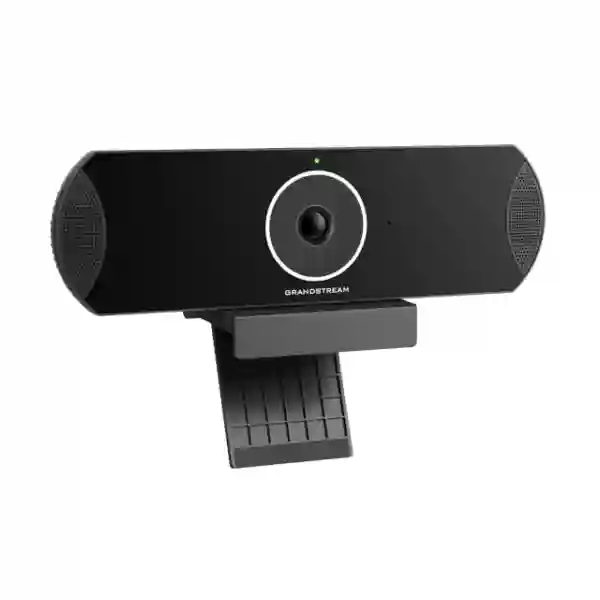
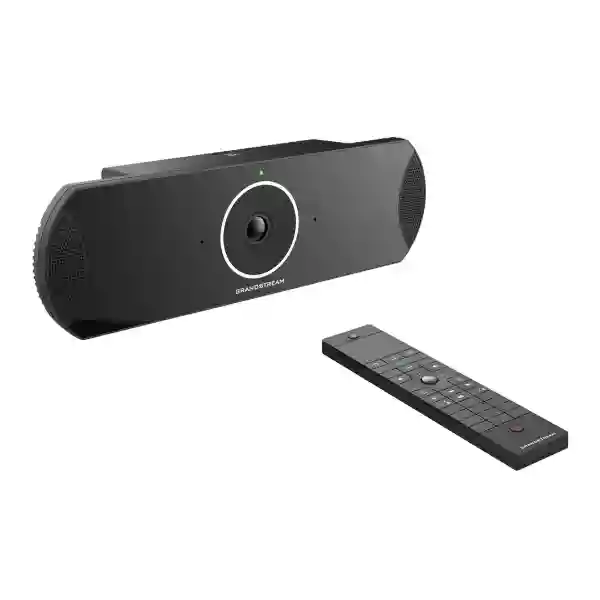
The Grandstream GVC3210 is a business video conferencing endpoint created for small and medium organisations that want a dedicated meeting-room device with flexible standards-based communications. Grandstream positions the GVC3210 as a 4K-capable endpoint with Android application support, a 16-megapixel camera, 90-degree field of view, built-in microphone array, integrated dual-band Wi-Fi, Bluetooth, HDMI connectivity and support for SIP and H.323. For organisations evaluating the Grandstream GVC3210 in Tanzania, the most important purchasing question is not simply whether the endpoint can make a video call. A successful room deployment also depends on display choice, room geometry, seating distance, lighting, network quality, platform compatibility, audio expectations and the operational process used by staff to start and manage meetings.
FourTeck Tanzania can assist customers that are comparing a GVC3210-based room with other conferencing approaches, planning a replacement for an existing endpoint, or integrating conferencing with IP telephony, switching, Wi-Fi, displays and wider IT infrastructure. Because the GVC3210 is listed by Grandstream in its product archive, buyers should confirm availability, firmware expectations, compatibility with intended applications and lifecycle requirements before procurement. That lifecycle point is especially important when purchasing equipment for a room expected to remain in service for several years.
Grandstream specifies video output and conferencing resolutions up to 4K at 30 fps under supported conditions, with lower-resolution modes available for bandwidth-sensitive deployments.
The integrated 1/2.3-inch 16 MP CMOS camera uses a 90-degree field of view and electronic pan-tilt-zoom, helping a single room endpoint cover typical meeting-room seating.
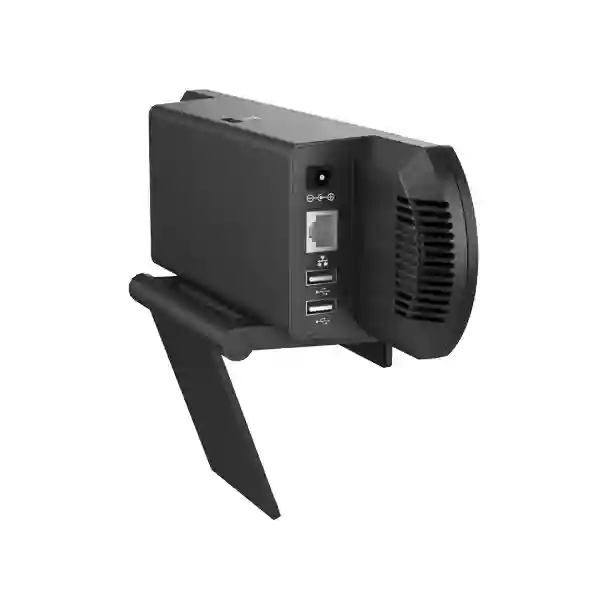
Gigabit Ethernet, dual-band 802.11ac Wi-Fi, Bluetooth 4.0 + EDR, HDMI input, dual HDMI outputs, USB and micro-SD provide multiple connection options for a room deployment.
SIP and H.323 support can fit organisations that need interoperability with compatible IP PBX, conferencing, gatekeeper or standards-based video environments.
What is the Grandstream GVC3210?
The GVC3210 is an all-in-one video conferencing endpoint intended to sit in a business meeting room and connect the room to remote participants. Unlike a simple USB webcam, it combines camera, microphones, conferencing software environment, network interfaces and dedicated video inputs and outputs in one appliance. Grandstream’s official information describes the unit as running Android 6.x and supporting applications from the Google Play ecosystem available for that platform generation. It also supports SIP and H.323, allowing the endpoint to participate in standards-based communications where the surrounding infrastructure supports those protocols.
The integrated camera uses a 16 MP CMOS sensor and a 90-degree field of view. Electronic pan, tilt and 3x digital zoom are available for framing, although Grandstream notes specific limitations when operating at 4K. The built-in four-microphone array and Noise Shield audio processing are intended to improve voice pickup and reduce distracting background noise. Audio features also include acoustic echo cancellation, automatic gain control, noise suppression and packet-loss concealment. Those capabilities are useful, but room acoustics remain important. Glass walls, hard floors, high ceilings, air-conditioning noise and long distances between speakers and microphones can still affect the experience.
For procurement teams, the GVC3210 should therefore be evaluated as part of a room system rather than as a standalone specification sheet. Display size and placement, cabling, network bandwidth, Quality of Service, firewall policies, furniture layout and user workflow can determine whether the device feels reliable in daily meetings. FourTeck’s Tanzania IT and collaboration solutions overview is relevant when the room also needs switching, Wi-Fi, displays or IP telephony. Organisations operating in neighbouring markets can also review FourTeck Kenya technology solutions and FourTeck Uganda solutions when planning related regional deployments.
Verified Grandstream GVC3210 technical highlights
| Area | Verified capability |
|---|---|
| Camera | 1/2.3-inch 16 MP CMOS, 90° field of view, ePTZ with 3x digital zoom |
| Video | H.264 BP/MP/HP, resolutions up to 4K 2160p at 30 fps under supported conditions |
| Network | One 10/100/1000 Mbps RJ45 interface plus dual-band 802.11 a/b/g/n/ac Wi-Fi |
| Wireless peripherals | Bluetooth 4.0 + EDR |
| Display and content | 2x HDMI 1.4 output up to 4K, 1x HDMI 1.4 input up to 1080p; Miracast wireless content sharing support |
| Audio | Built-in four-microphone array; AEC, ANS, AGC, Noise Shield, PLC and CNG/VAD features |
| Protocols | SIP, H.323, BFCP, RTP/RTCP, TLS, SRTP, HTTP/HTTPS, IPv6 and other documented network protocols |
| Platform | Android 6.x generation platform with application deployment support described by Grandstream |
Grandstream documents an important 4K operational note: when the GVC3210 is using 4K resolution during a video call, electronic pan-tilt-zoom is not supported; local recording is also not supported at 4K, and the second HDMI output is unavailable in that mode. These details should be considered when the design depends on dual displays, local recording or frequent camera reframing.
Room planning, bandwidth and integration
A conferencing endpoint is only one element in the end-to-end call path. Grandstream’s administration guidance shows different H.264 bit-rate ranges for different video resolutions, and the vendor notes that reduced bandwidth can reduce video quality. In practice, businesses should assess both internet capacity and LAN quality. Meeting traffic may compete with cloud applications, backups, guest Wi-Fi, CCTV uploads or other real-time services. Managed switching, proper VLAN design and Quality of Service can help protect voice and video traffic where the network supports it.
The meeting room itself also matters. Grandstream’s deployment guidance recommends paying attention to lighting, temperature, humidity and camera position. Avoid placing participants against very bright windows, mixing harsh lighting sources or mounting the endpoint where the camera cannot naturally frame the seating area. A 90-degree lens can be useful in smaller and medium rooms, but room width and table shape should be checked before installation. For deeper rooms, microphone pickup and speaker coverage may require additional planning, especially if participants sit far from the endpoint.
Integration with existing communications should be verified before purchase. A SIP account can register with a compatible SIP server or IP PBX; H.323 can connect to a compatible gatekeeper or platform. Organisations using application-based collaboration should confirm whether the intended application remains compatible with the Android generation and available firmware of the GVC3210. Because this model now appears in Grandstream’s product archive, application support should not be assumed from historical compatibility lists. Buyers can discuss broader conferencing, network and voice requirements through FourTeck Tanzania’s contact and quotation page. For wider international IT sourcing and integration context, FourTeck technology solutions and FourTeck UAE provide related regional pathways.
Grandstream GVC3210 Tanzania
Businesses searching for the Grandstream GVC3210 in Tanzania are usually trying to solve a meeting-room requirement rather than purchase a camera alone. The endpoint can fit conference rooms where organisations want dedicated SIP or H.323 video capability, Android-based conferencing application flexibility, integrated microphones and a direct connection to one or two displays. Before requesting a quotation, buyers should identify the intended room size, number of participants, preferred collaboration platform, internet connection, display arrangement and whether HDMI content sharing or wireless presentation is required. These details make it easier to determine whether the GVC3210 is still appropriate for the planned workflow or whether a newer endpoint should be considered.
For Tanzania sites, network reliability should be treated as part of the collaboration design. A 4K-capable endpoint does not mean every meeting must operate at 4K. Internet availability, remote participant capability and conferencing platform behaviour may lead to lower negotiated resolutions. A business may obtain a better user experience by prioritising stable 1080p video, clean audio and low jitter rather than pursuing maximum resolution on an inconsistent connection. Where the office has managed switches and a business firewall, conferencing traffic can be assessed alongside other services so that high-volume file transfers, backups or guest wireless activity do not unnecessarily disrupt calls.
Power and physical installation should also be planned. The GVC3210 uses the supplied external power adapter, and Grandstream warns against unsupported adapters. Displays, network equipment and the conferencing endpoint may benefit from appropriate UPS protection where short power interruptions are a concern. Cabling should be arranged so HDMI and Ethernet runs are secure and serviceable rather than stretched across the meeting table. For organisations in Tanzania that operate multiple sites, a common room design can simplify user training: consistent display placement, remote-control handling, meeting start instructions and network configuration reduce support effort.
Procurement teams should also note the model’s archived status. The correct purchasing process includes verifying current availability, firmware, support documentation and compatibility with the target conferencing application. FourTeck can help translate the room requirement into a quotation request covering the endpoint and any related display, network, mounting, cabling or voice integration needs without assuming that every project requires the same bill of materials.
Grandstream GVC3210 Dar es Salaam
For organisations evaluating the Grandstream GVC3210 in Dar es Salaam, the main use cases can include executive meeting rooms, branch-to-head-office communications, customer meetings, project coordination and hybrid collaboration with regional or international teams. A city office may already have displays, structured cabling, Wi-Fi, switching and an IP PBX, so the first task is to map the GVC3210 to that existing environment. If the organisation intends to use SIP calling, the PBX or hosted voice platform should be checked for registration and codec requirements. If it plans to rely on Android conferencing applications, the target application must be checked against the endpoint’s Android generation and software state.
Room layout is a practical factor in Dar es Salaam office deployments. Boardrooms with long tables can place some speakers farther from the built-in microphone array, while small rooms may be well served by the integrated camera and microphones. The 90-degree field of view helps capture a broad seating area, but the endpoint should be installed at a sensible height near the principal display so remote participants see people naturally rather than from an extreme angle. Lighting should be balanced, especially where large windows face the camera. Curtains, blinds or changes to display orientation may improve image consistency more effectively than relying only on camera settings.
Businesses should also consider network traffic at busy headquarters or shared offices. Dual-band Wi-Fi provides deployment flexibility, but a wired Gigabit Ethernet connection is often easier to control for a permanent meeting room when cabling is available. Wired connectivity can reduce exposure to wireless congestion and roaming behaviour. Where the room is on Wi-Fi, signal quality, channel utilisation and AP capacity should be assessed during working hours rather than tested only when the building is quiet.
A useful quotation request for a Dar es Salaam project should include room dimensions, seating count, existing display size, connection method, preferred meeting platform, whether dual displays are expected, whether presentations will enter through HDMI, and whether the system must integrate with an existing SIP environment. These inputs make the recommendation more specific and reduce the risk of buying a room endpoint without the infrastructure needed to operate it well.
Grandstream GVC3210 Mwanza
A Grandstream GVC3210 deployment in Mwanza may suit organisations that need a fixed conference-room endpoint for coordination with offices, suppliers, customers or partners elsewhere in Tanzania and beyond. The model’s combination of SIP, H.323 and Android-based application capability gives it several possible operating modes, but the intended mode should be decided before configuration. For example, a business that primarily uses a SIP-based corporate communications platform will approach setup differently from a team that launches meetings through an application. Defining the expected workflow helps determine user instructions, account configuration, network policies and support responsibility.
Connectivity planning is particularly important for any branch office where internet capacity is shared. Grandstream supports several video resolutions and bit-rate ranges, allowing video quality to adapt to available conditions, but stable latency and packet delivery still matter. IT teams should observe typical daytime internet utilisation and identify whether other traffic peaks overlap with important meetings. If multiple branches join video calls simultaneously, WAN planning should consider aggregate demand rather than the bandwidth of a single room. Router and firewall policies, QoS settings and Wi-Fi design can all influence call quality.
The physical meeting environment should also be documented. The GVC3210’s 90-degree camera view can cover many small and medium rooms, but the endpoint should not be placed so close that faces at the table edges distort or so far away that participants become small in frame. If the room has noisy air-conditioning, bare walls or significant echo, audio quality should be assessed in a live call. The integrated four-microphone array and audio processing can help, yet room acoustics still define the signal the endpoint receives.
When requesting a Mwanza quotation, businesses should mention whether the project is a new room, an upgrade or a replacement. Existing HDMI cabling, display inputs, network ports and mounting positions may be reusable, but compatibility should be checked. Since the GVC3210 is an archived Grandstream model, the purchasing decision should compare immediate availability with lifecycle goals. A lower acquisition cost is not automatically better if the room depends on software or services that require a newer platform over the expected service life.
Grandstream GVC3210 Arusha
In Arusha, the Grandstream GVC3210 can be evaluated for meeting rooms used by offices, hospitality organisations, project teams, training environments and companies that regularly communicate with remote participants. The endpoint’s wide-angle camera, integrated microphones and direct HDMI connectivity can reduce the number of separate devices required on the table, but room design remains important. Hotels or shared meeting spaces, for example, may value simple guest operation and predictable cabling, while a corporate boardroom may prioritise SIP registration, address books and integration with established network policies.
A practical Arusha deployment starts with the user journey. Decide how someone enters the room, wakes the display, selects the correct source, starts the conferencing application or calls a remote endpoint, shares content and ends the meeting. If users need several remotes or must change TV inputs manually, support calls can increase. Clear labels and a consistent power-up sequence are inexpensive improvements. The GVC3210 includes a Bluetooth and infrared remote control with a touchpad, but organisations should still document basic meeting steps for regular users and visitors.
Network planning should distinguish between wired and wireless use. Dual-band 802.11ac Wi-Fi is available, yet fixed conference rooms generally benefit from a tested network path with known bandwidth and firewall behaviour. If Wi-Fi is chosen because of room construction or cabling limits, the access point should have sufficient signal and capacity at the endpoint position. Nearby guest networks or high client density can affect the same radio spectrum. For SIP or H.323 calling, NAT, firewall traversal and addressing must also be considered according to the organisation’s architecture.
For procurement, include the expected number of local participants, room dimensions, display quantity, preferred video platform and whether local content sharing is central to meetings. Grandstream specifies HDMI input for content and supports wireless presentation methods, but exact workflow compatibility should be confirmed. Because the model is archived, buyers in Arusha should also verify current supply and whether the chosen meeting service still supports the intended application or standards mode.
Grandstream GVC3210 Dodoma
Organisations considering the Grandstream GVC3210 in Dodoma may be planning structured meeting spaces for management, administration, project review, training or coordination with external stakeholders. A dedicated endpoint can provide a more consistent experience than connecting a different laptop for every call, particularly when the room is used frequently. The GVC3210 combines camera, microphones, network interfaces and conferencing software capability, so users can operate the room without assembling USB peripherals each time. That advantage is strongest when the device is configured around a clearly defined meeting workflow.
Before installation, the IT team should review display placement and camera eye line. A camera mounted too high can make remote participants feel as though they are looking down into the room; a low position may create an unflattering upward angle. The camera’s 90-degree field of view should include the intended seats without capturing excessive empty space. If two displays are planned, note Grandstream’s 4K limitation affecting HDMI Out 2 when the device operates in 4K mode. A dual-screen design should therefore be tested at the actual operating resolution and conferencing mode.
Audio planning is equally important. The four-microphone array and acoustic processing can support typical rooms, but very large tables, high ceilings or echo-heavy surfaces may need a different strategy. A test call should involve people seated in the farthest chairs, not only someone standing near the endpoint. The remote side should assess speech clarity, background noise and echo. If a room routinely hosts confidential meetings, account security, local access, passwords, firmware maintenance and network segmentation should be included in the deployment checklist.
A Dodoma quotation request should state whether the organisation requires a single endpoint or a repeatable room standard across departments or sites. Standardisation can simplify configuration and support, but archived models should be reviewed carefully for future consistency. If additional rooms are planned later, availability of the same hardware may change. That lifecycle consideration can influence whether to adopt the GVC3210 for an immediate requirement or select a current-generation platform for a multi-year rollout.
Grandstream GVC3210 UAE
For UAE buyers evaluating the Grandstream GVC3210, the endpoint can be considered where a standards-based room system, SIP/H.323 interoperability or legacy Android conferencing environment remains part of the requirement. Many businesses in the UAE operate regional headquarters with frequent calls across the Middle East, Africa, Europe and Asia, so the room design should focus on reliability and consistent operation. A dedicated appliance may reduce dependence on individual laptops, while the HDMI input can support presentation content from a connected source. Dual display capability can be valuable in rooms that separate remote participants from shared content, subject to the operating limitations documented for 4K mode.
In a modern UAE network, the GVC3210 should be placed behind appropriate firewall policy and maintained according to the organisation’s security standards. Because it is an archived product using an older Android generation, security review is especially important. Buyers should verify the latest available firmware and avoid assuming that every current conferencing application will install or operate correctly. If the use case depends on Teams, Zoom or another application service, compatibility should be tested directly with the planned account and workflow. SIP or H.323 integration may be more appropriate where existing corporate infrastructure supports those protocols.
Meeting-room construction can also influence the design. Glass partitions, open ceilings, strong air-conditioning and reflective surfaces can affect acoustics. Bright exterior light can challenge camera exposure when the display wall faces windows. A room survey should consider participant positions, camera height, display size, speaker placement and cable routes. The endpoint’s integrated microphone array reduces equipment count, but larger executive rooms may need a broader audio strategy.
When requesting a UAE quotation, include the site, room size, number of participants, existing display and network infrastructure, target conferencing service and any standards-based calling requirement. Archived-product availability should also be confirmed before making the GVC3210 part of a larger multi-room standard. For projects that combine UAE and East African offices, aligning room workflows across sites can simplify training and support even when the hardware differs by location.
Grandstream GVC3210 Uganda
In Uganda, organisations may consider the Grandstream GVC3210 for a dedicated meeting room connecting headquarters, branches, suppliers or regional partners. The model supports Gigabit Ethernet and dual-band Wi-Fi, so it can be integrated into different network environments. For a fixed room, the network design should prioritise predictable connectivity. If Ethernet cabling is available, a wired connection can provide a stable path that is easier to monitor. Wireless deployment remains possible, but signal level, channel occupancy and access-point load should be tested under normal office conditions.
The bandwidth required for a call depends on negotiated resolution, frame rate, codec and remote platform. Grandstream documents video modes from lower resolutions through 720p, 1080p and up to 4K. In regions where a site uses multiple internet links or variable connectivity, the goal should be a stable operating profile rather than maximum specification. A controlled 720p or 1080p meeting with clear audio can be more effective than a 4K target that frequently adapts downward because of packet loss or bandwidth contention.
Ugandan organisations should also consider integration with existing telephony. The GVC3210 can use SIP, which may allow it to register with a compatible IP PBX. This can support direct extension-style calling or standards-based communication, depending on the overall system. H.323 remains another option for compatible environments. Before purchase, confirm which protocol will actually be used and whether firewall, NAT or remote access policies must be changed.
Procurement should include lifecycle verification because the GVC3210 is archived. Availability, firmware, spare units and application compatibility can influence total project risk. A buyer seeking one replacement unit for an existing room has a different requirement from an organisation building ten new rooms. The second scenario may justify a current-generation alternative for consistency. FourTeck Uganda can be referenced for local project context, while Tanzania-led regional teams can coordinate standards and room requirements through the wider FourTeck network.
Grandstream GVC3210 Kampala
Kampala businesses evaluating the Grandstream GVC3210 often need a room that can handle frequent communication with staff, customers and partners without requiring a user to rebuild the setup for every meeting. The endpoint’s integrated camera and microphones, HDMI connectivity, network interfaces and remote control can support that dedicated-room approach. The most effective configuration starts by deciding which meeting service or protocol is primary. If staff alternate between several applications, test each required workflow and create clear instructions so users know how to select accounts, share content and return the room to a predictable state.
Corporate networks in busy Kampala offices may carry voice, data, Wi-Fi, cloud services, CCTV and conferencing on the same infrastructure. Traffic separation and Quality of Service can help prevent a large download or backup job from affecting a live executive meeting. The GVC3210 supports documented Layer 2 and Layer 3 QoS mechanisms, but those markings only help when switches, routers and WAN policies are configured to recognise them. Network readiness should therefore be assessed end to end, not only at the conference-room Ethernet port.
Camera positioning should consider the table and screen together. If remote participants appear on a display far from the camera, people in the room may look sideways during conversation rather than toward the lens. Placing the camera near the main display can improve eye-line. The 90-degree field of view suits many room layouts, while ePTZ can help adjust framing in supported modes. In 4K calling, Grandstream documents that ePTZ is not available, so physical placement becomes more important.
A Kampala buyer should provide room measurements, participant count, existing display connections, available wired or wireless networking, target conferencing services and whether SIP or H.323 registration is required. If the room is customer-facing, user simplicity may outweigh advanced technical flexibility. If the room is IT-managed and standards-driven, protocol interoperability may be the deciding factor. Archived-model status should remain part of the final procurement decision.
Grandstream GVC3210 Arua
A Grandstream GVC3210 installation in Arua may be useful for organisations that need to reduce travel between operational sites or maintain regular communication with central offices. In such a branch context, dependable connectivity and straightforward room operation can matter more than headline resolution. The GVC3210 can negotiate different video modes, but the site should be designed around the bandwidth that is consistently available during the working day. A pre-deployment test can measure latency, jitter, packet loss and throughput while other business traffic is active.
Where connectivity is constrained, IT teams can prioritise audio stability and a practical video resolution rather than allowing the room to compete aggressively for bandwidth. If the site uses a wireless ISP, mobile backup connection or shared WAN, conferencing should be tested across the actual production path. Firewall policies and NAT behaviour can also affect SIP or H.323 sessions. For application-based meetings, the application’s own network requirements should be reviewed in addition to Grandstream’s device specifications.
The room can be kept simple by using one main display, the integrated camera and microphones, a wired network connection and clearly labelled controls. HDMI content input gives a presenter a direct way to share laptop content where supported by the meeting workflow. Wireless content sharing can be useful, but device compatibility should be checked before relying on it for every participant. If visiting users need to present from different operating systems, a cable-based fallback may reduce meeting delays.
For Arua procurement, ask whether the requirement is to replace an existing GVC3210, add another unit to an installed Grandstream environment, or create a new room from scratch. Replacement scenarios may value configuration continuity. New deployments should compare the archived GVC3210 with current alternatives, especially when future application updates, cybersecurity policy and hardware availability are significant. Include mounting, display, network, UPS and cabling requirements in the quotation scope so the endpoint is not treated as an isolated purchase.
Grandstream GVC3210 Mbarara
For Mbarara organisations, the Grandstream GVC3210 can support a dedicated collaboration room where teams need recurring video communication with customers, head offices or external specialists. The integrated 16 MP camera and 90-degree field of view can reduce the need for a separate USB camera, while the built-in microphone array and audio processing provide a compact starting point for room audio. As with any fixed endpoint, the actual performance depends on the room. A long training room, for example, places different demands on microphone reach and camera framing than a six-person meeting room.
Room acoustics should be evaluated with realistic occupancy. Empty rooms often sound more reflective than occupied rooms, but hard walls and ceilings can still create echo. Air-conditioning or fans may add continuous noise. Grandstream’s Noise Shield and acoustic processing can help, yet the physical environment remains the source signal. If remote participants regularly struggle to hear people at the far end of the table, a different microphone arrangement or conferencing platform may be necessary.
Network design should consider reliability and maintainability. A permanent Ethernet connection to a managed switch is easy to document and can allow the conferencing endpoint to sit in an appropriate VLAN. Wi-Fi can be useful where cabling is difficult, but changes to access points, passwords or radio channels can affect the room unexpectedly. Organisations with limited onsite IT support may prefer the simpler operational model of a fixed wired connection wherever practical.
When preparing a quotation request in Mbarara, list the room size, number of seats, display count, current connectivity, intended conferencing service and whether standards-based SIP or H.323 calling is needed. If the purchase is driven by an existing Grandstream estate, include the model numbers of PBX or conferencing systems already in use. Because the GVC3210 is archived, verify that the intended firmware and application combination meets your current operational and security expectations before standardising it for new rooms.
Grandstream GVC3210 Gulu
In Gulu, the Grandstream GVC3210 may be evaluated by organisations seeking a fixed video meeting solution for coordination, training, management reviews or remote support. A dedicated endpoint can make collaboration more consistent when the room is shared by many staff because the camera, microphones and meeting controls remain in place. The benefit is operational discipline: instead of depending on the webcam and audio quality of whichever laptop happens to be available, the organisation can test one room setup and train users on a standard process.
The endpoint’s built-in Ethernet and Wi-Fi options allow flexibility, but network planning should reflect the site’s conditions. If the office has a managed LAN, Ethernet can provide a stable connection and simplify troubleshooting. If the room relies on Wi-Fi, test signal strength and interference at the exact mounting point. Video calls are sensitive not just to raw speed but also to jitter and packet loss. The network should therefore be observed over time, especially if several users share the same internet circuit.
For presentations, the GVC3210 provides HDMI input and supports wireless display features. A meeting workflow can be designed so local presenters use the same method every time. If guest laptops vary, keep a compatible HDMI adapter or cable kit available rather than assuming every device has the same port. Dual HDMI outputs can support two displays in certain operating modes, but Grandstream’s 4K notes should be reviewed because the second output is not available when operating at 4K resolution.
A Gulu buyer should also ask how long the room is expected to remain unchanged. For an immediate replacement of a failed endpoint, an archived GVC3210 may fit an existing environment. For a new five-year room programme, lifecycle, security updates and application compatibility may favour another model. The correct quotation should therefore state the business objective, not only the model number, so the supplier can flag compatibility or lifecycle concerns before equipment is ordered.
Grandstream GVC3210 Kenya
Kenyan organisations considering the Grandstream GVC3210 can use the same disciplined room-design approach applied to any business conferencing endpoint: start with the people, room and meeting platforms, then validate the hardware. The GVC3210 offers a strong set of legacy conferencing capabilities including SIP, H.323, 4K-capable video, a 16 MP wide-angle camera, microphone array, Gigabit Ethernet, dual-band Wi-Fi and HDMI connectivity. Those capabilities may suit an existing Grandstream environment, a replacement requirement or a standards-based room where interoperability is more important than adopting the newest collaboration appliance.
In Nairobi or other high-density office environments, wired Ethernet can reduce dependence on crowded wireless channels. For distributed offices, WAN performance between branches should be measured if calls rely on private routing or site-to-site VPNs. Encryption, firewall inspection and VPN overhead can affect effective throughput. Where users connect through public conferencing services, the organisation should verify the provider’s current requirements and whether the application remains supported on the endpoint’s Android generation.
The GVC3210’s camera can provide a wide view, but meeting-room furniture and mounting positions determine whether that view is useful. A deep boardroom might place distant participants too small in frame, while a narrow huddle room can be well covered. Lighting from windows, reflective walls and display glare should be assessed during the times when the room is normally used. A quick test call with a remote participant often reveals issues that are not obvious while standing inside the room.
For Kenyan procurement, identify whether the project needs one endpoint, a standard across several branches or integration with existing SIP infrastructure. Include display sizes, room capacity, preferred platform, network details and desired support model in the request. If the GVC3210 is being considered because it matches an installed base, ask about available firmware and supply continuity. If the project is entirely new, compare lifecycle value as well as purchase price before committing to an archived model.
Grandstream GVC3210 Kuwait
For Kuwait businesses, the Grandstream GVC3210 can still be relevant where an organisation needs compatibility with an installed SIP or H.323 conferencing environment or requires a replacement endpoint for an existing room standard. The unit combines conferencing software capability with a 16 MP camera, integrated microphones, Gigabit Ethernet, Wi-Fi, Bluetooth and HDMI I/O. A dedicated room endpoint can help executive teams and project groups join recurring meetings without depending on a particular employee laptop, but the device must be aligned with the services the organisation uses today.
Because the GVC3210 runs an older Android platform and appears in Grandstream’s product archive, current application compatibility should be treated as a verification task rather than an assumption. If the room relies on a specific cloud meeting application, test login, camera, microphone, presentation sharing and meeting join flows before bulk procurement. If the room uses SIP or H.323, verify registration, dialing, codecs, encryption and firewall traversal with the organisation’s communication platform.
Environmental conditions can also matter in a Kuwait installation. Although meeting rooms are normally climate controlled, equipment may experience warmer conditions during building shutdown periods. Grandstream specifies an operating temperature range of 0°C to 40°C and storage range of -10°C to 60°C, with 10% to 90% non-condensing humidity. Installation should keep the endpoint away from direct heat sources, provide airflow and use the supplied approved power adapter.
A quotation should include any required mounting, displays, HDMI cabling, network connection, UPS protection and integration services. If dual screens are important, test the real operating mode because 4K operation has documented limitations affecting the second HDMI output. Buyers should also decide whether the room requires local recording; Grandstream states that local recording is unavailable when using 4K. These details can materially affect room design and should be resolved before purchase rather than discovered after installation.
Grandstream GVC3210 Ghana
Ghanaian organisations can evaluate the Grandstream GVC3210 for boardrooms, branch communications, project meetings and other fixed collaboration spaces where a dedicated endpoint is preferred. The broad value is integration: camera, microphones, network interfaces, video outputs and meeting applications are packaged into one appliance. That can simplify support compared with a collection of unrelated USB devices, but only when the room is designed around the endpoint’s capabilities and limitations.
For Accra and other office environments, network assessment should consider both local LAN and internet service. A video call can fail because of Wi-Fi interference even when the internet circuit itself is fast. Conversely, a perfect Ethernet connection to the switch cannot compensate for severe WAN congestion. Business networks should monitor both layers. If the organisation uses QoS, video and voice markings can be prioritised across managed infrastructure where policy supports them. Guest traffic, cloud backups and software updates are common sources of avoidable contention during meetings.
The room should also have a clear presentation workflow. HDMI input allows a local content source, while wireless sharing can provide convenience for compatible devices. Staff should know which method is preferred and how remote participants will see content. For two-screen rooms, determine whether one display is intended for participants and the second for presentation. Then verify the desired resolution because 4K mode changes output behaviour. This type of scenario testing is more useful than selecting equipment from a feature list alone.
For Ghana procurement, provide the room size, user count, meeting frequency, platform, network connection and any SIP or H.323 requirements. If the GVC3210 is intended to match older equipment, include those model numbers. If the project is a new rollout, weigh the model’s archived lifecycle against alternatives that may offer longer future software support. A carefully scoped quotation can include the endpoint together with the display, cabling, mounting and network elements required for a working room.
Grandstream GVC3210 Nigeria
Nigerian businesses may consider the Grandstream GVC3210 when they need a dedicated conferencing endpoint for multi-site management, client meetings, training or regional coordination. The device’s standards-based support can be useful in organisations that already operate SIP or H.323 systems, while Android application capability can add flexibility for compatible services. The buying decision should begin with the target collaboration platform and expected room behaviour rather than with the maximum 4K specification.
In offices where internet quality can vary by provider, link or time of day, resilience planning is important. Some organisations use multiple internet connections, but conferencing applications do not automatically benefit from a second link unless the firewall or SD-WAN policy handles failover appropriately. A connection change during a meeting may still interrupt a session. Network teams should test conferencing traffic through the same firewall, VPN and security inspection policies used during normal operations. If a backup connection has lower bandwidth, its practical video resolution may also be lower.
Power continuity is another consideration. The GVC3210 uses an external adapter and does not become useful on its own if the display, network switch, router or internet equipment loses power. A meeting-room UPS plan can cover the critical chain rather than only the endpoint. Cable management should keep power and HDMI connectors secure, especially in rooms where furniture moves or equipment is frequently reconfigured. The camera should be mounted so the 90-degree view naturally frames participants, and lighting should avoid strong backlight.
For Nigerian procurement, buyers should request confirmation of model availability, firmware status and application compatibility because the product is archived. If a current deployment already uses GVC3210 units, a like-for-like replacement may be operationally convenient. For new standardisation across Lagos, Abuja or branch locations, lifecycle planning deserves more weight. Include expected rollout quantity and future room expansion in the enquiry so alternative models can be considered if long-term consistency is required.
Grandstream GVC3210 Seychelles
In Seychelles, a dedicated conferencing endpoint such as the Grandstream GVC3210 can help organisations communicate with overseas partners, head offices, suppliers and specialist teams while reducing the need for travel. Meeting rooms in hotels, professional offices, public organisations and multi-site businesses may value a system that remains installed and ready rather than relying on individual laptops. The GVC3210 offers an integrated camera, microphone array, HDMI connectivity and multiple network options, creating a compact room architecture for compatible conferencing services.
Island connectivity makes network assessment particularly important. International video calls depend on end-to-end internet performance, not only the local Wi-Fi signal. Organisations should test actual meetings with the destinations they use most frequently and observe latency, jitter and packet loss during busy hours. The endpoint can operate at multiple video resolutions, so a stable lower-resolution call may provide a better experience than attempting maximum 4K quality when the available path fluctuates. Audio should be prioritised because clear speech is essential even when video adapts.
Room environment can vary from compact offices to hospitality meeting rooms with glass, hard flooring and movable furniture. Camera placement should be planned for the most common seating arrangement. If the room is reconfigured frequently, users may need a simple method to adjust framing within the supported mode. Acoustic reflections should be evaluated through remote listening tests. The integrated microphones can be effective in appropriate spaces, but a larger or unusually shaped room may require a different solution.
A Seychelles quotation request should include the site type, room size, participants, display setup, internet connection, preferred conferencing service and any SIP or H.323 integration. Because the GVC3210 is archived, availability and support expectations should be checked before procurement. For a single replacement, matching the existing environment may be sensible. For a new installation expected to remain current for years, compare the lifecycle and software compatibility of newer alternatives as part of the decision.
Buying guidance: when does the GVC3210 make sense?
The GVC3210 is most compelling when its specific strengths match an existing environment: a business already has compatible SIP or H.323 infrastructure, needs a replacement for a deployed unit, values direct HDMI I/O, or has a tested Android-based workflow that remains supported. It may also appeal to organisations that prefer an appliance-style room endpoint instead of relying on employee laptops. However, archived status changes the evaluation. A new multi-room programme should compare current-generation models for security updates, application support and long-term hardware availability.
Buyers should distinguish technical capability from practical fit. “Supports 4K” does not automatically mean 4K is the correct production setting. Higher resolution increases bandwidth demands and, on this model, affects ePTZ, local recording and second-display operation. A business that values dual displays and flexible camera framing may decide that 1080p is a better everyday configuration. Similarly, built-in Wi-Fi does not mean wireless is the best connection for a permanent room; wired Ethernet may offer more predictable performance. The correct design is the one that users can operate reliably within the site’s real network and room conditions.
Quotation checklist for Grandstream GVC3210
Room dimensions, seating capacity, table shape, existing display size, desired display count and camera mounting location.
Name the conferencing service, SIP PBX, H.323 platform or combination that must work with the endpoint.
Specify Ethernet or Wi-Fi, available internet bandwidth, firewall environment, VLAN requirements and any VPN or branch connectivity.
State whether users will present by HDMI, wireless display or another workflow and whether guest laptops must be supported.
Clarify whether this is a replacement, one-off purchase or new standard for multiple rooms, because archived-model availability matters.
Include mounting, HDMI cables, network cabling, UPS, displays, installation, configuration and user handover where required.
Grandstream GVC3210 FAQ
Does the Grandstream GVC3210 support 4K video?
Yes. Grandstream documents video resolutions up to 4K at 30 fps under supported conditions. At 4K, the model has limitations including no ePTZ during the video call, no local recording and no use of HDMI Out 2.
Can the GVC3210 connect by Wi-Fi?
Yes. It includes integrated dual-band 802.11 a/b/g/n/ac Wi-Fi as well as a Gigabit Ethernet port. For permanent rooms, the best connection depends on local cabling and wireless conditions.
Does the GVC3210 support SIP and H.323?
Yes. Grandstream lists both SIP and H.323 support. Compatibility should still be validated with the specific PBX, gatekeeper, firewall and conferencing environment.
What camera is built into the GVC3210?
The endpoint uses a 1/2.3-inch 16 MP CMOS camera with a 90-degree field of view and electronic pan-tilt-zoom with 3x digital zoom in supported operating modes.
Is the GVC3210 a current Grandstream product?
Grandstream currently lists the GVC3210 in its product archive. Buyers should therefore confirm availability, firmware, support expectations and application compatibility before purchase.
Can I use two displays?
The device includes two HDMI outputs. Grandstream notes that HDMI Out 2 is not supported when the GVC3210 is operating at 4K resolution, so dual-display requirements should be tested at the intended operating mode.
What should I provide when requesting a quote?
Provide the quantity, room dimensions, seating count, display setup, meeting platform, network connection, SIP or H.323 requirements, content-sharing method and whether installation or configuration is required.
Decision recap
Choose the Grandstream GVC3210 when its standards support, existing-system compatibility and room features align with your current requirement, especially for replacement or established Grandstream environments. For new deployments, compare its archived lifecycle with current-generation alternatives before standardising across several rooms. Verify the platform, firmware, bandwidth, display arrangement and application workflow before purchase.
The fastest route to a meaningful quotation is to describe the room and business outcome, not only the model number. FourTeck can then assess whether the GVC3210 fits the intended deployment and identify the related network, display, cabling or integration components needed for a complete room.
Consult FourTeck Tanzania about the GVC3210
If you are replacing an existing Grandstream unit, include the current model, firmware and platform details. If you are creating a new meeting room, include room dimensions, participant count, displays, network connection and preferred conferencing service. This information allows a more useful discussion about compatibility, lifecycle and total room requirements.




Reviews
There are no reviews yet.