
Grandstream wired networking for compact business environments
Grandstream GWN7700 Tanzania
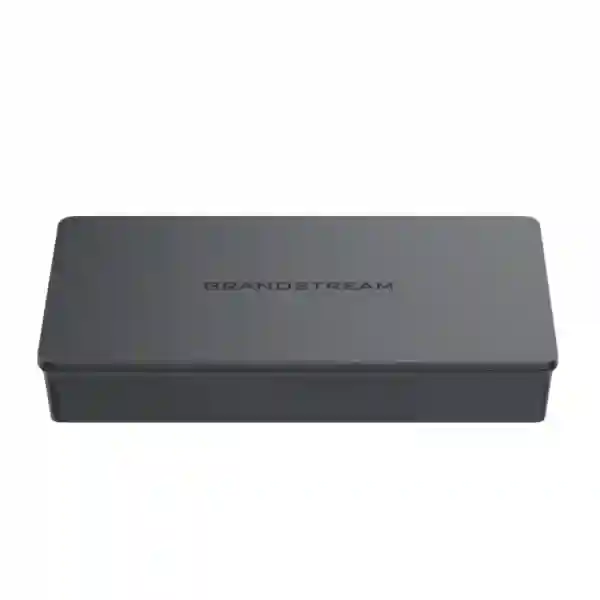
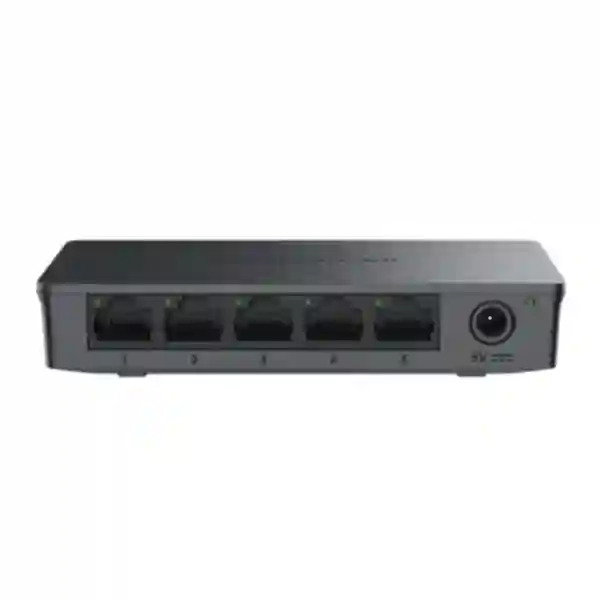
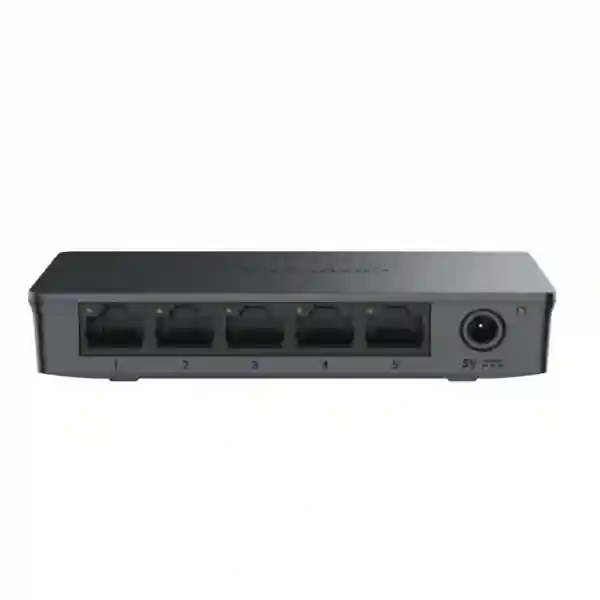
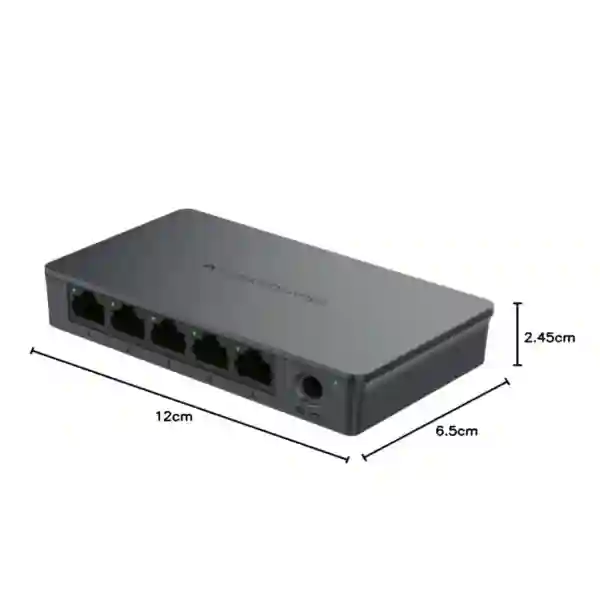
The Grandstream GWN7700 is a five-port unmanaged Gigabit Ethernet switch designed for straightforward wired network expansion in home offices and small-to-medium business environments. It provides five 10/100/1000 Mbps RJ45 ports, a 10 Gbps switching capacity, auto-negotiation, Auto MDI/MDIX, IEEE 802.3x flow control, QoS support through default strict priority, green power-saving technology and a compact desktop or wall-mountable plastic enclosure. For Tanzanian businesses that need dependable Gigabit connectivity without VLAN configuration, controller setup or switch-management overhead, the GWN7700 is a practical edge switch for connecting PCs, printers, routers, IP phones with their own power source, network appliances and other Ethernet devices.
Quick answer: choose the GWN7700 when you need five non-PoE Gigabit ports and simple plug-and-play switching.
If you need to power access points, IP cameras or PoE phones directly from the switch, compare the separate GWN7700P rather than assuming the standard GWN7700 supplies PoE.
5 Gigabit ports
Five 10/100/1000 Mbps RJ45 ports support automatic speed negotiation for mixed Ethernet endpoints.
10 Gbps switching
Grandstream specifies a 10 Gbps switching capacity for the GWN7700, matching full-duplex Gigabit operation across its five-port design.
Plug and play
As an unmanaged switch, the GWN7700 does not require web-based configuration, VLAN programming or a cloud management account for normal operation.
Desktop or wall mount
Its compact plastic enclosure can be placed on a desk or mounted on a wall, making it useful where rack space is unnecessary.
What the Grandstream GWN7700 solves
Small offices often run out of wired Ethernet ports before they need a fully managed switching platform. A router may have only a few LAN ports, while a desk area can quickly require connections for PCs, printers, a VoIP phone, a point-of-sale terminal, a network storage appliance or a local access point with separate power. The GWN7700 fills this simple expansion role. Connect an uplink from the router or upstream switch, then use the remaining Gigabit ports for endpoints. Because the switch is unmanaged, it forwards traffic automatically without asking an administrator to create VLANs, define trunks or maintain a switch configuration file.
That simplicity is most valuable when the network requirement is genuinely simple. The GWN7700 is not a replacement for a managed access switch in an environment that needs VLAN segmentation, per-port security policies, monitoring, spanning-tree control, link aggregation or remote management. It is better understood as a compact Gigabit edge device for straightforward connectivity. This distinction matters during procurement: buying an unmanaged switch is sensible when the objective is fast, low-complexity expansion, but a managed model should be selected when the network design requires visibility or policy enforcement.
FourTeck can help buyers connect this decision to the wider network. Review the FourTeck Tanzania services overview for network planning, deployment and support context, use the Tanzania technology shop to explore related business equipment, or review integrated IT, telecom and networking solutions in Tanzania when the switch is part of a larger office, voice, Wi-Fi or security project.
Verified GWN7700 specifications
| Item | Grandstream GWN7700 |
|---|---|
| Switch type | Unmanaged Gigabit Ethernet switch |
| Ethernet ports | 5 × 10/100/1000 Mbps RJ45 |
| PoE output | None on the standard GWN7700 |
| Switching capacity | 10 Gbps |
| Jumbo frame | 9 KB |
| Port features | Auto-negotiation and Auto MDI/MDIX |
| Flow control | IEEE 802.3x |
| QoS | Default strict priority when present, based on IEEE 802.1p support |
| Enclosure | Plastic |
| Mounting | Desktop or wall mount |
GWN7700 or GWN7700P?
The standard GWN7700 and the GWN7700P share the five-port family position but are not interchangeable. The standard GWN7700 has five Gigabit RJ45 ports and no PoE output. The GWN7700P adds four IEEE 802.3af/at PoE-capable ports, up to 30 W per PoE port within a total 60 W PoE budget, and uses a metal enclosure. If the connected devices have their own power adapters, the standard GWN7700 may be the cleaner, lower-complexity choice. If the switch needs to power compatible IP phones, cameras or wireless access points over Ethernet, the GWN7700P should be evaluated instead.
This is also where network planning matters. A PoE requirement should be calculated from the actual endpoint power demand, not simply from the number of powered devices. For wider deployment planning, FourTeck’s business IT services practice provides broader infrastructure context, while IP phone solutions are relevant when a switch is being selected specifically to support voice endpoints.
Where the GWN7700 fits in a business network
Desk clusters
Add local Gigabit ports for workstations, printers, desk phones that use separate power and other Ethernet peripherals without installing a larger rack switch.
Small branches
Connect a compact set of wired devices behind a firewall or router where advanced switch management is not required.
Meeting or reception areas
Provide additional wired connectivity for room systems, reception PCs, printers or controllers when cabling terminates in a small local area.
Home offices
Expand a home router from a limited number of LAN ports to support multiple wired Gigabit devices with no management learning curve.
Buying guidance before you request a quotation
Count the endpoints first. One port will commonly be used as the uplink to a router or upstream switch, leaving four ports for local devices. If all five ports are needed for endpoints, the design needs another uplink path and may be better served by an eight-port or larger model. Confirm whether any connected device requires PoE. The standard GWN7700 does not supply PoE, so an access point, IP camera or PoE phone that has no separate power source needs either a PoE injector, a PoE-capable upstream design or a PoE switch such as the GWN7700P.
Also decide whether unmanaged switching is appropriate. If the business needs VLAN separation for staff, voice, guest Wi-Fi and cameras, or needs remote port monitoring, configuration backup, link aggregation or other administrative controls, a managed Grandstream switch family may be more suitable. The GWN7700 is attractive precisely because it removes those configuration requirements, but simplicity should not be purchased at the expense of the network controls a project genuinely needs.
Finally, verify the physical installation: power outlet availability, wall or desk position, cable lengths, ventilation, patching and whether the switch should be protected by a suitable UPS. For structured deployment work, see FourTeck’s regional technology solutions and Africa business technology coverage for multi-country planning context.
Grandstream GWN7700 Tanzania
For organizations procuring the Grandstream GWN7700 in Tanzania, the strongest use case is a compact wired network segment where Gigabit connectivity is needed but managed switching would add unnecessary complexity. Small professional offices, retail counters, reception areas, clinics, training rooms, back offices and branch workspaces often need only a handful of Ethernet ports. A router may already provide internet security and DHCP, while the local requirement is simply to connect more wired devices. The GWN7700 fits that role with five auto-negotiating 10/100/1000 Mbps ports, automatic MDI/MDIX crossover handling and no switch configuration process.
Tanzania buyers should define how the five ports will be used before ordering. If one port connects upstream to a router or managed core, four remain for endpoints. Typical combinations might include two desktop PCs, a printer and an IP phone with its own power supply, or a PC, printer, small server appliance and another network device. The GWN7700 is non-PoE, so a powered endpoint such as an access point or camera cannot rely on this switch for electricity. Where PoE is essential, compare the GWN7700P or a larger PoE model and calculate total power demand.
The practical deployment question in Tanzania is not just whether the switch is fast enough, but whether the surrounding infrastructure is ready. Good Cat5e or better cabling, correct terminations, a stable upstream router or firewall and suitable power protection all affect reliability. In offices where power interruptions can disrupt business systems, placing small network equipment behind an appropriately sized UPS can reduce unnecessary restarts. Where voice, CCTV and Wi-Fi share the same site, confirm whether an unmanaged edge switch is acceptable within the wider architecture or whether VLAN-capable switching is required upstream.
For procurement, provide the exact model name GWN7700, required quantity, intended endpoints, whether any device requires PoE, and whether the switch is being installed as a standalone desktop unit or as part of a broader office network. That information helps distinguish the standard five-port switch from similarly named PoE and multi-Gigabit variants and makes quotation comparison clearer.
Grandstream GWN7700 Dar es Salaam
In Dar es Salaam, the Grandstream GWN7700 can be a practical fit for businesses that need a small number of reliable wired connections at a desk cluster, service counter, reception area or compact branch location. Many offices combine cloud applications, IP telephony, printing and Wi-Fi, but not every room or department requires a managed switch. Where the network design already handles routing, security and segmentation elsewhere, a small unmanaged Gigabit switch can extend Ethernet access locally without introducing another configuration layer.
A common planning mistake is to treat every free Ethernet socket as equivalent. In a real Dar es Salaam office, one GWN7700 port may be consumed by the uplink, so endpoint capacity should be counted realistically. If the desk area needs four wired endpoints today and is likely to add two more later, an eight-port switch may provide better growth headroom. If one endpoint is a Wi-Fi access point, CCTV camera or PoE desk phone, check how it receives power. The standard GWN7700 will carry Ethernet traffic but does not inject PoE onto the cable.
Installation conditions also matter. Network equipment should be positioned away from excessive heat, dust accumulation and accidental cable strain. Patch leads should be labelled in shared offices, especially where the small switch connects business-critical devices. If the GWN7700 feeds a meeting-room system or front-office workstation, use a stable upstream connection and avoid creating long chains of unmanaged switches that become difficult to troubleshoot. For larger floors or multi-department sites, consolidate access switching around a documented managed architecture and use compact unmanaged switches only where their role is clear.
When requesting a GWN7700 quotation for Dar es Salaam, specify whether you need only the switch or also patch cords, structured cabling, a UPS, router/firewall integration or a network review. A short bill of materials prevents last-minute installation gaps and helps compare the complete project cost rather than only the switch price.
Grandstream GWN7700 Mwanza
The Grandstream GWN7700 in Mwanza is suited to compact wired-network requirements where simple deployment and Gigabit speed matter more than advanced switch management. A small office, retail point, clinic, hotel back office, education workspace or branch location may need to connect several fixed Ethernet devices to an existing router. Instead of replacing the router or deploying a large access switch, the GWN7700 can provide five Gigabit ports in a small desktop or wall-mountable form factor.
For Mwanza sites, think about operational continuity as part of the switch purchase. The switch itself is only one layer of the connection. Cabling quality, the upstream internet gateway, power stability and endpoint configuration determine the final experience. If staff complain about slow file transfers or unstable applications, adding a Gigabit switch will not correct a weak internet service, damaged cable or congested Wi-Fi link. It will, however, provide full Gigabit-capable local Ethernet connections to compatible devices when the rest of the path supports those speeds.
The non-PoE design is important in procurement. If a branch needs to connect ordinary PCs, printers or self-powered network devices, the standard GWN7700 is straightforward. If it must power a Grandstream access point or another PoE endpoint from the same Ethernet cable, select a PoE-capable switch or power source instead. Avoid assuming that because the GWN7700 belongs to a family containing PoE models, every member of the family provides PoE.
A Mwanza quotation request should include the number of switches, number and type of endpoint devices, uplink source, expected cable runs and whether a wider installation is required. For a new site, it is useful to map all wired devices before selecting port counts so the network has enough capacity for printers, phones, access points, cameras and future additions without creating an unplanned chain of small switches.
Grandstream GWN7700 Arusha
Businesses in Arusha evaluating the Grandstream GWN7700 often have a clear, practical requirement: add several Gigabit Ethernet ports near users without introducing switch administration. Hospitality offices, tour operations, professional services, front desks, small retail sites and branch teams can all have localized groups of wired equipment. The GWN7700 is designed for this scale, with five 10/100/1000 Mbps ports and automatic link negotiation that makes it easy to connect a mixture of compatible Ethernet devices.
For hospitality or customer-facing environments, quiet and tidy installation can be as important as specification. The compact fanless-style unmanaged design avoids the complexity of a rack switch where one is not needed, while wall mounting can keep cables off desks. Still, the unit should remain accessible for status checks and cable replacement. Label both the uplink and endpoint cables. When a small switch is hidden above a ceiling or behind furniture without documentation, future troubleshooting becomes unnecessarily difficult.
Arusha buyers should also separate local LAN requirements from internet requirements. The GWN7700 provides Gigabit Ethernet switching between connected devices, but it does not increase the bandwidth purchased from an ISP, replace a firewall, create Wi-Fi coverage or provide network segmentation. It is one component inside the wired access path. Where a site handles guest traffic, business applications, CCTV and staff devices, the main network may still require managed switching and VLANs even if a GWN7700 is used for a small trusted edge segment.
Before ordering, list every device that will use the switch and note how each device is powered. If the list includes PoE cameras, wireless access points or phones, either plan separate power or move to a suitable PoE model. This simple check prevents a common installation-day surprise and makes the final Arusha network easier to support.
Grandstream GWN7700 Dodoma
The Grandstream GWN7700 can support compact wired deployments in Dodoma where a department, office suite, meeting area or branch location needs a few additional Gigabit connections. Its unmanaged design means there is no switch login to configure, no controller requirement and no policy database to maintain. This can be an advantage for small sites that are supported remotely or by general IT staff, provided the network does not require managed-switch controls at that edge point.
In administrative and professional environments, reliability begins with a clear topology. The GWN7700 should connect to a known upstream router, firewall or managed switch, and its endpoint connections should be documented. Avoid daisy-chaining multiple unmanaged switches simply because each is inexpensive; that can make troubleshooting and capacity planning difficult. If a floor or office is growing beyond a handful of ports, move to an appropriately sized managed access switch and reserve the GWN7700 for genuinely small edge requirements.
The switch supports 9 KB jumbo frames according to the vendor specification, but application of larger frames still depends on end-to-end compatibility across the network. Most small-office deployments will simply use standard Ethernet settings and benefit from automatic negotiation. IEEE 802.3x flow control helps coordinate transmission when buffers are under pressure, while IEEE 802.1p-related priority behavior supports default strict priority when present. These functions operate within the product’s unmanaged design rather than through user-defined switch policies.
For Dodoma procurement, request the exact GWN7700 model if non-PoE Gigabit switching is the objective. If a quotation substitutes GWN7700P, GWN7700M or another model, compare the specification and use case rather than treating the names as equivalent. The standard GWN7700 is best selected intentionally for simple five-port Gigabit connectivity.
Grandstream GWN7700 UAE
For UAE organizations standardizing Grandstream networking across branch offices, the GWN7700 is a useful compact unmanaged option for edge locations with only a few wired endpoints. It can sit behind an enterprise firewall or managed distribution switch and provide local connectivity for a small desk cluster, office printer, meeting-room device or other self-powered Ethernet equipment. Because it is unmanaged, it should be deployed where segmentation and policy are already handled upstream or are not required at the local switch.
Multi-country procurement teams often benefit from standardizing simple accessories and edge devices. The GWN7700 can fit such a standard when the rule is clear: five Gigabit ports, no PoE output, desktop or wall installation and no switch configuration. A different standard should be used for PoE endpoints or managed access layers. FourTeck’s UAE technology solutions site can support regional project discussions where the same network design spans Tanzania and UAE operations.
In UAE office environments, cable organization and heat management remain important even for small devices. Do not bury the switch under paperwork, seal it inside an unventilated enclosure or create tension on the RJ45 connectors. Use correctly terminated cabling and provide a stable upstream connection. If the device is part of a voice or collaboration deployment, remember that the GWN7700 itself does not enforce custom voice VLANs; any segmentation strategy must be implemented elsewhere in the network.
A UAE quotation should state whether the switch is intended for local use only or as part of a standardized multi-branch bill of materials. When identical branch kits are being prepared for several markets, document the router/firewall model, switch model, power arrangement, cable type and endpoint list so support teams can understand each installation without rediscovering the design.
Grandstream GWN7700 Uganda
The Grandstream GWN7700 can serve Ugandan businesses that need a low-complexity way to add wired Gigabit ports to a small office, branch or department. Its five 10/100/1000 Mbps interfaces make it suitable for connecting a handful of devices to an existing network without a managed-switch setup process. Organizations with branches in both Tanzania and Uganda may also value a consistent small-switch standard, as long as every site uses the device for the same type of simple edge role.
The main design checkpoint is PoE. Standard GWN7700 hardware does not power connected devices. If a Ugandan site is adding IP cameras, wireless access points or PoE phones and wants one cable to carry both data and power, move to an appropriate PoE-capable model. FourTeck’s Uganda technology solutions site is relevant for organizations coordinating requirements across the two markets.
Another checkpoint is network control. An unmanaged switch is not a good place to implement new VLANs, monitor detailed per-port statistics or enforce access policies. If the office already has a managed core and needs only a small extension inside one trusted network segment, the GWN7700 can be appropriate. If the edge itself must separate voice, CCTV, guests and staff, choose managed switching instead.
For Uganda procurement, specify quantities, endpoint types and whether the site has an existing router, firewall or managed switch. Include cabling and power protection in the bill of materials where required. This ensures the quotation addresses the installation as a working connection rather than a box-only purchase.
Grandstream GWN7700 Kampala
In Kampala, the GWN7700 is a practical choice for a small office segment that already has routing and security in place but lacks enough LAN ports near users. Reception desks, finance teams, small service counters and compact back-office areas frequently need stable Ethernet for PCs and printers even when Wi-Fi is available. A five-port unmanaged Gigabit switch provides a simple way to expand that wired footprint.
Network planners should calculate usable ports correctly. If one of the five ports is used for the uplink, only four remain for local equipment. A site expecting rapid growth should consider the GWN7701 or another larger model rather than filling every port on day one. Leaving headroom can make later additions cleaner and reduce the temptation to add another small switch in series.
Kampala offices using cloud applications or VoIP should distinguish local Ethernet capacity from internet quality. The GWN7700 can forward Gigabit traffic locally, but the external connection remains limited by the router, firewall, service provider and upstream network. Similarly, call quality depends on the complete path, not just the switch. Where voice prioritization or VLAN enforcement is required, verify that the upstream managed network provides the necessary policies because the GWN7700 does not offer a user-configurable management interface.
When ordering for Kampala, include the expected uplink, attached devices, any PoE requirement and the desired installation location. A clear specification helps ensure that the non-PoE GWN7700 is selected for the right job and avoids confusion with similarly named PoE or multi-Gigabit variants.
Grandstream GWN7700 Arua
For an Arua branch or small operational office, the Grandstream GWN7700 offers straightforward Ethernet expansion when the site needs only a few wired endpoints. Its unmanaged architecture can be particularly useful where the objective is to reduce configuration steps: the switch does not need a local administrator to create a management account or tune a switching profile before basic connectivity begins.
That simplicity should be matched with good documentation. A remotely supported branch benefits from labelled cables, a simple network diagram and a clear record of which port links back to the router or firewall. When a support engineer later investigates a disconnected PC or printer, a documented topology can save more time than any advanced feature. The GWN7700’s LEDs provide basic link and activity visibility, but it does not replace the monitoring available from a managed switch.
Power planning is also important for remote or branch use. If the switch and upstream router are business-critical, consider suitable UPS protection based on the site’s electrical conditions and the importance of continuous connectivity. The GWN7700 does not provide PoE, so any connected access point, camera or phone must have an independent power source unless a different PoE-capable design is chosen.
Arua procurement teams can prepare a cleaner quotation request by listing the branch router/firewall, total wired endpoints, expected growth, cable requirements and whether remote management is necessary. If remote per-port control is a requirement, do not force the GWN7700 into the project; select a managed model from the beginning.
Grandstream GWN7700 Mbarara
The GWN7700 in Mbarara is best positioned as a compact edge switch for straightforward local connectivity. Small offices, clinics, learning environments and branch operations may need reliable wired links for a few endpoints without the cost or administrative overhead of a managed switch. Five Gigabit ports provide a simple expansion point when the existing router has insufficient LAN connections.
Before deployment, confirm cable quality and distance. Gigabit Ethernet depends on properly terminated cabling and a clean physical path. If an endpoint fails to negotiate at expected speed, test the cable before assuming the switch is at fault. Auto-negotiation and Auto MDI/MDIX simplify connection, but they cannot repair damaged copper pairs or poor terminations.
Mbarara sites using the switch for business telephony should check handset power. Some IP phones can use an AC adapter, while others are intended to receive PoE. The standard GWN7700 carries data only. Where multiple PoE phones are part of a new installation, a PoE switch can reduce adapter clutter and simplify UPS-backed power, but its total PoE budget must be sized correctly.
For quotation preparation, include the number of GWN7700 units, any required patch leads, mounting preference and the endpoint list. If the switch is being added to an existing network with VLANs, identify which access network the uplink should belong to and confirm that the unmanaged switch’s use is acceptable within the organization’s network policy.
Grandstream GWN7700 Gulu
For Gulu businesses, the Grandstream GWN7700 can provide a clean solution to a common network problem: too few wired ports in a small area. Rather than replacing a functioning router, an unmanaged five-port switch can connect additional workstations, printers and other self-powered Ethernet devices while preserving a simple support model.
A sensible Gulu deployment avoids hidden network complexity. Use the GWN7700 for one clearly defined edge segment, connect it to a known upstream port and document the endpoints. If the office expands, move to a larger managed switch instead of creating chains of several five-port units. A flatter, well-documented topology is easier to troubleshoot and provides a clearer path for future upgrades.
The vendor specifies green technology to reduce power consumption, and the small form factor suits desk or wall installation. Still, keep the unit in a dry, ventilated location with strain-free cables. Consider power protection when connectivity is operationally important. Network uptime depends on the switch, router, ISP equipment and power path working together.
Gulu buyers should also compare requirements against PoE and management needs. If an IP camera, access point or phone must be powered over Ethernet, choose a PoE design. If IT needs VLANs, remote administration or detailed diagnostics, choose a managed design. The GWN7700 delivers the most value when its simplicity is exactly what the site requires.
Grandstream GWN7700 Kenya
Kenyan organizations with regional operations can use the GWN7700 as a standardized compact switch for small wired segments, especially when branch templates are shared with Tanzania and Uganda. The value of standardization is operational: support teams know the port count, non-PoE limitation, mounting options and expected role before troubleshooting begins. FourTeck’s Kenya technology site provides a regional point of reference for organizations planning equipment across East Africa.
A Kenya deployment should still be sized site by site. One branch may need only a printer, two PCs and a small appliance, making the GWN7700 appropriate. Another may need eight phones, several access points and cameras, where a larger PoE managed switch is clearly better. Standardization should therefore define use-case rules, not force one hardware model into every location.
The GWN7700 supports 10/100/1000 Mbps links and a 10 Gbps switching capacity. It is designed for local Gigabit networking, not for routing between networks or providing internet security. The upstream router or firewall remains responsible for those functions. If branch policy requires segmentation, the switch should connect only within an approved network segment or be replaced with managed switching where necessary.
For procurement, document branch quantity, local endpoint count, uplink source, PoE needs and expected growth. When the same model is used in multiple countries, keeping a common installation note for cabling, power and labeling can improve support consistency and reduce deployment ambiguity.
Grandstream GWN7700 Kuwait
In Kuwait, the Grandstream GWN7700 can be used as a compact Gigabit edge switch for office desks, counters, small branch rooms and other areas where only a few Ethernet connections are needed. It is particularly suitable when routing, firewall policy and VLAN control are already handled by the upstream network and the local requirement is simple Layer 2 connectivity.
Environmental placement matters in any market. Keep the switch away from direct heat sources and enclosed spaces that trap heat. Use well-terminated Ethernet cables and avoid excessive cable tension. The desktop and wall-mount options make it flexible for small installations, but technicians should retain access to the status indicators for basic diagnostics.
Kuwait procurement teams should verify that the non-PoE GWN7700 matches the endpoint list. If the project includes PoE cameras or wireless access points, selecting a PoE switch from the start is usually cleaner than adding multiple individual injectors later. Similarly, a branch requiring VLANs or centralized switch monitoring should use a managed family rather than an unmanaged model.
For cross-border standards, record the exact product code and avoid shortening it to “GWN7700 series” in purchasing documents because the family includes PoE and multi-Gigabit variants with materially different capabilities. The bill of materials should say GWN7700 when the requested item is the five-port non-PoE Gigabit switch.
Grandstream GWN7700 Ghana
The Grandstream GWN7700 can fit Ghanaian branch offices and small business environments that need uncomplicated wired Gigabit expansion. A compact switch can reduce reliance on Wi-Fi for fixed devices such as desktop computers, printers and local appliances, giving those endpoints a stable cabled path back to the router or upstream network.
Ghana deployments should consider growth before finalizing port count. Using one port for the uplink generally leaves four for local endpoints. If all four are occupied at installation, an eight-port model may be a better long-term choice. Buying slightly more appropriate capacity up front can be cleaner than adding another switch later and creating extra power and patching points.
The GWN7700’s unmanaged operation reduces setup work, but it also means there is no local interface for defining VLANs, shutting ports remotely or reviewing detailed traffic statistics. Organizations that require those controls should select managed switching. For a trusted small edge segment, however, the absence of configuration can be a benefit because there is no switch configuration to back up or maintain.
If the Ghana site also needs PoE endpoints, document their power requirements separately. The standard GWN7700 provides no PoE. A quotation should therefore include the exact endpoint list so the switch selection, power plan and cabling approach are aligned before shipment or installation.
Grandstream GWN7700 Nigeria
For Nigerian offices and branch environments, the Grandstream GWN7700 offers five-port unmanaged Gigabit switching for small wired groups that do not require switch administration. It can be useful at a department desk, small reception, service point or branch office where the existing router or core network has insufficient nearby Ethernet ports.
Power protection deserves early consideration where business continuity is important. A switch, router and other network devices can all restart during interruptions, so placing critical low-power network equipment behind a correctly sized UPS may support more stable operation. This should be planned as part of the site infrastructure rather than treated as a switch feature.
Nigeria buyers should also evaluate whether a managed switch is more appropriate. Networks carrying voice, guest Wi-Fi, CCTV and corporate data often benefit from segmentation and monitoring. An unmanaged switch can still have a role inside one approved edge segment, but it should not become the accidental core of a complex site simply because more ports are needed quickly.
When requesting pricing, state “Grandstream GWN7700 5-port unmanaged Gigabit switch” and confirm quantity. Add requirements for patch cords, installation, UPS protection or network review if relevant. If the connected devices require PoE, request a PoE-capable alternative instead of assuming this model provides power.
Grandstream GWN7700 Seychelles
The Grandstream GWN7700 can support compact office and hospitality network segments in Seychelles where several fixed Ethernet devices need reliable Gigabit connectivity. Reception desks, back-office work areas, small administration rooms and localized equipment clusters can benefit from a five-port unmanaged switch when the wider network already provides routing, security and any required VLAN policy.
For island and hospitality environments, procurement discipline is especially useful because replacement lead times and site access can influence support. Document the model, power adapter, uplink and attached devices so support staff can diagnose issues without relying on memory. Where a location depends heavily on one small switch, consider keeping an appropriate spare according to the organization’s maintenance policy rather than waiting for a failure to define the replacement plan.
Humidity, heat and installation location should also be considered. Network hardware should be kept in a suitable indoor environment, away from water exposure and with adequate airflow. Cabling routes should be protected, labelled and tested. The switch can negotiate Gigabit links automatically, but physical layer quality remains essential for dependable service.
For Seychelles quotations, clarify whether the requirement is a simple edge switch or part of a larger network refresh. If guest, staff, CCTV and operational systems need separation, managed switching is generally the stronger architectural choice. Use the GWN7700 where the need is intentionally simple: five non-PoE Gigabit ports with no configuration burden.
Compatibility and integration notes
The GWN7700 follows standard Ethernet specifications including IEEE 802.3i, 802.3u, 802.3ab, 802.3x and 802.1p. That makes it suitable for normal interoperable Ethernet connections with routers, firewalls, computers, printers, phones and other devices that use compatible 10/100/1000 Mbps copper interfaces. Auto MDI/MDIX reduces the need to think about straight-through versus crossover cabling in ordinary deployments.
Integration does not mean the switch adds features that belong elsewhere. It does not create Wi-Fi, supply PoE, route between subnets, terminate VPNs or provide firewall protection. It forwards Ethernet frames inside the connected network segment. Where a business needs broader network services, pair the switch with an appropriate router or firewall and, when necessary, managed switching upstream.
For Grandstream ecosystems, the GWN7700 can physically connect Grandstream IP endpoints and access points like any standards-based Ethernet device, but power and management requirements differ by endpoint. Always check the exact device data sheet. A PoE access point connected to a standard GWN7700 still needs a separate power source.
Quotation checklist for Grandstream GWN7700
✓ Exact model: Grandstream GWN7700, not GWN7700P, GWN7700M or another family member.
✓ Quantity: number of switches required now plus any approved spare quantity.
✓ Endpoint list: PCs, printers, phones, appliances or other devices to be connected.
✓ PoE check: confirm whether any endpoint expects Ethernet power.
✓ Uplink: identify the router, firewall or upstream switch and available port.
✓ Installation: desk or wall location, cable lengths, patch leads and power availability.
Grandstream GWN7700 FAQs
Is the Grandstream GWN7700 a managed switch?
No. The GWN7700 is an unmanaged switch intended for plug-and-play Gigabit Ethernet connectivity. If you need VLAN configuration, remote switch administration or advanced monitoring, choose a managed switch family instead.
Does the GWN7700 provide PoE?
No. The standard GWN7700 does not provide Power over Ethernet. The related GWN7700P is the five-port PoE model, with four PoE-capable ports and a vendor-specified 60 W total PoE budget.
How many devices can I connect to the GWN7700?
It has five Ethernet ports. In a typical setup one port connects to the upstream router or switch, leaving four ports for local endpoints. Actual topology can vary, so count both uplinks and devices before ordering.
Can I use the GWN7700 with an IP phone?
Yes, if the phone has a compatible Ethernet interface. However, because the GWN7700 is non-PoE, a PoE phone will need its own suitable power source unless a PoE-capable switch or injector is used.
Can I connect a wireless access point?
Yes for Ethernet data, provided the access point can be powered separately. If the access point expects PoE from the switch, use a PoE-capable model or appropriate injector.
What is the switching capacity?
Grandstream specifies a 10 Gbps switching capacity for the GWN7700.
Can the GWN7700 be wall mounted?
Yes. Grandstream lists desktop and wall-mount installation for the GWN7700.
When should I choose a managed switch instead?
Choose managed switching when the design requires VLANs, centralized administration, detailed monitoring, policy control, link aggregation or other network-management functions. Use the GWN7700 when a simple unmanaged edge connection is sufficient.
Decision recap
Choose the Grandstream GWN7700 when you need a compact five-port unmanaged Gigabit switch, your endpoints do not require PoE from the switch, and the network does not need local VLAN or management features at this point. Its strongest advantage is operational simplicity: connect the uplink and Ethernet devices, and let auto-negotiation and Auto MDI/MDIX handle ordinary link setup.
Choose another model when the requirement changes. Move to the GWN7700P for a comparable five-port format with PoE capability, to a larger port-count model when four usable edge ports are not enough after the uplink, or to a managed Grandstream switch when the environment requires VLANs, monitoring and administrative control. Matching the model to the use case is more important than buying the smallest or cheapest switch.
Plan the GWN7700 as part of the whole network
A five-port switch is a small component, but it sits inside a larger path that includes cabling, router or firewall, internet service, endpoint power and business applications. FourTeck can help review the intended devices, port count, PoE requirements, upstream network and installation dependencies before quotation. This is particularly useful when the same project also includes IP phones, Wi-Fi, CCTV, structured cabling or branch-office connectivity.
For Tanzania enquiries, use the verified FourTeck Tanzania contact page and include the model, quantity, site location, endpoint list and any installation requirements. Clear input produces a clearer bill of materials and reduces the risk of receiving the wrong GWN7700 family variant.




Reviews
There are no reviews yet.