
FOUR-CHANNEL IP VIDEO RECORDING
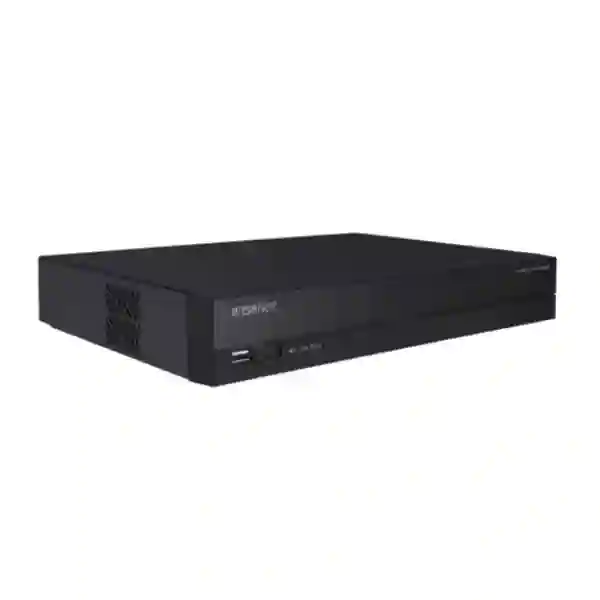
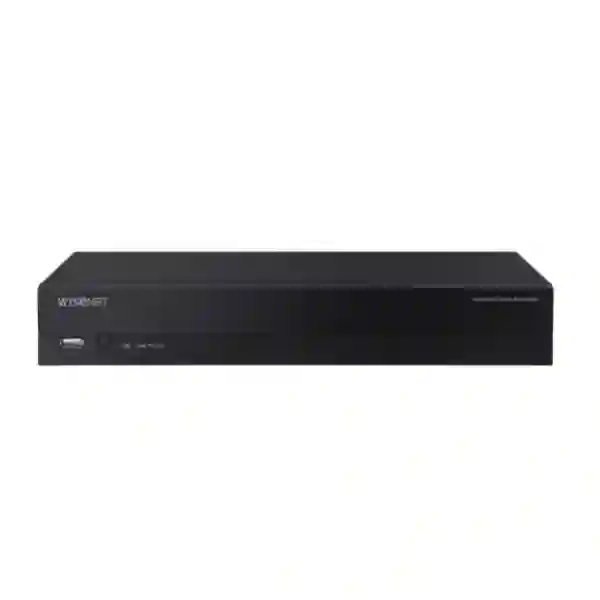
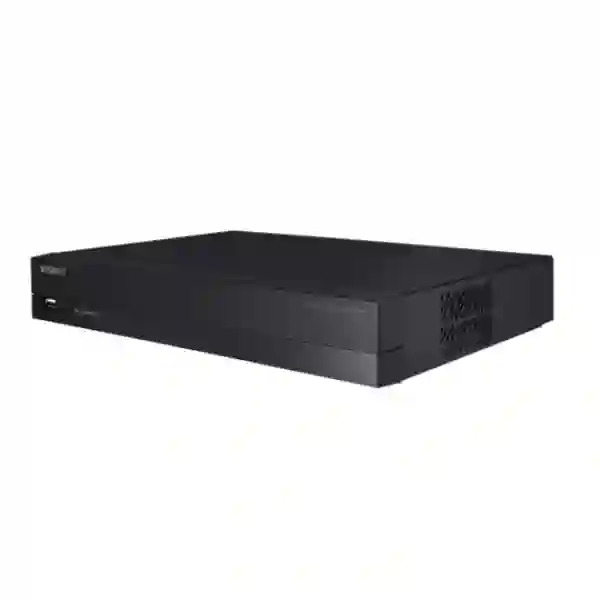
Hanwha QRN-420S: 4-Channel 8MP PoE Network Video Recorder
Plan a compact video surveillance system with four IP camera channels, four built-in PoE connections, codec flexibility and local recording. For buyers in Tanzania, the right decision is not only whether this recorder accepts four cameras: it is whether your chosen cameras, aggregate bitrate, shared PoE draw, hard drive and footage retention fit its published limits.
Verified specifications at a glance
The following describes manufacturer-stated capabilities of the exact QRN-420S model. It does not establish local stock, included accessories or a particular Tanzania package configuration.
| Manufacturer / model | Hanwha Vision / QRN-420S |
|---|---|
| Device type | Four-channel network video recorder with integrated PoE switch |
| Network cameras | Up to 4 channels, up to 8MP camera resolution |
| Video compression | H.265, H.264, MJPEG; WiseStream support |
| Incoming recording bandwidth | Maximum 40 Mbps aggregate |
| Integrated camera power | 4 PoE ports; shared power budget up to 35W |
| Storage capacity | One SATA HDD slot; up to 6TB supported |
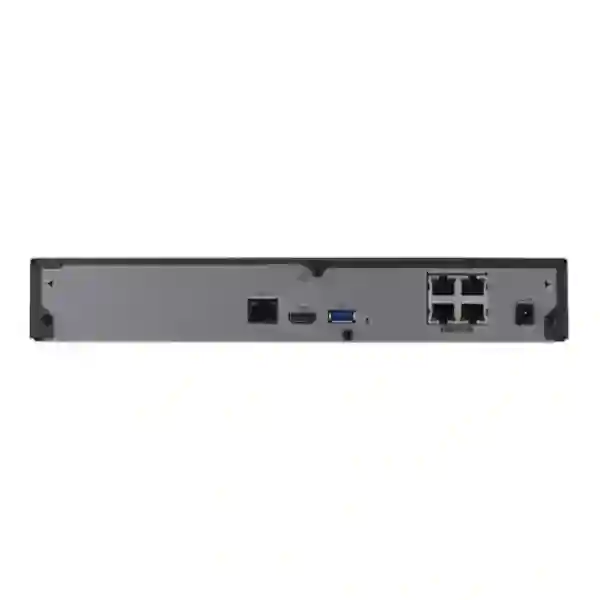
| Local display | HDMI video output |
| Remote viewing | QR-code P2P setup and Wisenet mobile features listed by manufacturer; verify deployed compatibility |
| Networking | One RJ-45 network interface plus four camera-facing PoE connections |
| Power input | 54V DC, 1.20A per published datasheet |
| Operating environment | 0°C to 40°C; 20% to 85% relative humidity |
| Physical dimensions | Approximately 300 × 47.1 × 208.4 mm |
| Included HDD, cameras and accessories | Confirm exact package contents in the current supplier quotation |
A practical recorder for a four-camera installation
A small surveillance installation needs more than a box that says it can record video. The recorder must accept the cameras you plan to install, power them reliably where appropriate, save footage for a useful period and make it straightforward to find a relevant incident later. The Hanwha QRN-420S brings four network camera channels and four integrated Power over Ethernet connections into a compact network video recorder. For a fixed four-camera layout, that can reduce the number of separate components in the equipment area.
The important purchasing question is whether the complete system fits the recorder’s limits. Count the cameras, establish the actual output bitrate of each stream, confirm the cameras’ power demand, choose an appropriate recording hard drive and decide where the screen and internet connection will be located. These checks are especially valuable when a property has several entrances, a reception point or a modest stock area but does not need an eight- or sixteen-channel platform.
Where the QRN-420S makes sense
This model is a candidate for a compact office, a small retail counter area, a reception desk, a single-site storeroom or a residential entrance arrangement. A four-view system might cover a front door, rear access, a transaction point and a circulation area. The purpose of these examples is to show how a limited channel count affects camera placement, not to imply that any particular camera layout will achieve full coverage or meet a site-specific security requirement.
The unit is less suitable when the plan already calls for five or more cameras, several buildings, substantial future growth or high aggregate recording rates. Even a property with only four cameras may need a larger recorder when each stream has unusually demanding quality, motion or retention requirements. Decide whether four channels are sufficient for the intended coverage first; then compare technical capacity rather than choosing on channel count alone.
Four channels are four recording positions
A channel represents a camera stream that the recorder can manage for recording within its supported configuration. Four built-in PoE sockets make connecting up to four suitable wired cameras more convenient, but the channel specification remains four. Adding a network switch does not turn this recorder into an eight-channel NVR. Equally, a camera that is reachable over a separate network connection still consumes one of the available channels if configured to record.
Prepare a simple camera schedule before ordering. Label the intended views, such as entrance, till, vehicle gate and storage door. Note which views require identification quality and which mainly need activity awareness. This exercise reveals unnecessary overlap and blind spots before cable runs are installed. It also indicates whether a multi-sensor or specialty camera would need additional compatibility review. The camera count should be agreed at the design stage, not discovered when the fifth unit is being connected.
What up to 8MP actually means
Hanwha lists support for network cameras at resolutions up to 8 megapixels. Higher resolution can improve detail when a suitable lens, positioning, lighting and recording configuration are used. It is not a promise that every possible collection of four 8MP cameras can be recorded at its highest frame rate with every setting enabled. Recording throughput and decoding capability are separate constraints, and camera output settings must remain within the recorder’s specifications.
Start with the scene rather than the maximum number on the specification sheet. A narrow entryway and a broad open space may need different focal lengths, mounting positions and pixel coverage. Nighttime exposure, backlighting and motion can affect usable images more than a nominal megapixel figure. Ask the installer to test actual recorded clips from each critical view, including challenging light conditions, before accepting the finished surveillance system.
Plan within the 40 Mbps recording ceiling
The maximum specified incoming network camera recording bandwidth is 40 Mbps. That total is shared across the configured camera streams; it is not a guaranteed allowance of 40 Mbps for each channel. Four streams averaging 8 Mbps would collectively use about 32 Mbps, leaving less room for bitrate variation than a plan based on lower settings. Those numbers are only an illustration, not a recommended fixed configuration.
Real camera traffic changes with image complexity, codec, frame rate, resolution, quality controls and scene motion. Variable bitrate can rise during busy periods, exactly when important events may be taking place. Ask for a realistic peak-bitrate plan and reserve operating margin rather than designing the system to sit permanently on the maximum. If cameras cannot deliver the required evidence quality without crossing the limit, consider a recorder with greater supported recording bandwidth.
Select and verify each IP camera
The QRN-420S supports Wisenet cameras and ONVIF-based integration as described in its technical documentation. That creates choices, but a shared protocol label does not prove that every camera feature works on every third-party model. Live video, audio, motion detection, PTZ control, advanced analytics and event metadata may have different degrees of interoperability. Firmware revisions can also change the practical integration result.
For each proposed camera, record its exact model, firmware version, preferred codec, resolution, frame rate, audio requirement and network authentication method. Verify the camera against the manufacturer’s current compatibility information where possible, then perform a functional test. A passing test should show stable live video and recording, accurate timestamps and reliable playback, not merely that a device appears in a discovery list. Where special analytics or specialized sensors are essential, obtain explicit confirmation before purchase.
Four PoE ports simplify wiring, not power calculations
Each of the four integrated PoE ports provides a convenient way to connect compatible network cameras using Ethernet cabling. The recorder’s published aggregate PoE budget is a maximum of 35W. That total matters because the camera power draw is shared across the ports. A design with several cameras that each need substantial power for infrared illumination, heaters or other features can exhaust the shared budget even when there are unused network resources.
Check the maximum stated power requirement for every camera in the exact mode of operation planned. Add those requirements and leave practical headroom rather than assuming all cameras always run at their typical daytime draw. If the combined requirement is too high, review suitable external PoE infrastructure or a different recorder design. Do not infer that the presence of four PoE sockets guarantees enough power for any four cameras.
Cable routes and camera placement
Integrated PoE can reduce separate power adapters close to the cameras, but it does not eliminate installation work. Cable length, connector quality, outdoor exposure, the route through walls and protection against physical damage all affect reliability. Plan the network cable route for each view and check that the intended cable type and installation method meet the relevant equipment and electrical requirements. Use weather-appropriate protection where the route is exposed.
Document every run with an understandable label at the recorder and at the camera end. Keep connections accessible for maintenance without placing them where they can be casually unplugged. Avoid cable routes that expose the system to unnecessary moisture or mechanical strain. Before closing a wall or ceiling, test the link, confirm the camera powers correctly and verify the intended image. Correcting a misplaced camera before final finishing is much easier than reopening the installation later.
Understand the network connection
The published interface list distinguishes one network connection for the recorder from its four camera-facing PoE ports. A typical installation connects the NVR to a suitable local network for authorized access while the compatible cameras attach to its integrated PoE connections. The exact addressing, gateway and camera-discovery arrangement should follow the recorder manual and the site’s network design. Do not assume that every port can be used interchangeably.
A network plan should identify who is allowed to access the recorder, which computers or mobile devices need viewing rights and whether off-site access is necessary. Separate the camera environment from unrelated guest traffic when appropriate, and arrange firewall controls with the network administrator. A recorder can capture video locally without relying on constant remote viewing, but its configured network services still require care. Recording and remote access are different workflows and should be tested separately.
H.265, H.264 and MJPEG support
The supported compression formats include H.265, H.264 and MJPEG. These are options for handling video streams; they do not remove the need for compatible cameras or sensible settings. H.265 can offer storage and bandwidth advantages in suitable conditions, although actual results depend on scene content, encoder behavior and the image quality settings you select. H.264 may remain useful when an integration or viewing environment requires it.
Set a codec deliberately for each camera and validate playback from the recorder, browser and intended mobile client. Do not assume that a stream recorded with one codec is equally convenient for every export or downstream software tool. Where evidential exports will be shared with others, plan a playback method in advance. A recording strategy should optimize usable footage, predictable operation and retention, rather than choosing a codec based only on its theoretical compression efficiency.
WiseStream and bitrate management
Hanwha lists WiseStream support among the QRN-420S features. Where the selected camera and configuration support it, intelligent stream management can help limit unnecessary video data in suitable scenes. The benefit is related to how video is encoded and transmitted; the feature is not a substitute for appropriate camera positioning, recording resolution or sufficient storage. It also should not be treated as a fixed percentage saving that applies to every location.
Consider a quiet corridor and a busy entrance. Their image content and activity patterns can be very different, so the resulting bitrate and storage demand may differ even when the cameras share a resolution. Observe representative recorded traffic instead of relying only on a default calculator input. If retention is important, measure several normal operating periods and revise the plan if images become too compressed or the storage estimate proves optimistic.
Choose continuous, scheduled or event-led recording
The recorder’s documentation describes continuous, schedule-based and event-oriented recording configurations. Each approach solves a different need. Continuous recording creates a regular timeline for review, while a schedule can emphasize operating hours. Event-led recording may reduce saved footage for areas that are quiet much of the day, but it depends on reliable triggering and correct configuration. No setting guarantees that every relevant incident will be captured.
Discuss what happens outside business hours, during a power interruption and in scenes with moving foliage, vehicle headlights or frequent changes in lighting. Set pre-event and post-event recording where supported and verify that clips include enough context to explain what happened. Test the system by deliberately walking through the watched area and searching for the event afterward. A plan that looks efficient on paper should be judged by its ability to preserve useful evidence.
Dual-track recording and practical playback
The manufacturer describes dual-track recording for this series, which can keep a high-resolution stream alongside a lower-resolution stream for more responsive playback under constrained viewing conditions. This is valuable when the person reviewing footage needs to navigate a timeline quickly but still retrieve greater detail when necessary. Available functionality and stream behavior should be confirmed against the firmware, camera and client used in the installation.
Plan two separate tests: one for the quality of saved footage and another for how easily the operator can find it. A fast preview that loses important detail is not a satisfactory substitute for a clear evidential clip. Conversely, a detailed recording is difficult to use if staff cannot locate the relevant time. Teach operators how to search by time and event, adjust playback and export only the required material while protecting the original record.
One hard drive bay, up to 6TB supported
The QRN-420S has one SATA hard-drive position and a manufacturer-stated supported drive capacity of up to 6TB. This is a compatibility ceiling, not a statement that a drive is already installed or that an order automatically includes 6TB of usable recording space. Storage sold with the recorder, if any, must be stated explicitly in the commercial quote. The usable space after formatting and system allocation will not be identical to the marketed disk capacity.
Choose a drive intended for the workload and check it against the current manufacturer compatibility guidance. Determine whether the installation will record continuously, by schedule or following events, then estimate retention. A single-drive arrangement should also be recognized as a storage resilience limitation. Video that exists only on one local disk is vulnerable to disk failure, theft, damage and operational mistakes. Important evidence needs an appropriate backup or export procedure.
Estimate video retention before purchase
The number of days the recorder can keep footage depends on the hard drive installed and the actual amount of data written by the configured cameras. Resolution alone is not enough to make a reliable estimate. Bitrate, codec, frame rate, operating hours, motion, event frequency, audio and the selected recording rules all influence the result. A buyer asking for a fixed number of days should receive a calculation based on the proposed stream settings.
As a rough planning relationship, one constant 1 Mbps stream produces about 10.8 GB of video data per day before overhead. Four streams averaging 3 Mbps each would therefore produce roughly 129.6 GB per day before overhead and other allowances. These are arithmetic examples, not promised retention figures. Real operation changes over time. Verify the disk’s usable capacity, preserve space for normal operation and monitor retention after installation so the business knows when older footage begins to be overwritten.
Keep important footage usable as evidence
Reviewing recorded video is often the reason a surveillance project was funded. Decide in advance who may search the archive, who can export clips and how an incident is documented. The recorder documentation describes local and network export formats, but the exact evidence workflow should be checked on the deployed firmware. An export should be tested on the computer that will receive it rather than assumed playable everywhere.
Make sure the recorder clock is correct and uses the intended local time configuration, because incorrect timestamps can make an otherwise useful recording hard to interpret. Record the date, time, camera view and reason for an export, and limit unnecessary copies. If footage is required for a formal investigation, the organization should follow its relevant evidence-handling and privacy procedures. A successful installation is not only one that records; it is one whose authorized staff can retrieve the right clip when needed.
Local monitoring through HDMI
The recorder provides an HDMI output for a local display. This suits a reception desk, security position or equipment area where a staff member needs a direct view of the configured cameras. Published documentation lists HDMI display modes up to 3840 by 2160, but the screen, cable, firmware and selected mode must all support the intended arrangement. The output resolution should not be confused with the resolution of every recorded stream.
Position the display where the viewing person can see it without creating unnecessary exposure of private footage to the public. Set a useful screen layout and clear camera names so an operator recognizes locations immediately. Confirm that the chosen monitor switches on after a restart and that the recorder returns to the desired view. A reliable local viewing experience can be more valuable than a screen advertising a high resolution but showing camera windows too small to interpret.
Mobile viewing and QR-code setup
Hanwha describes QR-code-based P2P configuration and Wisenet mobile viewing as features of the product. They can make authorized remote viewing more convenient when the relevant app and service remain available for the installed model and firmware. Remote access nevertheless depends on a functioning network, compatible devices, account configuration and suitable security settings. It should not be promised merely because the recorder supports a QR code.
Before handover, check who needs phone access, the number of approved viewers and whether the organization’s network policy permits the connection method. Demonstrate live view and playback from an authorized device using the actual internet connection expected in daily use. Protect login credentials, promptly remove access for former users and do not leave shared default accounts in service. Where mobile access is unnecessary, the system should not be configured to expose services simply for convenience.
Set accounts and protect recorder access
An NVR holds security-sensitive video and can become part of the site’s broader network. Apply a strong unique administrative password, create named user access where supported, and grant only the functions needed for each role. Keep a controlled record of the device’s configuration and of the person responsible for account changes. The manufacturer describes network security mechanisms including HTTPS access, authentication and access logging, though the exact configuration must follow the software version in service.
Review firmware and security advisories through the official manufacturer support process and change configuration only after assessing operational impact. Disable unnecessary network exposure and avoid directly publishing administrative interfaces to the internet. Use secure remote-access methods approved by the network owner. If a third-party installer manages the system, specify who ultimately controls the admin credentials and how those credentials will be transferred at handover. Ownership of access is part of ownership of the installation.
Alerts, events and response responsibilities
The recorder can work with camera events and configured recording or notification actions described in the documentation. Examples include motion-related activity and supported device events, but actual trigger availability varies by the connected camera and its integration. An event label should not be interpreted as a guarantee of object recognition or a specialized AI function. Confirm a required event type on the exact camera and recorder combination before relying on it.
Agree who receives an alert, what hours they are expected to respond and how false alarms will be reviewed. A notification that reaches an unattended inbox has little practical value, while a flood of alerts can cause legitimate events to be ignored. Adjust sensitivity carefully, document changes and conduct real tests during daylight and after dark. Video alerts assist a security process; they do not replace locks, access controls, appropriate lighting or trained response personnel.
Power continuity for a Tanzania installation
Power stability can determine whether the system records at the moment footage is needed. Evaluate the power supply at the property and consider a suitably specified uninterruptible power supply for the recorder, connected cameras and any networking equipment essential to the intended operation. A UPS must be sized for the real combined load and the required backup time, not just the recorder’s unloaded consumption. Confirm which devices are actually protected by the same supply.
Plan how the system shuts down or recovers after an outage and test that recording resumes correctly. Keep the specified power adapter, use proper electrical protection and have qualified personnel assess earthing, surge exposure and installation safety. If remote viewing is essential, the router and any other network link also need continuity. The recorder cannot provide uninterrupted security by itself when the wider camera and network infrastructure has lost power.
Ventilation, heat and equipment location
Manufacturer documentation specifies a recorder operating temperature range of 0 to 40 degrees Celsius and relative humidity limits of 20 to 85 percent. These are device conditions, not a guarantee that a locked cabinet, ceiling space or unventilated kiosk will remain within the limits. Heat builds up around electronic equipment, especially where the room has poor airflow or receives direct sunlight. Check the environment where the unit will actually operate.
Select a clean, secure, accessible location with adequate ventilation and space for cables. Keep airflow openings clear and avoid water, dust accumulation, vibration and accidental disconnection. The unit is an indoor electronics device and should not be treated as an outdoor weatherproof camera. Maintenance access matters too: if a drive must be checked or a cable replaced, the equipment should be reachable by an authorized person without disturbing unrelated business systems.
Commission the complete system, not just the NVR
A useful installation checklist begins before cameras are mounted. Confirm camera addresses and credentials, check cable terminations, identify the selected storage drive and inspect the network plan. After connecting the components, verify that all four intended views appear and that each camera records under its assigned schedule. Check timestamps, image orientation, resolution, frame rate and day-to-night behavior. The deployment should also have a clearly recorded device configuration and responsible owner.
Then test playback from a recent recording, event search where configured, an export, local HDMI viewing and any authorized remote clients. Restart the equipment under controlled conditions and check that all camera streams and recording services return. Record the serial numbers and firmware versions in the installation handover documents. A simple signed acceptance checklist helps distinguish a complete working system from a box that has merely been powered on.
Troubleshooting a missing camera
When a camera does not appear, start with physical and network checks rather than immediately resetting the recorder. Inspect the cable, connector and power requirements; confirm that the integrated PoE budget has not been exceeded. A camera may power up yet fail to connect because its address, credentials, protocol, time settings or firmware are incompatible with the current configuration. Test one change at a time so the real cause is not obscured.
If a live picture is present but recording is missing, inspect the recording schedule, disk health, capacity and event rules. If remote viewing alone fails, investigate internet connectivity and account permissions without disturbing a functioning local recording configuration. Keep a small maintenance record showing the symptom, date, change made and result. Repeated faults may indicate poor cabling, unsuitable equipment placement or an overloaded design rather than an isolated software issue.
Choose a recorder with room to grow
The most common mismatch occurs when a four-channel recorder is selected for a site that soon requires more cameras. Expansion should be part of the initial conversation even if the business expects to install only two or three cameras now. Ask which doors, outdoor paths, cash-handling areas or additional premises might require coverage during the equipment’s useful life. A future fifth camera means the four-channel capacity must be reconsidered.
Also consider whether the future specification will demand higher overall recording bandwidth, more drive capacity, advanced search capabilities or multi-site administration. The QRN-420S is attractive when its defined limits match a stable small system. It is not a universal foundation for every surveillance project. A different Hanwha NVR or a larger system may be the more economical decision when expansion and retention are known requirements; availability and exact model suitability must be checked separately.
Compare total system requirements, not box features
A recorder comparison should include the cost and suitability of cameras, appropriate hard-drive storage, cabling, mounting accessories, network equipment, surge protection and any backup power. A model with built-in PoE may reduce some components, but only when the connected cameras fit its power budget. Conversely, an external switch may be needed for particular cable layouts or device loads. There is no universally cheapest configuration independent of the site.
Add the expected cost of installation, commissioning, operator training and future maintenance to the decision. Determine who will respond to disk warnings, update firmware and assist users who lose viewing access. Ask whether evidence retention or privacy practices create additional operating responsibilities. A clear quotation should separate included equipment and services from optional items. Avoid assuming an advertised recorder specification describes a complete ready-to-record camera package.
Create a camera-by-camera purchasing schedule
Before asking for pricing, prepare a small schedule with one row for each camera view. Record the scene, approximate distance, lighting conditions, preferred recording hours, need for audio, desired image detail and maximum camera power demand. Add the intended network cable route and whether the area is indoors or exposed. Even a rough drawing can reveal that one wide-angle camera does not actually provide the detailed doorway view the buyer expects.
For the recorder line item, state the four-channel requirement, proposed storage capacity, expected retention, monitor location and remote-viewing policy. Ask the supplier to confirm the exact Hanwha QRN-420S model, its compatibility with the selected cameras and what is included in the offer. This process makes quotations easier to compare and prevents a low headline price from concealing a missing disk, unsuitable cameras or unbudgeted installation components.
Small office and reception scenario
A modest office may need clear footage of an entrance, reception counter, corridor and rear access door. In this layout, operators usually value straightforward recording and a predictable way to locate an event by time. The QRN-420S could be a candidate for that fixed four-view plan if each camera is technically compatible and the combined bitrate and PoE draw meet its limits. The installer should prioritize faces at the entrance rather than simply choosing the broadest field of view.
Staff privacy and visitor expectations deserve equal attention. Decide who can watch live images, who can retrieve older clips and where the monitor is visible. If the office closes overnight, determine whether continuous or event-led recording provides the desired evidence. Test the entrance in backlit daylight as well as at night. That practical validation is more meaningful than assuming a high-resolution camera will always make every visitor identifiable.
Retail counter and stockroom scenario
For a small shop, one camera may observe the customer entrance, another the counter, a third a storage doorway and a fourth a wider activity area. This is a planning example rather than a fixed security design. A recorder can preserve footage from those views, but clarity at a transaction point depends on camera angle, distance and lighting. Privacy should also be considered when positioning cameras near staff working areas or public-facing screens.
Footfall and movement can increase encoded video data, so retention estimates should reflect busy periods, not only an empty store after closing. If the owner wants phone alerts, test their usefulness during normal operating conditions and determine who can respond. Protect the recorder in a controlled location and make sure ordinary staff cannot casually interrupt its power. The business should know how to export a short clip before an incident makes that knowledge urgent.
Home entrance and small compound scenario
A residential buyer may have a straightforward four-view requirement: main gate, front door, parking area and a rear approach. This can be a reasonable starting point, provided the cameras are chosen for the actual light levels and distances. Outdoor cameras need appropriate environmental ratings and installation methods; the indoor NVR itself should remain in a protected, ventilated area. The recorder’s four PoE ports do not establish outdoor suitability for the cameras or cabling.
Where the property relies on an internet connection for remote access, distinguish that convenience from local recording. Configure the local recording system and then verify off-site viewing as a separate service. Power outages, weak connectivity and camera placement can affect the result. For households that want long retention or additional future cameras, the purchasing discussion should move beyond the compact four-channel specification before equipment is ordered.
Understand what is and is not included
The QRN-420S product specification establishes hardware capability; it does not identify the content of a particular seller’s package. A quoted unit may be offered with or without a hard drive, cameras, a monitor, network cables, installation or a UPS. Never assume that maximum supported storage means the HDD is included. Confirm the physical quantity, exact model and accessory list for the actual FourTeck Tanzania quotation.
Also verify price, any applicable taxes, warranty terms, current availability and delivery arrangements directly from a current offer rather than from unrelated product listings. These commercial details can change independently of the manufacturer’s technical specification. Ask for the camera compatibility check and storage plan to be attached to the quotation. A buyer should be able to distinguish facts about the model from details of the particular commercial package being proposed.
Frequently asked questions
These answers focus on the practical checks buyers commonly need before committing to a four-channel network recording solution.
How many IP cameras can the QRN-420S record?
The published maximum is four network camera channels. Its four built-in PoE connections can simplify attaching compatible wired cameras, but they do not add extra channel licenses or recording positions. A fifth camera requires a different recording plan. Make a list of planned and likely future cameras before deciding this four-channel format is the right fit.
Does it support 8MP cameras?
Yes. Hanwha specifies support for camera resolutions up to 8MP. However, total recording bandwidth is limited to 40 Mbps, and actual playback and stream performance depend on the complete configuration. Confirm the camera models, frame rates, codecs and bitrates together rather than assuming all four channels can run any maximum-quality combination.
Is a hard drive included?
The model accommodates one SATA HDD with a manufacturer-listed maximum supported capacity of 6TB. That figure does not prove a hard drive is bundled with a particular seller’s offer. Ask FourTeck Tanzania to identify the supplied drive model and capacity, if any, in the quotation. Also confirm compatibility and the estimated retention from actual recording settings.
How much power is available to the PoE cameras?
The integrated PoE budget is up to 35W in total across the four camera-facing connections, according to the product datasheet. Calculate the combined maximum demand of the selected cameras, particularly where night illumination or powered functions increase consumption. If the design needs more, review an appropriate external PoE arrangement or another recorder solution.
Can I view footage on my phone?
The manufacturer lists QR-code-based P2P configuration and Wisenet mobile viewing features. Successful remote access also requires suitable network connectivity, compatible application support, secure account setup and the correct firmware configuration. Have the installer demonstrate live view and playback from an authorized phone before accepting the completed system. Do not expose the administrator interface unnecessarily.
Can I connect cameras from other manufacturers?
The documentation lists ONVIF alongside Wisenet camera support. This is a starting point for interoperability, not a guarantee that every camera’s audio, analytics, PTZ or alarm functions work. Confirm the exact model and protocol compatibility, and test both recording and playback. Where a specialist feature is essential, obtain explicit compatibility confirmation.
How many days of video will 6TB keep?
No single answer is reliable without knowing the camera bitrates, recording hours, codec, scene activity and actual installed disk. A 6TB support limit is not a fixed retention promise. Calculate using the proposed configuration and verify the result during normal operation. If evidence must be kept for a defined period, make that a stated design and monitoring requirement.
Will recording continue if internet service fails?
A correctly configured local recorder and its connected cameras may continue local recording without an off-site internet connection, provided the recorder, cameras, storage and local power remain working. Remote access can fail while local recording continues. Test this distinction on the installed topology and confirm that recording resumes properly after any network or power interruption.
Is this recorder suitable for outdoor installation?
The QRN-420S itself should be installed as protected indoor electronic equipment within its stated temperature and humidity range. An outdoor camera is a separate product that must be chosen for the environmental conditions at its mounting point. Provide appropriate weather-rated accessories and cabling, and avoid placing the NVR in an exposed location or an unventilated hot cabinet.
Does it offer HDMI monitoring?
Yes. A local HDMI monitor connection is part of the manufacturer specification. Confirm that the chosen screen, cable and display mode work with the actual recorder and viewing layout. HDMI support describes the local output; it does not guarantee that every recorded video stream has the same resolution or frame rate as the monitor’s selected mode.
What if I want more than four cameras later?
Choose an appropriate higher-channel recorder or revise the system architecture before investing in extensive cabling and equipment. A network switch does not increase the QRN-420S four-channel recording capacity. If more cameras are likely, include their planned locations in the initial survey and compare suitable recorder models for channel count, throughput and storage.
What should I send when requesting a quote?
Share the number of camera views, proposed or existing camera model numbers, approximate cable runs, desired recording duration, monitoring requirements and whether an HDD or installation service is needed. Mention any remote viewing and backup-power requirements. Request confirmation of current Tanzania pricing, package contents, compatibility and commercial terms for the exact offering rather than assuming them.
Request a QRN-420S suitability check and quote
Tell FourTeck Tanzania how many cameras you plan to use, the camera models, expected recording period and any requirements for phone viewing, HDMI monitoring or backup power. Ask for written confirmation of camera compatibility, the combined 40 Mbps recording plan, the 35W PoE budget and the type and size of hard drive included, if any.
Request a current quotation with the exact package contents, Tanzania price, availability, warranty terms and any installation or accessories clearly specified. No particular price, delivery promise, local installation coverage or included HDD is assumed on this page.




Reviews
There are no reviews yet.