
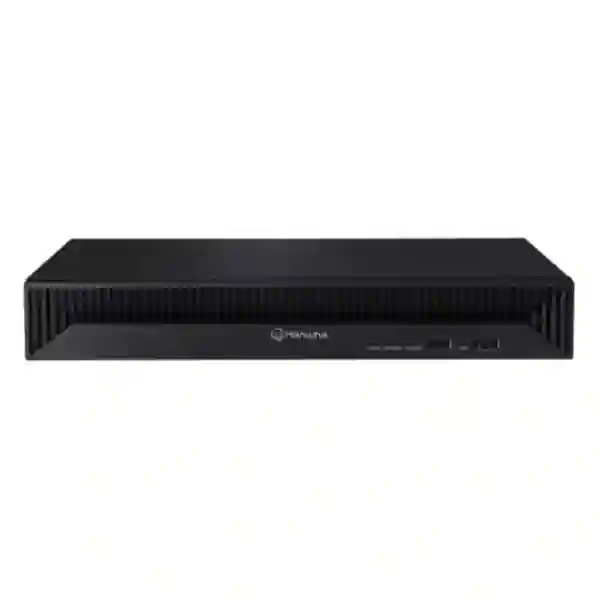
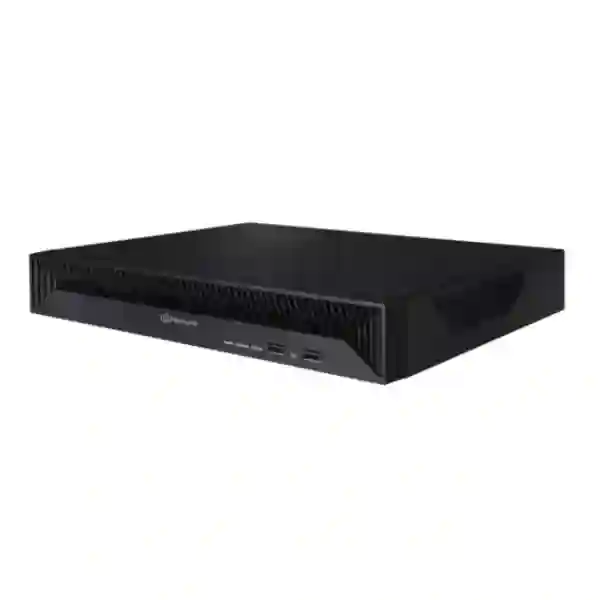
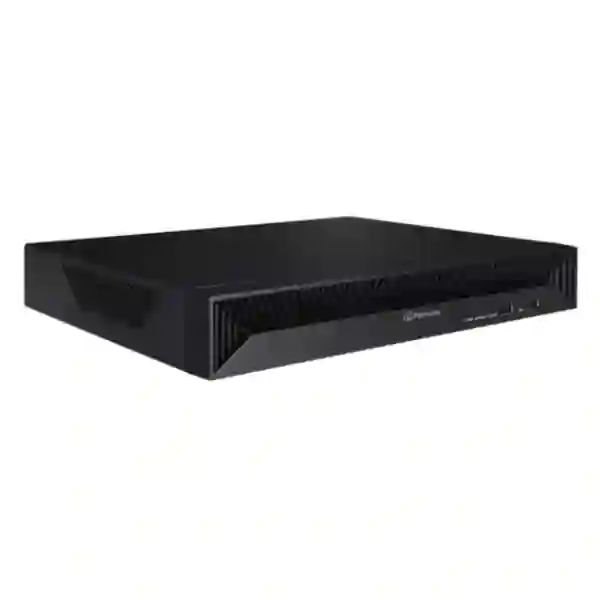
Hanwha Vision • Network video recorder • Tanzania
Hanwha QRN-830S-4T: 8-Channel 4K PoE NVR with 4TB Storage
Need a practical recorder for up to eight IP cameras without adding a separate power switch for every camera? The Hanwha QRN-830S-4T combines eight PoE camera connections, recording support up to 8MP per channel, a 4TB supplied hard drive and 4K HDMI viewing. It is a strong candidate for a properly planned small-site CCTV network; the key checks are recording bitrate, camera power consumption, storage retention and compatibility. Request a configuration review and quotation for your Tanzania project.
Verified technical specifications at a glance
| Specification | QRN-830S-4T |
|---|---|
| Product type | Network video recorder (NVR) with PoE |
| Camera inputs | Up to 8 IP camera channels |
| Supported camera resolution | Up to 8MP (4K-class) |
| Recording bandwidth | Maximum 80Mbps combined |
| Video codecs | H.265, H.264, MJPEG |
| Storage supplied | 4TB internal HDD |
| Drive capacity | 1 SATA bay, up to 6TB supported |
| Camera power | 8 PoE+ ports, 65W combined budget |
| Local display | HDMI output, up to 3840 × 2160 at 30Hz |
| Camera protocols | SUNAPI and ONVIF |
| Recording options | Normal, dual stream, scheduled, event, pre/post-event, bookmark |
| Playback bandwidth | Up to 32Mbps |
| Backup options | Local and network export formats listed by manufacturer |
| Remote access | P2P QR-code setup; supported Wisenet viewing clients |
| Redundancy functions | ARB and N+1 failover support; deployment conditions apply |
| Recorder power | 54V DC / 1.55A; maximum 84W with HDD and PoE active |
| Environment | 0°C to 40°C; 20–85% relative humidity |
| Chassis size | Approximately 300 × 47.6 × 238.9mm |
Specifications are based on Hanwha Vision documentation for the exact QRN-830S-4T and QRN-830S platform. Confirm configuration and regional supply before purchase.
Who is this recorder suitable for?
This model is intended for buyers who want an eight-camera IP recording system with straightforward local operation. Typical requirements include seeing entrances, tills, corridors, stock areas and site boundaries on a single recorder. The eight-channel ceiling is useful when the final camera count is known and modest. A business with five or six cameras, for instance, may retain a little channel capacity for a later addition, while still keeping recording and viewing within one appliance. The device is not a substitute for choosing good camera locations, appropriate lenses and reliable wiring.
A buyer should begin with the surveillance objective rather than the recorder name. Decide which events must be visible, which faces or activities need detail, and what footage retention period is required. Then select suitable compatible cameras, estimate the total video bitrate and check electrical demand. This approach avoids paying for features that are not needed or choosing an NVR that cannot sustain the intended workload. For a Tanzania installation, also plan for site power quality, cabinet temperature, installer access and the internet connection used for remote viewing.
Understand the eight-channel limit before choosing cameras
An eight-channel NVR can register up to eight network camera video sources in the normal eight-camera plan. This is a channel count, not a promise that every possible camera can record at its highest frame rate and quality simultaneously. Real-world performance also depends on video resolution, frame rate, codec efficiency and the total recording traffic arriving at the recorder. If the project requires more than eight cameras now or soon, a higher-channel system should be assessed before ordering.
Camera placement has more impact on usable evidence than filling all eight channels. A wide-angle camera can provide a helpful overview but may not capture sufficient detail of a distant subject. A narrower view at an entrance or transaction point can reveal more useful information. Consider lighting, reflections, movement speed and night-time scenes when deciding where to dedicate each channel. Build a simple camera schedule naming the location, purpose, model, expected bitrate and power draw; it gives the installer a practical basis for sizing this NVR.
4TB included: what storage capacity means in practice
The QRN-830S-4T variant is specified by Hanwha Vision with a 4TB hard disk supplied. The recorder has one SATA drive position and supports a drive capacity of up to 6TB. The 4TB figure describes nominal drive capacity, not the number of days guaranteed on the recording timeline. File system overhead, recording settings, camera activity and the overwrite policy all affect usable retention. A single-drive design also means it does not provide internal RAID disk mirroring.
Choose the retention target before finalising the installation. Some sites primarily need a few days of incident review, while others may have a documented longer retention requirement. Storage planning should account for the eight cameras individually; a quiet hallway camera and a high-motion entrance camera can generate very different footage sizes. If 4TB cannot meet the requirement at acceptable image quality, discuss the supported drive capacity or a different recorder with additional drive bays. Confirm the exact supplied disk and any storage changes in the quotation rather than assuming an upgrade is included.
Estimate recording days with realistic bitrates
A useful first estimate starts with the total continuous recording bitrate, not just the number of megapixels. As an illustration, eight cameras averaging 2Mbps each produce about 16Mbps in total. At that sustained rate, a nominal 4TB drive represents roughly 23 days of raw video capacity before storage overhead and other factors. At 4Mbps per camera, the same eight-camera system reaches about 32Mbps and the nominal estimate falls to roughly 12 days. These are sizing examples, not promised retention figures.
Actual retention may be shorter because of formatting, footage management, recording overhead and variations in the incoming streams. It may be longer when genuinely lower average bitrates or carefully configured event schedules are used. Night-time noise, moving trees, headlights and busy public areas can change compression behaviour significantly. Ask the installer to measure or conservatively estimate each camera’s configured bitrate and test recorded footage at the detail level required. Then verify the oldest available video after the site has operated under representative conditions.
Why the 80Mbps recording limit matters
The manufacturer’s published combined camera recording bandwidth is up to 80Mbps. Think of this as a shared input budget for recorded video, not 80Mbps dedicated to each of the eight ports. Eight 4Mbps streams, for example, amount to approximately 32Mbps before allowance for operational variations and other traffic. Eight streams averaging 10Mbps would use the full nominal 80Mbps, leaving little room for fluctuation. The appropriate design should preserve headroom rather than target the limit under ideal conditions.
Bitrate demand can rise when scene complexity increases or configuration changes are made. A new frame rate, altered quality setting or additional camera can affect the whole recording plan. When assessing mixed-resolution cameras, total their expected incoming streams and leave a sensible operational margin. Also distinguish recording bandwidth from playback and remote viewing bandwidth; the manufacturer lists a separate playback capacity. If the site needs intensive review by several people while recording all cameras, test that workflow before sign-off.
Eight PoE connections, but a shared 65W budget
The integrated eight PoE+ camera ports can simplify the wiring of a compact surveillance system. Compatible cameras can receive data and electrical power along suitable Ethernet cabling, reducing the need for separate low-voltage supplies beside every camera. However, the ports share a maximum 65W PoE power budget. Eight cameras requiring 5W each would nominally consume 40W, while eight requiring 10W each would need 80W and exceed the recorder’s advertised combined allowance. Port count does not override the overall power limit.
Check each camera’s maximum specified power rather than relying on an average seen in normal daylight. Infrared illumination, heaters, motors and some accessories can increase draw, especially at night or during start-up. Outdoor PTZ cameras and models with substantial heating requirements may need independent power provision or a properly rated external PoE switch. Check port capability, cable length, copper quality and site earthing too. The installer should calculate a power schedule and demonstrate that the complete installation remains stable with all intended functions enabled.
Video compression: H.265, H.264 and MJPEG
Hanwha lists H.265, H.264 and MJPEG recording support. These codecs describe how video data is compressed before storage and transmission. H.265 can often reduce bitrate compared with H.264 for comparable visual quality, but the actual saving depends on camera encoder implementation, scene motion, lighting and settings. MJPEG behaves differently and can require substantially more data under some conditions. Select the codec supported by both the chosen cameras and the intended review workflow; do not treat the most modern option as automatically optimal.
Set a test profile for a daytime scene and a challenging evening scene, then examine faces, moving objects and areas of interest in recorded footage. Compression artifacts that appear minor on a small live preview can matter when reviewing an incident. Bitrate settings should therefore be a balance between retention and evidence detail. Maintain a configuration record listing codec, resolution, frames per second, bitrate mode and intended recording schedule. That record makes future troubleshooting and storage recalculation far easier than trying to reconstruct settings after an incident.
8MP camera support is not the same as guaranteed image detail
The recorder supports compatible network cameras at resolutions up to 8 megapixels, commonly described as 4K-class security imaging. That capability helps where a scene benefits from additional pixels, but the result depends heavily on the camera sensor, lens, exposure and distance to the subject. A poorly positioned 8MP camera can provide weaker usable identification than a well-positioned lower-resolution camera. Before choosing a camera only for its pixel count, consider the field of view and how large important subjects will appear in recorded images.
Higher resolution generally adds load to the network and storage system when other settings are comparable. For areas where quick movement matters, an appropriate frame rate and shutter speed may be as important as resolution. For low-light entrances, illumination and exposure behaviour often dominate. Ask for example night and day captures at the actual mounting distance when possible. The eight-channel capacity should be designed as a complete imaging system; recorder compatibility alone does not guarantee that every security objective will be met.
Local 4K HDMI viewing and control
The recorder provides HDMI display capability up to 3840 × 2160 at 30Hz, allowing a suitable local monitor to show a clear surveillance interface. This can be useful for a reception desk, control point or office where authorised staff need to check cameras without relying entirely on remote access. The manufacturer also describes dynamic on-screen layouts and local playback functions. Actual visible detail depends on the cameras, decoding load, configured layout and connected display.
Choose the monitor based on the person and task. A guard watching eight small tiles needs a different screen arrangement from a manager who opens one recorded camera at full size after an event. Mount the screen where it can be viewed comfortably but cannot be casually observed by visitors if footage is sensitive. Confirm the supported display connection and accessories for the supplied regional unit; the product’s published specification pages contain some differences in secondary display wording. The safe assumption for purchasing is one confirmed 4K-capable HDMI output.
Search, playback and evidence review
A recorder is valuable when footage can be retrieved quickly after something happens. The QRN-830S family supports calendar-based searching, event lists and search or playback controls, with bookmarks among the recording features. Hanwha specifies a playback bandwidth of up to 32Mbps. These capabilities support a planned incident review process, but effective search still depends on accurate date and time settings, consistent camera naming and whether useful event information is available from the installed cameras.
During handover, ask the installer to demonstrate a full incident workflow: select a camera, locate a time, replay a short interval, pause on an important frame, export a relevant file and verify that the export can be opened. The person responsible should know how to preserve an original copy and document who handled it. Rather than assuming every operator needs full administrator access, define a small number of authorised reviewers. A well-tested review process saves more time than an elaborate live display that nobody knows how to search.
Remote viewing with network and account security
Hanwha specifies P2P QR-code assisted configuration and support for Wisenet viewing clients. These features can make it easier for authorised users to review cameras away from the recorder, provided the local network, internet access and current client compatibility are suitable. Remote viewing is not a guarantee of uninterrupted streaming over every mobile connection. A site with limited uplink capacity may need lower-bandwidth viewing profiles, fewer simultaneous streams or carefully selected cameras in the live layout.
Remote access should be configured as a managed security function, not an open invitation to share the administrator password. Use strong unique credentials, current approved firmware, appropriate user permissions and protected network settings. Confirm which phones and operating systems are supported by the current client releases before promising a specific mobile experience. When internet access is unavailable, local recording can still be designed to continue, subject to available power and camera connections. Test both connected and disconnected operating conditions during commissioning.
Camera compatibility: ONVIF and SUNAPI
The manufacturer’s compatibility list includes ONVIF and SUNAPI network camera protocols. This provides a technical basis for integrating suitable IP cameras, especially within Hanwha’s ecosystem, but it does not mean that every camera from every supplier will expose all available functions. Basic video, motion metadata, audio, PTZ and advanced event features can behave differently depending on firmware and the exact integration method. Verify the specific camera model and software versions before placing the final order.
A practical acceptance test should check connection stability, video profiles, time synchronisation, day and night operation, playback and any critical alarms. If the camera is a third-party ONVIF device, test the supported profile and required features explicitly rather than relying on a generic protocol logo. Where a feature is crucial, such as a camera-origin event triggering an alarm, request written compatibility confirmation or a live demonstration. This precaution helps prevent an otherwise functional installation from falling short of its operational purpose.
Recording schedules and event-based capture
The device lists continuous, scheduled and event-related recording modes, including pre-event and post-event options. Continuous recording creates a more predictable timeline but uses capacity according to the chosen stream settings. Event-triggered recording can help focus review on activity and may reduce storage use in some environments. However, it should not be treated as infallible: an event can be missed when detection thresholds, lighting, field of view or compatible camera events are configured poorly.
Choose a policy that matches the risk at each camera. A cash-handling point may justify continuous recording, while a lower-risk area could use a reviewed schedule if permitted by the organisation’s policy. Decide how long to keep footage, who can change schedules and whether any periods must never be disabled. During testing, walk through the monitored area at different speeds and lighting conditions. Check that the recorded clip includes useful context before and after the action, not just a short fragment that is difficult to interpret.
Motion alerts, false alarms and camera events
The recorder can work with a range of camera-related triggers and actions, including motion or other events reported by compatible devices. This does not make the recorder an independent artificial-intelligence analytics engine. Specific analytics depend on the connected camera, supported firmware and configuration. A buyer seeking person or vehicle classification should first verify that the chosen camera actually provides the relevant analytics and that the required events are passed to this NVR.
An alerting plan should distinguish important events from ordinary background changes. Moving foliage, rain, insects near infrared illumination and changing headlights can produce nuisance triggers in exposed scenes. Review detection areas and sensitivities on site instead of accepting factory defaults. Assign one person responsibility for checking whether alerts remain useful after seasonal or operational changes. Alerts can support staff response, but the recording system should not be marketed as a substitute for guards, access control or any legally required safety process.
PTZ control and the limits of moving cameras
Hanwha publishes PTZ control functions through the recorder interface and web viewer. When a compatible pan-tilt-zoom camera is installed, authorised staff may be able to steer it or recall supported presets. Such a camera can be useful for inspecting several distant points, but a moving view can also leave other areas unobserved. For sites where continuous evidence of a doorway or exit is essential, a fixed camera may be the better primary recording source.
Check both data compatibility and power demand when specifying PTZ equipment. A motorised outdoor camera may require more than the integrated PoE allocation can reasonably provide, particularly when infrared lighting or environmental accessories are operating. The recorder’s ability to control a camera does not prove that the camera can be powered by the recorder. Agree preset positions, permitted users and appropriate operator actions in advance. A commissioning demonstration should show that the camera returns to the correct view and continues recording the required scene.
ARB and N+1 failover: understand the prerequisites
Hanwha identifies Automatic Recovery Backup (ARB) and N+1 failover support for this product family. These are useful resilience-related capabilities to explore, but the labels should not be read as a guarantee that this single NVR never loses footage. The actual benefit depends on compatible cameras, configuration and any additional equipment required by the selected redundancy architecture. A single internal disk is not RAID; it remains a component that can fail independently.
Ask the system designer to explain, in plain language, exactly which failure the proposed arrangement handles. For example, what happens if a camera temporarily loses its recorder connection, if the hard drive fails, or if the site loses power? These are different events with different remedies. If ARB is a requirement, confirm camera-side capability and demonstrate recovery behaviour with a controlled test. If N+1 recorder failover is required, obtain a documented design for the extra recorder and network dependencies. Never assume these functions are automatic in an unconfigured standalone installation.
Backups, exports and handling recorded evidence
Hanwha lists file export functions for local and network-based workflows. Export availability and file formats depend on the interface used, so decide in advance how operators will obtain a playable clip and what software may be required. For a business investigating an incident, a correctly labelled export with a known time range is usually more valuable than a hurried recording of a monitor on somebody’s phone. Provide a secure, authorised destination for retained evidence copies.
Establish a simple evidence procedure: record the incident date, time zone, relevant cameras and reason for access; export the clip; verify playback; and protect the original from unintended alteration. Store copies in an appropriately controlled location rather than a public file-sharing channel. Local privacy and retention requirements should be reviewed for the organisation and use case. The product’s recording and export capabilities do not, by themselves, establish compliance with any specific Tanzanian legal obligation or evidentiary standard.
Network audio and privacy considerations
The platform describes network audio capabilities, including compatible two-way communication. Whether this is usable in a particular installation depends on microphone or speaker equipment, camera support, permitted functions and organisational rules. Audio should not be assumed available simply because the recorder supports audio streams. When audio is unnecessary, leaving it disabled can simplify privacy management and reduce avoidable data handling.
Before enabling microphones or talkback, establish a legitimate operational requirement and confirm applicable notice, privacy and workplace rules. Audio can capture information outside the intended camera subject, so recording it may carry additional responsibilities. Choose camera placement and system settings that minimise unnecessary collection. During training, make clear who can listen to recordings, who can speak through a camera and how that capability is logged or controlled. Seek local legal guidance when the deployment involves sensitive environments rather than treating a technical option as permission to use it.
User accounts, operational roles and auditability
The manufacturer’s published specifications include multiple local and remote user capabilities, access logs and security settings. These are useful tools for assigning appropriate responsibilities, but account design still requires planning. A guard viewing live cameras, a manager reviewing an incident and a technician changing network settings usually need different access levels. Shared administrator credentials make it harder to understand who changed a setting or accessed a recording.
Maintain a named list of authorised users and a process for disabling access when roles change. Protect administrative credentials separately from ordinary monitoring accounts. Check date and time settings and synchronisation so that logs and recordings remain meaningful. Schedule an account review whenever staff or contractors change. An installation should be handed over with an access matrix, secure credential transfer and instructions for restoring administrative control. These steps are often overlooked because they do not appear in camera resolution comparisons, yet they strongly influence day-to-day security.
Plan the IP network and camera cabling carefully
Although integrated PoE simplifies small-system connections, the recorder still participates in a wider IP network. Decide whether camera traffic should be separated from ordinary office devices, how the NVR connects to the router, and which devices are allowed to administer it. Use appropriate Ethernet cabling, sound terminations and protection measures suitable for the environment. Long outdoor runs, moisture ingress and cable damage are common installation risks regardless of the brand of recorder.
Document camera addresses and physical ports. Use stable network settings so cameras reconnect reliably after planned maintenance or a power interruption. If a camera cannot be connected directly to an integrated PoE port because of distance or topology, assess compatible external networking and power arrangements. Avoid undocumented consumer switches in critical locations. A network drawing, even a simple one-page diagram, should show the recorder, uplink, camera cable paths, power supplies and any internet gateway used for remote access.
Tanzania site readiness: power, connectivity and heat
For a Tanzania surveillance project, test conditions at the actual premises instead of assuming an office environment. Mains interruptions, voltage variation, internet upload speed and locked-cabinet heat can all affect a recorder’s usefulness. The published recorder environment is 0°C to 40°C and 20% to 85% relative humidity. These are operating limits for the device, not a guarantee that a poorly ventilated metal cabinet will remain inside them during a hot day.
Plan a protected indoor location with airflow, space for cabling and access for authorised maintenance. The NVR uses a specified 54V DC input and its manufacturer lists up to 84W consumption with an installed drive and PoE active; the upstream power solution should be appropriately selected. Ask the installer to test local internet performance for remote viewing, but design the recording system so temporary internet downtime does not automatically prevent on-site capture. Do not infer local delivery, service coverage or utility guarantees from the product’s technical specifications.
Sizing a UPS and checking restart behaviour
A suitable uninterruptible power supply can reduce disruption during short power events, but its useful operating time depends on the entire protected load. Include the recorder, required cameras, external switches, router and any networking equipment necessary for the chosen topology. The manufacturer’s maximum recorder power figure helps sizing, yet a proper calculation must include other devices and UPS losses. Battery runtime should be selected for the site’s objective, not copied from an unrelated CCTV installation.
Agree what the system should do when battery capacity becomes low: continue briefly, initiate a controlled shutdown if supported by the overall system, or rely on a separate standby supply. Verify that network cameras and the NVR recover after mains power returns, that recording resumes and that time settings remain correct. A simulated short interruption, performed safely, is a valuable acceptance test. Keep the UPS maintained and replace batteries according to the selected manufacturer’s guidance; a UPS with an exhausted battery gives false reassurance.
Retail shop and point-of-sale example
Consider a small retail operation that needs views of a public entrance, two sales counters, shelving aisles, a stockroom door and a rear exit. The QRN-830S-4T provides an eight-channel framework for designing such a system. However, selecting seven cameras does not guarantee full compliance with the 65W power budget or retention target. The installer must check each proposed camera’s draw, bitrate and field of view. Counter cameras should be positioned so that important transactions can be reviewed without unnecessarily recording private information.
In a busy shop, use recorded image samples to assess backlit entrances, customer movement and night-time lighting. A surveillance sign, access controls and a documented footage retention policy should be considered according to local requirements. Staff training can concentrate on three tasks: checking live status, finding a past transaction and escalating a recorder fault promptly. The benefit of the recorder is not simply the number of channels; it is the possibility of an organised, retrievable video record when paired with the correct camera plan.
Office, reception and shared-building example
An office may want to record its main reception, visitor approach, corridor intersections, equipment room entrance and goods-receiving point. Eight channels may be sufficient for these selected views, but privacy should shape the design. Workstations, confidential screens, meeting discussions and private staff areas are not automatically appropriate surveillance targets. Confirm the purpose of each camera and limit coverage to what the organisation needs for security and incident management.
For a building with several tenants or departments, establish who owns the recorder and who may view which scenes. A local monitoring screen should not expose footage to every visitor. Test whether employees can review relevant events without receiving broader technical administrator privileges. If the building’s security function grows, a future move to a larger channel count or multi-site management platform may be needed. This NVR is most appropriate when a modest camera footprint and defined responsibilities remain a good operational fit.
Warehouse, stockroom and loading-area example
Warehouses can combine quiet indoor aisles with challenging entrances where vehicles move, dust accumulates and lighting changes rapidly. An eight-camera configuration might cover a loading door, stock transfer points, dispatch desk, exit routes and high-value storage. The recorder can provide the central recording function, but outdoor cameras, long cable runs and night lighting require separate engineering decisions. A camera facing bright daylight through an open loading bay may need appropriate exposure capabilities to preserve usable detail.
Before accepting the design, review actual vehicle movements and the smallest object or activity that must be recognisable. A wide scene may show an entire loading zone while still failing to reveal a label or plate clearly. Consider separate cameras for overview and detail if the channel count allows. Where the proposed camera draw exceeds the recorder’s shared PoE power budget, external powering must be designed. If the number of required views expands beyond eight, specify a more suitable recorder before the system is installed.
Schools, clinics and other sensitive settings
Some organisations require surveillance while also handling sensitive personal information. A school or clinic should begin with a carefully documented purpose, such as monitoring public entrances or protecting equipment, rather than blanket video coverage. The recorder’s technical support for multiple channels, playback and exports does not determine whether a particular camera location is appropriate. Policies for consent, notice, access, retention and disclosure need independent assessment for the setting and applicable law.
For sensitive areas, restrict recordings to the minimum authorised personnel and review whether audio should remain disabled. Design camera views to avoid needless capture of confidential documents, patient activities or private student spaces. Ensure retention settings are documented rather than left at whatever fills the hard drive. During system handover, explain how to provide an authorised evidence extract without giving unrestricted system access. The QRN-830S-4T can be evaluated as a recorder component, but governance and correct camera placement remain central to a responsible deployment.
Hotel, guest facility and mixed-traffic example
A small hospitality property may need selected views of entry points, reception, service corridors and equipment access. The camera plan should distinguish legitimate common-area security from guests’ reasonable privacy expectations. Eight channels are a finite allocation, so identify the highest-priority coverage points and avoid choosing cameras simply to use every available port. A clear site drawing helps show which spaces have coverage and which are intentionally excluded.
Night lighting and frequent movement can influence bitrate and recording retention, especially at entrances with continuous foot traffic. Measure recordings under realistic conditions rather than sizing only from static daytime images. Reception staff may need live situational awareness while incident exports should remain with authorised managers. Where a guest facility has multiple buildings or substantial outdoor grounds, cabling distances, lightning exposure, remote access and network segmentation may require more elaborate architecture than an all-in-one eight-port NVR alone provides.
A practical installation sequence for the QRN-830S-4T
Start with a walkthrough and an agreed camera schedule. Mark the position and objective of each camera, estimate its network bitrate and maximum power requirement, and decide who will review recordings. Confirm a suitable indoor recorder location, protected mains power, cabling routes and the necessary network connections. The supplied 4TB disk should be identified in the delivered unit, and the installer should check whether any change to storage was included in the order.
Next, connect and configure supported cameras, adjust credentials and user roles, set time synchronisation, and select the recording profiles. Configure local display and remote viewing only after reviewing network security. Test normal recording, playback, events, exports and reconnection after power or network interruptions. Finally, record the serial and model information in the asset register, document the approved configuration and train the assigned operators. This sequence turns a box of equipment into a manageable security system that can be audited and maintained.
- Confirm exact model, included HDD and approved camera list before equipment is mounted.
- Calculate total camera power and recording bandwidth, then document headroom.
- Capture representative day and night footage and verify the retention target.
- Demonstrate export, role-based access, fault response and recovery before sign-off.
Acceptance testing: questions the installer should answer
An installation should not be accepted merely because eight live pictures appear on a monitor. Ask whether each camera’s recorded image meets the agreed purpose, whether the time stamp is correct, and whether a short clip can be recovered for a specific event. Verify the recorder remains within the 80Mbps input limit at the configured settings and that its PoE loads remain inside the combined 65W allowance. Check whether every camera appears after a controlled restart.
Confirm that an authorised operator can use live view, search and export without needing the main administrator password. Test the actual internet connection used for remote access, including a lower-bandwidth mobile network if it is part of the plan. Review disk recording status and footage age. The acceptance document should list any exceptions, outstanding issues and the person responsible for fixing them. A signed and realistic test report gives the buyer clearer value than unsupported claims that the installation is fully future-proof or maintenance-free.
Routine maintenance and monitoring after handover
Video recorders are operational equipment, not install-and-forget appliances. Schedule periodic checks of recording status, available storage, camera connectivity, on-screen time and image clarity. A camera can remain connected while its view becomes obscured by dirt, a new sign, vegetation or a shifted mounting bracket. Night footage should be reviewed occasionally because infrared reflections and lighting changes may go unnoticed during ordinary daytime checks.
Maintain a controlled process for reviewing security updates from the manufacturer and applying compatible firmware after considering backup and rollback requirements. Keep an inventory of installed camera models and network addresses. Verify that staff know how to report a missing camera, disk warning or unsuccessful export. If the site relies on remote access, revisit account permissions when people change roles. Periodic retention checks are important: changing scene activity and camera settings may cause the actual footage history to drift from the original design assumption.
Cybersecurity for an IP camera recorder
A network video recorder should be protected like other connected business infrastructure. Use unique strong accounts, restrict administrative access, remove unneeded network exposure and keep firmware within a supported and approved maintenance plan. Hanwha lists device-related security functions including access logs, signed firmware and network access controls. Those features provide options for a security-conscious deployment, but they do not replace a well-configured router, segmented network and appropriate organisational policies.
Prefer deliberate, documented remote access rather than exposing management interfaces indiscriminately to the public internet. Check how passwords are transferred to staff and how former contractors lose access. Review logs after suspected unauthorised use and protect exported footage with suitable access restrictions. Where the installation connects to a corporate network, coordinate changes with the responsible IT administrator. The right network boundaries and account practices can prevent a relatively small CCTV system from becoming an avoidable security weakness.
When a four-channel or sixteen-channel system makes more sense
The best recorder is the one that matches the final design. A site needing only three or four cameras may be better served by a suitable four-channel model if the required storage, power and viewing functions are available. A site with nine or ten definite camera locations needs more than the QRN-830S-4T’s eight normal inputs; forcing the project onto this model would create a coverage compromise. A larger NVR may also be preferable when substantially longer retention, additional drive bays or more complex redundancy are mandatory.
Compare alternatives on the same basis: camera count, maximum per-camera resolution, total recording throughput, storage architecture, PoE budget, event compatibility and operational requirements. More channels alone do not solve a power or bandwidth shortfall, and more disk capacity does not improve a badly positioned camera. Ask for a matched equipment schedule rather than a generic side-by-side specification sheet. The QRN-830S-4T offers a defined and useful middle ground when eight channels, a supplied 4TB drive and a 65W shared PoE budget are appropriate.
Questions to settle before requesting your quotation
To obtain an accurate quotation, provide the number of cameras, expected locations, whether those cameras are already owned and whether local or remote viewing is required. Specify whether the site needs high-detail 8MP recording everywhere or a mixture of resolutions. Tell the supplier how many days of footage you would like to retain, whether recording must be continuous and whether events, audio or PTZ are part of the plan. These answers influence both the recorder configuration and the surrounding system cost.
Ask the supplier to identify what the offer covers: recorder and its supplied 4TB drive, cameras, mounting hardware, cabling, network equipment, power protection, configuration, training and any requested maintenance. Do not assume a monitor, UPS, remote internet connection or installation service is included unless the quote states it. Confirm the actual product variant, availability and commercial conditions for Tanzania at quotation time. A complete scope is more useful than an isolated equipment price that hides missing installation necessities.
Common procurement misunderstandings to avoid
Eight PoE ports does not mean eight high-draw cameras are automatically supported. The 65W budget must cover the connected cameras together. Four terabytes does not mean footage stays for a fixed number of weeks; retention follows the actual data rate and available disk space. Recording support up to 8MP does not guarantee every camera can use its most demanding settings at once, because the recorder has a combined 80Mbps recording specification.
The presence of ONVIF does not guarantee every advanced camera event works without testing. ARB and N+1 references should not be confused with a second internal hard disk or built-in RAID. And P2P-assisted setup should not be interpreted as an unconditional promise of mobile service on every network. By clarifying these details early, a buyer can compare quotes fairly, request relevant demonstrations and avoid preventable misunderstandings at handover. This makes product selection more reliable than an advertisement based only on headline resolution.
Frequently asked questions
Does QRN-830S-4T include a hard drive?
Yes. Hanwha Vision identifies the exact 4T model as supplied with a 4TB internal hard drive. Confirm the delivered unit and quotation against that variant. The chassis supports one SATA drive position with a published maximum supported capacity of 6TB; the 4TB figure is not a guaranteed retention duration.
How many IP cameras can it record?
It is an eight-channel recorder, intended for up to eight supported IP camera sources. Camera resolution, codec, frame rate and actual bitrate must still fit the combined 80Mbps recording budget. A planned system needing nine cameras should be assessed for a higher-channel alternative.
Can it record 4K or 8MP cameras?
Hanwha lists recording support for camera resolutions up to 8MP. That does not establish the quality of an individual camera or ensure every possible high-quality stream configuration fits the shared bandwidth. Review the full camera schedule and test important recorded scenes.
Are the eight PoE ports enough for any eight cameras?
No. The integrated ports share a 65W PoE power budget. Add up the maximum required power for every selected camera, including infrared and any moving or heating functions. Use appropriate external power or networking equipment if the planned load is too high.
How many days can the 4TB drive store?
There is no single accurate day count without stream settings. Eight continuous cameras averaging 2Mbps each produce a rough nominal estimate of 23 days before overhead and variations; at 4Mbps each, approximately 12 days. Verify the actual retention through on-site monitoring.
Does the NVR require internet to record locally?
Local camera recording is designed around the recorder, cameras, network and electrical power. Internet connectivity is relevant to remote viewing and network-dependent functions, not normally the basic requirement for capturing video from locally connected cameras. Confirm the intended offline behaviour during commissioning.
Will third-party ONVIF IP cameras work?
The platform lists ONVIF support, but actual interoperability depends on camera and firmware versions. Test essential video, audio, events and controls for the specific cameras. Advanced functions should not be promised based only on the presence of a protocol name.
Can I check cameras on my phone?
The manufacturer lists QR-code assisted P2P configuration and Wisenet mobile viewing support. The current application, device compatibility, credentials and internet connection all matter. Arrange secure setup and verify actual live and playback workflows before relying on remote access.
Does it provide RAID storage or automatic protection from disk failure?
The recorder has one internal SATA drive position, so it is not an internal multi-disk RAID system. Although ARB and N+1 functions are listed, their use depends on an appropriate compatible design. A failed internal drive and a lost camera connection are different risks.
Is a monitor, camera set or UPS included?
Do not assume accessories or installation services are bundled. The model information confirms the supplied 4TB drive, but cameras, monitors, power protection, cabling and labour must be identified separately in the actual supplier quotation. Request an itemised scope.
Is the NVR suited to outdoor installation?
The published recorder operating environment is 0°C to 40°C and 20–85% relative humidity. It should be housed in a suitable protected, ventilated location rather than exposed directly to outdoor weather. Camera outdoor ratings are separate from the NVR’s own environment limits.
Can FourTeck confirm price and availability in Tanzania?
Request a current quote that explicitly identifies QRN-830S-4T, the 4TB drive and the proposed project scope. This product description does not make a stock, delivery, price or local installation coverage claim. Those commercial details require direct verification for the order.
Request a Hanwha QRN-830S-4T quotation for Tanzania
Tell FourTeck Tanzania how many cameras you need, the coverage areas, the desired recording retention and whether remote viewing is required. Ask for confirmation of the exact 4TB variant, compatible cameras, calculated PoE consumption and a complete itemised project quotation. Local stock, pricing, delivery and installation arrangements should be confirmed directly before purchase.
Next step: Request a product and system-configuration quote from FourTeck Tanzania.




Reviews
There are no reviews yet.