
Hanwha Vision | Security Displays
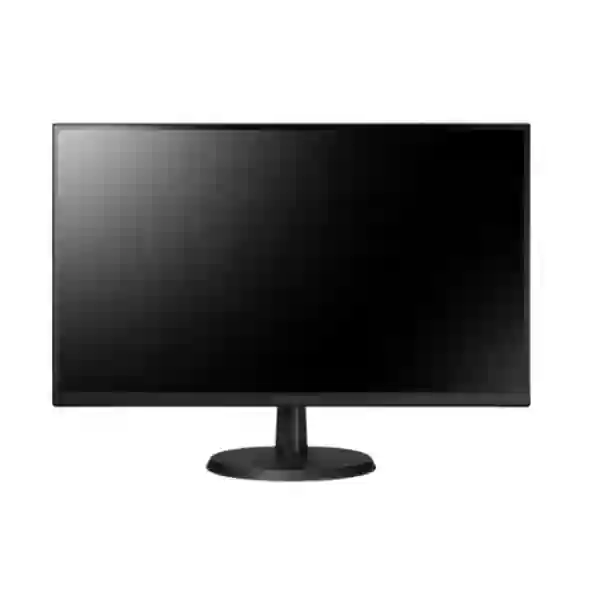
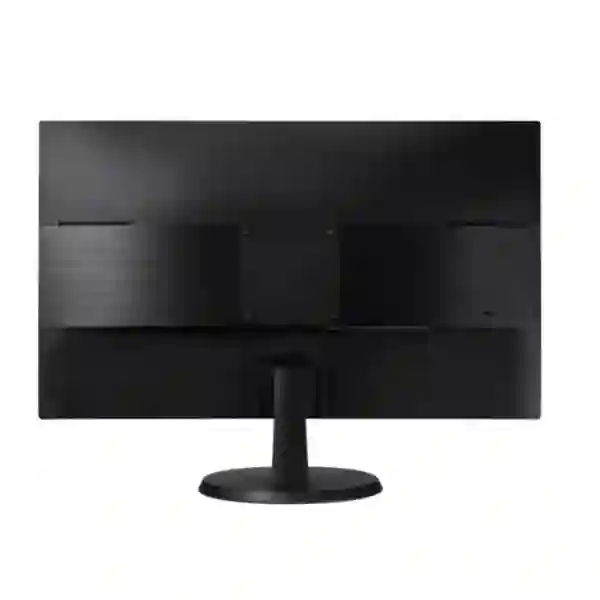
Hanwha SMT-2740 27-inch UHD monitor for CCTV viewing
Need a detailed security display for a recorder or surveillance workstation? The Hanwha SMT-2740 27-inch UHD monitor offers 4K 3840 × 2160 resolution at up to 60 Hz, two HDMI inputs, one DisplayPort input, PIP/PBP viewing and a design tested for continuous operation. Confirm your video source and mounting requirements, then request a model-specific quotation for Tanzania.
Key specifications at a glance
| Brand / model | Hanwha Vision SMT-2740 |
|---|---|
| Display | 27-inch LED, 16:9 |
| Maximum resolution | 3840 × 2160 at 60 Hz |
| Brightness | 300 cd/m² (typical) |
| Contrast | 1200:1 typical; 900:1 minimum |
| Viewing angles | 178° horizontal / 178° vertical |
| Response time | 14 ms typical |
| Display colours | 1.07 billion (typical) |
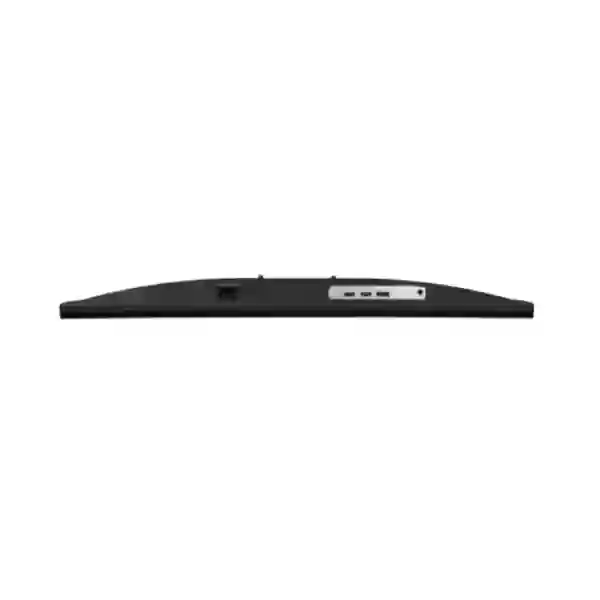
| Video inputs | 2 × HDMI, 1 × DisplayPort |
| Multiview | Two-window PIP / PBP |
| Audio | Audio output; integrated 2 × 2.5 W speakers |
| Power | AC 100–240 V, 50/60 Hz; 45 W specified |
| Operating environment | 0–40°C; 10–80% RH, non-condensing |
| Panel-life rating | 30,000 hours |
| Mounting | VESA 100 × 100 mm |
| Weight | 5.04 kg with stand; 4.63 kg without stand |
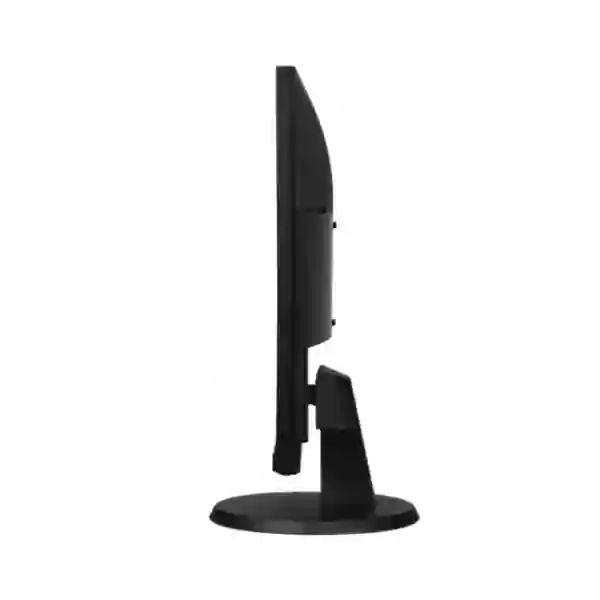
| Dimensions with stand | 614.7 × 452.5 × 224.1 mm |
| Dimensions without stand | 614.7 × 336.4 × 50.8 mm |
Values follow Hanwha Vision’s published model information. Verify the current datasheet and exact supplied unit before specifying a final system.
Before you order
This is a video display, not an NVR or a network camera. Check the source equipment’s output resolution and port, the required mount, ambient conditions and the desired number of visible camera tiles. No Tanzania price, stock position, installation service, delivery period or warranty is claimed here; request these details in writing for your order.
What the SMT-2740 is designed to do
The Hanwha SMT-2740 27-inch UHD monitor is a dedicated display option for security and surveillance workstations that need detailed images, practical source connections, and a screen size that remains manageable on a desk or equipment counter. It is a monitor rather than a network video recorder, camera, or standalone video management computer. A separate recorder, decoder, compatible computer, or other video source must supply the picture. This distinction matters when a buyer is planning a new CCTV system rather than replacing an existing screen. A high-resolution panel can make an appropriately configured output easier to inspect, but it cannot create detail that the cameras, recording settings, and video source did not capture or deliver. The model supports 3840 × 2160 output at 60 Hz, has two HDMI connectors and one DisplayPort connector, and offers two-window Picture-in-Picture and Picture-by-Picture modes. Its design has been tested for round-the-clock operation. For a purchasing decision, start with the source equipment, the number of live images to watch, the available mounting space, and the expected ambient conditions. Those factors will determine whether this 27-inch format is a practical fit.
Why 4K UHD can help a CCTV operator
The panel’s maximum 3840 × 2160 resolution contains substantially more display pixels than a 1920 × 1080 Full HD screen. That can be useful when a compatible recorder or workstation presents a camera grid, timeline, playback window, or detailed scene on one display. The advantage is not simply that the label says 4K. More pixels give the display system room to represent fine picture elements, interface controls, and multiple camera tiles, provided the source sends suitable resolution and the software allocates enough pixels to each view. A 4K display does not automatically turn a low-resolution stream into high-resolution evidence. Compression, recording quality, camera optics, lighting, camera placement, and software scaling still influence the visible result. On a 27-inch panel, extremely dense camera grids may also produce tiles too small to inspect comfortably at normal desk distance. Consider a layout with a manageable number of priority views and use a temporary enlarged view for incidents. For customers evaluating CCTV monitors in Tanzania, a useful demonstration is to connect the actual recorder or computer, select its intended output settings, and check the smallest details operators must read during a typical shift.
A 27-inch viewing area: where it fits
A 27-inch, 16:9 display can work well for a reception security desk, a small control position, an office workstation, or a supervisory station where the screen sits fairly close to the operator. It gives more visual space than smaller desktop monitors without automatically requiring the wall area of a large control-room display. The right physical size depends on how far the operator sits, the position of the screen relative to surrounding equipment, and whether people are viewing it from several seats. For users who must read small on-screen labels, camera names, date stamps, or playback controls, viewing distance is at least as important as raw resolution. A monitor that is too far away may encourage repeated zooming even when it has ample pixels. A monitor set too close can make wide camera grids tiring to scan. Before procurement, mark out the intended footprint, check sight lines from the chair, and confirm that a keyboard, recorder, intercom, telephone, or visitor log still fits comfortably. An operationally useful setup leaves space for routine tasks rather than treating the display as an isolated item.
HDMI and DisplayPort source planning
The SMT-2740 includes two HDMI inputs and one DisplayPort input. Hanwha lists 3840 × 2160 at 60 Hz as an available format for both connection types. This makes the monitor relevant to security recorders and computers that provide an appropriate output, although successful operation depends on the actual source, its firmware or graphics hardware, and the cable path. Check the connector type on the recorder or workstation instead of assuming every surveillance device has HDMI or DisplayPort. If a legacy recorder has only VGA, an adapter or a different monitor may be necessary; simple connector conversion is not a guarantee of compatible resolution or picture quality. For a long route through walls, racks, or furniture, assess cable distance, active extension requirements, physical protection, and signal integrity. A monitor that supports 4K at 60 Hz cannot force a source limited to 1080p or 4K at 30 Hz to provide a better mode. Include a real-world compatibility test during commissioning, especially when the display will be used for critical live observation or incident review.
Two-window viewing with PIP and PBP
Picture-in-Picture, usually shortened to PIP, places one incoming picture within another. Picture-by-Picture, or PBP, places two incoming pictures in separate portions of the screen. The SMT-2740 supports these two-window presentation modes, which can be valuable when an operator needs to reference different external sources without installing a second display. For example, a security desk may need one view from a recorder and another from a computer-based management application. Before committing to a particular layout, check the monitor’s menu and the manual for permitted input pairings, aspect-ratio handling, source resolution, and how audio is selected. Do not assume it will divide one HDMI signal into multiple independently controlled camera streams; that function normally belongs to the NVR, decoder, or software. In PBP mode, each source is displayed in part of the panel, so the available picture area per source is smaller than in single-source mode. In PIP mode, the smaller window may obscure part of the main picture. Define which information should remain visible and whether the chosen presentation suits everyday surveillance tasks.
Brightness, contrast and realistic environments
Hanwha states a typical brightness of 300 cd/m² and a typical contrast ratio of 1200:1, with a minimum contrast specification of 900:1. These figures provide a baseline for discussing image visibility, but they do not by themselves establish performance in direct sunlight, outdoor kiosks, or very high-glare rooms. A security workstation often faces mixed lighting from windows, ceiling fixtures, and desk lamps. Evaluate where reflections fall on the screen and whether blinds, furniture orientation, or controlled overhead lighting are needed. A higher-resolution display can still be difficult to use if glare hides a dark scene or causes an operator to increase brightness uncomfortably. Contrast figures also should not be confused with the dynamic range of a surveillance camera. Camera exposure, backlight compensation, recording settings, and monitor settings work together to determine the final appearance. For incident review, use a controlled test scene with shadowed and brighter areas and compare it against the original recorded footage. Adjust settings for visibility while preserving a consistent workflow between operators rather than relying on maximum brightness throughout the day.
Wide viewing angles and shared observation
The published horizontal and vertical viewing angles are 178 degrees. This helps explain why the SMT-2740 can be considered for places where more than one person might look at the screen, including a supervisor standing beside an operator or a security colleague reviewing a recorded event. However, a viewing-angle specification is not a promise that fine details, contrast, or colour will remain identical from every position. The user’s ability to distinguish a face, number plate, timestamp, or object depends on the image being displayed, the distance from the screen, room lighting, and the angle itself. In a busy reception setting, position the display so that authorized personnel can see important images without exposing private surveillance feeds to visitors or passers-by. Where two people regularly need to work together, consider a swivel-ready mounting arrangement and enough clear space to approach the desk safely. The wider-angle panel is helpful, but screen position and privacy planning are still important aspects of the installation. Test actual operator standing and seated positions rather than assessing the monitor only from the front.
Colour and image interpretation
Hanwha lists display colour capability of approximately 1.07 billion colours. In a surveillance environment, that is a panel characteristic rather than a guarantee that any camera will supply a particular colour depth or that every recorded scene will show identical colour across equipment. Camera sensors, white-balance settings, lighting, compression, the video output format, and playback software all influence the final image. For offices and control desks, reliable interpretation often depends on consistent settings more than on chasing the most vivid appearance. For example, an overly saturated screen can make clothing shades or vehicle colours look different from a neutral reference, while excessive sharpness or contrast can exaggerate compression artifacts. When the monitor is commissioned, select an appropriate picture mode, compare representative day and night scenes, and explain to staff that on-screen colour should not be treated as the sole basis for identification. Forensic review may require original recordings and trained interpretation. The display is intended to help operators see the available video clearly; it should not be described as an evidence enhancement system or a replacement for carefully configured cameras.
Refresh rate, response time and motion
The SMT-2740 accepts UHD images at up to 60 Hz, and Hanwha lists a typical response time of 14 ms. These specifications describe the display, not the recording frame rate of a connected camera or the responsiveness of a remote network path. A live camera might provide a lower frame rate, a recorder might output a different refresh rate, and video decoding or network congestion may introduce delay before the picture reaches the display. When reviewing movement through entrances, reception areas, stockrooms, or vehicle gates, consider the entire video chain. Source camera exposure and frame rate, recorder processing, decoder capacity, and display configuration can all affect what the operator observes. A 60 Hz monitor cannot restore missing frames in recorded footage. For fast-moving scenes, test the installed equipment with real footage rather than inferring performance solely from the response-time number. If the project requires particularly low latency for interactive tasks, define a measurable end-to-end requirement and verify it on the complete system. This monitor’s role is to present the signal it receives, subject to its supported timings and panel characteristics.
24/7-oriented design and service expectations
Hanwha describes the SMT-2740 as designed and tested for 24/7 operation. This makes it relevant to surveillance locations where the display may remain active for extended periods. That statement should be interpreted carefully: it describes the design intent and testing, not a guarantee of uninterrupted service, a particular warranty period, or an absence of maintenance. Hanwha also lists a panel life of 30,000 hours, a technical rating that should not be confused with a promised replacement date or full product service life. Operational planning still matters. Keep ventilation openings unobstructed, avoid excessive heat, consider suitable power protection, and establish a response process if the display is damaged or fails. Security operators should know how to switch to an alternate authorized workstation or otherwise maintain monitoring continuity. If display downtime would create a significant operational risk, a spare screen or redundant observation point may be more appropriate than relying on any single panel. Discuss duty cycle, environmental conditions, and procurement support arrangements before buying. It is better to have a practical continuity plan than to interpret ’24/7′ as unlimited reliability.
Power input and energy budgeting
The monitor’s listed electrical input is AC 100–240 V at 50/60 Hz, with a published power consumption figure of 45 W. These facts help planners check the relevant supply and estimate the display’s share of a workstation power budget. They do not establish the total load of a CCTV system, which may also include an NVR, network switch, cameras, workstation, speakers, and backup equipment. When preparing a security-desk installation, map all electrical loads and choose suitable electrical protection in accordance with the site’s qualified installer and local requirements. A battery-backed supply may be considered where monitoring continuity is important, but UPS sizing must account for the complete connected load, the intended runtime, startup behaviour, and battery condition. Do not size a UPS from the monitor’s 45 W figure alone. Confirm a suitable plug, safe earthing, cable routing, and any site-specific electrical obligations before connection. The display’s voltage range is a manufacturer specification, not a substitute for checking that the actual delivered unit and accessories are suitable for the intended installation location.
Operating temperature, humidity and airflow
Hanwha publishes an operating temperature range of 0°C to +40°C and relative humidity of 10% to 80%, non-condensing. These limits are especially important when a security monitor is proposed for a poorly ventilated cabin, an enclosure, a warehouse desk, or a room with intermittent air conditioning. The temperatures measured inside a cramped cabinet may be higher than the surrounding room, and direct sun on equipment can increase local heating. Humidity ratings do not mean the monitor is weatherproof or suitable for exposure to rain, spray, condensation, dust, or corrosive atmospheres. Unless the installation is specifically engineered to protect the equipment, treat the SMT-2740 as an indoor electronics display. Check clearance around the unit, keep the cable area ventilated, and allow access for routine cleaning. If a screen must face outdoor conditions or extreme heat, compare it with equipment purpose-built for that environment rather than stretching the operating range. Environmental suitability can be a stronger purchasing decision factor than pixel count when the display will be used for long shifts in demanding premises.
Physical measurements and desk installation
The manufacturer’s stated dimensions with the stand are 614.7 mm wide, 452.5 mm high, and 224.1 mm deep. Without the stand, the dimensions are 614.7 mm wide, 336.4 mm high, and 50.8 mm deep. The listed weight is 5.04 kg with the stand and 4.63 kg without it. Check these figures against the intended desk, wall, furniture bay, or equipment surround before ordering. A plan drawn around the nominal 27-inch diagonal can underestimate the width needed for the housing and the depth needed behind the connectors. Leave practical space for cables and avoid tight bends close to the ports. If several monitors will be arranged side by side, assess the full width, operator reach, viewing angles, and whether the workstation can physically support the combined load. A monitor mounted above eye level may be convenient for a standing observer but uncomfortable for repeated desk work. Small adjustments to placement often make a larger difference to day-to-day usability than additional specifications on a product sheet. Confirm the included items and intended mounting arrangement with the quote.
VESA wall and arm mounting
Hanwha specifies a 100 × 100 mm VESA mounting interface for the SMT-2740. That gives buyers a standard mounting pattern to use when selecting a compatible wall bracket or monitor arm, but the pattern is only one part of compatibility. The bracket must also support the screen’s weight, physical dimensions, desired movement, mounting hardware, and installation surface. A bracket for a 100 × 100 mm pattern is not automatically suitable for every desk, masonry wall, partition, cabinet, or public-facing area. Where equipment is installed above people or valuable assets, use mounting hardware and installation practices appropriate to the site, and involve a competent installer. Plan access to HDMI, DisplayPort, power, and audio connections, allowing enough cable slack for any swivel or tilt movement. Do not assume an optional wall bracket is included with the monitor. For procurement, specify whether the quote needs the standard desktop stand, a separate VESA-compatible bracket, or both. A stable, serviceable installation protects the equipment and makes later cable checks and replacement less disruptive.
Audio capabilities and realistic limits
The published interface information lists an audio output and integrated speaker output of two 2.5 W channels at 4 ohms. This may be useful where the incoming system provides an audio signal and a workstation needs simple local playback, but the monitor should not be confused with a dedicated public-address device, alarm controller, or high-output speaker system. Audio availability can depend on the input connection, source settings, and menu configuration. A camera may record video without recording sound, a recorder may suppress audio on its output, and site policy may limit who is authorized to hear recorded conversations. Before selecting an audio workflow, verify the exact signal path and any legal or organizational rules governing audio monitoring. Test audibility in the intended room, especially if there is background noise from fans, people, traffic, or equipment. If reliable alarm sound is essential, assess a separate supported notification arrangement rather than treating the screen speakers as the sole means of alerting staff. In many surveillance applications, the display’s principal role remains the clear presentation of video and software interfaces.
Pairing the monitor with an NVR
An NVR, or network video recorder, can be an appropriate source when it offers a compatible HDMI or DisplayPort signal and a suitable video-output mode. The critical check is the recorder’s display output, not merely the resolution of the IP cameras connected to it. A recorder may support high-resolution recordings while offering different limits for local live view, playback, the number of decoded channels, or output refresh rates. Read the recorder’s current specifications and firmware notes before relying on a particular combination. When commissioning, set the output to a timing that the recorder and SMT-2740 both support, connect directly for the first test, and confirm picture stability after restarts. Check how the recorder renders camera labels, alarm overlays, menus, and playback controls on a high-density 27-inch screen. Some NVR user interfaces use fixed-size text that can appear small at UHD resolution. If the exact system is not comfortable to operate in 4K, a lower supported output resolution or a different display size may be more practical. The purpose of the combination is reliable viewing, not merely matching the highest numbers on two specification sheets.
Pairing the monitor with a PC or VMS
A security computer or video management system workstation can use the monitor through its supported video output, provided the graphics hardware, operating system, and software deliver a compatible signal. This arrangement can be attractive where operators need a flexible mix of live camera views, event lists, maps, incident records, and administrative tools. The monitor does not include a VMS license, camera-stream decoding application, or management software as part of its display specifications. Those functions must be supplied separately. Confirm the computer’s graphics output, cable, display scaling, and software layout before deployment. It is also worth checking whether operators need one large screen, dual displays, or a mixture of PIP/PBP inputs; those choices affect how quickly staff can find relevant information. At 4K resolution, desktop scaling might be necessary to keep text legible, and software window placement may need adjustment. If the workstation handles many live streams, decoding performance is primarily a computer and software consideration. Choose the display as one component in a complete workflow, rather than expecting it to solve an underspecified PC or congested network.
Direct video sources versus network video
The SMT-2740’s stated connections are HDMI and DisplayPort video inputs. This is an important distinction for buyers looking at CCTV screens: the product should not be described as a monitor that directly discovers IP cameras on a network, stores footage, or receives PoE power simply because it is used in a surveillance installation. Network cameras normally need an NVR, compatible decoder, PC, or other suitable device to turn their streams into a video signal accepted by the display. If a project currently has only IP cameras and network cabling at the proposed monitor location, the display alone may not be enough. Clarify who or what is responsible for decoding live streams, applying access rights, rendering the camera grid, and handling recorded playback. On the other hand, if a recorder already produces a suitable HDMI picture, installation can be straightforward after checking cable distance and output mode. Separating the monitor from the video-processing system prevents unnecessary purchase mistakes and makes future troubleshooting easier. It also helps buyers compare a conventional display with specialist public-view monitors that include a different set of functions.
Useful CCTV layouts for everyday work
A good monitor layout begins with the decisions an operator must make. At a reception desk, staff might need a clear entry-camera view, a visitor-area view, and easy access to a recorder’s playback controls. At a small retail branch, the priority could be a few critical camera tiles rather than a dense matrix of every camera. A building supervisor may want one source showing live security footage and another source showing a computer application, subject to the monitor’s supported PIP/PBP arrangements. For a loading or vehicle area, larger camera tiles may be useful when activity is frequent and identification depends on visual detail. The 27-inch panel can support these workflows when the source system presents an appropriate interface. There is no universal best number of camera tiles: resolution, viewing distance, camera content, and operator workload all matter. Try sample layouts during commissioning, ask staff which views they consult most, and define a process for enlarging a camera when something needs attention. The most successful screen design allows the operator to notice, understand, and act on an event without wasting time searching across tiny images.
Reception and public-facing desks
A public-facing security station needs to balance surveillance visibility with privacy, ergonomics, and a professional appearance. The SMT-2740’s 27-inch format can suit a work surface where the operator is seated, but placement should prevent members of the public from seeing sensitive camera feeds or recorded footage. A monitor arm or suitable stand may help point the screen toward authorized staff, though actual mount compatibility should be checked separately. If video playback is part of the job, reserve enough room for a keyboard, mouse, written incident log, and any required visitor-management equipment. Consider how cables are routed around frequently used desk drawers and whether the monitor blocks a clear line of sight to visitors. A screen that looks attractive in a photograph might interfere with practical communication if mounted too high or across the front of the desk. Test the layout with a person working a normal shift. Where different staff share the station, consistent display settings and clearly identified camera groups are often more useful than sophisticated but unfamiliar arrangements. The monitor should support the desk’s workflow without revealing private information unnecessarily.
Small business and branch monitoring
For an office, shop, workshop, or branch operation, monitoring needs are often concentrated on a modest number of high-priority locations. A 27-inch UHD display can be considered for a back-office workstation where someone periodically checks entrances, counters, corridors, or stock movement. However, a monitor alone does not determine how many cameras can be viewed; that limit belongs to the NVR, decoder, or VMS. A buyer planning a branch upgrade should first list the current recorder model, its output connector, camera count, recording resolution, and the tasks staff perform most often. For occasional review, an existing screen may already be adequate; for detailed monitoring alongside other applications, an upgrade to a 4K panel may offer practical value. Check whether the operator will sit close to the screen, whether high-resolution output is truly available, and whether the system can handle the desired live-view layout. Businesses should also agree on basic access controls, recorded-footage retention practices, and who is authorized to export clips. These are system policies, not functions provided automatically by this monitor, but they affect the value of any surveillance workstation.
Larger security operations and control rooms
In a larger operation, the SMT-2740 may serve as an individual operator’s close-view workstation rather than the main shared wall display. Control rooms often use different display sizes for different purposes: compact screens for interactive software and incident review, and larger displays for collective awareness. The right choice depends on the room layout, number of operators, line-of-sight distances, camera importance, and which software controls need to remain accessible. One 27-inch monitor cannot be assumed to replace a complete multi-screen arrangement simply because it supports UHD. If the project needs a video wall, centralized display switching, or many simultaneous streams, those capabilities require separate system design and compatible equipment. The PIP/PBP function allows two incoming windows, but it is not a video-wall processor. For projects with several identical workstations, plan standardized output modes, mounting positions, cable labels, and spare accessories. Standardization can reduce confusion when operators change shifts and simplifies technical support. Consider room heat, continuous operating patterns, lighting, and service access. A modest but well-designed individual display position can contribute more than an oversized panel positioned where staff cannot interact with it easily.
Choosing between Full HD and 4K displays
When comparing the SMT-2740 with a Full HD surveillance monitor, begin with what the connected equipment actually outputs. A Full HD display may be sufficient for a small number of cameras or for distant observation where additional pixels are not visible to the viewer. A UHD panel becomes more interesting when the recorder or workstation has a suitable 4K output, when fine application detail matters, or when the operator benefits from a high-density desktop interface. There is no automatic image-quality winner in every installation. A smaller camera tile, aggressive video compression, poor camera placement, or an unsuitable viewing distance can reduce the practical advantage of higher panel resolution. Consider the graphics and decoding requirements of the computer or recorder, cable compatibility, the ease of reading menus, and the operator’s normal working distance. Also remember that a change in screen resolution may require reconfiguring software layouts and text scaling. A useful purchase comparison includes a live demonstration of the intended application at real operating distance. That test is more meaningful than comparing pixel counts without considering the rest of the system.
Choosing between 27-inch and larger monitors
A larger monitor is not necessarily better for every surveillance desk. Bigger screens can improve viewing from farther away and may help when several people need a common display, but they also occupy more space and can require more eye or head movement during close work. A 27-inch UHD panel may be comfortable at a well-planned desk, while a larger 32-inch or 43-inch option might be more suitable for a wall or a room with longer viewing distances. Conversely, when a workstation is extremely narrow or operators sit close to the screen, even 27 inches may need careful placement. Compare physical dimensions, resolution, mounting, source compatibility, and the number of useful camera tiles rather than diagonal size alone. Decide whether the screen is used mainly for live monitoring, incident playback, software operation, or occasional glance-based awareness. For every option, stand or sit where the user will actually work and check whether dates, camera labels, and important action controls can be recognized quickly. The most useful size is the one that supports accurate decisions with minimal strain.
A practical deployment checklist for Tanzania
Buyers preparing a CCTV monitor installation in Tanzania should document requirements that are independent of any seller’s promises. Confirm the exact monitor model and intended source device, physical location, ambient temperature, available mains supply, cable route, mounting method, and viewing distance. Identify whether the installation is in a cooled office, an unconditioned guard room, a reception counter, or a dedicated control area. Temperature and condensation limits can matter more than the city name on the delivery address. Confirm who will provide any HDMI or DisplayPort cables, mounting bracket, power protection, and commissioning work; these should be explicit line items rather than assumed accessories. If the project involves an NVR or VMS, request a compatibility check using the exact output specification and software configuration. Ask for a written quote stating what is included and whether stock, delivery, installation, or support arrangements apply to the proposed location. No availability, Tanzanian price, delivery time, local warranty, office location, or regional service coverage is implied by the monitor’s manufacturer specifications. Those commercial details should be confirmed for the particular order.
Preparing an accurate purchase request
An effective request for quotation gives the supplier enough information to recommend the correct package without multiple rounds of assumptions. State the product name as Hanwha Vision SMT-2740, describe the number of units required, and provide the recorder or computer model that will feed each screen. Specify whether UHD at 60 Hz is required from the connected equipment and whether PIP/PBP will be used with two sources. Include the intended stand or VESA mount, whether the cable run is short or extended, and whether the room has environmental concerns. A photo or dimensioned drawing of the proposed workstation can help prevent mounting surprises. If an existing monitor is being replaced, list the current connector type and the reason for replacement. Ask the seller to identify the precise scope of supply and any separately priced accessories or services. Product availability, quoted currency, taxes, warranty terms, and delivery arrangements should be verified in the commercial offer rather than inferred from technical marketing. Clear inputs make comparison across proposals more fair and reduce the risk of receiving a suitable monitor with the wrong supporting parts.
Commissioning: source, picture and usability
Once installed, start by checking that the display and video source power on safely and that the selected connector is secure. Confirm the output mode reported by the source and verify a stable picture at the intended resolution and refresh rate. Inspect the entire image for clipping, unusual scaling, black borders, or missing application controls. Use footage that contains a mix of bright and dark areas, motion, small labels, and recorded playback. If the station will use PIP or PBP, test the actual two-source arrangement and document the control procedure for staff. Verify that audio behaves as intended if it is part of the workflow. Check cable strain and the monitor’s physical stability after staff have adjusted the viewing angle. Record the settings that work reliably, including the chosen source, display mode, and workstation scaling. A simple commissioning record is valuable when equipment is moved, settings are accidentally reset, or a cable is replaced. Security staff should know how to recognize a disconnected source versus a genuinely unavailable camera feed; the two problems call for different troubleshooting steps.
Common picture problems and first checks
If the screen says that no signal is available, first check that the source equipment is powered, that the correct monitor input is selected, and that the video connector is fully seated. Test with a known working cable or a different supported output where possible. If a picture appears but the source will not run at UHD 60 Hz, check the graphics or recorder output limits, connection path, settings, and cable capability. A blurry or overly large software interface may be caused by source scaling, while a tiny interface may require operating-system scaling or a different layout. If only one PIP/PBP window appears, review the menu mode and the input source pairing rather than assuming the panel is faulty. Intermittent blackouts may suggest a connection, source-timing, or power problem that needs systematic testing. Avoid opening or repairing a powered monitor without appropriately qualified service personnel. Document the symptoms, connected devices, and results of each test so that support staff can reproduce the fault. Not every display problem originates in the display; the source, cable, and application often need to be considered together.
Care, cleaning and long-term operation
A continuously used security display benefits from ordinary preventive care. Keep vents clear, avoid trapping heat behind decorative panels, and inspect cables for strain or damage when workstations are reorganized. Clean the screen only with methods and materials permitted by the applicable manufacturer instructions; do not spray liquid directly into openings or use abrasive cleaning tools. Avoid unnecessary pressure on the panel during handling. In locations where several operators share the desk, set simple procedures for adjusting brightness and source selection so that one person’s changes do not interfere with the next shift. If the unit is used for long periods with fixed interface elements, follow the manufacturer’s guidance on image retention precautions and display management rather than assuming every stationary image is harmless. Monitor and document unusual flicker, persistent artifacts, overheating symptoms, or repeated signal loss. For critical surveillance areas, include the display within the site’s general equipment maintenance and contingency plan. The advertised 30,000-hour panel life is a specification, not a substitute for inspections, proper environmental conditions, or a spare-unit strategy where operational continuity is essential.
What the monitor does not replace
It is useful to define the product’s boundaries before purchase. The SMT-2740 is not a CCTV camera, not a recording system, and not a substitute for the network infrastructure that carries IP video. Its published interfaces do not establish that it has native Ethernet camera decoding, integrated network recording, cloud storage, PoE input, or AI analytics. A separate source must provide video to the display. Likewise, PIP and PBP do not establish that the monitor can create a 16-camera matrix from a single unsplit feed, manage alarm events, or enforce user access rights; those are duties of connected systems. The monitor’s UHD capability also does not increase a camera’s optical zoom, restore missing footage, or authenticate the content of a video file. Buyers comparing complete surveillance solutions should separate display requirements from cameras, recorders, video-management software, storage, networking, cyber security, and human procedures. This creates a more accurate bill of materials and makes it easier to assign responsibility when a problem occurs. For a simple monitor replacement, however, the job may be limited to verifying connector compatibility, output format, fit, and installation conditions.
How to evaluate a supplier’s quotation
A quotation for the SMT-2740 should identify the exact model, quantity, supplied accessories, and the conditions under which price and availability have been offered. Look for clear descriptions of cabling, stand or bracket, any required adapters, and installation work, because these items can change the total project cost. Ask whether there is a demonstration or compatibility assessment for the intended NVR or computer. Review written warranty and support terms for the actual local offer rather than assuming that a manufacturer’s global specification sheet defines the contract. Check whether the supplier has described transport, site access, taxes, and commissioning separately when those services are relevant. If a proposal contains a different Hanwha monitor model, compare the exact resolution, input connectors, screen dimensions, and usage needs before accepting it as an equivalent. A less expensive screen may still meet the requirement; a more expensive screen may have features that are not needed. The goal is an informed purchase that gives operators the display they can use effectively with the video infrastructure already in place or planned for the project.
When the SMT-2740 is a good match
This model merits consideration when a buyer wants a 27-inch CCTV or security workstation monitor with a UHD 60 Hz input capability, conventional HDMI and DisplayPort connections, two-window display options, and manufacturer-stated 24/7-oriented design. It makes particular sense when the source equipment can provide a compatible image and the operator needs an individually positioned screen rather than a very large shared wall display. It may be less suitable when the only available source is an unsupported legacy connector, when the site is exposed to rain or extreme ambient conditions, when the job requires an integrated network decoder, or when a distant audience needs to read small images across a room. It is also worth checking whether a lower-resolution display could satisfy a simple viewing task at lower overall cost. A successful choice balances specifications with the actual use case, budget, available source, and installation constraints. The most dependable way to decide is to document the requirements and confirm the exact setup before ordering. Request a quote that addresses both the monitor and any supporting items required for a usable installation.
Frequently asked questions
Is the Hanwha SMT-2740 a CCTV monitor or a camera?
It is a 27-inch UHD LED monitor. It displays video supplied through a compatible HDMI or DisplayPort connection. It does not capture images or record footage by itself. To view network cameras, the installation normally needs a suitable recorder, decoder, or computer to supply the video signal. Confirm the complete system architecture before purchasing.
Does it support true 4K at 60 Hz?
Hanwha lists a maximum resolution of 3840 × 2160 and an available 60 Hz format for HDMI and DisplayPort. Achieving that mode requires the connected source, video settings, and cable path to support it. A recorder that outputs only Full HD will remain limited by its own capabilities even when the monitor can accept UHD.
How many HDMI ports are provided?
The manufacturer’s specifications list two HDMI connectors and one DisplayPort connector. These are inputs for suitable external sources. They should not be mistaken for Ethernet sockets, camera-channel inputs, or a built-in video-management system. For each connected device, check the connector and output timing before installation.
Can it show two video sources at once?
The SMT-2740 supports two-window Picture-in-Picture and Picture-by-Picture modes. PIP shows a smaller window within another picture, while PBP arranges two pictures beside one another. The permitted source combinations and picture settings should be confirmed from the monitor menu and current manual for the actual proposed installation.
Can I connect an NVR directly?
A compatible NVR can be connected through a suitable supported video output, typically HDMI where available. Verify the particular recorder’s HDMI output specification and its live-view limitations. The monitor cannot itself determine whether an NVR can decode a given number of cameras or deliver 4K at 60 Hz.
Can it directly display IP camera feeds over the network?
The published SMT-2740 specifications describe HDMI and DisplayPort video input rather than a native IP-camera decoding function. A network-video system normally requires a separate source such as an NVR, decoder, or VMS computer. Do not assume that a network cable or PoE switch can connect directly to this conventional monitor.
Is the monitor suitable for 24-hour security operation?
Hanwha states that it has been designed and tested for 24/7 operation. This supports considering it for extended monitoring duty, provided environmental and installation requirements are met. The statement does not guarantee zero downtime or establish local warranty terms. Critical sites should still maintain continuity and maintenance plans.
What mounting pattern does it use?
The manufacturer specifies a VESA 100 × 100 mm mounting interface. Select a bracket that also accommodates the monitor’s weight, dimensions, safe fasteners, and intended mounting surface. Verify whether the desired bracket is included in the quote; the presence of a VESA interface does not mean all mounts are compatible.
What power and environmental limits should be checked?
The published input range is AC 100–240 V, 50/60 Hz, with listed power consumption of 45 W. Operating limits are 0°C to +40°C and 10%–80% relative humidity without condensation. Confirm safe power arrangements, adequate ventilation, and actual room conditions before installation, especially in warm or partially enclosed security stations.
Does a 4K monitor improve a low-resolution camera?
It can present the available video on a UHD screen, but it cannot recover information that was never captured. Camera resolution, lens quality, lighting, compression, recording configuration, and source output all remain important. For close review, use representative recorded material and assess what the operator can actually see at the intended distance.
Does it include audio?
Hanwha lists an audio connection and integrated speaker output of two 2.5 W channels. Whether sound is available depends on the source and settings. Verify the exact use case if audio monitoring matters, and do not rely on built-in speakers as the only critical alarm-notification method.
Is price or stock confirmed for Tanzania?
No Tanzania price, current stock status, delivery time, installation coverage, or local warranty has been verified in this product description. Request a current written quotation that states the exact model, quantity, commercial terms, accessories, and destination. The manufacturer specifications should not be read as confirmation of local inventory.
What should I provide when requesting a quote?
Provide the model Hanwha Vision SMT-2740, number of units, NVR or workstation model, planned HDMI or DisplayPort connection, intended mounting style, cable length, operating environment, and delivery or installation location. Mention if PIP/PBP is essential. These details help identify compatibility questions and any separately required accessories.
Is the SMT-2740 suitable as a video wall?
It can serve as an individual display in a larger monitoring arrangement, but the published features do not make it a video-wall controller. Large multi-screen systems need a separate design for sources, routing, management, synchronized layouts, operator workflow, and mounting. Choose a larger viewing surface or an engineered video wall if the audience and viewing distance require one.
Request a Hanwha SMT-2740 quotation
Share the quantity, intended security recorder or PC, video output connection, mounting requirements and installation location. Ask for a written Tanzania quotation that identifies the exact model, accessories, availability and applicable commercial terms. The objective is a verified match to your monitoring setup, not an unsupported promise about stock or compatibility.
Contact FourTeck Tanzania to request a quote




Reviews
There are no reviews yet.