
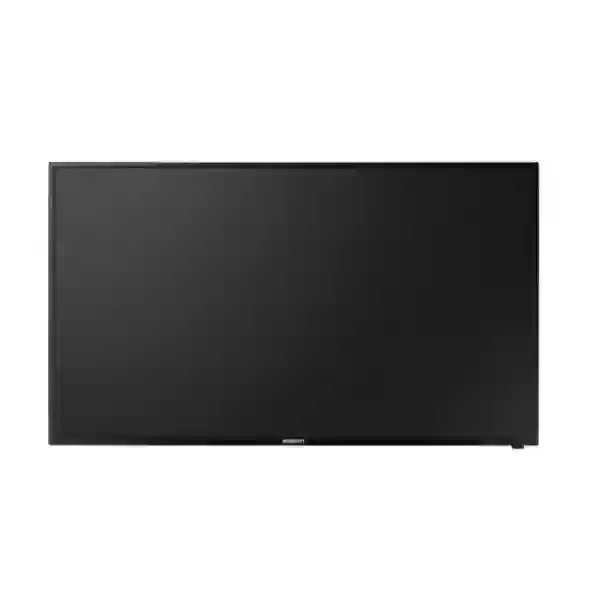
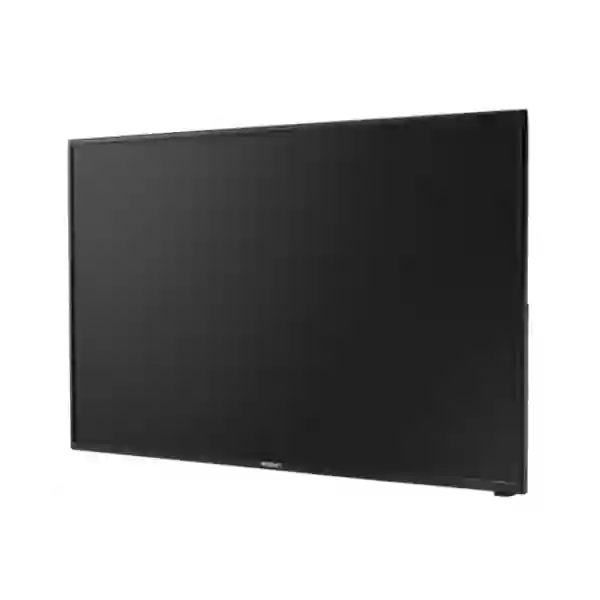
Hanwha SMT-4343 43-Inch 4K UHD CCTV Monitor
Need a clear, large-format screen for a surveillance recorder or monitoring workstation? The Hanwha SMT-4343 supports 4K UHD output through HDMI or DisplayPort and was designed for continuous monitoring. Match the display to your video source, mounting location and operating conditions before ordering.
For replacement projects
Check the exact model, bracket, accessories and unit condition before replacing an existing control-room display.
For new CCTV rooms
Verify recorder output, operator viewing distance and the support lifecycle before committing to this legacy model.
For procurement teams
Request a written quote that identifies the exact equipment, supported mounting method and any appropriate alternatives.
Hanwha SMT-4343 specifications at a glance
| Manufacturer / model | Hanwha Vision SMT-4343 |
|---|---|
| Product type | 43-inch-class professional LED monitor; 42.5-inch viewable screen |
| Maximum resolution | 3840 × 2160 (4K UHD) |
| Video inputs | 1 × HDMI 2.0; 1 × DisplayPort 1.2 |
| Selected supported UHD timings | 3840 × 2160 at 30 Hz or 60 Hz, subject to source and cable |
| Brightness | 300 cd/m² |
| Contrast | 800:1 minimum; 1000:1 typical |
| Response | 8 ms (gray to gray) |
| Viewing angles | 178° horizontal / 178° vertical |
| Speakers / audio | 2 × 10 W built-in speakers; audio-out connector |
| Power | AC 100–240 V, 50/60 Hz; less than 80 W |
| Ambient operating limits | 0°C to +40°C; 10–80% RH, non-condensing |
| Panel-life figure | 30,000 hours (manufacturer specification, not a warranty) |
| VESA patterns | 100 × 100 mm / 400 × 200 mm |
| Size without stand | 967 × 560 × 73.5 mm |
| Weight without stand | Approximately 7.6 kg |
| Compatible optional desktop stand | Hanwha SBM-4343; verify supply separately |
| Lifecycle status | Discontinued according to Hanwha Vision; verify source and alternatives |
Technical values are manufacturer specifications for this exact model. They are not claims about FourTeck Tanzania stock, warranty, regional approvals or a currently available offer.
What the SMT-4343 is designed to do
The Hanwha SMT-4343 is a professional 43-inch-class LED monitor intended for displaying video from a compatible recorder, surveillance workstation, or another video source. Its maximum panel resolution is 3840 × 2160 pixels, commonly called 4K UHD. This allows a high-resolution source to present more image detail than a conventional Full HD screen of a comparable size. For security teams, the practical benefit is not simply a large picture. It is the opportunity to review a camera view, read interface labels and assess multiple on-screen tiles without immediately moving between separate displays.
This is a display rather than a network camera, digital video recorder, video management server, or standalone CCTV decoder. It does not replace the equipment that receives camera streams, records footage, performs analytics, or creates a multiview layout. The recorder or computer remains responsible for those functions. Buyers planning a control room should therefore assess the complete signal chain, not the screen in isolation. A monitor capable of 4K resolution cannot manufacture detail that the source video never captured or exported.
Hanwha Vision has marked this exact model discontinued on its official product information. That makes it especially important to establish whether a genuine unit can be sourced, its condition and its support arrangements before committing to a project. Some buyers may be maintaining an existing installation and want a matching monitor; others may be planning a new security room and be better served by a currently offered alternative. A quote enquiry should clarify which situation applies rather than assuming the model is readily available.
Key display performance in everyday monitoring
The panel is marketed as a 43-inch-class display, with a 42.5-inch measured viewable diagonal in the technical documentation. The manufacturer specifies a maximum 3840 × 2160 resolution, 300 cd/m² brightness, a typical 1000:1 contrast ratio and an 8 ms gray-to-gray response time. These figures describe useful characteristics, but they are not substitutes for checking the actual viewing location. Room lighting, image scaling, camera quality and the operator’s distance from the screen will affect whether the picture is comfortable and informative throughout a shift.
The 178-degree horizontal and vertical viewing angles listed in the datasheet are useful where more than one operator needs to see the screen from different positions. They do not mean that color, perceived contrast or small text will look identical from every seat. In a busy surveillance room, a practical test is to display the intended camera grid and walk through the actual positions from which staff will work. Check whether important faces, equipment labels and alerts remain distinguishable rather than relying entirely on the viewing-angle figure.
The specified 1.07-billion-color capability is described in the technical sheet as 8-bit plus frame rate control. It may help with gradation in supported content, but the monitor is not described as a calibrated reference display for color-critical production. Similarly, 300 cd/m² is a sensible figure to consider for indoor monitoring, not a guarantee of excellent visibility in direct sunlight. Buyers should distinguish between operational CCTV visibility and specialist requirements such as outdoor signage, high-dynamic-range grading or professional photographic color proofing.
Why 4K matters for CCTV, and when it does not
A 4K UHD screen contains four times the pixel count of a 1920 × 1080 Full HD screen. That can be valuable when an NVR or workstation exports a genuinely high-resolution signal, especially where the operator switches between full-screen inspection and a multiview arrangement. More desktop pixels can make camera titles, system menus, timelines and maps easier to arrange within one workspace. The clearest improvement typically comes when the source supports the resolution and the viewing distance is appropriate for reading the additional detail.
Resolution should never be confused with camera identification performance. A low-resolution camera stream remains low resolution when shown on a 4K monitor, and a heavily compressed feed may look soft or blocky even with excellent display hardware. The camera’s field of view, scene lighting, recording bitrate and source decoding settings can matter more than the panel resolution. For a proposed upgrade, compare the same recorded clip on the old display and the intended 4K output, using the same playback settings and realistic operator positions.
There is also a tradeoff when many cameras are displayed simultaneously. Putting sixteen feeds on a large screen does not make each feed equivalent to a full-screen 4K view. The recorder or software divides the output into smaller windows, and each window may use a lower-resolution preview stream to preserve system resources. The right choice depends on how frequently staff need an overview versus detailed examination. A useful design provides a clean overview and a simple way to expand a critical view when something requires closer attention.
HDMI and DisplayPort connections
The official SMT-4343 technical sheet specifies one HDMI 2.0 input and one DisplayPort 1.2 input, plus audio connectivity. These are familiar connections for compatible NVRs, PCs and video workstations. A buyer should confirm the output type on the actual source equipment rather than assuming every recorder uses the same connector. For example, an NVR with HDMI output may connect directly, while a workstation with DisplayPort output may be easier to integrate using that port. A legacy analogue-only source may need a suitable conversion device.
For a 4K deployment, the source device must be capable of sending the intended output format, and the cable, intermediate switcher and any extension system must carry that signal reliably. The datasheet lists 3840 × 2160 at 30 Hz and 60 Hz among accepted HDMI and DisplayPort timings. That does not guarantee that a particular recorder, converter or low-quality cable will successfully negotiate 4K at 60 Hz. Validate actual end-to-end operation rather than just matching a resolution number on two specification sheets.
One HDMI input and one DisplayPort input do not mean that two camera grids will automatically appear side by side. The model documentation does not establish an integrated two-source picture-in-picture or picture-by-picture function for the SMT-4343. If an operator needs simultaneous outputs from multiple independent recorders, plan the requirement through an appropriate multiview processor, supported video management system, workstation or a monitor explicitly offering the necessary layout capability. This avoids a common purchasing mistake based on the number of physical sockets.
Getting the right signal from an NVR or VMS workstation
Begin with the equipment that will drive the screen. A recorder may support 4K camera recording but have a different maximum resolution for its local HDMI output. Another recorder may output 4K only on a particular connector or only under certain configuration settings. A VMS workstation may depend on its graphics hardware, operating system display settings and decoding capacity. The target must be the actual display output supported by the full system, not the highest recording resolution printed on the camera datasheet.
Ask the installer to test native 3840 × 2160 output on the selected source and verify a stable picture after restarting both devices. Confirm that text is legible, the aspect ratio is correct, and the displayed frame rate meets operational expectations. If the output repeatedly falls back to 1080p, the cause might be a source limitation, a poor cable, an intervening converter, or a configuration problem. The screen should not be judged defective until the signal path has been checked systematically.
A video management platform can be more demanding than a simple NVR grid. Rendering several streams, maps, alerts and playback windows at once can load the workstation’s CPU, GPU and memory. The SMT-4343 displays the completed output; it does not perform the workstation’s video decoding. For large deployments, specify both the monitoring software and the computing capacity required to run the desired number of feeds. Conduct an acceptance test with representative camera bitrates and incident-review activity, not an empty demonstration layout.
Choosing a screen size for the operator’s position
A 43-inch-class monitor can be well suited to a shared security desk or a wall-mounted overview when the operator has enough room to view the screen comfortably. However, a larger diagonal is not automatically more ergonomic than two smaller displays. The right arrangement depends on how far away the operator sits, how much time is spent reading small controls, whether the screen is above eye level and whether multiple people need to see the same incident simultaneously. Consider the room’s physical layout before choosing the display.
When planning a desk position, test the actual software interface at the intended distance. Tiny menu labels can remain difficult even when the video image looks impressive. In some systems, increasing operating-system scaling makes controls easier to read but reduces the amount of interface space. The screen should allow operators to scan active alerts without repeatedly moving their heads across a very wide field. Avoid placing critical details at the extreme edges if staff are working from a close seating position.
For a wall display, confirm that the viewing height and screen angle suit the staff who will use it. If the monitor is mounted too high, long periods of upward viewing may cause discomfort. If the screen is far across a room, the additional pixels may be less valuable because fine details cannot be seen at that distance. A quick mock-up using the intended application often reveals these issues before drilling or cabling. That practical check is worth more than choosing on diagonal size alone.
Continuous operation and panel-life planning
Hanwha Vision describes the SMT-4343 as designed and tested for 24/7 operation. That is relevant to reception desks, security monitoring posts and control rooms where displays may remain powered for extended periods. The manufacturer also lists a panel life of 30,000 hours. These are separate facts: suitability for continuous use does not mean a unit is guaranteed to work without failure for 30,000 hours, nor is the panel-life figure a statement of warranty duration or assured brightness over its entire operating life.
Continuous monitoring works best when the display is installed within its rated environmental conditions and has adequate ventilation. It is prudent to consider how the room will behave during the hottest occupied and unoccupied periods, particularly if an air conditioner is switched off overnight. Also plan for power interruptions and sudden restarts, because those operational events can disrupt a security desk even when the display itself has not failed. The monitor is one component of a larger system-availability plan.
Where the model is being used as a replacement, ask about the condition and usage history of the exact unit. Panel-life information from a datasheet is not a substitute for assessing a used monitor for uneven brightness, image retention, pixel defects or intermittent behavior. For new projects, compare lifetime support and future replacement options before choosing a discontinued product. A consistent control-room design is easier to maintain when compatible replacements can still be sourced and the mounting standard is documented.
Brightness, glare and indoor placement
The SMT-4343 is specified at 300 cd/m² brightness and is intended for indoor use. Whether that is sufficient depends on where the screen is placed. A shaded monitoring room may present little difficulty, while a wall opposite a bright window can introduce reflections that obscure dark camera scenes. Position the display to minimize direct glare and check both daytime and nighttime conditions. Consider blinds or a modest change in viewing angle before attempting to compensate for poor placement by simply raising the brightness setting.
Security video often includes dark doorways, car parks and night-time scenes. In those conditions, the recorded camera exposure, backlight handling and compression can determine what information is available. The monitor’s contrast ratio cannot rescue details that are absent from the source. An operator should compare the same footage on a known-good reference output and inspect whether dark areas or pale highlights are lost because of source settings. Calibrate only as far as the manufacturer’s accessible controls and the operational task require.
For sites with strongly variable lighting, plan a position that remains readable throughout normal working hours. Place the display away from moisture, spray, excessive dust and direct sunlight. The installation guidance says not to use the monitor outdoors. If the requirement is for a guard post open to the weather, a purpose-designed protected display arrangement may be necessary. Avoid describing the SMT-4343 as weatherproof, sunlight-readable or suitable for outdoor installation because the published specification does not support those claims.
Wall mounting with verified VESA patterns
The manufacturer’s datasheet lists two VESA mounting patterns for this model: 100 × 100 mm and 400 × 200 mm. These measurements help identify suitable wall-mount hardware, but the pattern alone is not enough to establish safety. The display weighs approximately 7.6 kg without a stand and measures about 967 × 560 × 73.5 mm without a stand. The installer should check the mounting bracket’s actual load rating, mounting-hole alignment, wall material and access for power and signal cables before installation.
The user manual identifies M4/L12 mounting screws and advises selecting a mount designed to support the unit safely. It also warns against using incorrect or excessively long screws that could damage the monitor. Wall mounts should be installed on suitable structural material by competent personnel, with appropriate fixings for the actual wall construction. Cable strain relief and service access deserve attention because a 43-inch display is awkward to disconnect once it is tightly positioned against a wall.
Plan airflow around the body of the screen rather than enclosing it in a tight decorative recess. The installation manual specifically discusses ventilation requirements and warns that poor air circulation can cause overheating. A security installation should allow safe cleaning, inspection and future replacement without removing unrelated equipment. If the monitor will sit above multiple operator screens, verify the angle and load-bearing arrangement and make sure two people can handle the unit safely during mounting or removal.
Desktop installation and the SBM-4343 stand
Buyers should not assume that a desktop stand is included. The SMT-4343 user manual states that a stand is not supplied as standard and should be obtained separately. Hanwha Vision identifies the SBM-4343 as a compatible 32/43-inch monitor stand and explicitly lists the SMT-4343 among supported models. That is a useful accessory relationship for buyers who plan to place the unit on a console rather than mount it on a wall. Availability and compatibility of the exact stand offered should still be confirmed at quotation stage.
A desktop installation needs more than the screen’s footprint. Check the depth of the stand, the strength of the furniture, clear space for cables and the amount of room left for keyboards, recorders and incident logs. A security desk can become crowded when radio equipment, telephone handsets and multiple screens are combined. Using the larger monitor is worthwhile only when it improves information access without obstructing the operator’s view of other equipment or reducing safe movement behind the console.
For procurement, specify whether the quote covers monitor only, monitor with desktop stand, or monitor with a separate wall bracket. Include cables and any approved adapters in the equipment list so there is no ambiguity at installation. Where the SMT-4343 is replacing an older unit, compare the existing bracket and screw arrangement with the actual VESA requirements. A previously installed stand or mount might look similar but still be unsuitable for the new screen’s hole spacing, weight or cable positioning.
Audio support and what it adds
The technical sheet specifies an audio output connector and built-in speakers rated at 2 × 10 W. This can be useful where an operator also needs to hear system prompts or audio from a supported source. It does not mean that every surveillance camera feed will automatically produce sound. Audio must exist at the source, be appropriately enabled and travel through a compatible signal path. Local procedures and the applicable privacy rules should govern whether audio is recorded, monitored or played during an incident.
For a simple NVR-to-monitor connection, test the particular recorder’s audio output behavior. Some recorders may need explicit settings to select which camera audio or system sound is sent to the display, and others may have no relevant audio output for the chosen connection. The monitor cannot decode camera microphones independently from a network. If reliable public-address communication, two-way talk or voice clarity is a core requirement, evaluate the appropriate dedicated audio system rather than treating built-in monitor speakers as a substitute.
In a shared control room, unattended sound can distract staff or disclose sensitive conversations. Choose volume levels and system behavior that suit the workflow. If the monitor is used solely for visual status, audio may be disabled as part of standard configuration. During handover, verify what happens after a power loss or source change: staff should know whether alerts and audio return automatically. Document the decision so a future operator does not misinterpret silence as evidence that camera audio is unavailable.
Power requirements and electrical planning
The SMT-4343 technical documentation specifies AC 100–240 V at 50/60 Hz and power consumption below 80 W. This wide input range describes the display’s electrical rating, but the site must still provide a suitable supply, properly grounded outlets where required and an appropriate power lead. Confirm the supplied plug type and whether the installation needs a site-approved power distribution arrangement. Do not infer a Tanzania-specific certification, supplied plug format or guaranteed electrical compatibility merely from the voltage specification.
A security desk may require an uninterruptible power supply to preserve visibility during brief power interruptions. UPS selection should account for the monitor, recorder, networking hardware and any other critical loads as a system. A battery-backed display alone has limited value if the source recorder or network switches shut down. Determine the desired runtime, actual equipment loads, start-up behavior and maintenance responsibilities before specifying backup capacity. Consult a qualified electrical professional where the installation requires new wiring or load assessment.
Avoid routing power and video leads where they create trip hazards or obstruct future equipment access. Provide cable identification, a way to isolate power safely and room for the selected connector bend radius. If a screen repeatedly powers down during operation, check the power supply, connections, environmental temperature and source behavior before making assumptions. The buyer should receive documentation that records the supply arrangement, responsible maintenance team and the exact equipment connected to the monitor.
Heat, humidity and Tanzanian deployment conditions
The published operating temperature range for the SMT-4343 is 0°C to +40°C, with 10% to 80% relative humidity under non-condensing conditions. These are the relevant environmental design limits for the equipment, not a promise that it will operate reliably in any room in Tanzania. Site conditions vary widely, and indoor temperature can rise rapidly in a closed security cabin, store or equipment room. Evaluate actual measured room conditions and the risk of condensation before deciding where the monitor should be installed.
Dust, humidity, blocked ventilation and unreliable air circulation should be assessed as installation risks rather than presented as features of the display. A site near a busy road, workshop or loading area may need regular inspection and cleaning around the ventilation openings. Cleaning must follow the manufacturer’s procedures, and liquid should never be allowed to enter connectors or the housing. In rooms that are intermittently cooled, consider whether powering down the air conditioner causes temperatures or humidity to exceed the rated limits.
For Tanzanian buyers, the useful commercial question is whether the monitor, bracket, source hardware and backup power arrangement are suitable for the specific site. A quotation request should describe the environment, operating hours, preferred installation method and whether the customer is expanding or replacing an existing security system. The content makes no assertion about local inventory, delivery times, installer coverage or regional product authorization because those details require case-specific confirmation.
How many cameras can one screen show?
The number of camera tiles is primarily controlled by the connected recorder, software or video-wall system, not by a fixed camera count inside the SMT-4343. A screen could show one camera full-screen, four larger views, a denser grid or a monitoring application with panels for events and maps, provided the source equipment generates that layout. The monitor simply renders the resulting picture. Buyers should ask for a demonstration of the intended number of live views at the specified display resolution.
For an overview-oriented security desk, the most relevant question may be how quickly an operator can spot an unusual event across all essential entrances. For incident investigation, the operator may instead need a small number of high-detail views with easy playback access. These are different tasks. A dense grid can be efficient for awareness but poor for reading small vehicle plates or identifying distant objects. Plan a quick transition between overview and detail, and consider a second screen for event review if the workflow demands it.
A practical test uses realistic nighttime footage and the same camera grid planned for daily use. Check whether camera labels remain legible, whether important scene zones are cropped and whether switching to full-screen takes an acceptable number of steps. Remember that a 4K output can carry many pixels, but individual feed quality may be reduced by secondary streams or software settings. The display should support the monitoring strategy, not become the sole reason to choose an overly dense layout.
Suitable business scenarios
In a retail security office, a large display can support an overview of entrances, tills, storage zones and public areas when a compatible recorder provides the appropriate views. The operator may benefit from an easily visible event list or enlarged playback window while checking a report. In an office building, the same screen could support a reception or facilities team that monitors access points, common spaces and loading areas. In each case, the design must respect approved camera coverage, access permissions and local operating policies.
For a warehouse or industrial site, the screen may be placed in a protected operations room to show perimeter cameras, production access routes or dispatch activity. Here, reliable power, ventilation and visibility in mixed lighting conditions matter alongside resolution. A hotel or hospital security desk may have different priorities: discreet placement, staff handovers and privacy controls can be as important as the image itself. No scenario implies that this specific monitor contains access control or analytics functions on its own.
A multi-site command position might use the monitor to display a VMS workstation combining remote feeds. That architecture depends on the network, server, source software and permissions, not on networking features inside the screen. Before selecting the SMT-4343, confirm whether the system needs a basic local display or a centrally managed workstation with advanced layout controls. The equipment decision should follow the operational requirement, especially because this model’s discontinued status can complicate future expansion or standardisation.
What it does not include
The SMT-4343 should not be described as an IP camera, smart recorder, network video decoder, touch panel or standalone video wall processor. The documented connections are display interfaces, and a compatible source must provide the picture. Nor should a buyer assume direct PoE power, wireless casting, integrated camera recording, independent web browsing or a USB-C video interface. If any of those capabilities is required, specify the separate supporting equipment or choose a display product whose official documentation explicitly confirms it.
The SMT-4343 has one documented HDMI input and one DisplayPort input. It should not be advertised as having built-in two-window PIP/PBP simply because an unrelated 43-inch model offers that feature. Likewise, the 8 ms response time and 4K support do not turn it into a specialist high-refresh gaming display. The intended use is professional monitoring, and the acceptance criteria should reflect stable surveillance operation, usable image quality and compatibility with the actual source device rather than unrelated consumer features.
Product pages for security equipment sometimes mix details from neighbouring models or historic revisions. A procurement team should use the exact model designation, review the applicable manufacturer document revision and check the received unit before accepting substitutions. If a quote lists the SMT-4343 with features absent from the manufacturer’s documentation, request clarification. This is particularly important for mounting patterns, accessory bundles, input quantities and support arrangements, where a wrong assumption can delay a planned installation.
Considering a successor or alternative
Because the SMT-4343 is listed as discontinued, new projects should compare it with currently offered alternatives before final selection. Hanwha Vision also publishes the SMT-4345, a 43-inch UHD monitor with two HDMI inputs, one DisplayPort input and documented picture-in-picture and picture-by-picture functionality. These features may be relevant where an operator must view multiple independent source signals. The SMT-4345 is a separate model with different dimensions, mounting requirements and performance details; it is not an automatically interchangeable replacement.
A suitable replacement should be chosen against a clear checklist: desired physical screen size, source connector count, 4K output compatibility, mounting pattern, physical dimensions, room brightness, duty cycle, serviceability and the expected support period. Even when the diagonal size is unchanged, a different VESA pattern may require a new mount. Similarly, a newer display with more inputs is not necessarily useful if the connected recorder exposes only one video output. Specify the application before comparing specification tables.
When requesting a quote from FourTeck Tanzania, say whether the exact SMT-4343 is mandatory for an existing fleet or whether a technically suitable alternative is acceptable. If the exact model is required, seek written confirmation of unit condition, availability and the scope of any support offered. If alternatives are possible, share the NVR or workstation model, intended layout and mounting method. That information enables a more meaningful recommendation than simply requesting any 43-inch 4K screen.
Maintenance, cleaning and fault isolation
A simple maintenance plan helps protect both the screen and the wider CCTV installation. Keep ventilation paths unobstructed, follow the manufacturer’s recommended cleaning method and inspect power and signal cables for damage. Use a soft suitable cloth and avoid applying liquid directly to the screen or its connectors. Where the monitor operates continuously, schedule checks during a quiet period so operators do not lose visibility unexpectedly. Record any recurring image defects, brightness changes or intermittent power problems rather than relying on informal reports.
If the monitor shows no picture, begin with the power indicator, selected input and source status. Confirm that the recorder or workstation itself is running and that the intended output has not changed resolution. A known-good cable and source can help isolate the fault. If the picture is distorted or periodically disappears, check cable quality, refresh-rate negotiation, adapters and any HDMI extenders between the source and screen. Do not open the monitor housing or attempt an electrical repair without appropriate authorisation and expertise.
The handover document should record the actual screen position, cable route, connected source, selected resolution, brightness settings and supplier contact information. Where the model has been discontinued, record an approved replacement strategy so a failed unit does not leave the operations team improvising under pressure. The plan may include a spare display or an alternative model already tested with the same recorder. Procurement and maintenance teams should agree on that approach before the system becomes operationally critical.
A practical pre-purchase checklist
First confirm the precise model and lifecycle requirement. Is the customer looking for a replacement SMT-4343 to maintain an existing installation, or for a new 43-inch 4K surveillance display? Second, identify the recorder or workstation that will drive it, including the exact available output, the intended resolution and the cable distance. Third, decide whether the screen must show a single output or combine separate source devices. Those three questions determine whether this monitor is genuinely suitable before accessories or cosmetic details are discussed.
Next, check the installation environment and mounting arrangement. Record the intended wall or desk position, whether a compatible VESA bracket or SBM-4343 stand is required, expected operating hours, room temperature and ventilation. Identify any essential UPS or surge-protection arrangements through the responsible electrical specialist. Finally, set clear acceptance criteria: stable signal at the selected resolution, readable camera labels, correct aspect ratio, usable night footage, safe physical mounting and an agreed process for reporting faults.
Commercial evaluation should cover verified product condition, the exact accessory bundle, quoted currency, supplier terms, support coverage and any substitution policy. None of these should be assumed from a generic overseas product listing. Ask for a written quotation and confirm local availability rather than relying on the presence of an online catalogue entry. If a replacement model is offered, request the new model number and compare its ports, mounting and documentation point by point before changing the approved bill of materials.
Commissioning and acceptance testing
During installation, verify the monitor’s physical condition before mounting it. Check the screen surface, connectors, power lead and included accessories against the actual order. Set up the chosen NVR or workstation output, select the appropriate monitor input and confirm the displayed resolution using both source settings and the monitor’s information menu where available. A proper test uses live feeds as well as a known recorded clip so both regular monitoring and investigation workflows are represented.
Test the system with the expected number of camera windows, including low-light or high-motion footage that is representative of the premises. Confirm there is no unexpected cropping, stretched aspect ratio, unacceptable text scaling or repeated loss of sync. Check that sound behaves as intended if audio is part of the use case. Switch inputs only if operational procedures require it. For a shared desk, involve at least one person who will actually use the screen during normal duties rather than relying on an installer-only visual check.
Finally, verify recovery after normal power shutdown and restart. Staff should know which input to select and how to confirm that a blank screen is not caused by the recorder itself. Record the agreed settings, the installed mount and all model numbers in a handover note. Where a discontinued monitor is selected, retain a documented replacement option. Commissioning is complete when operators can use the system reliably and the owner understands how faults will be identified, escalated and resolved.
Total cost and lifecycle considerations
For a security installation, initial purchase price is only part of the decision. Consider compatible mounting equipment, cable runs, signal extenders if needed, power continuity, installation labour and the cost of an outage when a monitor is unavailable. The SMT-4343’s 24/7 design and 4K specification are useful, but lifecycle planning matters even more when a product is marked discontinued. In a mission-critical room, the ability to obtain a compatible replacement promptly may outweigh a modest difference in acquisition cost.
Different quotations may include different accessories. One supplier may price the monitor alone while another includes a stand or wall bracket. A third might quote a used or refurbished unit. Compare like with like and make sure the condition and support terms are explicit. Never assume that an advertised foreign-market price can be converted directly into a Tanzanian selling price. Freight, sourcing conditions, taxes and service arrangements depend on the transaction and must be confirmed by an authorised quotation.
Organisations standardising multiple security desks should also consider the future consistency of their screen layouts. Mixing displays with different mounting patterns and image characteristics may increase maintenance work and operator adjustment. If the SMT-4343 is already installed across a site, a phased replacement plan can reduce disruption. If the site is beginning a new project, prioritise a model with a verified supply path and a documented transition strategy over a specific legacy model name alone.
Why request a tailored Tanzania quote?
The correct monitor depends on much more than the words 43-inch and 4K. Two customers can request the same model for completely different reasons: one needs a direct physical replacement for a failed control-room screen, while another wants a new display for a recently installed NVR. A useful quotation should establish whether an exact SMT-4343 is available, whether an alternative is recommended, and what mounting and signal accessories are required. This prevents ordering a display that cannot be installed or driven as expected.
When contacting FourTeck Tanzania, provide the intended use, quantity, installation method, NVR or PC output model, preferred connection, and whether operation is continuous. Mention any constraints such as an existing wall bracket, difficult cable route, dusty room, backup-power requirement or strict need to match installed screens. These details are practical rather than bureaucratic; they help identify a suitable configuration and reduce the likelihood of surprises after procurement.
The response should distinguish confirmed facts from items awaiting a supplier check. Manufacturer specifications can be stated from the datasheet, but stock, price, shipping, warranty and installation service must come from the actual quotation. The discontinued status means this is particularly important for the SMT-4343. Buyers can then make an informed decision about the exact product or a verified alternative, with an understanding of what is included and how the display will be supported after installation.
Frequently asked questions about the Hanwha SMT-4343
Is the Hanwha SMT-4343 a 4K monitor?
Yes. The published maximum resolution is 3840 × 2160 pixels, which is 4K UHD. To see a genuine 4K output, the connected recorder or computer and the cable path must support the chosen resolution and refresh rate. A Full HD input will still display, but the monitor cannot add source detail that was never present.
Is the SMT-4343 a 43-inch display or 42.5 inches?
Hanwha markets the product as a 43-inch-class monitor. The detailed technical documentation lists a 42.5-inch viewable diagonal. Both descriptions refer to the same model rather than separate products. For planning wall space or furniture, use the manufacturer’s physical measurements instead of calculating dimensions from the diagonal alone.
Does the SMT-4343 have HDMI and DisplayPort?
Yes. The technical sheet identifies one HDMI 2.0 input and one DisplayPort 1.2 input. Check the matching output on your recorder or workstation and confirm the signal format. Two types of inputs do not establish built-in side-by-side display of two sources. The source device or a separate multiview solution may be needed.
Will it show sixteen CCTV cameras at once?
It can display a grid supplied by a compatible recorder or monitoring workstation. The number of camera windows depends on that source equipment and its configuration rather than a camera limit inside the monitor. Test the required layout, camera labels and enlargement controls with representative footage before purchase.
Can the SMT-4343 run continuously?
Hanwha Vision says the model was designed and tested for 24/7 operation. This does not guarantee that an individual unit will never fail or that it has an unlimited operating life. Maintain suitable temperature, non-condensing humidity, ventilation and power quality, and plan a replacement path for operationally important displays.
What wall-mount pattern does it use?
The datasheet lists VESA 100 × 100 mm and 400 × 200 mm patterns. Select a wall mount that matches the required pattern, load and wall construction. Installation guidance also specifies appropriate hardware and cautions against overlong mounting screws. Have the bracket and fixing method checked by a qualified installer.
Does a stand come in the box?
The user manual states that a desktop stand is not supplied as standard. Hanwha identifies the separately available SBM-4343 stand as compatible with this model. Because accessory bundles can differ, confirm exactly what comes with any quoted unit, especially if it is remaining stock or a previously used display.
Does the monitor record footage itself?
No. It is a video display, not an NVR, storage server or network camera. Recording, video decoding, playback search and analytic events must be handled by the connected system. Plan the recorder, software, network and storage separately; the monitor is the part that presents their output to the operator.
Does it have sound?
The technical documentation lists built-in speakers rated at 2 × 10 W and an audio output connector. Sound will be available only when the selected source supplies suitable audio and the system is configured to use it. The presence of speakers does not mean the monitor can independently receive or record audio from CCTV cameras.
Is the SMT-4343 suitable for outdoor use?
It should be planned as an indoor display. The published operating range is 0°C to +40°C with 10% to 80% relative humidity, non-condensing, and the installation guide advises against outdoor use. If a guard post is exposed to weather, discuss a purpose-designed protected solution rather than assuming this model is weather-resistant.
Is the SMT-4343 discontinued?
Yes. Hanwha Vision’s current official product information marks the SMT-4343 as discontinued. That does not prove that every reseller has no units, but it means availability, condition and support should be confirmed before an order. A newer model may be more suitable for a fresh deployment or planned expansion.
Is the SMT-4345 the same monitor?
No. The SMT-4345 is a different Hanwha Vision 43-inch UHD model, with its own documented inputs, PIP/PBP functions, physical dimensions and mounting requirements. It can be considered during a replacement review, but it is not a drop-in equivalent without checking brackets, sources, space and operational needs.
Can I use an existing NVR with this display?
Possibly, if the recorder has an output compatible with the monitor and supports the intended resolution and refresh rate. Check the specific NVR model rather than relying on camera-recording resolution. When a system uses long video runs, extenders or switchers, test the complete signal path because those components may limit what reaches the screen.
Can I buy the SMT-4343 in Tanzania?
The manufacturer identifies the model as discontinued and does not establish the inventory of this particular Tanzania listing. Request a quotation that expressly confirms whether the exact model is available, the condition of the unit, its included accessories and any support terms. If exact-match stock cannot be confirmed, ask for a technically reviewed alternative.
What information should I provide when requesting a quote?
Share the quantity, whether you need the exact legacy model, the NVR or workstation model, the preferred HDMI or DisplayPort connection, the proposed wall or desktop position and expected daily operating hours. Include information about heat, humidity, cable distance, backup power and any existing bracket that must be reused.
What should be tested before handover?
Check the model and condition, mounting safety, power and cabling, correct input selection, stable output resolution, readable camera grid, playback enlargement and expected audio behavior. Test the system after a normal power restart. Record the settings and the fallback procedure so the security team can identify the cause of a blank display quickly.
Request a Hanwha SMT-4343 availability check or alternative quote
Tell FourTeck Tanzania whether you require an exact replacement or a new 43-inch 4K CCTV display. Include the recorder or workstation model, preferred HDMI or DisplayPort output, quantity, mounting requirements and installation environment. Ask for confirmation of availability, condition, accessories and support before proceeding.
The SMT-4343 is marked discontinued by its manufacturer. A suitable alternative can be reviewed if the original model is unavailable or not the best lifecycle choice for the project.




Reviews
There are no reviews yet.