
Hanwha Vision | Legacy video-wall software | Tanzania
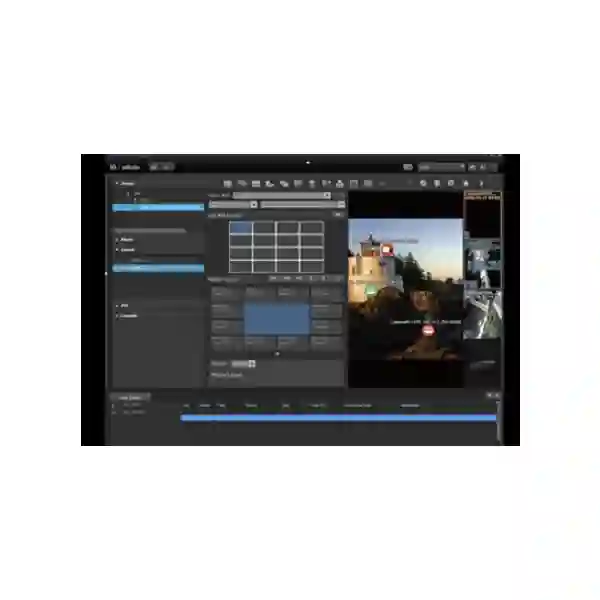
Hanwha SSM-VM00 Virtual Matrix for SSM Video Walls
A specialist hardware-decoder video-wall add-on for existing Hanwha SSM surveillance systems. Confirm your exact SSM version and SPD-400 decoder compatibility before planning maintenance, expansion or a replacement.
Buyer guidance at a glance
The Hanwha SSM-VM00 is mainly relevant to an existing compatible SSM deployment using dedicated hardware decoding. The manufacturer lists the model as discontinued. The historical product specifications reserve software-decoder functions for other editions, so request a compatibility check rather than assuming a new control room can be built around VM00 today.
Recommended action: document the installed software version, decoder model, display layout and desired outcome; then request a legacy-support assessment or a supported modern alternative.
Verified product overview
| Product name | Hanwha SSM-VM00 Virtual Matrix module |
|---|---|
| Manufacturer | Hanwha Vision (historically Samsung Wisenet / Hanwha Techwin) |
| Product role | Legacy SSM video-wall control add-on |
| Decoding architecture | Hardware decoder; SPD-400 support identified by manufacturer |
| SSM dependency | Requires a compatible installed SSM environment |
| Historical SSM documentation | SSM v1.6 manual describes this variant (not a modern compatibility guarantee) |
| Software VM Decoder channels | 0 in the historical SSM v1.6 VM00 specification |
| Lifecycle | Discontinued on Hanwha Vision product page |
| Stock, pricing and regional support | Not verified; enquire for exact legacy requirements or supported alternatives |
Historical limits are version-specific. Decoder outputs and current commercial availability must be confirmed for each site.
Choose the right path
Existing SSM installation
Identify exact versions and installed decoders. Focus on restoring verified functions and controlling legacy support risk.
New surveillance project
Specify required wall views, alarm behaviour and operator workflow, then evaluate a current supported platform.
What is Hanwha SSM-VM00?
Hanwha SSM-VM00 is a legacy Virtual Matrix add-on associated with the Hanwha Vision, formerly Samsung Wisenet, Smart Security Manager family. Its purpose is to help an operator arrange camera video on a surveillance display wall when the installation uses compatible dedicated hardware decoders. This is not a camera, recorder, monitor, or complete video management platform in its own right. An SSM installation, correctly configured network infrastructure, supported decoder equipment, and physical displays form the surrounding solution. For a buyer in Tanzania, the first decision is therefore not simply how many screens are required. It is whether the existing SSM version and installed hardware still match the specific VM00 software branch. Hanwha’s current public product listing labels SSM-VM00 discontinued. Treat this page as guidance for legacy support, replacement planning, and compatibility-led sourcing rather than an assurance that a new, supported licence or product package remains available. Request an exact-system review before making a purchasing commitment.
Who should consider this legacy module?
The strongest fit is an organisation already operating an SSM-era CCTV control room where a compatible hardware decoder is part of the installation. Facilities teams may need to restore a failed workstation, understand an inherited wall configuration, document a planned relocation, or decide whether to retain a working display arrangement for a limited period. A systems integrator may also encounter the VM00 name in an old bill of materials and need to identify its role before suggesting spare parts. Conversely, someone designing a completely new surveillance platform should not assume this discontinued module is the best starting point. The effort involved in supporting older operating systems, obtaining installers, maintaining decoder compatibility, and retaining administrator knowledge can outweigh the benefit of preserving familiar screens. Start by recording what is installed, who supports it, what the operators need to see, and how much downtime the business can accept. Those answers determine whether a carefully controlled legacy repair or a modernisation project is more appropriate.
The VM00 hardware-decoder distinction
A central technical detail is easy to miss: the older manufacturer’s Virtual Matrix documentation separates the SSM-VM00 hardware-decoder arrangement from SSM-VM10 and SSM-VM20 software-decoder editions. In the SSM v1.6 manual, VM00 is identified as dedicated to hardware decoding and allocated zero virtual software-decoder channels. Its listed component arrangement uses a VM Manager, VM Gateway and hardware decoder rather than the software VM Decoder found in the other packages. The current product summary describes the broader SSM Virtual Matrix family and highlights SPD-400 hardware support, but that family summary should not be read as permission to assign every software-decoder feature to the VM00 variant. During scoping, record the exact decoder model and firmware, along with the installed SSM version. If your requirement involves decoding camera streams on ordinary PCs without the intended hardware, evaluate a compatible alternative instead of assuming the VM00 product name will deliver that design.
Understanding the control-room architecture
Think of the system as several connected layers with different responsibilities. Network cameras or compatible recording equipment supply surveillance streams; the SSM environment maintains the managed camera and account context; the operator console provides an interface for selected video; the Virtual Matrix manager and gateway handle the relationship between wall layouts and decoder endpoints; and the hardware decoder sends its picture to the display. A fault at one layer can look like a wall problem even when the screen itself is functional. For example, an operator may still log in successfully while the decoder cannot reach a required endpoint. A camera may be reachable in one application but absent from a wall layout because its registration or user authority differs. Before replacing a monitor or reinstalling software, determine exactly where the signal or control command stops. An accurate block diagram saves time, makes vendor discussions more productive, and prevents a licensing or compatibility issue from being mistaken for a defective display.
SPD-400 and associated equipment
Hanwha identifies SPD-400 support in the SSM-VM00 product description, making the decoder model a particularly important part of any assessment. Older manufacturer documentation also discusses hardware-decoder behaviour separately from software decoding and shows that the usable split view depends on the selected decoder’s own specification. Do not treat SPD-400 as a generic shorthand for any current IP video decoder. A replacement with different network communication, supported stream profiles, authentication, or display outputs could require a changed design. Record the decoder’s complete model name, serial label for service identification, installed firmware if available, network address, number of outputs, attached display type, and the camera views presently shown. Confirm how the decoder is registered in VM Manager and whether the required installation and configuration files are available. This groundwork allows a support team to evaluate whether replacement, repair, or migration is technically realistic without promising compatibility that has not been established.
How many monitors can it control?
Monitor-count figures in historical SSM documentation vary across software releases, so they must be read in context rather than used as a universal procurement promise. The manufacturer’s SSM v1.6 Virtual Matrix manual lists a maximum of 48 monitors and three walls for the package family, while older versions and other licence variants quote different arrangements. That historical figure does not mean a specific VM00 system with its existing decoder hardware can automatically drive 48 modern displays. The physical outputs, decoder architecture, SSM version, network capacity, wall configuration, and any applicable rights are all relevant. A safer project specification states the actual number of wall panels, their intended arrangement, the number of decoder outputs, and the live views required at each position. Only after the installed version and hardware are verified should an engineer translate those requirements into an achievable configuration. This is especially important when a control room plans to increase its display area without replacing the underlying video infrastructure.
Camera tiles, layouts and video quality
A video wall is useful only when each image is large and clear enough for an operator to interpret. Plan by operational purpose rather than trying to put the maximum possible number of camera thumbnails onto every screen. Reception and perimeter feeds may need broad coverage; an incident-review monitor may require a larger single picture; a supervisor wall may benefit from a stable set of critical views. In VM00 installations, the effective split-screen combinations and image handling depend on the actual hardware decoder, not solely on headline Virtual Matrix family specifications. Check the camera resolution, encoded stream, frame rate, number of simultaneous requested streams, decoder capability, and the display’s native resolution. If the full-resolution image looks poor when divided among tiles, revisit the layout or stream profiles before assuming that an additional panel is required. Operators should be able to identify the correct camera quickly, follow activity across adjacent positions, and keep important entrances visible without repeated manual rearrangement.
Confirm the SSM software generation
The name SSM appears across different product generations, which is why a matching brand alone does not prove interoperability. The historical VM00 specification is associated with SSM-era Virtual Matrix documentation, including SSM v1.6. Later SSM Virtual Matrix manuals describe revised workflows and licensing arrangements; they should not be applied blindly to an older installation. Record the exact SSM release, service packs, installed Virtual Matrix version, manager and gateway versions, and the host operating system. Ask whether the control-room computer has been replaced, whether older installation media has been preserved, and whether the existing system relies on components whose support status is uncertain. An engineer can then compare the actual environment with the appropriate historical documentation. Never start an in-place upgrade solely because a newer installer exists. Back up configuration details, identify rollback options, and validate decoder control in a safe test environment before changing a live security monitoring system.
Prerequisites before configuration
A successful wall configuration depends on several preparatory items. The SSM system must be reachable, camera devices and accounts must already be managed appropriately, and the network must allow the manager, gateway, decoder, and console to communicate as required for that release. Each wall position needs a physical display connection and a clearly identified decoder path. User roles must permit the intended operations. Time synchronisation, addressing, naming conventions, and consistent camera identifiers help prevent confusion later. For an inherited system, assemble a simple equipment worksheet instead of relying on memory. Include the monitoring workstation, the core or media components, display panels, hardware decoders, networking equipment, cable routes, and administrator ownership. Avoid changing password policies or opening firewall ports from an old manual without a security review. The sequence of deployment tasks matters: establish communications and registrations first, then assign displays and camera views, then test operator workflows and failure scenarios.
Practical wall registration workflow
The Virtual Matrix manuals describe a managed sequence involving gateway registration, wall registration, decoder registration, and assignment of decoders to wall monitors. Use that sequence as a conceptual guide while following the instructions that match the installed software release. First confirm that the gateway is running and visible from the management workstation. Next establish an appropriately named wall, representing the actual display arrangement rather than a convenient but inaccurate layout. Register the decoder endpoints after checking their addresses and status, then associate the intended outputs with each display position. Finally add camera layouts and test that commands reach the correct physical screens. Label each screen and decoder output before the test. Without consistent labels, technicians may spend time correcting the wrong panel or interpreting an orientation issue as faulty software. Save an approved configuration record before and after alterations, and ensure another authorised administrator can understand the changes without access to the original installer.
Operator usability and daily supervision
The value of a surveillance wall depends heavily on the people using it. A layout that appears impressive in a demonstration can become difficult during a busy shift if camera names are cryptic, important scenes move unexpectedly, or controls require too many clicks. Agree on a normal operating layout with security supervisors before implementing changes. Separate feeds for fixed critical areas from feeds intended for active investigation. Use consistent labels that relate to real locations within the facility rather than arbitrary device numbers. Test the system from the usual seating position, not only while standing immediately in front of the displays. Consider glare, text readability, ambient lighting, shift handover, and who is authorised to change a shared wall. The VM00 control arrangement can form part of an established workflow, but it should not be treated as a substitute for documented procedures, appropriately trained staff, or a clearly assigned incident-response role.
Manual camera selection and control
Hanwha describes camera selection and placement through its VM Manager and Console interfaces in the Virtual Matrix family. For a legacy VM00 installation, the practical range of available commands should be tested against the connected hardware decoder and installed release. An operator may be able to choose a camera and send it to a specified wall position, yet that does not establish support for every interaction shown in another edition’s documentation. During acceptance testing, ask a normal shift operator to locate a camera, select a suitable display, change to the required view, and restore the standard wall arrangement. Repeat the task with an account that has restricted privileges. Confirm whether the command is immediate, whether on-screen feedback is understandable, and whether it disrupts another operator’s work. Record the final approved process with screenshots of your own installation, not assumptions drawn from a newer demonstration or a general product-family marketing statement.
Events and automatic wall switching
The wider SSM Virtual Matrix family is documented with event-driven wall, monitor, and tile spot concepts, but the SSM v1.6 specification table marks event-monitoring functions as not applicable to the VM00 hardware-decoder variant. This distinction matters for a buyer seeking automatic incident pop-ups. Do not promise that a VM00-based SPD-400 arrangement will deliver event-based salvo switching, face-detection-triggered wall changes, or sophisticated alarm-driven spot functions simply because those phrases appear in a family-level overview. If an organisation depends on automatic display changes when an alarm activates, turn that requirement into a formal pass-or-fail test and identify an edition or contemporary platform that explicitly supports it. For a working legacy setup, document which alerts are visible on the SSM console and which actions actually reach the wall. Manual monitoring and alarm handling can still be useful, but operational expectations should reflect verified behaviour rather than the most extensive features associated with a different variant.
Map monitoring is a separate requirement
Some SSM family material refers to live viewing alongside map displays and to graphical placement of camera or alarm symbols. However, the older VM00-specific specifications identify map monitoring as not applicable to the hardware-decoder edition. This is an important limitation where the proposed control room needs a floor plan, geographical view, or graphical indication of a triggered zone directly on the wall. Discuss whether operators can work with a map on an SSM console while using the wall for camera pictures, or whether the operational requirement specifically calls for an integrated map display across the video wall. Those are different designs. Make sure the tender or replacement specification identifies the intended screen for each function and the required user interactions. Avoid declaring a feature supported merely because it exists elsewhere in SSM. A small pilot using representative events, camera feeds, and the actual control-room workstation can reveal gaps early, before the organisation commits to new displays or additional network infrastructure.
Sequences and unattended monitoring
A wall sequence rotates through predetermined views or layouts to help a limited number of screens cover more camera locations. Historical Virtual Matrix documentation includes sequence configuration, but the detailed available controls can vary with edition and decoder type. Where sequencing is part of an existing VM00 deployment, verify what the installed combination really supports and how changes affect the operator. A rapidly switching wall may be unsuitable for a guard who needs to follow a person across adjacent views. A slow sequence may postpone the appearance of a critical camera during an incident. Identify permanently visible views first, then consider whether less critical feeds can rotate within a specific screen or group. Operators should know how to pause or override a sequence, and how to restore it after an investigation. Put the sequence order and display timing into the site operating procedure. Never substitute a rotating montage for sufficient dedicated monitoring of safety-critical or high-risk locations.
Example: a small commercial security room
Consider a commercial property in Tanzania that already has SSM-managed cameras at entrances, a loading area, parking access, and internal corridors. The security team wants a shared wall where guards can maintain a stable picture of the primary entrances and bring other camera images forward when required. If the property already has a confirmed compatible decoder and a working legacy VM00 configuration, preserving that arrangement may be a short-term maintenance option. Start by identifying the cameras the staff actually use in the first minute of an incident, then make those views easy to locate. Keep a second set of views for routine patrol or facilities oversight. Verify the visible image quality under daytime and night-time conditions, because scenes with very different lighting may need different profiles. The design should describe what happens if the management PC fails, if a decoder disconnects, or if a guard accidentally changes a wall layout. An upgrade recommendation should compare the cost and risk of extending the legacy system with the operational value of a supported replacement.
Example: a manufacturing facility
A manufacturing site may use a surveillance wall for perimeter cameras, yard traffic, access points, warehouses, and selected process-adjacent zones. The wall must support security decisions without confusing surveillance with industrial safety controls. Where an old VM00 system is already installed, inspect the hardware carefully before moving camera groups or adding display panels. Changes in factory network segmentation or switch replacement can affect communication among management and decoder components. Confirm that the information displayed is appropriate for the staff assigned to view it and that operationally sensitive feeds have controlled access. Use a short acceptance plan built around realistic situations: a delivery arriving at the gate, a vehicle entering a restricted yard, an after-hours alarm needing human review, and a handover between shifts. The test should record which camera appears, how quickly the operator can navigate, and what happens when the selected view is unavailable. These observations reveal whether a legacy wall remains fit for purpose or needs redesigned controls.
Example: campus or institutional monitoring
Schools, healthcare facilities, offices, campuses, and other institutions may operate several separate camera zones with a central monitoring team. An effective video wall can help staff focus on entrances, public circulation, and areas where monitoring is authorised. That does not remove the need for a clear privacy policy, a documented reason for each camera, and controls on who can access particular views. With a VM00 legacy deployment, decide whether the existing layout reflects current building use rather than the original installation drawings. Entrances may have moved, rooms may have changed functions, and cameras may have been replaced. Reconcile the actual camera list with the management system before copying an old wall configuration. Assign meaningful view names and review access rights when staff change roles. When replacing displays or servers, examine whether the old software can be maintained securely. Where it cannot, a migration plan should prioritise continuity and responsible access over preserving the appearance of the previous screen layout.
Network design for reliable viewing
A camera video wall is sensitive to weak points in the network path. Even if ordinary desktop browsing appears normal, multiple video streams can expose bandwidth contention, packet loss, unsuitable multicast settings, or unstable switch links. In a legacy VM00 environment, start with a topology drawing identifying camera networks, SSM services, the management workstation, gateways, decoders, and display interfaces. Check address assignments, name resolution where used, the routing path, and the way traffic crosses VLANs or site boundaries. Then observe the system under the expected live camera load. A useful baseline records which views are active, any image delays or interruptions, and the status of each network component. Do not assume that adding displays is only a question of purchasing monitors; every new decoded stream has an upstream source and a network impact. Protect management traffic, limit unnecessary access, and consult the release-specific port documentation during firewall changes rather than opening broad ranges simply to make an installation work.
Power, cooling and room environment
A CCTV control room cannot be evaluated solely through software screenshots. Monitors, decoder hardware, switches, servers, and supporting power equipment must operate together in the real installation environment. Record the location of each device, accessible ventilation space, cable strain, heat exposure, and the circuit that supplies it. Check whether the site has a documented response for a utility interruption and whether the selected backup-power equipment is sized for the intended load. It is unsafe to promise a particular runtime without verified equipment and consumption figures. If an existing rack has accumulated unlabelled adapters, extension connections, or obstructed airflow, correct those issues as part of the review. The Tanzania context makes site-specific planning especially important: inspect the actual building’s electrical and environmental conditions rather than making assumptions about every location in the country. Maintaining a reliable wall also requires accessible service space and clear separation between power, network, and signal wiring.
Security and account permissions
Security management software carries operational privileges, not just video. A technician who can change wall assignments may affect the view shared by an entire shift, while a user who can inspect camera lists may see information outside their job role. The manufacturer’s Virtual Matrix family describes multi-level authority management, but the exact enforcement is dependent on the installed SSM configuration and the edition in use. Review named administrator accounts, operator groups, password practices, access logging where available, and procedures for removing former users. Avoid shared default accounts and prohibit casual copying of credentials into maintenance notes. Check whether remote administration is necessary and protect the network path if it is permitted. A discontinued software component may not receive contemporary security updates, which increases the importance of segmentation, limited exposure, and a defined replacement strategy. No historical manual proves that a legacy system meets a present-day cybersecurity standard. Treat a formal security review as part of any decision to continue using it.
Operating-system and workstation compatibility
Older VM installations were documented against operating systems and components from their own release period. A line in a legacy user manual listing Windows 7, Windows 8, Windows 10, or older server editions is historical compatibility information, not a recommendation to deploy those systems today. It also does not establish that VM00 works with the latest Windows release, current graphics drivers, virtual desktops, or modern hardware decoders. Before replacing a management workstation, capture the working machine’s software version, dependencies, configuration files, network settings, and required privileges. Determine whether authorised installation media and any relevant licence records exist. Evaluate the security implications of retaining the old operating system and whether a supported migration path can meet the same operator needs. A controlled test should confirm login, gateway communication, decoder registration, wall control, and normal recovery before a new workstation takes over the production role. Avoid upgrading a live control-room PC without a verified rollback plan.
Legacy lifecycle and current availability
Hanwha Vision currently marks SSM-VM00 discontinued on its public product listing. That statement establishes the product’s published lifecycle label, but it does not by itself establish whether any particular reseller retains an unused package, whether the manufacturer will provide installation support in Tanzania, or whether an existing licence can be transferred. These questions require direct verification for the exact installation. Before issuing a purchase order, ask what is actually being supplied: software media, a historical licence document, decoder hardware, a replacement component, a service activity, or an assessment only. Ask for the specific version and entitlement conditions in writing. If equipment is offered as refurbished or from legacy stock, request a clear description of its condition and the limits of any support arrangement. Avoid marketing the discontinued software as a modern, generally available solution. For a new project, compare contemporary supported VMS and video wall approaches instead of specifying a discontinued model by habit.
Licensing and entitlement checks
The word module does not tell a buyer which rights are included. Licensing structures and model codes differ across SSM generations, and the historical documentation for hardware decoding must not be blended with software-decoder entitlement figures for VM10 or VM20. An older brochure may have used terms such as free for a particular decoder arrangement, but that historical description should not be treated as a current licensing guarantee. Inventory the installed SSM environment, recorded product or entitlement paperwork, and the precise VM00 or related model designations shown in your records. Verify whether the action planned is reinstalling an existing authorised configuration, transferring hardware, replacing a faulty decoder, or increasing capacity. Different actions may trigger different questions. Do not promise a new licence key, renewal eligibility, commercial availability, or cost until a suitable authorised source confirms it. Request a written scope that distinguishes software, hardware, configuration services, testing, and any ongoing support obligations.
Comparing VM00, VM10 and VM20
These three historical names belong to the same Virtual Matrix family but should not be treated as interchangeable line items. VM00 is associated with hardware-decoder control; the older manufacturer’s edition table identifies VM10 and VM20 with software VM Decoder channels and wider software-decoding functions. Family brochures may list common headings such as video walls, sequences, layouts, and event displays even when individual variants differ. Buyers should compare exact releases, not a single undated promotional table. Ask first whether the deployment has a compatible hardware decoder or requires PC-based video decoding. Then specify the number of monitors and independent video outputs, whether wall merging or map views are needed, whether alarm events must change the wall automatically, and how operators will control layouts. Require explicit demonstration of every critical feature on the proposed configuration. For current projects, the comparison is mainly useful to identify inherited equipment and gaps in a legacy design; it should not replace an evaluation of supported modern solutions.
What the VM00 designation does not mean
The suffix 00 can be misinterpreted as unlimited capacity, a zero-cost package, a camera-channel count, or a generic starter licence. None of those conclusions should be inferred from the model alone. The historical manufacturer table uses zero software-decoder channels for SSM-VM00 because the design is dedicated to hardware decoding; it is not describing zero functional camera views or unlimited software resources. Nor is the model a guarantee of compatibility with every SPD-branded device. An engineer should interpret the code in the context of the correct SSM release, supplied decoder, and installation records. The same caution applies to counts in old brochures: a wall manager’s theoretical monitor limit is distinct from the number of outputs that a specific hardware arrangement can deliver. If a reseller quote lists only the model name, request a description of what physical or digital items are included. Clear line items reduce the chance of buying a label that does not solve the operating problem.
When a modern replacement is preferable
Modernisation is worth considering when the organisation plans to expand the camera estate, changes its recording platform, needs stronger authentication, requires automatic alarm-driven wall response, or cannot maintain the legacy workstation securely. It can also make sense when replacement decoder hardware is unavailable or the original integrator’s configuration knowledge is lost. Avoid framing migration as a simple software update without understanding the dependencies. A replacement may affect camera protocols, viewing permissions, operator training, rack capacity, storage access, network rules, and the physical layout. Start by listing required outcomes independent of product names: which live views must be visible, which alerts must attract attention, how quickly a supervisor must switch scenes, and what should happen during failure. Compare supported solutions against those outcomes, then build a staged transition with rollback and acceptance tests. Retaining an older VM00 system is justified only where its verified function and operational risk remain acceptable for the intended period.
Planning a migration without losing visibility
For a site leaving a legacy SSM Virtual Matrix environment, the most valuable asset is often the operational design rather than the original software. Document camera names, default layouts, alarm procedures, screen assignments, user groups, and the time required to restore service after a fault. Confirm the replacement platform can obtain compatible video from the existing cameras or through an approved integration path. Rebuild the essential wall layouts first, leaving optional cosmetic features until the monitoring team has validated core tasks. Test day and night images, disconnections, wrong-camera selection, operator login, and the transition between normal monitoring and investigation. Where possible, schedule a controlled overlap in which old and new systems can be compared, while recognising that hardware and licence constraints may restrict parallel operation. Arrange a clear cutover authority and rollback decision. The goal is not simply to reproduce the former screen grid, but to maintain useful visibility with a supportable and secure system.
Performance planning and realistic testing
A capacity figure has little value without the surrounding conditions. The number of simultaneously displayed feeds, stream profiles, display resolution, decoder capabilities, network condition, and system workload all influence the outcome. Plan a performance trial around actual high-priority camera views rather than a collection of low-demand test streams. Include busy scenes, low-light scenes, and cameras that have recently been replaced with higher-resolution models. Measure whether operators can follow movement and whether changes to the wall introduce noticeable delays. Identify the source of every displayed video stream and check if additional viewing sessions affect the upstream recording infrastructure. Avoid declaring a codec, maximum resolution, or frame-rate support unless it is validated for the exact decoder and firmware combination. If an old decoder meets the present requirement but has no clear replacement path, record that dependency as a service risk. A successful demonstration should be repeatable by site staff and documented before acceptance.
Troubleshooting blank or incorrect wall views
A blank wall tile can have several causes: the camera is unavailable, the assigned account lacks permission, the stream cannot be decoded, the hardware endpoint is unreachable, or the display input is incorrect. Begin at the physical screen, then trace the decoder and network path back through the management components and the camera. Ask whether the fault affects a single tile, all outputs of one decoder, or every wall. This simple distinction often narrows the investigation. Verify basic status indicators and cable connections without disturbing other operational equipment. Check that the camera plays in an authorised SSM view, and compare the registered identifiers with the wall layout. Record any error message before restarting services. Unplanned restarts can interrupt live monitoring or remove evidence of the underlying cause. A known-good test camera and an approved troubleshooting checklist are more reliable than repeatedly changing configuration values. Escalate model-specific compatibility questions with exact version and device information.
Managing configuration changes
Every change to a shared surveillance wall should have a purpose, an owner, and a way to reverse it. Even a small screen renaming task can cause confusion if security staff use the old labels during an incident. Before changing a VM00 installation, photograph the physical screen arrangement where permitted, export or document available settings, and capture the current list of cameras and decoders. State which displays or user roles may be affected, then agree on a maintenance window appropriate to the site’s security requirements. After making the change, test a normal operating sequence and obtain approval from an actual operator, not solely from the technician who made the alteration. Update the diagram, administrator notes, and shift instructions. Avoid leaving undocumented temporary credentials or unused network services enabled. If a change reveals a fundamental incompatibility, restore the working baseline rather than continuing with improvised fixes while the control room depends on the wall for daily supervision.
Access control, privacy and governance
A larger display can make surveillance footage visible to more people than a desk monitor. Position wall screens with appropriate sightlines, limit unnecessary public exposure, and decide which camera groups each operator role may use. Establish who is allowed to change wall layouts and who may authorise viewing of sensitive areas. These principles apply regardless of whether the software is legacy or current. Tanzania organisations should evaluate their own legal, contractual, and internal requirements for personal information and security-camera footage rather than assuming that a particular product provides automatic compliance. If audit records are required, verify what the deployed software and surrounding controls can actually record and preserve. Include retention, incident escalation, and staff access procedures in the operational design, even though VM00 itself is a video-wall-control component rather than a complete privacy or evidence-management solution. A well-managed wall should help an authorised team do its work without broadening access unnecessarily.
Working with multiple sites
Some organisations monitor activity from several buildings or facilities in one security room. A common wall can make that workable, but only when the underlying SSM architecture, camera registration, networking, and rights permit the intended cross-site views. Do not assume that installing VM00 automatically provides a federated multi-site platform or that an isolated remote camera will appear in every wall layout. Start with a site-by-site inventory identifying who owns each camera, which monitoring centre is responsible, and what network links are available. Define what should remain visible when a remote connection fails. If facilities are linked over a wide-area network, test video under representative conditions and consider the security implications of exposing management services across sites. Use unique naming conventions that make the site and camera location obvious. A deployment diagram should distinguish server and network components from the monitor wall itself. If cross-site expansion is central to the project, evaluate a current supported solution against an explicit multi-site requirement.
Documentation an engineer should request
Before accepting a quotation or maintenance proposal, collect the core records that allow an expert to assess the installation without guessing. These include an SSM version report, installed Virtual Matrix release, decoder make and model, available firmware information, network topology, wall and monitor schedule, camera list, existing installation media, and whatever licensing documents the owner legitimately holds. Add photographs of equipment labels where permitted, the current screen layout, and a simple statement of the business problem to solve. Keep passwords and security keys out of ordinary email attachments or public support threads; use an approved secure channel for sensitive details. Note any previous repairs, workstation replacements, and known intermittent faults. This evidence helps separate software recovery from hardware replacement and from a broader modernisation project. It also allows prospective suppliers to state exclusions clearly. If an important item cannot be identified, label it unknown rather than silently filling the gap with a similar model number.
Quotation and procurement questions
A useful quote for a discontinued product must describe more than a brand and model. Ask the supplier to identify whether the scope covers diagnosis, compatible legacy hardware, configuration assistance, installation media, testing, migration planning, or a modern alternative. The commercial offer should state exactly what is included and excluded, what evidence supports compatibility, who will perform configuration, and what acceptance criteria will be used. Request a plan for handling a failed component after the work is complete. Avoid assuming that a historical catalogue’s pricing or reference to a free module establishes a current offer. We have not verified a local selling price, stock level, delivery promise, warranty, or authorised supply arrangement for this Tanzania listing, so none is asserted here. A sensible request for quotation includes the installed SSM version, decoder model, desired wall layout, number of displays, relevant system constraints, and the required completion outcome. This is more useful than asking for SSM-VM00 alone.
Support expectations for a discontinued component
A discontinued product may continue functioning in a stable installation, but support planning becomes more important over time. Verify where the organisation obtains authorised software copies, how it restores configuration after a workstation failure, whether compatible spare decoders exist, and who understands the system sufficiently to recover service. Consider the possibility that an operating-system upgrade, camera replacement, or network security change will expose an old dependency. Test backup and restoration procedures in a controlled setting; having configuration notes is not the same as proving they can be used. Establish a clear escalation path for operational faults and record the business impact of lost wall visibility. Review cybersecurity exposure and decide whether continuing the legacy arrangement remains proportionate. Do not describe an unsupported component as maintenance-free simply because it has run for years. The most resilient plan combines short-term operational controls with a practical path to supported software and hardware when the next significant replacement becomes necessary.
Acceptance testing with real operators
A commissioning checklist should test the work users actually perform. Confirm that the correct cameras are visible at the beginning of a shift, that a guard can navigate to a specific view, and that the picture returns to the intended arrangement after an investigation. Disconnect a noncritical test endpoint under controlled conditions to see how the interface and wall respond, then verify recovery. Try both an authorised administrator and a restricted user account. Observe the system during a busy scene and confirm that camera labels remain legible from the operator’s usual seat. If alarms or sequences are part of the requirement, prove their behaviour rather than relying on a generic features list, particularly because the VM00 hardware-decoder edition has documented restrictions. Record results, versions, exceptions, and the person who accepts each test. An acceptance report should include unresolved risks and realistic next actions. Successful installation means the monitoring team can perform its duties, not merely that a setup window completed without an error.
Training and shift handover
A capable surveillance system needs a repeatable routine across staff changes. Develop a short operator guide using the site’s actual wall labels and approved camera names. Show the default monitoring arrangement, permitted methods of changing views, steps to report a missing camera, and what to do if a display becomes unavailable. Explain who can authorise a permanent layout change and how incidents are escalated. Train supervisors to distinguish a camera outage from a decoder or wall management fault so they can give technicians useful information without experimenting on a live system. Include the limitations of the legacy environment, especially any unavailable alarm or map function that operators might expect from broader SSM marketing. Keep one controlled copy of the working configuration and the latest support contact procedure. Revisit the guide after camera changes, renovations, or software modifications. Human familiarity is especially valuable when spare parts or specialist support for an older product cannot be obtained quickly.
Avoiding a mismatch in new CCTV tenders
When preparing a new CCTV specification, define the functional outcome before naming a historical module. State the number of independent live views, wall display arrangement, required operator interfaces, user permissions, alarm behaviour, recovery expectations, and integration with the planned VMS. Specify the required vendor support lifecycle and cybersecurity maintenance policy. A line item saying only Hanwha SSM-VM00 may steer a supplier toward an obsolete architecture even when modern decoders and management software would meet the actual need more securely. If the tender concerns compatibility with an existing VM00 installation, say so and require proof against that precise installed generation. Separate the requirement for reuse of legacy equipment from the requirement for new supported functions. Treat manufacturer end-of-life notices as procurement information, not a minor footnote. The aim is a serviceable control room with verified behaviour, clear accountability, and a sensible upgrade path rather than the preservation of an old model name at any cost.
How to decide whether to retain or replace
A practical decision has three dimensions: technical compatibility, operational value, and support risk. Technical compatibility asks whether the existing SSM version, decoder, network, and host remain functional together. Operational value asks whether the wall presents the right cameras to the right people in time to act. Support risk asks what happens after the next workstation or decoder failure, how security updates are handled, and whether responsible technicians can recover the system. A legacy VM00 arrangement can be retained temporarily when those three dimensions are acceptable and the organisation has a documented contingency. Replacement is usually the stronger direction when a critical component is no longer serviceable, unsupported software creates unacceptable exposure, or required functions are explicitly unavailable in the variant. Avoid deciding purely on initial acquisition price. Compare whole-life maintenance, downtime consequences, staff training, migration effort, and the value of ongoing vendor support. A short technical assessment should produce a clear recommendation and evidence, not simply a longer equipment list.
Next step for Tanzania buyers
For an existing Hanwha SSM control room in Tanzania, request a compatibility-led review of the Hanwha SSM-VM00 installation before ordering parts or committing to a new video wall. Supply the exact SSM release, installed VM version, hardware decoder model, current number of monitors, a brief description of the fault or proposed change, and any safe-to-share equipment diagram. Specify whether the priority is restoration, screen expansion, feature improvement, or migration. If the project is a new installation, ask instead for a supported video-wall solution that meets the current monitoring and security requirements. FourTeck can use the information in your enquiry to assess the requested scope and discuss suitable options, subject to confirmation of service and product availability. Do not send passwords, active licence credentials, or sensitive network details through an unverified channel. An accurate requirement and a documented installed-system inventory are the quickest route to a relevant technical and commercial response.
Frequently asked questions
Is Hanwha SSM-VM00 a camera or recorder?
No. It is a legacy Virtual Matrix add-on associated with the SSM video management environment. Its role is to help manage a surveillance display wall through an appropriate system and compatible hardware decoders. Cameras, recording services, control software, network equipment, and displays are separate parts of the complete solution.
Does SSM-VM00 work without Hanwha SSM?
The historical manufacturer manuals explicitly describe Virtual Matrix as an SSM add-on that requires SSM. Do not buy the model expecting a standalone video-wall controller. Confirm the installed SSM generation, management components, and decoding hardware before planning any reuse or replacement.
Is SSM-VM00 discontinued?
Yes. Hanwha Vision currently labels SSM-VM00 discontinued on its public product page. This does not establish what any individual local supplier may hold, but it is a strong reason to verify legacy support, installation media, entitlement conditions, and an alternative design before ordering.
Can SSM-VM00 use software decoding on ordinary PCs?
The older SSM v1.6 product table identifies VM00 as dedicated to hardware decoders and assigns zero VM software-decoder channels. Other SSM Virtual Matrix editions provided software-decoding arrangements. Do not assume that a family-level feature description changes the VM00 edition’s documented distinction.
Does it support the SPD-400?
Hanwha identifies SPD-400 support for the SSM-VM00 model. Verify the exact decoder, firmware, video profiles, network communication, and SSM version in the intended installation. A statement of SPD-400 support is not a blanket claim of compatibility with every newer hardware decoder.
How many screens are supported?
Historical manuals quote package-wide monitor and wall limits that change by SSM release and edition. The SSM v1.6 manual includes a 48-monitor figure, but a real VM00 deployment remains constrained by its supported hardware-decoder configuration. Confirm actual outputs and version-specific limitations rather than buying against a headline count.
Does VM00 provide alarm-triggered wall switching?
Do not assume it does. Although the Virtual Matrix product family discusses wall, monitor and tile spot functions, the older SSM v1.6 specification marks event monitoring as not applicable to the VM00 hardware-decoder column. Require a demonstrated solution if alarm-driven display switching is essential.
Will maps appear on the VM00 video wall?
The older VM00-specific specification identifies map monitoring as not applicable. An SSM console may have separate map capabilities in a given configuration, but those are not automatically the same as rendering interactive maps through the VM00 hardware-decoder wall. Define the required display and workflow clearly.
Can it be installed on a new Windows PC?
Compatibility with a current operating system is not established by historical manuals that list older Windows versions. A workstation replacement needs a version, driver, licence, and network compatibility assessment followed by controlled testing. Do not upgrade the production control-room PC without a recovery plan.
Can I purchase it in Tanzania today?
The manufacturer marks the product discontinued, and this page does not claim verified Tanzania stock, local pricing, delivery, or support eligibility. Request an exact-scope enquiry that distinguishes legacy parts or service from a modern supported solution. Obtain confirmation before making a financial commitment.
What information helps a technical assessment?
Provide the exact SSM and Virtual Matrix versions, hardware-decoder model, wall monitor count, camera inventory summary, existing architecture, and a clear description of the issue. Add logs or screenshots only where approved. Keep passwords, active licence secrets, and sensitive network credentials out of public or insecure channels.
Should a new site specify SSM-VM00?
Generally a new design should begin with current supported VMS and video-wall requirements instead of specifying a discontinued legacy module. The historical model remains useful when diagnosing or maintaining an existing installation. Compare modern alternatives on demonstrated interoperability, operator workflows, lifecycle support, and security controls.
What is the difference between VM00 and VM10 or VM20?
The important distinction in the historical SSM v1.6 manual is hardware decoding for VM00 versus software VM Decoder configurations for VM10 and VM20. Licence limits and features depend on the exact release. Do not interchange these model numbers or assume that an old licence applies to a different edition.
Can the system be expanded simply by adding displays?
Not necessarily. A new panel needs an appropriate video output and an architecture capable of supplying, decoding, and controlling the desired image. Review the decoder model, number of outputs, layout requirements, upstream streams, SSM version, network capacity, and physical installation before proposing additional screens.
How should an existing installation be maintained?
Keep a controlled inventory and configuration record, document standard wall layouts, restrict administrator access, assess cybersecurity exposure, and test recovery procedures. For a discontinued component, plan alternatives for a failed decoder or host and consider a supported migration before a single legacy dependency becomes a prolonged monitoring outage.
Request a Hanwha SSM-VM00 compatibility review
Planning an upgrade or diagnosing an existing Tanzania CCTV control room? Ask for a technical assessment using your installed SSM version, hardware decoder details, current monitor arrangement and required surveillance workflows. For new installations, request a supported video-wall alternative. Pricing, stock, support and suitability are subject to confirmation.
Contact FourTeck Tanzania with your requirements for a product and compatibility discussion.




Reviews
There are no reviews yet.