
Hanwha Vision • WAVE integration software
WAVE-VIDLENELOG-INT: Wisenet WAVE Plugin for LenelS2 OnGuard
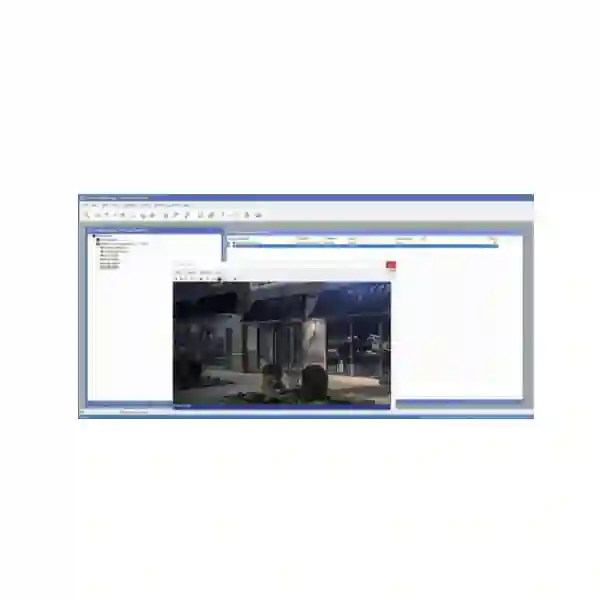
Bring selected Wisenet WAVE video cameras into the LenelS2 OnGuard access-control environment with the purpose-built Hanwha Vision integration license. Plan the software connection around your OnGuard server, supported versions and camera-channel entitlements.
For Tanzania project quotations: specify the target OnGuard server, WAVE version and number of cameras intended for import. Confirm pricing, eligibility and installation requirements before ordering.
Quick product facts
LenelS2 OnGuard
Wisenet WAVE VMS
One OnGuard server
LenelS2 DV-CH-xxx licenses
Important: this software license does not replace WAVE, OnGuard, hardware or LenelS2 camera-channel entitlements.
Specifications and licensing at a glance
| Purpose | Connect Wisenet WAVE video to LenelS2 OnGuard |
|---|---|
| Manufacturer | Hanwha Vision |
| Manufacturer part number | WAVE-VIDLENELOG-INT |
| Product form | Software integration plugin and license |
| License scope | One OnGuard server; verify any multi-server design |
| Additional camera entitlement | LenelS2 DV-CH-xxx channel license controls imported camera count |
| Activation method | Hanwha Vision America License Manager |
| Installer source | LenelS2 OnGuard accessory add-on package |
| Regional availability | Confirm for the specific Tanzania order |
What this integration does, and who should consider it
WAVE-VIDLENELOG-INT is the Hanwha Vision license associated with bringing video from Wisenet WAVE into LenelS2 OnGuard. Its value is not another surveillance camera or a replacement recording platform. Instead, it addresses a practical integration question: how can an organization with WAVE-managed cameras make the relevant cameras available within an access-control environment that already uses OnGuard? The product is intended for system owners, security consultants, integrators and facilities teams evaluating that connection. The resulting experience must be verified against the installed software releases, licensed camera channels and intended operator functions.
It is most relevant when both products are part of the chosen architecture. A buyer using OnGuard but not WAVE should first decide whether the WAVE platform itself suits the surveillance requirement. A WAVE-only site without an OnGuard deployment does not gain an access-control platform simply by buying this plugin. For projects in Tanzania, the sensible first step is to describe the existing systems and the number of cameras that operators actually need inside OnGuard, then request a license and integration assessment rather than assuming an off-the-shelf camera count.
The four elements that make the solution work
A successful deployment involves four distinct elements, and they should not be confused. First is Wisenet WAVE, the video management system that holds the camera configuration and supplies the video connection. Second is LenelS2 OnGuard, the access-control system into which the cameras are imported. Third is the Hanwha Vision OnGuard video integration plugin, licensed under part number WAVE-VIDLENELOG-INT. Fourth is the LenelS2 camera-channel entitlement that determines how many WAVE cameras can be imported. A purchase decision that covers only the Hanwha license but overlooks the camera-channel requirement may leave the project incomplete.
The infrastructure supporting these elements matters as well. The OnGuard installation, its communication service, the WAVE server, the license manager and the operator workstations must be configured so that the required communication paths are functional. The plugin does not supply replacement servers, cameras, storage, switches or access-control hardware. Those components remain project responsibilities. Separating the components in the bill of materials helps the buyer compare quotes and understand which party is responsible for each software entitlement and installation task.
License scope: one OnGuard server
Manufacturer information describes the WAVE-VIDLENELOG-INT license as valid for one OnGuard server and WAVE systems. For purchasing purposes, the unit of licensing should therefore be understood around the OnGuard server, rather than assumed to be a license for every individual video camera. That distinction can simplify discussion, but it must not be interpreted as unlimited OnGuard camera imports. The separate LenelS2 channel license remains relevant, and multi-server arrangements should be reviewed before placing an order.
Ask the integrator to identify which OnGuard server is the integration target, whether the project has separate production, test or disaster-recovery servers, and how the system is expected to behave during failover. Do not extrapolate one-server licensing to a second server without written confirmation from the relevant software licensors. Likewise, do not assume that changing the server, rebuilding an installation or moving to another OnGuard environment automatically preserves activation rights. Record the intended server topology in the licensing request and confirm any migration procedure with the vendors.
The separate LenelS2 DV-CH-xxx prerequisite
A frequent purchasing mistake is treating the Hanwha integration entitlement as if it alone authorizes every camera. Hanwha product information identifies the LenelS2 DV-CH-xxx camera-channel licenses as the prerequisite controlling the number of video cameras imported from WAVE into OnGuard. This means a project should calculate its intended camera imports before finalizing its license schedule. The exact DV-CH-xxx variant, existing entitlements and any relevant OnGuard package rules should be checked with the LenelS2 provider.
Suppose a site has a much larger WAVE camera estate but wants a carefully selected subset available within OnGuard. The integration scope should be based on that planned subset, with sufficient channel entitlements for the selected cameras. If the operator team later expands the integration, the applicable channel capacity may need to be reviewed again. It is safer to distinguish total cameras recorded by WAVE from cameras intended for import into OnGuard. This prevents a rough site camera count from being mistaken for the verified integration licensing requirement.
What the product does not include
WAVE-VIDLENELOG-INT should be evaluated as an integration software license. It is not a stand-alone CCTV camera, an NVR appliance, an access card reader or a hardware bridge. It does not create an existing WAVE installation, install LenelS2 OnGuard for you or include every prerequisite license automatically. It is also not evidence that a particular camera model, playback action, event workflow or advanced feature has been approved for the exact software combination at your site.
The practical way to prevent misunderstandings is to make the quote itemization explicit. Separate the integration license, LenelS2 camera-channel licensing, required WAVE software or camera entitlements, any vendor installation materials and the professional work needed for configuration and testing. Where a specification is missing from the verified manufacturer information, treat it as a technical validation question. This is especially important when a project has custom OnGuard workflows, a complex recording topology or an existing system whose upgrade history is not documented.
Compatibility checks before an order
Begin with the versions actually deployed, not just the product family names printed on a design drawing. Record the LenelS2 OnGuard release and service-pack or build level, the Wisenet WAVE release, the operating environment for the OnGuard communication components and the target server role. Hanwha’s published installation guidance refers to a LenelS2 package named 8.2_Accessory_Add-On_for_Hanwha WAVE_1.0.2. That reference establishes a documented installation package; it does not by itself prove that every newer or older release is supported.
Ask the product support teams or the project integrator to confirm the compatible package combination for the exact deployment. Include any planned upgrade in the assessment because a currently working integration is not proof that a future version will behave identically. Also examine network separation, authentication requirements and security policies before installation. It is more efficient to resolve unsupported version combinations before a key is issued than to discover them during commissioning with access-control operators already waiting to use the system.
Installation package and responsible supplier
Hanwha Vision states that the WAVE OnGuard integration installation files are distributed through LenelS2 in the named accessory add-on package. The prerequisite installation uses HanwhaOnGuardInstaller.msi, while the subsequent LenelS2 accessory component uses Setup.exe. These are separate installation steps in the published sequence. A buyer should confirm access to the correct package, installers and accompanying release notes before scheduling a maintenance window.
There is a useful operational distinction between being able to order a software license and having the installer materials required to deploy it. Confirm who will obtain the LenelS2 package, who has administrative access to the OnGuard system, and who will be accountable for backups, testing and rollback. If a third-party security integrator manages the access-control environment, align these responsibilities early. The commercial order should not be treated as proof that installers, appropriate accounts or compatible software are already present.
Activating the Hanwha license
The manufacturer’s documented activation workflow begins with ordering the Wisenet WAVE OnGuard Video Integration license and receiving a license key. The HVA License Manager is installed and opened, and the key is entered through the Internet Activation function. The license manager validates the license for use with the intended integration. Hanwha documentation allows the license service to run on the OnGuard server or another server within the relevant network. A remote service arrangement should be documented so that operational teams know where the entitlement is actually hosted.
Protect the license key as a managed software asset. Maintain a secure internal register that associates the purchased entitlement with the OnGuard target server, the environment owner, the activation record and the organization responsible for support. Do not post license keys in public forms, public issue trackers or procurement notes exposed outside the organization. If the environment has restricted internet connectivity, do not assume an offline activation process is included in the purchase; confirm supported activation methods and connectivity requirements with Hanwha before deployment.
HVA License Manager host and port planning
During installation, the Hanwha plugin installer requests the host and port for the HVA License Server. Published Hanwha translator documentation identifies a default licenseServerHost of localhost and a default licenseServerPort of 7111. These are documented configuration defaults, not a reason to open a port broadly to the internet. The correct destination is the deployed license manager host, and connectivity should be limited to the approved systems requiring it.
The deployment plan should identify the machine name or address used by the license service, the network path between the OnGuard integration component and that service, and the operational owner of relevant firewall changes. If the license manager is relocated, verify the actual configuration and update supported settings through the approved change procedure. Check access-control and IT policies before modifying anything. A reachable license service and a successfully activated key are both relevant; satisfying one condition does not automatically demonstrate that the entire integration is healthy.
Wisenet WAVE account and camera permissions
Hanwha recommends creating a dedicated WAVE user and role for the OnGuard integration so access to the intended cameras can be controlled. Its support procedure specifically notes that the WAVE login name should be lowercase for Digest authentication to work, and instructs administrators to allow Digest authentication for the integration user. The documented procedure also calls for selecting the required camera resources and enabling the indicated role permissions. Follow the version-specific manufacturer procedure while reviewing the broad permissions with the organization’s security administrator.
A dedicated account improves administration because it separates the integration from an individual employee’s everyday login. Document account ownership, password handling, recovery and credential rotation. Do not casually share the integration credentials among operators or embed them in publicly available deployment notes. Camera selection is equally important: authorize only the camera resources the project intends to expose, consistent with the documented role requirements. Test authentication and camera visibility after changing credentials or resource assignments, since an otherwise healthy WAVE system may appear disconnected to OnGuard if the integration account loses access.
Adding WAVE as a video recorder in OnGuard
Hanwha’s support instructions describe opening OnGuard System Administration, using the Digital Video area and adding a recorder with the type Hanwha WAVE. The administrator then enters information for the WAVE system, including its name, selected OnGuard workstation, server IP address, WAVE username, password and server port. The published example identifies port 7001 as the WAVE server default. Port numbers are installation settings and should be checked against the actual server configuration rather than copied mechanically.
Once a WAVE recorder entry is configured, the published process uses Import from Recorder and a camera selection step. This is an operationally important point: the cameras that become relevant to OnGuard are the ones chosen for integration, subject to permissions, licensing and connectivity. Have a list of camera names or identifiers available so that the selection is deliberate. The administrator should check the imported results against that list and document any missing cameras for follow-up before describing the installation as complete.
Planning camera imports without overspending
Camera selection should be driven by the duties performed in OnGuard. Security operators may need specific views around critical entrances, restricted areas, service doors or controlled gates, but not every WAVE camera necessarily belongs in the OnGuard interface. A careful mapping exercise compares access-control points, likely operator questions and available views. This planning is useful even if every camera is technically reachable because the workflow and licensing implications are different from simple video recording.
Create a camera import matrix with the camera’s WAVE name, physical purpose, desired OnGuard association, person approving access, and required LenelS2 camera-channel entitlement. Distinguish essential cameras from optional coverage and provide room for future expansion in the plan. The final import list should be approved by the system owner and reviewed after installation. If the organization has separate buildings or responsibility zones, the same matrix can clarify which users need which views and help prevent the OnGuard interface from becoming an unmanageable catalog of unrelated video sources.
Using the integration in an access-control operation
The core use case is connecting the surveillance environment to the access-control workflow. An operator investigating an access-related situation benefits when the relevant camera can be found through the OnGuard environment instead of relying entirely on a separate discovery process. The exact available viewing commands, live or recorded video behavior and event associations depend on the installed OnGuard integration package and supported releases. They should be demonstrated during acceptance testing rather than described as automatic capabilities of the part number.
For example, a facility may wish to associate a reception entrance with a corresponding WAVE camera. Another site may focus on a delivery access point where security staff regularly need a visual check. The practical design question is which camera views support the operator’s decision and whether the supported integration presents them reliably. A useful demonstration follows the operator’s actual sequence: identify an access-control location, locate the expected camera, confirm that the video is accessible, and document the outcome. That is stronger evidence than a generic claim that the systems are integrated.
Typical deployment scenario: controlled entrances
In an office or institutional building, the security team may already rely on OnGuard to administer access permissions and WAVE to manage the cameras. An integration project can focus on cameras that provide useful visibility at primary access points. The buyer should establish whether the view selected for each entrance is genuinely useful for the operational task: a camera facing the wrong direction may be imported successfully but add little value to investigations.
The design should consider camera naming, operator permissions and shift handover procedures. Choose names that staff can recognize consistently between the two systems, and avoid renaming imported cameras during a busy operational period without documenting the change. Test the chosen view in daytime and low-light operating conditions if those environments are relevant. The plugin itself does not change camera optics, illumination or recording quality, so a poorly positioned camera remains a separate system-design problem. Deployment success includes the human workflow, not merely a completed software wizard.
Typical deployment scenario: logistics and service gates
Logistics sites often have security procedures that involve vehicles, loading areas, staff entrances or delivery gates. If the site uses both OnGuard and WAVE, connecting selected WAVE cameras to the OnGuard environment may support a more coherent operating procedure for those access locations. The relevant cameras should be selected according to gate layout, legitimate observation needs and the user’s rights to view the images. This example describes a deployment consideration, not a claim of specialized vehicle recognition or automated gate control included in this license.
In planning, list the access points where a visual check is genuinely necessary and identify which WAVE camera serves each location. Verify that the expected view is available during normal operating hours and during any scheduled shift changes. Consider network reliability between the surveillance server and access-control environment, especially if they occupy different network segments. A pilot using one or two gate-related cameras can expose practical naming or authentication issues before the integration is expanded to a larger camera set.
Typical deployment scenario: multi-building estates
A campus or multi-building site may operate multiple WAVE-managed camera groups and a centrally administered OnGuard deployment. In this situation, camera scope and server architecture become especially important. The Hanwha license is described for one OnGuard server, so a design with multiple OnGuard servers or separated environments should be reviewed specifically rather than assumed to fall under a single entitlement. The LenelS2 camera-channel requirement also remains relevant to the number of cameras imported.
An effective project plan separates the site by building or operational zone and identifies the cameras OnGuard staff are expected to see in each zone. This creates a manageable acceptance test: confirm access and naming for selected cameras in one area, then repeat for the remaining zones. The system owner should document whether cameras reside on different WAVE servers and how the configured OnGuard recorder entries address them. Multi-building does not automatically mean multiple licenses or one license; only the verified architecture and license terms establish the actual requirement.
Typical deployment scenario: upgrading an established installation
Existing security systems frequently carry years of configuration decisions. A buyer may be adding WAVE to a functioning OnGuard environment or moving surveillance responsibilities from another platform. Such projects require a more careful baseline than a new installation because the OnGuard system may already have digital-video devices, access-point associations, maintenance windows and operator procedures. The WAVE-VIDLENELOG-INT license should be treated as a specific integration component within that change.
Before the change, record current software versions, capture configuration backups according to vendor guidance, note the active camera import licenses and identify users who depend on existing video functions. During a pilot, compare expected camera identities with the imported camera set and test representative workflows. Include a rollback decision and escalation owner before undertaking production changes. Do not assume the plugin migrates historical recordings, previous integrations or camera names from a different vendor environment; these are separate migration requirements that need their own feasibility assessment.
Network design and operational reliability
The plugin operates across existing software and server relationships, so connectivity deserves explicit attention. A deployment inventory should include WAVE server addresses, the OnGuard server, the location of HVA License Manager, communication-service status and any firewalls between these components. Hanwha’s published OnGuard recorder configuration references a WAVE default port of 7001, while its translator configuration references a license service default of 7111. These documented defaults should be reconciled against the actual configuration and the organization’s approved security rules.
Avoid treating a successful ping or a single port test as complete integration validation. Authentication, license service state, the camera account’s permissions and OnGuard device configuration must also be checked. If communications traverse a site-to-site network, a network outage may affect viewing even though local recording continues on WAVE, depending on the architecture. That dependency should be explained to operators. The integration license does not supply redundant connectivity, storage or power protection; resilience comes from the infrastructure plan and the chosen software deployment design.
Security design and access rights
Connecting two security applications increases the need for controlled administration. The WAVE integration user should have a clearly defined owner and a documented purpose. Hanwha’s support procedure recommends a new account and role, requires lowercase usernames for the documented Digest authentication behavior and specifies enabling Digest authentication. Because that procedure includes broad role-permission selections, the security administrator should evaluate the resulting privileges and apply compensating controls where appropriate while staying within vendor support requirements.
Protect credentials, restrict access to management systems, monitor administrative changes and maintain a procedure for revoking or rotating the integration account. Operators should receive only the access they need under the organization’s security policy; this should be checked at the application and organizational levels. Do not assume that deploying an integration automatically creates an audit policy, retention schedule or compliance approval. Those topics require the site’s own governance decisions. Where video is sensitive, document who is authorized to see it, why it is needed and how access is reviewed.
Data handling and privacy considerations
Video from controlled entrances, reception desks or staff areas can reveal personal information. An integration design should consider how the video will be used and which roles can access the relevant camera views. The WAVE-to-OnGuard connection does not by itself prove compliance with any national data-protection requirement, nor does buying the license establish a storage location or retention period. These matters depend on the broader system, the organization’s policies and applicable local law.
For a Tanzania deployment, ask the project owner to confirm the legal and organizational requirements that apply to surveillance and access-control data. Decide whether the integration creates any new operating procedure for reviewing video, disclosing footage or handling requests. Determine where recordings actually remain and what the plugin exposes, based on the deployed versions and vendor documentation. Avoid stating that the integration copies or stores all recordings unless the specific workflow demonstrates that behavior. A simple permissions and retention review is a sensible part of project acceptance.
A procurement checklist for Tanzania buyers
A useful quotation request should name the exact product code WAVE-VIDLENELOG-INT and describe the existing or planned OnGuard server environment. Include the WAVE software version, OnGuard version, number of cameras expected in the import, number and type of existing LenelS2 digital-video channel entitlements, and whether any system upgrades are planned. Also explain whether the project includes a pilot, a production rollout or a change to a working site. That information makes a quote more meaningful than a request for the part number alone.
Ask the supplier to itemize the Hanwha license, any separate LenelS2 license requirements and the professional services or support needed to deploy them. Confirm regional order eligibility, the license delivery method, any licensing conditions and who will provide the LenelS2 accessory package. Pricing, local stock and delivery commitments must be provided for the specific quote; they are not published or guaranteed by this description. A technically complete request can reduce the risk of ordering an integration entitlement without the prerequisites to use it.
Commercial scope versus technical scope
The technical requirements can be stable while the commercial offer changes with the project’s software estate. A buyer may possess some OnGuard channel entitlements already, have an existing WAVE installation and require only the integration license plus installation work. Another project may need additional software or camera channels. These situations should not be presented as having identical bills of materials. Equally, the presence of a product code on a page does not confirm entitlement for a particular country or project.
Make sure the commercial proposal states exactly what is being sold and what remains an assumption. Clarify whether installation, remote support, testing and training are included, excluded or quoted separately. Ask how software versions, change requests and additional camera imports will be handled after the initial commissioning. An informed buyer can then compare offers on the basis of actual deliverables rather than just the price attached to one part number. The most useful quote is the one that resolves the operational risks before work begins.
Recommended implementation sequence
Start with a short requirements workshop involving the OnGuard administrator, WAVE administrator and the person who manages video channel licensing. The output should be a verified inventory of servers, versions, camera groups and required operator tasks. Next confirm the current vendor-supported installer package and entitlement requirements. Only after those questions are resolved should the team plan activation, installation, account creation, recorder configuration, camera imports and validation.
A controlled pilot is preferable to importing the entire chosen camera list immediately. Select representative cameras from different operational areas and check access through the intended OnGuard workflow. Record the results and correct authentication, connectivity or naming issues. Expand the integration using the approved camera matrix, then hand over configuration records, license documentation and an escalation procedure. This staged approach does not guarantee a particular deployment time, but it creates clear decision points and reduces the chance that operational problems are discovered only after users depend on the integration.
Pre-installation checklist: evidence to collect
The project lead should obtain a list of OnGuard servers and their relevant software versions; WAVE servers, versions and camera inventory; the authorized camera import list; current LenelS2 channel entitlements; the proposed license-manager host; the permitted network paths; and the people who can administer each system. Securely confirm that valid application credentials are available, without copying passwords into an open project spreadsheet. Identify the source of the LenelS2 accessory files and check whether a maintenance window is required.
Add acceptance criteria before anyone runs an installer. For example, the chosen WAVE recorder should be visible in OnGuard, selected cameras should import with recognizable names, the integration account should show only approved resources, and operators should be able to demonstrate the video actions actually expected in their workflows. Include a plan for what happens if a test fails and who has the authority to stop the change. Documentation improves both procurement accuracy and technical handover, even where the physical installation appears straightforward.
Installation phase: handling the plugin correctly
The manufacturer-published order for the software components matters. Hanwha documents installing HanwhaOnGuardInstaller.msi from the LenelS2 prerequisite folder and entering the License Server host and port during that wizard. The LenelS2 accessory add-on is then installed through its Setup.exe process after the prerequisite has been installed. The exact package version used must be appropriate to the deployment, and the accompanying LenelS2 readme should be followed for OnGuard-specific instructions.
Have the administrator confirm successful installation before changing live configuration. If the installer fails, record the error and the software versions rather than repeatedly modifying production settings without a diagnosis. Deployment notes should contain the chosen license manager address, the actual WAVE server endpoint and the location of approved configuration backups. The purchase of WAVE-VIDLENELOG-INT is only one step in this sequence. The license should be activated and verified, and the integration should still pass functional testing before the project is handed over.
Commissioning phase: defining a pass or fail
A successful wizard is not sufficient acceptance evidence. The team should verify the license-manager state, the WAVE integration account, connectivity to the intended WAVE server and the ability to create the expected recorder entry in OnGuard. Import a controlled set of cameras and compare the result with the approved matrix. If camera counts are lower than expected, check channel entitlements and resource permissions before concluding that the plugin itself is faulty.
Use realistic operator scenarios as the test script. Ask an authorized user to identify a specific access point and locate its associated video source through the supported OnGuard workflow. Repeat with different user roles where permissions matter. Document what worked, what was not supported in the tested version and which configuration settings were changed. If playback, events or particular viewing functions are essential, record explicit pass or fail criteria for those functions rather than assuming them from the product category. Preserve a signed handover note that states the tested software versions and camera scope.
Troubleshooting: camera import fails
Hanwha’s integration FAQ identifies a camera import failure message in OnGuard System Administration and points administrators first toward connectivity and incorrect WAVE login credentials. Begin by checking that the OnGuard-side configuration refers to the intended WAVE server, that the integration user can authenticate and that the relevant camera resources are permitted for that user. Verify the network destination and the configured WAVE port rather than assuming the documented default is always in use.
Check the separate LenelS2 camera-channel entitlement if an import is blocked or incomplete, and compare the import list with the administrator-approved camera set. Confirm whether the integration service and prerequisite components are operating normally. A repeatable diagnostic record should include the exact error, time, affected server and step at which the issue occurs. Avoid changing unrelated OnGuard policies as a first response. If authentication and connectivity checks do not resolve the problem, escalate with version information and relevant support logs to the authorized technical team.
Troubleshooting: access works for some cameras
When some WAVE cameras appear but others do not, examine the camera selection and access model before reinstalling software. The manufacturer recommends an integration-specific WAVE role with explicit camera and resource selection. If a camera is omitted from that role or from the OnGuard import selection, the resulting visibility will not match the complete WAVE camera inventory. The project’s camera matrix is particularly valuable during this diagnosis because it separates intended exclusions from unexpected missing devices.
Consider whether camera names changed, a camera moved between servers or an administrator modified the integration account. Review OnGuard camera-channel limits as well. If video access fails only for certain users, compare the operator role and the integration service account without exposing credentials. Validate the behavior through the manufacturer-supported diagnostic process and record the correction. Do not treat a partial camera list as evidence that the license is invalid when the real issue may be a selected resource, authentication or software configuration detail.
Troubleshooting: license manager or service problems
The HVA License Manager is not merely an administrative convenience; Hanwha uses it to validate the WAVE OnGuard integration license. The integration configuration includes a license server host and port, documented with localhost and 7111 defaults. If the licensed integration stops functioning, verify the approved license-manager host, network reachability, service health and activated license status. An application configured to use a different host can be disrupted by a relocation or network rule change even when the key itself is legitimate.
Keep key material private during support. A support case should identify the environment and symptoms without publicly exposing a complete activation key. Follow supported instructions for any change to the translator configuration or license service. Where there is a separate test environment, do not assume that the production entitlement automatically covers it. A clear inventory of servers, manager locations and license ownership simplifies diagnosis and reduces the temptation to perform uncontrolled reactivation attempts during an outage.
Troubleshooting: translator logs and service status
Hanwha documents the translator configuration under the Hanwha folder in ProgramData, with a separate logs folder in the same area. Its FAQ also identifies the LenelS2 LS Communication Server as a service to check when translator-related logs are missing or the component appears inactive. The vendor describes supported methods for restarting that communication service and examining diagnostic information. Any restart in a production access-control environment should follow the organization’s change and incident-management procedures.
In normal operation, favor the production log level recommended by the vendor. Hanwha describes more verbose trace and debug levels for diagnosis, but those settings can produce sensitive operational details and greater logging activity. Use them only under controlled troubleshooting and restore the approved settings afterward. Treat configuration file editing as a specialist task: the vendor warns against changing it without understanding the consequences and notes that a communication-service restart is required after relevant changes. Record the change and its outcome in the site’s configuration history.
Ongoing maintenance and responsibility
After acceptance, name an owner for the OnGuard integration, the WAVE camera estate, the Hanwha license manager and the LenelS2 channel entitlements. These may be different teams. Document who receives vendor notices, who reviews compatibility before upgrades, who rotates the integration credentials and who validates camera access after changes to the WAVE server or its user roles. A software integration is operational infrastructure, not a one-time configuration that can safely be forgotten.
Plan a lightweight periodic check using a small group of representative cameras and the actual operator workflow. Review camera additions and removals against the licensed import count. When a server is replaced or network segmentation changes, assess the impact on the licensing and communication paths before the infrastructure change. Maintain records of known-good software releases and approved installer packages. This does not promise that every future upgrade is supported; it provides the information needed to verify future compatibility rather than discovering it retrospectively during a service interruption.
Capacity growth and change management
As a site expands, the total number of WAVE cameras may grow faster than the subset required in OnGuard. Every proposed import should be evaluated for operator value, access rights and available LenelS2 camera-channel licensing. A new building, new access point or change in response procedure can justify additional views, but it should not trigger indiscriminate import of every video stream. The selection process protects both the usability of OnGuard and the accuracy of the license plan.
Maintain a change request containing the camera identifier, business purpose, associated access point, approver and expected OnGuard user group. Verify whether the existing WAVE account can access the camera and whether the OnGuard entitlement accommodates it. Run an acceptance check after importing the new resource and update the camera mapping document. When changes affect a different OnGuard server or a new environment, review whether the single-server Hanwha license scope still fits. Growth planning is easier when the initial deployment was documented by system and operational responsibility.
How to compare this plugin with other integration routes
Different integration products may target different access-control platforms. The name WAVE-VIDLENELOG-INT refers specifically to WAVE video integration with LenelS2 OnGuard. Do not interchange it with a WAVE integration product for LenelS2 NetBox, AMAG or a generic third-party VMS connector merely because the word integration appears in each description. The destination application and feature scope are essential to choosing the correct item.
Start by identifying the actual access-control application in operation and the user task the integration must support. Next verify the manufacturer’s named plugin, licensing scope, supported release combination and any channel prerequisites. Only then compare integration costs and service scope. A correct product-code match is more important than a broadly worded promise to integrate CCTV and access control. If the project is still selecting its access-control system, it may be premature to order a platform-specific plugin before the architecture and operator workflow are settled.
Integration license versus camera and VMS licenses
The integration product sits alongside, rather than replaces, the entitlements needed to operate the underlying video system. It should not be described as a WAVE camera recording license. Likewise, it is not equivalent to the digital-video channel licenses administered by LenelS2. A buyer receiving an incomplete quote may see one software part number and mistakenly assume all the required permissions for a large surveillance installation are included. The correct response is to separate each entitlement into its own line and confirm which quantities and versions apply.
This distinction helps purchasing teams avoid comparing mismatched proposals. One proposal may quote only WAVE-VIDLENELOG-INT, while another may also include OnGuard channel licensing, configuration and validation. Neither is necessarily wrong, but they cover different scopes. Ask suppliers to state assumptions about existing software, channel count, server topology and installation responsibility. Any claim about included warranties, support periods or subscription renewals should be evidenced in the specific quotation rather than inferred from the integration part number.
What a pilot should prove
A focused pilot should establish that the purchased license activates correctly, that the documented installer package works with the selected versions, and that OnGuard can import the intended WAVE cameras through the approved account. Select a small group of cameras representative of the site’s requirements. Include a camera on a typical access point and, if relevant, a camera across a different network segment or WAVE server. Record the configuration used for each test.
Operators should test the video actions they actually intend to use in OnGuard. If the project requires video associated with a particular access-control response, demonstrate that end-to-end sequence using an approved test scenario. Note which functions are confirmed, which are dependent on additional software configuration and which are not available. Assess how the operator recognizes the camera and whether the associated view is helpful. A pilot that verifies usability, rights and actual functions is more valuable than one that simply shows a camera name in an administration window.
Acceptance documentation to keep
At handover, retain a configuration summary that identifies WAVE-VIDLENELOG-INT, the licensed OnGuard server, WAVE endpoints, software versions, installer package reference, license-manager host, relevant channel license inventory and accepted camera import list. Store any sensitive addresses or credentials only in the organization’s approved secure repository. Also record who owns the installation, who administers the WAVE role and where the official vendor guidance is maintained.
Keep a short test report showing installation results and representative video workflows. The report should distinguish verified outcomes from features not tested or not guaranteed. Include a maintenance and rollback contact, plus a procedure for requesting new camera imports. For organizations with more than one operational shift, the handover should explain the camera naming convention so that staff can recognize views consistently. This documentation is not part of the license itself, but it materially reduces uncertainty when the system is serviced, audited or expanded.
Questions to ask a prospective supplier
Ask whether the offered part number is exactly WAVE-VIDLENELOG-INT, which OnGuard server it will be associated with, and which OnGuard and WAVE software combinations have been confirmed for the project. Request a breakdown of existing and additional LenelS2 DV-CH-xxx channel entitlements. Check who supplies the LenelS2 installation package, who runs HVA License Manager, and who will administer the dedicated WAVE integration account. These questions focus on the deliverables most likely to affect a deployment.
Also request a statement of the proposed installation and test scope, the support escalation route and the evidence needed before any future upgrade. Clarify whether the quoted amount includes professional setup, operator training, taxes or additional platform licenses; do not assume that such items are included. For Tanzania orders, seek direct confirmation of the commercial terms that apply to the exact project. The buyer should have enough information to approve a complete integration design rather than simply purchasing a software code without a deployment plan.
Preparing a clean request for quotation
The most useful request includes a one-paragraph description of the site, the exact manufacturer code, the intended integration outcome and an equipment inventory. State the OnGuard release, the WAVE release, which server hosts OnGuard, how many cameras are expected to be imported and which channel licenses are already owned. If those details are unknown, say they need validation rather than estimating them as facts. Explain whether any special operational video workflow must be demonstrated in a pilot.
A response can then separate confirmed requirements from open technical questions. The supplier can identify the Hanwha integration license, the LenelS2 prerequisites and any missing installation information. Ask for pricing and eligibility confirmation for Tanzania rather than using a price from another country as if it were a local listing. Avoid sending real activation keys or passwords in the initial request. The outcome should be a quote that reflects the actual architecture, a realistic implementation scope and a clear route to technical acceptance.
Where the boundaries of verification matter
Hanwha Vision’s public information confirms the product’s purpose, license-manager activation and the referenced LenelS2 installer package. Manufacturer and supplier material also describe the one-OnGuard-server license scope and the separate LenelS2 camera-channel entitlement. However, public information alone does not establish the exact regional offer, every software-version pairing, every camera feature, installation labor, ongoing support terms or a particular site’s network readiness. Those details require confirmation for the intended project.
This distinction matters to buyers because broad marketing language can hide integration limitations. If an essential feature is required, such as a specific video review action during an access incident, make that function a named acceptance test. If a second OnGuard server is involved, make the entitlement question explicit. If the site has unusual authentication policies, review them before account setup. The purpose of this product information is to support a sound decision without turning unverified assumptions into promises.
Why version-specific documentation is essential
A product page can identify the correct license and the general workflow, but installation instructions are tied to software versions. Hanwha’s published support articles reference particular package filenames and illustrate specific administration screens. Those details are evidence of a documented configuration, not a guarantee that a menu, installer or service name is unchanged across every release. Preserve the version context when using instructions, particularly in environments that apply security updates or vendor patches on a regular schedule.
Before a production change, compare the supported package against the environment’s actual releases and obtain the appropriate current vendor documentation. If an upgrade is proposed, verify compatibility and preserve a rollback route. Make the responsible OnGuard and WAVE administrators part of that approval. The integration license may be the commercial line item, but application supportability depends on the full installation. Taking this care at the beginning helps prevent a software license from being incorrectly blamed for a version or configuration mismatch.
Practical network and power checks for Tanzanian deployments
A Tanzania project should assess the site’s actual network and power conditions without assuming a particular location has an inherent connectivity problem. Where WAVE and OnGuard are on separate networks, verify stable routing and the approved firewall rules. Where a central security room depends on links between buildings, consider what operators can still do if those links are interrupted. This is a design review for the site, not a claim that the integration comes with an internet connection, local hosting, backup power or connectivity service.
Likewise, review how servers and network equipment are protected during planned and unplanned power interruptions, based on the organization’s existing infrastructure. Confirm that the selected deployment maintains the access-control and recording arrangements required by the operator. The key point is to distinguish the licensed software connection from the underlying availability of servers, storage, cameras and networks. A complete solution proposal should address those dependencies separately, with no unsupported assumptions about geographic coverage or service guarantees.
Operator training and changeover
Even when the camera import succeeds, operational change can be disruptive if staff do not know where the new video sources appear or how access is controlled. Build a short training session around the actual OnGuard screens and workflows demonstrated during acceptance. Explain the camera naming conventions, the expected procedure for reporting missing video and which team owns WAVE camera problems versus OnGuard integration problems. Avoid training staff on unverified features or generic screenshots from a different release.
A well-managed changeover also considers what the current operating procedure is until the integrated workflow has been accepted. Document a fallback approach using existing approved systems and escalation paths when the integration is unavailable. Provide updated process notes to staff on different shifts, and invite concrete feedback about camera relevance and navigation. The goal is an integration that serves the security operation, not simply a software component recorded as installed in the asset register.
Decision summary: when to proceed
Proceed toward a quotation for the Hanwha Vision WAVE-VIDLENELOG-INT when the project has a defined LenelS2 OnGuard environment, an existing or planned Wisenet WAVE deployment and a genuine requirement to access selected WAVE video through the OnGuard workflow. The purchase should be accompanied by confirmation of the single-server license scope, separate LenelS2 camera-channel licenses and a supported software installation plan. Unresolved compatibility or channel-count questions are reasons to validate the design, not reasons to guess.
A sensible next step is to submit the exact product code together with the relevant OnGuard and WAVE versions, intended OnGuard server and proposed imported camera quantity for a project-specific review. Request a quotation that identifies each separate entitlement and any required technical work. For a Tanzania-based buyer, confirm the offer’s availability and commercial terms directly for the deployment. No price, stock level, delivery time or implementation outcome is implied by this description.
Frequently asked questions
What exactly is Hanwha WAVE-VIDLENELOG-INT?
It is the Hanwha Vision Wisenet WAVE video integration license for LenelS2 OnGuard. The plugin is intended to make selected WAVE-managed cameras available within the OnGuard environment after the software components, credentials and channel licenses are configured. It is not a surveillance camera, a recorder or a stand-alone access-control system. Confirm version compatibility and actual supported operator functions for the project before ordering.
Is one integration license required for every camera?
The manufacturer describes the integration license as valid for one OnGuard server and WAVE systems, rather than labeling it as a per-camera Hanwha integration entitlement. However, importing cameras into OnGuard also depends on separate LenelS2 DV-CH-xxx channel licenses. The number of camera imports permitted by those LenelS2 entitlements must be checked against the planned camera list. A multi-server project requires its own licensing review.
Do I still need LenelS2 camera-channel licenses?
Yes. Manufacturer product information identifies LenelS2 DV-CH-xxx camera-channel licensing as the prerequisite that governs the number of WAVE cameras imported to OnGuard. A project may already possess some relevant entitlements, or it may need to acquire more. Have the LenelS2 administrator verify the exact existing channel inventory before the commercial order is finalized so that the quotation covers the intended camera count.
Does this product include Wisenet WAVE itself?
No. This product is an integration component for using WAVE video with OnGuard; it does not by itself supply a complete WAVE deployment, camera recording entitlements, storage or hardware. A new project needs a separate assessment of the underlying video management architecture. The required software, server resources and recording licenses should be listed independently from WAVE-VIDLENELOG-INT so that the responsibilities are clear.
How is the license activated?
Hanwha’s support instructions describe ordering the integration license, receiving the license key and activating it using HVA License Manager. The manager can run on the OnGuard server or on another appropriate server in the network. The installer uses the configured license-server host and port. Check the available activation procedure and the environment’s connectivity requirements before a restricted-network deployment, and protect the license key as a confidential software asset.
Where does the integration installer come from?
Hanwha identifies a LenelS2 accessory add-on package as the source of the integration installation files. Its published workflow installs HanwhaOnGuardInstaller.msi first and the LenelS2 accessory component through Setup.exe afterward. The project should obtain a package supported by the actual OnGuard and WAVE release combination. Do not assume the package named in a support article is supported for every future release without confirmation.
What does OnGuard need to connect to WAVE?
The published configuration uses a Hanwha WAVE recorder entry in OnGuard System Administration. It requests the WAVE server address, login credentials and connection port, among other fields. Hanwha identifies 7001 as a default WAVE server port in its example, but deployed systems may differ. A dedicated WAVE account and role are recommended, and the relevant camera resources and authentication settings must be configured for the integration.
Why does my WAVE camera not appear in OnGuard?
Check whether the camera was included in the chosen import list, whether the WAVE integration account can access it and whether the relevant OnGuard channel entitlement exists. Hanwha’s troubleshooting guidance also recommends verifying connectivity and login credentials when an import fails. Record the exact error and the affected server before changing settings. An unseen camera can reflect account permissions, network configuration or import selection rather than a defective license.
Can this integration work with every OnGuard or WAVE version?
Do not assume universal compatibility. Hanwha publishes a specific LenelS2 accessory package as part of its installation guidance, while actual deployment environments vary. Ask the responsible vendor or integrator to verify the OnGuard release, WAVE release and appropriate plugin package. Confirm the impact of planned upgrades as well. Written version compatibility and a pilot are particularly important when the system provides an operationally critical security function.
Does this license guarantee recorded playback or event automation?
The documented product purpose is to bring WAVE video into LenelS2 OnGuard. The exact live-video, recorded-video, event association and operator functions depend on supported integration software and its configured environment. If any particular action is essential to a security procedure, ask for a demonstration and include that action in the acceptance test. Do not assume a function solely because it appears in a general description of integrated security systems.
Can I use one license across multiple OnGuard servers?
The published product description identifies license validity for one OnGuard server. A topology with additional production, standby, development or recovery servers should be reviewed with the relevant vendors to establish the actual entitlement requirement. Do not interpret the presence of several WAVE servers as permission to use one license on any number of OnGuard servers. Document server roles clearly in the quotation request.
What should a Tanzania buyer supply for a quote?
Provide the exact code WAVE-VIDLENELOG-INT, the OnGuard version and target server, the WAVE version and architecture, the number of cameras intended for import and any existing LenelS2 DV-CH-xxx entitlements. Mention planned software upgrades and special operator workflows. Ask for separate pricing for the Hanwha license, any additional channel licenses, setup and testing. Local eligibility, availability, pricing and delivery should be confirmed for the specific order.
Is WAVE-VIDLENELOG-INT a hardware item?
No. It is an integration plugin license. The surrounding solution may use physical cameras, servers and networking equipment, but those are separate items and are not created or supplied simply by activating this code. If a quotation is described as a complete security integration, ask the supplier to state exactly which hardware, software, installation steps and professional services are included. This avoids mistaking a software entitlement for a turnkey system.
What happens when we add more cameras later?
Review whether the additional cameras need to be exposed inside OnGuard at all. If so, check available LenelS2 camera-channel entitlements, the WAVE integration account’s camera permissions and the import procedure. Update the approved camera matrix and run a functional test after the change. If the expansion changes the target OnGuard server or software topology, verify whether the Hanwha integration licensing must also be revised.
How should the installation be maintained?
Retain the relevant activation records, server inventory, supported software versions, camera import list and configuration history. Assign responsibility for the HVA License Manager and the dedicated WAVE integration account. Test representative camera access after upgrades, password changes or network modifications. Use vendor-supported troubleshooting, safeguard diagnostic logs and avoid changing the translator configuration without an authorized administrator. These steps support a sustainable operation but do not replace contractual support or guarantees.
Request a configuration-based integration quote
For WAVE-VIDLENELOG-INT in Tanzania, share your OnGuard and WAVE software versions, target OnGuard server, planned camera import quantity and any existing LenelS2 DV-CH-xxx entitlements. Request confirmation of regional availability, the suitable installation package, separate license requirements and the implementation scope.
Contact FourTeck Tanzania to request a project-specific quotation and technical compatibility review.




Reviews
There are no reviews yet.