
Hanwha Vision • Network video recording • Tanzania
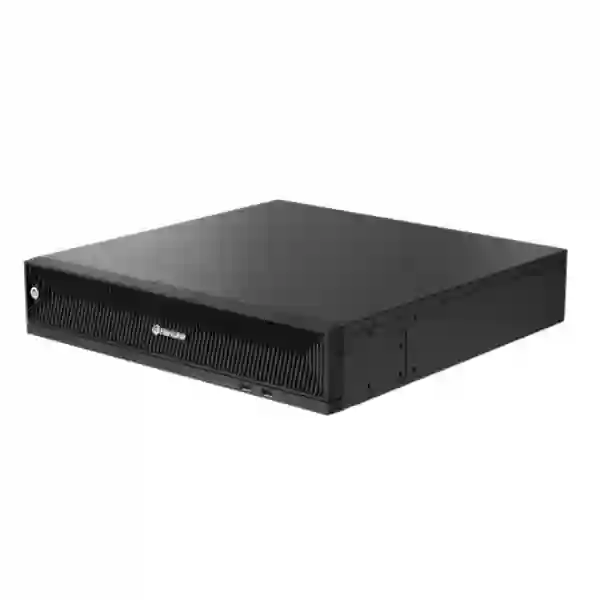
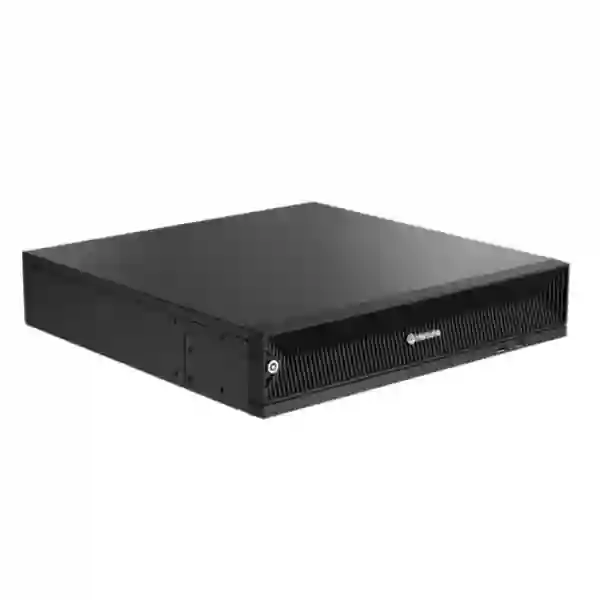
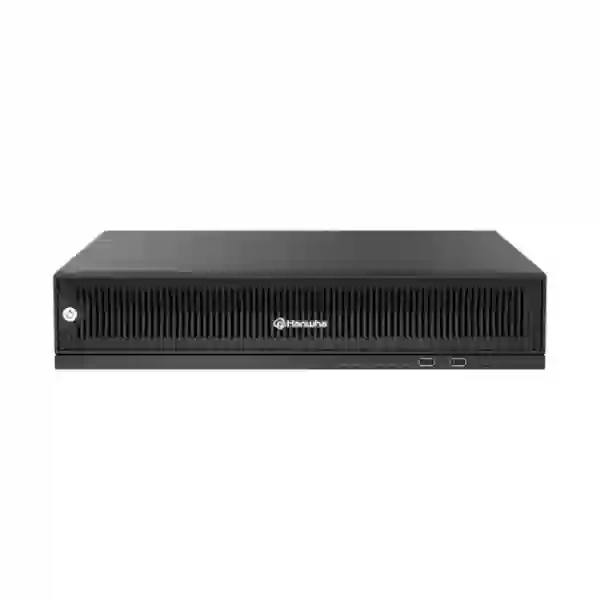
Hanwha Vision XRN-3220RB2-30 — 32-Channel NVR, 30 TB Configuration
Plan dependable IP camera recording around the number of channels, real video bandwidth, usable protected storage and secure evidence retrieval—not a drive-capacity label alone.
Buyer summary
For a Tanzania-based business planning up to 32 IP cameras, the XRN-3220RB2-30 offers recording, search, local display, RAID-capable storage management and a supported Hanwha viewing ecosystem. Its 30 TB designation describes nominal disk capacity, not guaranteed usable footage space. Verify actual drive population, the recording mode, camera integration and the required network and power components before ordering. Request a configuration-based quotation rather than assuming a bare recorder can meet a complete site’s requirements.
Verified technical overview
| Specification | What to know |
|---|---|
| Camera inputs | Up to 32 IP camera channels |
| Recorder family | XRN-3220RB2, 12th-generation Intel processor |
| Named configuration | -30 variant, 30 TB nominal HDD configuration; verify actual supplied disks |
| Recording codecs | H.265, H.264, MJPEG |
| Recording bandwidth | Up to 520 Mbps distributed mode; up to 300 Mbps normal mode |
| Playback bandwidth | Up to 200 Mbps |
| Internal storage | 8 hot-swappable SATA bays; up to 80 TB nominal non-RAID capacity with supported drives |
| Disk protection | RAID 5 / RAID 6, single array; usable space depends on layout |
| Network-camera protocols | SUNAPI; ONVIF Profile S |
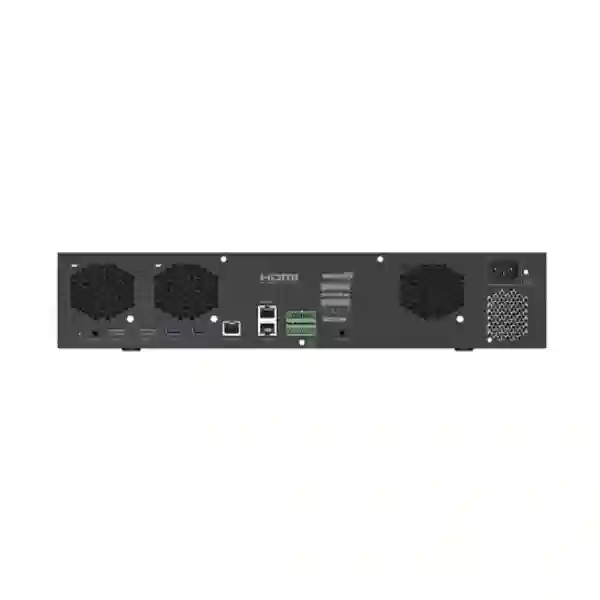
| Local display | 2 HDMI outputs: 4K/30 Hz and 1080p/60 Hz maximum |
| Network interfaces | 3 x 1 Gbps RJ-45 |
| Alarm interfaces | 8 inputs and 4 outputs |
| Security | TPM, signed firmware, TLS and specified access controls |
| Electrical | 100–240 V AC, 50/60 Hz; up to 162 W with eight drives |
| Operating environment | 0–40 °C; 20–85% relative humidity |
| Enclosure dimensions | 438 x 86 x 434.9 mm; 8.8 kg excluding HDDs |
Specifications are based on Hanwha Vision’s XRN-3220RB2 published material and model-family documents. Supplied disk configuration, exact region-specific package and current commercial terms require confirmation.
The right recorder for a 32-camera security plan
The Hanwha Vision XRN-3220RB2-30 is a 32-channel network video recorder for organizations that need centralized IP camera recording, local monitoring, event review and a managed route to stored evidence. It combines the XRN-3220RB2 recorder platform with a model configuration identified in Hanwha documentation as 30 TB. That distinction is important at purchase time: the model designation describes a particular capacity configuration, while the installed drive types, RAID setup and usable footage space should be confirmed in the actual Tanzania quotation. A 30 TB headline must never be interpreted automatically as 30 TB of protected recording space. For buyers planning a warehouse, office building, campus facility or multi-area commercial site, the first questions should be the number of cameras, expected bitrate, retention policy and operator access requirements.
This recorder is especially relevant where cameras already communicate over an IP network and footage needs a dependable on-site recording point. It is not a camera, not an all-in-one PoE switching system and not a substitute for designing the network around the video load. Its value is the combination of 32 camera inputs, flexible storage management, local display outputs and security features within one recorder. This guide explains how those capabilities affect a real installation, what remains dependent on compatible cameras or additional hardware, and what to verify before committing to a deployment in Tanzania. A buyer can use the information to compare system designs and prepare a clear bill of materials rather than relying on a model number alone.
Understand the 30 TB variant before ordering
The suffix “-30” matters because the target configuration is associated with 30 TB of installed hard-disk capacity in Hanwha’s own Korean product material. The underlying XRN-3220RB2 hardware is specified for eight hot-swappable SATA drive slots and up to 80 TB total nominal internal disk capacity using supported drives up to 10 TB each, in non-RAID mode. These are three different quantities: capacity supplied with the variant, maximum supported raw capacity of the chassis and usable storage available after a selected protection layout. A quote should identify which drives are included, their approved models, individual sizes, and the recording capacity the system will actually make available after formatting and RAID allocation.
Some market listings describe the 30 TB package as three 10 TB disks, but a buyer should not assume a particular physical drive arrangement without written confirmation for the unit being offered. Three disks may be enough for a RAID 5 arrangement, whereas RAID 6 needs at least four member disks, so a plan that specifically requires RAID 6 may require a different populated configuration. The user interface, drive compatibility list and installer’s commissioning record are better evidence of the final configuration than a capacity suffix by itself. Ask for the shipped disk quantity, the installed disk part numbers, the intended array mode and an estimate of usable space. This prevents a common misunderstanding that is difficult to correct after camera retention requirements have already been promised.
Camera count, resolution and codec planning
The recorder accepts up to 32 network camera channels. Hanwha specifies supported recording resolutions from CIF up to 32 megapixels, with H.265, H.264 and MJPEG recording compression options. Those headline limits do not mean every combination of 32 high-resolution streams can be decoded on the same monitor at full frame rate. Recording, local decoding, live view and playback are separate workloads with separate limits. For example, the published display decoding figures identify reduced simultaneous high-resolution viewing capacity relative to 720p viewing. A purchasing decision should therefore be based on how many cameras record, how many feeds operators need on screen, and how many streams are reviewed together.
Camera resolution should follow the scene requirement. A doorway identification view, a wide warehouse overview and an external boundary may call for different lenses, sensor capabilities and bitrates. A 32 MP-capable recorder does not make a lower-resolution camera capture more detail, and selecting the highest video settings everywhere can waste bandwidth and storage. Determine the needed image detail for each scene, choose practical frame rates and test actual nighttime performance before finalizing camera profiles. Record the codec, average bitrate, peak bitrate and any event-specific profile for every camera. This camera-by-camera design makes the 32-channel limit meaningful and reduces the risk of discovering too late that storage retention is shorter than anticipated.
Recording bandwidth is mode dependent
Hanwha lists up to 520 Mbps recording bandwidth for distributed mode and up to 300 Mbps in normal mode. Its specification also lists up to 520 Mbps under the stated RAID operation conditions. These figures describe different operating contexts, not a single unconditional promise for every setup. The system designer should identify which recording mode will be configured and leave capacity for bitrate fluctuations, additional streams, camera reconnects and unusual activity. A site with 32 cameras averaging 8 Mbps per recording stream would generate an illustrative average load of about 256 Mbps before protocol overhead and variation; actual camera traffic could be higher or lower. The right sizing figure is the measured or credibly estimated aggregate recording load under the chosen configuration.
The recorder also has a specified playback bandwidth limit of up to 200 Mbps for simultaneous playback, which matters when investigators review many recorded views. Local live display capability has another set of decoding limits, so buying on the strength of the 520 Mbps figure alone may give a misleading impression of operator experience. Include the cameras’ secondary streams, live-view clients and network uplinks in the design even though those activities do not all count in the same way as incoming record streams. At acceptance testing, verify the recording mode, observe sustained and peak throughput, trigger several events at once and examine whether expected frame rates are retained. Test the intended client workload rather than assuming a published maximum describes the complete security installation.
How to estimate retention realistically
Retention is usually the deciding storage requirement, not the disk label. Start with the number of active cameras and their expected average recording bitrates. Multiply the combined bitrate by the intended hours per day and retention days, then convert the resulting data quantity into storage units. For a continuous recording system, average bitrate matters greatly: adding higher resolution, higher frame rate or less efficient image compression can shorten retention without any change to the number of channels. Scene motion, night illumination, weather and encoder settings can also change the resulting bitrate. A storage calculation should therefore include an allowance for those variations and should be revisited after initial recordings reveal real-world consumption.
A 30 TB raw capacity label should not be treated as an achievable retention target. Formatting overhead, RAID parity, reserved capacity and recorder management needs can all reduce the space available for footage. Motion- or event-based schedules may save space compared with continuous recording, but only where the coverage policy allows them and event triggers work reliably. Review whether critical cameras must record continuously while less critical areas may use schedules. Specify the desired number of retained days, any evidentiary export process and the expected fill behavior once storage reaches capacity. The best procurement request asks the installer to state the calculated usable capacity and expected retention against a named set of camera bitrates, then verify the projection during commissioning.
RAID 5, RAID 6 and the protection trade-off
The XRN-3220RB2 platform supports RAID 5 and RAID 6 with a single array as described by Hanwha. RAID can help keep a recorder operating through certain disk failures, but it consumes capacity for parity and is not a backup against every loss scenario. RAID 5 ordinarily uses the equivalent capacity of one member disk for parity and tolerates one failed disk in a healthy array. RAID 6 ordinarily uses the equivalent of two member disks for parity and can tolerate two failures under its designed conditions. These are general RAID principles, not promises of zero downtime or guaranteed recovery. Array size, drive compatibility, rebuild progress and other failures matter in practice.
A three-disk 10 TB configuration, if that is what the supplied variant actually contains, would not be suitable for creating a RAID 6 array without adding another compatible disk. Even where RAID 5 is available, its usable space would be less than the nominal 30 TB of those drives. Buyers should prioritize whether the operational requirement is maximum initial footage capacity, single-disk protection or a higher level of disk fault tolerance. There may be a better answer than simply selecting the highest nominal capacity. Document the intended RAID mode, spare-drive policy, hot-swap procedure and alarm response. Important incidents should also be exported or protected according to a separate evidence retention policy, because a functioning RAID set can still lose data through accidental deletion, malicious activity or device-level damage.
Drive bays and storage growth
The recorder has eight SATA bays with hot-swappable drive support, giving installers room to design a storage configuration appropriate to the camera load. Manufacturer specifications list up to 10 TB per supported drive and a maximum 80 TB raw capacity without RAID. The presence of eight bays does not establish that every available hard drive in the market is compatible, nor does it mean that future increases in disk capacity are automatically approved. Use Hanwha’s supported HDD list for the specific recorder firmware and deployment, and pay attention to drive family, rotational characteristics and supported revisions if the compatibility document distinguishes them.
Future storage growth should be part of the initial conversation, because adding disks to a protected array may involve migration rules, reconfiguration, a rebuild or even an outage depending on the supported workflow. It is safer to obtain a capacity and growth plan from the installing specialist than to assume empty bays can be filled with any disk later. The manufacturer also lists iSCSI external storage support; that is a separate architecture choice requiring validated network and storage design. A buyer expecting more cameras, longer evidence retention or higher bitrates should evaluate the next phase now. The practical question is not merely whether eight disks fit, but whether the chosen design can remain supportable and recoverable as recording requirements change.
AI-assisted search depends on camera capability
Hanwha lists AI object-attribute search functionality for this recorder when it is used with compatible Hanwha AI cameras. That camera dependency is essential. The recorder is not a promise that every connected third-party camera will automatically gain identical AI metadata, analytics and search features. A system may display video from a compatible protocol stream while lacking a particular camera event, object attribute or configuration control. If AI-assisted review is important, choose the specific cameras and firmware versions first, then verify that their attributes appear in recorder search workflows. Name the object classes and event types required by the security team, such as person or vehicle events where those are supported by the selected cameras.
An event search is valuable only when the underlying recordings, timestamps and analytics are dependable. Build a small acceptance test: capture a representative event, confirm the camera generated the expected metadata, locate the clip using the relevant search filter and export it in a form the end user can access. Test difficult conditions, including low light, partial occlusion and repeated movement, so operators understand the limits of the selected camera analytics. Distinguish live detection, recorded-event indexing and later search; these are related functions but not identical. This is a more useful buying criterion than an unqualified claim that a recorder has “AI”, particularly in projects where investigators need to find specific moments quickly across many channels.
Connecting Hanwha and third-party IP cameras
Published camera protocols include Hanwha SUNAPI and ONVIF. That supports a broad integration conversation, but it does not guarantee that every camera from every manufacturer will expose every function. Basic live video, audio, alarm events, recording control, camera settings, PTZ functions and AI metadata may rely on different profiles, firmware levels or manufacturer-specific interfaces. Hanwha specifies ONVIF Profile S in the recorder networking information. Before buying mixed-brand cameras, make a compatibility matrix identifying the exact camera model, firmware, video codec, intended resolution, frame rate, stream count and the features that must operate from the recorder interface.
A proof-of-concept using one example of each camera family is often faster than trying to solve integration surprises after installation. Check discovery and manual enrollment, time synchronization, video stability, audio permissions, motion events and playback. If PTZ is needed, test presets and controls using the exact camera. If an operator needs an on-screen camera setup function, confirm that it is exposed in the selected integration method. When matching Hanwha cameras and recorders, confirm the relevant feature in the manufacturer’s compatibility guidance rather than relying only on a shared brand name. Buyers should also consider a replacement strategy: the recorder may outlive an individual camera, and a documented integration standard helps keep the system maintainable.
PoE switching, uplinks and physical topology
This network recorder is not presented as a unit with integrated multiport PoE camera outputs. Its published interface lists three 1 Gbps RJ-45 Ethernet ports. In a typical IP surveillance design, cameras obtain network connectivity through suitable Ethernet switches and receive power from compatible PoE switches, injectors or separate power supplies where required. The switch choice should reflect the number of camera ports, aggregate PoE power draw, uplink speed, fiber requirements, outdoor distances and the availability of managed network functions. Buying a 32-channel recorder alone does not supply the electrical or network infrastructure for 32 cameras.
A reliable topology often separates camera traffic from ordinary user traffic through a deliberate network design, with well-defined paths for recorder access, remote viewers and management. VLANs may be appropriate where the switching equipment and IT policy support them. Each uplink must be dimensioned for real aggregate traffic, not just the number of physical ports. Consider whether cameras are connected across multiple buildings, whether a link failure could isolate a group of cameras and whether the recorder has a route to essential time and management services. Network diagrams should identify switch locations, cable types, interface addressing and who is allowed to connect to the recorder. The goal is predictable video delivery and easy fault isolation, not unnecessary complexity.
Local display and the operator experience
The recorder provides two HDMI outputs. Hanwha specifies HDMI 1 at up to 3840 by 2160 at 30 Hz and HDMI 2 at up to 1920 by 1080 at 60 Hz. Local monitoring includes dynamic layouts and virtual-channel viewing functions, so control-room staff can arrange views based on their tasks rather than treating all 32 cameras as equally important every minute. There are still decoding and layout limitations, especially with high-resolution streams. A 32-camera recording system is not the same as a guarantee of 32 full-resolution, full-frame-rate local live views on every monitor at once.
Plan the console around how people work: an operator may need a broad situational overview, an enlarged gate or cash-handling view and rapid access to event playback. Test the screen resolution, camera tile count, primary and secondary stream selections, playback workflow and export procedure with the actual monitors. The person receiving an alarm should know which view appears first and how to find adjacent camera angles. Keep the layout names recognizable and maintain consistent camera titles across live view, search and downloaded footage. If multiple sites or viewing stations need centralized supervision, assess supported management software and its practical licensing and network requirements rather than assuming two local HDMI outputs cover the whole organization.
Remote viewing and responsible access
Hanwha lists web viewing and supported client tools, including Wisenet Viewer and mobile access options, as well as integration mechanisms for management software. The specifications also distinguish remote live-view and search user limits. These capacities should be checked against the exact firmware and client version in use, particularly for businesses where security supervisors, management and incident investigators all need access. Not every stakeholder needs the same permissions. A well-designed system gives operators the minimum functions required for their role and avoids sharing one administrator account between several people.
Remote access should be treated as a security decision rather than a convenience toggle. Prefer an IT-approved architecture, current supported software, unique user credentials, strong authentication where available and controlled network exposure. Do not make the recorder generally reachable from the internet simply to avoid configuring secure access. Establish how accounts are issued, changed and revoked, who can export recordings and how access logs are reviewed. Test remote performance on the real connection, including a limited-bandwidth situation. If the organization is spread across Tanzania or supervisors need to connect away from the site, the design must account for the quality and reliability of the actual internet connection without assuming any particular local provider or connectivity guarantee.
Security features and hardening responsibilities
The platform includes an integrated Trusted Platform Module, and Hanwha lists mechanisms such as signed firmware, TLS, 802.1X, device certificates, IP address filtering and user access logging. These are useful features to evaluate in a controlled surveillance network. They do not eliminate the need for correct passwords, patch planning, network controls, configuration backups and restricted physical access. The practical cybersecurity outcome depends on how the recorder and every connected camera are deployed. Treat the NVR as a managed IT asset with a named owner, a documented baseline configuration and a periodic review schedule.
Before the recorder enters service, set unique credentials, confirm supported firmware, record the enabled services and disable functions that are not required by the site. Configure the time source carefully because inconsistent timestamps can undermine incident review. Decide which administrative tasks are allowed remotely and retain a secure record of device settings and support arrangements. Monitor failed-login events and other relevant system logs. If an organization must follow a specific security framework or procurement requirement, confirm the exact variant, market and supporting documentation rather than generalizing from product badges. The manufacturer’s feature listing is valuable evidence of available controls, but responsibility for access management and ongoing security operations still rests with the deploying organization.
Events, alarms and incident workflow
The recorder supports scheduled and event-based recording options, plus event triggers that can include alarm inputs, video loss and camera-originated events. Published possible actions include notifications, alarm output, PTZ preset movement, a buzzer and other configurable responses. For a warehouse or access-controlled facility, these functions can make video useful operationally instead of serving only as a passive archive. Their value depends on defining what each event means, which user should receive it and what the responder should do after seeing it. Excessive alarms can be as damaging to performance as missed alarms because operators may ignore a noisy system.
Start with a simple event matrix. Record the camera or input involved, the trigger condition, the intended recording behavior, the notification audience and the expected response. Separate critical device faults such as disk problems or lost cameras from ordinary scene-motion alerts. Give each type an owner and a way to test it. Confirm that messages arrive through the actual network and notification services configured for the site; no email or push notification should be assumed to work merely because a menu option exists. During handover, simulate a camera disconnection, a selected motion event and a disk-related alert where the manufacturer-approved procedure permits it. Good incident workflows turn a technically capable recorder into a system staff can operate consistently.
Failover and recording continuity
Hanwha describes N+1 failover support and Automatic Recovery Backup functionality on the XRN-3220RB2 platform. These are relevant features for projects where interrupted recording would have serious consequences, but they should not be mistaken for an automatic guarantee that one purchased recorder can protect itself against every outage. A failover arrangement normally depends on a correctly configured supporting system and compatible devices. The installer should document the number and roles of recorders, the failover mode, the supported camera and recording conditions, and the expected operational behavior when equipment or a connection becomes unavailable.
Likewise, backup or recovery functionality must be understood in context. It is not a replacement for choosing suitable disk protection or for maintaining a separate process to preserve exported evidence. A comprehensive continuity plan considers drive failure, complete recorder failure, temporary camera isolation, network-switch failure and local power interruption as different scenarios. Ask which failure each feature addresses and what an operator will see when it occurs. Include a controlled recovery test in commissioning, and record who is responsible for restoring ordinary operation afterward. That evidence is more useful to a security manager than a generic reliability claim. When the required availability is particularly high, evaluate whether the architecture needs spare recorders, redundant network elements or a second recording path.
Power, heat, dust and site conditions in Tanzania
The published electrical input is 100 to 240 V AC, 50/60 Hz, and Hanwha states a maximum 162 W consumption with eight hard disks fitted. The supported operating environment is 0 to 40 degrees Celsius and 20 to 85 percent relative humidity. These figures should inform the cabinet, ventilation and power plan. A recorder installed in a hot, enclosed cupboard or dusty utility room may not receive the airflow it needs, regardless of its rated recording performance. Design for the actual indoor temperature around the chassis, leave suitable service access and keep the location protected from moisture and unauthorized handling.
For an installation in Tanzania, site assessment should include power stability, the need for an appropriately sized UPS, grounding, surge protection and the local conditions at the exact building. These are planning recommendations, not claims about a particular city, electrical utility or local service offering. The UPS must support the recorder and any essential cameras, switches and network devices for the required operating period; powering only the NVR while all camera switches shut down offers limited continuity. Estimate total load using the installed components rather than only the recorder’s maximum rating. Specify how staff will be alerted when utility power fails and how shutdown and restart will be handled. The objective is to protect recordings and avoid preventable hardware faults during routine operational disruptions.
Mechanical fit, rack space and servicing
The manufacturer gives chassis dimensions of approximately 438 by 86 by 434.9 mm and a weight of 8.8 kg excluding hard disks. This is a substantial recorder that belongs in a secure, ventilated installation location with suitable access for cabling, inspection and disk service. Allow for depth beyond the main chassis to accommodate power and Ethernet cables, rear airflow considerations and practical technician access. Mounting hardware and the final installation method should be verified against the supplied package and cabinet specifications, rather than inferred from the recorder’s dimensions alone.
Serviceability matters more than appearance in an always-on surveillance installation. Plan how technicians will identify disks, read front-panel status, use the appropriate maintenance procedure and isolate problems without disturbing unrelated equipment. Label the recorder, switch ports and camera network consistently. Keep the installation inventory with firmware versions, drive details, network addressing, electrical provision and support contacts. Where cabinets are shared with other IT equipment, account for heat generated by all devices and avoid blocking air circulation. Any disk replacement or reconfiguration should follow the supported procedure and preserve relevant recordings. An organized rack, a sensible cable layout and a current system diagram reduce the time spent troubleshooting when the security system is most needed.
Video export, evidence and retention policy
The recorder’s published functions include searching by time and event and exporting footage in supported local and network formats. For organizations that may need to investigate losses, incidents or access disputes, the evidence process should be designed as carefully as the cameras. Define who can search, who can approve an export, which destinations may receive files and how exported copies are logged. Note that a file playable in a specialized viewer may require different handling from a common video format. Investigators should test playback on the intended receiving computer before an urgent case occurs.
Retention policy has two parts: routine footage duration and exception handling. A site may overwrite ordinary recordings after the planned period while preserving selected event files separately, subject to its own legal and operational requirements. Avoid promising that the recorder alone makes evidence legally admissible or tamper-proof. Use accurate timestamps, role-based access and documented transfer procedures to improve traceability. Store exports in an approved location with suitable access controls, and maintain a record of why each clip was retained. During acceptance, find footage from different channels, export a sample, verify image and audio where applicable, and confirm that essential date and camera identifiers are understandable. A recorder is most valuable when authorized staff can retrieve credible footage without specialist improvisation.
Example scenario: retail property with back-of-house areas
Consider a commercial property combining customer entrances, checkout views, loading access, stockrooms and exterior approach cameras. The requirements are different across these scenes: a checkout view may prioritize detail, a loading area may need a broad overview and a rear access point may require dependable after-hours event review. The 32-channel capacity can bring such zones under one recording system, provided the overall bandwidth and retention design meets the actual camera settings. A useful camera schedule would show each field of view, its purpose, the person responsible for reviewing it and the minimum acceptable image detail.
The recorder’s dual HDMI outputs and dynamic viewing features can support a focused local workstation, while carefully assigned remote access can enable authorized supervisors to review selected footage. Do not assume one large display layout replaces an effective response plan. Decide which events warrant immediate attention, which remain searchable records and how privacy-sensitive areas are handled. Plan separation between public areas and staff-only footage according to the organization’s policy and applicable obligations. For growth, reserve channels only when there is a credible requirement and verify the storage impact of adding cameras. This scenario illustrates a design method, not a promise that a standard 30 TB package will achieve a specific number of recording days.
Example scenario: warehouse and industrial operations
A warehouse security plan may combine entrances, loading docks, inventory aisles, dispatch areas and perimeter approaches. These camera scenes often differ greatly in lighting and movement, so one video encoding profile is rarely optimal for every location. High activity during operating hours can increase bitrate, while night scenes may introduce noise that also changes storage usage. The recorder’s support for up to 32 channels and event-linked search can be useful where security teams must reconstruct the path of a delivery or investigate when a protected area was accessed. Camera placement and the ability to track a subject between adjacent views are at least as important as the recorder’s channel rating.
The site engineer should check network distances, outdoor equipment protection, PoE budgets, optical links where appropriate and the environmental conditions of the indoor recorder room. Separate operational and security camera needs if they have different retention requirements. If AI-assisted object search is expected, specify compatible AI cameras for the relevant viewpoints and demonstrate the required filters. For a facility that cannot tolerate prolonged evidence gaps, discuss supported failover arrangements and the effect of losing a network section. A commissioning test that includes busy-hour traffic and playback review is more representative than a quick camera discovery demonstration performed when the warehouse is empty.
Example scenario: offices and multi-area facilities
For a multi-floor office or a facility with several departments, a 32-channel recorder can provide a single point for recording and searching across a defined collection of IP cameras. This can simplify administration when the camera estate fits within the rated channel and performance limits. It does not remove the need for switches, structured cabling, secure network segmentation or a clear owner for each system component. A good survey lists entrances, circulation spaces, parking interfaces and service doors, then assigns recording priority and the operational purpose for each proposed view.
Different groups may need different access rights. Reception might require a live view of a specific entrance, security staff may need event search, and an authorized administrator may manage recorder settings. Configure those needs explicitly rather than granting everyone full access. If the organization expects central oversight of multiple buildings, validate how its management software, links and user permissions will work in practice. The choice between one recorder and multiple recording locations should follow fault-domain and network-design considerations, not only channel arithmetic. Where two distant sites share one recorder, the network connection itself becomes critical. Use a documented design review to decide whether a centralized or distributed architecture better meets the required continuity and support model.
Integration with wider video management
Hanwha lists viewer and management ecosystem options, as well as SUNAPI-based integration for third-party video management scenarios. A customer planning to connect the recorder to an existing control room should first determine what “integration” means operationally. Some projects need only video viewing. Others need synchronized events, recorded search, permissions, PTZ, health status and evidence exports. A product appearing in a broad interoperability list does not guarantee all those functions in every software combination. Confirm the exact management product, supported version, licenses, camera family and method of integration before awarding the project.
Run a real integration test with the workflow that matters most. For example, can an authorized user locate an event by timestamp from the central application, pull up the correct camera and export a clip without losing critical metadata? If a feature requires a manufacturer-specific interface or compatible camera firmware, record that dependency. Consider support boundaries: who diagnoses a problem when the NVR shows video locally but the central platform does not? Maintaining an integration matrix with versions and owners helps avoid disputes. Also consider future updates; firmware and client changes may affect an existing connection, so production changes should be tested rather than assumed harmless. Integration succeeds when the entire workflow is supported, not simply when devices appear online.
Procurement questions that prevent expensive mistakes
Before requesting a price for the Hanwha Vision XRN-3220RB2-30, prepare a concise project brief that names the number of IP cameras, the models already owned, desired recording settings, retention days, operating hours and remote viewing needs. Ask the supplier to identify the exact offered model, regional package and disk configuration. The quotation should state whether 30 TB is nominal installed capacity and what the proposed usable capacity will be in the chosen recording and RAID arrangement. Confirm the compatible disk models, the role of any separate PoE switches, the electrical and UPS provision, and the scope of installation and training if those services are being purchased.
Commercial terms require separate confirmation. Price, Tanzanian taxes, import treatment, delivery availability, warranty arrangements, service coverage and lead time must come from the current authorized quotation rather than generic online product copy. Do not assume that availability in another country means local stock. Ask whether the quote includes camera configuration, firmware commissioning, remote-access hardening, retention testing, alarm setup, evidence export training and final documentation. If it does not, assign those tasks explicitly. A precise bill of materials should make exclusions easy to see. Buyers comparing offers should evaluate the completed, supportable recording solution instead of comparing only the cost of a chassis bearing the same model number.
Installation sequence and acceptance testing
A disciplined rollout begins with a site survey, camera schedule, network capacity estimate and retention calculation. Next, select the supported disks and protection mode, prepare the switch and power design, and define the user-access policy. During installation, document addresses and labels as each camera is enrolled. Configure time synchronization early, because testing search functions against inconsistent device clocks can produce confusing results. Once the system is recording, use actual camera footage to confirm codec settings, bitrate levels, frame rates and the health of the storage array. Check that the configured recording mode matches the engineering assumptions.
Acceptance should be witnessed by a responsible site representative rather than limited to a verbal declaration that cameras are online. Demonstrate live viewing, event playback, a representative export, access for each approved user role, disk and camera health alerts and any promised mobile or remote workflow. Test the highest expected simultaneous live and playback usage that can be safely reproduced. Check available storage and projected retention after representative operation, and note any deviation from design assumptions. Handover should include the configuration record, system diagram, secure administrative credential transfer, evidence procedure, documented training and maintenance responsibilities. This creates a practical baseline for later troubleshooting and gives the buyer a clear definition of completion.
Maintenance and lifecycle management
A surveillance recorder needs attention after commissioning. Establish a routine for checking disk condition, system alerts, clock accuracy, recording health and camera connectivity. A silent gap in recording can be more serious than an obvious equipment fault, so review health reports and periodically retrieve sample footage from critical cameras. Record the model, serial information in the site’s secure asset register, firmware version, drive configuration and dates of maintenance activity. Keep a controlled process for replacing disks and for handling drives that may contain sensitive recordings.
Firmware maintenance should be based on the manufacturer’s supported releases and the risk profile of the installation. Before an update, verify the exact model, back up configurations where supported, understand the outage implications and confirm that third-party integrations will remain compatible. Do not apply firmware intended for a different recorder because a filename looks similar. Plan for disk replacement, UPS battery service and testing of the camera network as components age. Periodically revisit retention requirements after camera additions or encoder changes. When the site grows beyond 32 channels or its bandwidth and availability requirements exceed the current design, plan a deliberate expansion instead of overloading the existing recorder. Ongoing maintenance is the mechanism that preserves the value of the initial investment.
When another recorder architecture makes more sense
The XRN-3220RB2-30 is not the correct choice for every CCTV installation. A small location with only a handful of cameras may not need a 32-channel recorder with eight drive bays. At the other end of the scale, a facility needing more than 32 independent camera channels, a much longer evidence archive or heavy simultaneous investigation workloads may require a different recorder class or multiple recording systems. A customer who wants integrated camera PoE ports must evaluate the broader power-and-switch architecture because the XRN-3220RB2 platform is not specified as an integrated 32-port PoE NVR.
The requirement for true disk fault tolerance can also change the appropriate package. If the target configuration is a 30 TB raw disk set but the buyer needs RAID 6 and a particular number of usable terabytes, the system design may need more disks than that starting package supplies. Likewise, a request for resilient video recording across separate buildings may justify multiple recorder locations, an appropriately designed failover system or an independent archive. Evaluate total design risk, service complexity and expansion options before choosing. The right solution is the one that demonstrably meets recording, retention, access, security and continuity requirements within an acceptable lifecycle cost—not necessarily the model with the largest headline bandwidth or storage number.
A practical decision checklist for the security team
Before signing off, answer five questions in plain language. What exact scenes must be recorded and how many camera channels will be active? What image detail, frame rate and recording continuity does each scene require? For how many days must ordinary footage remain available, and which incidents need separate retention? Who needs to view, search, configure or export footage, and from where? What failures must the installation tolerate, including failed disks, lost network links and power interruptions? These answers determine whether this recorder and its 30 TB configuration are suitable.
Then request written evidence for the technical design: a camera schedule; an aggregate bitrate calculation showing normal and peak assumptions; a storage worksheet with raw capacity, selected RAID mode and expected usable capacity; a network diagram showing camera power and uplinks; and a commissioning plan naming the tests that will demonstrate compliance. Ask for a quotation that distinguishes product supply from cabling, switches, UPS, setup, training and support. If something is unknown, make it an explicit question rather than turning it into a product claim. The Hanwha Vision XRN-3220RB2-30 can be assessed confidently when it is evaluated as part of a complete surveillance system rather than as an isolated box.
Questions buyers ask about the XRN-3220RB2-30
Is XRN-3220RB2-30 a 32-channel recorder?
Yes. Hanwha specifies up to 32 network camera inputs for the XRN-3220RB2 platform. Channel count is not the same as unlimited throughput or decoding capacity; the chosen camera profiles must also fit the recording mode and viewing needs.
Does the -30 model include 30 TB of usable recording space?
No such usable-space guarantee should be inferred. Hanwha identifies the variant with 30 TB of HDD capacity, but formatting and any selected RAID layout change what remains available for recordings. Confirm the supplied drive configuration and final usable capacity on the quotation.
Can I use RAID 6 immediately with the 30 TB package?
It depends on the actual installed number of disks. RAID 6 ordinarily requires at least four members. The 30 TB label alone does not confirm how many disks arrive or how the array is configured. Ask the installer to specify member disks, RAID mode and expected usable space.
What is the maximum storage supported by the hardware?
Hanwha publishes eight SATA hard-disk bays, up to 10 TB per supported drive and 80 TB maximum raw internal capacity in non-RAID mode. The supported HDD compatibility list and firmware guidance still apply.
Is 520 Mbps guaranteed in every recording mode?
No. Hanwha distinguishes up to 520 Mbps in distributed mode from up to 300 Mbps in normal mode. The applicable configured mode, stream bitrates and real operating conditions should be verified in system design and acceptance testing.
Does the NVR power 32 IP cameras directly?
It is not specified as a 32-port PoE switch. The published hardware interface includes Ethernet connections for networking, while cameras usually need suitable external PoE switching or other supported power arrangements.
Can I connect third-party ONVIF cameras?
The recorder lists ONVIF Profile S and SUNAPI protocol support. Compatibility and available functions are model- and firmware-dependent. Check the selected cameras for required video, audio, events, PTZ and other features before purchase.
Does AI search work with every connected camera?
No. Hanwha describes object-attribute search with compatible Hanwha AI cameras. Confirm exact camera models, metadata support and the intended search workflow; general video connectivity does not guarantee all analytics functions.
Can operators view video on two local monitors?
Yes. The platform lists dual HDMI outputs, with HDMI 1 up to 4K at 30 Hz and HDMI 2 up to 1080p at 60 Hz. Actual simultaneous tile and stream decoding limits still apply.
How many recording days will 30 TB provide?
There is no honest fixed answer without the number of cameras, their average bitrates, recording schedules, actual usable disk capacity and retention rules. Request a documented calculation and compare it with measured capacity after commissioning.
Can this recorder be used in Tanzania?
The product can be evaluated for a Tanzania-based project, but the electrical, temperature, network and service requirements must be checked against the specific site. Local availability, commercial terms and any necessary approvals must be confirmed separately.
Is a UPS still necessary when RAID is enabled?
RAID and a UPS address different risks. RAID is a disk-fault protection mechanism, while a UPS can help support recording through short electrical interruptions when it is sized for the recorder and the essential camera network.
Are remote viewing and mobile access supported?
Hanwha lists remote viewers and mobile access functions, subject to supported software and user limits. The site must still implement secure access, suitable connectivity and appropriate permissions for every user.
What should I request with my quotation?
Ask for the exact XRN-3220RB2-30 package, disks and raw capacity, RAID arrangement and usable space, camera compatibility, bandwidth and retention calculations, required network and UPS components, installation scope, training and current Tanzania commercial terms.
Request a configuration quote from FourTeck Tanzania
Share your camera list, recording days, network design and access requirements, then ask for the exact Hanwha Vision XRN-3220RB2-30 package, drive configuration, proposed RAID layout and usable storage estimate. Confirm all Tanzania pricing, stock, delivery, warranty and installation arrangements through a current quotation. No local stock or service commitment is implied by this product information.
Next step: request an itemized technical and commercial quote.




Reviews
There are no reviews yet.