
Hanwha Vision • Network Video Recorder • Tanzania
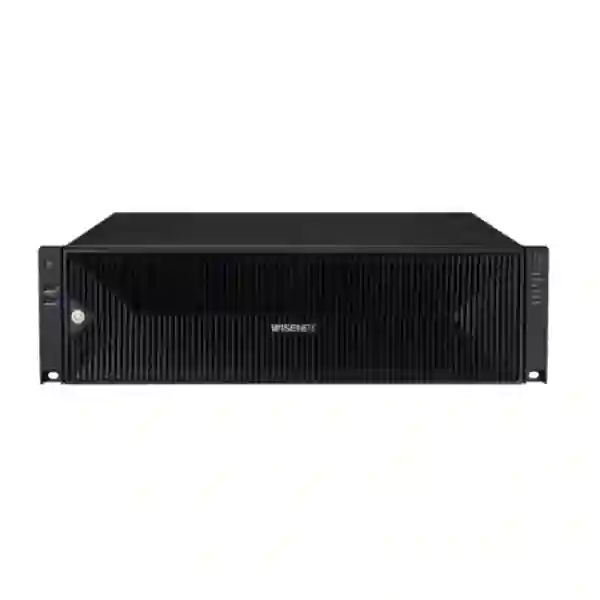
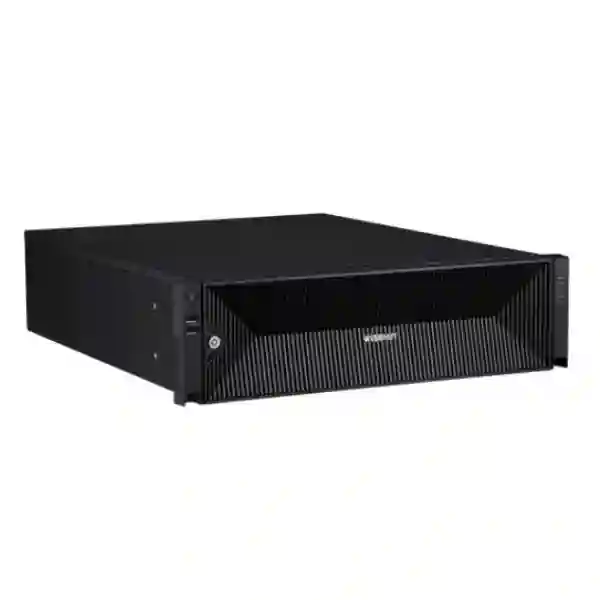
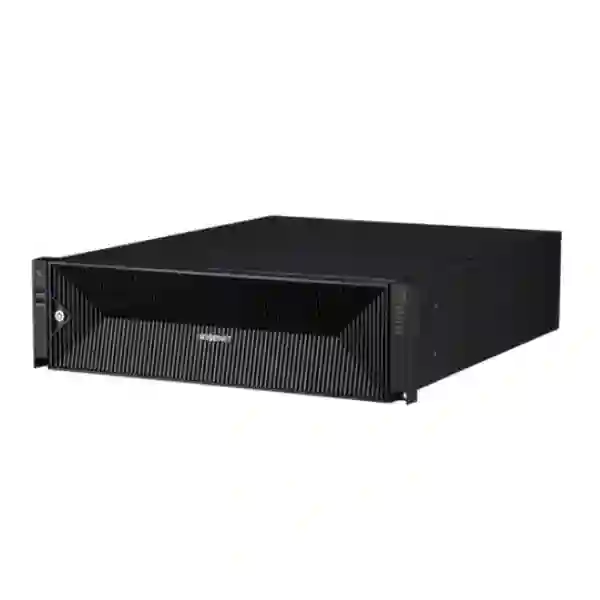
Hanwha XRN-6410B4 64-Channel 32MP NVR
Plan reliable multi-camera recording with up to 64 IP channels, flexible disk architecture, dual local displays and compatible-camera AI search. The right storage mode, cameras and network design are essential to reaching the advertised performance.
64 channels | Up to 32MP | 16 SATA bays | RAID 5/6
At a glance: verified specifications
| Channels | Up to 64 IP camera channels |
|---|---|
| Camera resolution | Up to 32MP |
| Recording bandwidth | Normal mode: up to 150Mbps; supported RAID or distributed mode: up to 400Mbps |
| Video codecs | H.265, H.264, MJPEG |
| Disk bays | 16 SATA bays; compatible drives up to 10TB each |
| Maximum raw storage | Up to 160TB, non-RAID mode |
| Storage resilience | RAID 5 / RAID 6; iSCSI support |
| Local outputs | HDMI 1 up to 4K/30Hz; HDMI 2 up to 1080p/60Hz |
| Network interfaces | 3 × gigabit RJ-45 |
| Operating environment | 0°C to 40°C; 20%–85% RH |
| AC supply | 100–240VAC, 50/60Hz; single power supply |
| Physical dimensions | 440 × 132 × 571.1mm |
Before buying: 400Mbps is not the default normal-mode recording rate. Published 160TB is a raw non-RAID ceiling, not guaranteed usable capacity. Confirm camera interoperability, compatible HDDs, current lifecycle, item inclusions and Tanzania commercial terms for the exact quotation.
A recorder for a serious IP video estate
When an organisation needs to collect evidence from dozens of cameras, the recording platform becomes as important as the cameras themselves. The Hanwha XRN-6410B4 NVR is intended for larger IP surveillance designs in which a security team must retain footage, examine incidents, coordinate monitoring and maintain a predictable storage plan. Its 64-channel ceiling is especially relevant where a location has multiple entrances, corridors, public areas, storage zones and operational spaces. The recorder is not a substitute for sound camera positioning, lighting or risk assessment; it is the central point at which those camera streams become manageable records.
For Tanzania-based procurement teams, a good starting point is the camera schedule rather than the recorder’s headline capacity. Record the purpose, resolution, frame rate, codec, event behaviour and estimated bitrate of every camera. Identify which views are essential for investigations and whether any require continuous recording. Then verify that the model, storage design and supported software meet those requirements. FourTeck Tanzania can use a project brief to discuss suitability, but stock, pricing and any supply or installation arrangement must be confirmed rather than assumed.
What the 64-channel specification means
A 64-channel rating means the recorder can register and manage up to 64 supported network camera channels. It does not mean every combination of 64 cameras can record at its maximum individual resolution, frame rate and bitrate simultaneously. The aggregate network recording limit, processing workload, playback demand and disk configuration remain important constraints. For example, an estate dominated by modest bitrate corridor cameras presents a very different recording profile from one using high-detail cameras overlooking wide scenes, busy entrances and vehicle routes.
Think of the channel count as an upper boundary, not a promise about a specific design. A realistic camera schedule should include model, firmware, recording profile, stream type, resolution, frames per second, expected average and busy-scene bitrates, and criticality. Leave operating headroom for changing lighting conditions and scene complexity. If a project is close to 64 channels today, consider whether future additions would justify a second recorder or a different architecture. This avoids buying a recorder that is fully occupied before an expansion phase begins.
Understand the 400Mbps recording claim
The model is advertised with up to 400Mbps network camera recording, but that number is configuration-dependent. Hanwha Vision documents a 150Mbps recording limit in normal mode, increasing to as much as 400Mbps when an appropriate RAID or distributed-recording configuration is implemented. The technical specification also gives a reduced ceiling during certain RAID degraded or rebuild conditions. Designers must use the correct limit for the actual storage mode rather than treating 400Mbps as an unconditional performance guarantee.
For an illustrative planning exercise, 64 streams averaging 4Mbps would present 256Mbps of incoming video before allowing for transient peaks or other design factors. That would exceed the stated 150Mbps normal-mode cap even though the camera count itself is permitted. The solution might involve distributed recording, a suitable RAID design, adjusted camera profiles or an alternative recording system. Exact recording performance still depends on compatible hardware, firmware, workload and setup. A proposal should explicitly state the chosen mode, estimated peak bandwidth and reserve capacity.
Resolution support and real image quality
Hanwha lists network camera resolution support up to 32 megapixels. This is a compatibility ceiling, not an assurance that every output screen displays 32MP imagery at full frame rate. Recording, decoding, live multiview display and playback have different limits. The manufacturer’s published decoding examples vary according to resolution and codec. High-resolution footage can be useful where evidence depends on fine detail, but the benefit also depends on lens selection, scene distance, exposure, compression and whether the subject occupies enough pixels.
A practical survey asks what investigators must identify in each view. A doorway might need reliable face-level detail; a loading bay may need an overview plus a separate camera for vehicle evidence. Higher resolution alone will not resolve poor angles, glare or insufficient illumination. The project designer should validate sample clips under daytime and night-time conditions and confirm the chosen camera profiles are accepted by the recorder. This makes camera and recorder selection a joint engineering decision rather than two unrelated purchases.
H.265, H.264 and MJPEG in the recording design
The XRN-6410B4 supports H.265, H.264 and MJPEG video compression. H.265 can reduce storage and transmission requirements compared with older approaches for comparable scene quality, but the actual savings depend on camera encoder quality, motion, noise and configuration. H.264 may remain useful for particular integrations or client devices. MJPEG has specialist use cases but can impose a substantial bandwidth and storage burden. No single compression setting is right for every camera.
Configure codecs by use case, not simply by choosing the newest label. Test how each stream behaves when there are fast-moving subjects, rain, low light, trees moving in wind or vehicle headlights. Check how the camera’s bitrate-control method reacts during complex scenes and whether remote live-view devices decode the selected profile comfortably. Retention estimates should use realistic recorded bitrates, not only a manufacturer’s ideal compression example. Document codec and profile choices so that a later camera replacement does not unexpectedly increase storage consumption.
Sixteen SATA bays and raw storage capacity
The recorder has sixteen SATA drive slots and a specified raw non-RAID maximum of 160TB, based on supported drives up to 10TB each. These are capacity limits, not a statement that drives are installed in a particular unit or that 160TB will remain usable after RAID, formatting and system requirements. The device supports hot-swappable storage according to the manufacturer’s published specification, with service actions subject to the documented procedure and the operating storage mode.
A good storage bill of materials lists individual drive models, capacities, compatibility status and the number of disks required for the intended recording mode. It should also identify spare-drive policy and whether there is room for later expansion. Buying the recorder before deciding on drives creates avoidable uncertainty about cost and retention. Likewise, selecting disks by capacity alone is risky; continuous video recording has workload and endurance considerations. Use Hanwha’s current approved HDD information for this model and confirm actual supplied hardware on the quotation.
Compatible surveillance drives matter
Disk compatibility deserves a separate check because video recording differs from ordinary office file storage. Multiple camera streams write continuously or according to events, playback creates simultaneous read activity, and RAID rebuilding can impose an additional load. Drive firmware, vibration behaviour, operating temperature and recorder compatibility can therefore affect system reliability. The safest specification is based on the vendor’s compatibility list for the exact model and relevant firmware rather than a generic claim that any SATA hard disk will work.
During procurement, record the proposed HDD model number alongside its capacity, warranty terms as offered, intended workload rating and replacement plan. Ask how failures will be detected and who is responsible for responding to alerts. A disk management policy should include periodic health review, investigation of warnings and controlled replacement, with verified backups for footage that must be preserved. Avoid treating a full array as maintenance-free. Even a technically valid configuration needs scheduled care and a defined process when a drive begins to fail.
RAID 5 and RAID 6: choose deliberately
RAID can keep an array operating through certain disk failures, but it reduces usable capacity and does not eliminate the risk of lost footage. Hanwha identifies RAID 5 and RAID 6 support for the XRN-6410B4, using arrays of up to eight disks; its support guidance specifies six to eight drives for these RAID modes on the model. RAID 5 protects against a single failed drive within the array, while RAID 6 uses additional parity to tolerate two failures within the same array, subject to healthy remaining media.
The choice affects usable storage, rebuild behaviour and fault tolerance. It should be matched to drive size, retention obligations and the operational impact of unavailable evidence. During a degraded or rebuilding state, the manufacturer’s stated recording bandwidth may differ from normal RAID performance, so maintenance planning is part of capacity planning. Backups or evidence exports are still necessary for critical recordings: RAID cannot protect against all accidental deletion, logical corruption, malware, physical damage or site-wide incidents. Confirm the current RAID setup procedure before commissioning.
Distributed recording as a performance option
Hanwha’s technical support describes distributed recording as another way to access the higher recording-bandwidth configuration without first assembling a full RAID array. The feature groups selected cameras and disk resources so recording writes are assigned across designated storage. That makes it relevant where a project needs more than the ordinary-mode 150Mbps limit but does not want RAID parity. It is not the same thing as fault-tolerant RAID, and the two designs should not be described as interchangeable.
Before selecting this mode, define what happens if an individual assigned disk fails and which camera channels would be affected. Determine whether recording workloads are balanced across the available disks and whether drive capacity aligns with the volume from each camera group. Test event recording and overwrite behaviour in the actual configuration. An integrator should also confirm the current firmware menu and manufacturer’s documented limitations. A bandwidth objective is only one dimension of the decision; data resilience, fault visibility and predictable retention matter just as much.
Calculate retention from the camera schedule
Retention should be planned from the footage being generated, not by dividing the advertised raw terabytes by an arbitrary number of cameras. For constant recording, each stream’s average bitrate, hours recorded per day and required number of days drive the underlying data volume. As a useful engineering conversion, a sustained 1Mbps stream produces roughly 10.8GB over 24 hours before allowing for filesystem, operational and other factors. Multiply by the actual aggregate bitrate and the retention period, then include appropriate design margin.
Event recording is less predictable because scene activity and alarm frequency change the amount of footage kept. A quiet corridor might record relatively little on some days while a busy reception records almost continuously. RAID parity, reserved capacity, overwrite rules and evidence exports also reduce practical headroom. Avoid promising a retention duration until the final camera schedule, codec settings and disk array are known. It is sensible to test a representative period after commissioning and compare measured consumption with the estimate, revising assumptions where necessary.
AI-assisted search needs compatible camera metadata
The recorder advertises AI search support when used with compatible Hanwha AI cameras. In this arrangement, the camera performs the relevant analytics and supplies metadata that helps an operator narrow an investigation. A search for people or vehicles can be more practical than manually scanning hours of footage, provided the specific camera, metadata attributes, software versions and recording configuration support that workflow. This feature should not be mistaken for universal, recorder-generated AI on every connected camera.
For procurement, identify the exact search tasks that matter. Do investigators need to find a person by clothing attribute, narrow a vehicle-related event or review an alarm involving a particular zone? Confirm that candidate cameras actually generate the required information and that the recorder can store and search it in the proposed configuration. Test real recordings with representative scenes, including difficult weather and lighting. Object classification can be imperfect, so important decisions must still be checked against video evidence and operating procedures.
Event recording and practical alarm response
The XRN-6410B4 supports continuous, scheduled and event-related recording options, including pre-event and post-event recording in supported configurations. The manufacturer’s specifications list triggers such as camera events, video loss, alarm inputs, motion detection and other supported analytics. Actions can include operator notification and integrations such as alarm output or PTZ preset commands, subject to configuration. These capabilities become useful when the team defines which events truly require attention rather than collecting every available alert.
A deployment should assign an owner, severity and expected action to each important alarm. An after-hours intrusion event may need immediate review, while a routine access event may simply need secure recording for later investigation. Test whether timestamps, camera views and event metadata are consistent, and check that notifications do not overwhelm operators. Document the expected response during network interruption or recorder maintenance. Reliable incident handling depends on a tested operating procedure as much as on the recorder’s list of supported events.
Continuous, scheduled and event-led policies
Not every camera needs the same recording policy. A critical cash-handling view may justify continuous recording, while a low-activity perimeter point might rely on an event-led schedule if the risk assessment permits it. Some cameras need pre-event history so the lead-up to an incident is retained. Others need post-event footage to show the outcome. The recorder’s available modes support these distinctions, but the correct choice depends on site policy and the ability of the camera to generate dependable event signals.
Build a recording matrix with one row per camera and fields for recording mode, priority, required retention, event triggers, storage allocation and review owner. Record the reason for each exception. This prevents an installer from applying a convenient global setting that later leaves a critical view without evidence. Revisit the matrix after business hours, traffic patterns or security procedures change. When storage is constrained, reducing unnecessary recording should be weighed against the risk of missing an event, not treated as a purely technical optimisation.
Playback, bookmarks and evidence review
Security teams need to retrieve information reliably, not just accumulate it. The recorder provides calendar and event-oriented search functions, smart-search options, playback controls and a bookmark mechanism. Its published specification lists up to 100 bookmark sets. Playback bandwidth is a separate limit from recording bandwidth: the manufacturer states up to 64Mbps for RAID mode and 32Mbps for non-RAID mode, so simultaneous review demand must be considered in addition to the recording workload.
Test an investigation from beginning to end. Can an authorised user locate the camera, select the correct time, review adjacent views and export the relevant sequence without losing context? Does the evidence clearly show date and time, and can the team document who handled the material? Export formats and playback functions should be verified in the current firmware and client software. A straightforward chain-of-custody process, accurate time synchronisation and permission controls often make a larger difference to evidence quality than an impressive but poorly understood feature list.
Dual HDMI outputs for the control room
Two HDMI outputs allow the recorder to support local monitoring layouts without relying entirely on a separate workstation. The manufacturer’s specification identifies HDMI 1 at up to 3840 by 2160 at 30Hz and HDMI 2 at up to 1920 by 1080 at 60Hz. Multi-screen views and configurable layouts help operators organise cameras by entrances, priorities or operational zones. These are local display capabilities, not a guarantee that every high-resolution stream can be decoded at maximum frame rate on screen.
Plan the display arrangement around the operator’s job. Showing 64 tiny tiles on one screen may create an appearance of comprehensive coverage while making critical activity difficult to notice. Consider an overview display for routine monitoring and a second display for selected cameras, incidents or playback. Validate viewing distance, monitor size, tile count and camera priorities before fixing the control-room furniture. If a larger monitoring centre needs many simultaneous clients or complex workflows, assess video-management software and workstation requirements as part of the complete design.
Remote access and operator permissions
The recorder supports network and mobile viewing options described in Hanwha documentation, but remote access should be engineered around controlled permissions and the actual site network. The published product information distinguishes limits for search users, unicast live users and other connection methods. A quote should never promise unlimited mobile users or unrestricted simultaneous playback. Different remote viewing arrangements place different loads on network links, recorder resources and the available internet service.
Start with a role matrix: which personnel may see live cameras, retrieve recordings, change settings or export evidence? Give each individual an appropriate account rather than sharing an administrator login. Validate the approved viewer, operating systems and application versions for the organisation’s devices. Design secure access with the network administrator and avoid unnecessary internet exposure of management interfaces. Test performance over the actual connection, including slower or interrupted links. A remote function is useful only when it is both dependable for authorised personnel and resistant to misuse.
Interoperability: SUNAPI, ONVIF and camera checks
Hanwha lists SUNAPI and ONVIF among supported connectivity technologies for the XRN-6410B4. These facilitate integration with compatible IP cameras and management systems, but a shared protocol label does not ensure that every feature will operate. Live viewing may work while advanced analytics, audio, PTZ, recording profiles or event metadata remain unavailable. Differences in camera firmware and profile support can be decisive when a deployment mixes brands or generations.
Before ordering, build a compatibility matrix covering each camera model and firmware revision, intended video codec, stream resolution, audio needs, event integration and control features. Request demonstration or compatibility confirmation for functions that are critical to the project, particularly AI attribute search and specialised analytics. Consider a short acceptance test using representative cameras before deploying dozens of units. This approach protects against a common procurement problem: selecting a recorder because it can see a camera, then discovering that the expected investigative or management features cannot be used.
Network design for a 64-camera installation
A 64-camera recorder belongs on a deliberately engineered network. Hanwha’s published specification includes three gigabit RJ-45 interfaces, but the camera network, switching infrastructure, VLAN policy, uplinks and management access must be designed for the complete system. Aggregate video bitrate is only one part of network load. Live viewing, playback, firmware operations, event traffic and other business applications may compete for resources when video is placed on an existing shared network.
Separate functions where practical and authorised by the organisation’s IT team. Review switch port capacity, camera power needs, uplink utilisation and the resilience of critical network paths. The recorder’s Ethernet connections should not be interpreted as built-in PoE power for 64 cameras; a suitable camera-power design and PoE switching infrastructure may be required. Document IP addressing, DNS, network time, routing, firewall rules and approved remote access. Commissioning should include packet-loss and throughput checks during busy operation, not only a quick test when a few cameras are online.
Cybersecurity and access control
Recorded surveillance footage can be sensitive. The manufacturer lists security-related capabilities including user access logs, IP address filtering, encryption, 802.1X support and signed firmware. These features provide a technical foundation, but they must be enabled and maintained appropriately. An organisation should define administrators, viewers, incident investigators and maintenance personnel, then restrict each account to its business purpose. Logging is valuable only when someone reviews alerts and changes that matter.
Network administrators should assess current firmware advisories, supported software, secure remote access, password policy, backup of configuration and a documented recovery procedure. Keep management services separate from public access and remove temporary contractor permissions after commissioning. Review how exported clips are stored, transferred and deleted. Where a site has formal information-security rules, integrate the NVR into existing patch, incident-response and account-review processes. Do not infer that a particular certification or logo automatically establishes compliance with Tanzanian data-handling obligations.
Tanzania power planning and continuity
Power continuity is a practical question for any site where uninterrupted video evidence matters. The XRN-6410B4 is specified for 100–240VAC at 50/60Hz and has a single power supply, with maximum consumption published as 265W when fully populated with sixteen drives. This does not state the consumption of the rest of the CCTV system. Cameras, PoE switches, monitors, network equipment and communications devices also require power when coverage must continue during an interruption.
Size a suitable UPS and upstream electrical protection from measured or engineered system loads, required autonomy and local electrical conditions. Coordinate with a qualified electrician for earthing, circuit protection and surge management. Test what happens during loss and restoration of mains supply, including whether the recorder, switching equipment and cameras recover in the intended order. A recorder remaining powered is not useful if its camera switches or time source are offline. Any claim about local installation work, electrical certification or specific utility reliability needs separate verification for the actual project.
Heat, dust and equipment location
Hanwha publishes an operating range of 0°C to 40°C and 20% to 85% relative humidity for this recorder. These are device operating limits, not permission to leave it in a hot, dusty enclosure or expose it to rain. A fully populated drive chassis generates heat, and ventilation can be affected by rack density, fan clearance, obstructed front panels and room conditions. The black metal chassis measures approximately 440 by 132 by 571.1 millimetres, so rack depth and cable space deserve attention.
In Tanzania, evaluate the equipment room’s actual conditions rather than relying on an assumption about outdoor climate. Check daytime heat, dust ingress, air circulation, humidity, access control and the maintenance team’s ability to remove or replace drives. Leave clearance for safe servicing and consider temperature monitoring where a site is unattended. Plan cable routing so a technician can inspect the rear connections without disrupting live camera feeds. If the proposed location is unsuitable, resolve the enclosure and environmental controls before specifying the recorder.
Warehouses, logistics and industrial sites
Warehouses and distribution premises can produce complicated surveillance needs: perimeter approaches, loading doors, vehicle movements, storage aisles, restricted rooms and staff access points. A 64-channel recorder could consolidate many of these views when their combined bitrate and retention requirements fit its verified operating limits. The most important design distinction is between an overview camera that explains a scene and a detail camera positioned to identify a person, vehicle or item.
For these environments, create a camera plan linked to specific incidents such as unauthorised entry, disputed deliveries or loss investigations. Decide which views require continuous recording and which can use reliable event triggers. Validate night performance, lighting transitions and the effect of dust or moving machinery on analytics. Consider redundant network paths where downtime would be especially consequential. Export workflows must preserve the sequence of activity across several related cameras, not only a single isolated clip. The NVR should support a clearly documented evidence process.
Campuses, offices and multi-building premises
An office campus, educational estate or multi-building facility may have cameras distributed across reception points, walkways, parking areas, corridors and controlled-access doors. A central recorder can simplify review when the network architecture is designed to bring those streams back securely. However, long fibre or wireless links, switching locations and building-level power arrangements can introduce risks that the recorder cannot overcome by itself. A single site-wide NVR also creates a central dependency that requires contingency planning.
Organise the camera schedule by building and purpose, with permissions aligned to relevant authorised teams. Decide which incidents require cross-camera reconstruction and whether local or remote operators need the same playback rights. Pay attention to time synchronisation, because a few seconds of clock drift can complicate investigations across separate buildings. Consider a staged commissioning plan so each building is accepted before the next is added. Ensure the final design supports both immediate monitoring needs and a sensible expansion path.
Retail, hospitality and public-facing spaces
Public-facing sites often have camera views with very different privacy and operational implications. Entrances, service counters, circulation areas and loading zones may be legitimate security priorities, but the business must determine where surveillance is appropriate and what notices, retention rules and access safeguards apply. The NVR can provide central recording and search capabilities, yet policy decisions cannot be delegated to the equipment. Avoid collecting video or audio simply because a technical feature is available.
For such environments, define authorised use cases and keep retention proportionate to the genuine operational requirement and applicable obligations. Place cameras so that important interactions are visible without unnecessarily expanding the monitored area. Evaluate glare from windows, fast-changing interior lighting and busy scenes that may raise bitrates. Restrict access to recordings and maintain an auditable process for disclosure. If analytics are proposed, test their accuracy and suitability for the actual site rather than presenting them as guaranteed identification tools.
Transport areas and vehicle-oriented views
Facilities with parking, traffic movement or access gates benefit from a design that distinguishes scene awareness from evidence capture. A wide overview helps an investigator understand who moved where, while a dedicated camera, lens and positioning strategy may be needed to capture a vehicle’s identifying detail. The XRN-6410B4 can retain compatible IP streams and support applicable event/search workflows, but it does not guarantee licence-plate recognition or vehicle classification with an arbitrary camera.
Check the exact analytics capabilities of the intended Hanwha AI camera and the metadata supported by the recorder. Plan camera exposure for daylight, headlights, rain, dust and vehicle speed. Ensure the recording profile preserves usable details without excessive compression. If an alert is expected when a vehicle enters a zone, test the whole sequence from detection through notification, recording and retrieval. A real-world pilot often reveals more about suitability than a comparison chart based only on channel count and megapixels.
Selecting a system when 64 channels is too much or too little
The correct NVR is not necessarily the one with the largest channel number. A smaller recorder can be more economical and easier to maintain when the camera schedule is modest. Conversely, a 64-channel maximum may be too restrictive for a growing estate or an organisation that wants to separate security zones for operational resilience. Recording bitrate, playback throughput, analytics support, storage redundancy, local display needs and management software are more meaningful comparison criteria than channel count on its own.
Ask whether a single central recorder is appropriate or whether several distributed recorders would reduce network traffic and single-point-of-failure exposure. Review the cost of drives, UPS capacity, rack space, maintenance effort and necessary operator software. Compare total ownership and support conditions, not only the chassis price. If the existing deployment uses a different camera brand or requires features absent from the published compatibility information, verify interoperability before choosing this model. An alternative architecture is preferable to forcing an unsuitable recorder into the design.
Deployment and commissioning sequence
A disciplined commissioning process begins with an approved camera schedule, network diagram and recording policy. Before installation, verify the delivered recorder’s exact model, accessory list, firmware, compatible HDDs and planned RAID or distributed-recording configuration. Confirm rack location, power supply, UPS design and physical access restrictions. Record baseline settings securely so the system can be restored in a controlled way if equipment is replaced or repaired.
Register cameras in batches and check each stream’s resolution, frame rate, codec, event behaviour and time accuracy. Measure real aggregate recording bandwidth and compare it with the selected storage-mode ceiling. Test live layouts, footage playback, evidence export, user permissions, alarms, disk health monitoring and remote access from approved clients. Then simulate relevant failure and restoration conditions without risking valuable footage. Handover should include a configuration record, authorised account list, maintenance responsibilities, training and clear acceptance criteria signed off by the organisation.
Maintenance and disk health
The recorder needs ongoing attention even when day-to-day recording appears automatic. Operators or IT staff should monitor alarms, disk health, free space, recording failures, network availability and the status of any RAID array. Hanwha support recommends periodic RAID checks and prompt action when an array becomes degraded. A drive-failure alert must reach someone who is authorised and equipped to resolve it. Otherwise a resilient design can deteriorate unnoticed.
Schedule regular retrieval tests rather than assuming that a visible live camera means historical footage is intact. Review whether overwrite settings still meet the approved retention policy and whether new cameras have increased average bitrate. Maintain controlled firmware updates, verified configuration backups and an evidence-export procedure. Keep an asset register for drives and components, with replacement decisions based on manufacturer guidance and observed condition. Document any change that alters recording behaviour, such as a codec adjustment, camera firmware update or new analytics rule.
Handling incidents and exporting evidence
When an incident occurs, the first task is to preserve the relevant recordings before automatic overwrite can remove them. A clear procedure should identify authorised personnel, an incident reference, the date and time window, relevant camera channels and the required export format. Verify the export using an appropriate playback method, preserve the context around the event and record who handled each copy. Where investigations involve several cameras, consistent time settings are essential.
Do not assume that a video file has evidential value merely because it can be opened. The organisation should consider clip completeness, integrity, access history and whether the original remains available. For critical events, export or back up promptly to authorised storage protected by suitable access controls. The NVR’s search and backup capabilities support this workflow but do not replace internal procedures or professional legal advice about evidence handling. Test a sample export in normal operations so users are not learning the process during a real emergency.
Business continuity and single-point-of-failure review
A central recorder offers administrative convenience, but it also concentrates recordings and configuration. The model’s documentation lists features such as automatic recovery backup and N+1 failover in supported setups; the actual design and compatibility requirements should be validated rather than assuming these are active by default. It is sensible to decide how long the organisation can tolerate a loss of recording and which camera views need special protection before selecting any resilience option.
Continuity planning should consider recorder hardware failure, storage failure, network segmentation, electrical outage, accidental configuration changes and loss of the equipment room itself. Some risks call for drive redundancy, others for an independent recorder, reliable network links, off-device evidence backup or documented replacement procedures. No single feature addresses every scenario. Document the recovery owner, spare-equipment strategy, secure configuration archive and post-recovery validation steps. Include these requirements in the procurement brief so they are costed rather than discovered after deployment.
Model, lifecycle and quotation checks
The requested product is specifically the XRN-6410B4. Do not confuse it with similarly named XRN-6410DB4, XRN-6410B2 or newer-generation models when requesting a quote. The names may correspond to different hardware configurations, available accessories or lifecycle positions. Hanwha’s support portal continues to provide information for this model, while at least one independent reseller labels it end-of-life in its own catalogue. That reseller statement alone does not establish the manufacturer’s current lifecycle position in Tanzania.
Before purchase, seek written confirmation of the exact device version, manufacturer support status, firmware maintenance path, eligible replacement model, HDD inclusion and compatible storage options. Ask for the offered warranty terms, quotation validity and any shipping or commissioning scope, without assuming that these services are included. If the model is no longer offered, compare a manufacturer-confirmed successor against the original camera and retention requirements. This avoids purchasing an apparent substitute that differs on drive bays, recording bandwidth or software compatibility.
What buyers should send with their enquiry
A useful enquiry contains more than a model number. State the number of cameras currently installed and the expected expansion count, the make and model of each important camera, recording resolution and average bitrate where known, the desired retention period and whether continuous or event recording is required. Include expected live and remote users, whether AI search matters, the number of monitors and the need for storage fault tolerance. These details will help establish whether this recorder can satisfy the intended workload.
Also describe the installation environment in Tanzania: equipment-room temperature, rack dimensions, available electrical supply, UPS arrangement, network topology and whether the cameras are spread across buildings. Identify any required evidence-handling rules or existing VMS integration. Request a line-item specification for the recorder, compatible disks, networking, power continuity and agreed services. FourTeck Tanzania can evaluate the information during the enquiry process; the published description does not confirm stock, lead time, price, support entitlement or installation coverage.
Final decision guide for procurement teams
Choose the XRN-6410B4 only when its verified channel limit, storage architecture, bandwidth mode, playback capacity and interoperability requirements align with your project. It can be a credible fit for a medium-to-large IP surveillance installation, especially where storage flexibility, dual local displays and compatible Hanwha AI camera metadata are valuable. The strongest buying case is grounded in a tested camera schedule and operational workflow rather than a list of maximum headline figures.
Before authorising an order, ask the supplier or integrator to confirm five things in writing: the exact model and lifecycle status; the supported camera and firmware combination; the drive list and usable capacity after any RAID layout; the projected recording and playback workload; and the supply, warranty and commissioning scope. Ask for any remaining assumptions to be clearly marked. A documented design protects the buyer against unexpected extra drives, inadequate retention or unsupported functionality after the unit is deployed.
Frequently asked questions
Is the Hanwha XRN-6410B4 a 64-channel NVR?
Yes. Its manufacturer specification lists up to 64 network camera channels. Recording all channels at a particular resolution or bitrate still depends on aggregate bandwidth, codec, storage configuration and playback requirements. The camera schedule must be assessed as a complete workload. A 64-channel limit should not be interpreted as unlimited throughput.
Does it always record at 400Mbps?
No. Hanwha documents up to 150Mbps in ordinary recording mode and up to 400Mbps when the relevant RAID or distributed-recording configuration is active. Degraded or rebuilding RAID conditions can have a different limit. The chosen operating mode should be recorded in the system design and verified during commissioning.
What is the maximum resolution?
The model lists support for network cameras up to 32 megapixels. That does not mean every connected camera can be displayed or played back at that resolution and maximum frame rate at the same time. Camera, stream and decoding compatibility should be checked for the actual configuration.
Are 160TB of hard drives included?
The advertised 160TB figure is a maximum raw non-RAID capacity for sixteen compatible SATA drives of up to 10TB each. It does not prove that any drives are included with the offered recorder. The quotation must identify supplied HDD quantities and models, and usable capacity will change when RAID is used.
Can it operate with RAID 5 or RAID 6?
Yes, subject to the model’s supported array arrangements. Hanwha’s support guidance describes six to eight drives for these RAID configurations. RAID provides tolerance for certain disk failures but cannot replace independent protection for critical footage. Drive selection, rebuild implications and usable capacity require planning.
Does this NVR offer AI video search by itself?
AI search depends on compatible Hanwha AI cameras supplying suitable metadata, along with a supported recorder configuration. Do not assume that an ordinary third-party IP camera becomes an AI camera simply because it is connected. Confirm the exact search attributes and test them with the selected cameras.
Can it work with cameras from another manufacturer?
It supports ONVIF and SUNAPI-related connectivity, but third-party camera interoperability varies by model, firmware, codec and feature. Basic video may work without advanced metadata, event or PTZ functions. Test the features that matter rather than relying only on a protocol logo.
Can staff watch cameras on two monitors?
The recorder has two HDMI outputs, listed at different maximum display formats. The layout and number of useful simultaneously visible cameras depend on the configured output and decoding capabilities. A monitoring-room design should prioritise readable views and simple incident access.
Can it record during a power cut?
The recorder requires electrical power. An appropriately engineered UPS or other approved backup arrangement may keep it running during an outage, but cameras, PoE switches and network equipment must also remain powered. Backup duration depends on the complete system load and the selected power equipment.
What recording duration can I expect?
There is no responsible fixed retention answer without camera bitrates, recording schedules, usable disk capacity and RAID design. Calculate a realistic average and peak data rate, include overhead and reserve capacity, and test real storage consumption after setup. High-resolution or continuously active scenes can require considerably more space.
Can recordings be accessed remotely?
The product supports remote client functionality in supported software and network configurations, subject to connection and user limits. Secure access, appropriate permissions, software version compatibility and internet-link performance must be assessed for the site. Avoid directly exposing administrative services to the public internet.
What is the role of H.265?
H.265 is one of the supported video codecs and can help reduce video storage and transport needs when well configured. Actual savings vary with the camera, picture quality, motion and scene noise. Compare real recordings and confirm decoding support rather than assuming a fixed percentage reduction.
What environments suit this recorder?
It is a central NVR for protected equipment spaces, not an outdoor weatherproof camera. Published operation limits include 0°C to 40°C and 20% to 85% relative humidity. A suitable rack, ventilation, dust control and power design are particularly important where several hard drives operate continuously.
Is this model still available in Tanzania?
Current Tanzania stock, pricing and manufacturer lifecycle status have not been independently verified for the requested offer. A reseller’s end-of-life label is not enough to confirm local availability or support. Request written confirmation of the exact model, supply conditions and a manufacturer-validated alternative when applicable.
What should be included in a purchase quotation?
Ask for the exact recorder model, HDD models and count, usable storage configuration, recording-mode setup, related switches or UPS equipment, software and firmware assumptions, warranty terms and any agreed installation or training services. Include your camera schedule and retention target so the quotation can be assessed against a real need.
Does RAID remove the need for backups?
No. RAID addresses certain disk failures within an array. It does not protect against every cause of footage loss, including accidental deletion, site damage or some operational errors. Establish a separate approved evidence-export or backup procedure for recordings that must be preserved.
Is a 64-channel recorder suitable for future expansion?
It may be, provided today’s workload leaves enough channels, bandwidth, storage and operational capacity for expected additions. An installation already near 64 channels or the configured recording ceiling has little room to grow. Compare expansion scenarios before committing to a single recorder.
How should the recorder be commissioned?
Verify model, compatible drives, power and environmental conditions first. Configure storage and access controls, add cameras in stages, then test real recording bitrates, playback, alarm handling, exports, clock accuracy and recovery from faults. Provide documented settings and a maintenance handover rather than treating a live picture as acceptance.
Request a configuration-led Tanzania quote
Tell FourTeck Tanzania the quantity and types of IP cameras, recording profiles, required retention, proposed disk arrangement, expected future expansion and the conditions at the installation site. Ask for the exact Hanwha XRN-6410B4 model or a confirmed suitable alternative, with compatible hard drives and all commercial terms identified separately. No stock, price, lead time, warranty or installation service is implied by this description.
Next step: request model, compatibility and storage-design confirmation before placing an order.




Reviews
There are no reviews yet.