
Business calling · USB headset · Tanzania buyer guide
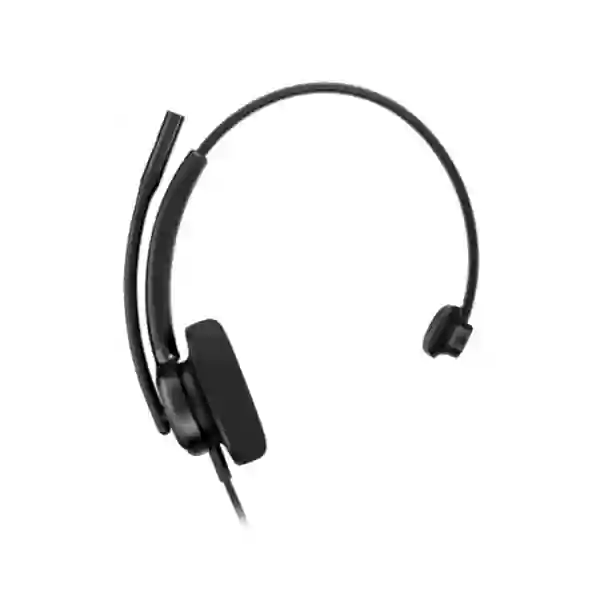
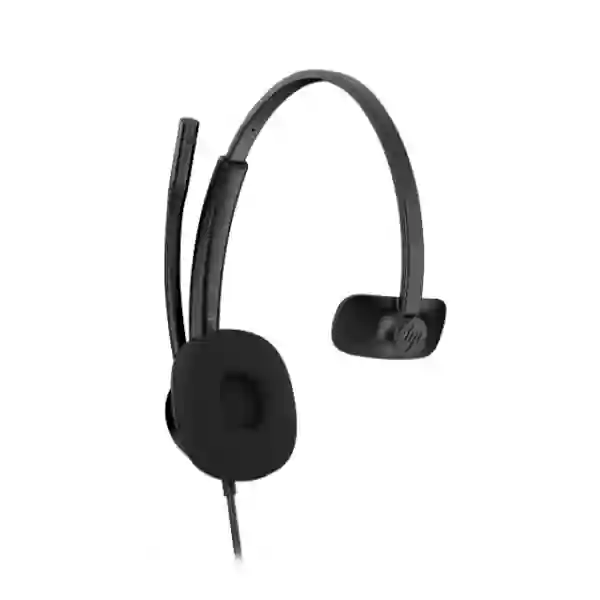
HP Poly Mission 415 Monaural USB Wired Headset Classic
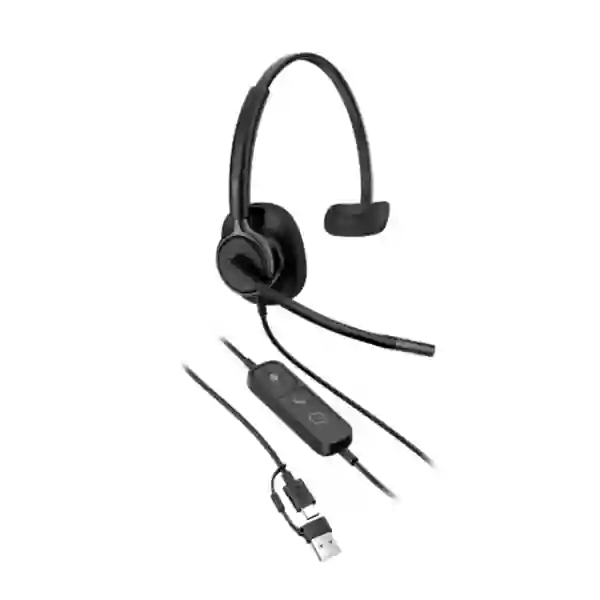
The HP Poly Mission 415 Classic headset is a light, single-ear business headset designed for conversations at the desk. It pairs a foam earpiece with an AI noise-reducing boom microphone, USB-C connectivity, an included USB-A adapter and everyday call controls. Explore its practical fit before requesting a Tanzania quotation.
Quick buying answer
Consider this model for desk-based staff who need comfortable single-ear listening, a wired USB connection and a microphone that helps reduce background sound on outgoing calls. It is not a wireless headset or an active-noise-cancelling listening headset. Confirm the exact Classic foam-cushion variant, software controls, stock and quote before placing an order in Tanzania.
Who the Mission 415 Classic is designed for
The HP Poly Mission 415 Classic headset addresses a familiar office requirement: people need to hear and be heard on repeated business calls without wearing a heavy, fully isolating headset. A one-ear design lets the wearer monitor a conversation while remaining aware that somebody nearby is speaking. That balance can be useful at customer service counters, administration desks, help desks, training support stations and home offices where awareness matters as much as audio.
Its practical appeal is the combination of a wired USB connection, on-device microphone processing, foam ear cushioning and a controller within reach of the wearer. It is not intended to replace noise-isolating stereo headphones for deep concentration or music production. Before buying for a department, identify whether staff prefer single-ear or two-ear listening, the computers they use and the communication software that must work reliably. Those decisions matter more than a headline feature list.
Monaural audio: the benefit and the trade-off
Monaural means sound reaches one ear through a single earpiece, while the other ear remains uncovered. At a reception desk, that can make it easier to notice a visitor or respond to a nearby colleague without repeatedly removing the headset. It also suits workers who alternate between telephone conversations and short in-room exchanges. Since the ear is not sealed from surrounding sound, the experience is different from headphones that deliberately block out the workplace.
The same openness is a limitation in louder locations. A user sitting beside many overlapping conversations may find a two-ear headset more comfortable for listening concentration. A monaural earpiece does not provide stereo imaging, and no specification can guarantee that every caller will hear perfectly through a busy network or poor meeting connection. For particularly noisy workspaces, assess the acoustic environment and compare a stereo or higher-tier option before standardising procurement.
What Classic means: foam cushioning
The word Classic identifies the foam-cushion version of the Mission 415, rather than an older generation of electronics or a separate wireless edition. HP specifies foam as the ear-cushion surface material for this variant. It offers the familiar, relatively open sensation associated with traditional office phone headsets. People who dislike a more enclosed leatherette ear pad may prefer its touch and feel, particularly when they want to remain aware of sounds in the room.
The standard non-Classic Mission 415 uses a different cushion construction, including a polyurethane-leather surface and memory-foam padding according to HP’s 400 Series product brief. Neither style will feel identical to every person. Fit depends on head shape, wearing time and personal preference. A sensible team purchase includes an evaluation of both materials, spare-cushion plans and how the chosen pad performs in the actual working temperature and environment.
Microphone AI noise reduction, properly understood
HP describes the microphone as AI noise cancelling and the transmit path as AI-enhanced noise reduction. In practical terms, the headset processes microphone audio to help make the speaker’s voice clearer relative to common ambient sounds. This is relevant when an agent works near keyboard activity, household noise or a colleague’s distant conversation. The single boom microphone should still be positioned correctly, because a clear signal at the source gives any processing system better material to work with.
This feature is not the same as active noise cancellation for the listener. The Mission 400 Series product brief explicitly lists no headphone ANC for this range, and there is no guarantee that every unpredictable noise will disappear from the far end. Background voices close to the microphone can still interfere, while an overloaded software microphone level or poor internet connection can compromise results. Test representative calls rather than assuming a noise-reduction label solves every acoustic problem.
The 32 mm speaker and voice listening
The earpiece uses a 32 mm speaker driver, and HP lists a speaker bandwidth of 20 Hz to 20 kHz in multimedia mode. HP also describes super wideband audio for voice detail. These figures explain the hardware’s intended ability to reproduce a broad range of sound; they do not mean that every call is delivered at that bandwidth. Communication software, codecs, remote equipment and the quality of the underlying connection all influence what reaches the listener.
A practical acceptance test is straightforward. Ask an employee to listen to a normal spoken conversation, a quiet voice and a person speaking at a faster pace. Adjust headset and operating-system volume to a comfortable level. Check whether background office sound interferes with the open-ear design. If staff spend long periods hearing customers with varied accents or soft voices, judge real speech intelligibility rather than selecting a headset from speaker frequency figures alone.
USB-C connectivity with USB-A flexibility
The supplied connection is wired USB Type-C, and HP includes a USB Type-C to USB Type-A adapter for compatible older USB-A computer ports. This can simplify deployment across a mixed laptop and desktop fleet without ordering separate headset versions for those two connection types. The two-metre cable provides useful reach from a workstation to the wearer, while the wired design eliminates the need to manage headset batteries or charging schedules.
USB support should still be checked at device level. A socket that physically fits is not proof that every smartphone, docking station, thin client or meeting-room computer supports the same audio routing and call-control features. Corporate endpoint security controls, docking firmware and app permissions can also affect behaviour. For a fleet purchase, verify the direct computer connection first, then confirm any adapters, docking stations or hubs in the actual chain before adopting a standard setup.
Inline controls for frequent calls
The product specifications list controls for mute and unmute, volume adjustment, Microsoft Teams and call answer, ignore or end. These controls matter most when the headset is used repeatedly throughout the day. A customer service worker can manage the microphone without searching for a small application icon, and a meeting participant can change listening volume without leaving the current task. HP also lists audible tone indications for volume limits and microphone mute status.
Not every software program maps hardware call buttons in exactly the same way. During rollout, check whether the applications your staff use recognise answer and end commands, and confirm that the mute indicator agrees with the software’s status. Teach employees to visually verify mute state before discussing confidential information. The microphone boom rotates for placement; HP’s series brief does not list boom-rotation mute for the 400 Series, so do not assume lifting the microphone automatically mutes it.
Microsoft Teams workstations
HP lists a dedicated Microsoft Teams button and identifies the Mission 400 Series as certified for Microsoft Teams. For organisations with Teams calling and meetings, this makes the headset a relevant candidate to evaluate. The inline controller is intended to keep common call tasks accessible, while the USB interface gives IT staff a straightforward workstation accessory. The specific answer, end and Teams-button behaviour should still be verified against the currently deployed Teams client and operating system.
An important qualification is that Microsoft Teams certification and Microsoft Teams Open Office certification are not interchangeable. HP’s 400 Series product brief explicitly says the latter is not present. A noisy, high-density contact centre should not infer superior open-office microphone performance merely from general platform certification. Run a short pilot with the room’s actual call traffic, headset positioning, microphone sensitivity and competing noise sources before approving a large deployment.
Zoom and Google Meet use
HP’s Mission 400 Series brief also identifies Zoom and Google Meet certification, as well as Works With Chromebook certification. These indications make the headset relevant for organisations whose teams switch among major virtual meeting platforms. They support the product’s intended communications role without implying that every possible integration, browser extension or telephony feature works identically across platforms. Hardware compatibility is one question; software support for individual control commands is another.
Test the meeting application actually used by each department. Confirm that the correct Poly device is selected for both microphone and speaker, that the platform’s mute status is visible and that another participant can hear speech without excessive background sound. When a browser-based meeting is involved, check microphone permissions in the browser and operating system. If a business uses a different softphone, conduct the same verification instead of relying on general claims about unified communications.
Operating-system support versus device support
HP lists Windows 11, macOS, Chrome OS, Android and iOS among compatible operating systems for this headset. That list is useful when planning mixed operating-system environments, but it should not be interpreted as a guarantee for every phone or tablet model. Device hardware, USB audio support, power behaviour and the application’s support for accessory call controls may determine the actual experience. Desktop and mobile platforms also differ in the management tools available.
For the lowest-risk deployment, confirm the exact host models used by the intended buyers. On a managed PC, check whether the operating system recognises the headset as an audio input and output device when it is connected. On a mobile device, verify that the USB connection supports the required audio path without assuming an adapter alone solves compatibility. Document the tested combinations so procurement, IT support and users have a consistent reference.
Understanding SoundGuard Digital
HP lists SoundGuard Digital acoustic protection for this headset family. The manufacturer’s documentation describes protection features addressing sudden loud events and average exposure, with additional SoundGuard Digital functions requiring the HP Poly Studio App. There is also a separately described baseline SoundGuard acoustic-shock protection function enabled by default. These are relevant product capabilities for teams whose members listen to calls every working day, but the controls have specific configuration conditions.
Acoustic protection should be discussed carefully rather than as a medical or occupational-safety guarantee. Employers remain responsible for appropriate listening levels, work practices, assessments and applicable requirements. Ask IT to determine whether the relevant HP Poly Studio App functions are installed and enabled on supported endpoints. Employees should keep headset volume comfortable and report unexpectedly loud audio. A printed specification cannot establish a safe exposure level for a particular work pattern or location.
The adjustable microphone boom
HP’s exact-model technical specification lists a 130 mm boom microphone and a rotation figure of 285 degrees. This flexibility helps an employee place the microphone close to the mouth and adjust it for a suitable wearing position. Good placement is especially important where several people work nearby, because the microphone has to capture one voice clearly while noise-reduction processing reduces other sounds. A movable boom is easier to position than a fixed microphone.
During fitting, rotate the boom gently and set the capsule near the mouth without placing it directly in the path of breath. Avoid repeatedly bending or twisting beyond normal adjustment. Do not rely on boom movement to control mute, since HP does not describe an automatic flip-to-mute feature for this model. After changing the microphone position, test a brief recording or sample call, particularly if voice volume becomes unusually quiet or muffled.
Weight and daily comfort
The Mission 415 Classic weighs approximately 97 g according to HP. That lightweight design, an on-ear foam cushion and an adjustable headband make it a candidate for employees who alternate among numerous calls. Because only one ear is covered, people who prefer to hear their surroundings can keep that awareness without continuously moving the headset. The design aims at straightforward communications use rather than the bulky feel of some over-ear listening products.
Comfort cannot be guaranteed from weight alone. Users vary in head size, sensitivity to pressure, eyeglass use and tolerance for prolonged headset wear. Include a wearing trial in procurement, particularly for employees who use headsets for many hours. Allow short breaks consistent with workplace practices, set a comfortable listening level and ask whether the headband or foam cushion creates pressure points. If repeated discomfort occurs, a different wearing style may be the better purchase.
Reception, administration and front-desk use
Front-desk employees commonly divide their attention between a voice call, their computer and people physically present at the counter. A monaural headset can fit that pattern by leaving the uncovered ear available for local awareness. The wired USB interface is appropriate when the role is primarily desk-based, and accessible mute and volume controls can reduce the need to switch between computer screens while serving a caller.
Before deployment, look at the workstation’s USB location and the route of the cable. A lead that crosses a customer-facing counter or a walking path may create inconvenience or a snag hazard, even if the headset itself is lightweight. Make sure the computer and calling platform are compatible. If the person regularly moves away from the desk or enters a stockroom, a wireless option may be more suitable despite the added charging and management considerations.
Customer support and help-desk teams
Support agents need consistent spoken communication, predictable controls and equipment that is straightforward to replace or troubleshoot. The Classic model provides a single microphone with AI noise reduction, an on-ear speaker and dedicated call controls. Those features make it relevant for office help desks and customer-support staff working from computers. A stable wired connection also removes a headset battery as a possible reason for an interrupted shift.
For a shared team, evaluate call intelligibility at busy times rather than in a silent training room. Agents should test softphone answer and end functions, verify microphone selection and check whether the single-ear design leaves too much ambient sound audible to the wearer. Establish a cleaning and assignment procedure when devices may change hands. The headset’s noise reduction is helpful but not a substitute for appropriate seating arrangements, acoustic treatment or workplace call discipline.
Home offices and hybrid schedules
For employees taking a headset between a home workspace and a company office, USB-C plus the included USB-A adapter offers a useful connection choice. Its wired nature means workers can start a call without first checking charge status or Bluetooth pairing. Staff can use the same familiar controls at different desks when both computers and communication applications have been tested. The Classic foam earpiece can appeal to people who prefer lighter on-ear contact.
Hybrid use introduces practical considerations beyond the headset specification. The person needs a quiet enough location, a secure place to keep the adapter and a reliable internet connection for the application. Home network congestion can create broken or delayed speech regardless of headset quality. Ensure the microphone is selected after moving between devices, and confirm that operating-system permissions have not changed. If frequent movement during calls is essential, evaluate a wireless product instead.
Online learning, training and coaching
A single-ear USB headset can be useful for trainers, instructional coordinators and support staff who speak during online sessions while listening for cues in the physical room. Its boom microphone is intended to capture the user’s speech, while the one-ear arrangement preserves some awareness. Inline mute and volume controls help during interruptions, and the USB setup can simplify equipping a series of standard workstations used for training calls.
Classroom and training teams should decide whether they need to block background noise or communicate with people beside the computer. A learner who must concentrate on multimedia lessons in a loud space may prefer stereo listening. Test the particular video-conferencing or learning application, and check which device the software chooses after the headset is unplugged and reconnected. For shared training desks, provide hygienic handling guidance and avoid assuming one foam cushion suits every user.
Procurement for a mixed laptop fleet
Procurement departments often manage several laptop generations, docking stations and Windows or Mac configurations at once. A headset supplied with USB-C connection and a USB-A adapter reduces one source of variation, but it does not eliminate the need for testing. Record representative machines, operating-system versions and dock models, then trial each combination. A few real workstations can reveal audio-routing or control-button differences before dozens of headsets are deployed.
Identify who will own the accessory inventory and who will assist when a user reports microphone failure. Headset quantity, intended departments, replacement cushion needs and endpoint-management capabilities should be documented separately. The manufacturer’s product number for the normally packaged Classic variant is C01A9AA; it is not the same as a FourTeck listing SKU. Request written confirmation of the exact supplied configuration because bulk packaging and the non-Classic cushion variant have different manufacturer references.
A practical pilot before a larger order
Start a pilot with a small group representing different use cases: a quiet office worker, a busy reception employee and an agent who uses calls frequently. Give each tester the intended computer, meeting application and normal work setting. Verify audio input, audio output, inline mute, call handling and Teams-button behaviour where relevant. Check the foam earpiece fit after a meaningful period of normal use rather than only a short demonstration.
Gather feedback using consistent questions. Was the far-end voice clear? Could the listener hear comfortably without excessive volume? Did room noise interfere? Were controls easy to operate? Did the cable length fit the desk? Were the right audio devices selected after reconnecting? A short documented comparison against a current headset or stereo alternative creates more useful purchasing evidence than relying on technical specifications alone.
Rollout sequence for IT support
An orderly deployment can begin with device inventory, test machines and a named support contact. Connect the headset by USB-C where supported, or use the included USB-A adapter on a suitable port. Confirm that the operating system detects both the microphone and speaker. Next, select the headset within the organisation’s approved calling application and check recording and playback. Only then verify additional functions such as volume controls, mute tones and platform-specific call actions.
Capture the successful setup in a concise internal guide with device names, screen paths and any managed software requirements. Make the quick-start instructions accessible to employees and record how to contact support. If HP Poly Studio App functions are required, confirm their availability and the organisation’s software policies before promising them. Finish with a short user orientation on microphone position, volume, cable management and the difference between hardware mute and meeting-app mute.
HP Poly Studio App and device settings
HP lists support for the HP Poly Studio App as part of the headset’s management experience. The app may help eligible users and administrators access supported headset settings and related device-management functions. It also matters because HP states that specific SoundGuard Digital capabilities require the app. A procurement plan should therefore separate basic USB audio operation from optional software-managed functions that depend on installation, permissions and supported client platforms.
Before rollout, ask whether IT policies allow the required app and whether the organisation wants centralised endpoint consistency. Test the application on its approved operating systems rather than assuming every listed mobile platform supports the same management experience. Keep user guidance focused on the functions actually enabled in the business environment. Software names, versions, interfaces and device support may change over time, so the current HP guidance should govern installation and maintenance decisions.
Cable management at the workstation
The two-metre wired cable gives flexibility in placing a computer under a desk or beside a monitor. It can also introduce snags if routed through chair wheels, busy walking areas or the edge of a counter. Position the cable to permit comfortable head movement without pulling on the USB connector. Where a worker uses a docking station, check that the dock’s accessible USB port works reliably with the headset.
A good workstation setup includes a clear path for the cable, an accessible place for the inline controller and a way to store the headset when the user steps away. Avoid aggressive cable bends and repeated strain at the connector. If the headset is moved between two computers every day, evaluate how often the adapter will be used and whether a standard storage arrangement prevents it being lost. Small setup choices can matter during daily use.
Audio quality depends on more than a headset
A capable USB headset cannot repair every source of poor call quality. Network latency, unstable Wi-Fi, bandwidth congestion, softphone settings, overloaded computer resources and incorrect microphone selection can all affect how a conversation sounds. It is useful to distinguish outgoing voice quality from what the user hears. The Poly microphone helps process the employee’s transmitted speech; the single earpiece handles incoming audio; the collaboration platform transports and manages the conversation.
When diagnosing a complaint, isolate those parts. Record a short local microphone sample to check whether the voice is captured clearly without the network. Listen to local playback through the earpiece. Then place a test call to examine the application and network path. Compare a direct USB connection with the existing hub or dock if necessary. This method prevents expensive replacement of otherwise functional headsets when the actual cause is a software or connectivity issue.
Privacy and mute practices
The physical convenience of an inline mute control can support better meeting etiquette, but it does not replace clear privacy procedures. Staff should verify that the communication application and headset indicate mute as expected before discussing sensitive information. Users must also remember that the uncovered ear can hear people nearby, and those people may hear the employee speaking. A single-ear design is not a soundproof arrangement for confidential conversations.
For finance, healthcare, human resources or customer records work, choose an appropriate room and follow the organisation’s data-handling rules. Confirm that the approved calling platform is being used and that any recording or transcription function follows business policy. Microphone noise reduction is an audio-processing feature; it does not establish information-security compliance or protect conversations from being overheard in a shared space. Position and environment should be reviewed alongside hardware.
Workplace care and cleaning
A headset used every day benefits from simple, consistent care. Store it where it is less likely to be crushed beneath documents, pulled from a desk by the cable or exposed to liquids. Follow HP’s product-care guidance for cleaning surfaces and foam cushions. Do not soak electrical parts or apply unverified cleaning chemicals. For personal headsets, keeping the ear cushion clean and checking the cable for damage helps maintain a comfortable daily routine.
Shared devices require a clearer hygiene policy than personally assigned ones. Decide whether employees will have their own foam ear cushions or their own headsets, and confirm approved replacement parts before setting up a shared pool. Replace worn cushions only with compatible accessories. If sound becomes intermittent, first check the connector, device selection and cable condition; do not attempt improvised repairs. The goal is dependable use with appropriate care, not a claim that any material will last indefinitely.
What is included in the standard box
HP lists the headset, a USB Type-C-to-USB Type-A adapter, a quick-start guide, a warranty card and a product notice for the ordinarily packaged Classic model. This is a helpful starting point for a purchasing checklist, especially where desktops with USB-A and laptops with USB-C share the same organisation. A carrying case, spare foam cushions, a separate desk telephone adapter and a USB extension lead are not listed as standard contents on the exact-model specification.
Always confirm the package offered in the quotation. HP also identifies bulk-packaged models within this product family, and package format can differ even when the everyday headset function is similar. Do not assume that the presence of one item in a manufacturer’s global product box means every regional reseller bundle includes extras. For team deployments, ask explicitly about accessories, packaging, product identification and the process for documenting delivered quantities.
Technical specification summary
The manufacturer identifies the Classic variant as black, on-ear and monaural. Its published technical figures include a 2 m cable, 97 g weight, 32 mm speaker, one AI noise-cancelling microphone, 50 Hz to 16 kHz microphone bandwidth and 20 Hz to 20 kHz speaker bandwidth in multimedia mode. The microphone boom is listed at 130 mm with 285-degree rotation. Its overall dimensions are approximately 150 × 180 × 40 mm.
These are manufacturer specifications, not measurements carried out on a Tanzania-supplied unit. They describe the design rather than a guaranteed outcome in every call. Audio quality also depends on fit, application codecs, volume levels and network conditions. If product identification is necessary for a purchase order, distinguish the manufacturer’s number C01A9AA for the normal-pack Classic variant from retailer-specific SKU fields. Verify the quoted pack type and exact reference before finalising a purchase.
The Classic versus the standard Mission 415
Both models sit within HP’s Mission 400 wired USB family and share the core concept of a single-ear business headset. The major purchasing distinction in the names is the earpiece material: Classic uses foam, while the standard non-Classic version uses a different cushion surface and padding construction. HP’s series brief also lists a small weight difference between the monaural variants. These details matter to comfort and individual preference more than a small change in catalogue naming.
Do not treat Classic and non-Classic as interchangeable when ordering replacements or accessories. Employees may prefer one cushion feel after repeated calls, and the differences should be demonstrated during evaluation. If the team already uses a particular cushion style, document that preference with the exact product description. A supplier quotation should spell out both the model name and the intended pack variant, so the wrong ear-cushion version is not substituted without review.
When to choose a stereo headset instead
A stereo headset covers both ears and can help listeners devote more attention to incoming speech, especially in a busy environment. The Mission 415 Classic deliberately leaves one ear open. This can be an advantage in reception or support roles but may be a disadvantage for transcription, detailed training, repeated noisy calls or tasks that require a more isolated listening experience. The best choice depends on what employees must hear and what they must ignore.
If a buyer describes the need as ‘I need to stop hearing the office around me,’ a monaural foam headset is unlikely to be the most appropriate first recommendation. Instead, trial a dual-ear configuration or a product with suitable listening-side noise-control features. Be precise about the difference between microphone noise reduction, passive isolation and active noise cancellation. Buying the right acoustic design is more important than assuming every headset with a noise-cancelling microphone blocks sound at the ear.
When a wireless headset might be better
The Mission 415 Classic is wired, which suits users who remain at the desk for most calls. It does not offer wireless roaming, wireless pairing or operation away from the connected host. If workers need to move between meeting rooms, shelves or a nearby printer while continuing a conversation, a cordless option may match that workflow more closely. That decision should account for actual movement patterns, permitted wireless technology and charging arrangements.
A wired model still offers distinct operational simplicity: no headset battery management, no pairing routine and a direct USB audio path. For many organisations, these are desirable properties for permanently assigned workstations. The trade-off is the physical length of the cable and the need to stay connected. Ask users where they are during a normal call, not just where their laptop sits, before choosing between wired and wireless models for a whole department.
Buying for Tanzania: what to verify first
For organisations procuring headsets in Tanzania, the most important local details are the exact offered model, a reliable quotation and a realistic deployment plan. Neither global HP specifications nor foreign reseller listings establish local stock, price in Tanzanian shillings, taxes, delivery times or service eligibility. Those commercial details should be confirmed for the specific order rather than imported from another market. Buyers should also clarify whether the requirement is a few personal headsets or a larger departmental purchase.
A useful enquiry lists the intended quantity, the workplace computers, USB port types, calling platforms and whether users want one-ear foam cushioning. Ask FourTeck Tanzania to confirm the exact configuration and any relevant purchasing arrangements through its verified contact channels. Do not make a purchasing decision solely from a product-family photograph, since Classic, standard, stereo and bulk-packaged variants can appear similar in a catalogue.
Evaluating a quotation
The total value of a headset order is not just the per-unit number. Buyers may need to account for accessories, replacement cushions, staff setup time, compatibility testing and the administrative cost of supporting several variants. Ask the supplier to specify the model description, manufacturer product number when applicable, included adapter, quantity, package configuration and any commercial terms that will govern the transaction. Keeping the description exact prevents accidental confusion between the Mission 415 Classic and adjacent models.
A quotation should also state any locally applicable charges and fulfillment conditions rather than relying on assumptions. No Tanzania price or stock figure is asserted here because neither has been verified for the requested listing. Before approval, confirm that the product suits the customer’s actual computers and software. The best-value option is the headset that employees can use consistently in their own work environment, with clear technical expectations and an appropriate support plan.
Manufacturer warranty and local support questions
HP’s published specification for the normally packaged Classic model lists a Poly standard two-year limited manufacturer warranty. That statement describes the manufacturer’s product documentation; it does not independently verify the warranty arrangements, eligibility, claim procedure or service coverage for a specific Tanzania purchase. Terms may depend on country, proof of purchase and the particular transaction. A buyer should obtain applicable written warranty and return conditions before placing the order.
Keep the quotation, invoice and product identification available for any support discussion. When a unit does not work, first test it with a known compatible computer and application so a device fault is not confused with a configuration problem. Ask the seller what evidence and steps are required for technical or warranty assessment. Do not assume that third-party reseller promises found online apply to FourTeck Tanzania or to the user’s particular order.
Sustainability information, without overclaiming
HP lists paper-based packaging and at least 30% post-consumer recycled plastic in the exact-model technical specification, measured as a percentage of the plastic weight. These design details may be useful to procurement teams collecting environmental information about workplace accessories. They do not by themselves establish an overall environmental footprint, lifetime emissions or a particular recycling outcome after use. The product should be evaluated in the context of an organisation’s own sustainability purchasing requirements.
Durability and appropriate accessory maintenance can also help avoid premature replacement, but there is no basis to promise a specific service life. Where sustainability reporting matters, retain the relevant manufacturer documentation rather than inventing a local environmental certification. Check what packaging and accessories are included in the exact ordered version. For disposal, follow locally applicable electronics and waste guidance; do not assume the headset or its mixed materials can be placed into ordinary household recycling.
A compact specification-led decision process
Start by deciding whether the employee needs one-ear awareness or two-ear concentration. Next, identify the computer connections, approved operating systems and calling platforms. Then check practical comfort: foam cushioning, headband fit and microphone position. Finally, test the functions that matter in daily use, especially mute, volume, call handling and outgoing voice clarity. This sequence keeps attention on the employee’s work instead of making every available specification seem equally important.
If the device passes those checks, compare the complete commercial quotation and any ongoing accessory needs. A small deployment can be evaluated with only a few representative users; a larger purchase deserves a more formal pilot and support plan. Do not let the presence of a USB-A adapter or platform certification substitute for a real test of the intended environment. The most reliable procurement decisions connect each feature to a documented operational requirement.
Common setup problem: the wrong microphone is selected
A frequent cause of poor audio is that the meeting application is using a laptop’s built-in microphone rather than the connected headset. The user may believe the Poly microphone is working because they can hear audio through its earpiece, even though their voice is being captured from across the desk. Open the operating-system and application audio settings, inspect the selected input and output devices and make a short test recording. Where available, use the application’s own audio-test function.
After changing devices, check the result with another participant. If the microphone remains quiet, inspect the inline mute state, application permissions, physical USB connector and microphone position. Reconnect the headset directly to a known working computer port where possible. Document any organisation-specific fixes in the help-desk guide. Avoid making unsupported claims about a defective headset until host software, port selection and call configuration have been ruled out.
Common setup problem: volume or call controls behave differently
A user may be able to hear a meeting but find that a call-answer button does not work as expected. That does not automatically mean the USB audio path has failed. Some communication applications support accessory call commands differently from others, and enterprise settings can alter their behaviour. Verify whether the headset’s volume buttons change listening level, whether mute state is synchronized and whether the selected communication platform supports the intended controller action.
For staff working across multiple applications, explain which controls have been tested in each program. It may be necessary to manage a call using the application’s on-screen command even while audio is routed through the Poly headset. Make sure users know how to confirm mute status before they begin private conversations. Testing a complete workflow—join, speak, mute, unmute, adjust volume and end—gives a clearer answer than a simple audio playback check.
Common setup problem: sound drops or becomes distorted
Intermittent audio can come from a strained cable, a loose adapter, an unsuitable hub, competing audio devices or a host software problem. Start with a direct supported USB connection and inspect the cable for visible damage without pulling on it. Confirm that the computer has selected the intended headset and that other audio applications are not taking control unexpectedly. Test with a short recording or local playback before introducing the full conferencing environment.
If the local test is clear but internet calls break up, investigate the connection and conferencing application. If the issue follows the headset across more than one known compatible computer, document the symptoms and contact the authorised seller or manufacturer support channel. Employees should not open the headset enclosure or improvise a cable repair. This staged approach can reduce unnecessary returns while making a genuine hardware fault easier to describe.
Frequently overlooked questions for fleet owners
Large deployments benefit from answering small operational questions early. Who receives the USB-A adapter if a worker changes laptop? Where are spare cushions kept? Can help-desk staff identify the Classic foam variant from the purchase record? Which operating systems and softphones were actually tested? Who authorises any HP Poly Studio App installation? Can the team agree on a standard audio test after updates? Recording answers reduces confusion after delivery.
It is also useful to decide whether the headset belongs to one employee or is shared among shifts. Personally assigned devices are easier to track, while shared pools need cleaning, replacement and check-out practices. Provide a simple troubleshooting escalation path and keep an inventory of the exact manufacturer description. These measures are not specialist headset features, but they often determine whether a technically suitable product remains convenient over repeated daily use.
Use-case checklist for an informed purchase
This headset is a strong candidate to evaluate when the user remains near a computer, wants a single-ear listening arrangement, prefers the traditional foam-cushion feel and relies on digital calls or meetings. It is also relevant when IT wants a simple wired option for both USB-C and USB-A workstations. The manufacturer-listed AI microphone noise reduction, SoundGuard Digital protection and inline controls add useful features to those basic needs.
Pause before purchasing when employees need to roam away from the desk, require active noise cancellation at the ear, cannot tolerate one-ear listening or use software whose call controls have not been tested. Also pause when a quotation does not distinguish the Classic cushion variant or fails to identify the included adapter. A short review of these questions can prevent a correct-looking but poorly matched headset order.
What to send with a FourTeck Tanzania enquiry
To request an accurate product quotation, provide the full name HP Poly Mission 415 Monaural USB Wired Headset Classic and state that the foam-cushion, monaural wired version is required. Add the approximate quantity, preferred USB connection on the host computers and the principal calling platforms. Mention whether the devices will be assigned to individuals or shared, as this can influence accessory and replacement-cushion questions.
Ask for confirmation of the exact model and package variant, current availability, applicable price, delivery terms and locally relevant warranty or support conditions. If your project includes mixed Windows, Mac or Chromebook workstations, offer a representative device list for compatibility discussion. This information helps focus the enquiry on the buyer’s real environment and avoids unsupported assumptions about Tanzanian commercial terms. A written quote and a successful compatibility test should guide the final purchasing decision.
Key model facts at a glance
Frequently asked buyer questions
Is the Mission 415 Classic a single-ear headset?
Yes. HP specifies a monaural, on-ear design with a foam earpiece. The other ear remains uncovered so employees can stay aware of people nearby. That also means the user may hear more room noise than with a two-ear headset, particularly in a busy open-plan office. Evaluate the actual working environment before choosing it for every member of a large team.
Does it connect to both USB-C and USB-A computers?
The headset uses USB-C and HP lists a USB-C-to-USB-A adapter in the normal package. This supports connection to compatible computers with either port style. Check the device and its calling software first, especially if it uses a dock, hub or restricted endpoint policy. The adapter does not guarantee full audio and hardware-button support on every possible device.
Does the headset have active noise cancellation?
HP describes an AI noise-cancelling microphone, which helps reduce sounds sent to the other caller. The Mission 400 Series brief does not list active noise cancellation for the wearer’s ears. Those features address different problems. If an employee needs to suppress the sound of a noisy room while listening, compare a suitable two-ear or ANC-equipped headset rather than assuming microphone noise reduction provides that experience.
What makes the Classic version different?
Classic refers principally to the traditional foam ear cushion. HP’s standard non-Classic Mission 415 uses a different ear-cushion construction. Both belong to the Mission 400 wired USB family, but the feel of the earpiece may influence user preference. Ask the supplier to identify the exact variant in the quotation and let representative employees test the cushion style before committing to a fleet-wide order.
Can it be used with Microsoft Teams?
HP lists Microsoft Teams certification and a Teams control among the inline buttons. It is therefore relevant for Teams-focused offices, subject to testing on the deployed client and host computers. HP’s series documentation separately notes that the Mission 400 range is not Microsoft Teams Open Office certified. Ordinary Teams certification should not be interpreted as a promise of ideal microphone performance in every noisy contact-centre setting.
Will it work with Zoom or Google Meet?
HP’s Mission 400 Series documentation identifies Zoom and Google Meet certification. That supports the headset’s suitability for mainstream collaboration workflows, but controls and integration behaviour can depend on the specific client, browser and operating system. Confirm microphone, speaker, mute and call handling within the tools used by your team. For business-critical calls, a quick live pilot is the most useful confirmation.
Is a headset battery or charging dock required?
No. This is a wired USB headset rather than a Bluetooth or battery-powered model. It is intended to operate through a compatible host USB connection, so users do not have to manage headset charge levels. The trade-off is that they remain connected to the computer by cable during calls. If staff need to walk around while talking, review wireless alternatives before selecting the Mission 415 Classic.
Is it compatible with Android and iOS?
HP lists Android and iOS among supported operating systems, but actual use may depend on the device’s USB audio capability, connector arrangement and the calling application. Mobile platforms can differ from desktop operating systems in their support for headset management and call buttons. Check an exact phone or tablet model and its intended app rather than assuming that a matching USB connector is sufficient.
How long is the cable and how heavy is the headset?
HP specifies a 2 m cable and a headset weight of 97 g for the Classic monaural variant. The cord provides reach around a standard workstation but should be routed to avoid snagging. Weight is useful for shortlisting, although comfort depends on fit, cushion preference and use duration. For intensive users, include an actual wearing trial in the purchase decision.
What is SoundGuard Digital?
SoundGuard Digital is HP Poly’s acoustic protection technology, designed to address certain sudden loud events and average listening exposure. HP notes that some SoundGuard Digital functions require the HP Poly Studio App. The feature does not remove the need for reasonable volume practices or any applicable workplace hearing-safety assessment. Confirm the relevant software and settings on the exact computers where the headset will be used.
Does lifting the microphone boom mute a call?
Do not assume it does. HP’s Mission 400 Series product brief lists no boom-rotation mute feature. Use the inline mute control or the supported application’s mute command, and verify the resulting status. The boom rotates to help place the microphone comfortably and effectively. Teach employees to confirm that they are muted before speaking privately, rather than relying on a change in boom position.
What is in the box?
For the standard packaged Classic model, HP lists the headset, USB-C-to-USB-A adapter, quick-start guide, warranty card and product notice. Do not assume a carry case, spare cushion or additional extension cable is included. Packaging arrangements can differ for bulk variants or seller bundles. Ask for the exact box contents in the quote so that purchasing and IT teams know what will arrive.
Is the manufacturer product number the FourTeck SKU?
No. HP identifies C01A9AA as the normal packaged Classic model’s manufacturer product number. A retailer’s SKU is a separate listing-specific inventory identifier. No FourTeck Tanzania SKU was supplied for this request, so none should be inferred from manufacturer data or another seller’s catalogue. Request the exact FourTeck listing reference when a purchase order or inventory system requires it.
Can I get a confirmed price or delivery date in Tanzania?
This page does not state a Tanzania price, local stock level or delivery date because those commercial details were not verified for the requested listing. Ask FourTeck Tanzania for a current quotation showing the exact Classic variant, quantity, applicable charges and fulfillment conditions. Confirm warranty terms and the proposed host-device compatibility before approving the order. Pricing from another country is not a reliable substitute.
How should I decide whether to order it?
Choose a pilot group that reflects your real working conditions, then test comfort, the required USB connections, outgoing voice quality, incoming speech and software controls. Confirm that one-ear listening meets staff needs and that the Classic foam cushion is preferred. Compare the complete quote, accessory plan and support arrangements after technical evaluation. For noisy environments or users who roam during calls, consider other headset styles first.
Request a Tanzania product quotation
Ask FourTeck Tanzania about the exact HP Poly Mission 415 Monaural USB Wired Headset Classic configuration. Share your required quantity, computer USB ports, collaboration software and any deployment questions. Request confirmation of current pricing, stock, delivery arrangements and applicable commercial terms before ordering.
Next step: contact FourTeck Tanzania through its verified sales channel for a quote and compatibility review.




Reviews
There are no reviews yet.