
HP Poly · Meeting-room camera accessory
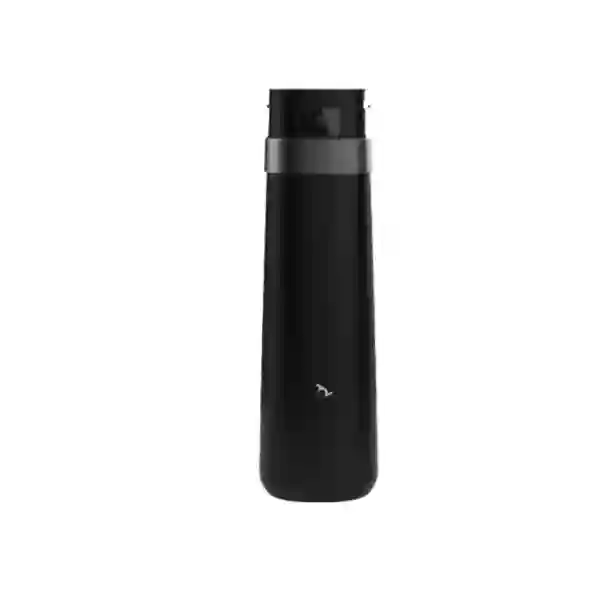
HP Poly Studio E360 Center-of-Table Companion Camera
See the conversation from around the table. The 360-degree E360 is designed to add face-forward perspectives to a compatible front-of-room video conferencing system, using Poly DirectorAI and integrated tabletop microphones.
Companion device, not a standalone webcam. Verify host support and Tanzania availability before ordering.
Key features at a glance
Technical specification and planning summary
| Manufacturer / series | HP Poly / Studio |
|---|---|
| Product | Studio E360 centre-of-table companion camera |
| Camera architecture | Four 8MP cameras; 360-degree coverage (announced design) |
| Intelligent framing | Poly DirectorAI multi-camera experience; host-dependent |
| Microphones | Four integrated MEMS microphones |
| Privacy | Integrated privacy shutter |
| Intended role | Additional tabletop view alongside a compatible front-of-room camera |
| System connectivity | Supported network/IP peripheral arrangements; verify topology and power |
| Relevant HP ecosystem references | Studio G62, Studio X72 and supported V-series multi-camera configurations; verify exact revisions |
| Commercial status | No Tanzania stock, price, warranty or delivery claim; check quotation |
Feature descriptions refer to the announced E360 design. Exact model support, software behaviour, accessory inclusion and regional availability require current written confirmation.
What the HP Poly Studio E360 is designed to do
The HP Poly Studio E360 center-of-table companion camera is intended to give remote attendees a more useful view of people gathered around a meeting table. A conventional camera at the front of a room often shows some participants from an angle, while colleagues seated nearest its edges may appear small or side-on. Positioning a companion camera among the participants adds another perspective. The purpose is not simply to show more of the room, but to make faces and contributions easier to follow during a conversation.
HP describes the E360 as working together with a front-of-room camera rather than replacing the existing conferencing system. Its four 8-megapixel cameras are designed to cover a full 360-degree view, while Poly DirectorAI supports intelligent framing and camera selection within a compatible room solution. Four integrated microphones are positioned closer to people around the table. The resulting experience depends on the complete room system, its software, the platform being used and how well the space is designed.
For organisations evaluating the HP Poly Studio E360 center-of-table companion camera in Tanzania, the first purchasing question should therefore be about the room system already installed. Identify the host video bar or conferencing appliance, its firmware and the meeting platform before deciding on a camera accessory. Ask for an exact compatibility assessment and confirmation of regional availability. This prevents a visually appealing accessory from being ordered for a configuration that cannot deliver the intended multi-camera experience.
At-a-glance features and their practical meaning
The E360 was introduced with four 8MP camera sensors and 360-degree table coverage. That specification describes its imaging architecture, not a promise that every participant will receive a separate 4K video stream. Actual composition, resolution presented to the call and switching behaviour are controlled by the supported system and meeting conditions. Use the specification as an indication of the camera’s design objective: capturing viewpoints from around the table so that the conferencing system has more useful visual information to work with.
Poly DirectorAI is the framing technology associated with the proposed multi-camera experience. The practical benefit is less need for a meeting organiser to manually operate a camera whenever the discussion changes direction. The four built-in MEMS microphones are relevant because a centre-of-table position can place microphone elements nearer participants than a distant front wall. They should not, however, be confused with a guaranteed replacement for every room’s audio design. Room acoustics and supported host functions still matter.
An integrated privacy shutter adds a physical privacy consideration at the camera itself. It does not substitute for meeting-platform permissions, device management or organisational privacy procedures. The equipment is intended to complement a full meeting-room deployment, so a quotation should identify every required component and any separate accessories. Ask what is supplied, what is optional and what the particular supported configuration enables, especially when migrating from a single-camera room to a multi-camera design.
Why the table perspective matters in hybrid meetings
Remote participants frequently see a different meeting from the people sitting in the room. Someone at the far end of a table may face the camera directly, while a person beside it appears in profile and another becomes difficult to distinguish. This can be particularly frustrating in reviews where decisions move quickly among several contributors. A centre-of-table perspective gives the room system a chance to present more face-forward views, which can help remote colleagues understand who is speaking and how others are responding.
The E360’s design is most relevant when attendees sit around several sides of a table rather than in a single row facing a screen. Examples include management discussions, project reviews, customer negotiations and collaborative workshops. If all participants sit directly toward a single front-of-room camera, the incremental benefit may be smaller. Evaluate the pattern of real conversations instead of buying solely on a room’s floor area, the number of seats on a furniture plan or the stated sensor resolution.
A thoughtful design also preserves the front camera’s useful role. The front-of-room view can provide room context or cover a presenter at a display, while the table camera contributes viewpoints of seated attendees. The exact balance between those views is configuration dependent. The intended outcome is visual continuity for remote colleagues, not constant switching for its own sake. During a demonstration, assess whether the picture helps people follow the discussion without distracting them from the content being shared.
Understanding four cameras and a 360-degree field of view
A 360-degree camera arrangement addresses the physical problem of people sitting on different sides of a table. With four 8MP imaging elements, the announced E360 design can capture directions that a single forward-facing lens cannot cover on its own. The system then needs an intelligent way to choose and present relevant views. It is important not to confuse camera count with participant capacity, recording channels or the number of video windows supported by a particular meeting service.
Coverage also does not guarantee perfect visibility. Tall laptops, table-mounted displays, water bottles and even the backs of nearby chairs can block faces. A camera standing at table height cannot see through obstacles, and placing it beside a large object may defeat the value of the additional viewing directions. A representative room trial should use the same seating and equipment that people will use in normal meetings, including the shared display, presentation controls and everyday tabletop accessories.
Image quality depends on more than the sensor specification. Contrast from windows, uneven lighting, dark wall finishes and participants sitting close to bright screens can influence what remote viewers perceive. The room’s conferencing host and cloud service may also alter the outgoing layout and video quality. When comparing quotations, request a practical demonstration of the complete supported system rather than relying on a cropped promotional image or assuming four sensors always equal four simultaneously displayed camera feeds.
How Poly DirectorAI fits into the experience
Poly DirectorAI is associated with intelligent camera framing in HP Poly video solutions. In a suitable multi-camera configuration, the goal is to make the change between the front-of-room perspective and views from the table more natural. This can be useful when a speaker turns toward another attendee or a discussion shifts from a presentation to a roundtable exchange. Exact supported framing modes and camera-selection logic must be established against the host model, software release and meeting application.
AI camera features should be evaluated from the point of view of the remote attendee. Do the selected images show the person speaking? Are colleagues who are listening still visible when their reactions matter? Does framing behave sensibly when two people speak in quick succession? These are better tests than a generic claim that the camera has artificial intelligence. Different meeting types may prefer different compositions, and an automatic choice is not always the best choice for every discussion.
The safest purchasing approach is to ask the supplier to name the supported DirectorAI workflow, the host device needed and the release documentation that supports it. Avoid assuming that every Poly video bar or any ordinary computer can accept the E360 as an extra camera. Ask whether the intended meeting service uses the multi-camera composition and whether administrators can control the applicable settings. A short validation meeting with representative users can reveal whether the configuration improves participation.
Closer microphones: useful but not a complete audio system
The E360 was announced with four MEMS microphones integrated into its tabletop body. Their location can be helpful in rooms where voices from people seated around a long table must travel to microphones positioned at the front. Bringing a microphone closer to attendees can give the supported room system another source of speech information. Whether the microphones are active, combined with other room microphones or exposed to a meeting depends on supported hardware and software integration.
Good audio remains a room-wide engineering task. Echo from loudspeakers, reflective glass, hard floors, air-conditioning noise and the distance between listeners and speakers all affect a call. A tabletop microphone cannot correct every problem, and a camera’s microphone count alone is not a reliable measurement of intelligibility. Before placing an order, establish the host device’s audio architecture, whether expansion audio is necessary and how the room handles speaker output and echo control.
In a live trial, ask people at each seat to speak at their normal volume while others listen remotely. Include a quiet participant, an active discussion and a presentation from the far end of the room. Test with the room’s normal ventilation running rather than in an artificially silent environment. The evaluation should judge natural speech clarity and consistency, not simply whether a microphone icon lights up. Record any seating positions that need a different audio arrangement.
Privacy shutter and responsible meeting-room operation
The integrated privacy shutter is a relevant feature for a device that sits in the middle of a shared meeting table. A visible physical cover can provide reassurance when a room is being used for private work or a video meeting has ended. Its presence should be treated as one part of a broader control process rather than a substitute for verifying meeting status. Follow the actual product and host documentation for how the shutter operates and what a closed state covers.
Privacy is broader than the camera lens. A meeting-room system can include microphones, displays, microphones at other locations, cloud calling services and management accounts. Teams should define who can start a meeting, how devices are updated and what users can check before discussing confidential information. A centre-of-table accessory does not by itself determine whether a meeting is recorded or whether remote attendees can join; those controls typically belong to the broader collaboration environment.
During deployment, make the privacy workflow understandable to ordinary staff, not only IT administrators. Label the room controls consistently, explain how to confirm that a call has ended and establish a simple way to report unusual device behaviour. When sensitive board, financial or customer information is discussed, organisational meeting policies remain essential. Ask the integrator to demonstrate the physical shutter and the supported host controls as separate parts of the handover.
Companion camera versus standalone conferencing equipment
The term companion camera is central to making the right buying decision. The E360 is presented as an additional perspective for a compatible front-of-room video solution. It should not be purchased on the assumption that it is an independent webcam, a self-contained speakerphone or a complete meeting-room kit. A complete room solution may require a suitable video bar or codec, conferencing compute or appliance, displays, cabling, controls and a supported calling platform.
A standalone USB webcam is commonly chosen for one person’s desk or a small laptop-led call. A front-of-room video bar typically provides a camera, audio functions and a straightforward room-facing view. The E360 addresses a different problem: adding perspectives from around a meeting table to a supported multi-camera system. The products are therefore not direct alternatives at equal scope. Comparing their prices without identifying the rest of the room equipment would misrepresent the total solution.
If there is no compatible host already in place, evaluate the full deployment cost and the benefit of a front camera plus companion camera. If the existing host is supported, ask what changes are needed to add this device. In either case, specify the exact equipment names and software versions on the quotation. This helps procurement teams avoid buying an accessory whose expected capability depends on equipment that has not been included.
HP Poly ecosystem compatibility: what to verify
HP’s published product material identifies the Studio E360 among peripherals associated with products such as Poly Studio G62, Poly Studio X72 and certain Studio V-series video bars. Those references provide useful starting points for a compatibility conversation; they do not establish that every firmware combination, room application and geographic market supports every proposed feature. Manufacturer material also notes pending regional availability for the E360 in some product families.
Compatibility should be confirmed as an exact end-to-end combination. Start with the host model and product generation, then check software or firmware levels, supported camera ports or network topology, applicable multi-camera features and conferencing-platform requirements. If a room uses Microsoft Teams Rooms or Zoom Rooms, do not infer that the E360 itself has independent platform certification merely because the host product is certified. The host, application and accessory must be assessed together.
For a new Tanzania deployment, request a written compatibility statement describing the planned host system, the E360 accessory, the connection method and any limitations. For an upgrade, provide the existing equipment inventory and relevant firmware information before requesting a price. This is particularly important for organisations with different generations of meeting-room equipment across branches. A device that looks similar externally may have different peripheral support across firmware releases.
Connection method, network planning and cabling
HP product materials refer to the E360 as a network-connected peripheral in supported arrangements, including references to Ethernet connectivity. That should not be interpreted as permission to connect it to any free network port and expect it to appear in a call. The supported host topology, power arrangements and commissioning sequence must be confirmed using the current documentation for the exact equipment combination. Avoid selecting cables, injectors or switches from assumptions based on a product photograph.
Before fitting out the room, mark the intended table position and plan a protected cable route. A loose cable across a walkway or tabletop can create both an unreliable meeting experience and a physical hazard. Check the furniture’s cable access, the route to network equipment and how the camera will be moved when the table is reconfigured. If the room relies on structured cabling, have the network team verify the path and the port configuration required by the integrator.
IT teams should also decide who administers the room equipment and how firmware compatibility is maintained. Conferencing peripherals can become part of an operational system involving room controllers, applications and central management tools. Document the final topology, asset inventory and recovery steps. A clear handover is more useful than a vague promise of easy installation, particularly when another team will support the room after the initial deployment.
Room size and seating patterns: look beyond capacity
HP originally positioned the Studio E360 concept for a range of meeting-room sizes. That does not mean the same tabletop location or host hardware will suit every room. The value of a centre camera depends on how people are seated, how far they are from it, what furniture occupies the middle of the table and whether the front-of-room camera already offers useful views. Start the assessment with the meeting types and seating arrangements that occur most frequently.
A small roundtable meeting may produce a different visual challenge from a long executive boardroom or a training space arranged in rows. In a square room with participants on all four sides, 360-degree capture may solve a clear sightline problem. In a classroom-style room where everyone faces forward, a separate presenter camera might deserve more attention. A room plan should show actual participant seats, any presenter zone and the position of displays before equipment is selected.
Where the space changes between meeting formats, test more than one arrangement. Move chairs, open laptops and identify which views become obstructed. Consider accessibility: attendees who cannot sit in the assumed location should still have a fair opportunity to be seen and heard. Choosing a configuration based on the most demanding normal use case is often more effective than relying on the room’s maximum seating number alone.
Placing the camera without disrupting the meeting
Centre-of-table placement should make the camera useful without turning it into an obstacle. Allow for notebooks, laptops, power access and the collaborative materials people place on the table. Participants should not have to rearrange their work every time the room is used. The exact mounting, required clearances and cable handling should follow installation instructions for the final system. Do not assume a particular mount or accessory is included unless the quotation identifies it.
A visual survey helps identify where the camera can see faces rather than the backs of monitors. If people frequently raise laptop screens, a camera placed too low or too close can lose the very views it was added to capture. Ask someone to sit in each typical position while a remote evaluator checks the displayed image. This exercise is especially valuable in established boardrooms where furniture cannot be replaced and the camera must work around fixed objects.
Consider how people enter, clean and rearrange the room. A device at the centre of a shared table should be protected from accidental spills and excessive handling. If meeting furniture is modular, identify which table layouts are supported and how cables are managed after each change. Clear ownership of the setup reduces the risk of recurring problems that appear to be camera faults but are actually placement issues.
Lighting, displays and visual quality
Even a sophisticated camera cannot produce consistently helpful images if participants are poorly lit. Rooms with large windows behind seats may show faces against a bright background. Mixed lighting, strong spotlights or reflections from glass walls can also make some views less useful than others. Walk around the table and inspect the room from each seating position. A 360-degree accessory must cope with lighting from several directions rather than a single carefully lit front wall.
Where practical, arrange balanced illumination across the table and provide sensible control of daylight glare. Avoid creating a situation in which the front camera looks good but the side seats are dark, because the companion camera’s benefit depends on seeing those side participants. Also assess the brightness and placement of shared displays. A large screen immediately behind a person may draw attention away from the face the conferencing system is trying to show.
Assess picture quality in the actual application at normal meeting bandwidth, not only in a local preview. Participants may experience video differently when content is shared or when a call includes several remote locations. The imaging hardware is one part of that chain. If remote attendees report that faces appear too small, review the selected layouts and host options before concluding that the camera sensor itself is inadequate.
Testing speech, echo and background noise
Visual improvements are most valuable when they are accompanied by clear conversation. In a meeting where several people contribute from around a table, a remote listener needs to know who spoke and understand the words without continuously adjusting volume. The E360’s announced microphone arrangement is relevant to this goal, but the entire room audio path must be considered. Speakers, the conferencing host, room acoustics and automatic audio processing all influence the final result.
Test common disruptions: papers moving, keyboard typing, chairs shifting and a nearby air-conditioning unit. Ask the integrator to explain which noise-reduction and echo-handling functions are provided by the host system and which settings are available. Do not assume that a named Poly audio technology is built into the E360 itself unless current documentation specifically confirms it. It is more reliable to describe the camera’s microphones accurately and validate the full audio experience.
Include people with different speaking styles. A confident presenter at the head of the table may sound fine while a quieter participant on the side remains difficult to hear. During commissioning, have a remote colleague report the experience rather than relying only on local room monitors. Capture problem seats and scenarios in a test checklist so they can be addressed before users depend on the room for an important meeting.
Microsoft Teams, Zoom and other meeting workflows
The E360 is best evaluated as a component within a supported conferencing ecosystem, not as a product that independently runs a cloud meeting service. HP’s broader room solutions support recognised platforms, but actual E360 multi-camera operation must be checked against the specific host, application and software level. If a supplier proposes a Microsoft Teams Rooms or Zoom Rooms design, ask for the exact validated combination and a demonstration of the relevant mode.
Everyday workflows matter as much as the specification sheet. A participant should be able to join a scheduled meeting, share content and return to a discussion without a series of manual camera changes. Test what happens when someone stands to present at a screen, when several people talk in sequence and when remote participants use a smaller laptop display. Consider whether the automated framing supports these transitions and whether a room controller offers a practical fallback.
Organisations using multiple meeting platforms should pay particular attention to differences between workflows. A feature demonstrated in one application should not be assumed to work identically in another. Where a room also supports guest laptops or bring-your-own-device scenarios, confirm whether the additional camera experience is available in that mode. Recording, captions, layout controls and participant identification are platform functions that may behave differently from the camera’s basic image capture.
Examples of rooms where an additional viewpoint can help
Executive meeting rooms are a natural scenario because discussions frequently move around a long table. People at the sides may be the primary contributors, yet appear in profile to a front-mounted lens. A well-integrated table camera can provide the host system with alternative viewpoints, potentially making the discussion more engaging for someone joining from another office. The key test is whether everyone remains recognisable without losing room context or the presenter when attention shifts.
Project and operations meetings provide another useful case. Engineers, finance staff and department leads often review documents together and then debate actions from their seats. The meeting may alternate between screen sharing and direct conversation. A companion camera can be worth evaluating if remote contributors struggle to identify who is responding. Similarly, client workshops and collaborative planning sessions can benefit when people sit around the table rather than facing a single presentation screen.
Training rooms may sometimes benefit, but they deserve a different assessment. If participants are in rows watching a presenter, a strong front-of-room camera and suitable audio may be more important. If training regularly becomes small-group discussion around tables, multi-camera coverage may have a clearer role. Match the equipment to the actual teaching or discussion pattern rather than describing a tabletop 360-degree camera as the ideal solution for every training environment.
When a simpler camera solution may be the better fit
Not every room needs an additional camera. In a compact space with three or four people seated in front of a display, a suitable front-of-room video bar may already show everyone clearly. If the current system has good framing and intelligible audio, the incremental value of the E360 might be limited. Start by identifying a specific problem: hidden faces, awkward side views, difficult transitions between speakers or uneven participation from remote colleagues.
A room with a single presenter and a passive audience presents a different challenge. The operator might need optical zoom, presenter tracking, document capture or better microphones at the back of the room. A table companion camera is not a universal substitute for these capabilities. Likewise, a personal desk setup generally calls for a webcam or compact video device, not an accessory designed to join a supported multi-camera room arrangement.
Budget should be compared against outcomes, not only hardware lists. Before allocating funds to a companion camera, address poor network quality, inadequate lighting, a badly positioned display or untreated audio problems if those are the primary causes of unsuccessful meetings. A small pilot can reveal whether the additional viewpoint delivers a measurable practical benefit. The right purchase is the simplest supported system that solves the actual collaboration problem.
What to include in an integration quotation
A useful quotation for a Studio E360 deployment should start with the room’s purpose and existing equipment. It should name the exact proposed camera, compatible host, required software releases, connection approach and any additional components. Because HP documentation flags regional availability for this accessory, the quotation should also make clear whether the exact item can be sourced for the intended project. Avoid treating model announcements as evidence of current inventory.
Ask whether the scope includes room survey, network readiness checks, installation, configuration, multi-camera commissioning and end-user handover. These are project-scope questions rather than claims that a particular seller automatically provides those services. Request a list of exclusions: for example, new cabling, furniture modifications, extra room microphones or platform licensing may need separate attention depending on the proposed system. The goal is to compare complete solutions fairly.
Where multiple rooms are involved, include a repeatable configuration plan and acceptance criteria. Define how a room will be judged successful, who signs off on image and audio quality and what documentation the support team will receive. Pricing, lead times, local warranty arrangements and service coverage should be confirmed in the actual written offer rather than copied from international product listings. A transparent scope is particularly useful when procurement and IT approval happen separately.
Tanzania procurement considerations
For buyers planning video collaboration in Tanzania, the main local question is whether the proposed equipment is available and supportable for the exact deployment. International HP materials establish the intended role of the E360 but do not by themselves establish stock, a local selling price, delivery terms or service eligibility. Seek written confirmation for the specific item, configuration and destination before committing project dates. No Tanzanian shilling price should be inferred from overseas listings.
Rooms used for important remote collaboration should also be planned around the site’s practical conditions. Confirm the business network, meeting-platform subscriptions, resilience of the internet connection and any power-continuity requirements for the entire conferencing system. If a building has frequent layout changes, consider cabling and furniture access early. These checks are not special technical specifications of the E360; they are procurement and deployment decisions that influence any professional video meeting solution.
Ask the supplier how compatibility will be demonstrated before final acceptance and which organisation is responsible for handling device support issues. Where manufacturer or distributor documentation is needed, request the current applicable documents for the exact model and region. For a multi-office project, agree on a standard test and maintenance approach so users receive a predictable experience. Confirm all local commercial terms directly; this page does not assert authorised status or a guaranteed service location.
Planning a pilot before a broader rollout
A pilot is often the fastest way to learn whether an extra table perspective is worthwhile. Choose a room with a real need, such as an executive table where remote participants regularly struggle to see speakers. Identify the existing host system and verify that it is supported before arranging any test equipment. Set clear goals, including useful face-forward framing, consistent speech capture and simple operation for ordinary users.
Run several meeting types rather than a single staged demonstration. Include a formal agenda with a presenter, a collaborative discussion, a screen-sharing session and a call with several remote participants. Ask remote attendees to describe what they could see and hear, and whether camera transitions were helpful or distracting. Make a note of where laptops, seating positions and lighting affect the result. This provides grounded evidence for purchasing rather than relying on impressions from a marketing video.
After the pilot, document the supported firmware, room layout, connection method and settings used. If the configuration is worth replicating, these records become a baseline for other rooms. If the benefit is small, the organisation may decide to optimise its existing front camera or acoustics instead. A controlled pilot also allows procurement teams to establish acceptance standards without assuming that every branch location has identical furniture, network conditions or staff expectations.
Security, operations and lifecycle planning
Conference-room accessories become part of the organisation’s operational environment. Assign responsibility for checking firmware compatibility, preserving configuration records and responding to reported faults. Where the E360 operates as a network-connected peripheral, the network and collaboration teams should agree on appropriate onboarding and access arrangements. These should be taken from the current installation documentation and organisational policy, not from generic assumptions about all IP cameras.
A device with a privacy shutter still needs administrative controls around the full room system. Review who can change room settings, how access to management tools is governed and how users report unusual behaviour. Consider the consequences of a failed update or unavailable meeting platform during a scheduled executive session. Maintain an ordinary recovery procedure and a fallback way to run a meeting, especially if the room is critical to daily operations.
Product lifecycle and software support should be checked when the offer is prepared. The original announcement date of a device is not enough to establish its current sales status or the future availability of updates. Ask for applicable manufacturer support and compatibility documentation for the exact proposed deployment. During handover, provide basic instructions for starting meetings, using privacy controls, seeking help and returning the room to its normal configuration.
Comparing the E360 with front-of-room cameras
A front-of-room camera is positioned to face the attendees and is often essential for shared presentations. It can show a full table but may not present every person from a flattering or recognisable angle, particularly in a deep room. The Studio E360 adds a viewpoint from within the seating arrangement. Its value is strongest where several active participants are seated away from the front lens and a supported host can use both views intelligently.
Poly Studio E60 is a different type of product: a smart pan-tilt-zoom camera positioned for controlled room views and presenter coverage. Poly Studio V-series video bars combine wider room-facing functionality with associated audio and software features. The E360 does not replace all those functions. When comparing product descriptions, distinguish between an accessory’s announced sensors and the features of the host that actually conducts the meeting or provides speakers and application integration.
A room designer might combine complementary equipment, but only where the manufacturer validates that combination. The right question is not whether one item has the largest advertised megapixel number. It is whether the system shows the right people at the right time, transmits clear audio and remains easy to use. Reviewing a complete bill of materials and a realistic room demonstration provides a better basis for purchase than comparing isolated camera specifications.
Decision checklist before ordering
Confirm the problem to solve: remote colleagues cannot see side participants, discussions move around the table or a conventional front camera creates an awkward visual experience. Next, record the room size, common seating plan, front-of-room equipment and target meeting application. Obtain the model and firmware of the existing host, then verify whether it supports the E360 and the expected DirectorAI multi-camera behaviour. These details determine whether the camera is a suitable addition.
Check where the device will sit, whether cables can be routed safely and how everyday laptops and other objects affect sightlines. Test the proposed speaker and microphone arrangement with several people at normal speaking volumes. Confirm the host’s privacy controls, administrative workflow and the way users join meetings. If the organisation uses more than one cloud meeting platform, ask for a separate compatibility check for each required workflow rather than assuming they behave identically.
Finally, ask for a written quotation stating the exact components, software requirements, installation scope, commercial terms and availability for Tanzania. Establish acceptance criteria for the picture and sound experienced by remote attendees. If an existing room cannot be validated, consider a complete supported host-plus-camera proposal or a simpler conferencing solution. The most valuable outcome is a dependable meeting experience, not an accessory ordered in isolation.
Frequently asked questions
Is the HP Poly Studio E360 a standalone video conferencing camera?
No. HP presents it as a centre-of-table companion camera designed to work alongside a front-of-room camera in a supported room system. Do not assume it can be plugged directly into any laptop or replace a video bar. Confirm the exact host and supported connection before ordering.
How many cameras does the Studio E360 have?
The announced design includes four 8MP cameras for 360-degree coverage. This describes the camera arrangement, not four independent 4K video feeds to every meeting application. The image the remote participant sees depends on supported host composition and conferencing settings.
Does it include microphones?
Yes. Product information describes four integrated MEMS microphones positioned near the meeting-table participants. Their practical role and whether they supplement other room microphones depend on the supported system. A room audio assessment is still important.
What does Poly DirectorAI do with this device?
Poly DirectorAI is the intelligent camera-framing technology associated with the planned multi-camera experience. A compatible host may use alternative camera perspectives to help present people more naturally. Specific framing options, switch behaviour and applications must be verified for the proposed deployment.
Can the E360 work with Poly Studio G62 or X72?
HP identifies the E360 in the compatible-peripheral ecosystem for the Poly Studio G62 and X72. A reference in a product family document is not an unconditional guarantee for every firmware version or regional installation. Ask for the current exact compatibility information and a validated bill of materials.
Does it work with Microsoft Teams or Zoom?
Its use with Teams Rooms, Zoom Rooms or another service depends on a supported host, software version and multi-camera workflow. Do not treat a host’s meeting-platform certification as independent certification of the accessory. Have the proposed combination demonstrated in the actual application.
Can it replace an ordinary front-of-room camera?
It is intended to add a table perspective rather than replace the front camera. For presentation coverage or an uncomplicated small room, a suitable front-of-room camera may remain the primary equipment. Consider the E360 where seating around the table creates an identifiable visibility problem.
Is a 360-degree camera suitable for every room size?
Not automatically. The viewing advantage depends on the table layout, the number and placement of active participants, lighting and the front camera. A room arranged in rows may need a different camera strategy from a boardroom. Evaluate a real seating plan and supported host before deciding.
Is the E360 available to order in Tanzania now?
Regional availability has not been established by the manufacturer information used for this description. HP documents have included pending-regional-availability notes. Request confirmation of the exact item, supply status and delivery terms for the proposed Tanzania project instead of assuming inventory.
Does the privacy shutter secure the whole meeting room?
No. A physical camera shutter is only one privacy measure. The complete conferencing system may include other cameras, microphones and cloud applications. Organisations should also manage meeting access, recording permissions, device administration and room procedures.
How should the camera be placed on the table?
Choose a location with useful sightlines to participants and safe cable access. Test typical laptop positions, participant seating and room lighting before permanent installation. Follow the current installation guide for any mounting and connectivity requirements; do not assume accessories are included.
What details should I send to request a quotation?
Provide the meeting-room layout, seat count, installed host model, software release where known, desired meeting platforms and the problems remote attendees currently face. Ask for item availability, a precise compatibility statement, required equipment, commissioning scope and commercial terms in writing.
What if my existing room is not compatible?
Do not purchase the companion camera solely on the strength of its sensor specifications. Ask for a supported host-plus-camera design, or compare a front-of-room video bar, PTZ camera and audio improvements against the actual problem. A modest pilot helps identify the most appropriate solution.
Request an HP Poly Studio E360 compatibility and availability quote
Share your current HP Poly host model, room layout, meeting platform and required number of seats. Ask for confirmation of E360 support, exact included equipment, Tanzania availability and written project terms. A supported, demonstrated room design is the best basis for a confident procurement decision.
Request a product and room-system assessment before ordering.




Reviews
There are no reviews yet.