
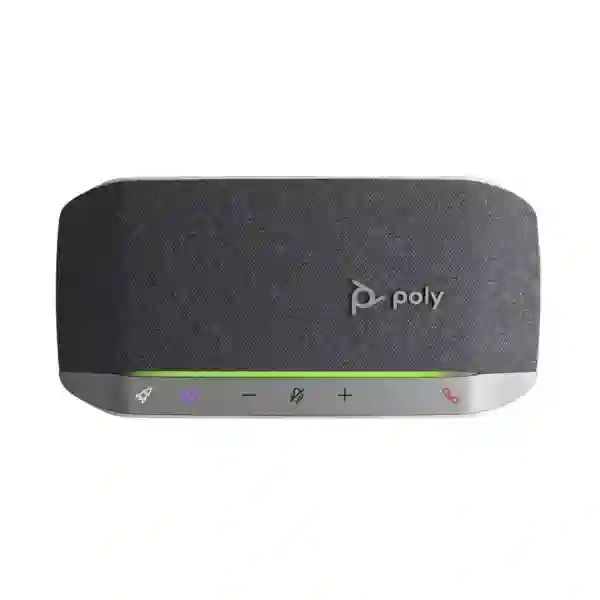
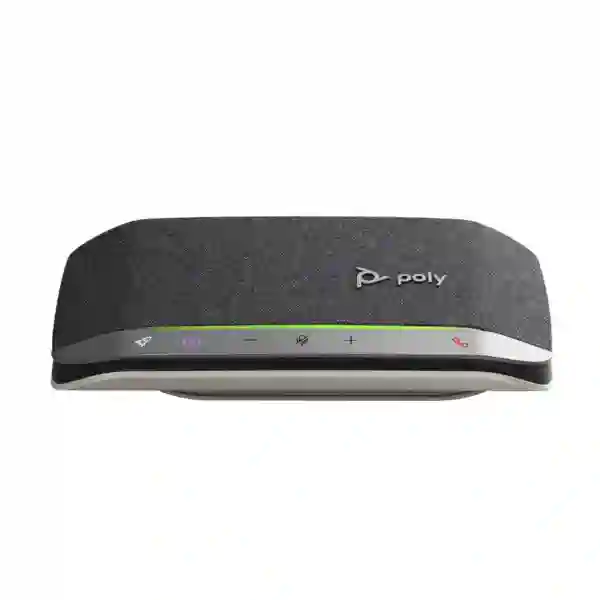
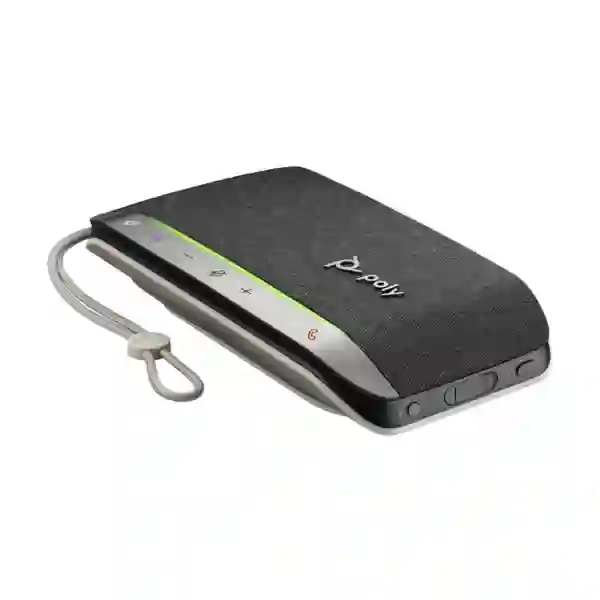
HP Poly Sync 20+ USB Bluetooth Speakerphone with BT700 Adapter
Put a dedicated conference microphone and speaker on your desk without making every call a headset call. This portable HP Poly Sync 20+ USB Bluetooth Speakerphone supports computer and smartphone conversations, and the included BT700 in the named Plus package adds a convenient wireless computer connection. Check the exact USB and Teams variant before ordering for your Tanzania workplace.
Quick reasons to consider this speakerphone
A three-microphone array, full-duplex conversation support and built-in noise and echo reduction make the Sync 20+ a practical option for frequent online meetings. It is designed to be placed on a desk or small table where participants sit within useful microphone range, not installed as a fixed audio system for a large conference hall.
The rechargeable design and included BT700 adapter offer flexibility for hybrid workers who move among desks, home working and occasional small meeting spaces. A compatible direct USB cable can also be useful when the user prefers a wired audio path. The exact adapter plug, cable and Teams control layout depend on the selected configuration.
The strongest buying decision is not simply whether the device offers Bluetooth. It is whether the chosen kit fits the computer ports, meeting software, number of nearby speakers and privacy needs of the people using it. The sections below explain those choices and the setup checks that prevent common ordering mistakes.
At-a-glance product specifications
| Microphone system | Three-microphone steerable array |
|---|---|
| Audio processing | Full-duplex voice, noise and echo reduction |
| Microphone pickup | Up to approximately 2 m, depending on environment |
| Connections | Bluetooth smartphone connection; PC wired USB or included BT700, depending on variant |
| Talk time | Up to 20 hours under manufacturer’s conditions |
| Bluetooth version | 5.1 in documented Sync 20+ configurations |
| Device dimensions | Approximately 34 × 95 × 182 mm |
| Device weight | Approximately 360 g |
| Protection | IP64 in documented manufacturer configurations |
| Ports and bundled accessories | USB-A or USB-C variants: confirm exact quoted model |
Specifications are based on HP information for documented Sync 20+ variants. Check the part number and supplied connectors for the exact unit on the quotation, since USB and Teams configurations differ.
A portable conferencing choice for focused work
The HP Poly Sync 20+ USB Bluetooth Speakerphone brings a dedicated microphone and loudspeaker to conversations that would otherwise rely on a laptop, telephone handset or built-in webcam microphone. It is intended for people who join meetings frequently, need hands-free participation and sometimes move between work locations. The included BT700 adapter in this named configuration adds a convenient wireless connection option for a computer.
Instead of treating every meeting as a fixed conference-room installation, consider the Sync 20+ a personal or small-table collaboration accessory. Its compact shape suits a work desk, temporary meeting location or shared table where participants sit close enough for the microphones to capture them. It is not a substitute for an engineered room audio system across a large boardroom.
The practical buying question is whether everyone who needs to speak will be within a sensible microphone distance and whether the user’s computer has the matching USB connection. Buyers should also confirm the exact ordering variant: HP offers different plug types and special Microsoft Teams versions. The core product family is similar, but buttons and supplied connectors are not necessarily identical.
What the BT700 adapter changes
The main distinction between a Sync 20 and a Sync 20+ package is the USB Bluetooth adapter supplied with the Plus configuration. A user can place the speakerphone on a desk, insert the BT700 into a compatible computer USB port, and use the speakerphone without keeping its audio cable attached during a call. That is useful when a laptop needs to remain on a stand or the table arrangement changes.
The adapter is intended to provide a dedicated computer-to-Poly audio connection. It should not be described as a general-purpose wireless network adapter, an internet modem or a guaranteed cure for every Bluetooth issue. It carries the speakerphone’s audio link to the computer; the meeting application still requires its own network connection and appropriate permissions. Wireless performance depends on the surroundings, connected hardware and radio conditions.
USB-A and USB-C BT700 versions exist, and some recent packages include an adapter between connector types. Before ordering, identify the exact computer ports and request confirmation of the dongle supplied with this specific package. An employee using a USB-C-only laptop should not assume that every older USB-A package contains a converter. Checking this detail is easier than addressing a connection mismatch after delivery.
Three microphones that prioritize conversation
Inside the speakerphone is a steerable three-microphone array. Its purpose is to pick up the person or people speaking near the device and reduce the influence of distracting background sounds. HP’s product information specifies an approximate microphone pickup range of up to two metres. That is a useful planning reference, not a guarantee that a distant voice will sound equally clear in every room.
For a one-person meeting, position the speakerphone directly in front of the participant rather than behind a monitor or next to the computer’s cooling vents. For a very small group, place it where each speaker has a reasonably direct path to the microphones. Participants who turn away, lean well outside the pickup area or speak from behind a barrier may need to move closer.
Microphone processing can make calls easier to follow, but it cannot repair an unreliable internet connection or make persistent construction noise disappear completely. Good placement, appropriate speaking volume and sensible room acoustics still matter. This is why a realistic assessment of desk arrangement and room noise is more useful than comparing microphone counts in isolation.
Full-duplex audio and natural interruptions
Full-duplex audio allows the speaker and microphones to operate together, supporting ordinary conversational overlap. In real meetings this matters when one colleague asks a quick question while another is talking, or when two participants briefly respond at once. A conventional half-duplex-style experience may make interruptions feel more abrupt because one side’s audio is suppressed.
Noise and echo reduction are included in the Sync 20+ audio design. Their goal is to help people at the far end understand speech and limit audio returning from the device’s own speaker. Results still depend on call settings and room conditions. A poorly positioned speakerphone or multiple active microphones in one room can cause echoes even when the device offers built-in processing.
The device also has a dedicated speaker designed for both communication and ordinary media listening. This is helpful for a professional who wants to alternate between meetings, training clips and low-volume playback. It does not mean the Sync 20+ replaces a large stereo system. Its strongest proposition remains convenient voice communication in an appropriately sized working area.
The right table and room size
Microphone pickup distance is often more useful than a room-size headline. A speakerphone may be used in a physically large room when the participants are seated close to it, while a noisy compact room can still produce difficult audio. Plan around where people sit and how far their mouths are from the device rather than relying solely on the room’s dimensions.
A small meeting table with one to three nearby participants can be a sensible environment for this class of speakerphone, provided everyone speaks within the pickup area. If several people sit at opposite ends of a long table, the farthest voices may be less consistent. Consider a larger conference speakerphone or a purpose-built room microphone arrangement when seating regularly extends beyond the stated two-metre pickup distance.
Soft furnishings and moderate speaking volumes usually help reduce harsh reflections. Avoid setting the speakerphone beside a projector fan, open window, loud desktop tower or air-conditioning outlet. Where possible, keep the device centrally placed and clear of paper piles. A two-minute test call from the actual room is a better suitability check than listening only to a product demonstration.
Battery-powered flexibility without unrealistic promises
HP quotes up to 20 hours of talk time for the rechargeable speakerphone under its test conditions. That headline is valuable for mobile staff and hot-desk workers, but actual endurance can vary with listening volume, connection method, call activity, battery condition and additional charging demands. It should not be interpreted as an assurance of a fixed number of workdays in every scenario.
A wired USB connection offers a different operating pattern: the speakerphone can be powered through the computer connection where supported, reducing the need to plan every meeting around remaining battery charge. For wireless use, users should build a simple charging habit into the end of the working day, especially before workshops or journeys where access to a spare USB port is uncertain.
HP documentation describes approximately four hours for a full recharge, with charging speed dependent on the power source. A depleted unit connected to a low-power USB port may not recover as quickly as expected. The battery-status indication and available software information can help users check readiness before a long session instead of discovering low charge halfway through a client call.
Optional smartphone charging
The Sync 20+ can also provide power to a compatible smartphone from its USB charging output. This can be useful when the speakerphone and phone are both part of a travel kit and a meeting runs longer than expected. The user guide explains that the unit should be powered on and have at least a medium battery level for this function.
This charging feature is best regarded as a convenience or backup option rather than a replacement for a purpose-built power bank. Charging a telephone takes energy from the speakerphone’s battery, so the remaining conferencing time may be shorter. The mobile phone’s charging cable is not necessarily included with the speakerphone package; confirm accessory contents rather than assuming that it is.
The charging connection supplies power, not an alternative data link to the phone. Calls from a smartphone should continue to use its Bluetooth audio connection where supported. A buyer who plans heavy mobile-device charging throughout the day may prefer to keep a separate charger available so the speakerphone can prioritize the meeting itself.
Direct USB connection for a stable desk routine
A wired connection remains a practical option even when the product package includes the BT700. Attach the speakerphone using the compatible USB cable or connector specified for the chosen variant, select it in the operating system, and then select it again in the meeting application if required. This approach can be convenient for a permanent home-office desk.
A USB cable is also a useful fallback when the surrounding wireless environment is congested or a corporate policy restricts Bluetooth peripherals. It may simplify troubleshooting because it removes one radio connection from the audio path. Wired operation does not remove the need to check application permissions, audio selection, operating-system settings or the quality of the internet connection.
Do not assume a USB-A cable, USB-C connector and USB conversion accessory all appear in every box. HP has offered different generations and ordering combinations of the Sync 20+ family. The name of the device alone does not prove the port shape. Match the exact requested package to the laptop fleet before approving a company-wide purchase.
Bluetooth use with a smartphone
Direct Bluetooth pairing allows a compatible smartphone to use the Sync 20+ as a hands-free audio device. This can be helpful when a professional alternates between computer meetings and phone calls without wanting to wear an earbud or headset. The phone handles cellular or application connectivity; the speakerphone provides a nearby microphone and loudspeaker for conversation.
Initial pairing is straightforward: power on the speakerphone, place it in pairing mode with the Bluetooth control, and select the Poly Sync 20 in the phone’s Bluetooth device list. A successful connection normally produces device feedback. The exact appearance of phone menus differs across operating-system versions, so the user should follow the instructions for the phone in use.
Remember that Bluetooth audio is not the same as mobile internet. If a remote meeting stalls because of weak data service, switching the phone to a portable speakerphone will not fix the connection. Test the phone’s meeting app and audio permissions before a critical call, especially when moving between Wi-Fi and mobile data.
A better fit for individual hybrid work
People who move between an office desk, home working area and occasional meeting room often need equipment that travels without a complicated installation. The Sync 20+ is relatively compact and can be placed on a flat surface when needed. A carrying pouch or case is part of manufacturer-described configurations, helping keep the equipment together with its small Bluetooth adapter.
For an employee who spends much of the day on audio calls, a tabletop speakerphone can feel less restrictive than wearing a headset continuously. It also makes it easier to hear one’s immediate surroundings. The tradeoff is privacy: people nearby may hear confidential information or the voices of meeting participants, so a headset remains the better choice for a shared open office.
A practical hybrid-work kit consists of the confirmed speakerphone variant, its BT700 adapter, the correct USB cable, a safe storage location for the small dongle and a short set of setup instructions. Standardizing that simple kit can make the transition between meeting locations easier without suggesting that any one device suits every working style.
Small meetings without permanent installation
A small project discussion, short internal briefing or informal consultation may not justify a fixed conference-room audio system. The Sync 20+ can be placed on the table for the occasion and removed afterward. This is particularly useful in flexible offices where furniture changes and the same room may be used for individual work at another time.
When two or three people share a table, make sure the computer running the meeting is not simultaneously using its own speakers and microphone. Multiple active audio devices can cause echo or create confusing sound levels for remote participants. Choose the Poly device as the primary speaker and microphone, and test whether every seated person can be heard before the agenda begins.
The product should not be sold as a multi-microphone installation for training halls, auditoriums or large boardrooms. If meetings regularly involve many widely separated speakers, compare a larger room speakerphone or an installed conferencing solution. Matching the device to how the room is actually used prevents disappointment more effectively than choosing from maximum specifications alone.
Client calls and remote consultations
Customer conversations often involve clarifying questions, interruptions and quick note-taking. A tabletop speakerphone leaves both hands free for typing or reviewing a document while retaining the familiar rhythm of a spoken conversation. Full-duplex audio and nearby microphone pickup are relevant when a client and employee speak naturally rather than waiting for rigid turns.
Place the unit so that the employee can see the mute light and reach the control without searching for it. If sensitive account details, financial information or personal records will be discussed, consider whether an open speaker is appropriate. A headset or private room may be a safer workplace choice even if the speakerphone can deliver adequate audio quality.
For a team assessing equipment in Tanzania, it is useful to test an actual call with the applications and computers already in use. Evaluate what the distant party hears, not only what sounds pleasant beside the speakerphone. Ask the recipient whether words remain clear during ordinary typing, air-conditioning noise and natural pauses.
Training, education and mentoring sessions
Short remote tutorials, employee coaching calls and interactive online lessons can benefit from hands-free audio. A trainer may need to handle papers, demonstrate a device or point to a screen while speaking. The Sync 20+ can support this style of participation when the trainer stays near the microphone and the listening level is appropriate for the immediate work area.
The product is an audio accessory, not a camera, projector or recording platform. Video calls still depend on the computer’s webcam, meeting service and network connection. If an instructor expects a class spread across a large room to ask questions, a single personal speakerphone is unlikely to provide uniform pickup from every seat.
For a small coaching table, run a test with both the instructor and learner speaking from their normal positions. Check how the device handles a soft-spoken participant and a louder presenter. If microphone coverage is uneven, moving the speakerphone may be sufficient; if the space is fundamentally too large, choosing another class of solution is wiser.
When a headset is still the better answer
A speakerphone is attractive because the ears remain uncovered, but this advantage changes in a busy shared workplace. Nearby colleagues may hear the remote conversation, and the speakerphone may capture nearby speech. If calls contain confidential information or the user must work in a noisy open-plan room, a well-fitted professional headset may provide a more suitable personal audio zone.
A headset is also worth considering for people who take calls while walking around, work beside noisy machinery or need to keep every sentence private. The Sync 20+ is designed to sit on a surface within its microphone range; it is not a wearable device. Its hands-free nature should be understood as tabletop convenience, not unrestricted movement through an entire office.
Conversely, someone working alone at a desk or collaborating with one nearby colleague may prefer the openness of a speakerphone. The decision is not simply which accessory has better specifications. It is about privacy, working posture, room noise, number of participants and how often the user needs to move beyond the microphone’s effective pickup area.
Sync 20 compared with Sync 20+
The Plus designation deserves attention because ordering teams can easily treat similarly named products as interchangeable. The standard Sync 20 family provides USB and Bluetooth speakerphone functionality, while the Sync 20+ package is distinguished by an included BT700 USB Bluetooth adapter for a wireless computer connection. That packaged accessory is especially relevant for laptop users who want to avoid a continuous wired audio connection.
Do not assume the Plus package has a larger room microphone array or fundamentally different battery specification merely because of the plus sign. Many core audio characteristics are shared across the family. Assess the selected manufacturer configuration and its accessories instead of relying on marketing shorthand or assuming that the higher-sounding model number always provides greater microphone coverage.
For purchasing, decide whether the organization genuinely needs a BT700 adapter per user. A permanently wired desk may not require it, while a mobile employee may value the flexibility. If the adapter is important, state it explicitly on the requisition and quotation so the ordered item does not silently become a non-Plus package with a similar name.
USB-A, USB-C and adapter variants explained
USB port type is a practical compatibility detail rather than a minor specification. Some Poly Sync 20+ packages use a USB-A wired connection and BT700 USB-A adapter. Other versions use USB-C, or supply a USB-C connector with a USB-A converter. HP’s current and earlier product documents show more than one combination, so a single universal description of the contents would be misleading.
Before ordering for a laptop fleet, make a small inventory of the ports on the relevant machines and whether the ports are already occupied by charging equipment, docks or security devices. A USB-C-only notebook may need a particular BT700 package or suitable adapter. A desktop with accessible USB-A ports may be simpler to equip with a USB-A configuration.
Where a docking station is used, test the speakerphone through the actual dock. Audio devices can behave differently when moved between direct computer ports and shared docking hardware. Corporate endpoint restrictions may also require approval of new USB devices. Confirm the exact connector type from the product identifier or quotation before promising a trouble-free rollout.
Standard UC and Microsoft Teams versions
HP Poly has offered both general unified-communications variants and Microsoft Teams-focused versions of the Sync 20+ family. A Teams-focused unit may have a dedicated Teams button and related desktop interaction, whereas a general-purpose variant uses its controls differently. Buyers should not assume that every unit with the Sync 20+ name includes a functioning Teams shortcut.
The manufacturer user guide describes Teams-specific operation as dependent on the appropriate Teams model and the Microsoft Teams desktop application. It is therefore sensible to match the version to the organization’s standard collaboration environment. Someone mainly joining calls through a mixture of software platforms may place greater value on broad audio-device functionality than on a dedicated branded key.
Certification and call-control features should be checked against the exact ordered part and current application environment. A speakerphone may transmit audio successfully while a certain answer, end or mute shortcut behaves differently in a particular program. Verify the preferred application and expected control functions during a pilot rather than interpreting ‘USB compatible’ as universal software-feature compatibility.
Using the device with common desktop systems
Manufacturer specifications for documented Sync 20+ versions list Windows 10, Windows 11 and macOS compatibility. For a buyer, that is a starting point, not permission to ignore operating-system versions, corporate security settings or the behavior of the selected conferencing application. Standard audio input and output may work even when specialized button functions need additional software or permission.
On a computer, the speakerphone normally appears as an audio device after a compatible USB connection or BT700 setup. Users should check the computer’s input and output choices and select the Poly device inside their meeting application as well. This avoids the common problem of hearing a call through one speaker while transmitting from a different microphone.
For a managed organization, test with the actual image used on employee computers. Restrictions on software installation, Bluetooth accessories and USB device permissions can affect first-time setup. A small pilot with an ordinary user account will reveal whether IT approval is needed before the accessories are issued more broadly.
First-time setup in a few careful steps
Begin by identifying the correct power and USB controls on the supplied hardware and reading the quick-start instructions for that package. If the speakerphone has been stored or shipped in a low-power state, connect it to a suitable USB power source before trying to start wireless use. This resolves a common first-use concern without assuming the unit is defective.
For a wired test, attach the compatible USB cable to a computer, wait for device detection and open the operating-system sound settings. Choose the speakerphone as both the microphone and playback device. Then open a meeting application and verify its audio choices, because applications sometimes remember a laptop’s internal microphone or a previously connected headset.
For wireless computer use, insert the included BT700 adapter and power on the speakerphone. HP’s user guide explains that adapter packages are normally pre-paired. Confirm that the connection indication has settled before starting a call. Finally, place a brief test call and ask another participant to confirm speech clarity, volume and the mute behavior.
Pairing and managing the BT700
The BT700 is small, so it is useful to treat it as a matched part of the speakerphone kit. Keep it with the device when traveling and avoid mixing several employees’ adapters without labels or a consistent management process. Where the adapter and speakerphone were supplied as a set, the manufacturer indicates that the adapter is typically pre-paired and ready for straightforward setup.
If a pairing relationship is lost, HP’s guide describes using the HP Poly Studio Desktop software to pair the BT700 with a compatible Poly audio device again. The exact steps may change with software revisions, but the principle is to place the speakerphone in pairing mode and select the adapter’s pairing function. Do not describe reconnecting as impossible merely because an initial setup fails.
IT teams should test the approved software package and update workflow before distributing devices. A user without administrator rights may need help installing the software. That dependency matters when a company plans many remote employees: the hardware may work for standard audio immediately, while deeper configuration or troubleshooting may require a managed application and support instructions.
Choosing the speaker and microphone in meeting apps
One frequent support issue is accidental selection of the wrong audio device. The Poly speakerphone may be connected correctly, yet a meeting application continues to use the laptop’s internal microphone. That produces an inconsistent experience and makes the new accessory seem ineffective. The solution is to verify both microphone and speaker selection in the app’s settings before testing sound quality.
For Microsoft Teams, Zoom or another calling platform, make a short test meeting part of initial setup. Speak at normal volume, ask the remote person whether your voice is understandable, and check that you can hear them without extreme speaker volume. Avoid naming a platform as certified for every product variant unless the exact model and current vendor documentation support that claim.
Where more than one colleague sits near the speakerphone, one computer should generally own the room’s audio. Other people joining the same meeting from their own laptops can mute or disconnect local audio to prevent repeated sound, echo and feedback. This simple meeting etiquette can make a larger difference than changing advanced settings.
Touch controls and visible meeting status
On-device controls help users answer or end supported calls, adjust volume and mute the microphone without continually searching for a software window. A visible light bar provides useful device status at a glance. The programmable function control can be tailored to supported functions, with details depending on the device’s variant and the configuration software in use.
When presenting from a laptop, a physical mute control is useful because the speakerphone remains within reach while slides or spreadsheets occupy the screen. Users should nevertheless confirm the microphone is muted in the actual call. Application-level mute state and device-level behavior can vary by platform, particularly where call-control integration has not been configured.
The product can be attractive for users who prefer tactile meeting management, but it is not a promise that every key works identically in every program. For procurement, define the essential requirement first: reliable audio, simple mute access or specific integrated call controls. That distinction determines how thoroughly the device needs to be tested against the chosen software stack.
Placing the speakerphone for better sound
Start with a flat, stable position away from the edge of the desk. The speakerphone should not be hidden behind a laptop screen, under papers or beside objects that obstruct the microphones. Keep its controls and status lighting visible. If a small group is speaking, moving the unit closer to the center of the table generally improves balance between the participants.
Avoid directing a strong fan or air-conditioning flow toward the microphones. The built-in noise reduction is useful, but continuous airflow, keyboard tapping and repeated contact with the table may still be distracting. A mousepad or soft desk surface nearby can reduce incidental desk noise, although users should not block the speaker or place the device on an unstable soft cushion.
Test at a normal conversational volume rather than shouting toward the speakerphone. Have a remote listener report both louder and softer voices. If someone is too quiet, first adjust seating or move the device instead of raising every gain setting. This practical sequence helps preserve intelligible audio without making the loudest participant unpleasant to hear.
Handling echo, feedback and background sounds
Echo often comes from more than one active audio path. If two laptops in a small room join the same meeting with speakers enabled, the room can create a loop of sound even with a capable speakerphone. Choose one device to handle room audio, then mute or disconnect the other local audio connections. This is a fundamental setup practice rather than a limitation unique to Poly.
Background sound is best addressed at its source when possible. Close a noisy window, move away from a printer, silence unnecessary notifications and avoid placing the microphone directly beside a fan. The microphone array and audio processing can reduce some unwanted sound, but every environment is different. Realistic setup guidance is more valuable than promising silence around a live speakerphone.
If distant participants still report poor sound, isolate the cause systematically. Make a wired test, try a different application, check operating-system input selection and compare the result in a quieter room. When only the meeting application sounds bad, review network and app settings before replacing hardware. Documenting that sequence can save time for both users and the support team.
Network reliability matters for Tanzanian teams
For a professional in Tanzania, a portable speakerphone can fit office, home and travel routines without requiring a dedicated meeting-room installation. However, it only manages local audio. Call quality also depends on the broadband or mobile data service, network congestion and the collaboration platform’s ability to reach its servers. A good microphone cannot remove packet loss or repair intermittent connectivity.
Before a scheduled client meeting, check that the computer or phone has a stable connection and that background downloads are not consuming available bandwidth. Where workplace power or connectivity may be interrupted, staff should consider suitable continuity plans separately from the speakerphone. The unit’s battery can support local device operation, but the computer, router and internet connection still require their own power.
No Tanzanian network operator, service area, locally approved technical certification or delivery promise is implied by this listing. The useful local decision is whether the device works with the buyer’s actual laptops, calling software and typical connection conditions. A short pilot under normal working circumstances provides more reliable evidence than assuming that the speakerphone alone determines meeting quality.
Privacy and shared-workspace etiquette
A tabletop loudspeaker broadcasts the far end of a conversation into the room. That may be useful for a small approved group discussion but inappropriate when colleagues nearby are not meant to hear sensitive information. Teams should assess the confidentiality of client, personnel, medical or financial conversations before making a speakerphone the default device for every employee.
The microphones also operate in the immediate environment, so it is important to know when the call is live and when it has been muted. Use visible status indicators as an aid, but confirm the meeting application’s actual state before discussing private matters. A dedicated quiet room or headset may be preferable when privacy is essential.
For shared equipment, agree on simple ownership and storage rules. Disconnect or unpair devices when necessary, keep the dongle with its speakerphone and inspect the condition of cables before another person uses the kit. These habits avoid setup confusion while making the equipment easier to reuse across a flexible workplace.
Portability, storage and everyday protection
The speakerphone is approximately 34 by 95 by 182 millimetres and weighs around 360 grams in published HP configurations. That makes it practical to move between desks or pack with a laptop rather than install permanently. A supplied pouch or case, where included in the exact ordering variant, helps protect the device and makes the adapter easier to locate.
HP identifies IP64 dust and water resistance for documented Sync 20+ models. This rating is a useful durability feature, not a reason to immerse the product in water or use it carelessly in a wet environment. Treat it as an electronic meeting accessory: keep ports clean, allow any accidental surface moisture to dry appropriately and avoid exposing the unit to damaging liquids.
The small BT700 adapter deserves particular attention during travel. When left in a vulnerable USB port, a dongle can be bent by an accidental impact. If the computer is packed tightly into a bag, follow its accessory-storage recommendations and consider removing exposed adapters. Small practical habits protect the reliability of a kit that may be moved many times per week.
Battery maintenance for dependable use
Battery-powered devices deliver the best experience when their owners know how to check charge state. The speakerphone’s indicator and compatible management software can provide useful battery information. For a professional with back-to-back calls, make the first check before a long meeting, not after the low-battery warning appears. Recharge at a convenient time to avoid using the final few minutes of available power.
If the device will be stored for an extended period, follow the manufacturer’s current handling and charging advice. Avoid leaving it where high heat or physical damage could affect the battery. When returning to use, inspect the cable and connect the device to a suitable USB power source before making assumptions about a battery that has been idle for a long time.
Do not confuse the published up-to-20-hour talk-time figure with a guaranteed battery lifespan or warranty entitlement. Talk time is an operating metric; battery aging and service coverage are separate issues. If device longevity is critical to a procurement decision, request the manufacturer’s current written warranty terms for the exact part and intended market before ordering.
A simple IT deployment approach
For a small organization, it may be sufficient to prepare each unit with its adapter, verify basic audio operation and give the user a brief connection guide. Larger teams benefit from a repeatable rollout process: identify the exact HP product variant, record the included USB type, test the chosen calling platform, and decide who supports firmware or software configuration.
Start with a pilot involving realistic users: someone on a docked desktop, someone with a modern USB-C laptop and someone who frequently switches between a computer and smartphone. Ask them to run routine calls in their usual rooms. Record whether microphone clarity, wireless setup, mute behavior and charging requirements meet expectations before standardizing a broader purchase.
An IT handover can cover device selection in operating-system settings, application audio setup, resetting or repairing a BT700 pairing and where the adapter is stored. This reduces avoidable support tickets. It also creates a useful distinction between hardware defects and problems caused by software permissions, incorrect device selection, room placement or network service.
What procurement should verify before issuing a PO
Confirm the full product name and exact manufacturer part reference for the quoted configuration. The user-facing name alone does not distinguish all current and earlier USB-A, USB-C, UC and Teams versions. Ask the supplier to state whether the BT700 is included, which USB plug it uses, and whether any conversion adapter, cable, pouch or other accessory is part of the offer.
Then verify how the speakerphone will be used: individual desk calls, a two-person discussion, portable hybrid work or a regular small meeting. Compare the microphone pickup range with the actual seating plan. Specify the primary meeting application and required call controls, particularly where a dedicated Teams control is part of the buying decision.
Finally, obtain confirmed local information for the exact quoted item before treating it as a purchase commitment. Price, currency, taxes, delivery arrangements, lead time, stock, warranty administration and returns should be supplied through the current quotation or verified product listing. No amount or availability statement on this page should be read as a confirmed offer.
Why the exact package contents matter
HP’s documentation describes Sync 20+ kits containing the speakerphone, BT700 adapter and portable accessories such as a lanyard or carrying case. More recent USB-C/A variants can include conversion accessories and a different adapter connector. These differences matter most to employees who have limited computer ports or who need consistent kits for remote onboarding.
Some buyers assume that a product photo confirms everything in the retail box. It does not. Images, generic descriptions and older reviews can refer to related configurations or previous connector generations. The definitive check is the manufacturer’s current information for the exact quoted part and the seller’s written package description, especially when procuring multiple units.
If an organization also needs a USB hub, a spare charging cable, a travel organizer or compatible equipment for larger rooms, treat these as separate requirements unless they are explicitly included. That makes the comparison between offers fairer and avoids hiding accessory costs inside assumptions about what a standard speakerphone package contains.
Specification overview and interpretation
The documented core specifications include a three-microphone steerable array, full-duplex audio, noise and echo reduction, Bluetooth 5.1 for referenced variants, a rechargeable lithium-ion battery and up to 20 hours of talk time. HP also describes a microphone pickup distance of up to two metres, a compact body and computer connection options that depend on the particular USB configuration.
Specifications help narrow a shortlist, but they do not define success on their own. Bluetooth version is not equivalent to internet speed, a microphone pickup limit is not a room-wide guarantee, and a theoretical battery maximum is not a promise for every user’s volume and charging habits. Evaluate the numbers in relation to the intended working conditions.
Where a line item varies by edition, this page deliberately asks buyers to verify the exact unit rather than merging incompatible bundles into a fictitious universal model. This is particularly important for the BT700 adapter’s plug type, Teams-specific controls and included cable or connector accessories. Accurate package matching improves both the order and the subsequent setup experience.
Troubleshooting connection and call quality
If the speakerphone appears not to power on at first use, connect it to a suitable USB power source and allow it to initialize. If a computer does not show it as an audio device, check the connector, cable and port, then test a direct connection rather than assuming the speakerphone is faulty. Revisit operating-system permissions where a managed device blocks unfamiliar peripherals.
If the BT700 link is missing, confirm that the adapter is inserted, the speakerphone is powered on and the device has not paired to an unintended accessory. HP Poly Studio Desktop provides a supported path for re-pairing compatible BT700 adapters. An IT administrator may need to make the software available in a restricted corporate environment.
If participants report quiet speech, move the speakerphone closer to the active speaker and check which microphone the application is using. If they hear their own voice returning, inspect whether another laptop in the room has live audio. If calls break up while local recordings sound normal, investigate the computer’s application and network before blaming microphone hardware.
Long-term value in a flexible office
The most useful purchase is not necessarily the speakerphone with the longest feature list. It is the device that fits a repeatable daily task with minimal friction. For an employee who takes several calls at a quiet desk and occasionally moves to a nearby table, a portable USB and Bluetooth model can reduce the need to reconnect and rearrange audio equipment for every meeting.
The BT700 accessory is valuable when a wireless computer audio link is part of that pattern. Full-duplex voice handling, visible mute controls and a compact body address common meeting inconveniences. On the other hand, a worker who needs private conversations in a shared environment or coverage for a large conference table may achieve better results with a different product category.
Assess value over the device’s expected working life: setup time, user adoption, application compatibility, damage risk, battery care and the need for additional accessories all affect the outcome. A sensible pilot and a clearly specified order can matter more than saving a small amount on a poorly matched variant.
Buyer checklist for a reliable quotation
Prepare a short summary of the intended use before requesting pricing. Include the number of users or rooms, whether most meetings are individual or shared, and how far people typically sit from the speakerphone. Note whether the workers move between buildings or regularly rely on phones as well as computers. These details help determine whether a personal portable device is a sensible match.
List the computer operating systems, USB ports and docking arrangements, then confirm whether the BT700 is needed for wireless computer use. Specify whether a Microsoft Teams-oriented version is essential or whether ordinary UC audio functionality is sufficient. Ask for the exact manufacturer configuration in writing, including the adapter and cable accessories that will be delivered.
Request current commercial conditions separately: price, payment terms, availability, delivery, taxes and support or warranty arrangements relevant to Tanzania. Those terms cannot be inferred from a global datasheet. A complete, traceable quotation makes the purchase easier to review and prevents an online technical description from being mistaken for a local stock or price commitment.
Questions to ask during a short product trial
Have a participant join from the typical laptop using the BT700 adapter and then, where supported, test the wired USB mode. The remote listener should comment on microphone clarity during normal speech and while someone else briefly talks. This checks the features that matter to the buyer, rather than judging audio only by how loudly music plays from the device.
Repeat the test with the speakerphone on the real desk or table, including the typical number of participants. Try the actual application that staff use, test the mute control and check the visible call-status behavior. If Teams-specific functionality is a requirement, verify it on the matching edition with the supported desktop application instead of assuming it will work on a general-purpose variant.
Finish by checking how users recharge the speakerphone, where the dongle is stored and whether the carrying accessories suit their travel habits. Ask a nontechnical participant to reconnect the device unaided. An accessory that performs well during a demonstration but confuses ordinary users may create more support work than its specifications suggest.
Care and responsible expectations
A portable speakerphone needs ordinary electronic-device care. Keep its connectors clean, avoid excessive pressure on the controls and do not expose the device to immersion or inappropriate temperatures. The published protection rating can offer some resilience to everyday conditions, but it does not replace careful handling or create a guarantee against accidental damage.
Firmware and companion-software updates may change supported features or improve device behavior. Managed teams should plan updates through their established IT process, particularly where administrator privileges are required. A routine check of vendor release information is preferable to installing unfamiliar utilities from random sources or assuming that the device never needs software attention.
Product descriptions should distinguish hardware capability from service guarantees. The Sync 20+ can improve the local audio setup for suitable meetings, but cannot control internet quality, remote participants’ equipment, room noise or the availability of third-party meeting services. Clear expectations make it easier to select the device for the work it can actually perform.
Frequently asked buyer questions
Does the HP Poly Sync 20+ include the BT700 adapter?
The Plus package identified here is intended to include a BT700 Bluetooth USB adapter for computer audio. Exact USB-A or USB-C plug type and any converters vary by configuration. Request written confirmation of the included adapter for the part being quoted.
Can it connect to a computer without using Bluetooth?
Documented Sync 20+ versions support a compatible wired USB connection to a computer. The cable and plug type depend on the product configuration. Wired operation can be useful at a regular desk or when wireless peripherals are restricted.
Can I use the speakerphone with a mobile phone?
Yes, a compatible smartphone can connect over Bluetooth for hands-free calls and supported audio functions. The phone still requires its own mobile service or internet connection. The speakerphone is not a cellular modem or wireless router.
How many people can use one Poly Sync 20+?
It is best treated as a personal or small-table speakerphone. HP specifies microphone pickup up to about two metres, but the useful number of speakers depends on seating distance, ambient noise and how they speak. Test the room rather than relying on a fixed participant count.
Is this a Microsoft Teams version?
The Sync 20+ family includes general UC and Teams-oriented variants. A dedicated Teams button and the related desktop behavior should be expected only from the appropriate confirmed edition. Ask for the exact manufacturer part before ordering.
How long does the battery last?
HP lists up to 20 hours of talk time under stated conditions. Actual results vary with use, volume, battery condition and phone-charging activity. The user guide describes a full recharge taking approximately four hours with a suitable power source.
Does it eliminate all background noise?
No speakerphone can guarantee that. The three-microphone array includes noise and echo reduction, but room acoustics, fan noise, nearby conversations and microphone placement still affect what remote participants hear. A quiet room and suitable device position remain important.
Can it charge a smartphone?
The product supports a phone-charging function through a USB output on documented configurations. HP advises that the speakerphone be powered on with sufficient remaining battery. The charging cable for the phone may be separate and charging reduces the energy available for conferencing.
Will it work with Zoom or another meeting app?
The unit functions as a USB or Bluetooth audio peripheral with supported systems, but certification and advanced call controls can vary by exact model and application version. Test microphone, playback and button behavior in the organization’s actual calling software before making a broad compatibility promise.
Does the price include delivery or a local warranty in Tanzania?
No local price, stock status, delivery timeline or warranty service terms are stated on this page. These must be verified for the exact quoted item. Request a current quotation with product variant, included accessories, applicable commercial conditions and support arrangements.
What if the BT700 no longer connects?
Check power, adapter insertion and the computer’s audio-device selection first. HP’s user guide describes re-pairing a compatible BT700 adapter using HP Poly Studio Desktop. In a managed computer environment, an administrator may need to install or approve the management software.
Is it suitable for a large boardroom?
It is not the best default choice for a room with many people sitting far apart. A microphone pickup range of about two metres is more suitable to personal or close-table use. For a large table or wide seating plan, evaluate an appropriate conference-room audio system instead.
Request a configuration-checked quotation in Tanzania
Ask FourTeck to confirm the HP Poly Sync 20+ edition, the included BT700 adapter connector, any USB conversion accessories and whether the requested unit is a Teams or general UC variant. Share how many people will use it and the platform they join calls through. Current price, availability, delivery and applicable warranty terms should be confirmed in the quotation.
Next step: request a current quote for the HP Poly Sync 20+ with BT700 adapter and the exact USB configuration your team requires.




Reviews
There are no reviews yet.