
Business audio | Microsoft Teams | Tanzania
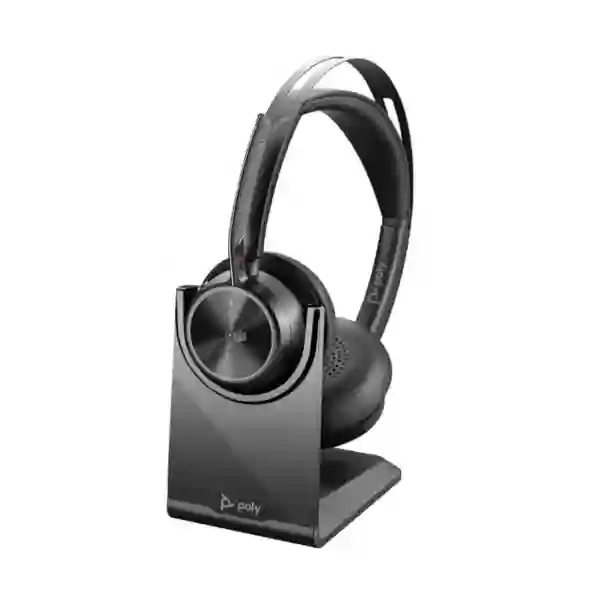
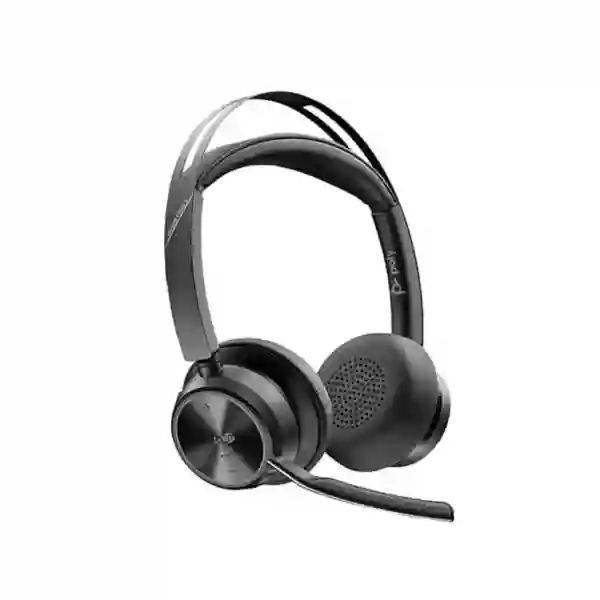
HP Poly Voyager Focus 2 UC Microsoft Teams USB-C Headset
A wireless stereo headset for focused work: reduce what distracts you, help people hear your voice and move between computer meetings and mobile calls with confidence.
The Poly Voyager Focus 2 Microsoft Teams USB-C headset is a strong fit for hybrid workers, busy office teams and purchasing managers evaluating professional audio. Confirm that the quoted bundle is the Teams-certified USB-C variant before purchasing.
Fast buyer summary
At a glance: the important features
| Design | Wireless, over-the-head stereo headset with an adjustable, cushioned headband |
|---|---|
| Listening noise control | Digital hybrid active noise cancellation: off, low and high |
| Microphone | Noise-cancelling boom with Poly Acoustic Fence; HP lists six microphones |
| PC connection | Supplied BT700 Bluetooth USB-C adapter; USB-C-to-USB-A adapter in reference package |
| Phone connection | Bluetooth connection to compatible smartphones |
| Collaboration | Microsoft Teams-certified configuration with dedicated Teams interaction |
| Battery | Up to 16 hours talk at HP default ANC/indicator settings; up to 25 hours with both off |
| Management | Poly Lens for supported device settings and updates |
| Reference bundle | HP manufacturer product number 9T9J4AA, without a charging stand |
These are product-family and reference-package specifications from HP, not a claim about current FourTeck Tanzania stock. A Teams-certified package is different from the standard UC package, and suppliers may quote different connector or accessory combinations. Use the actual manufacturer part number and written bundle description to verify the order.
Buyer fit
Who should consider this headset?
The Voyager Focus 2 is aimed at people for whom a headset is part of their daily workflow rather than an occasional accessory. A project manager may spend the morning on a Microsoft Teams status call, the afternoon reviewing documents while colleagues talk nearby, and the evening speaking with a customer on a mobile phone. The value is not merely wireless listening. It is the combination of concentration controls, intelligible speech pickup, familiar call controls and enough connection flexibility to reduce interruptions throughout that sequence.
For an individual professional, the most useful questions are whether the ear cushions remain comfortable through long sessions, whether microphone pickup is clear in the actual room, and whether a USB adapter can stay connected to the main computer. For an organisation, it is worth checking device consistency, user onboarding, supportability, spare accessories and whether Teams-specific controls are a requirement. Those practical considerations matter more than a single headline specification.
A two-ear design suits users who want to hear a conversation in both ears and prefer better separation from nearby speech than a single-ear headset can provide. It is not automatically the ideal choice for a reception desk where a user needs constant awareness of face-to-face visitors. Nor does it replace approved hearing protection in very loud environments. A buyer should match the form factor to the work setting instead of assuming one headset style is best for every role.
Remote staff, shared-office employees, administrative teams, analysts, consultants and meeting-heavy managers are plausible users. Call-centre teams can also evaluate it, although headset fleet management, hygiene, long-shift comfort, battery rotation and application-specific call controls should be tested before a large rollout. Organisations moving between home and office desks may particularly appreciate the portable design and carrying pouch in the reference bundle.
Configuration clarity
UC and Microsoft Teams versions: choose carefully
The name “UC” stands for unified communications. In headset terminology it generally describes interoperability with multiple software calling and meeting platforms. The Voyager Focus 2 family includes standard UC editions and Microsoft Teams-certified editions. They share many underlying audio capabilities, but they should not be treated as one identical stock-keeping item. HP explicitly distinguishes the Teams-certified configuration by its Teams-oriented controls and certification.
For a Teams-first organisation, the certified edition is the relevant starting point. HP describes the dedicated Teams function as helping users access the Teams application and notifications. That is useful when staff need consistent call-handling habits, but software behaviour can depend on application versions, connection method and device configuration. A certification label does not mean every function of every collaboration application will work identically or that the headset can substitute for a licensed Teams account.
For mixed-platform teams, check the workflows that matter most. A user might host calls in Teams, join a Zoom webinar and then answer a mobile call. The headset's Bluetooth audio connection supports versatile use, but advanced integrations such as launching an app, answering a softphone, showing presence or synchronising mute are not necessarily the same across all platforms. Test the precise application and operating system if a feature is business-critical.
HP's African product-specification page identifies the Microsoft Teams-certified USB-C configuration with manufacturer product number 9T9J4AA. The manufacturer's product number is useful for identifying the configuration; it is not being asserted as the FourTeck Tanzania SKU. A separate package is offered with a charging stand and should not be silently substituted. Ask for a written confirmation of the certification edition, adapter type and accessories on the quotation or invoice.
Ordering checkpoint: match “Teams-certified”, “USB-C BT700”, the presence or absence of a charging stand, and the manufacturer product number. Do not rely on the general family name alone.
Listen with more focus
Hybrid active noise cancellation: what it helps with
Active noise cancellation, or ANC, addresses noise that reaches the ears. The Voyager Focus 2 uses digital hybrid ANC with three available positions: off, low and high. The ability to change levels is important because an office is not acoustically constant. A low setting may feel preferable in a quieter room, while a higher setting can be useful when steady background sound makes it harder to concentrate on a meeting.
ANC should not be understood as a promise of silence. Its effect varies with frequency, headphone fit and the acoustic environment. Repetitive hums, some air-conditioning noise and continuous background sounds may be easier to reduce than a sudden voice at the next desk. Speech, abrupt impacts and other unpredictable noises can still be audible. The ear cushions provide additional physical attenuation, but their performance will also depend on how the headset sits on the wearer.
A practical way to evaluate ANC is to use it in the actual working area for a complete meeting, rather than trying it only for a few seconds. Listen for whether the participant's speech stays understandable at a comfortable listening volume. Move between the available levels to find a balance between isolation and awareness. Some workers may prefer ANC off when colleagues routinely approach their desks. Others may choose a stronger setting when drafting reports or participating in an uninterrupted call.
Because ANC processes sound heard by the wearer, it is separate from microphone noise cancellation. An office can have good microphone pickup while the user still hears background noise, or effective ear-side ANC while the person at the other end hears a noisy room. The Voyager Focus 2 addresses these two problems with distinct systems. Understanding that distinction makes the features easier to assess and prevents buyers from expecting one technology to do every job.
Better calls
Acoustic Fence microphone technology: help your voice stand out
A useful business headset needs to work from both ends of a conversation. Poly Acoustic Fence technology is designed to reduce unwanted surrounding sound in the transmitted microphone signal. HP lists a noise-cancelling boom microphone arrangement with six microphones for the referenced Teams-certified configuration. The boom gives the microphone system a consistent point of reference near the speaker's mouth while the processing aims to prioritise the speech that matters.
This is particularly relevant when someone works near other voices, keyboard noise, a fan or a lively household. In a real call, intelligibility depends on more than the microphone specification: microphone placement, speaking level, room reverberation, software processing and the receiving listener all contribute. A short test recording with the intended conferencing application is a sensible way to check how a user's voice comes across in their actual work environment.
The headset also allows a user to mute by rotating the microphone boom, alongside conventional mute controls. That physical gesture can be more memorable than hunting for an on-screen button during a meeting. The Dynamic Mute Alert is designed to notify users when they are talking while muted, helping avoid the familiar situation where a presenter gives an answer that no one else can hear. Exact prompts and behaviour may vary according to configuration.
For confidential conversations, microphone noise reduction should never be described as soundproofing. Someone physically close to the wearer may still overhear spoken words in the room, and the headset does not provide confidentiality for screen content or the network connection. A quiet location, appropriate meeting permissions and organisational privacy practices remain necessary. Acoustic Fence is an audio-quality feature, not a replacement for workplace security or privacy controls.
Collaboration
Microsoft Teams productivity in everyday use
When a company has standardised on Microsoft Teams, familiar hardware controls can remove friction. Staff do not need to reach for a mouse every time they wish to adjust volume, manage mute or answer a supported call. The Teams-certified Voyager Focus 2 option is designed for Teams-oriented interaction, with HP describing a dedicated Teams button and associated application functionality. That is a concrete reason to check certification rather than purchasing a generic Bluetooth headset based on appearance alone.
The practical gain is consistency. Consider a finance manager who attends several short meetings in succession. A quick physical mute action, incoming-call indication and predictable speaker output can help the meeting flow. At a customer service desk, clear speech and easier switching between a computer call and a mobile device may reduce the need to change equipment. Neither example implies a guaranteed productivity increase; results depend on how a team uses the headset and integrates it into its procedures.
Microsoft Teams certification is not the same as support for every Teams deployment, browser mode, VDI environment or third-party desk phone. Organisations with virtual desktops, strict endpoint security policies or managed software images should verify their exact setup with IT. If a special softphone feature is required, test it before a rollout. Bluetooth connectivity alone can carry audio without necessarily offering the advanced application commands expected by a contact centre or specialised call-control suite.
For mixed Windows and Mac workplaces, HP lists support across Windows 10, Windows 11 and macOS, together with Android and iOS mobile platforms. The statement describes platform compatibility, not unrestricted support for every application feature. Check the current operating-system build, permitted USB accessories and software support policy. This prevents a purchasing decision based on a broad compatibility term that may conceal differences in how a particular business application works.
Connectivity
USB-C, USB-A and Bluetooth: plan your connections
The reference 9T9J4AA bundle includes a BT700 Bluetooth adapter using a USB-C connector and a USB-C-to-USB-A adapter. The preferred computer setup is typically to use the supplied Bluetooth adapter, which gives the headset a dedicated route to the computer for supported voice and meeting features. A compatible smartphone can connect over Bluetooth without requiring that USB adapter. This arrangement is useful for someone who routinely uses both a laptop and a mobile phone for work.
“USB-C headset” can be misunderstood. In this configuration, the headset communicates wirelessly with the computer through a USB-C Bluetooth dongle; the connector name does not mean it is simply an ordinary wired USB-C pair of headphones. HP also supports USB audio via the charging cable for corded operation. Buyers should distinguish the wireless adapter, the USB charging/audio cable and any optional charging stand because they serve different purposes.
HP specifies Bluetooth Core 5.1 and a maximum wireless operating range of up to 50 metres for the product family under appropriate conditions. That figure should be treated as a laboratory-style maximum, not a promise that a worker can walk through multiple walls and retain a clear business call. Office partitions, wireless congestion, people, device positioning and building materials can reduce usable range. Test coverage within the actual work area rather than treating distance as a guaranteed service radius.
The device can remember up to eight paired devices, and HP's series information describes two-device multipoint connectivity. Remembered pairings are different from simultaneous active calls: a headset may remain connected to two sources without playing both audio streams at the same time. Before deployment, staff should practise what happens when a smartphone rings during a computer meeting. Call interruption and switching behaviour can depend on applications and device settings, so the right workflow deserves a short practical test.
Endurance
Battery life and charging: use realistic settings
Battery figures are especially important when evaluating a wireless work headset because they are easy to quote without context. HP lists up to 25 hours of talk time when ANC and the online indicator are switched off, and up to 16 hours with ANC and the online indicator enabled at the default configuration. The higher number is not an all-settings promise. A user who wants active noise cancellation and visible busy status should plan around the lower stated figure and their own call schedule.
For music playback, HP lists up to 40 hours with ANC off and up to 24 hours with ANC on. These figures are separate from talk-time ratings because playback and bidirectional calling place different demands on the electronics. Product condition, temperature, volume, Bluetooth behaviour and software settings may change actual performance. A realistic pilot should include a day's normal mix of calls, quiet work, short breaks and charging opportunities.
HP gives a charge time of less than two hours for the referenced configuration under its stated conditions. The included USB-C cable supports charging and corded audio operation. That corded mode is useful if the user needs to continue a call while the battery is low, provided the computer and application are configured for the USB audio path. Staff should not assume that plugging in a charging cable will automatically switch every call correctly; an initial configuration test is advisable.
A charging stand can make end-of-day storage and charging simpler for fixed desks, but the manufacturer's referenced 9T9J4AA package does not list a stand in the box. Other Focus 2 bundles do include a stand, and optional accessories may also be offered separately. Procurement teams should identify the actual package before comparing prices. A lower price for a headset-only bundle and a higher price for a stand bundle are not directly comparable unless those differences are written down.
Workday usability
Comfort, stereo audio and call awareness
A headset that performs well in a demonstration may still be uncomfortable in a long meeting. The Voyager Focus 2 uses an over-the-head design with cushioned ear pads and a supported headband. HP lists a weight of approximately 175 grams for the reference model. That relatively light design is relevant to extended desk use, although comfort remains individual and depends on head size, glasses, ear shape and how firmly the headset is adjusted.
Stereo listening can make remote meetings, recorded training and multimedia more pleasant than single-channel audio for users who prefer both ears covered. HP lists 32 mm speakers and a stated speaker bandwidth of 20 Hz to 20 kHz. These are product specifications, not evidence that a headset reproduces every frequency equally or has studio-monitor accuracy. For business use, intelligible speech, comfortable volume and reliable call handling are generally more useful criteria than raw frequency limits.
The headset includes an online indicator intended to signal that the user is on a call. In an office, that visual cue may discourage interruptions when nearby colleagues can see it. It should not be regarded as an enforceable privacy signal or a guarantee that another person will notice it. Managers should explain the workplace convention, and users should still choose a private location when conversations involve sensitive topics.
Smart sensor features can help with normal wearing and removal actions, and HP describes sensors that support intuitive calling and media controls. However, wear detection should be tried with the apps actually used by employees. Users with unusual wearing preferences or frequent sensor misfires may need configuration adjustments. The ability to adapt the headset to personal habits is valuable, but it should be supported by straightforward instructions rather than hidden assumptions about what the headset will do.
Local buying context
A practical headset for Tanzania business environments
For an organisation procuring headsets in Tanzania, the technical fit is only one part of the decision. Purchasing managers should clarify whether units are intended for a central office, distributed employees, field personnel who connect to laptops, or a mixed workforce. Each scenario can change the value of a carrying pouch, a USB-A adapter, desk charging and replacement accessories. The product's wireless capability can support flexibility, but it does not reduce the need for reliable connectivity to the actual meeting service.
Internet quality remains relevant even with a sophisticated headset. Bluetooth audio handles the local link between headset and computer or phone. Microsoft Teams then depends on the computer's network and service access. If remote participants sound broken or a call drops, the source may be Wi-Fi quality, congestion, the laptop, the meeting service or the internet route rather than the headset. A simple isolation test—record locally, then place a test call—can help identify where a problem begins.
Power continuity and endpoint management can also influence daily experience. A staff member using a laptop through variable charging conditions may benefit from keeping the headset charged and knowing how to use the USB cable for audio. A larger business may need a policy for adapter replacement, firmware updates and user training. Those are general deployment considerations, not claims about FourTeck's local installation capabilities, delivery reach, support response or stock availability.
Before committing a purchase, request written confirmation of the exact Teams-certified model, connector package, quoted currency, applicable taxes, availability, lead time and warranty handling for the particular supplier and transaction. HP publishes a manufacturer warranty description for the reference product, but local fulfilment and the route for claims must be confirmed by the selling party. No Tanzania-specific price, shipping commitment, authorisation status or warranty process is assumed in this listing.
Deployment steps
How to set up the Voyager Focus 2 for daily calls
1. Identify the actual package
Start by checking the model label, manufacturer product number and included accessories against the agreed order. For the referenced Teams-certified USB-C bundle, expect the headset, USB-C BT700 adapter, USB-C-to-USB-A adapter, USB-C charging cable, carrying pouch and quick-start information. A charging stand is not part of that particular reference package. If the delivered contents differ, pause and verify the supplier's bundle description before standardising the setup for users.
2. Connect the computer and select the audio device
Connect the BT700 dongle to a compatible USB-C port or use the supplied USB-A adapter when appropriate. Pair the headset if it is not already linked to the included adapter. Then select the correct Poly headset speaker and microphone in the operating system and the meeting application. Test both input and output; hearing the other person does not prove the microphone is correctly selected. Where an organisation restricts USB peripherals, confirm that use of the adapter is permitted by IT policy.
3. Configure Teams and personal controls
Open the intended Teams application and check the microphone, speaker and calling controls. Verify that the dedicated Teams function behaves as expected for the installed application version. Practise rotating the microphone boom to mute, returning it to the speaking position, adjusting volume and changing ANC level. Run a short test conversation with someone at the other end so they can evaluate clarity, not just the headset wearer's listening experience.
4. Use supported device management
HP identifies Poly Lens as the supported management software for device settings and updates. Where permitted, use the appropriate enterprise-approved version to review headset and adapter firmware and configure supported preferences. Updates should be planned around work schedules and performed according to the vendor's instructions. An IT team should decide how software installation, device ownership, support records and firmware consistency are handled across a fleet.
5. Add a mobile device and verify switching
Pair a compatible phone using its Bluetooth settings and the headset's pairing process. Test which device takes priority when a phone call comes in during a computer session, and teach users how to end, hold or switch calls under the actual application configuration. Save a simple quick-start note for employees: which USB port to use, which device to choose in Teams, how to mute, where to check battery level and whom to contact if pairing fails.
Decision guide
What buyers should compare before choosing a headset
The Voyager Focus 2 is a premium-style stereo Bluetooth headset in a category with multiple alternatives. A wired USB headset can be more economical and removes battery management, but it ties the user to the computer. A mono headset can preserve awareness of the surrounding office, yet it may be less suitable for someone seeking two-ear listening and focused multimedia. An earbud-style product can be highly portable, but not everyone finds small in-ear tips comfortable for hours of meetings.
Another choice is between standard UC and Teams-certified builds. Staff who rely heavily on Teams may value dedicated application controls. Others who spend equal time across several tools should assess whether the certified version adds useful functionality for their daily work. Connection connector alone is not enough: compare certification, supplied dongle, included stand, microphone system, comfort and software management on the exact quoted model.
Organisations should also think about fleet support. Can users identify their own USB adapters? Is a replacement adapter or ear cushion available if needed? Are charging habits practical for the length of a normal shift? Will software updates be manageable on work computers? Does the headset work acceptably with the organisation's VPN, remote desktop and conferencing setup? A short pilot with typical employees is often a more reliable guide than a specification sheet alone.
For price comparisons, insist on like-for-like bundles. A kit with a charging stand, a different USB connector or a standard UC configuration may have a different purchasing cost and a different user experience. It is better to evaluate the delivered package and working features than to choose solely by a headline price. Since no verified FourTeck Tanzania listing price was provided, this page intentionally does not make a price or stock claim.
Procurement checklist
Before you request a quotation
- Confirm whether the requested unit is the Microsoft Teams-certified edition or the standard UC edition.
- Ask for the exact HP manufacturer product number and a written package description.
- Check whether the Bluetooth dongle is USB-C and whether the USB-C-to-USB-A adapter is included.
- Determine whether a charging stand is included, optional or not required.
- Validate the intended operating system, meeting application and any specialised call-control workflow.
- Plan for realistic battery use when ANC and the online indicator are enabled.
- Ask the seller to confirm local pricing, tax treatment, stock, delivery and warranty procedures in writing.
- For multi-user purchases, test a sample unit for speech clarity, fit, wireless coverage and manageability.
For IT purchasing, a short written acceptance checklist prevents misunderstandings. A headset can be fully functional as a Bluetooth audio device while still lacking the specific Teams button or accessory combination the buyer expected. Clear requirements make it easier to compare offers, prepare employee instructions and reduce later support issues.
Clear answers for buyers
Frequently asked questions
Is the HP Poly Voyager Focus 2 a wireless or wired headset?
The primary mode is wireless Bluetooth audio. The referenced Microsoft Teams-certified USB-C package uses an included BT700 USB-C Bluetooth adapter for a computer and can connect to compatible smartphones over Bluetooth. HP also describes corded USB audio operation through the charging cable. These are different connection methods, so check the desired mode with your computer before deployment. A USB-C dongle is not the same thing as a headset that must remain physically plugged in during every call.
Is the UC edition the same as the Microsoft Teams edition?
No. The Voyager Focus 2 family includes UC and Microsoft Teams-certified configurations. They share central audio features, but HP distinguishes the Teams-certified option by its Teams certification and dedicated application control. Buyers should verify the exact product number on a quotation rather than infer certification from the general “UC” name. If Teams-specific call interaction matters, ask the seller to confirm the Teams-certified package explicitly.
Does the headset cancel background noise for the wearer and the caller?
It addresses both needs using separate technologies. Hybrid ANC aims to reduce noise heard by the wearer, with off, low and high settings. Poly Acoustic Fence and the microphone system aim to reduce unwanted noise sent to the other side of a call. Neither feature creates a completely silent environment. Room acoustics and microphone positioning still influence the outcome, so a test call in the intended workspace is useful.
How long does the battery last during calls?
For the referenced configuration HP lists up to 16 hours of talk time with ANC and the online indicator enabled at default settings, or up to 25 hours when both are off. Usage, age, wireless conditions and volume can influence real results. Plan battery use around the settings employees will actually leave enabled rather than using only the highest possible figure. The manufacturer lists a charge time of less than two hours.
Can I use it with a USB-A laptop?
The HP reference bundle includes a BT700 USB-C Bluetooth adapter and a USB-C-to-USB-A adapter. This allows connection to compatible computers with a suitable USB-A port. Actual device policies, operating-system support and meeting-app configuration still matter. Confirm the adapter is included in the particular package being supplied; other Voyager Focus 2 variants may come with different accessories.
Can I connect it to my laptop and smartphone?
HP describes computer use through the BT700 adapter and compatible phone use over Bluetooth. Series information also describes multipoint connectivity for two devices, with storage for up to eight paired devices. This should not be confused with simultaneous participation in two audio conversations. Try the handover between a Teams call and a mobile call under your actual device and application settings before relying on it in time-sensitive work.
Does a charging stand come in the box?
Not in the reference Teams-certified USB-C package identified here by HP manufacturer number 9T9J4AA. The manufacturer lists the headset, BT700 USB-C adapter, USB-C-to-USB-A adapter, USB-C charging cable, carrying pouch and guide. A charging-stand package is a separate configuration, so the presence of a stand should always be confirmed from the seller’s quotation rather than inferred from a product photograph.
Can I use the headset for Zoom or other meeting applications?
The Voyager Focus 2 family is designed for unified communications, and HP describes broad compatibility with popular voice platforms. Basic audio can work across supported applications, but dedicated Teams interactions, advanced mute synchronisation and call-control functions may behave differently elsewhere. Verify the particular app, operating system and connection method if one-touch call control is a required part of the workflow.
Is it suitable for a noisy open-plan office?
It may be a good candidate because it combines ear-side hybrid ANC and Acoustic Fence microphone processing. However, performance varies with the type and level of noise, headset fit and the surrounding acoustics. Its microphone should not be treated as a guarantee that no colleague will be heard, and ANC will not remove every sudden sound. Use an actual test call and a realistic listening session before buying at scale.
What is the maximum wireless range?
HP lists a wireless range of up to 50 metres for the product family under suitable conditions. The figure is an upper limit, not a guarantee through walls or across a busy building. Different USB positions, wireless congestion and other environmental factors can shorten usable range. If users need to move away from their desks during calls, test the actual route they expect to walk.
Does it work with Windows, Mac, Android and iPhone?
HP lists compatibility with Windows 10, Windows 11, macOS, Android and iOS. Actual app features depend on the host device, meeting software and supported connection path. A compatibility listing does not promise that each supported platform offers identical controls. Organisations using managed desktops, unusual USB restrictions or virtual desktop applications should test a sample unit against their current IT configuration.
What if my microphone seems muted or my call controls do not work?
First check the headset microphone boom position, hardware mute state and the microphone selected inside the meeting app. Confirm that the correct Poly device is selected for both microphone and speakers. Inspect pairing between the headset and BT700 adapter, and use vendor-approved Poly Lens tools to check settings and firmware where IT policy permits. If a feature fails only in one application, verify that app’s device permissions and supported call-control behaviour.
Is this an appropriate headset for business procurement in Tanzania?
It can be evaluated for business deployments because it offers a documented Teams-certified configuration, a standard Bluetooth computer adapter and features aimed at professional meetings. The correct purchase depends on the organisation’s applications, user needs, network environment and support processes. Local price, stock, shipping, warranty handling and any supplier-specific service commitments must be confirmed directly in the quotation; none are guaranteed by this product description.
What information should I send when asking for a quote?
State the full requested product name, the Teams-certified or UC edition, USB-C adapter requirement, approximate unit quantity, whether a charging stand is wanted, and the computers or call applications being used. Ask the seller to confirm the manufacturer part number and the accessories actually included. Where relevant, request written local commercial details and a procurement-friendly specification summary. Do not assume that a similarly named bundle is identical.
Request the right Teams USB-C headset configuration
Looking for the Poly Voyager Focus 2 Microsoft Teams USB-C headset for a single user or a business team in Tanzania? Ask FourTeck Tanzania for a quotation based on the exact model and intended application. Include your preferred USB connector, whether a charging stand is needed, and the number of units you are evaluating.
Before placing an order, confirm the Teams-certified edition, manufacturer identifier, accessories, delivery and local commercial terms in writing. This protects the buyer from confusing a standard UC configuration with a Teams-certified package or a headset-only kit with a stand bundle.




Reviews
There are no reviews yet.