
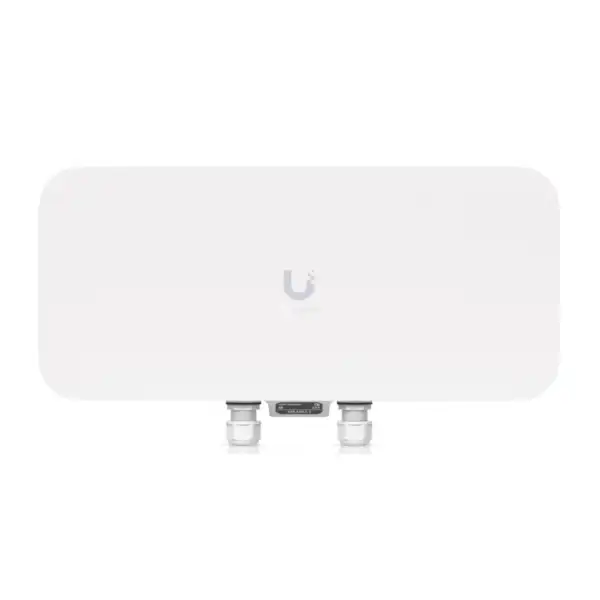
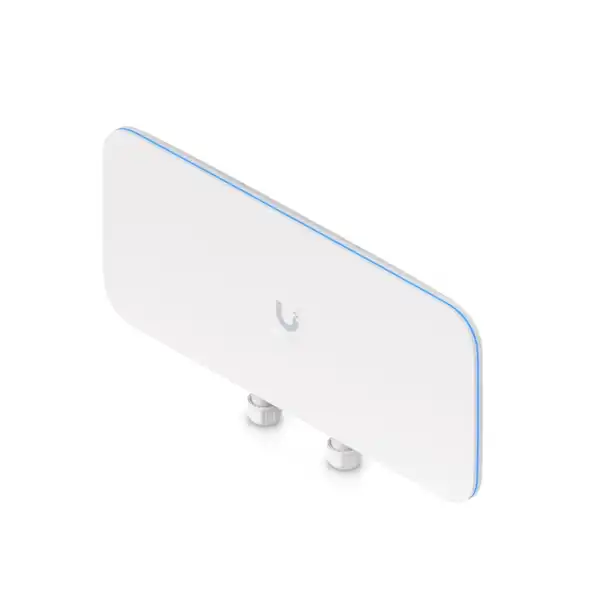
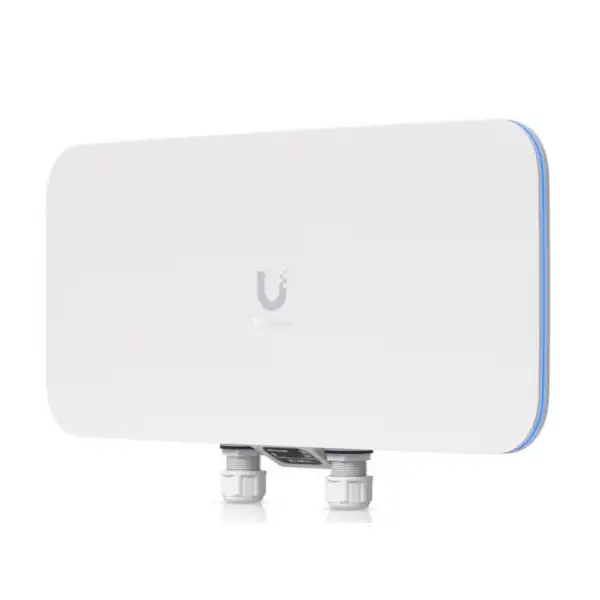
Ubiquiti E7 Audience (E7-Audience) — High-Density WiFi 7
Looking for Ubiquiti E7 Audience Tanzania guidance? This enterprise access point is designed for concentrated audience areas with directional WiFi coverage, twelve spatial streams, 10 GbE and PoE++ power. It does not have a 2.4 GHz radio, and 6 GHz use requires location-specific verification. Review the real deployment requirements before requesting an itemised quotation.
What the E7 Audience is designed to solve
The Ubiquiti E7 Audience is a high-density enterprise WiFi 7 access point designed for an audience concentrated inside a defined service zone. Its distinctive value is not merely a high theoretical speed. The product combines multiple radios with directional antenna patterns, high-speed Ethernet and specialist radio-frequency features so an engineer can build reliable wireless coverage in a crowded environment. It belongs in a planned network, not as a casual one-for-one substitute for a typical home or small-office access point.
The E7 Audience can be considered for lecture halls, large meeting rooms, assembly spaces, auditoriums and events where people connect many phones and laptops. Buyers should ask whether the space has a clearly defined audience area and enough aggregate traffic to justify a specialized platform. A building spread across many separate rooms may work better with several conventional access points. A mixed environment containing older 2.4 GHz equipment will also need other radios, because this product has no 2.4 GHz radio.
A successful choice begins with the expected busy-hour traffic, building layout, regulatory allowances and existing wired infrastructure. The page explains these practical requirements so Tanzania buyers can request a meaningful quote instead of relying only on impressive headline specifications.
Understanding the wireless hardware
Ubiquiti documents twelve spatial streams across three 4 x 4 radios: one 5 GHz radio and two 6 GHz radios. The product supports the WiFi 7 standard on applicable bands, with backward compatibility for supported earlier WiFi generations. Those twelve streams describe the radio system in aggregate; they are not twelve independent streams delivered to an individual phone. A typical mobile device supports fewer streams and narrower channels, so its actual performance will be lower than a theoretical AP-wide sum.
The manufacturer lists up to 11.5 Gbps PHY data rate for each 6 GHz radio under documented 320 MHz settings, as well as a headline 5 GHz PHY rate up to 8.6 Gbps under documented wide-channel conditions. These are wireless modulation rates, not measured application downloads. Packet overhead, signal quality, interference, client antennas, permitted channels and actual channel widths all affect usable throughput. Some nominal bandwidth settings may be unavailable in a real deployment.
For Tanzania, the decisive question is not whether the chipset includes 6 GHz. It is whether the particular regional hardware, UniFi country profile and current regulations support that operation. If they do not, the design must be evaluated on legally usable capabilities rather than on the published maximum aggregate radio potential.
| Standard and bands | WiFi 7; 5 GHz plus two 6 GHz radios; no 2.4 GHz radio |
|---|---|
| MIMO and streams | Three 4 x 4 radios; 12 spatial streams in aggregate |
| Interfaces | One 10 GbE RJ45 and one 1 GbE RJ45 |
| Power | PoE++; maximum 51 W per Ubiquiti documentation |
| Antenna options | Directional patterns around 15 dBi / 50° and 11 dBi / 90° |
| Published planning figures | Approximately 465 m² and more than 1,500 maximum clients; not guaranteed performance |
| Management | UniFi Network; verify supported version and firmware |
| RF tools | PRISM filtering, spectral analysis and advanced UniFi controls |
| Tanzania note | Confirm regulatory bands, device country profile and exact regional hardware |
Why 5 GHz and 6 GHz need separate planning
The 5 GHz band serves a wide range of modern laptops and phones, including devices using earlier WiFi generations. The 6 GHz band is relevant to compatible WiFi 6E and WiFi 7 clients and can create extra channel-planning options where local rules permit it. Do not assume that all recently purchased devices support 6 GHz. Regional client variants, operating-system support, wireless drivers and security requirements can affect compatibility. A realistic client inventory is more useful than an estimate based on how new the audience seems.
Wide wireless channels can be attractive for a speed demonstration, but the biggest channel is not always the right channel for high density. A broad channel consumes more spectrum, which can limit how closely multiple access points reuse frequencies. In a venue with overlapping cells, several carefully separated narrower channels may support more predictable user experiences than an aggressive maximum-bandwidth configuration. Signal quality and capacity must be balanced against interference.
The E7 Audience has no 2.4 GHz radio. This detail matters for certain scanners, older devices, printers and IoT equipment. If those clients need network access, plan additional 2.4 GHz-capable access points and apply appropriate network segmentation. Do not tell the buyer that a single E7 Audience will directly connect every category of wireless device.
Directional antennas and the shape of coverage
The E7 Audience includes directional internal antenna patterns that help an engineer direct useful radio energy toward an audience rather than broadcasting in every direction equally. Ubiquiti lists a narrower high-gain pattern around 15 dBi with approximately 50 by 50 degrees of beamwidth and a wider pattern around 11 dBi with approximately 90 by 90 degrees. These values describe antenna characteristics, not a guaranteed distance or a measured coverage footprint for a Tanzanian building.
A narrow sector may help serve a bank of seats, a stage-facing gathering zone or another focused audience area. A broader pattern may suit a different room shape or installation position. The choice depends on mounting height, tilt, ceiling geometry, obstruction and radio overlap. Wireless signals can be absorbed or reflected by building materials, audiovisual equipment and human bodies. A configuration that looks ideal in an empty auditorium may behave differently with a full audience.
Directional coverage should be drawn over the actual floorplan. Placement must account for entrances, aisles and places where people congregate away from the main seating area. Supplementary APs can serve those locations without forcing the E7 Audience to do a job for which its directional pattern was not intended. Survey and test rather than assuming one high-gain unit covers an entire property.
How to interpret client capacity
Ubiquiti gives a manufacturer maximum client figure above 1,500 for the documented model. That figure should not be interpreted as a guarantee that 1,500 people can simultaneously upload video, conduct calls or receive a fixed internet speed. Client association capacity and real-world usable application capacity are very different measures. Even lightly active clients use management airtime; busy devices consume substantially more. Client mix, channel conditions, security operations and upstream network limitations all influence the result.
Consider two scenarios with the same crowd size. At a seminar, hundreds of visitors may keep phones connected while occasionally viewing a schedule. At a training examination, every student may submit a file at nearly the same time. The second event can produce bursts that overwhelm an otherwise adequate configuration. High-bandwidth collaboration and live streaming also produce demands that cannot be predicted simply by counting connected devices.
The correct design target is successful user activity during the busiest expected interval. Estimate devices per person, the active percentage, typical traffic and the latency tolerance of important applications. Include additional capacity for registration surges and future growth. If the available regulatory radio bands are narrower than expected, revise the estimate before committing to the number of APs. Capacity planning should deliver a defensible result, not an unqualified marketing number.
Coverage claims versus a real floorplan
Ubiquiti documents a reference coverage area of approximately 465 square metres for the E7 Audience. This helps classify the product but cannot be used as a guarantee for a concrete hall, stadium, office or outdoor venue. The actual shape of useful coverage depends on the antenna pattern, mounting position, radio power, obstructions, clients and interference. A high-gain directional sector may provide effective service in its intended direction while leaving nearby corners less well served.
Walls, people and stage structures change the radio environment. If many users sit behind a thick obstruction, simply increasing transmit power may not address the return path from their mobile devices. The AP can transmit strongly while some client devices have much less power available. A well-designed link works in both directions. Engineers should check received signal quality and airtime behavior at the client as well as on the access point.
When planning several APs, map their intended boundaries and channel reuse. Too much overlap can create interference and roaming complexity, while too little can leave gaps. The objective is a predictable service area at the actual locations people use, verified by measurement. Treat the reference area as a starting point for discussion, not a substitute for a site survey and capacity validation.
10 GbE uplink and the wired backbone
The product includes a 10 GbE RJ45 interface and a separate 1 GbE RJ45 interface. A 10 GbE uplink is useful when the access point aggregates substantial traffic from many clients, especially where local applications or a fast network backbone must serve the audience. It does not mean a single wireless device will obtain 10 Gbps. The wireless link, client device, route through the network and destination service must all be considered separately.
Before selecting switches, check that both ends of the desired wired link can negotiate the intended speed. Existing copper cable should be tested for suitability, with attention to category, length, termination and installation quality. A switch may offer 10 GbE on some ports but lack an appropriate PoE++ delivery capability on those same ports. In that case, the design must address power and data compatibility together rather than treating the headline switch specification as enough.
Follow the full wired path from AP to gateway, internet circuit and internal services. A constrained aggregation uplink, undersized firewall or overloaded authentication service can become the bottleneck even if the E7 Audience reports a healthy 10 GbE connection. For events, the network should be sized for busy periods, not merely for average use. A good bill of materials includes the supporting infrastructure as well as the AP.
Secondary Ethernet and availability design
Ubiquiti describes the secondary 1 GbE port as part of its high-availability story for the E7 Audience. The presence of two Ethernet ports can support resilience planning, but it does not automatically create a fully redundant service. The exact behavior depends on the supported device configuration, switch topology, power delivery and the rest of the network. The secondary interface is not another 10 GbE uplink and should not be presented as equivalent to the primary data path.
A genuinely resilient design considers multiple potential failure points. A second cable is of limited value if both paths terminate on one unprotected power source or the same failed upstream switch. Conversely, redundant switching will not help if the AP cannot be powered through the resulting topology. Work from the actual manufacturer-supported failover behavior and test it with the chosen UniFi firmware and switching equipment.
For an event venue, decide in advance what failure recovery must achieve. Critical registration and staff services may need different guarantees from casual guest browsing. Document acceptable downtime and the operational procedure for restoring service. During commissioning, simulate relevant failures where it is safe to do so and measure the effect. The result is stronger than a claim that dual ports alone guarantee uninterrupted WiFi.
PoE++ power and switch budgeting
The E7 Audience is specified for PoE++ power and up to 51 watts of maximum consumption. This is a substantial power requirement compared with smaller office access points. Do not connect it to an arbitrary PoE port based on the assumption that all powered Ethernet equipment is interchangeable. Confirm the supported power method, the individual port power delivery and the total power budget of the switch or injector arrangement selected for the installation.
A multi-AP project needs its budget calculated across all powered devices, including cameras, phones and other network equipment. A switch might support a suitable power class on a port yet be unable to provide that level on every occupied port at once. Leave an appropriate engineering margin and consider how changes in load could affect operation. Where backup switching or power is planned, test the intended recovery sequence instead of assuming it works.
Cable performance and electrical installation also matter. Poor terminations, unsuitable cable paths or environmental exposure can affect reliability, especially at high link speeds. Confirm grounding and surge protection needs for the actual site and installation type. Separate the cost of compliant power and cabling from the device-only price, because a purchase that omits these components can lead to avoidable delays and unstable operation.
Tanzania spectrum and 6 GHz availability
In Tanzania, radio use must follow the current national regulatory framework. The Tanzania Communications Regulatory Authority publishes frequency allocation information and WLAN-related band plans that are relevant when choosing wireless equipment. Hardware capability by itself does not confer permission to operate on every frequency printed in a global datasheet. Rules may distinguish indoor and outdoor use, channel widths, equipment classes, transmit power and approvals.
At the time of this review, Tanzania was not included in Ubiquiti’s published list of countries supporting 6 GHz operation through its UniFi platform. This observation is a reason to verify carefully, not proof of a blanket legal prohibition. The buyer should confirm the regulator’s current requirements and the actual device’s UniFi country settings and firmware behavior. It would be misleading to promise unrestricted 6 GHz service, 320 MHz channels or North American automated frequency coordination support for a Tanzania installation without evidence specific to that use.
Make the regulatory decision part of the procurement brief. If the project depends on both 6 GHz radios, resolve their usability before ordering. If only the 5 GHz radio can be used, redesign the capacity plan around that constraint. A different AP mix or a higher number of 5 GHz cells could be needed. This up-front check avoids selecting expensive radio capability that cannot be used as imagined.
Regional model and environmental suitability
Ubiquiti’s regional product descriptions require care. Its North American E7 Audience materials describe an indoor/outdoor unit and list IP68 weather protection in the technical specification for that regional variant. The European Ubiquiti store’s E7-Audience listing describes an indoor access point. Those differences mean buyers should not transfer the North American environmental rating automatically to hardware quoted for the Tanzanian market.
Confirm the complete regional model designation before planning exposed installation. Ask whether the exact supplied hardware is intended for indoor, sheltered or fully outdoor use, and whether its permitted radio modes match the physical environment. A unit installed under a roof can still experience moisture, condensation and dust. Mounting equipment and cable connectors need environmental suitability of their own. Outdoor radio operation can also involve different spectrum limitations from indoor operation.
For a venue such as a temporary exhibition or sports ground, a safer approach may be to use an expressly approved outdoor product or place the E7 Audience inside an appropriately controlled environment. A supplier should specify the appropriate installation conditions rather than assume all units sharing a commercial family name are mechanically identical. In the quotation, ask for the exact variant and documentation that support the proposed mounting location.
Installation dimensions, mounting and alignment
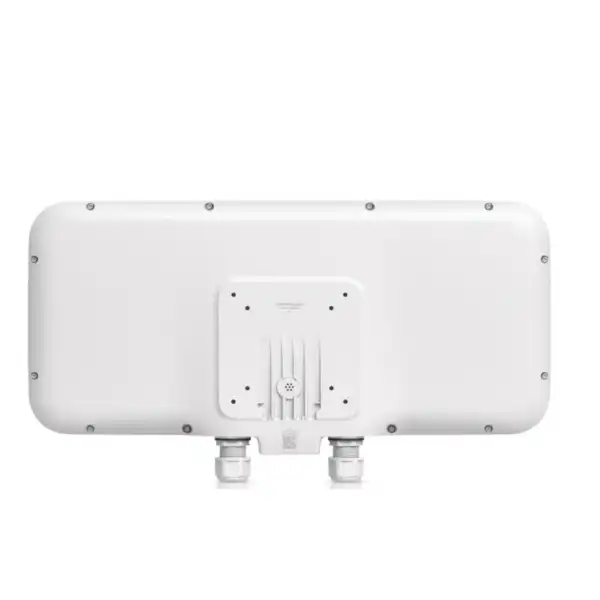
The E7 Audience is a substantial access point compared with compact ceiling-mounted models. Ubiquiti’s North American technical documentation describes a device around 474 by 266 by 42 millimetres and approximately 3.3 kilograms without the mount. The manufacturer also describes wall and pole mounting arrangements, with included mounting hardware and an optional VESA option for the documented configuration. Mechanical details and package contents should still be checked against the regional unit offered.
Mounting is a radio decision as much as a construction task. A slight change of direction can alter which seats or gathering areas fall inside the useful antenna beam. Choose a secure surface or pole, confirm bracket suitability and leave adequate access for future inspection. Cable entry and strain relief should be planned in advance. In a busy venue, an inaccessible location can make simple troubleshooting unnecessarily disruptive.
Use predicted coverage and real measurements to refine direction and orientation. Evaluate nearby structural elements, screens, suspended equipment and expected human obstructions. Where there are several audience sectors, give each device an intentional role rather than placing all units identically. Document the final alignment and mounting position so subsequent building work or maintenance does not accidentally change the planned wireless coverage.
PRISM filtering and spectral monitoring
The E7 Audience includes Ubiquiti’s PRISM RF filtering technology and real-time spectral analysis capabilities. These features are relevant to busy wireless spaces where neighboring networks or sources of radio energy may affect reception. PRISM is designed to improve radio selectivity, while spectral tools can help network staff understand interference conditions. Neither feature removes the need for good access point placement, sensible channel allocation and realistic capacity planning.
Interference problems are not always visible from a normal signal-strength indicator. A device can show a strong connection while suffering high retransmissions or poor throughput because airtime is congested. Network teams should inspect retries, channel utilization, noise conditions and client experience over time. Increasing transmit power may create more overlap between nearby cells and make the problem worse. The most productive adjustments can involve smaller cells, revised channel plans or better antenna aiming.
If the venue changes layouts frequently, collect baseline measurements for typical configurations. Large audiovisual systems, other temporary networks and changes in crowd position can alter results. Review the environment before important events instead of relying on the initial installation survey forever. Effective use of PRISM and monitoring is part of a managed operating process, not a guarantee that the product will perform optimally with no engineering.
Guest WiFi and secure segmentation
Crowded venues often support several types of users simultaneously. Guests may need internet-only access, staff may require access to internal business systems, and operational equipment may use dedicated networks. The E7 Audience is managed by UniFi Network, whose supported feature set includes guest isolation, captive portal capabilities, client isolation and advanced authentication options. These are useful building blocks but not a complete security policy on their own.
Start with the services each user group should reach and keep unrelated networks separated. Plan appropriate SSIDs, VLAN assignments, gateway rules, authentication methods and bandwidth policies. A guest network should not be able to reach staff resources merely because both use the same physical access point. If vouchers or captive portals are used, test sign-in workflows on the devices guests actually bring. Poor portal reliability can produce long queues and support issues even when the radio link is healthy.
Wireless security choices must also fit band and client capabilities. Ubiquiti notes that 6 GHz networks use WPA3 or OWE-based security arrangements in applicable operating modes. Legacy clients may require a different SSID on another supported band. Where sensitive operational systems are involved, consider independent application controls and proper monitoring. The goal is reliable access with deliberate trust boundaries, not simply the largest possible number of visible networks.
Campus, conference and auditorium scenarios
An auditorium presents a concentrated audience with predictable seating, making directional WiFi a potentially useful design approach. However, dense seating can also absorb radio signals and create sudden connection bursts when an event begins. If an audience is asked to participate in live polling or download learning material, those synchronized activities should drive the capacity estimate. The E7 Audience can form part of the solution when its antenna pattern and supported bands fit the space.
Conferences and exhibitions create different demands. Visitors may move continuously between rooms and stands, while exhibitors need dependable operational connections. Plan coverage at entrances, registration points and corridors separately from coverage of the main audience. Keep guest and staff networks logically separated and make sure local services remain available when internet bandwidth is congested. A single powerful directional AP may not be the right tool for dispersed traffic zones.
In education and enterprise assembly spaces, many users bring more than one device. Older equipment may be 2.4 GHz-only, while newer clients may support wider 5 GHz or permitted 6 GHz operation. Survey the actual device population. Do not assume that a modern WiFi 7 AP alone resolves roaming, security, application capacity and cable infrastructure. A well-designed multi-AP network often offers a better user experience than focusing all spending on one device.
Capacity calculations for peak events
Start with people, devices and applications rather than quoting a maximum-client number. Estimate the largest crowd, average devices per person and proportion transmitting during the busiest period. Then separate background messaging from interactive learning tools, video uploads, cloud software and voice applications. The required bandwidth and acceptable delay can differ enormously. A registration system might be modest in raw throughput but intolerant of repeated disconnections.
Next, identify where traffic concentrates and how it changes during the event. A welcome session may place nearly everyone in the auditorium, whereas break periods move users into corridors and refreshment areas. That pattern informs antenna sectors and the need for complementary access points. Record which applications access local servers and which depend on an external internet circuit. An AP with a capable 10 GbE port cannot overcome limited upstream service capacity.
Finally, calculate a sensible engineering margin for interference, retransmissions, client variability and new applications. Validate assumptions with a realistic loading test or at least with carefully measured representative traffic. When 6 GHz use is not confirmed in the deployment region, do not treat its theoretical capacity as part of the available resource pool. A defensible capacity plan can result in fewer surprises, a more accurate quotation and measurable acceptance criteria for the finished network.
A practical site-survey brief
A useful survey begins with a floorplan marked with seats, entrances, stages, partitions, available mounting points and cable routes. Provide maximum occupancy rather than only the average. If a venue changes layouts, include the common alternatives. List the main applications and their expected traffic patterns. These details help determine whether a directional E7 Audience is appropriate or whether ordinary access points distributed around the building would be more effective.
The technical survey should inspect existing switching, usable 10 GbE ports, PoE++ capability, current UniFi Network version and the wired uplink path to application services. Record any existing APs, known interference problems and places where clients experience weak or inconsistent service. Identify legacy 2.4 GHz devices so they are not inadvertently excluded from the upgrade. Include any security or segregation requirements for business systems and temporary visitors.
For the Tanzania deployment, confirm the intended installation environment and regulatory country profile. Ask who will validate permitted frequencies and hardware approvals. Outdoor plans need a specific regional-device and environmental review. Document assumptions and uncertainties clearly, including questions the supplier must resolve before the price can be finalised. The outcome should be a design discussion supported by evidence rather than an equipment list based entirely on site size.
Procurement checklist and bill of materials
An itemised quote should identify the complete manufacturer and regional model designation, plus the proposed quantity of access points. The label E7-Audience is a model designation; it is not proof of the target seller’s internal SKU. Only an explicitly verified FourTeck Tanzania listing identifier should be treated as a local SKU. Price, taxes, availability and delivery arrangements should be confirmed in the actual quotation rather than inferred from a foreign store’s listing.
Include compatible PoE++ delivery, switching with suitable link speed, copper cabling or backbone changes, mounting hardware and any required protective installation components. Where a redundant connection is part of the design, specify the needed switch and power topology. Confirm the intended UniFi Network management environment and firmware compatibility. Ask whether site survey, installation, configuration, testing and training are included or separate items. Do not assume that one device price covers every part of a high-density deployment.
The quote should also clarify expected operation in Tanzania. If the proposed design relies on 6 GHz, require regulatory and vendor verification rather than only a datasheet entry. Match the environmental rating to the actual location. Finally, establish the acceptance method: which applications must work, at what expected occupancy and with what measurement or test evidence. Clear scope reduces both technical and commercial misunderstandings.
Deployment and commissioning process
Begin with the approved RF plan and confirm the regulatory operating bands. Use the audience layout to choose mounting locations, directional patterns and the number of coordinated access points. Verify that cable pathways and supporting structures suit the installation. Configure the network backbone and validate the switch’s PoE++ budget and negotiated link speed before assuming the AP is ready for service.
Adopt the device using a supported UniFi Network version, apply an approved firmware release and configure SSIDs, authentication, network segmentation and wireless radio settings. Review channel width and transmit power in the context of the full venue, not as isolated maximum values. If the secondary Ethernet connection is part of a resilience design, test the supported failure behavior. Confirm that critical business applications, DNS, DHCP and captive portal services work as intended.
After installation, measure the signal and service quality from the areas people actually occupy. Verify multiple client generations, expected application traffic and roaming near cell boundaries. Record results under conditions as close as practical to the busiest event. Document the final physical alignment, cable and switch ports, management settings and the known limitations. Handover should include a clear support procedure so the network can be maintained after the installing team leaves.
How to validate real user experience
A speed test in an empty room can be a useful initial check, but it cannot prove that hundreds of guests will have dependable connectivity. Test where users sit, stand and queue, with representative phones and laptops. Compare the results with the applications that matter: login time, registration transactions, collaboration quality, voice stability or acceptable browsing response. Different applications have different tolerances for delay and packet loss.
Monitor signal-to-noise conditions, retransmissions, channel utilization, negotiated Ethernet rate, client association stability and network service performance. Where possible, examine results during a realistic busy period. A location showing a strong WiFi signal may still experience congestion. Equally, a well-performing wireless connection can be undermined by a slow upstream firewall, internet link or DNS service. Diagnose the full path instead of assuming every problem originates at the access point.
Keep an acceptance record of expected traffic, measured results and any exclusions. Review the design when the venue adds walls, seating, equipment or neighboring wireless networks. Treat 6 GHz status and permitted channel operation as explicit design assumptions subject to current country support and law. Practical validation gives the buyer meaningful evidence of value rather than a repetition of theoretical radio rates.
Maintenance, troubleshooting and lifecycle planning
Wireless conditions change as buildings and client populations evolve. Keep UniFi Network and access point firmware aligned with supported manufacturer versions and implement updates through a controlled maintenance process. Save network configuration and a baseline of signal, channel usage and client experience. Without a baseline, it can be difficult to tell whether a later event problem is caused by a new client type, an upstream connection change or increased radio interference.
When performance drops, identify whether the issue affects all clients, a particular seating sector or one device family. Inspect radio airtime and retries, switch-port errors, PoE power status, DHCP and authentication. Review antenna alignment before increasing transmit power. If a device disconnects only under high load, investigate capacity and power conditions. If the entire venue loses service, test the wired network and gateway as well as the AP.
For venues with important events, create a pre-event checklist and a clear escalation procedure. Check the internet link, wired port speed, guest-login flow and operational device access. A hardware replacement or new firmware version should trigger a recheck of important settings. Long-term success depends on accountable monitoring, configuration records and periodic site verification, not only on the capabilities of the installed access point.
Choosing the right alternative when E7 Audience is not suitable
The E7 Audience is a specialised tool, not a universal default. Small offices, scattered rooms and mixed legacy environments may benefit more from multiple general-purpose UniFi access points. Such products can offer coverage patterns better suited to ceilings and, depending on model, direct 2.4 GHz service. A large access point aimed at one sector cannot replace thoughtful planning for rooms, stairwells and corners beyond its useful beam.
If 6 GHz is unavailable or unsuitable for the intended Tanzania project, re-evaluate the advantage of this model relative to other access point choices. Consider how much traffic can be served on the confirmed 5 GHz resources, the quality of the directional cell and whether more than one AP is justified. Do not compare devices only by combined theoretical PHY rates; compare actual supported frequencies, channel reuse, cost of switching and the applications needing service.
Also distinguish E7 Audience from separately named E7 Audience Indoor and from North American regional product variants. Similar names do not establish the same weather rating or spectrum permissions. The correct solution is the one that delivers the target application experience within legal, mechanical and budgetary constraints. A well-scoped alternative can be a better purchase than an advanced device whose intended features cannot be used at the site.
What to ask FourTeck Tanzania before ordering
Share the purpose of the wireless network, expected user count, room or venue diagram and applications that need dependable service. Note whether the deployment is indoor, sheltered or exposed to weather, and list the switching, cabling and power equipment already installed. Tell the supplier about older 2.4 GHz-only devices and whether the network must support guests, staff or operational equipment through separate security policies.
Request a quotation that names the exact E7-Audience regional variant and clearly lists the required supporting hardware. Ask how the proposed solution will handle 10 GbE connections, PoE++ power and any redundancy requirements. Where 6 GHz operation is part of the proposal, require specific confirmation of current Tanzania regulatory and UniFi country-profile support. If confirmation is not available, request a capacity plan based only on features that can be used.
Avoid relying on guessed local pricing, stock levels, delivery times or support guarantees. Those details must be confirmed against a real commercial offer. A good buying conversation should lead to a measurable implementation plan, including site survey, configuration, testing and handover responsibilities where agreed. FourTeck Tanzania can use this information to discuss the configuration and provide the appropriate next purchasing step.
Frequently asked questions
Does E7 Audience include a 2.4 GHz radio?
No. The documented E7 Audience operates on 5 GHz and 6 GHz, with no integrated 2.4 GHz radio. A network serving 2.4 GHz-only printers, handheld devices or older equipment needs additional compatible APs. The presence of other radios should be planned deliberately rather than discovered as a compatibility issue after installation.
Is 6 GHz available to the E7 Audience in Tanzania?
It must be verified. Tanzania did not appear in Ubiquiti’s published supported-country list at the review date. That does not by itself establish a legal ban, but it means a deployment should not promise 6 GHz operation without checking current TCRA rules, the exact regional device and the UniFi country profile.
What does the 1,500-plus client specification mean?
It is a manufacturer maximum-client figure, not a promise that 1,500 simultaneously active people will each receive a specified speed. Practical capacity depends on active applications, channel availability, client antennas, interference, airtime use and the upstream network. Busy-hour load testing and a properly sized multi-AP design may be required.
Will the 10 GbE uplink give my laptop 10 Gbps?
Not automatically. The 10 GbE port is the access point’s wired interface. An individual client’s WiFi link depends on its own radios, channel width, signal quality and protocol overhead. Application speed also depends on the network beyond the access point. Evaluate realistic performance instead of treating an interface speed as a client guarantee.
What power infrastructure is required?
Ubiquiti specifies PoE++ and up to 51 W consumption. Verify the actual switch port’s power capability, total available PoE budget and wired link requirements. A basic low-power PoE injector or a switch with inadequate remaining budget should not be assumed suitable. Proper cabling and power planning are part of the purchase.
Can this exact model be installed outdoors?
Confirm the regional version. North American Ubiquiti documentation describes indoor/outdoor use and lists IP68, but the European E7-Audience listing identifies an indoor device. Do not automatically apply one region’s enclosure rating to another. Verify the actual hardware’s environmental conditions and permitted outdoor radio operation before specifying it.
Can one E7 Audience cover a whole stadium?
Do not assume it can. The manufacturer’s reference coverage and client figures do not replace a venue survey. Directional beam shape, seating geometry, obstacles and traffic density determine useful coverage. Large sites usually need several coordinated radio cells, appropriate switching and a tested capacity plan rather than one centrally placed AP.
How does the second Ethernet port help?
The product provides a primary 10 GbE interface and a secondary 1 GbE interface associated with high-availability designs. The actual failover outcome depends on supported configuration, switching, power and upstream paths. It should be tested rather than assumed, and the secondary port must not be presented as another 10 GbE connection.
Does the AP work with existing UniFi infrastructure?
The device is managed by UniFi Network and has manufacturer software version requirements. Check the installed management version, supported firmware, switching compatibility and network architecture. The availability of a familiar UniFi interface does not prove that every legacy component, access policy or country-specific wireless feature is immediately compatible.
What information is needed for a useful quotation?
Provide a floorplan, peak attendance, devices per person, important applications, required security groups and the existing switch and power inventory. Confirm the installation environment and whether 6 GHz is necessary. Ask for a quote naming the precise regional model, required accessories, compliance assumptions, installation scope and acceptance criteria.
Request an E7 Audience project quotation
For Ubiquiti E7 Audience Tanzania purchasing decisions, share your venue layout, expected attendance, device mix and current network. Ask FourTeck Tanzania for an itemised quote that names the exact regional unit and any necessary PoE++, switching, cabling or complementary access points. Confirm local frequency support and environmental suitability before committing to a deployment built around 6 GHz or outdoor operation.
An effective proposal should explain what is included, what remains to be verified and how successful service will be measured. No Tanzania stock, price, delivery timeline, warranty or installation service is promised by this guide.
Contact FourTeck Tanzania to discuss your requirements




Reviews
There are no reviews yet.