
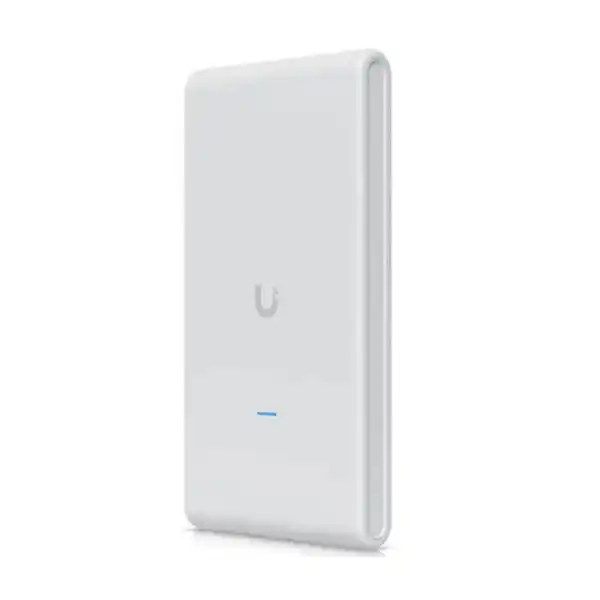
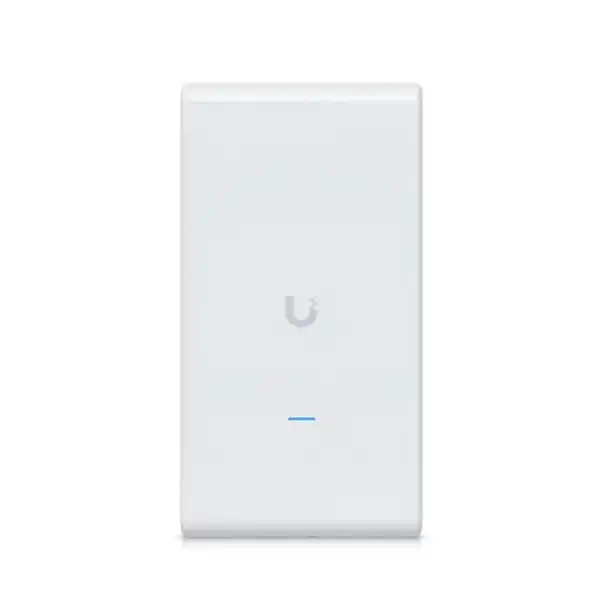
Outdoor-ready UniFi WiFi 6 access point
Ubiquiti U6 Mesh Pro (U6-Mesh-Pro)
Need managed WiFi for a courtyard, business compound, outdoor work area, or a broader mixed indoor-outdoor network? The Ubiquiti U6 Mesh Pro combines dual-band WiFi 6, an IPX6-rated housing, PoE power, and a wired Gigabit passthrough connection. It is best evaluated as part of a properly designed UniFi network, with the right uplink, installation position, and security policies for the site.
For buyers searching for Ubiquiti U6 Mesh Pro Tanzania, the practical next step is to request a quote based on the intended installation. No local price, stock level, delivery date, installation promise, or warranty term is assumed on this page.
Verified U6 Mesh Pro specifications
These are manufacturer-listed capabilities for the precise model. Maximum radio data rates, planning coverage and associated-client figures are not guaranteed outcomes at a particular location.
| Exact model | U6-Mesh-Pro |
|---|---|
| WiFi technology | Dual-band WiFi 6 (802.11ax), 2.4 and 5 GHz |
| Spatial streams | Four total; 2 × 2 on each band |
| 5 GHz maximum radio rate | 2.4 Gbps at 160 MHz channel width |
| 2.4 GHz maximum radio rate | 573.5 Mbps at 40 MHz channel width |
| Indicative coverage | 185 m² (2,000 ft²), site-dependent |
| Manufacturer-listed maximum client count | 250+; not a simultaneous throughput guarantee |
| Wired interfaces | Two Gigabit Ethernet RJ45 ports; one passthrough |
| Power | PoE, up to 9 W; supported input 42.5–57 V DC |
| Weather protection | IPX6 water protection |
| Mounting | Wall or pole; mounting hardware listed as included |
| Dimensions | 343.2 × 181.2 × 60.2 mm |
| UniFi management | UniFi Network version 8.1.127 or later |
Who the U6 Mesh Pro is designed to serve
The U6 Mesh Pro suits a buyer who needs dependable managed WiFi across an open or semi-open environment and wants an access point intended for both indoor and outdoor placement. Examples include a hotel courtyard, the exterior of an office block, a workshop perimeter, a campus walkway, a venue with a broad guest area, or a retail compound. The product is a WiFi access point rather than an internet subscription, cellular modem, or complete standalone security gateway. It extends an existing network and works within Ubiquiti’s UniFi Network management environment. A suitable router, switching infrastructure, and upstream internet service remain separate decisions.
The buying question is not simply whether WiFi 6 is faster than an older standard. A useful assessment asks where people stand or sit, whether they need roaming between areas, what walls or steel structures obstruct the signal, where Ethernet can reach, and whether there is stable power at the chosen mounting point. For Tanzanian sites with open yards, covered outdoor circulation space, and mixed building materials, placement and backhaul can matter as much as the access point model. Request a network assessment or quotation based on the actual site instead of assuming one device will solve all coverage problems.
A practical reading of the headline specifications
This dual-band WiFi 6 access point operates on 2.4 GHz and 5 GHz, with two spatial streams on each band and four spatial streams in total. Ubiquiti states a maximum radio link rate of 2.4 Gbps on 5 GHz at a 160 MHz channel width and 573.5 Mbps on 2.4 GHz at 40 MHz. These figures describe idealized radio data rates under specific conditions; they are not a promise of internet download speed, sustained application throughput, or simultaneous capacity for every client. The uplink is Gigabit Ethernet, which also sets a practical boundary on wired traffic leaving the access point.
Ubiquiti currently lists an approximate coverage area of 185 square metres and a maximum client count of 250-plus. Treat each as a planning reference rather than a guaranteed radius, a guaranteed client experience, or a reason to skip a survey. A large number of connected devices may still produce weak application performance if many are active at once. Available bandwidth, airtime usage, application demands, network configuration, interference, and signal quality all affect the result. For decision-making, the most important distinction is between what the hardware supports and what a real deployment can deliver in a particular location.
WiFi 6 benefits without inflated speed promises
WiFi 6, also known as 802.11ax, brings capabilities intended to improve use of shared wireless airtime when supported by client devices and configured appropriately. The U6 Mesh Pro supports dual-band operation, MU-MIMO, and management features that help a network administrator tune a busy environment. This can be valuable where employees, guests, scanners, phones, and tablets all connect in a relatively compact area. It does not mean every device will negotiate a WiFi 6 connection; older compatible wireless clients may continue using their supported WiFi generations and bands.
Consider the workload before selecting a channel plan. Browsing, messaging, cloud applications, voice calls, and video meetings behave differently when radio airtime becomes crowded. A high link rate in a quiet test does not predict the experience of multiple active users at the same time. It is more useful to define a target for acceptable connectivity in critical areas, then measure coverage and performance during a realistic busy period. If client devices are predominantly older, or the internet connection is constrained, a carefully positioned access point may improve reliability more than a headline specification alone suggests. Design around users, not the maximum number on a brochure.
Understanding 2.4 GHz and 5 GHz at the site
The two bands serve overlapping but different practical needs. The 2.4 GHz band often remains useful for certain older devices and equipment that cannot connect on 5 GHz. Its comparatively limited clean channel space can make it vulnerable to congestion, particularly where multiple neighbouring networks operate. The 5 GHz band is normally a strong choice for modern client devices and higher-capacity applications, but signal quality can change significantly with distance, walls, orientation, and the intervening environment. A broad outdoor area is not automatically free of radio interference.
A deployment can provide one carefully designed wireless network name across both bands, with policies and radio settings chosen for the intended clients. Band steering is supported by the product, but real roaming and band selection depend partly on device behaviour. Avoid forcing every legacy device onto an inappropriate configuration. For printers, scanners, monitoring terminals, and other specialist equipment, verify the actual wireless bands and security modes in advance. For guest devices, test both near and at the boundaries of the coverage area. A sound design pays attention to successful connections and application stability, not only whether a WiFi symbol appears on a phone.
Coverage: why 185 square metres is a reference, not a guarantee
The manufacturer’s 185-square-metre coverage figure is useful when creating a preliminary bill of materials, but it cannot predict a specific floor plan or outdoor compound. A broad, clear courtyard is different from an area divided by concrete walls, stacked goods, refrigerated equipment, metal fencing, glass partitions, or wet foliage. Even within one site, devices close to ground level can experience a different signal from devices at a higher elevation. Moving the access point a small distance may materially change the usable service area.
Start with a simple site sketch marking buildings, walking paths, guest seating, workstations, trees, powered cabinets, and possible cable routes. Identify where minimum service quality is essential rather than chasing the largest nominal footprint. If the edge of a property is a high-priority work zone, place test clients there and verify connection quality in both directions. Some devices can hear an access point better than they can transmit back to it. In that case, increasing access-point power is not a complete fix. Multiple well-positioned APs with appropriate channel planning may produce a better result than expecting one radio to cover every corner. The final number of devices should follow measurement and usage, not a fixed area formula.
What IPX6 weather protection means
The U6 Mesh Pro has an IPX6 weatherproofing rating in Ubiquiti’s technical specification. This supports suitability for exposed outdoor installations where the equipment may encounter strong water jets or rain, when mounted according to the installation guidance. It does not mean the unit is designed to operate underwater. The X in IPX6 also means that this designation does not establish a particular dust-ingress rating. Buyers should not convert the water-protection rating into a blanket claim about every outdoor hazard.
Outdoor reliability depends on the complete installation, not only the enclosure. Position connectors and cable exits as instructed, avoid routing water along the cable into an exposed termination, and check the mechanical strength of the wall or pole attachment. Use appropriately rated outdoor Ethernet cable and consider surge and grounding protection where the site demands it. In coastal areas, examine corrosion exposure on mounting hardware and cable accessories. In hot, sunny locations, allow for proper ventilation and avoid improvised enclosures that trap heat. Installation conditions are particularly important because the access point operates at the end of a network cable, sometimes far from the main equipment room. Planned inspection is still worthwhile even with outdoor-rated hardware.
Wall or pole mounting and antenna orientation
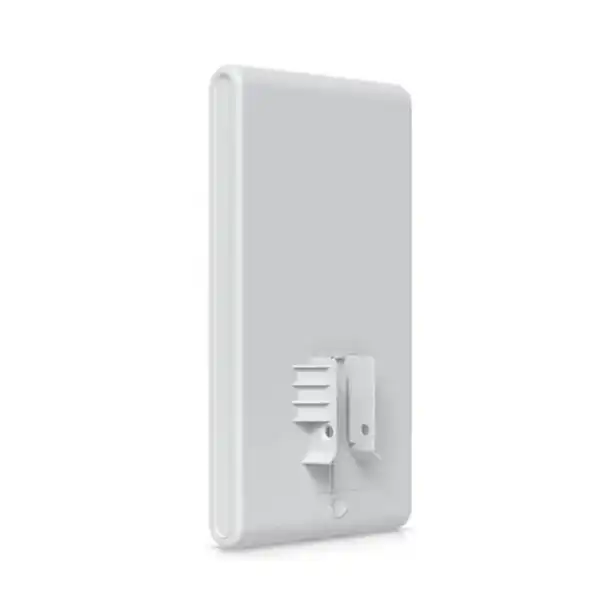
Ubiquiti supplies wall and pole mounting options for the U6 Mesh Pro, and the unit is not a tiny ceiling puck: its listed dimensions are 343.2 by 181.2 by 60.2 millimetres, with a weight of approximately 819 grams. Confirm that the mounting position provides safe access, a suitable substrate, enough room for the housing, and a protected cable path. The supported pole diameter range is approximately 25 to 63.5 millimetres. Hardware selection should also account for wind loading, movement, and the condition of the existing structure.
An access point mounted far above the users is not automatically better. Height can help clear obstacles but may also produce an undesirable geometry for seated clients or devices close to ground level. A suitable location balances visibility into the target service area with a manageable cable route and safe maintenance access. Do not bury the access point behind metal, put it in a closed metal cabinet, or assume a visually convenient corner is the best RF location. Where coverage is critical, a temporary test mount followed by measurements can reduce the risk of costly relocation. Any adjustment should be checked for both network signal and physical safety before the installation is signed off.
Power over Ethernet and installation planning
The U6 Mesh Pro is powered through PoE. Ubiquiti lists a maximum consumption of 9 watts and a supported input range of 42.5 to 57 volts DC, and its current technical listing identifies a PoE adapter as included. The exact contents of a locally supplied package should still be checked when requesting a quotation. A suitable PoE-capable network switch or compatible injector can deliver power over the Ethernet run, reducing the need for a separate mains outlet at the access-point location. That does not eliminate the need for safe electrical and cable installation.
Before installation, confirm the powering equipment, available PoE capacity, cable type, distance, connectors, patching, and upstream switch configuration. If the site uses a shared PoE switch, budget for the combined consumption of all devices rather than one access point in isolation. If connectivity must remain available during mains interruptions, consider the backup power requirements of the router, controller host where applicable, switches, and internet connection as a system. A powered access point without a functioning uplink will not provide useful internet access. Document the network port and power source so technicians can isolate faults quickly when the equipment is mounted remotely.
The second Gigabit Ethernet port: useful, but specific
The model includes two Gigabit Ethernet RJ45 network interfaces, with one used for the network and PoE input and the second presented as a Gigabit passthrough connection. This can be helpful when an installation needs a nearby wired data connection in addition to wireless coverage, provided that the intended network topology and switch settings allow it. However, a passthrough Ethernet data port must not be assumed to supply PoE power to another device. Confirm the power requirements of anything connected downstream and provide an independent compatible power source where needed.
Think about the entire path from client to switch. The presence of two physical ports does not turn this access point into a full-featured managed distribution switch, a multi-gigabit router, or an unlimited bandwidth gateway. Gigabit Ethernet is a shared transport consideration for traffic carried through the unit. If a nearby camera, terminal, or additional network device is part of the plan, confirm the necessary VLANs, address assignment, access policies, and cabling on the actual installation. For higher-throughput backbones or more numerous wired devices, use a suitable dedicated switch and network design rather than relying on the passthrough port to perform a role it was not built for.
Wired uplink or wireless mesh: how to choose
The word Mesh in the product name does not require every U6 Mesh Pro to connect wirelessly. Where Ethernet can be installed safely and economically, a wired uplink is generally the preferable starting point for stability, capacity, predictable latency, and fault isolation. Wireless meshing remains useful when a cable route is impractical, for example between portions of a compound where civil work would be disruptive. In that case the remote AP needs an adequate power source and a strong radio connection to an appropriate upstream UniFi AP.
Ubiquiti’s guidance notes that each wireless mesh hop reduces available throughput and recommends keeping the number of wireless hops low. Placement of mesh APs must account for the signal between APs, not just the signal from the remote AP to nearby users. A remote device can provide strong bars to a phone and still have a poor upstream link. Survey the proposed parent AP, distance, obstructions, and interference at the intended mounting location. Avoid a design that depends on several weak repeater hops to reach the internet router. For demanding applications such as busy guest networks, high-rate media transfer, or operational systems, obtaining a wired path may justify its installation cost over the device’s life.
How to plan a mesh uplink properly
Begin by identifying which access point has a direct wired path to the LAN. Then determine whether the remote AP can maintain a strong and stable 5 GHz relationship with its parent under realistic conditions. Ubiquiti’s wireless-meshing guidance recommends aiming for roughly minus 60 dBm or stronger signal between the meshed AP and its parent. This is a design reference, not a substitute for measuring real throughput, packet loss, or application quality. Nearby buildings, moving vehicles, trees, and the chosen channel can all influence the result.
Configure the mesh role intentionally within UniFi Network. Ubiquiti warns against enabling the mesh-connect role unnecessarily on APs that already have wired uplinks, because redundant paths can create avoidable complexity or loops. Document which AP is a parent and which AP is a child, then test both ordinary operation and a restart or temporary uplink loss. A wireless backup path should not be improvised without understanding how the network avoids loops. If one parent AP serves several child APs, estimate the aggregate traffic demand instead of treating each child as an independent full-speed connection. A good mesh plan is simple, observable, and based on measured signal quality.
Radio survey and channel planning
Before buying large quantities, inspect the intended deployment area for competing wireless networks, physical obstacles, and actual demand patterns. A quick walk-through can identify obvious problems, but a more thorough survey records signal levels, channel use, noise, and where users experience trouble. Review both bands, including locations just outside the immediate installation zone. In shared commercial buildings, neighbouring networks may change channels or traffic levels during the day. An access point installed in an apparently quiet environment can become congested when the premises fill with people.
Channel width is an important tradeoff. The 160 MHz figure in the 5 GHz radio specification enables the stated maximum link rate under compatible conditions, but it also requires substantial contiguous spectrum and suitably capable clients. In a crowded environment, narrower channels can improve reuse and stability across multiple APs. The correct width cannot be chosen solely from a product sheet. Review country-appropriate channel restrictions in the actual UniFi configuration, interference findings, and the required device mix. Keep adjacent access points from competing needlessly on the same channel, and verify performance after applying changes. For operational networks, change one setting at a time and preserve a known-good configuration.
Guest WiFi, staff access, and network separation
A hotel, restaurant, office, or visitor facility often needs different access policies for staff, guests, and connected equipment. The U6 Mesh Pro supports UniFi features including guest isolation, client isolation, captive hotspot functions, and RADIUS-related options. These are capabilities within a managed network: achieving secure separation also depends on the upstream router, VLAN design, switch port settings, DHCP, firewall policy, and how the relevant UniFi features are configured. Merely naming two WiFi networks does not automatically guarantee security between them.
Design access from the business requirement backward. Guests may need internet access without visibility into internal servers, payment systems, or shared printers. Staff equipment may need authenticated access to business resources and predictable roaming. Specialist devices may require older compatibility settings, but these should be isolated appropriately instead of weakening security for everyone. Where a guest portal or voucher flow is used, test it on common devices and verify that the terms of access are clear. Confirm that client isolation does not block a legitimate business workflow. Good access policy should be usable and maintainable as well as technically restrictive; it is most effective when documented and tested before opening the network to customers.
When roaming between multiple APs matters
Larger properties often need several APs, and users expect calls or ordinary application sessions to continue while moving between coverage zones. The U6 Mesh Pro lists support for roaming-related functions such as 802.11k, 802.11v, and 802.11r. These can assist a suitably designed WiFi network, but the end device still makes important decisions about when and how it roams. No feature badge can guarantee interruption-free movement for every phone, scanner, or legacy client.
Plan sensible overlap between adjacent APs without unnecessarily increasing interference. Too little overlap can create dead zones; too much power and indiscriminate overlap can encourage devices to remain attached to a distant AP. Consider movement paths rather than merely drawing circles around devices on a map. For example, test the transition from a lobby to an outdoor courtyard, from one warehouse aisle to another, or from a training room to a corridor. Place a voice call or use a real business application during the walk, and note whether the client changes APs promptly. If an application is especially sensitive, validate that specific device model and network policy rather than expecting identical behaviour from all users.
Hotels, lodges, and accommodation properties
For an accommodation property, wireless coverage affects guest communications, booking applications, digital payments, staff coordination, and ordinary internet use. An outdoor-capable AP may be useful for a courtyard, walkway, poolside circulation area, or detached common space, but each area has different installation and client-density challenges. Water features, landscaping, walls, and buildings can block or alter signal paths. A sensible plan begins with a map of the service areas and an estimate of the number of actively connected devices during busy periods.
Separating guest WiFi from administrative and operational systems is usually more important than advertising a large connection count. Consider whether a public portal is desired, whether guests need to move seamlessly between buildings, and how bandwidth is shared when many rooms or visitors use streaming services. Where a property already uses UniFi, the U6 Mesh Pro can be evaluated as part of an extension strategy rather than as a disconnected second network. A quotation should reflect the existing gateway, switches, cable routes, expected traffic, and the necessary number and placement of APs. A site survey is particularly valuable before extending service across multiple buildings.
Restaurants, cafés, event venues, and retail compounds
Public-facing hospitality and retail networks experience rapidly changing demand. A few devices may be active during preparation, while a much larger set of customer phones appears during lunch, an event, or a promotion. The aim should be predictable application performance at the busiest realistic hour. Consider the needs of point-of-sale terminals, inventory devices, staff tablets, customer connectivity, and any networked signage separately. Mission-critical operations should not depend on the same unrestricted guest access policy as visitors.
For open seating areas, the U6 Mesh Pro offers an outdoor-rated form factor and management features that may be suitable when the mounting point, backhaul, and RF plan are appropriate. Measure performance at the tables furthest from the AP and at the entrance where guests may gather. If transaction terminals connect over WiFi, verify secure network access and reliability under load rather than focusing only on browser speed tests. Some equipment should have a wired connection where practical. As crowds move, devices may cluster in one area and use more airtime than planned; an event-day verification can reveal issues that a quiet installation-day test misses. Keep staff and guest networks clearly separated and document who can administer them.
Warehouses, workshops, yards, and logistics locations
Industrial and logistics environments create a different problem from guest hospitality. The network may serve handheld scanners, mobile inventory terminals, maintenance tablets, laptops, and occasionally visiting devices. Large metal surfaces and moving stock can reshape signal coverage; an empty warehouse often behaves differently after storage racks fill. A directional layout of aisles, loading areas, and workstations is more useful than simply estimating the total floor area. Outdoor loading zones add weather exposure and mechanical placement concerns.
The U6 Mesh Pro may be considered for suitable open work areas or perimeter locations, but the client devices and application requirements must determine the final design. Check whether older scanners support the planned security mode and frequency band. Record service requirements for barcode scans, real-time inventory updates, and voice communications separately; they have different sensitivity to latency and interruptions. Mount units where forklifts and other equipment cannot strike them, and route cabling away from likely damage. If machinery or electromagnetic noise is present, inspect the radio environment during normal operations. The goal is a reliable working network rather than the highest possible speed reading in a static test. Include ongoing access and cleaning needs in the installation plan.
Schools, offices, campuses, and shared facilities
Educational and business campuses often contain a mixture of lecture spaces, meeting rooms, open paths, sheltered gathering points, and administrative offices. One outdoor access point can help serve a particular zone but should not be used to replace proper room-by-room indoor coverage design. Indoors, walls and doorways can reduce signal; outdoors, the challenge may be distance and the movement of client devices. A consistent UniFi-managed deployment offers a way to plan policies and observe devices across locations.
Start by prioritizing required activities. Video classes, online examinations, shared document work, and visitor browsing do not have identical tolerance for congestion. Staff and students may need different network access, while visitors should have limited reach into internal resources. If the property has a mix of older and newer WiFi clients, test security and roaming behaviour instead of changing the whole network to accommodate one problematic device. A useful rollout could begin with a single pilot zone and expand after coverage and usage data confirm the design. For a shared business park or campus, also identify who owns the upstream internet connection, who administers access, and how changes are approved. Clear operations processes prevent the network from becoming difficult to maintain.
Management requirements and UniFi Network
The U6 Mesh Pro is part of the UniFi platform and is configured and monitored through UniFi Network. Ubiquiti specifies UniFi Network version 8.1.127 or later for this model. Confirm that the existing controller, UniFi Console, or independently hosted UniFi Network application meets the supported version requirement before purchase or adoption. Also verify upstream network reachability and administrative permissions. Do not assume that simply plugging the unit into any Ethernet network will produce the desired managed WiFi configuration.
Centralized administration can help an IT team configure SSIDs, review connected clients, apply policies, and investigate radio problems, but it does not replace documentation or change control. Assign appropriate administrator roles and keep a record of network credentials, VLANs, AP names, locations, and maintenance procedures. Adopt new devices during a planned change window and record their physical location accurately. After firmware and application updates, test the workflows that matter to the site. If remote support is part of the operational plan, verify the organization’s own account, access, and security arrangements rather than assuming that every site is remotely reachable under all network conditions. A supported controller version is an important starting point for a predictable deployment.
A sensible installation and commissioning sequence
A robust deployment begins with requirements rather than a ladder and drill. First, define the target coverage areas, expected concurrent active users, essential devices, upstream bandwidth, and security zones. Second, inspect possible mounting points and cable routes, including exposure to rain, heat, mechanical damage, and electrical hazards. Third, confirm the power source and whether the AP will have a wired or wireless uplink. Fourth, decide the radio plan using a survey rather than arbitrary channel settings. Fifth, configure the intended UniFi networks and access controls before users rely on the new service.
During installation, label the cable and switch port, secure the correct mount, maintain appropriate cable routing, and follow the vendor’s installation directions. Adopt the device into the supported UniFi Network environment, verify firmware and configuration, and confirm that both bands behave as intended. Test representative clients in near, intermediate, and edge locations. Verify internet access, local service access where authorized, guest isolation, roaming, and the behaviour of any wired device attached through the passthrough port. Finally, document signal measurements and major settings, hand over administrative responsibilities, and schedule a post-launch review. A short commissioning record can save many hours of troubleshooting after the property is occupied.
Security and ongoing change control
Wireless security is not a one-time checkbox. Choose authentication settings appropriate to the actual client fleet, use distinct privileges for internal and guest traffic, and review who has administrative access to UniFi Network. Legacy devices may impose constraints, but those constraints should be understood and managed rather than silently weakening every network. Where devices require special exceptions, document their owners, network segment, and replacement plan. Review guest access settings periodically, especially at properties with frequent visitors or temporary staff.
Treat firmware updates as managed changes. Before changing an operational network, note the current software versions, save relevant configuration records, check release guidance, and choose a maintenance period appropriate for the business. After changes, validate connection, client authentication, VLAN routing, and actual application behaviour. Keep the network map updated as APs move or new access points are added. Monitoring should focus on recurring disconnections, crowded channels, excessive retries, low signal quality, and uplink reliability. When the property changes, for example through new building work or storage layouts, revisit the radio plan rather than assuming that the original measurements remain valid forever. The U6 Mesh Pro is a component of a managed network, and dependable service comes from maintaining the whole system.
How to interpret capacity and client-count claims
The official current Ubiquiti technical page shows 250-plus as the maximum client count for the U6 Mesh Pro. Some third-party product listings show larger figures, but a buyer should use the manufacturer’s current exact-model page as the primary reference. More importantly, a stated client count is not a guarantee that hundreds of people can each stream video, make calls, or transfer large files without contention. Wireless devices share airtime, and the traffic demand of one busy client can differ greatly from that of several nearly idle devices.
Estimate realistic active use, not just the number of devices that might be associated. For example, a guest device sending occasional messages places a very different load on the network from a camera upload or an extended video meeting. Check the capacity of the internet connection, the wired switching path, and any upstream services as well. When reliability is critical, plan headroom and use multiple access points where site measurements justify them. Ask vendors or installers how their proposed client plan was derived and what test conditions it assumes. A transparent answer supported by survey data is more valuable than an unqualified marketing claim. The best result is consistent service at the expected busy period, not a record number of devices on a screen.
Choosing the U6 Mesh Pro rather than a smaller AP
The Pro model is particularly worth evaluating when an outdoor or mixed indoor-outdoor installation benefits from its larger integrated antenna design, PoE-powered placement, and secondary Gigabit Ethernet passthrough. Those are specific functional reasons to prefer it, rather than simply the word Pro. A compact indoor AP can be more suitable in a small office or finished room where weather protection and pole mounting do not matter. Conversely, a planned open-air coverage zone may justify a purpose-built outdoor unit and stronger attention to the physical mounting system.
Do not confuse the U6 Mesh Pro with the U6 Mesh, the U6 Pro, or older AC Mesh Pro products. These are distinct hardware families or variants, and specifications from one should not be copied onto another. In particular, client-count claims, port arrangements, form factor, power requirements, and radio configurations can differ. If future requirements include 6 GHz service, multigigabit Ethernet, or WiFi 7, evaluate an appropriately specified different access point; the U6 Mesh Pro itself is dual-band WiFi 6. The right choice depends on network design and device needs, not a model-name hierarchy. Ask for the exact U6-Mesh-Pro model to be named on the quotation so the delivered hardware can be checked against the intended design.
Practical limits to account for before ordering
A few constraints can determine whether this product is the correct choice. The 5 GHz and 2.4 GHz radio data rates do not eliminate the Gigabit Ethernet uplink limit. The unit has no 6 GHz WiFi radio and is not a cellular backhaul device. Its Gigabit passthrough does not automatically power other equipment. A wireless mesh connection introduces capacity and interference considerations that a properly installed wired uplink can reduce. The 185-square-metre coverage reference does not guarantee reception through every wall or across every outdoor obstruction.
The U6 Mesh Pro also relies on the surrounding network: compatible PoE power, correct cabling, a suitable router and switch arrangement, and UniFi Network management. Weather resistance does not remove the need for careful mounting, cable protection, and maintenance. No realistic plan should guarantee a particular internet speed to every user without testing the actual service provider connection and network. Before requesting a quote, state what would count as an unsuccessful result: for instance, weak service at the property edge, poor roaming for staff, unreliable payment connectivity, or lack of a usable uplink. Defining those outcomes in advance makes a pilot or site survey more productive and can prevent overspending on hardware that does not address the real problem.
Cost and purchasing questions for Tanzania
A responsible quotation should identify the precise device model, quantity, mounting accessories, powering method, cabling, upstream switch requirements, any additional network equipment, and whether configuration or installation is included. Where the project requires outdoor cabling, add appropriate mechanical protection and consider surge mitigation in the infrastructure plan. If the project extends an existing UniFi network, confirm the management version and integration work. If it creates a new network, budget for the full routing, switching, security, and internet access architecture rather than treating an access point as the entire solution.
Pricing, local stock, lead times, taxes, warranty handling, and service arrangements vary and have not been verified for a specific FourTeck Tanzania listing here. They should be confirmed in a written quotation, not inferred from prices advertised in another country or by unrelated sellers. Request clarity on what is supplied in the local package, including the PoE adapter and mounting hardware, and which labour or support items are separate. If several devices are required, ask for a placement plan and a way to validate the outcome after installation. For a business network, total cost includes the ongoing effort to diagnose issues and keep configurations current; a documented deployment often saves money beyond the initial equipment purchase.
Tanzania deployment considerations without assumptions
For a Tanzania-based project, network reliability depends on the conditions at the actual property. Confirm mains power arrangements and backup requirements with the site’s facilities team. Check the internet link’s real capacity and stability rather than using its advertised package name as the design basis. If the property experiences intermittent connectivity, distinguish a WiFi problem from an upstream provider or power problem during testing. Remote sites may also need careful planning for spare equipment, access permissions, and a technician’s ability to reach the mounting point safely.
Outdoor radio deployment should also follow the applicable local rules, permitted channel options, and configuration for the product’s regulatory region. The U6 Mesh Pro’s manufacturer certifications are not, by themselves, proof of a particular Tanzanian approval or permission. Confirm any required local regulatory status with the appropriate authoritative parties before a regulated deployment, especially when equipment is imported or used in unusual settings. This page does not claim that FourTeck has verified stock, countrywide installation coverage, or a particular local certification for this model. The useful next step is to share the site requirements and ask for a product and implementation quote that addresses those local facts explicitly. That keeps the purchasing decision grounded in the proposed installation instead of generic regional promises.
What to send with a quotation request
A good enquiry does not need professional RF drawings, but a few details will speed up an accurate conversation. Describe the property type, broad dimensions or a simple plan, where users need WiFi, the approximate number of actively connected devices at busy times, and whether the AP will be indoors or exposed outdoors. Identify the existing router, PoE switch if any, UniFi management arrangement, and the availability of an Ethernet cable route to the proposed location. A photo of a safe possible mounting position can help a technician assess mechanical and cabling issues.
Also explain what is failing today. The problem might be weak signal, short disconnections, overloaded guest WiFi, poor roaming, unreliable staff applications, or insufficient internet capacity. These call for different solutions. State whether the project needs a single replacement AP, a small extension, or a multi-building wireless design. List important constraints such as limited downtime, restricted drilling, protected architecture, or backup-power needs. Ask for an itemized response covering the exact device model, infrastructure assumptions, installation scope, commissioning tests, and support terms. The phrase Ubiquiti U6 Mesh Pro Tanzania is a useful starting point for identifying the product, but the site information determines how it should be used.
Checklist for a well-specified installation
Before approving a design, confirm six practical points. First, the exact device name and part model should be Ubiquiti U6 Mesh Pro, U6-Mesh-Pro, rather than a similarly named indoor unit. Second, the target coverage area and client usage should be written down and compared against a survey or pilot. Third, there should be a defined wired or wireless uplink strategy, with acceptable performance measured at the actual location. Fourth, the PoE source, cable route, environmental protection, and mounting method should be suitable for the site. Fifth, the UniFi Network software version and administrative access should be accounted for. Sixth, guest, employee, and equipment networks should have appropriate documented access policies.
During acceptance testing, check a mix of modern and older client devices, verify 2.4 GHz and 5 GHz behaviour, and test near and far from the access point. If a mesh uplink is part of the design, test the upstream radio path while the network is under realistic load. Review the wired passthrough port only for its intended data function. Confirm that the AP remains reachable in the management system, that the correct network policies apply, and that staff know who will maintain the configuration. These steps turn a hardware purchase into a measurable improvement in service. They also create evidence for deciding whether another AP or an adjustment is required.
Troubleshooting common symptoms after installation
If a client reports full signal but slow browsing, first test the upstream internet connection and the access point’s wired or mesh uplink. Full signal does not prove that the backhaul has capacity. If connections fail only at the edge of the property, check signal quality in both directions and look for intervening obstacles before increasing transmit power. If failures occur at busy times, investigate channel congestion, airtime use, active clients, and application traffic. If only a few older devices fail, review compatibility and authentication rather than weakening security for the entire site.
If a meshed AP repeatedly goes offline, examine the parent link and confirm that the meshing topology is deliberate and not fighting an existing wired path. If one area has problems after building work, revisit the original RF survey. For repeated power loss, inspect the PoE source, cabling, terminations, and any backup power design. Use UniFi Network monitoring information as a starting point, but combine it with tests on actual client devices. Record when the incident occurs, which devices and areas are affected, and whether wired services are also impaired. A methodical fault record helps separate radio, configuration, power, and internet service issues quickly. It is far more useful than restarting equipment repeatedly without identifying the cause.
Ownership and lifecycle planning
A business WiFi network needs a clear owner after installation. Decide who is responsible for UniFi administrative accounts, configuration backups, firmware assessment, guest password or portal policies, asset labelling, and incident response. Record where the access point is mounted and which switch or injector powers it, since outdoor units can be difficult to locate from the server room. Keep basic replacement and access information available to the people who will respond to a fault. Where the site has multiple properties or contractors, define permissions narrowly and document any temporary access that is granted.
Review the network when the property changes or when the number and type of clients increase. Seasonal guest demand, new point-of-sale equipment, an expanded warehouse, or an additional building can change the RF and bandwidth requirements. Periodically compare measured user experience with the original acceptance criteria. If the workload evolves beyond dual-band WiFi 6 or Gigabit uplink capacity, plan an upgrade based on documented needs, not simply the newest model available. Reliable service over several years typically results from sound placement, monitoring, and controlled maintenance more than from an aggressive initial specification. That is why a clear handover and a practical support arrangement matter as much as selecting the access point.
Frequently asked questions
These answers address common purchasing and deployment decisions for the U6-Mesh-Pro. They distinguish product specifications from results that must be verified at the actual site.
Is the U6 Mesh Pro suitable for outdoor WiFi in Tanzania?
It is designed for indoor and outdoor deployments and Ubiquiti rates its enclosure IPX6 for water protection. Suitability at a particular Tanzanian site still depends on safe mounting, compatible cabling, power, the radio environment, applicable local requirements, and the available network connection. A property survey is preferable to assuming that an outdoor rating alone solves installation risks.
Does the U6 Mesh Pro include a router or an internet connection?
No. It is a managed wireless access point that extends an existing network. A suitable router or gateway, switching and PoE arrangements, and an internet service must be considered separately. If the property has no existing network, the quotation should include those infrastructure needs rather than only an access point.
How fast is the U6 Mesh Pro?
The manufacturer lists maximum WiFi radio rates of 2.4 Gbps on 5 GHz under 160 MHz conditions and 573.5 Mbps on 2.4 GHz under 40 MHz conditions. These are radio link figures, not guaranteed downloads. Real speed depends on client capability, RF conditions, contention, traffic, internet capacity, and the Gigabit Ethernet uplink.
How many clients can connect?
Ubiquiti’s current exact-model specification identifies a maximum client count of 250-plus. That does not mean 250 people can simultaneously run heavy applications with guaranteed performance. For a busy facility, size the deployment using estimated active usage, bandwidth requirements, surveys, and tests, and consider multiple access points where appropriate.
Does it support 6 GHz or WiFi 6E?
No. The U6 Mesh Pro is a dual-band WiFi 6 access point with 2.4 GHz and 5 GHz radios. Buyers who require a 6 GHz radio, WiFi 6E, or WiFi 7 capability should evaluate a different explicitly compatible model and verify local deployment requirements.
Is Ethernet required for mesh mode?
A mesh uplink can connect a remote access point wirelessly to a suitable parent UniFi AP when configured correctly, although the unit still needs compatible electrical power. If Ethernet can be installed, a wired uplink is normally preferable. Wireless mesh performance depends strongly on the upstream radio connection, interference, and the number of hops.
Does the second Ethernet port provide PoE to a camera?
Do not assume that it does. The extra Gigabit port is described as a wired passthrough data connection; it should not be treated as a PoE power source for another device. Confirm the downstream equipment’s network and electrical needs and provide independent suitable power where required.
What power supply is required?
The product uses PoE and has a maximum listed power consumption of 9 W, with a supported input range of 42.5 to 57 V DC. Ubiquiti’s current listing indicates an included PoE adapter, but the exact package and power arrangement for the local quotation should be verified. The upstream switch or injector must be compatible.
Can it be attached to a wall or pole?
Yes. Ubiquiti lists wall and pole mounting, with mounts included in its current product specification. Confirm the pole diameter, bracket fit, mounting substrate, cable protection, and safe access before installation. A test placement and radio survey are valuable because an accessible location is not always the best coverage location.
Does the 185-square-metre rating guarantee full coverage?
No. The listed coverage area is a manufacturer reference, not a guarantee for a particular room, courtyard, warehouse, or outdoor yard. Obstacles, client devices, adjacent networks, building materials, mounting height, and layout all affect usable coverage. A survey and acceptance test should define where connectivity needs to work.
Can the same access point serve staff and guest networks?
UniFi management offers multiple network and security features, including guest and client isolation. Proper separation depends on the full network design, such as firewall rules, VLANs, switch settings, and client policies, not just the access point. Test the intended access boundaries before allowing guests onto the network.
Will it work with an existing UniFi installation?
It can be planned as part of a UniFi environment when the management platform and network design are compatible. Ubiquiti specifies UniFi Network version 8.1.127 or later for the model. Confirm the existing deployment’s software, management access, PoE capacity, and integration requirements before ordering.
Can it provide WiFi to a building across a compound?
Possibly, but the answer depends on distance, obstructions, signal quality, available power, and the required traffic capacity. Wireless meshing can help where a wired path is impractical, yet mesh hops consume capacity and are affected by interference. For an important or heavily used link, compare a proper cable route or dedicated link design before buying.
What should I ask before paying for one?
Request the exact U6-Mesh-Pro model, confirmation of locally supplied accessories, itemized pricing, available stock, applicable warranty terms, and the installation scope. Share the site plan, number of active users, existing internet and PoE arrangements, and whether a wired uplink is feasible. Ask how coverage will be checked after installation.
Is its IPX6 rating a dustproof or waterproof guarantee?
No. IPX6 is a water-ingress protection designation and does not provide a specified dust-protection digit. It is not a submersion rating. An outdoor installation should still follow Ubiquiti’s mounting instructions and use appropriate cabling, connectors, mechanical protection, and routine inspection.
How do I get a suitable quote for a Tanzania property?
Describe the business environment, precise coverage zones, likely peak active users, existing network equipment, power arrangements, and available cable routes. Request a quote for the U6 Mesh Pro together with any necessary power, mounting, cabling, and configuration work. FourTeck Tanzania can review the enquiry through its normal quotation process; price, stock, and service terms must be confirmed directly.
Request a U6 Mesh Pro quote for your project
For Ubiquiti U6 Mesh Pro Tanzania enquiries, contact FourTeck Tanzania through its regular quotation channel with your site requirements, preferred mounting position, expected active users, existing network equipment, and whether an Ethernet uplink is available. Ask for the exact U6-Mesh-Pro model and an itemized proposal showing any required cabling, power, mounting, network configuration, commissioning and support. A tailored proposal should verify current local supply terms instead of relying on unconfirmed catalogue assumptions.
Next step: Request a product and site-specific quotation from FourTeck Tanzania.




Reviews
There are no reviews yet.