

UniFi wireless networking • Tanzania
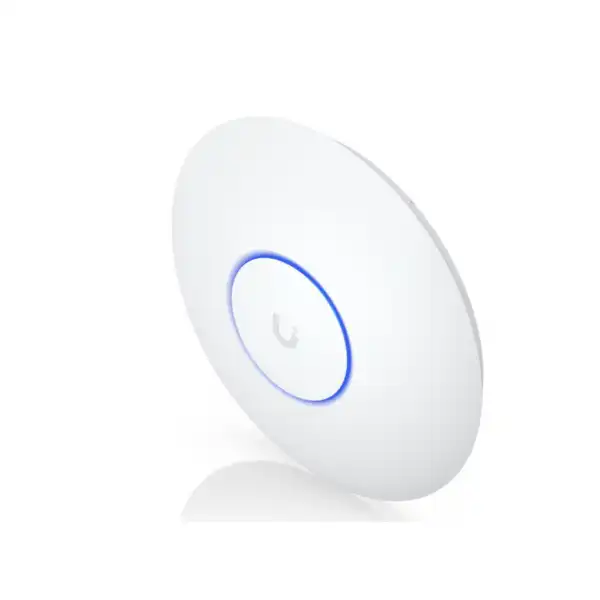
Ubiquiti U7 Lite (U7-Lite) Wi-Fi 7 Access Point
Upgrade a planned indoor wireless network with the compact dual-band UniFi U7 Lite. This PoE-powered access point offers 2.4 GHz and 5 GHz Wi-Fi 7, a 2.5 GbE wired uplink, ceiling or wall mounting and central UniFi management. Check network compatibility and request a complete Tanzania quotation before ordering.
What you need to know first
The Ubiquiti U7 Lite is for homes and organisations that want a manageable indoor wireless access point, not an all-in-one internet router. It can use a 2.5 GbE Ethernet uplink and PoE power, while existing or planned gateway and switching equipment handle the rest of the network. The manufacturer lists an indicative 115 m² coverage area and a maximum client count of 200+, but actual performance requires site assessment. Critically, this Wi-Fi 7 model has no 6 GHz radio.
Coverage and client capacity are manufacturer’s planning figures. Wireless PHY rates and coverage are not guaranteed end-user results.
Verified technical specifications
| Manufacturer / family | Ubiquiti / UniFi |
|---|---|
| Model | U7-Lite |
| Wi-Fi generation | Wi-Fi 7 (802.11be) |
| Operating radios | 2.4 GHz and 5 GHz; no 6 GHz radio |
| Spatial streams | 4 total; 2 × 2 MU-MIMO per radio |
| Maximum PHY rate, 5 GHz | 4.3 Gbps at specified 240 MHz channel width |
| Maximum PHY rate, 2.4 GHz | 688 Mbps at specified 40 MHz channel width |
| Network interface | 1 × 2.5 GbE RJ45 |
| Power input | PoE; 42.5–57 V DC supported range |
| Maximum consumption | 13 W |
| Published coverage reference | 115 m² (1,250 ft²) |
| Published maximum client count | 200+ |
| Mounting | Ceiling or wall; Lite Mount listed as included |
| Physical dimensions | Diameter 171.5 mm × depth 33 mm |
| Device weight | 313 g |
| Ambient temperature | -30 to 40 °C |
| Ambient humidity | 5–95%, non-condensing |
| UniFi Network requirement | Version 9.0.114 or later |
Specifications reflect Ubiquiti’s U7 Lite technical information. Applicable channels and real-world results vary by client, environment and configuration. No Tanzania-specific approval or availability claim is implied.
A practical Wi-Fi 7 upgrade for an existing network
The Ubiquiti U7 Lite is designed for buyers who want to improve wireless access without replacing every component in their wired network. It is an access point rather than an internet router: it broadcasts wireless networks, connects them to an Ethernet LAN and is managed within the UniFi environment. A separate router or gateway still provides functions such as internet access, DHCP, routing and firewall policies. This distinction matters when comparing an access point with a home Wi-Fi router sold as an all-in-one appliance. The right purchase depends on what networking equipment is already installed, how many areas need wireless coverage and whether a cable can reach the proposed mounting location.
For a Tanzania deployment, the starting point should be the building and its connectivity needs rather than the Wi-Fi generation printed on the box. A compact single-floor workplace may benefit from one centrally positioned unit, while partitioned offices, multi-storey properties and busy guest areas may require several carefully placed access points. The U7 Lite offers a straightforward way to join a wider UniFi installation, but it cannot correct an unreliable internet connection, a saturated uplink or poor wireless placement. Treat it as one part of a complete network design, and confirm the power source and management arrangements before buying.
What the dual-band specification actually means
The U7 Lite transmits on the 2.4 GHz and 5 GHz Wi-Fi frequency bands. It does not contain a 6 GHz radio, even though the device is part of the Wi-Fi 7 generation. That distinction is especially important for buyers comparing it with higher-tier tri-band access points. A Wi-Fi 7 laptop or phone can still use the access point where its supported bands overlap, but the unit cannot provide a 6 GHz connection or make a 6 GHz-only design work. If dedicated access to the 6 GHz band is a project requirement, select a different access point that explicitly supports that band and verify the relevant local spectrum rules.
The 2.4 GHz band is useful for many traditional devices and can sometimes reach through obstacles better than higher frequencies, although it is vulnerable to congestion from neighbouring networks and other equipment. The 5 GHz band can support wider channels and higher peak rates for suitable clients, but walls, distance and interference still affect service. A well-designed deployment may use both radios with different channel widths, power levels and client policies. There is no single radio setting that is best for every floor plan, so planning should consider where users actually work and how nearby networks occupy the available channels.
Understanding the advertised wireless speeds
Ubiquiti lists maximum physical-layer data rates of 4.3 Gbps on 5 GHz at a specified 240 MHz channel width and 688 Mbps on 2.4 GHz at a specified 40 MHz width. These are radio-link figures under supported conditions; they are not promised user download speeds. A single phone or laptop may support fewer channel options, have its own antenna limitations or be positioned where a narrower channel provides better reliability. Real application throughput is further reduced by protocol overhead, contention, retransmissions, signal quality and traffic from other connected devices. Buyers should therefore avoid treating either headline rate as a guaranteed benchmark.
For everyday decisions, consider actual workloads instead of a single speed number. Web browsing, cloud business software, voice calls, online meetings, document sharing and local media transfers have different priorities. A conference room needs consistent latency and capacity during simultaneous sessions, while a file-editing team may care more about internal network transfer rates. Testing with representative client devices at typical working positions gives a much stronger indication of value than testing one modern laptop directly underneath the access point. Internet speed is also bounded by the subscribed service, gateway, LAN path and upstream conditions.
Why a 2.5 GbE port is useful
The device includes one 2.5 GbE RJ45 network port, used for its Ethernet connection and PoE power input. A multigigabit uplink gives the access point more wired capacity than a conventional 1 GbE connection when a compatible switch port and suitable cable are available. This can be useful when several wireless users exchange data across the local network or when fast clients operate simultaneously. However, the access point does not create a 2.5 Gbps internet service, and its maximum theoretical radio-link rate should not be confused with the throughput delivered over the Ethernet interface.
A 1 GbE switch port may still connect the access point, but it can become a shared bottleneck where workloads demand more throughput. Before specifying a new switch, check the entire traffic path: port capability, cabling, router or firewall uplinks, NAS or server ports and whether the internet circuit warrants multigigabit access. If the existing network is lightly used, replacing the switch purely to match the access point’s port speed may not be the most valuable first upgrade. If the network handles heavy local transfers, planning a 2.5 GbE path may prevent an avoidable limitation.
Power over Ethernet and the power budget
The U7 Lite is powered through Power over Ethernet rather than through a separate conventional DC wall adapter connected to the access point. Ubiquiti specifies a maximum device consumption of 13 watts and a supported input voltage range of 42.5 to 57 volts DC. A suitable active PoE switch port or compatible injector must deliver the required power. Never assume a port supplies the right power merely because it has an Ethernet socket, and do not substitute an unverified passive power injector. Confirm equipment compatibility before energising the installation.
For installations with multiple access points, check both the individual switch-port power capability and the total PoE budget available across all connected devices. A switch may have enough ports but insufficient combined power when cameras, phones and access points operate together. A PoE injector is an alternative when a non-PoE switch must be retained, but the injector itself needs mains power and should support the intended data rate if multigigabit performance is important. The package should not be assumed to include a compatible injector. Ask for the exact planned power arrangement as part of the equipment quotation.
Selecting the right switch and uplink
A suitable switch for a new U7 Lite installation should be selected for the number of required ports, applicable PoE capability, total power budget and Ethernet throughput. For a one-access-point upgrade, existing equipment may be adequate after compatibility checks. For a larger office or retail floor, a managed switch can help separate staff, guest and operational traffic while supplying central PoE power. Management features matter only when they support an actual network requirement; buying a more expensive switch without a plan for VLANs, monitoring or uplink capacity does not automatically make Wi-Fi better.
Think about how each access point connects to the distribution network. If several units feed one aggregation switch, the uplink from that switch must accommodate their combined wired traffic. A spare port should be reserved for reasonable expansion and troubleshooting. If the business uses IP telephony, security cameras or other powered devices, include those in the power and port count before choosing hardware. Document which ports carry tagged VLANs, which are ordinary access ports and where the gateway routes them. Careful switch planning helps the wireless deployment work predictably rather than becoming a collection of individually connected devices.
Cabling and physical connection checks
A wired uplink is the preferred foundation for a predictable access point deployment. Inspect existing Ethernet runs for damaged plugs, excessive bends, poor terminations or questionable cable quality before deciding to reuse them. Cable category, length, pathway conditions and termination quality affect link negotiation and reliability. A network tester can identify wiring faults that are easy to mistake for weak wireless performance. A 2.5 GbE port is beneficial only when the connected path is capable of establishing the intended Ethernet speed under real conditions.
Place cable routes away from avoidable electrical interference and protect them where they pass through ceilings, conduits or high-traffic areas. Leave adequate service slack for maintenance without allowing the cable to become loose or visibly exposed. Label each end of the run so the installer can quickly identify the corresponding switch port. If an installer proposes an injector near the switch or elsewhere in the pathway, confirm that both power and data are routed correctly. Where the site has frequent power disturbances, consider how the gateway, switch and access point will be kept powered together during short interruptions.
Ceiling or wall mounting
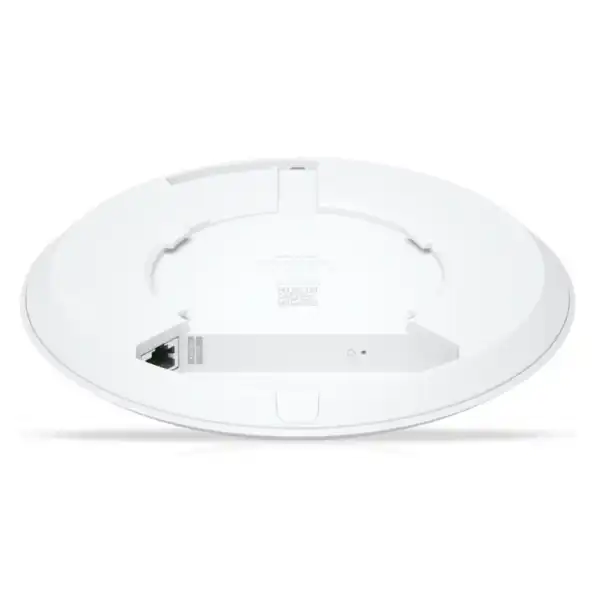
The U7 Lite has a circular, low-profile housing with manufacturer dimensions of approximately 171.5 millimetres in diameter and 33 millimetres in depth. Ubiquiti specifies ceiling and wall mounting and lists a Lite Mount as included. A centrally located, suitably high mounting position can often provide more balanced coverage than placing an access point behind a desk, inside a cabinet or beside large metal objects. The mounting surface must support the device securely, and the cable entry should be protected and accessible enough for future service.
Choose a location that matches the people and devices the access point must serve, not simply the easiest point at which to drill. An office corridor may look central on a drawing but still be separated from occupied rooms by dense walls or metal shelving. Ceiling height, construction materials and room use can affect the final mounting choice. Avoid locations exposed to rain, direct water spray or conditions outside the product’s stated operating limits. Record the final access point location on a simple site diagram; that record is valuable when users report weak signal in a particular room later.
Interpreting the 115 square metre coverage figure
Ubiquiti specifies a coverage area of approximately 115 square metres, or 1,250 square feet. That published figure is a planning reference, not a guarantee that one U7 Lite will provide the same experience throughout every space of that area. A large unobstructed hall behaves differently from a series of small rooms divided by block walls. Shelving, mirrors, elevator shafts, other access points and even large groups of people can change the radio environment. The usable edge of coverage also depends on the minimum signal quality required by the application.
For small buildings, begin with a floor plan and mark the most important working positions. Identify demanding areas such as video-conference rooms, sales counters or places where staff rely on wireless applications continuously. During installation, measure signal and application performance rather than looking only at the number of Wi-Fi bars on a phone. If one access point cannot provide dependable service, adding a second unit in a properly planned position can be more effective than turning the first unit’s transmit power to its maximum. The correct number of units comes from coverage and capacity testing together.
What a maximum client count of 200+ means
The manufacturer publishes a maximum client count of more than 200 for the U7 Lite. This represents a stated capability figure, not a promise that two hundred active users can simultaneously stream video, upload large files or run demanding business applications at full speed. Wireless airtime is shared, and even low-bandwidth devices consume management and control resources. A few high-usage clients can create more traffic than many mostly idle devices. The practical acceptable number therefore depends on workload, device generations, channel conditions, signal levels and the rest of the network.
When planning a busy venue, estimate how many devices are active during the busiest hour rather than simply counting how many people occupy the building. A guest may carry more than one Wi-Fi device, while tills, displays and handheld scanners may remain online continuously. Staff applications that must never stall should be considered separately from visitor browsing. It is often better to design several sensibly distributed access points with manageable client loads than rely on the absolute client-count figure of one unit. Capacity planning should also include upstream bandwidth and the available switching infrastructure.
Compatibility with older Wi-Fi devices
Although the U7 Lite is a Wi-Fi 7 access point, its published wireless data-rate information includes support for Wi-Fi 6, Wi-Fi 5 and Wi-Fi 4 client standards. This can make it useful in environments where older business laptops, phones and tablets coexist with newer devices. Compatibility does not mean an old device becomes a Wi-Fi 7 device: its own radios, antennas and supported protocols still determine the features and rates it can use. Some very old or specialised products may require careful authentication and radio settings to connect reliably.
Before replacing a working access point, inventory the devices that must remain connected. Examples include receipt printers, point-of-sale terminals, smart displays, scanners, meeting-room screens and building-control equipment. Confirm their supported bands, authentication methods and any restrictions on network discovery. Where older devices struggle with modern security choices or channel configurations, a deliberately configured separate network may be appropriate, subject to the organisation’s security policies. Test a representative unit of every critical device type before treating a rollout as complete. A new Wi-Fi standard should not interrupt an essential checkout or operational workflow.
UniFi Network management requirements
The access point is part of Ubiquiti’s UniFi ecosystem. Ubiquiti lists UniFi Network version 9.0.114 and later among its application requirements for the U7 Lite. Organisations using a UniFi Cloud Gateway, a controller host or another compatible UniFi Network arrangement should check the installed software version before procurement. The management application supports activities such as adopting the access point, defining wireless networks, inspecting connected clients and adjusting radio settings. The access point does not replace the gateway that routes traffic to the internet.
A buyer with no existing UniFi equipment should decide who will administer the installation and where the management environment will live. A UniFi-based deployment can offer a convenient central view when several access points must be managed, but ongoing configuration and software maintenance still require an accountable person. Avoid assuming every management function works identically across every controller version or standalone mode. Define whether the installation will be centrally managed, how administrative accounts are protected and who holds backup configuration information. An access point that is easy to install initially should also be manageable when personnel or IT suppliers change.
Planning SSIDs without overcomplicating the network
An SSID is the wireless network name that users select on their devices. For a small workplace, one secure staff SSID and a separate guest SSID may be all that is necessary. A larger facility might need an additional network for operational equipment, but every extra SSID adds management complexity and some wireless overhead. The U7 Lite specification lists support for multiple BSSIDs per radio, yet that technical ceiling is not a recommendation to broadcast the maximum number. Start with the minimum network separation that matches actual business requirements.
Use clear network names that staff can recognise, while avoiding names that reveal unnecessary sensitive information. Decide which wireless networks need internet access only and which should reach printers, internal servers or inventory systems. When devices require different network policies, the separation should be implemented through the supporting gateway, switches and access point configuration together. A separate SSID by itself is not a complete security boundary unless the underlying traffic handling is designed accordingly. Record the purpose and owner of each SSID so it can be reviewed as the organisation changes.
VLANs and separation of business traffic
A network carrying staff devices, visitors, payment terminals and building equipment may benefit from VLAN-based traffic separation. Ubiquiti lists dynamic RADIUS-assigned VLAN support among the U7 Lite features. Whether a particular organisation uses dynamic assignments or simpler static network mappings, the rest of the wired infrastructure must be configured consistently. The access point advertises wireless networks, but switches must transport their traffic correctly and the gateway must enforce routing and firewall policies. A mismatch in tagging or gateway configuration can lead to confusing connectivity failures.
A sensible starting design identifies which device groups should communicate and which should be isolated. Guest users should generally not be able to browse internal staff resources, while a printer or business application may need controlled access from authorised devices. Document any exceptions rather than allowing unrestricted connectivity for convenience. Test network separation from the client side after deployment, because a visible guest SSID is not proof that the isolation rules work. For business-critical payment or regulated systems, seek requirements from the relevant service provider and qualified security personnel rather than assuming a generic wireless configuration satisfies every obligation.
Guest Wi-Fi and visitor access
The U7 Lite feature set includes captive hotspot portal functions, guest isolation, voucher authentication, password authentication and related UniFi capabilities. These tools can support a visitor network for a waiting room, small hospitality venue or customer-facing premises. A guest portal can communicate access conditions, while time-limited or controlled credentials may help staff manage who connects. Availability and the exact experience depend on the wider UniFi configuration and the software in use. A portal is a user-access mechanism, not a substitute for correct gateway security.
Before enabling guest Wi-Fi, decide how users will receive credentials, whether visitors need a simple password or another access method, and how the business will support customers who cannot connect. Keep the sign-in experience accessible and avoid collecting information that is unnecessary for the service. If the venue offers paid access, verify the required system integration and its practical operating arrangements before advertising it. Limit guest traffic where appropriate so visitor downloads do not interfere with business operations. Test guest access on common phone types, including the process of reconnecting after a device has been idle.
Roaming between multiple access points
The manufacturer’s feature list includes 802.11k radio resource management, 802.11v BSS transition support and 802.11r fast roaming. These mechanisms can help compatible clients move between access points within a properly designed wireless network. They do not mean that the network can force every phone or laptop to change access points at the ideal moment. The client device participates in roaming decisions, and differences between device generations can influence the result. Excessively strong overlapping signals can be as problematic as gaps in coverage.
In a building with several U7 Lite units, place access points so important areas have sufficient coverage without creating unnecessary competition on the same channels. Evaluate roaming using a real activity, such as an ongoing voice or video call while walking a normal route through the premises. Monitor where the device changes access points and whether there is a noticeable interruption. A good outcome may require adjusting transmit power and channel allocation rather than purchasing additional equipment. The aim is reliable movement across working areas, not merely achieving the strongest possible signal at every point.
Wireless meshing versus a wired backbone
Ubiquiti lists wireless meshing as a supported feature of the U7 Lite. A mesh arrangement can be helpful when a cable cannot reach one access point location, but wireless backhaul still consumes radio resources and depends on the quality of the link to the upstream access point. The device also requires compatible PoE power at its mounting location. Buyers should not interpret the presence of mesh support as meaning that the access point can be installed without power or will always perform like a directly wired unit.
Use a wired Ethernet backbone when dependable bandwidth and predictable latency are important, especially for business applications or several busy access points. If wireless meshing is needed, identify the root access point, confirm the backhaul signal and check that the intended UniFi configuration supports the design. Avoid placing a meshed unit at the far edge of another access point’s weak coverage, because the connection used to backhaul traffic may then be unreliable. Measure the performance of the complete mesh path after installation. A mesh solution is a practical option for constraints, not automatically the preferred design.
Choosing channels and channel widths
A wide wireless channel can offer higher theoretical speeds, but wider channels also occupy more spectrum and may be harder to use reliably when nearby networks compete for airtime. The U7 Lite specification includes multiple channel widths for supported Wi-Fi standards, including wide 5 GHz modes. Actual channel availability and permissible operation depend on the relevant regulatory domain, hardware settings and local radio environment. Do not promise that the largest listed width will be available or suitable at every Tanzania installation. A smaller, cleaner channel may deliver more consistent day-to-day service.
For an office with neighbouring businesses, perform a radio survey before deciding on channel width. Look for overlapping access points, heavy utilisation, interference and locations where signals are weakest. Avoid changing several settings at once when troubleshooting, because it becomes difficult to know which change helped. In multi-access-point networks, channel planning should reduce unnecessary co-channel contention while maintaining useful coverage. Recheck the design after new tenants move in or nearby equipment changes. Channel selection is an operational choice that should respond to the actual spectrum, not a fixed marketing configuration.
Making useful decisions about 2.4 GHz
The 2.4 GHz radio remains important for devices that do not support 5 GHz or that prioritise reach over raw speed. It is also a band where congestion can be significant because many nearby devices compete for limited non-overlapping channel space. For certain operational devices, consistency is more valuable than chasing the highest published PHY rate. The U7 Lite’s dual-band design allows a network administrator to consider how best to distribute compatible users while supporting essential older equipment.
Keep the radio environment in mind when adding wireless printers, sensors or handheld devices. A connection that works at a desk during installation may become unreliable when cabinets are filled, doors are closed or a neighbouring network changes channels. Where possible, use suitable channel widths and avoid unnecessarily high transmit power that increases interference without improving the client’s ability to transmit back. If a device is fixed in place and business-critical, a wired connection may be more dependable than wireless. Wi-Fi is valuable for mobility, but not every networked device needs to be wireless.
Security choices and authentication
The U7 Lite can participate in UniFi wireless security and access-control configurations, including features such as private pre-shared keys, guest isolation and RADIUS-related options described by Ubiquiti. The right security method depends on the types of devices being connected and the organisation’s administration capability. Strong unique administrative credentials, protected management accounts and planned software updates are important regardless of the radio standard. A modern access point should be part of a security policy rather than treated as a security solution on its own.
When replacing an older network, review who knows the existing Wi-Fi passwords and whether former staff or temporary contractors retain access. Consider assigning staff and guest access differently so a visitor password is not also a route into internal systems. Where individual credentials or centrally managed authentication are practical, they can improve accountability compared with a single shared password. For environments with specialist equipment, confirm authentication compatibility before changing settings. Test that unauthorised clients cannot reach sensitive resources, and document how passwords, certificates or access policies will be rotated when required.
Power continuity and environmental limits
For continuous wireless service, every component in the path must remain available: the internet or upstream service, gateway, switching hardware, PoE supply and access points. A power outage at the PoE switch will disable the U7 Lite even if a laptop still has battery power. Organisations that depend on wireless checkout, stock control or live communications should plan power protection for the relevant network equipment together. A UPS may help bridge short power disturbances, but its runtime must be sized for the actual connected load and the wider service requirements.
Ubiquiti lists an ambient operating temperature range of minus 30 to 40 degrees Celsius and relative humidity from 5 to 95 percent, non-condensing. Those figures do not turn the device into a weatherproof outdoor access point. In a hot ceiling void or poorly ventilated cabinet, temperatures may exceed comfortable operating conditions even when the occupied room feels cool. Choose sheltered mounting positions and check the actual environment. If an installation faces rain, direct sunlight, significant dust or unusual heat, select equipment expressly intended for those conditions instead of assuming this indoor model will be suitable.
A straightforward installation sequence
Begin by confirming the installation position, cabling route, PoE power source and management environment. Before permanently fixing the unit, verify the switch port, cable termination and network connectivity. Ensure the chosen UniFi Network version supports the U7 Lite, then connect the access point and adopt it into the intended site configuration. Create or assign the required wireless networks and confirm any VLAN mappings. This sequence avoids mounting hardware in a difficult position only to discover an incorrect power source or a controller that needs updating.
After adoption, test connection and internet access using representative client devices. Check a modern 5 GHz device, an older device and any critical operational equipment that depends on Wi-Fi. Walk through the space and note weak areas, unstable roaming or unexpected interference. If the installation has guest access, confirm guest isolation and any authentication portal behaviour. Label the switch port and keep a copy of the configuration documentation. The job is complete when the network performs its intended tasks in the occupied space, not merely when the access point’s status light indicates it is powered.
Firmware, monitoring and ongoing care
Network equipment requires attention after installation. Review the UniFi management dashboard periodically for disconnected access points, unusual client behaviour, interface errors or persistent complaints from particular areas. Plan firmware and application updates in an appropriate maintenance window, taking account of the organisation’s tolerance for temporary interruption. If a new release changes behaviour, maintain a record of the versions installed and the adjustments made. Routine monitoring can identify a deteriorating cable, overloaded uplink or changed radio environment before users experience a prolonged issue.
A simple maintenance register should include each access point’s location, network name, switch port, adopted site and responsible administrator. Keep a record of the intended channel and power policies rather than relying on someone’s memory. If an employee leaves or a contractor changes, review administrative access as part of the handover process. If a site expands or rearranges furniture and partitions, reassess coverage using actual client positions. The most effective wireless network is one that can be supported consistently, not one that depends on an undocumented configuration created on installation day.
Using the U7 Lite in offices
A small or medium office may use a U7 Lite to connect laptops, smartphones and meeting-room devices to a wired business network. Its ceiling- or wall-mounted format suits installations where desks should remain free of networking equipment. A separate guest wireless network can be useful for visitors and contractors, while internal staff systems remain behind defined gateway and VLAN policies. For organisations already using UniFi, the ability to manage multiple access points together may simplify normal administration and visibility.
Office buyers should start with the applications that staff cannot afford to lose, such as web-based business systems, voice calls and online meetings. Mark conference rooms, reception areas and workstations on the floor plan. Check whether dense walls create coverage breaks and whether enough uplink bandwidth exists at the busiest time. If a company uses a local file server, test the internal wireless-to-server path separately from an internet speed test. Where several offices occupy separate floors, avoid assuming one access point will cover them all. A survey-led design reduces both blind spots and unnecessary hardware purchases.
Using the U7 Lite in retail premises
In a retail setting, wireless connectivity may support stock lookup, handheld scanners, inventory applications, customer devices and internal staff communication. The U7 Lite can serve a designated indoor area as part of a network that separates operational traffic from guest access. Placement needs special attention near storage racks, refrigeration equipment, metal shelving and thick partitions. These obstacles may alter signal behaviour as stock levels and store layouts change throughout the year.
A retail project should identify which systems need uninterrupted connectivity and which are merely convenient. Wired connections are preferable for fixed business-critical endpoints when feasible. For mobile scanners, test coverage along actual staff walking routes, including storerooms and receiving areas. If guest Wi-Fi is offered, apply a suitable network policy so visitor usage does not interfere with important business applications. Confirm that any point-of-sale provider’s networking requirements are met independently of the access point’s feature list. A reliable retail deployment protects the workflow at the counter as well as the browsing experience on the sales floor.
Using the U7 Lite in cafés and hospitality spaces
A café, reception area or small guest facility may benefit from a managed Wi-Fi system that keeps staff devices and customer access separate. The U7 Lite supports guest-network functions within the UniFi ecosystem, giving an installer options for passwords, portals or other access controls. These capabilities are useful when guest access is part of the service, but the venue must decide how users receive access and who assists them when a connection fails. A complicated sign-in process can create more customer frustration than value.
Hospitality environments deserve special attention to peak occupancy. A mostly empty venue during setup is a poor test of wireless experience during a busy lunch service or event. Estimate how many active devices might share the radio, and confirm that the available internet connection can serve the likely demand. Check areas behind counters as well as tables and waiting spaces. If multiple access points are required, design them as a coordinated system with appropriate roaming and channel settings. Do not treat the manufacturer’s 200+ client figure as a promise of equivalent quality for hundreds of simultaneous guest streams.
Using the U7 Lite in education and training rooms
A small training room or classroom may need reliable wireless access for tablets, laptops, presentation systems and administrative devices. The U7 Lite’s dual-band radios can accommodate a mixed generation of clients, while the UniFi management environment can help administrators understand which devices are connected. A planned SSID structure may separate teaching equipment from visitor or student traffic when the surrounding network supports those policies. The exact arrangement should follow the institution’s operational and security requirements.
Capacity is more important than room area when many people download material or join online classes at the same time. Count active devices, consider shared content sources and verify the broadband or local server capacity. Classroom layouts may also change for examinations, workshops or events, so the coverage plan should allow for normal movement. Test common student device types before committing to a large rollout. If teaching depends on real-time streaming or interactive conferencing, evaluate latency and stability under a representative group load rather than relying only on peak speed figures. Additional access points may be needed where simultaneous usage is high.
Using the U7 Lite in homes and small properties
A home with structured Ethernet cabling can use the U7 Lite to provide wireless coverage through a centrally managed network. It may be especially relevant where a separate gateway already handles routing and the owner wants ceiling-mounted Wi-Fi without another large desktop router. The compact housing makes it visually discreet, and a single suitable PoE cable can simplify installation. Older household devices can remain connected where their Wi-Fi capabilities and chosen network settings are compatible.
Consider the full property rather than purchasing based only on an advertised floor area. Reinforced walls, enclosed staircases, multiple levels and long corridors may call for more than one access point. A wired backbone to each unit is generally easier to troubleshoot than an improvised wireless chain. For homes with numerous smart devices, check their band and authentication requirements early. If the property needs a simple all-in-one router with no separate management environment, a different product category may be more convenient. The U7 Lite makes most sense for buyers comfortable with, or planning to use, the UniFi approach.
When the U7 Lite may not be the right choice
The U7 Lite is not the ideal answer to every Wi-Fi problem. It is not a tri-band access point, has no 6 GHz radio and is not an all-in-one internet gateway. Its manufacturer-stated coverage and client counts are planning indicators rather than site-specific guarantees. A very large open venue, a dense conference floor or a network seeking sustained maximum wireless capacity may benefit from a different access point class or a greater number of coordinated units. Outdoor or exposed installations require equipment selected for the relevant environment.
The choice also depends on what the customer already owns. An existing switch without suitable PoE needs a compatible power solution, and a site with outdated management software may require an update before adoption. If the only problem is poor internet service, replacing the wireless access point may not solve it. If an old router provides all network functions, confirm that a separate gateway remains available. Selecting the correct product is not about choosing the newest label; it is about matching radio bands, uplink design, power, management and actual applications to a clear deployment plan.
Comparing the U7 Lite with a Wi-Fi 6 access point
A Wi-Fi 6 access point may still be adequate for a network whose clients, cabling and bandwidth requirements are modest. The U7 Lite offers a Wi-Fi 7 platform with a 2.5 GbE port, but a buyer should not assume that every existing client will see a dramatic improvement. A laptop that supports only an older standard remains limited by its own wireless capabilities. If the internet plan is slow or a building has major coverage holes, correcting the underlying issue may produce a larger improvement than changing the access point generation alone.
For a replacement project, compare the existing access point’s coverage pattern, radio configuration, uplink speed, software support and operational stability with the proposed design. Assess the cost of any switch or PoE changes and the time needed for installation and testing. If the site expects new wireless clients and heavier local traffic, a multigigabit-ready access point can be a sensible investment. If there is no near-term need for the newer platform, document why an upgrade is being considered and what measurable improvement would justify it. This keeps the purchase tied to practical results.
Comparing the U7 Lite with higher-tier Wi-Fi 7 options
Higher-tier Wi-Fi 7 access points may provide different radio configurations, capacity characteristics and mounting formats. The most important distinction for this model is that the U7 Lite uses only 2.4 GHz and 5 GHz radios. If a buyer needs 6 GHz Wi-Fi or particular high-density capabilities, a model with those verified specifications should be evaluated separately. Do not infer features from another device merely because both appear in the same UniFi family. Confirm the exact model’s technical sheet before making a design decision.
A larger or more expensive access point is not necessarily the most effective solution for a small room. Multiple smaller access points placed close to users can sometimes serve segmented spaces more effectively than one powerful unit, while also distributing client demand. Conversely, a specialist high-density environment may need equipment designed around its load and spectrum requirements. The right comparison considers total system cost: access points, switches, cabling, management, power protection and installation labour. Ask suppliers to explain the design rationale instead of comparing only headline radio speeds or a single advertised client count.
A Tanzania-focused procurement checklist
Before requesting a quotation, confirm that the exact item is identified as Ubiquiti UniFi U7 Lite, model U7-Lite. Provide the number of proposed access points, a rough floor plan, typical building materials and the types of devices to be connected. Describe the existing router, switches and PoE equipment, including any known port speeds or power budgets. State whether the installation requires separate guest Wi-Fi, VLANs, a managed UniFi environment or a simple extension of an existing network. This information makes it easier to determine what additional equipment might be necessary.
Ask for a complete bill of materials rather than a price for the access point alone. The bill should identify any required PoE injectors or switches, mounting accessories beyond those included, additional cabling, power protection and commissioning tasks. Confirm the quotation’s product variant, current availability, delivery arrangements, applicable warranty terms and any installation services directly with the seller; none should be assumed from a generic product description. If regulatory or deployment approvals are relevant to the exact installation, request documented confirmation from an appropriate authority or qualified provider. A clear procurement checklist helps avoid surprises at the installation stage.
Questions to ask the installer before approval
A useful installation proposal should explain where each access point will be mounted and why, what coverage it is expected to achieve and how the result will be tested. The installer should identify the planned power source, switch ports, cable routes, gateway connection and UniFi management environment. They should also describe any guest network separation, VLAN policies and authentication requirements. If the proposal depends on wireless meshing rather than Ethernet, the expected backhaul arrangement and the reasons for using it should be documented.
Ask what evidence will be provided at handover. At minimum, an installation record should show the device locations, management access arrangements, firmware versions, relevant network settings and basic connectivity test results. Where the organisation depends on live business applications, include an agreed test during representative usage. Clarify who is responsible for future software updates, troubleshooting and replacing damaged cabling. A complete handover reduces downtime when a staff member changes role or another IT provider is asked to support the network. Good installation documentation is a practical part of product value.
How to evaluate real performance after installation
Start with a baseline that reflects the intended business use. Record the subscribed internet speed, the gateway and switch link rates and the type of client device used for testing. Then measure service at the positions where people normally work, not just beside the access point. Observe connection stability, application responsiveness and whether users can move between areas without losing important sessions. Repeat key checks during busy periods, because an empty office or venue can hide capacity problems that appear under load.
Separate internet problems from local Wi-Fi problems. If a wired computer also experiences slow cloud access, investigate the upstream service and gateway before changing wireless settings. If wired tests are satisfactory but nearby wireless clients are slow, examine radio congestion, client capabilities and configuration. If only distant rooms are affected, review physical placement and coverage. Preserve a record of the tests so future changes can be measured against a known baseline. The best evidence of a successful U7 Lite installation is dependable user experience in the intended environment, not simply a high laboratory headline rate.
A clear next step for a buying decision
The U7 Lite is a strong candidate for an indoor network that needs a compact, centrally manageable Wi-Fi 7 access point with dual-band operation and a 2.5 GbE uplink. Its ceiling or wall mounting and PoE power method can simplify a professional layout. The product is especially relevant where the buyer already has a suitable wired network or is planning one alongside the wireless deployment. It is less appropriate when 6 GHz connectivity, outdoor weather protection or an all-in-one internet router is a core requirement.
To decide confidently, provide the site layout, intended number of users, important applications and details of the existing router and switch. Confirm the PoE supply, management software and cabling plan before purchasing. Request a Tanzania quotation that clearly distinguishes the access point from any optional equipment and implementation work. The aim is to select the equipment that meets the working environment reliably, with no confusion between manufacturer’s theoretical specifications and real-world outcomes. A small amount of network planning before ordering can prevent expensive changes later.
Frequently asked questions
Does the Ubiquiti U7 Lite support 6 GHz Wi-Fi?
No. The U7 Lite is a dual-band access point with 2.4 GHz and 5 GHz radios. Its Wi-Fi 7 designation does not imply that it provides a 6 GHz radio. If 6 GHz is required, compare a different model that explicitly lists 6 GHz support and check the applicable local spectrum rules.
Is the U7 Lite a router or an access point?
It is a wireless access point. It connects Wi-Fi devices to an existing wired network but does not replace the need for routing, gateway security and internet service. A suitable router or gateway is required elsewhere in the network. UniFi management should also be planned for the chosen deployment.
What power supply does the U7 Lite require?
Ubiquiti specifies PoE input and maximum power consumption of 13 watts. Choose a compatible active PoE switch port or injector and verify both the power standard and total available budget. A network cable can supply power and data when connected to suitable equipment. Do not assume an injector is included with every sale.
Will a normal 1 GbE switch work with the 2.5 GbE port?
The access point can be connected within a network that uses slower Ethernet links, but a 1 GbE uplink will limit traffic across that wired connection. To take advantage of the device’s 2.5 GbE uplink capability, the connected switch port, cabling and wider path must support the intended rate. Check PoE compatibility separately.
How many people can connect to one U7 Lite?
Ubiquiti lists a maximum client count of 200+, but practical capacity depends on concurrent activity, wireless conditions, client capabilities and upstream bandwidth. Two hundred mostly idle devices are not equivalent to two hundred active video users. For busy workplaces or venues, estimate peak use and consider multiple planned access points.
Can the U7 Lite be mounted on a wall?
Yes. Ubiquiti specifies ceiling and wall mounting and lists a Lite Mount as included. The final position should be chosen to serve occupied areas and avoid avoidable obstructions. Confirm mounting surface suitability and provide a secure cable route. A site survey can help decide whether a wall or ceiling location is better.
Can older Wi-Fi 5 or Wi-Fi 6 devices connect?
The manufacturer’s supported data-rate specifications include Wi-Fi 6 and Wi-Fi 5, alongside Wi-Fi 7 and older Wi-Fi 4 operation. However, each client remains constrained by its own radio, security support and configuration. Test older printers, scanners and specialist equipment if they are critical to daily operations.
Does the U7 Lite support a guest Wi-Fi network?
Yes, the published UniFi feature list includes captive hotspot and guest-isolation functions, along with several authentication options. The surrounding UniFi configuration and network gateway determine how those features are deployed. A guest SSID should be backed by suitable network isolation rather than treated as sufficient protection on its own.
What version of UniFi Network is needed?
Ubiquiti lists UniFi Network version 9.0.114 and later for the U7 Lite. Check the current requirements and the management system already in use before ordering. A network administrator should confirm the adoption, monitoring and update plan so the access point can be supported throughout its service life.
How much area can one U7 Lite cover?
The manufacturer’s stated coverage reference is approximately 115 square metres, or 1,250 square feet. Actual results depend on walls, ceilings, interference, radio settings and user requirements. A wide open room and a building divided into small concrete rooms will not behave the same. Use the figure for initial planning and validate coverage on site.
Can several U7 Lite access points be used together?
Yes, they can be deployed as part of a coordinated UniFi wireless environment. The published feature set includes wireless meshing and roaming-related functions, though Ethernet backhaul is generally preferred when a cable is available. Plan channel use, overlap, wired uplinks and management consistently rather than configuring each access point in isolation.
Is the U7 Lite suitable for outdoor installation?
It should not be selected as an outdoor weatherproof device without appropriate product documentation. The manufacturer’s environmental ratings do not establish protection against rain or water exposure. For exposed courtyards, exterior walls or open-air venues, choose a model specifically rated for that environment and confirm mounting and electrical requirements.
What is the maximum wireless speed?
Ubiquiti lists theoretical maximum PHY rates of 4.3 Gbps on 5 GHz and 688 Mbps on 2.4 GHz under specified channel-width conditions. These figures are not guaranteed user speeds or internet bandwidth. Actual results depend on compatible clients, signal quality, contention, the 2.5 GbE uplink and the wider network.
What information is needed for a quotation in Tanzania?
Provide the exact model name, required quantity, floor plan or building description, anticipated users, existing router and switch details, and any guest Wi-Fi or VLAN requirements. Request confirmation of product availability, pricing, warranty, delivery and optional installation directly from the seller. Ensure the quotation includes any necessary PoE and cabling equipment.
Request a U7 Lite quotation for your network
Share the number of access points, site layout, expected users and existing router, switching and PoE equipment. Ask for confirmation of the exact U7-Lite model, current Tanzania pricing and availability, cabling requirements and any optional installation items. This helps establish a complete, supportable Wi-Fi solution rather than purchasing an access point without the equipment it needs.
Contact FourTeck Tanzania to request a quotation




Reviews
There are no reviews yet.