
TANZANIA | BUSINESS WIFI
Ubiquiti U7 Pro XGS Tanzania — Enterprise Wi-Fi 7 Access Point
Eight spatial streams, a multi-rate 10 GbE uplink, PoE++ and dedicated spectrum diagnostics for a thoughtfully planned UniFi wireless deployment.
Tanzania-specific buying note
A 6 GHz radio exists in the hardware, but the manufacturer did not list Tanzania among its supported regions for 6 GHz at the time of verification. Check current local regulatory conditions and UniFi region support before purchasing with that feature as a requirement.
Is this the right access point?
Well suited to
Active multi-user indoor networks with professional UniFi management, appropriate PoE++ power and a wired backbone capable of supporting the desired traffic.
Consider alternatives if
You need a standalone internet router, only have a few light-use clients, lack compatible power or depend on unconfirmed 6 GHz availability.
Specifications at a glance
| Model | Ubiquiti UniFi U7 Pro XGS / U7-Pro-XGS |
|---|---|
| Wireless | Wi-Fi 7; 8 spatial streams |
| 2.4 GHz radio | 2×2 MU-MIMO; up to 688 Mbps PHY |
| 5 GHz radio | 4×4 MU-MIMO; up to 8.6 Gbps PHY |
| 6 GHz hardware | 2×2 MU-MIMO; up to 5.8 Gbps PHY; local support must be verified |
| Ethernet | 1 × RJ45, up to 10 GbE with multi-rate negotiation |
| Power | PoE++; 29 W maximum |
| Coverage reference | 160 m² (indicative only) |
| Client reference | 500+ (not a busy-user guarantee) |
| Physical | Ø215 × 32.5 mm; 800 g |
| Mounting | Ceiling or wall; Lite Mount included |
| Management software | UniFi Network; version requirement depends on variant |
PHY rates, coverage and maximum client references are manufacturer specifications; deployed results depend on the environment, infrastructure and client devices.
Product overview and best-fit buyers
The Ubiquiti U7 Pro XGS Tanzania buying decision is about more than choosing a newer wireless generation. This access point is designed for networks that have meaningful capacity requirements, professional management and an adequate wired backbone. It delivers eight radio streams across 2.4, 5 and 6 GHz hardware, plus a dedicated spectrum scanning radio and a multi-rate Ethernet connection reaching 10 GbE. The best candidates include busy offices, shared workspaces, computer labs and demanding indoor visitor networks. A small site with few active devices and a basic router may not need this class of hardware. Before purchasing, document how many devices connect simultaneously, how users move between spaces, which applications matter and whether the existing switches can provide suitable PoE++ power. The objective is reliable usable connectivity, not a headline speed with no relationship to the floor plan.
Understanding eight spatial streams
Ubiquiti specifies eight spatial streams: two streams on 2.4 GHz, four on 5 GHz and two on 6 GHz. A stream describes a radio transmission path under the applicable MIMO and Wi-Fi standards. It is not a dedicated gigabit connection or an additional separate access point. The four-stream configuration on 5 GHz matters especially where many conventional work devices rely on that band. However, a normal two-stream laptop will still negotiate according to its own radio capabilities. Larger aggregate capacity does not overcome severe interference, weak client signals or congested upstream links. When comparing equipment, consider the mix of newer laptops, older phones, printers and business devices rather than assuming a greater stream count automatically means that every connected user obtains proportionally higher speed. Wireless capacity is a shared resource that must be designed and managed.
5 GHz capacity in an everyday business
Many organizations have a mixed collection of Wi-Fi 5, Wi-Fi 6 and Wi-Fi 7 equipment, with 5 GHz remaining a practical workhorse. The U7 Pro XGS uses a 4×4 5 GHz radio that may help a well-designed network serve multiple simultaneous clients more effectively than a basic two-stream configuration. The improvement depends on supported devices, available spectrum, channel settings and interference. Busy meeting rooms, learning spaces and shared offices create different traffic patterns from an empty corridor. Plan for active video meetings, file transfers and peak arrivals rather than just the building’s headcount. Wider channels can offer faster negotiated links in favorable conditions, but they use more spectrum and may be counterproductive when neighboring access points share the same limited channels. Measure performance where people actually work.
The continuing role of 2.4 GHz
The 2.4 GHz radio supports devices that do not have suitable 5 GHz capabilities and may remain essential for printers, operational hardware and older endpoints. It can travel through different obstacles from higher-frequency signals, but the band is commonly crowded and has limited useful channel options. The manufacturer’s maximum signaling rate of 688 Mbps should not be treated as the routine speed of an older printer or phone. Identify legacy equipment that needs special authentication or channel settings before replacing the existing Wi-Fi system. Separate device types where practical without generating too many network names. Also check that endpoint firmware is maintained, because a high-end access point cannot repair the behavior of a poorly implemented client radio. The most effective design balances backwards compatibility and predictable performance for modern users.
Tanzania’s 6 GHz consideration
The U7 Pro XGS is built with a 6 GHz Wi-Fi radio, but hardware specifications do not establish that this band can be enabled everywhere. Ubiquiti’s published list of countries where it supports 6 GHz operation did not include Tanzania when the source was checked. This absence should not be converted into an unsupported declaration that every form of 6 GHz use is legally prohibited. It does mean buyers should not plan a Tanzanian installation on a promise of working 6 GHz service without further verification. Confirm the current Tanzania Communications Regulatory Authority requirements, manufacturer region support, exact hardware variant and UniFi software behavior. The same check matters when comparing other Wi-Fi 7 models. Design a useful network using verified locally available frequencies first, and consider any additional band as an approved enhancement rather than the only commercial rationale.
Understanding maximum radio data rates
Ubiquiti lists maximum physical-layer rates of 8.6 Gbps on 5 GHz, 5.8 Gbps on 6 GHz and 688 Mbps on 2.4 GHz for particular channel configurations. Those figures describe theoretical signaling capability, not the guaranteed speed of a laptop, a business application or an internet connection. Real data transfer must account for overhead, shared airtime, channel width, signal strength, interference, device limitations and the remainder of the network. It would be misleading to add all advertised radio rates together and promise that total to one user. A practical acceptance test should measure representative tasks: video calls during peak use, access to a local file server, reliable logins and stable roaming between work areas. Choose realistic results for the devices on site rather than designing to laboratory maximums.
Why a 10 GbE uplink can matter
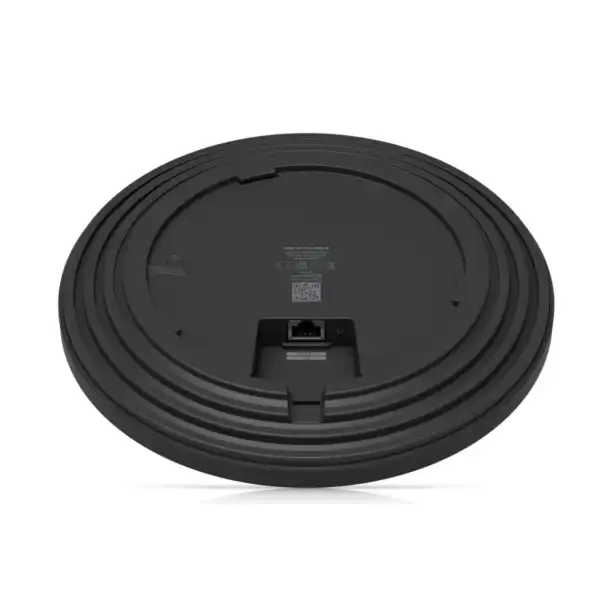
The access point has one RJ45 port supporting Ethernet rates up to 10 GbE. A fast uplink can reduce the chance that aggregated wireless traffic is restricted by a slow AP-facing switch port, particularly when users move data to local servers or the organization already operates a multi-gigabit wired backbone. The port alone cannot make a slow WAN faster. Nor does it turn every connected phone into a ten-gigabit device. Evaluate the gateway, switches, storage, network interface cards and other links in the data path. If internal storage connects through a 1 GbE bottleneck, a faster AP uplink will not eliminate that restriction. Treat the 10 GbE connection as capacity headroom that needs appropriate infrastructure and actual demand to be worthwhile.
Multi-rate Ethernet migration planning
The same interface can operate at supported 1, 2.5, 5 and 10 GbE rates when connected to compatible equipment. This flexibility can help a business upgrade its access points before completing a wider switching replacement. Nevertheless, speed negotiation is separate from PoE++ power delivery. An existing switch may negotiate a data link while failing to provide a suitable power mode. Verify both functions independently. During commissioning, record the negotiated rate and examine cable health if a link drops below its expected speed. Connections can be limited by old copper, loose terminations, patch leads or mismatched interfaces. A staged migration plan should say what performance is expected before the switch upgrade and what additional improvement the later hardware purchase is intended to achieve.
PoE++ is required for the design
Ubiquiti specifies PoE++ power for the U7 Pro XGS, with maximum power consumption of 29 W and a published supported voltage range. A quotation that names only the access point may leave out a necessary switch capability or power injector. Check the rated output of the exact switch port, the device’s power standard and the total switch power budget. Other connected equipment, including telephones and surveillance cameras, can compete for the same aggregate budget. Avoid assuming that a lower-grade PoE supply is adequate because someone else reported that a unit powered on in a different setup. The specification is the right planning baseline. Include an appropriate power solution, any required cabling and an installation verification step so the network is complete when commissioned.
Switch power budgets and uplink rates
A switch with several PoE-capable ports may still have a limited aggregate power budget. Estimate demand from every attached device, account for future additions and keep reasonable spare capacity. Also confirm that the powered port offers the intended Ethernet speed. Some equipment combines fast but unpowered ports with slower powered ports; the product labels alone may hide that distinction. If using an external injector, verify that its data path and power delivery both suit the proposed installation. Document port numbers, expected negotiated speed and which devices will be backed by a UPS. This prevents troubleshooting teams from discovering later that an apparent radio problem is actually an insufficient power source or a wired link running at one-tenth of the planned rate.
Copper cabling and 10 GbE readiness
A high-speed Ethernet design depends on installation quality. Review cable category, length, connectors, patch panels, interference exposure and the relevant cabling standards for the targeted link speed. Many sites have pre-existing structured wiring that may support a slower multi-gigabit rate while requiring improvement before reliable 10 GbE operation. Do not promise maximum speed without examining the actual path. Check cabling during installation and again when the finished equipment is connected under load. Avoid sharp bends, damaged patch leads and unlabelled connections. The AP should remain accessible for maintenance, while cable runs should be secured and professionally terminated. Record the physical path and port so future technicians can distinguish radio coverage issues from Ethernet faults and power instability.
Ceiling and wall mounting choices
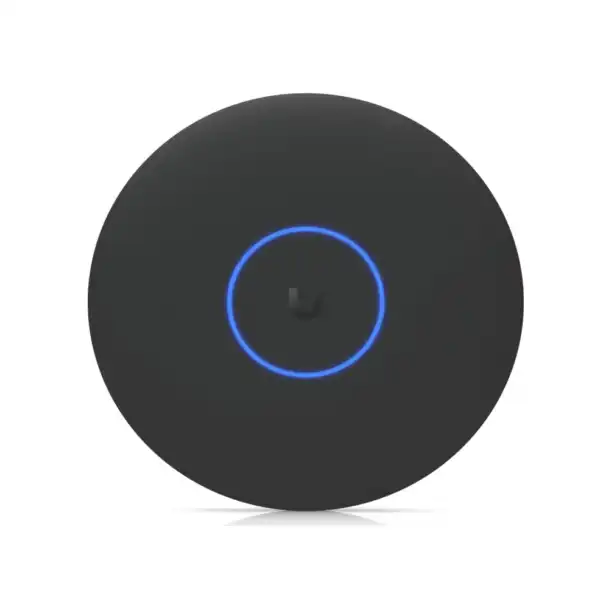
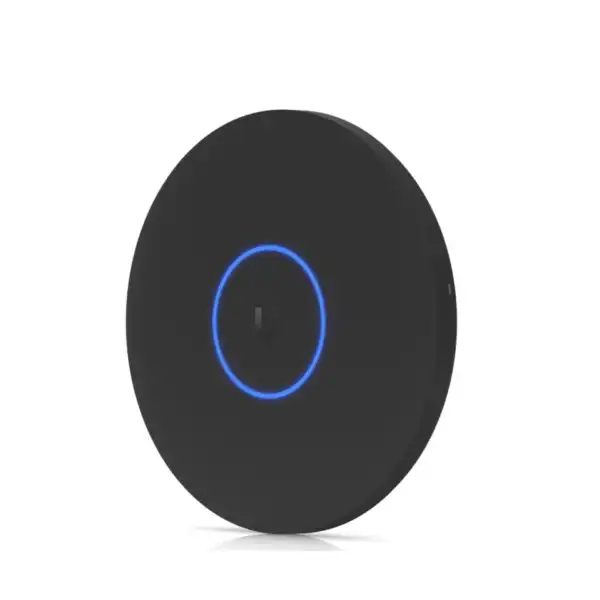
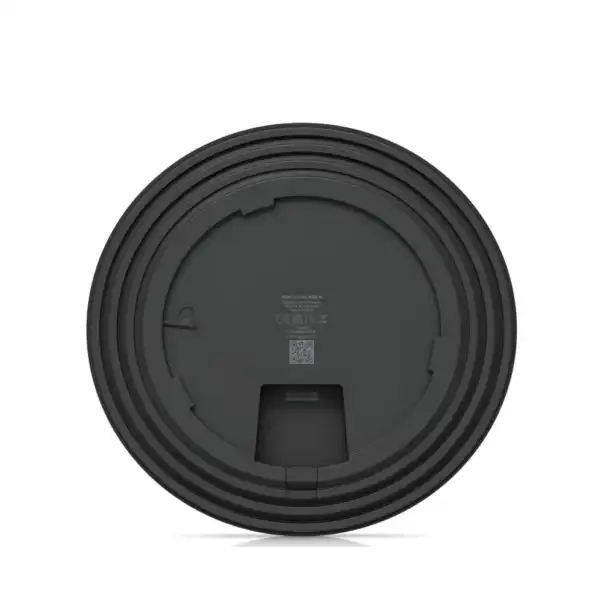
The manufacturer identifies ceiling and wall mounting, with a Lite Mount included, and lists a round enclosure measuring approximately 215 mm across and 32.5 mm deep. Placement should respond to the occupied floor plan, not to decorative symmetry. A central ceiling position may work well in an open area, while a building with thick masonry, reinforced concrete or metal partitioning could need several more localized APs. Avoid putting the device behind metal features or in locations that are difficult to inspect. Coordinate the cable exit, mounting surface and safe access requirements before drilling. Check the environment against the manufacturer’s operating limits. This indoor-oriented access point should not be presented as a weatherproof outdoor solution without specific evidence for that use.
What 160 square metres of coverage means
Ubiquiti lists 160 m² as a coverage reference, but the figure does not guarantee an identical service boundary in every building. Walls, doors, furniture, client transmit power and interference change usable signal levels and data rates. The 2.4, 5 and 6 GHz bands have different practical propagation behavior, and locally unverified bands should not be counted in the design. A signal that reaches a phone does not guarantee that the phone can transmit strongly enough back to the AP. Define the minimum experience required at desks, reception points and enclosed rooms, then survey or test those locations. The final number of access points should depend on both reliable coverage and the amount of active traffic rather than treating a manufacturer area reference as a floor-plan formula.
Interpreting the 500-plus client reference
The product specifications list a maximum client count of 500+ devices. This is not equivalent to guaranteeing that more than five hundred users can simultaneously conduct demanding video calls or transfer large files without reduced performance. Active application load, client capabilities, spectrum conditions and backhaul capacity determine a realistic service target. A hotel lobby with many idle phones is very different from an exam room where every laptop submits data at the same instant. Plan for busy periods, not just the total list of registered devices. If the required active-user density is high, consider distributing demand over multiple access points and coordinating their channels. Measure application outcomes during a pilot instead of selling an arbitrary maximum client number as a complete capacity plan.
Spectrum scanning and interference diagnosis
The U7 Pro XGS includes a dedicated spectral scanning radio, and the manufacturer identifies real-time spectral analysis as a supported feature. This can help network administrators understand radio occupancy and investigate interference in crowded environments. A diagnostic display is not a guarantee that interference disappears or that the AP will always find an empty channel. It should inform channel width, channel assignment and access-point placement decisions across the whole site. Look at conditions during genuine business peaks, including times when neighboring networks or equipment are most active. Record changes and assess whether they improve user experience rather than repeatedly optimizing for a single speed-test result. For organizations without in-house Wi-Fi expertise, include monitoring and radio tuning responsibilities in the deployment and support plan.
Radio channel width and DFS behavior
The device supports multiple channel widths and lists Zero-Wait DFS capability. Wider channels can increase a compatible client’s negotiated rate in favorable conditions, but they occupy more spectrum and can make dense deployments harder to coordinate. DFS behavior is subject to applicable regional settings and radar-protection requirements. The appropriate choice depends on permitted channels, neighboring transmitters and the physical distribution of APs. Do not bypass local regulatory restrictions to pursue a benchmark number. An administrator should begin with conservative settings, collect measurements and make controlled changes. A smaller channel with consistent performance can be more useful to dozens of people than a very wide channel that repeatedly encounters interference. Keep the configuration documented so future updates do not accidentally undo the site design.
Business, visitor and device segmentation
UniFi lists guest isolation, client isolation, VLAN-related features and multiple wireless configuration options. These tools are useful where staff laptops, visitor phones and operational devices should have different network permissions. The AP cannot enforce an entire security policy in isolation; switching, gateway rules and authentication design must support it. Determine which business resources each group should reach and which groups should be internet-only. Use clear network names and avoid creating unnecessary SSIDs, because extra broadcasts consume airtime and complicate support. Test critical printing, discovery and business applications after segmentation. A secure network is one where the designed boundaries are actually verified, not one where the administrator merely sees several differently named wireless networks in the management dashboard.
Guest portal and temporary access
Ubiquiti documents portal functions including landing-page branding and voucher-based access. A hospitality venue, training center or visitor-heavy workplace may benefit from managed onboarding, but the correct method depends on the site’s business processes and the wider UniFi configuration. A guest portal should be straightforward to use on different phones and should provide clear instructions when sign-in fails. Check how users regain access after expiry and what privacy obligations may apply to collected information. A portal does not replace firewall segmentation or an adequate internet service. Visitors will judge the experience by whether a page loads quickly and their applications work, not by the sophistication of the configuration screen. Test the full journey before an event or a busy opening day.
Roaming across managed access points
The U7 Pro XGS supports roaming-related features including 802.11k, 802.11v and 802.11r. These can assist compatible clients in a planned multi-AP environment, but a phone or laptop still makes important roaming decisions. One AP cannot deliver continuous coverage through every wall and across every floor. Use compatible settings, appropriate coverage overlap and deliberate channel planning when several units are installed. Test real voice and video calls while users move between occupied zones. Older endpoints may behave differently under advanced roaming settings, so include legacy devices in the acceptance test. Avoid solving roaming complaints only by increasing transmission power; overly large cells can encourage devices to remain associated with a distant AP. The correct fix may be better placement or client configuration.
Modern and legacy device compatibility
The product supports Wi-Fi 7 alongside earlier common Wi-Fi generations, but each endpoint connects using features that it supports. A newer device may benefit from recent radio capabilities when operating conditions allow, while an older tablet remains limited by its own antennas, software and wireless standard. Client drivers and security compatibility matter particularly in mixed businesses with scanners, payment systems, attendance terminals and printers. Make a list of representative devices before replacing the network and test their connections under the proposed authentication settings. Do not assume that a standards label confirms the behavior of every individual implementation. Keep a staged migration path for equipment that has limited firmware support, and distinguish network-wide performance improvements from specific improvements on capable new clients.
UniFi Network software prerequisites
Ubiquiti’s technical documentation currently specifies UniFi Network 9.0.114 or later for the white U7 Pro XGS and 9.1.120 or later for the black variant. Check the manufacturer’s current requirements and the exact version in the proposed order before adoption. A site running an older UniFi controller may need a controlled update. The access point also requires a suitable network, a router or gateway for normal internet service, and PoE++ power. It is not a standalone consumer mesh router with all necessary network functions included. Plan who manages the site, how administrative access is secured, where configuration backups are retained and which staff member is authorized to change wireless settings. Version compatibility and responsible ownership reduce expensive disruption after the hardware has been installed.
Wi-Fi security and operational controls
Enterprise capabilities still need thoughtful configuration. Protect administrator accounts, use suitable authentication for staff and guests, segment sensitive workloads and apply current firmware maintenance procedures. Do not share one general staff password with every visitor. Review the requirements of devices that might be incompatible with newer authentication modes before activating a strict policy site-wide. VLAN separation should be matched with appropriate gateway rules, and network administrators should verify that restricted groups cannot reach unintended resources. Maintain an inventory of access points, management accounts and supported client categories. If central authentication is planned, confirm the identity infrastructure and its ongoing maintenance responsibility. Security is a coordinated property of clients, APs, switches and gateways, not a feature obtained solely by buying premium wireless hardware.
Monitoring and evidence-based troubleshooting
Collect a baseline once the network is installed. Record access-point placement, software version, channel assignments, power status, Ethernet negotiated rate, observed client signal levels and application tests at representative locations. When someone reports poor performance, check whether the issue is radio interference, a weak client, an overloaded WAN, a faulty cable or an upstream server. The spectrum scanning feature can provide useful insight, but it does not diagnose every network service problem. Test at the same location and similar times after each major adjustment so comparisons remain meaningful. Document recurring faults and configuration changes. A network that can be understood and maintained will normally deliver more long-term value than one installed to achieve an impressive peak score on a single device.
Office deployment scenarios
In an office, traffic may be concentrated in meeting rooms, shared desks and file-intensive departments. The U7 Pro XGS may make sense in the highest-demand areas, while a mix of appropriately selected AP models can fit other spaces. Consider user density and how concrete walls or floor slabs divide the building. An access point installed in a corridor might provide a visible signal but fail to give enough quality in enclosed meeting spaces. Design for the busiest conference hours and verify performance at seats rather than only at hallway test points. If local files are large, consider the complete LAN path, including switch capacity and server links. Make the rollout measurable by defining acceptable connection stability, room coverage and application results before hardware installation begins.
Training and classroom deployments
Classrooms and training rooms create bursts of client activity when learners join at once, access the same materials or submit tasks at similar times. A capable 5 GHz radio may help, but the design must also account for upstream internet, school systems and authentication capacity. Survey the actual classroom density and device mix, which may include older low-cost laptops. Adjacent rooms should not be configured as if they were completely isolated radio spaces. Coordinated channel plans, suitable placement and sensible bandwidth policies can be more valuable than maximum transmit power. Test during a representative lesson, not only when rooms are empty. Include the needs of instructors and support staff, and document the simplest procedure for reporting a failed connection during a time-sensitive session.
Hotels, events and busy visitor areas
Hospitality and event environments must serve visitors with many different phone models and configurations. The U7 Pro XGS could be suitable for concentrated indoor demand such as a conference room or active lobby, but an entire hotel may need several carefully positioned APs because walls and doors alter coverage. Guest portal features can support controlled access, provided onboarding is tested and the underlying network is properly isolated. Consider peaks at check-in, meeting breaks and event starts. Internet subscription size and fair-use policies also affect satisfaction. Avoid promising that a high manufacturer client count guarantees the experience of every attendee. A phased survey, realistic load expectation and straightforward guest support process are essential parts of a credible deployment.
Creative studios and large internal transfers
Design studios, media teams and engineering groups may have substantial traffic between wireless workstations and local storage. A 10 GbE access-point uplink offers useful headroom when the rest of the network can keep pace. However, file-transfer results are shaped by the laptop’s Wi-Fi interface, channel conditions, network-attached storage, switch capacity and concurrent user demand. It can still be preferable to wire stationary workstations that transfer huge files continuously. Map the actual traffic path to identify bottlenecks before concluding that a faster AP will resolve the problem. Compare the total project cost, including PoE++ switching and any required cable upgrades, with the productivity gains expected from improved access. Measure representative jobs during a pilot rather than relying on a synthetic headline throughput number.
Small business and enthusiast networks
Smaller environments sometimes choose a flagship AP to match their UniFi equipment or prepare for future network upgrades. The U7 Pro XGS can be considered for that reason, but it is not automatically the best value for a handful of clients and a modest internet connection. Confirm that the site has a compatible management approach, appropriate PoE++ power and the skills to configure and maintain the network. A simpler Wi-Fi 7 access point may be easier and more economical if no multi-gigabit traffic or dense client load exists. Fix obvious placement, interference or router problems before purchasing premium hardware. A sensible buying decision compares the installed price and long-term operational needs, not only the access point’s wireless generation.
Comparing U7 Pro XGS and U7 Pro XG
The U7 Pro XGS is the eight-stream version with a 4×4 5 GHz radio and dedicated spectral scanning capability. The U7 Pro XG is positioned as a six-stream alternative with a fast 10 GbE class uplink. Ubiquiti also distinguishes the models by power requirement: PoE++ for XGS and PoE+ for XG. The additional 5 GHz capacity and spectrum visibility may suit dense installations, but buyers should evaluate the existing switch, active user load and total installed cost. The XG can be worth considering when the site has lighter traffic and a compatible PoE+ infrastructure. Do not assume that either model can use 6 GHz locally without checking regional support. Base selection on a documented performance objective and the capacity of the end-to-end network.
Comparing U7 Pro XGS with U7 Pro
The standard U7 Pro is an alternative when a business wants Wi-Fi 7 support without the XGS model’s higher-end wired interface and power requirements. It uses a 2.5 GbE uplink with PoE+, whereas XGS supports up to 10 GbE and requires PoE++. A busy office with substantial internal traffic might benefit from the larger uplink and 5 GHz radio capability, while a lighter deployment could favor the standard model. Buyers should compare switching costs and cabling needs rather than looking only at the AP price. The device count and floor plan may also make more moderately priced access points a better choice than a single top-tier unit. Both scenarios require site validation, especially regarding region-dependent radio features.
One high-capacity access point or several?
A large radio capacity figure cannot overcome walls, metal structures or the limited transmitting power of a phone. More than one AP may be required to cover separated rooms, even when an individual unit has substantial hardware capability. Conversely, putting too many APs in a small space can increase channel contention and complicate configuration. Decide based on both coverage and usable capacity. The design should show likely mounting positions, wired cable paths and the number of active users in each zone. Perform a pilot where possible, paying attention to edge locations and peak-use conditions. A correctly distributed system with balanced channels can provide a better experience than a powerful unit placed at the wrong location. A site survey is therefore part of selecting hardware, not a separate optional extra.
Purchase and quotation checklist
Request confirmation of the exact model and finish, unit quantity, PoE++ switch or injector, required Ethernet capacity, mounting accessories and installation work. Ask whether the proposed solution includes compatible UniFi Network management, configuration, testing, handover and support. Verify local pricing, stock, delivery, warranty and other commercial conditions against the actual seller’s offer rather than inferring them from international specifications. When 6 GHz performance forms part of the project’s requirements, obtain current confirmation of manufacturer support and relevant Tanzanian spectrum conditions before committing. An understandable quotation should say what is included, what existing equipment must be reused and what outcomes will be tested. It should also identify who controls administrative access after installation.
A sensible installation sequence
Begin with a floor-plan review and a clear list of business-critical applications. Survey existing wireless quality and record peak user demand. Next, inspect switch speed, PoE budgets and copper cabling. Select proposed AP positions and prepare suitable power and backhaul connectivity. Confirm the software version for the exact U7 Pro XGS variant, configure applicable regional radio settings and adopt a pilot device. Test security groups, client compatibility, important applications and roaming in occupied spaces. Once the network behaves as expected, extend the installation and repeat the acceptance tests. Finally, hand over network diagrams, management credentials through a secure process, configuration backups and a support contact. This order reduces the risk of expensive equipment being installed before power, connectivity or operating requirements have been settled.
Power resilience and ongoing maintenance
An access point relies on the devices around it. A UPS for the AP alone is not sufficient if the PoE switch, router, internet terminal or management hardware loses power. Identify the services that must remain online and size backup infrastructure for the full relevant load. Schedule periodic reviews of firmware, controller compatibility, channel settings and security policies. Keep configuration backups and a record of the cable and switch port serving each device. Test changes during appropriate maintenance windows, particularly when the network supports payment or workforce applications. Neither a fast Ethernet port nor Wi-Fi 7 replaces a maintenance process. Reliable operation depends on responsible management across the entire network.
Frequent mistakes and how to avoid them
The most common mistakes are equating theoretical radio speeds with internet throughput, overlooking PoE++ requirements, assuming a slow switch supports a 10 GbE data path and placing access points based only on visual convenience. Other risks include excessive channel widths, unnecessary SSIDs, poor segmentation and failing to test older business devices. In Tanzania, another important error is to treat the presence of a 6 GHz radio as proof that the band is enabled and authorized locally. Review the manufacturer support list and current local rules instead. When troubleshooting, verify power status, wired negotiation, client signal and application behavior separately. Many disappointing installations can be improved through better planning and configuration without blaming the access point hardware.
Final evaluation: value beyond a headline speed
The strongest argument for the U7 Pro XGS is a real requirement for its combination of an eight-stream radio design, substantial 5 GHz capacity, spectral analysis and up to 10 GbE wired backhaul. It can be an appropriate building block for a professionally managed network, but it must be supported by good placement, suitable PoE++ power, compatible software and a capable wired infrastructure. It does not act as an internet router, guarantee a 500-person high-throughput service or confirm 6 GHz use in Tanzania. Compare alternatives based on measured demand, future expansion and the total cost of the working solution. Ask for a practical design and quotation that identifies the exact model, supporting infrastructure, local regulatory checks and the user experience expected after installation.
Frequently asked questions
Is the U7 Pro XGS a router?
No. It is a wireless access point. Routing, firewall services and internet termination are handled by suitable separate equipment. Include these elements and UniFi management in the overall network design.
Does it need PoE++?
Yes. The manufacturer lists PoE++ and up to 29 W consumption. Choose a properly rated switch port or compatible injector and confirm the switch’s overall power budget, not just one port’s rating.
Does 10 GbE guarantee 10 Gbps internet?
No. It is a physical Ethernet uplink capability. Internet speed depends on the service and all upstream equipment, while wireless application throughput depends on client radios, distance, spectrum and airtime.
Will the 6 GHz band work in Tanzania?
It must not be assumed. Tanzania was absent from Ubiquiti’s published supported-country list when checked. Verify current regulatory conditions and manufacturer software support for the precise regional device before making a commitment.
How many active users can connect?
Ubiquiti quotes 500+ connected clients, not a guaranteed number of simultaneous high-bandwidth users. Define a realistic capacity target from application demand, client type, spectrum conditions and network architecture.
How much area will one AP cover?
The manufacturer’s coverage reference is 160 m². Actual usable coverage changes with walls, floors, construction materials, client power, band and performance target. Survey the building and test critical occupied positions.
What software version is needed?
Manufacturer technical specifications list UniFi Network 9.0.114 or later for white and 9.1.120 or later for black. Verify the exact hardware variant and current documentation before attempting adoption.
Can older Wi-Fi clients connect?
The AP supports earlier common Wi-Fi standards, but each device is limited by its own capabilities and security compatibility. Test printers, scanners and other critical older devices before a production cutover.
Can it use wireless meshing?
Ubiquiti lists wireless meshing support. The AP still needs an appropriate PoE++ power connection. Wired backhaul is usually preferable when consistent capacity and latency matter.
Does the mounting kit come with the AP?
Ubiquiti lists a Lite Mount included for ceiling or wall installation. Check the exact items and any supplementary fixings or installation services in the seller’s quotation.
What should a Tanzania quotation include?
Ask for the model and variant, quantities, power arrangement, switching and cable requirements, management compatibility, site configuration, commissioning tests and confirmed local commercial terms.
Is XGS always better than a smaller UniFi AP?
Not necessarily. The best option depends on the number of active users, building layout, switching costs, management resources and required performance. A simpler AP or a better distribution of multiple units may be more economical.
Should I replace all wired client connections?
No. Stationary high-traffic equipment often benefits from wired Ethernet. Use wireless where mobility is valuable and select a balanced network design instead of moving every application onto shared radio capacity.
Request a U7 Pro XGS deployment quotation
Share your floor plan, estimated active user count, current gateway and switches, cable conditions and critical business applications. Ask FourTeck Tanzania to clarify the exact model variant, PoE++ requirements, suitable wired connectivity, current local radio support, site setup and quotation terms.
Choose the complete working network solution, not an access point in isolation.




Reviews
There are no reviews yet.