
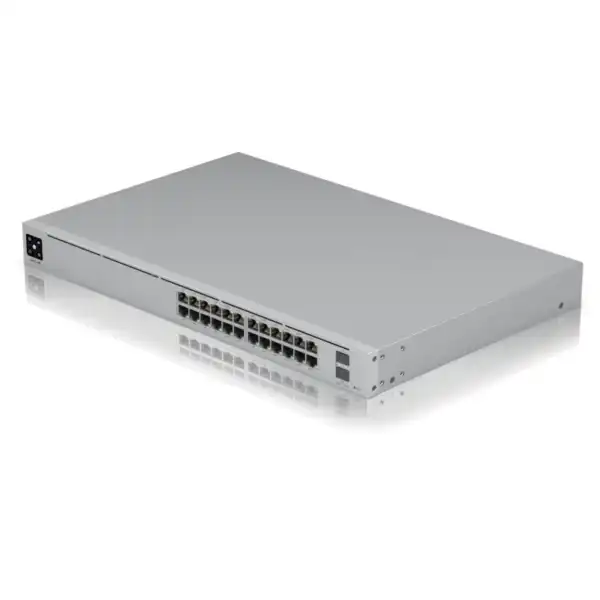
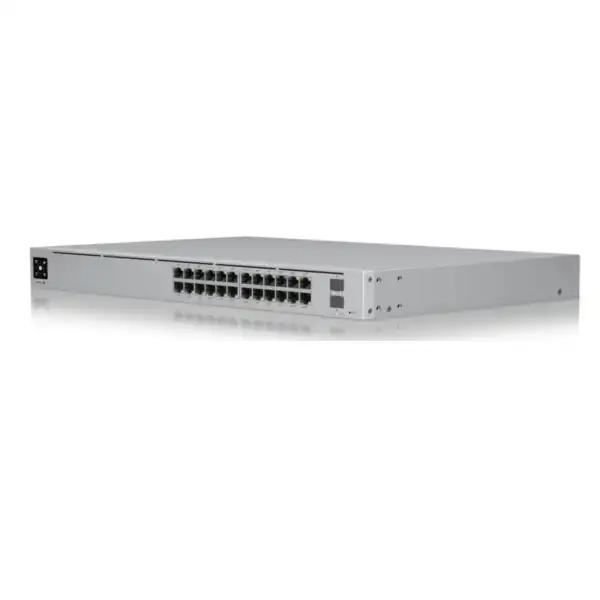
Ubiquiti UniFi Switch Pro 24 (USW-Pro-24)
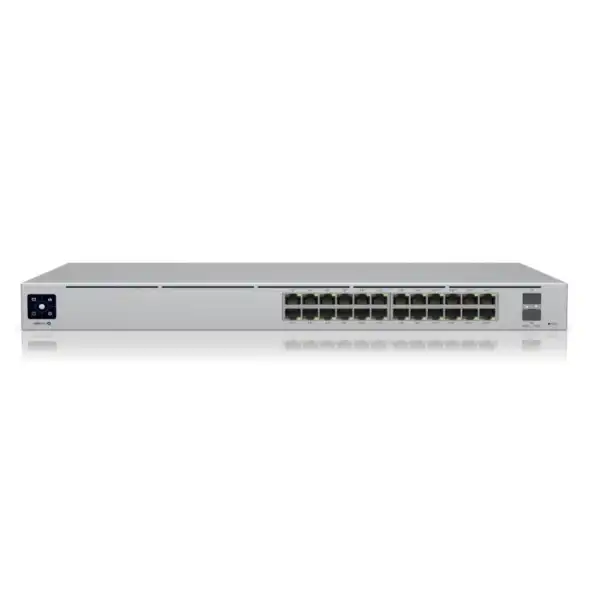
Build a carefully managed Gigabit network with 24 copper access ports, two 10G-capable SFP+ connections, Layer 3 functionality and convenient UniFi Network management. The Ubiquiti UniFi Switch Pro 24 is a non-PoE 1U switch intended for organisations that need better visibility and control over wired connectivity.
Is this the right switch?
- Good fit: 24 standard Gigabit wired devices, managed VLAN requirements, quiet rack installations and one or two compatible 10G uplink paths.
- Check carefully: gateway and firewall capabilities, UniFi Network setup, SFP+ optics or DAC compatibility, cabling, temperature and power-backup needs.
- Choose another model when needed: integrated PoE is required, client RJ45 ports must exceed 1 Gbps, or the design needs more than two 10G-capable uplink interfaces.
Verified specifications at a glance
| Model | USW-Pro-24; UniFi Switch Pro 24 |
|---|---|
| Switch type | Managed Layer 2 / selected Layer 3 functions |
| RJ45 interfaces | 24 × 10/100/1000 Mbps |
| Uplink interfaces | 2 × SFP+; 1 or 10 Gbps |
| PoE output | None on this model |
| Switching capacity | 88 Gbps |
| Total non-blocking throughput | 44 Gbps |
| Packet forwarding rate | 65.472 Mpps |
| Rack form factor | 1U |
| Dimensions | 442.4 × 285.4 × 43.7 mm |
| Maximum power consumption | 30 W |
| AC input | 100–240 V AC, 50/60 Hz |
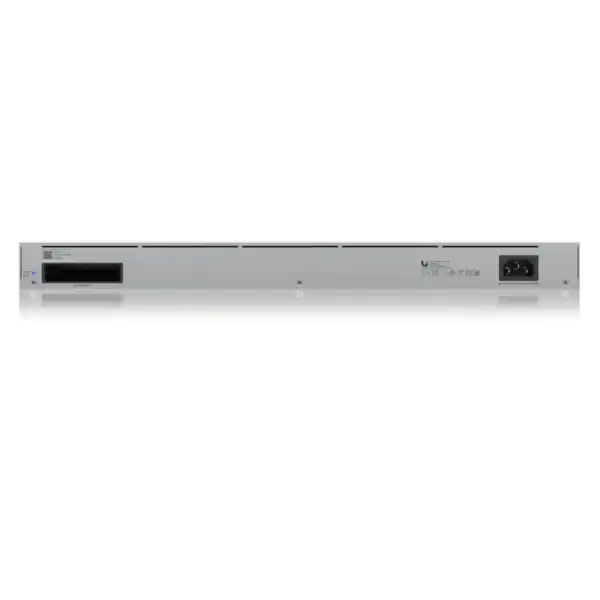
| Backup-power provision | USP-RPS compatible DC input; separate accessory |
| Operating environment | −5 to 45°C; 10–90% humidity, noncondensing |
| Management | UniFi Network (published original minimum: v5.12.11) |
Technical specifications are manufacturer-published model details, not a guarantee of a particular network’s end-to-end speed. Confirm the final hardware revision and software compatibility as part of the deployment plan.
A practical network switch for growing business environments
The Ubiquiti UniFi Switch Pro 24, model USW-Pro-24, is intended for an organisation that needs a managed group of Gigabit wired connections with faster uplinks to a gateway, a backbone switch, or a suitable server. It suits structured cabling networks where administrators want to define VLANs, observe switch ports, and make planned changes centrally. It is especially relevant when an existing unmanaged switch no longer offers the control needed to separate business systems, guest networks, and operational equipment without rebuilding the entire cabling layout.
Rather than choosing solely by port count, assess the number of wired devices, future expansion, internet gateway capacity, internal traffic patterns, and power requirements. The Switch Pro 24 provides twenty-four 10/100/1000 Mbps RJ45 ports plus two dedicated 1/10 Gigabit SFP+ ports, allowing access connections and uplinks to be planned separately. It does not supply PoE power to connected devices. For a quotation in Tanzania, specify the exact model, intended rack environment, link distances, and whether your project already includes PoE equipment.
What the twenty-four Gigabit ports actually provide
Each of the twenty-four copper RJ45 ports negotiates at 10, 100, or 1,000 Mbps with a compatible connected device and suitable cabling. These ports can connect desktop computers, printers, network-attached storage interfaces, non-PoE security appliances, servers with Gigabit network ports, and other standard Ethernet endpoints. A Gigabit port does not mean an application will always transfer data at exactly one gigabit per second; storage performance, protocol overhead, device hardware, cabling quality, and upstream bandwidth all affect real outcomes.
For planning, draw a port schedule before procurement. Reserve connections for infrastructure such as an upstream firewall, patching changes, a management workstation, and any future endpoint moves, then count the ports still available. If twenty-four copper ports will already be consumed on day one, consider whether a larger model or a second access switch is more practical. Label every patch panel and switch connection. Good numbering makes later support more efficient and reduces the risk that a critical link is disconnected during maintenance.
Two SFP+ uplinks for higher-capacity network paths
The two SFP+ interfaces can operate at 1 Gbps or 10 Gbps with compatible optics, direct-attach cables, or appropriate connecting hardware. Their value is most noticeable when several Gigabit users share a path toward a gateway, distribution switch, or resource-heavy server. A ten-gigabit uplink can provide more headroom than a single Gigabit inter-switch link, but the connected device must also have a compatible interface, and the end-to-end link must be correctly configured before the additional capacity can be used.
Treat the uplinks as dedicated design decisions rather than automatic upgrades. Confirm the far-end port speed, supported transceiver or DAC type, fibre mode, connector, distance, and link negotiation. Determine whether you need one uplink with a second reserved for another connection, or a carefully supported link-aggregation arrangement. Two interfaces should not be presented as a guaranteed twenty-gigabit single flow. Actual throughput depends on the topology, traffic distribution, transceiver compatibility, routing path, and the capabilities of every device between endpoints.
An important limitation: no PoE output
This exact USW-Pro-24 model is a non-PoE switch. It forwards Ethernet data, but its twenty-four RJ45 ports do not deliver the electrical power that many wireless access points, IP cameras, VoIP phones, and door access devices require. Confusing it with the similarly named USW-Pro-24-PoE can result in a network where connected devices remain unpowered even though their data cables are present. Always check the full model identifier on the purchase request, not just the phrase Pro 24.
An organisation that already uses PoE injectors, dedicated PoE switches, or locally powered endpoints may still find this model appropriate. If you expect one Ethernet cable to carry both data and power, include a separate PoE design or evaluate a PoE-capable switch instead. The power budget, device power standards, environmental conditions, and any injector accessories must be confirmed independently. Keeping the distinction explicit is one of the most useful checks a buyer can make before approving a network-switch order.
Switching capacity, throughput, and realistic expectations
Ubiquiti specifies 88 Gbps switching capacity, 44 Gbps total non-blocking throughput, and a forwarding rate of approximately 65.472 million packets per second for this model. These figures describe internal switching capabilities under defined conditions; they are not promises that a single desktop, internet plan, or application will experience that speed. Each ordinary RJ45 endpoint remains limited by its negotiated Gigabit link, while the dedicated SFP+ connections provide the higher-capacity uplink options.
When assessing performance, look beyond the headline specification to the likely traffic pattern. A file server used by many employees can create different uplink demand from a collection of light office clients. Voice, conferencing, local backups, video streams, and cloud applications also have distinct requirements. Measure or estimate simultaneous traffic where possible, and check the router, firewall, wireless infrastructure, and server interfaces as well. A capable switch cannot overcome a slower bottleneck somewhere else in the network.
Layer 2 controls for orderly network operation
The Switch Pro 24 provides managed Layer 2 capabilities such as VLANs, link aggregation, spanning-tree protection, quality-of-service controls, and port-level settings. These functions help administrators turn a collection of Ethernet cables into a deliberate network structure. VLANs allow traffic classes to be separated logically, while spanning-tree mechanisms help reduce the impact of accidental loops when switches are connected through multiple paths. Port controls make it possible to document how each wired connection is expected to behave.
These features are most useful when configured with a complete plan rather than enabled randomly. A trunk link should carry the intended VLANs, an access port should present the correct network to its connected endpoint, and uplink redundancy should use a design supported by the neighbouring hardware. Misconfigured loops or VLAN tags can disrupt access even on high-quality equipment. Have the administrator record the initial configuration and change procedure so future staff can understand how the network was intentionally segmented.
VLAN segmentation for departments and services
A typical business may want separate logical networks for employees, guests, network management, building systems, and selected operational applications. The USW-Pro-24 supports VLAN-based switching, making it suitable for carrying these different networks across its ports and uplinks. For example, an office could assign staff devices to one VLAN and a controlled facilities system to another, while ensuring the upstream router or appropriate Layer 3 device applies the required traffic policies.
Segmentation must include more than typing VLAN numbers into a switch interface. Decide who may communicate across network boundaries, which system supplies DHCP, where DNS and internet access are provided, and how management access is protected. Any switch-to-switch link must carry the relevant tagged networks consistently. It is equally important to test that the intended restrictions work: a guest or facilities device should not be able to reach a sensitive business system simply because both are plugged into the same physical rack.
Understanding the switch’s Layer 3 features
Ubiquiti lists Layer 3 functionality on the USW-Pro-24, including supported local-network inter-VLAN routing and related options within UniFi Network. This can be useful when traffic between eligible internal VLANs should be handled by an appropriately configured switch instead of passing through a gateway for every local exchange. However, Layer 3 support does not make this model an internet router, an all-purpose security firewall, or a substitute for a properly designed WAN edge.
Before planning switch-based routing, review current UniFi software requirements and Ubiquiti’s Layer 3 deployment guidance. The routing workflow has gateway and network-topology dependencies, including the special inter-VLAN transit arrangement described in Ubiquiti documentation. Verify the actual feature set against the firmware and management version in your environment. If you need advanced firewall rules, NAT, dynamic routing protocols, or complex policy routing, confirm that a dedicated gateway or security appliance provides those functions rather than assuming the switch will.
Keep the gateway and firewall roles clear
In most small and medium business networks, the internet gateway remains responsible for WAN connectivity, network address translation where required, upstream security policy, and connectivity to internet service providers. The Switch Pro 24 connects wired endpoints and can participate in approved internal routing arrangements, but it should be considered one component of a larger architecture. A switch with excellent internal forwarding cannot resolve poor ISP reliability, an undersized firewall, or missing network-security policy.
During design, mark the exact point where traffic leaves the local network. Record which VLANs use the gateway for routing and which, if any, are routed locally on the switch. This helps administrators anticipate where firewall inspection takes place and avoids accidental bypass of policy controls. Teams that use a third-party gateway should pay particular attention to route requirements, VLAN support, and compatibility with UniFi’s documented Layer 3 workflow before promising a particular deployment outcome.
Centralised operation through UniFi Network
The unit is designed for configuration and monitoring through UniFi Network. A managed UniFi deployment provides a consistent place to view switch connectivity, adjust supported port profiles, and maintain common network settings across devices. The manufacturer’s published specification identifies UniFi Network software support beginning at version 5.12.11, although current installation planning should use the appropriate supported software and firmware for the existing site.
Central management does not remove the need for sound operational practice. Document who administers the console, how changes are approved, where backups are kept, and how switch firmware is maintained. For a multi-switch office, use clear device names and port descriptions so the dashboard helps rather than complicates troubleshooting. Confirm where the UniFi Network application will run, what happens during controller downtime, and which monitoring alerts matter to the organisation before commissioning the new hardware.
Port profiles, monitoring, and troubleshooting visibility
Managed switch interfaces help an administrator understand which links are active, the negotiated speed of connected devices, and how ports have been assigned. This visibility is useful when a workstation unexpectedly connects at 100 Mbps, an uplink is disconnected, or a VLAN profile has been applied to the wrong socket. A concise port description such as Finance Printer or Main Rack Uplink is more useful during a service incident than an anonymous number.
Treat switch statistics as one input into diagnosis rather than final proof of root cause. A slow application may involve endpoint performance, Wi-Fi, DNS resolution, storage latency, packet loss elsewhere, or external service conditions. Use structured tests to distinguish the local access link from the upstream path. When troubleshooting, change one element at a time, record the result, and avoid resetting a production switch before collecting the configuration and understanding the downstream impact.
Traffic priority for voice, meetings, and critical applications
Quality-of-service features can help a network distinguish latency-sensitive traffic such as voice from traffic that is more tolerant of delay, such as large software downloads. Ubiquiti lists DSCP-related QoS controls for this switch. These tools can support a carefully implemented network design, particularly where offices carry IP telephony, conferencing, and ordinary data on shared infrastructure. They do not create extra bandwidth, and their benefits depend on consistent traffic marking and suitable upstream handling.
Start by identifying actual congestion points and application requirements. Prioritising every device defeats the purpose of prioritisation, while applying incorrect marks may reduce the quality of essential services. Coordinate switch settings with the gateway and any other intermediate switches. Test representative calls and application sessions during periods of normal load, and avoid guaranteeing call quality where internet access, external services, or the endpoint itself can still introduce delay and loss.
Multicast awareness for media and specialised endpoints
Some network environments use multicast for discovery, conferencing, audio/video distribution, or other applications that send one stream to several listeners. The switch lists IGMP snooping and advanced IGMP configuration capabilities, which can help administrators control how such traffic reaches ports when properly configured. These features matter in specialised deployments where uncontrolled multicast forwarding could otherwise create unnecessary activity across access links.
Multicast design should begin with the application, not with a switch toggle. Confirm whether a querier is required, which VLAN carries the stream, what the receiver expects, and whether routing between subnets is involved. A digital signage setup, training venue, or audiovisual installation may have very different requirements from a conventional office. Pilot the actual endpoints and software before broad rollout, especially if the environment depends on precise timing, discovery, or vendor-specific media profiles.
Link aggregation and redundant network paths
Where supported at both ends, link aggregation can group eligible interfaces for load distribution and resilience against some individual-link failures. The USW-Pro-24 includes LACP port aggregation among its documented Layer 2 functions. That can be useful for a connection to an appropriately configured neighbouring switch or compatible multi-interface server. However, aggregation is not the same as turning several physical ports into one universally faster connection for every single session.
Plan the bundle carefully, including port speeds, compatible endpoints, expected traffic patterns, and failure behaviour. Do not connect multiple ordinary switch links without the appropriate topology control; unmanaged parallel paths can form a disruptive Ethernet loop. Some installations are better served by a single 10G SFP+ uplink than by several aggregated Gigabit copper links. Compare options based on the equipment actually available, service continuity needs, cabling costs, and the time needed to troubleshoot a future outage.
Choosing fibre, DAC, and copper connections
The switch’s RJ45 ports are designed for conventional copper Ethernet connections up to Gigabit speeds, whereas the SFP+ uplinks introduce options for high-capacity links over appropriate fibre or short direct-attach connections. Fibre can be valuable between equipment rooms or buildings where a design requires electrical isolation and suitable distance. DAC can be practical for supported short rack-to-rack connections. Neither option should be selected without checking the exact interface compatibility and installation route.
Make a small cabling schedule that lists the endpoints, connector type, fibre class or copper category, intended speed, measured length, and required accessories. Check compatible transceiver modules rather than assuming every SFP+ component works with every port. Remember that the base switch package does not establish that an optic or DAC cable is included for your project. Also verify patch panel arrangements and optical cleaning procedures where fibre is used so avoidable connection faults do not delay installation.
Rack mounting and equipment-room layout
The USW-Pro-24 uses a 1U rack-mount chassis measuring approximately 442 by 285 by 44 millimetres. It is designed for an appropriate standard equipment rack, and Ubiquiti supplies mounting hardware described in the quick-start guide. This makes the device a natural choice for a structured network cabinet that contains patch panels, a gateway, and other distribution equipment. Rack dimensions still require checking, especially where door clearance, cable depth, or non-standard mounting arrangements are involved.
Before fitting the unit, map the patch panel above or below it and leave room for manageable cable bends. Ensure the rack has a suitable electrical supply and that power cords can be routed without obstructing data connections. Label both ends of each copper or fibre link. The device may be compact, but a crowded cabinet with untidy cabling can create more operational difficulty than the switch itself. For projects involving multiple devices, prepare an elevation drawing and confirm total rack space before procurement.
Fanless cooling without ignoring ventilation
Ubiquiti describes the Switch Pro 24 as fanless, which can reduce mechanical noise when compared with equipment that uses active internal fans. This is attractive for small offices and communications cabinets located near occupied rooms. Fanless does not mean the unit produces no heat or can safely operate in a sealed, unventilated enclosure. Ubiquiti specifies an operating temperature range of minus five to forty-five degrees Celsius and relative humidity of ten to ninety percent, noncondensing.
In Tanzania, the practical concern is often the actual cabinet environment rather than the weather forecast outside. Measure or estimate the temperature within a loaded rack, especially where power equipment and other switches share a confined space. Maintain airflow around the enclosure, follow installation guidance, and prevent water ingress and condensation. A protective enclosure for a cable route exposed to outdoor conditions is not permission to install the switch outdoors unprotected. Site preparation improves reliability more than a marketing claim about cooling alone.
Power consumption and the AC supply
The model includes an internal AC/DC power supply and accepts a universal 100–240V AC, 50/60Hz input. Its specified maximum switch power consumption is 30 watts. Because this is a non-PoE unit, that figure does not include a budget for delivering power to cameras or wireless devices. The lower electrical demand may simplify a small network cabinet’s power planning, but the total design must still account for the router, storage, PoE injectors, any additional switches, and other equipment.
A reliable power plan starts by identifying the critical network services that must remain available during short supply interruptions. Ask whether the gateway, switch, controller host, and any upstream network termination equipment all need backup power. A UPS that protects only the switch does not preserve service if the firewall or the ONT loses electricity. Size backup equipment from the combined load and target runtime using the UPS manufacturer’s method rather than assuming the switch’s thirty-watt figure represents the entire site.
Optional redundant power input
Ubiquiti provides a dedicated DC backup-power connection designed for use with its compatible UniFi SmartPower Redundant Power System, identified in the manufacturer’s installation guide as USP-RPS. If that system is correctly installed and compatible, it can provide an alternative source of power when the switch’s primary supply path fails. This is a hardware option, not an assurance that a standard unit includes a redundant power system, additional backup cables, or uninterrupted site operation by itself.
Distinguish source redundancy from battery backup. A redundant supply can address some power-path or supply-component failures, while an appropriately specified UPS addresses a different set of interruptions. Neither eliminates outages caused by failed uplinks, controller issues, upstream routers, or environmental hazards. Confirm the exact redundant-power hardware and cabling when requesting a quotation. If the site’s network is mission-critical, document failure scenarios and test restoration procedures before treating the infrastructure as resilient.
Practical security controls at the access layer
The switch supports functions including 802.1X control, port isolation, access-control lists, DHCP snooping or guarding, and other managed policies listed by Ubiquiti. These can help an administrator reduce some risks from unauthorised endpoints or inappropriate traffic paths. For example, a port intended for a controlled device may have a more restricted configuration than a general meeting-room connection. The effectiveness of these measures depends on supporting infrastructure and accurate policy design.
Do not present switch security controls as a replacement for endpoint protection, identity management, firewall inspection, patching, and monitoring. An 802.1X deployment needs an appropriate authentication design, while ACLs require careful testing to avoid breaking necessary applications. Avoid assumptions about default-deny behaviour or security guarantees based on a feature label. Record which controls are enabled, who owns the policy, and how exceptions are reviewed so security changes remain supportable as employees and devices change.
Business office scenario: staff networks and shared services
Consider an office with several teams, shared printers, a local server, and a dedicated communications cabinet. The USW-Pro-24 can connect the wired endpoints while forwarding traffic toward an upstream gateway or higher-capacity network through a compatible uplink. Managed VLANs can separate selected functions, and port descriptions make it easier for IT staff to locate a connection without tracing every cable. The switch is a useful building block where a business has outgrown the limitations of a basic unmanaged model.
The deployment should still be sized around actual demand. If the office relies heavily on wireless access points, those access points will require a suitable power source because this device does not provide PoE. If the local server requires more than a Gigabit interface, assess whether it can use a suitable SFP+ path and how that affects the uplink budget. Plan capacity for employee growth and maintenance spares instead of filling every port immediately and then needing an unexpected additional switch.
Education and training scenario: computer labs
A training room or computer laboratory often has many computers that need reliable wired access and consistent network settings. A managed twenty-four-port switch can serve a defined group of endpoints, with VLAN separation for teaching systems, administrative resources, and shared network services where the wider design supports it. The ten-gigabit uplink option may be valuable when numerous lab clients use a central resource at the same time, provided upstream equipment and storage are appropriately sized.
Before purchase, count the teacher’s workstation, shared printer, presentation equipment, and any network-connected control systems alongside student computers. Ask whether a forty-eight-port model would reduce the number of switches and uplinks in a full laboratory. Decide how student devices are reset, what happens when a misconfigured machine generates abnormal traffic, and how class sessions affect network demand. These operational requirements shape a useful switch deployment more accurately than selecting a product by the number of computers alone.
Hospitality and multi-area buildings
Hotels, guest facilities, and multi-area offices may need to carry several categories of network traffic through structured cabling. The USW-Pro-24 can participate in that design by connecting wired equipment and carrying intended VLANs over properly configured uplinks. Its fanless design can be helpful where a cabinet is positioned near occupied spaces, although environmental and security requirements still apply. The model is not, on its own, a complete guest Wi-Fi or hospitality-network solution.
Determine the number of access switches needed in each area, their uplink paths, the capacity of the central gateway, and how guest traffic is kept separate from internal systems. Wireless access points and other powered devices require PoE provision elsewhere. Property owners should also consider physical cabinet access, power backup, monitoring responsibilities, and serviceability outside normal office hours. A simple network drawing and endpoint inventory can expose these requirements before a buyer commits to a particular switch quantity.
Cameras and network video: data transport versus device power
IP video systems often generate sustained network traffic and may involve many cameras, recorders, and monitoring stations. The Switch Pro 24 can transport Ethernet data for suitable devices, but it does not power PoE cameras through its RJ45 ports. A design that uses this switch with cameras needs compatible independent power or separate PoE network hardware. Camera stream rates, recording resolution, retention policies, and simultaneous viewing requirements should inform the traffic model rather than assumptions based on camera count.
For a camera deployment, map the paths from cameras to recorder or storage and verify where the traffic crosses each uplink. If cameras and recording servers are separated by switch tiers, evaluate whether a 10G link is beneficial, while remembering that the SFP+ interfaces need compatible accessories. Isolate security systems according to the organisation’s policy and ensure they remain reachable by authorised monitoring clients. Keep recorder storage sizing, electrical supply, and remote-viewing requirements separate from the switch’s basic data-forwarding specification.
Working alongside UniFi wireless infrastructure
A UniFi network may contain gateways, managed switches, wireless access points, and other connected systems visible through a common management environment. The USW-Pro-24 can be an access or distribution component within that environment, carrying wired traffic and VLANs according to the configured network plan. A consistent management interface may simplify oversight, but using products in the same ecosystem does not eliminate the need to confirm software versions, model-specific features, and appropriate physical connections.
Wireless deployments need particular care because the switch is non-PoE. The access points’ electrical requirements must be met using suitable independent power sources or downstream PoE equipment. Calculate wireless client demand separately from the number of cables plugged into the rack; one access point may serve many clients, and the upstream network should be sized for aggregate demand. Check the actual gateway capacity, authentication method, VLAN mapping, coverage design, and Wi-Fi operating conditions when building a complete solution.
Using the switch in a small server or storage network
The pair of 10G-capable SFP+ ports creates opportunities for a high-capacity connection to an appropriate server, storage appliance, or aggregation switch. That can be useful for backup traffic, shared files, and workloads where many Gigabit users converge on one resource. Whether the performance gain is material depends on the attached resource and its storage and processor capability, not merely on the presence of a 10G port. Most ordinary copper client ports on this device remain Gigabit.
A purchasing team should identify which equipment will use each SFP+ port before ordering modules or DAC cables. If one port is used for the upstream gateway and another for a server, future expansion choices will be constrained by those assignments. If the design requires several high-speed servers or more than two 10G paths, compare switches with a larger number of high-speed interfaces. The right architecture avoids creating a new choke point while solving an old one.
Planning for expansion without unnecessary overspending
Buying a switch involves balancing today’s connections with a credible growth path. Start with a count of active copper endpoints, reserved infrastructure ports, expected additions, and the uplink requirements of the network above them. Twenty-four Gigabit access ports may be appropriate for an office section, retail back room, laboratory, or supporting rack, but the best choice changes if many future devices need PoE, multigigabit connectivity, or dedicated 10G interfaces.
Do not pay for unused capabilities simply because a higher model number looks safer. At the same time, avoid filling a switch entirely when the cost of adding another cabinet, installing a second unit, or reconfiguring fibre could be significant. Review the cabling infrastructure as part of the decision. A clear two- or three-year equipment forecast is useful, but keep future needs labelled as estimates and use current project requirements to select the base configuration.
Migration from an unmanaged or older switch
Replacing an unmanaged switch with the USW-Pro-24 introduces administrative control and a more deliberate configuration workflow. Begin by recording the existing cable schedule, the IP subnets in use, how endpoints receive addresses, and which services depend on local broadcast or multicast discovery. A simple swap may work for an uncomplicated single-network environment, but moving to segmented VLANs is a separate network-change project that deserves testing and a rollback plan.
Schedule the migration for an approved maintenance period, back up relevant gateway and controller settings, and label every cable before disconnecting the old equipment. Bring up the replacement with a known management configuration and test representative endpoints before reconnecting the full office. Verify that critical printers, business systems, wireless infrastructure, and remote support paths remain available. Keep the old device or another tested recovery option available if the change fails, provided the site’s security and support practices allow it.
Installation and commissioning workflow
A reliable installation begins with site readiness: a suitable indoor cabinet, sufficient rack space, safe AC supply, appropriate cabling, and a functioning management network. Mount the switch using the supplied method, connect the intended gateway or management uplink, and adopt the unit through a suitable UniFi Network application according to Ubiquiti guidance. After adoption, establish naming, software maintenance, administrative access, and port assignments before connecting production endpoints.
Test each class of connection rather than assuming the switch is ready once its lights turn on. Confirm port negotiations, reachability of management systems, correct VLAN membership, internet access where permitted, and access restrictions where required. If using a 10G SFP+ path, verify the observed link speed and run a representative transfer or traffic test that does not disrupt live workloads. Record serial and asset information privately in the organisation’s equipment register; no real identifiers are required in public product content.
Pre-purchase technical checklist
Before requesting a quote, confirm the exact identifier USW-Pro-24 and note that the unit is not the PoE version. List the twenty-four-port copper requirement, whether both SFP+ interfaces are needed, and the physical path of each high-speed uplink. Include the model of the connecting gateway, switch, or server so compatibility can be checked. Identify whether there are existing PoE injectors or whether a different switch is needed for powered endpoints.
Also record the rack depth, available power, ventilation, desired backup-power arrangement, UniFi management setup, and any policy-based routing or security expectations. Ask the supplier to distinguish the switch itself from optional transceivers, DACs, separate PoE equipment, and any installation services. Verify the commercial quotation for this particular Tanzania order rather than extrapolating international prices. No local inventory, delivery commitment, or warranty term should be assumed without confirmation from the seller.
What to verify in a commercial quotation
A useful quotation identifies the exact manufacturer model, quantity, included items, accessory requirements, and any separately priced implementation work. For this switch, clarify the need for SFP+ transceivers or compatible direct-attach cabling, rack integration, testing, and any redundant power hardware. If the project includes a controller, gateway, or downstream PoE equipment, list those independently so the scope remains transparent and the buyer can see which component solves which problem.
Commercial details should be confirmed directly for the requested Tanzania destination and purchase date. Ask for applicable local pricing in Tanzanian shillings when available, any taxes or delivery charges that apply, product sourcing details, and the stated support or return arrangements. These details vary by transaction and cannot be inferred from manufacturer specifications. Making the purchase conditions explicit protects the project against surprises and gives the IT team a clear technical basis for acceptance.
When to choose a different UniFi switch
The USW-Pro-24 is a sensible candidate when you need managed Gigabit access, two 10G-capable uplinks, a rackmount format, and no integrated PoE delivery. A PoE-capable model is a better starting point when many access points, phones, or cameras must receive power directly through Ethernet. If several workstations require 2.5G or 10G copper connectivity, a switch with appropriate multigigabit ports may be necessary because this unit’s twenty-four RJ45 ports are Gigabit only.
Also consider whether two SFP+ uplinks are enough for the intended aggregation role. A larger campus distribution environment could need additional high-speed ports, routing features, or a different resilience model. Compare exact devices by usable port types, power delivery, management capabilities, available uplinks, and operating conditions, not by a broad Pro or Enterprise label. Product families evolve, so model-level requirements should be checked against current primary specifications before the final selection.
Troubleshooting slow or failed connections
When an endpoint appears offline, inspect the physical connection first. Check the correct patch-panel label, port link indication, device power, and the expected VLAN profile. For a Gigabit endpoint reporting a slower link, inspect the cable and connectors and confirm what speed the far-end interface supports. For a failed SFP+ link, investigate the installed optic or DAC, port speed configuration, fibre polarity where relevant, and the far-end device before blaming the switch.
Next establish the failure boundary. Test connectivity from an endpoint to its local gateway, then to an approved internal service, and only then to external resources. For segmented networks, confirm DHCP scope, routing, and access-control policy. Consult the UniFi management interface for relevant link and configuration evidence. Avoid turning off loop protection, access restrictions, or security features merely to make an unexplained fault disappear; diagnose the root cause and document any temporary change.
Maintenance and ownership after deployment
A network switch becomes useful infrastructure only when someone is responsible for keeping it configured, documented, and recoverable. Assign a technical owner for firmware assessment, monitoring, administrative access, and change approvals. Keep the current port map and network diagram in a controlled location that authorised staff can reach during an incident. Maintain suitable backups of the wider UniFi management configuration and record which software versions were tested with important local services.
Review the installation periodically for growing port utilisation, changes in endpoint types, increased uplink traffic, and new PoE or high-speed requirements. Inspect the physical cabinet for blocked airflow, damaged patch leads, and unlabelled connections. For critical business environments, agree how the organisation will respond to a failed switch and what spare hardware or recovery path is practical. A straightforward maintenance plan often delivers more lasting value than adding complex options that the team cannot confidently support.
Acceptance testing before the network is handed over
An installer or IT team should finish with evidence that the intended network design is operating. Confirm all ordered hardware has been received, the serial identification is recorded in the private asset register, and the equipment is securely mounted. Check the operating environment and confirm that the switch is visible to authorised administrators. Verify representative access ports, the planned uplinks, and any configured VLANs using actual test devices or approved test methods.
Test both allowed and disallowed connectivity where segmentation is a requirement. For critical applications, run representative traffic during an agreed test window and record observed link speeds rather than stating theoretical performance as a result. If redundant power or UPS backup is included in the separate project scope, verify its expected behaviour safely using an approved procedure. Hand over a network diagram, port list, documented settings, and named support responsibilities so routine operation can continue after the installation team leaves.
How FourTeck Tanzania can help buyers evaluate fit
A buyer assessing the Ubiquiti UniFi Switch Pro 24 in Tanzania can use a requirements-led enquiry to avoid ordering an incomplete or unsuitable configuration. The most helpful details are the number of devices, the distinction between data-only and PoE endpoints, the existing gateway and UniFi management environment, and any specific 10G uplink requirement. Providing these details makes it easier to discuss the correct hardware type and necessary accessories rather than relying on a generic twenty-four-port description.
Request a model-specific quotation and ask for confirmation of product availability, local commercial terms, compatible uplink accessories, and any service scope needed for the project. This page describes technical suitability, not a guarantee of stock, delivery, installation coverage, or a particular price. The decision should be based on the verified product specification together with the requirements of your actual premises and network. A clear scope and acceptance checklist will help both the purchasing and technical teams.
Frequently asked questions
Does the USW-Pro-24 provide PoE to access points or cameras?
No. The exact USW-Pro-24 is the non-PoE version. It provides managed Ethernet data connections but does not supply PoE output on its copper ports. Use appropriate separate power equipment or evaluate a PoE-capable model if the endpoint requires power over Ethernet.
How many copper and uplink ports does it have?
It has twenty-four 10/100/1000 Mbps RJ45 access ports and two 1/10 Gbps SFP+ ports. The SFP+ interfaces are suitable for compatible high-speed uplinks, but transceiver, cable, and neighbouring equipment compatibility must be established for each intended connection.
Can one RJ45 port run at 10Gbps?
No. The twenty-four RJ45 ports are Gigabit Ethernet interfaces, with a maximum negotiated link rate of 1 Gbps. The switch provides its 10 Gbps capability through its two SFP+ ports, not through multigigabit RJ45 client ports.
Does the switch replace an internet router or firewall?
No. The product supports selected Layer 3 functions, including documented local-network routing features, but it is not a full WAN gateway or a replacement for perimeter security. Internet access, NAT where necessary, and the relevant firewall policies need appropriate supporting equipment.
Can it be managed using UniFi Network?
Yes. Ubiquiti identifies UniFi Network as its management application. The manufacturer lists version 5.12.11 or later as the original application requirement; administrators should also check current software compatibility and choose a supported production version for their installation.
Can it connect to a 10G fibre uplink?
Yes, using an appropriate compatible SFP+ transceiver and fibre infrastructure, or another supported SFP+ connection method. Check the module, far-end interface, fibre type, connector and distance. The presence of an SFP+ socket alone does not verify that an arbitrary optic will work.
Is the switch fanless and suitable for an office cabinet?
Ubiquiti describes the USW-Pro-24 as fanless, and it is designed for 1U rack mounting. It still needs suitable ventilation and a protected indoor environment. Review the rack layout and the manufacturer’s temperature and humidity limits before deployment.
What is the maximum stated power consumption?
The manufacturer’s specification lists a maximum switch consumption of 30 watts and an internal 36-watt AC/DC power supply. This is not a PoE power budget, and the rest of the network equipment must be considered separately when specifying UPS capacity.
Does it support VLANs and network segregation?
Yes. The model supports managed VLAN features, allowing multiple logical networks to be carried across appropriate access and trunk ports. Effective separation depends on a complete VLAN, routing, firewall, and endpoint design; creating a VLAN by itself does not establish every required security restriction.
Can I use two uplinks for redundancy or more bandwidth?
The device supports relevant managed switching features including LACP, but the design must be compatible at both ends. Link aggregation may distribute different traffic flows and support some link-failure scenarios; it should not be advertised as doubling the speed of every individual transfer.
What are the switching performance figures?
Ubiquiti publishes 88 Gbps switching capacity, 44 Gbps non-blocking throughput, and an approximately 65.472 Mpps forwarding rate. These are hardware performance specifications and must not be confused with an internet subscription speed or the throughput of one Gigabit workstation.
Are SFP+ optics and redundant power included?
Do not assume so. The official package description identifies the switch, basic mounting accessories and power cord, while the redundant power workflow requires compatible separate equipment and cabling. Confirm all accessories explicitly in a seller’s quotation for the intended project.
Can I use this switch for IP security cameras?
Yes, for compatible Ethernet data connectivity, but cameras needing PoE must have power supplied independently or through other appropriate PoE equipment. Verify recorder bandwidth, uplink requirements, VLAN policy and the physical network plan before committing to a camera installation.
Is it suitable for a new Tanzania office installation?
It can suit an office requiring twenty-four managed Gigabit access ports and up to two compatible 10G uplink connections. Suitability depends on the actual device count, PoE demand, rack environment, gateway, cabling and management arrangements. Local stock and prices require a separate verified quotation.
How should I request the right model and accessories?
Identify the required model as USW-Pro-24, state explicitly that you want the non-PoE variant, and provide the endpoint count and uplink design. Include any SFP+ optics, DACs, PoE equipment, power-backup hardware and installation requirements as separate quotation items for clear evaluation.
Does the manufacturer listing prove FourTeck has stock?
No. Technical product documentation confirms a model and its published specifications, not the inventory or delivery terms of a particular Tanzania seller. Request a current quotation that explicitly confirms availability, applicable local pricing and fulfilment conditions.
Request a model-specific quote for Tanzania
Ask FourTeck Tanzania to confirm the exact Ubiquiti USW-Pro-24 configuration for your network. Share the number of wired endpoints, whether any device needs PoE, your planned 10G uplinks, and required accessories. Request verification of current availability, local pricing, delivery terms, and any implementation scope before placing an order.




Reviews
There are no reviews yet.