
UniFi wireless networking • Tanzania product guide
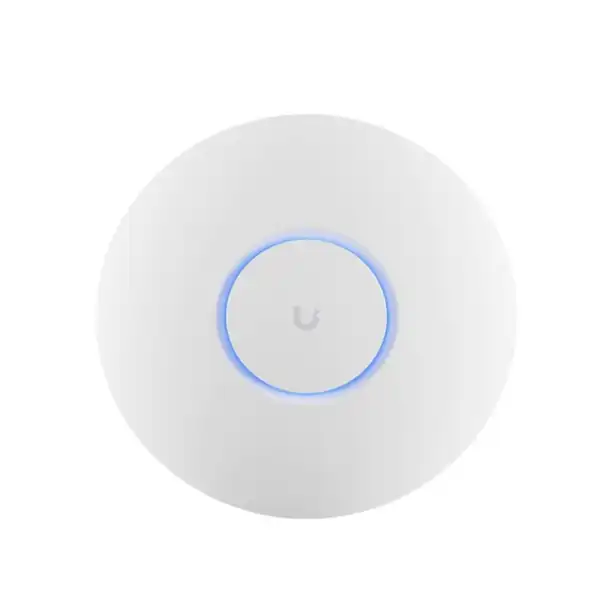
Ubiquiti UniFi U6 Plus (U6+): practical WiFi 6 for indoor networks
The Ubiquiti U6 Plus is a compact, dual-band WiFi 6 access point for businesses and other indoor sites that need centrally managed wireless coverage without building a complicated radio network. Its combination of 2.4 GHz and 5 GHz radios, four total spatial streams, a Gigabit Ethernet uplink and Power over Ethernet makes it a sensible candidate for an office, shop, reception area, classroom or similar deployment. It is an access point, not a replacement for the internet service, router or PoE power source.
Ask FourTeck Tanzania about the U6+ and the supporting equipment your particular site needs. Confirm the required number of access points, PoE supply, compatible UniFi management arrangement and current quote before ordering.
Key specifications at a glance
| Model | Ubiquiti UniFi U6 Plus (U6+) |
|---|---|
| Wireless standard | WiFi 6 (802.11ax), dual band 2.4 GHz and 5 GHz |
| Radio configuration | 2 × 2 MU-MIMO on each band; four spatial streams in total |
| Peak wireless link rate | Up to 573.5 Mbps on 2.4 GHz at 40 MHz; up to 2.4 Gbps on 5 GHz at 160 MHz |
| Wired interface | One Gigabit Ethernet RJ45 port |
| Power | PoE; 9 W maximum consumption; 44–57 V DC supported range |
| Manufacturer coverage indicator | 140 m², subject to layout and site conditions |
| Manufacturer client-count indicator | 300+ maximum clients; not a recommended busy-network design target |
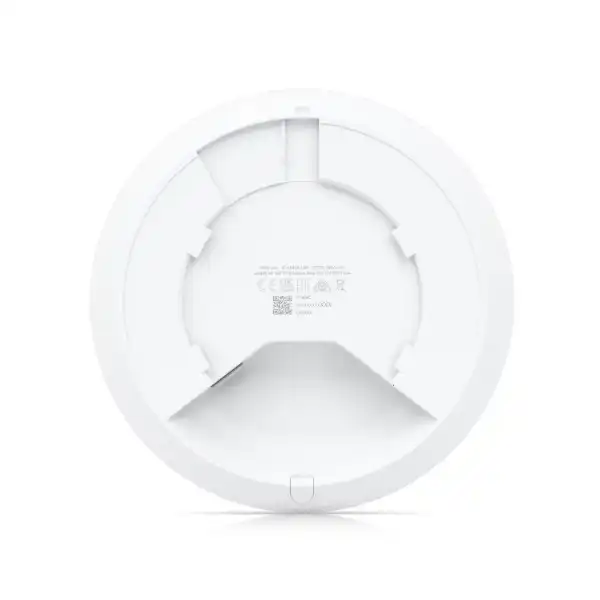
| Mounting | Ceiling or wall; mounting hardware included according to manufacturer |
| Dimensions | 160 mm diameter × 33 mm |
| Management | UniFi Network version 7.3.76 or later for managed operation |
| Recommended installation context | Indoor, protected location; wired Ethernet backhaul preferred |
The radio figures above are negotiated link-rate specifications under particular channel widths, not guaranteed internet or application throughput. The single Gigabit Ethernet uplink and each client device also influence the speeds a user can actually observe.
A better buying decision begins with the network problem
For many small and medium-sized indoor networks, the difficult question is not whether an access point advertises a large maximum speed. It is whether people can stay connected in the rooms where they work, whether conferencing and cloud applications remain responsive, and whether somebody can manage the wireless network without visiting every device. The U6+ is intended to serve that practical need as part of the UniFi family. It gives network administrators a manageable wireless endpoint instead of making every WiFi device an isolated configuration project.
A good purchase decision therefore starts with floor plans, connected-device types, peak usage and existing cabling. A compact shop with a payment terminal, staff devices and ordinary customer browsing has different traffic patterns from a classroom full of learners joining a video lesson. Both sites might consider the same access point, but they need different assumptions about density, channel planning, guest access and future growth. Count the active devices, not only the number of people, because a person may use a phone and a laptop together.
When describing your requirement to FourTeck Tanzania, share the number of floors, likely mounting positions, construction materials and internet-router location. These details often make the difference between purchasing one correctly placed access point and discovering later that coverage at the far end of the building is weak. The intended outcome is a stable wireless network, not a specification sheet with the largest number highlighted.
What the U6 Plus actually does
The U6+ provides wireless access for compatible phones, computers and other client devices by connecting into the existing local area network. The Ethernet port carries its data to the rest of the network, while PoE supplies electrical power over that connection. In a typical setup the access point connects to a PoE-capable network switch, which then connects toward a router and the internet service. Address allocation, firewall policy and the WAN connection remain responsibilities of other network components.
This distinction matters when upgrading an existing office router. Adding a U6+ can improve wireless placement or management, but it does not turn an inadequate broadband circuit into a faster connection. Similarly, a failing switch port, damaged cable, overloaded router or intermittent electrical supply can create symptoms that look like poor WiFi. Before replacing equipment, determine where the actual bottleneck is and whether the network has enough capacity to support planned growth.
For organizations already using UniFi gateways, switches or other access points, a U6+ may fit into an established management workflow. A new installation can also use an appropriate UniFi management setup, but the buyer should verify what equipment or server arrangement will manage and adopt the access point. Treat the U6+ as one building block in a complete design rather than an independent all-in-one networking appliance.
Understanding dual-band WiFi 6 performance
The U6+ transmits on the familiar 2.4 GHz and 5 GHz bands. The 2.4 GHz band can be useful for some older or lower-bandwidth client devices and for reaching areas where signal behavior favors lower frequencies, although interference from neighboring networks and non-WiFi equipment may limit performance. The 5 GHz band usually provides a more attractive option for many laptops and phones needing substantial data rates in a properly designed indoor space.
WiFi 6 introduces capabilities that can make radio resources more efficient under suitable conditions, but the benefits depend on client support, settings and the mix of simultaneous transmissions. A WiFi 5 laptop will not gain every WiFi 6 feature simply because it joins a U6+. The access point also cannot make a weak client radio stronger. Actual performance reflects both ends of the wireless conversation, surrounding interference and the quality of the wired connection.
For buyers comparing products, it is useful to distinguish a technically supported WiFi standard from an assurance of whole-building coverage or a fixed connection speed. The U6+ supplies dual-band WiFi 6 capability; the installer must still choose sensible channels, mounting positions, transmit-power settings and security policies. These design choices can be more important to the end-user experience than any single headline speed figure.
How to interpret the 2.4 Gbps headline
Ubiquiti specifies a maximum 5 GHz PHY data rate of 2.4 Gbps when the appropriate 160 MHz channel width and client conditions are available. Its 2.4 GHz radio has a maximum listed PHY rate of 573.5 Mbps at 40 MHz. Those are distinct radio link figures, not a measured result for every connection and not an internet download guarantee. They should not be added together and described as the speed that one ordinary user will receive.
In particular, the U6+ has one Gigabit Ethernet port for the wired uplink. Traffic passing between WiFi clients and the wired network is therefore subject to the capabilities of that link, along with Ethernet overhead and the rest of the network. Traffic staying within the wireless system follows different constraints. Actual applications also incur wireless contention, protocol overhead, signal changes and processing delays, so practical throughput will be below ideal physical-layer rates.
Buyers should ask which matters most: broadband speed tests, smooth video calls, low-latency access to a business application, or acceptable service for many simultaneous users. A carefully planned 80 MHz or narrower channel may be more useful than forcing 160 MHz in a crowded radio environment. If the site is built around multi-gigabit wired service and very demanding client traffic, consider whether a different access point with a faster uplink better matches the end-to-end design.
Choosing between 2.4 GHz and 5 GHz
An effective deployment does not have to push every device onto the same band. Devices with strong 5 GHz support can often be directed toward that band when its signal quality is appropriate, while some older devices or equipment with modest bandwidth demands can remain on 2.4 GHz. The UniFi feature set includes band steering, but steering is an aid to client selection rather than a guarantee that each device will always attach to the preferred frequency.
The 2.4 GHz spectrum has relatively few non-overlapping channels in many regional plans, so neighboring access points can interfere if channels and power are chosen carelessly. A room filled with many basic network devices may generate little traffic per device but still create management and airtime overhead. At 5 GHz, additional channel possibilities can help, although local channel availability, radar restrictions and device capabilities must be respected.
Plan the wireless settings for real equipment rather than a hypothetical perfect laptop. Test payment systems, printers, scanners, handsets and other essential client categories before applying strict steering or band restrictions. In a shop or office, an unreliable small device can be more disruptive than a modest difference in the speed measured by one high-end phone.
Why physical placement matters so much
The manufacturer’s stated 140 m² coverage indicator is a useful starting reference, not a promise that every point within a particular floor area will receive the same speed. A wide open room, a building with reinforced concrete partitions and a corridor of small offices can produce very different results. Metal shelving, mirrors, dense storage areas and adjacent equipment may also change signal propagation. Plan around the walls and where users actually sit.
The U6+ supports ceiling and wall mounting, and its compact form can fit unobtrusively in reception areas or professional offices. A central ceiling location may make sense for many open rooms, but there is no universally correct mounting point. Avoid assuming that an access point hidden in a metal cabinet or placed at one distant end of a long corridor will behave like an access point installed in the occupied area.
A basic site survey can begin with a sketch showing rooms, walls and likely connection points. An installer can then test signal strength and application behavior at desks, counters, meeting areas and other critical locations. Coverage should be judged by usable two-way communication and roaming behavior, not just by the appearance of a strong signal icon on a phone.
Planning more than one access point
Some sites need multiple appropriately placed access points rather than a single unit operated at maximum power. This is particularly true when offices occupy separate floors, concrete walls separate work areas, or users move across a large building. Multiple units can also create opportunities to share client traffic across radios, although the benefit depends on careful placement and how the clients choose an access point.
With a multi-AP installation, simply assigning identical settings everywhere is not enough. Nearby radios should use channels and transmission powers that reduce unnecessary overlap and contention. The goal is to provide continuous, usable coverage while avoiding situations where a client holds onto a distant AP because its signal remains just strong enough. Roaming support can help in compatible deployments, but each client’s behavior remains part of the outcome.
Where practical, provide wired Ethernet backhaul to each access point. Plan cable routes and PoE port budgets before selecting how many units to install. A site with several access points may benefit from a central management arrangement so administrators can apply policies consistently, monitor health and make informed changes without physically visiting each ceiling location.
PoE power and cabling checklist
The U6+ uses Power over Ethernet and has a manufacturer-specified maximum power consumption of 9 W, with a supported voltage range of 44–57 V DC. That helps keep the installation tidy: a correctly selected cable connection can carry network traffic and power without a separate outlet beside the access point. Power is not magically supplied by an ordinary Ethernet socket; a compatible powered switch or injector must be present.
Check the type of PoE source, available power budget and correct cable route. A switch can offer PoE ports yet have a total shared power limit that is too low for every attached device at the same time. Existing cabling should be tested for continuity and quality, especially where it has been extended or re-terminated over time. Use suitable network cable and appropriate installation practices for the environment rather than relying on improvised wiring.
A dedicated PoE injector can be considered when the existing switch does not supply power, provided its output and compatibility are verified for the U6+. Buyers should also confirm what power accessories are actually included in the quotation; an access point listing does not necessarily include a separate injector. If power outages are a business concern, assess backup for the switch, router and internet equipment together, not only for the access point.
One Gigabit Ethernet port: what it means
The U6+ provides one Gigabit Ethernet RJ45 networking interface. This makes it straightforward to connect to common Gigabit switching environments and simplifies cabling, but it is an important architectural limit. The access point is not a multi-port desktop switch, and it does not supply a second Ethernet socket for connecting another wired device. The networking design must provide the required wired ports elsewhere.
A Gigabit uplink is often appropriate for routine small-office connectivity, collaboration tools, browsing and cloud services, particularly when the internet connection and traffic patterns do not demand more. However, buyers planning high-performance local file transfers or numerous heavy wireless workloads should consider uplink capacity as part of the decision. The headline 5 GHz PHY rate does not imply a 2.4 Gbps physical Ethernet connection to the switch.
Verify the cable run, switch negotiation speed and network health during commissioning. A poor termination can sometimes cause an unexpected lower negotiated speed or intermittent packet loss. If users report that WiFi appears strong but applications are slow, examine the Ethernet uplink, router performance, internet service, DNS and switching path before concluding that the radio hardware is inadequate.
UniFi Network management requirements
For managed operation, Ubiquiti lists UniFi Network version 7.3.76 or later as the minimum application requirement for the U6+. The UniFi ecosystem can provide centralized configuration, monitoring and policy management for compatible devices. An organization that expects to change guest access or WiFi settings across multiple locations should plan the management arrangement before installing the access points.
Management may be provided by an appropriate UniFi console or another supported UniFi Network hosting arrangement. The exact choice affects how the administrator reaches settings, receives alerts, manages backups and maintains updates. A standalone access-point configuration is possible in some UniFi scenarios, but the manufacturer’s support guidance explains that it has feature limitations compared with a managed deployment, especially when coordinating advanced policies or multiple APs.
Before a purchase, identify who will be responsible for adoption, administrator access, application updates, device backups and recovery if hardware is replaced. Do not assume that buying the access point automatically includes a particular controller, internet service, subscription package or professional setup. Good operational ownership matters just as much as the radio specifications once people depend on WiFi for daily work.
Setting up the U6+ for the first time
A sensible installation sequence starts with confirming that the local network and internet access already work over a known-good Ethernet cable. Choose the mounting location, prepare a suitable PoE connection and connect the U6+. The access point should power on and become reachable for adoption through the selected UniFi Network management environment. Follow Ubiquiti’s current setup instructions for the exact management platform and software version in use.
Once adopted, give the wireless network a clear name, set appropriate authentication and decide whether business, staff and guest users need separate access policies. The intended network architecture may require switch ports, VLANs and routing rules to be configured in addition to the access point. A wireless SSID alone does not automatically create a complete isolated network if the upstream components are not designed for it.
After configuration, perform practical checks from several client types and several physical positions. Confirm that devices get network addresses, can reach permitted services and do not accidentally access restricted resources. Record the installation location, cable endpoint, management ownership and configuration decisions so subsequent troubleshooting does not begin from an incomplete picture.
Guest WiFi without mixing business traffic
A retail shop, training center or reception area may want visitors to connect easily while staff equipment remains protected. The U6+ includes UniFi features associated with captive portals, guest network isolation and client isolation. Depending on the deployment and UniFi Network configuration, these capabilities can support a visitor experience that is distinct from the internal operational network. A branded portal or voucher-based access process may also be relevant for some businesses.
The key design question is what a guest should be able to reach. A portal welcome page by itself does not substitute for a firewall or network isolation rules. A guest network often needs internet access but no access to tills, internal file shares, network printers or administrative interfaces. Those requirements should be applied and tested across the gateway, switch, VLAN and WiFi configuration as applicable.
Keep the visitor experience proportionate to the setting. A café with casual customers may prefer a simple policy, while an organization with identifiable visitors may need more structured access management. Confirm any privacy, authentication and record-keeping requirements separately under applicable policies. The device offers technical functions; the owner is responsible for choosing and maintaining a suitable overall security and access design.
Security that follows the entire network
A secure wireless installation involves more than selecting a strong WiFi password once. Consider administrator account protection, current firmware, suitable authentication, access permissions and the ability to recover configurations. UniFi Network provides mechanisms for managing compatible wireless access settings, but the selected security mode must be appropriate for the clients that need to connect and the site’s risk profile.
Separating staff and guest traffic is especially useful when visitors bring devices the organization does not control. Businesses should also think about cameras, smart displays and other connected equipment that may require different permissions from ordinary employee laptops. If segmentation is needed, ensure the network switch and gateway enforce the intended policy. Merely giving networks different names does not always create meaningful separation.
Maintain a short documented schedule for updates and routine review. Check device health after changes, monitor unexpected disconnections and remove credentials that should no longer be used. A U6+ can form part of a well-controlled environment, but it cannot compensate for an unpatched router, exposed management interfaces or indiscriminate sharing of administrator credentials.
Roaming when users move between rooms
Roaming matters in offices where a person walks between work areas while using a phone or collaboration application. Ubiquiti lists support for 802.11k, 802.11v and 802.11r-related capabilities on the U6+. Within a properly configured and compatible UniFi environment, these features can assist client discovery, transition decisions and faster handover between access points.
Roaming still depends strongly on the client. Some phones move promptly when signal quality changes; others may remain connected to a distant radio longer than the administrator would prefer. Excessively high AP power can even make the situation worse by encouraging clients to stay attached beyond the area where they have good uplink performance. Adequate coverage overlap and sensible settings are more important than simply increasing transmit power.
Test roaming in places where mobility matters: corridors, reception-to-office transitions, classrooms and adjoining meeting spaces. If voice service is business-critical, use representative devices and call scenarios during acceptance testing. The specification indicates capability; it does not guarantee interruption-free mobility in every building or with every application.
Wireless meshing versus a wired uplink
The U6+ supports wireless meshing within an appropriate UniFi deployment. This can be helpful where running Ethernet to every location is difficult. However, a mesh connection uses wireless capacity to carry upstream traffic, and its performance depends on the quality of the link between the access points. It is therefore not an automatic replacement for a dedicated cable in a demanding business environment.
For most permanent installations, a wired backhaul remains the preferred starting point. Ethernet provides a clearer path for power and data, reduces the uncertainty associated with a wireless uplink and makes fault diagnosis simpler. A site that relies on wireless meshing should be tested under realistic load rather than relying on an empty-building speed measurement after setup.
Where meshing is unavoidable, choose locations that provide a stable upstream signal, not just the best visible signal to the final user. Review the number of wireless hops, potential interference and recovery behavior if an upstream access point fails. Confirm the selected UniFi management mode supports the intended mesh arrangement, because standalone setup and centrally managed deployments do not offer identical capabilities.
Offices, shared workspaces and meeting rooms
A typical office mixes short bursts of web activity with video meetings, cloud document access, software updates and occasional large downloads. The U6+ can be evaluated for these environments when the available internet capacity, client population and desired wireless coverage match its design. Its compact form and ceiling-or-wall mounting options are practical where visible networking hardware should be unobtrusive.
Instead of asking how many users the product can theoretically connect, estimate how many will be active at once and what each person will do. Ten devices mostly idle are different from ten laptops joining simultaneous high-definition calls. The manufacturer’s 300+ client figure is an upper-level product indicator, not a promise that hundreds of people can all stream, transfer files or work interactively at peak rate through one access point.
Place extra attention on spaces where collaboration matters, including conference rooms and shared desks. Evaluate connection stability, latency and roaming as well as download throughput. If many users are concentrated in a single room, the design might benefit from additional radios or a different AP class rather than assuming one centrally mounted unit is always sufficient.
Shops, counters and customer-facing spaces
Retail environments often prioritize dependable operation over maximum benchmark numbers. A customer-facing store may use a point-of-sale system, handheld devices, inventory applications, staff phones and optional visitor WiFi. The access point needs to support the connection where transactions occur, while critical business systems may require wired connectivity or a carefully tested wireless design.
Positioning deserves attention around shelving, storage rooms, refrigerated equipment and cash counters. Metal fixtures can change radio coverage, and appliances or other electronics may influence the local interference environment. A survey during normal operating conditions can reveal problems that are not visible while the store is empty. Consider how staff devices move between counters, stock areas and back offices.
If customer WiFi is provided, keep it logically separate from operational traffic. Establish bandwidth policies that prevent casual browsing from degrading essential applications, and verify that upstream routing or firewall rules support the intended separation. Ask for a quotation that covers the complete installation requirement, not only the access point itself.
Training rooms and small learning spaces
Schools, training centers and meeting facilities often concentrate client devices in a limited area for predictable periods. Learners may browse materials, download assignments or join live sessions at the same time. A U6+ can be a component of such a design, but the correct number and placement of access points depends on simultaneous traffic, room layout, available spectrum and the reliability of the upstream connection.
The device count should include instructor laptops, student phones, shared tablets, interactive displays and other wireless equipment. A stated maximum association count does not mean every client will enjoy the same data rate during a crowded session. Where a full room joins video calls, assess bandwidth in both directions and consider whether the internet service or the local radio environment is the limiting factor.
Plan security around the types of users rather than using a single shared credential for every purpose. Visitor access, staff operations and learning resources may need different rules. Pilot a representative class session before declaring the design complete, and record client experience at the edges and center of the room.
Small hospitality and reception deployments
Reception rooms, waiting areas and smaller hospitality sites need wireless connectivity that is easy for visitors to understand and dependable for staff. The U6+ may fit when installed in a protected indoor location and supported by adequate upstream networking. UniFi guest-access functions can be useful for establishments that prefer a separate visitor experience, but the form of the portal or authentication process should match their operating needs.
A single AP in a lobby will not necessarily provide reliable service through several walls or across multiple floors. Guest rooms, corridors and service areas may require separate coverage planning. The installation should also consider spaces used by workers, such as back offices and payment counters, where access reliability may be more critical than visitor convenience.
For sites operating long hours, think about what happens when the building loses power or an internet connection fails. Power continuity for the router, switching and PoE source may be a bigger practical consideration than one more wireless feature. Document who monitors the network and how staff can report a problem without confusing a broadband outage with an AP fault.
Upgrading from older WiFi equipment
Replacing an older access point can make sense when clients increasingly support WiFi 6, current coverage is inadequate, central management is desirable or the existing hardware no longer fits the site’s operational needs. Ubiquiti describes the U6+ as an improvement over the U6 Lite, including dual-band WiFi 6 capability. Nevertheless, an upgrade should be judged against the actual shortcomings of the existing network.
If the current access point already provides solid coverage but the broadband circuit is saturated, replacing only the wireless hardware may do little for perceived speed. Conversely, if users struggle in one part of the building, a better AP position or an additional correctly installed unit may provide more benefit than buying a nominally faster single device. Wireless design and hardware capability are complementary.
Before reusing old cables and power equipment, confirm electrical compatibility and link quality. Verify the available UniFi management version, check site-specific settings and consider whether migrating guest or staff networks will affect connected devices. A controlled change plan reduces unnecessary disruption when the wireless network supports daily business activity.
When a more advanced AP is appropriate
The U6+ is not the best answer for every installation. Sites with very dense simultaneous traffic, demanding local data transfers or a requirement for faster wired uplinks may benefit from a higher-capacity access point. Models with more radio streams or multi-gigabit Ethernet can offer different performance characteristics, although selecting a larger model alone cannot fix poor placement or severe interference.
If the brief explicitly requires 6 GHz operation, note that the U6+ is a dual-band 2.4 GHz and 5 GHz device. It is a WiFi 6 product, not a tri-band WiFi 6E or WiFi 7 access point. Buyers needing access to the 6 GHz band should compare other compatible UniFi models and verify local spectrum requirements, supported client devices and the associated switching environment.
A useful comparison should cover the number of active users, desired channel plan, uplink requirements, PoE budget, management compatibility, lifecycle needs and cost of the whole installation. An access point that looks inexpensive on its own can be the wrong choice if it requires a complete redesign shortly afterward. Equally, the simpler U6+ may be entirely appropriate where the requirements are modest and well understood.
Channel planning in busy buildings
Neighboring wireless networks compete for airtime even when they belong to different organizations. A shared office building may show numerous SSIDs and overlapping radio transmissions, particularly on 2.4 GHz. A suitable installation begins by observing the existing radio environment and then choosing channel widths and AP placement appropriate to that environment. Wider channels are not always better because they occupy more spectrum.
On 5 GHz, the U6+ supports channel widths up to 160 MHz, but the availability and practical value of those widths depend on regional settings, radar-related channel rules and interference. For a building with many nearby networks, narrower channels may create a more predictable experience. Ubiquiti’s management tools can assist with channel assessment, yet configuration should still follow actual site findings.
Avoid turning every AP up to maximum transmit power. A phone may hear the access point but struggle to transmit back, creating an asymmetric connection. Neighboring radios may also interfere with each other if power is excessive. Test both directions of the link, multiple common client types and the times when the site is normally busiest.
Temperature, humidity and physical protection
Ubiquiti lists an operating temperature range of -30 °C to 60 °C and 5% to 95% noncondensing relative humidity for the U6+. These figures describe specified environmental operating conditions, not permission to expose the product to rain, direct water spray or unprotected exterior conditions. The U6+ is best treated as an indoor access point and installed in a protected position consistent with manufacturer instructions.
For Tanzanian deployments, the immediate installation environment matters more than a generic climate label. An enclosed ceiling void can be much warmer than the occupied office. Dust, cleaning practices, moisture, ventilation and access for service can all influence a device’s real operating conditions. If equipment must be exposed outdoors or in a harsh industrial area, choose a model designed and rated for that setting.
Ensure that the chosen location allows the unit to be mounted securely and that network cable enters without unsafe strain. Electrical and data-cabling work should follow appropriate site practices. A well-positioned device that can be inspected and maintained may provide a better long-term result than an aesthetically hidden access point in an unsuitable enclosure.
Monitoring, maintenance and support
Installation day is only the beginning of operating a wireless network. A practical management plan should cover software updates, configuration backups, review of unusual client behavior, investigation of recurring disconnects and a record of which switch port powers each AP. UniFi Network provides tools for monitoring compatible devices, but those tools are useful only if someone is responsible for checking the information and acting on it.
Create an inventory of device names, physical locations and management ownership. Keep administrator access controlled and document how to recover if equipment is reset or replaced. When a change affects guest access, bandwidth policies or radio settings, test critical applications after the change. A network that stays understandable over time is usually easier to support than one with undocumented fixes added whenever users complain.
If a device appears offline, check the upstream PoE port, the cable, the switch and the management path before assuming that the hardware has failed. If clients show strong radio signal but weak application performance, measure wired connectivity and upstream service conditions as well. Troubleshooting in a defined sequence helps avoid unnecessary hardware purchases.
What to include in a complete quotation
A well-scoped quote should identify the U6+ access point quantity and the infrastructure needed to make the installation usable. Ask whether the proposed PoE switch or injector is compatible, whether cable runs and terminations are included and what UniFi management approach is assumed. The answer may differ for a buyer who already owns a suitable UniFi network compared with a buyer starting from an ordinary internet router.
Also establish which tasks the quotation covers: physical mounting, network adoption, SSID configuration, guest-network segregation, radio survey, application testing and handover documentation. The presence of a capability in the access point’s software does not mean every advanced configuration is automatically included as a service. Define the deliverables so the business knows what outcome to expect.
For purchasing in Tanzania, request a current product quotation and verify the precise hardware variant, package contents, terms and any service arrangements directly with FourTeck Tanzania. No local price, stock position, delivery commitment or warranty period is assumed in this product guide. Confirm those commercial details before approving an order.
A simple acceptance-test plan
Begin with essential connectivity: connect representative client devices, verify that they receive correct network settings and confirm their access to the resources they are supposed to use. Run a wired test from the same network to establish a baseline before comparing wireless results. This helps separate WiFi behavior from internet-service and routing issues.
Next, test every critical work area at realistic occupancy. Check not just one speed-test number but repeated application responses, video quality where relevant, voice call behavior, typical web activity and stability during movement between access points. For guest access, confirm that visitors can reach the internet without reaching restricted internal services. If a captive portal is configured, test the complete login or voucher process with an ordinary visitor device.
Finally, document the installed unit locations, switch ports, agreed radio settings and any coverage limitations discovered during commissioning. A result that works on an empty Saturday morning might differ from a fully occupied weekday, so an agreed follow-up evaluation can be valuable. This is the evidence-based way to decide whether the U6+ design meets the site’s needs.
Buying the U6 Plus in Tanzania
The Ubiquiti U6 Plus is worth considering when an indoor business requires a compact WiFi 6 access point with manageable guest and staff wireless services, modest power demand and straightforward Gigabit Ethernet integration. Its strengths are most useful when the surrounding network is correctly sized and the access point is placed where users require coverage. It should not be selected solely on its peak PHY rate or theoretical client count.
Before committing, verify whether the site has sufficient PoE power, suitable cabling, a compatible UniFi Network management option and a router capable of supporting the intended network policies. For multi-floor or high-density requirements, ask for a coverage and capacity recommendation rather than choosing an arbitrary number of devices. If 6 GHz WiFi or multi-gigabit wired uplink is mandatory, consider a different product class.
Share your site size, approximate number of simultaneously active devices, typical applications, present network equipment and any guest-access needs with FourTeck Tanzania. Request confirmation of exact model, current commercial terms, proposed accessories and installation scope. The aim is to obtain a complete, supportable wireless solution rather than just a box with a WiFi specification.
Frequently asked questions about Ubiquiti U6 Plus
Is U6 Plus the same product as U6+?
Yes. U6 Plus and U6+ refer to the UniFi model discussed here. When requesting a quotation, use the full manufacturer name and ask the supplier to confirm the exact product variant. Do not confuse it with U6 Pro, U6 Lite, U6 Long-Range or a WiFi 7 product, as those have different capabilities and may require different planning.
Does the U6+ work as a router?
No. It is a wireless access point. A separate router or gateway is normally responsible for the internet connection, routing, firewall policy and often DHCP. The U6+ bridges compatible wireless devices into the intended local network. Its Ethernet and PoE connection must be supplied by the surrounding infrastructure.
Does the U6+ support WiFi 6 on both bands?
It is a dual-band WiFi 6 access point serving 2.4 GHz and 5 GHz. Client performance and feature use depend on the device connecting and local configuration. Existing older WiFi clients can still be considered in the deployment, but they do not gain unsupported WiFi 6 radio capabilities simply by joining the network.
Can this access point use the 6 GHz band?
No. The U6+ is not a 6 GHz radio product. The 6 in WiFi 6 names a generation of wireless technology rather than the 6 GHz frequency band. If 6 GHz access is a requirement, compare compatible WiFi 6E or WiFi 7 equipment and check which regional channels and client features are available.
What is the actual speed I can expect?
There is no single speed that applies to every installation. Ubiquiti lists maximum PHY rates of 573.5 Mbps on 2.4 GHz and 2.4 Gbps on 5 GHz under specified channel conditions. Real throughput is affected by client capability, interference, channel width, wired Gigabit uplink, network congestion, application overhead and the available internet service.
Will one U6+ cover my whole building?
Possibly for some compact layouts, but it cannot be promised from floor area alone. Ubiquiti lists a 140 m² coverage reference, while walls, metal fixtures, ceilings and user locations can greatly change results. A floor plan and on-site tests are the right starting points for deciding whether one unit or multiple access points are needed.
Can it support more than 300 users?
The manufacturer publishes a 300+ maximum client-count indicator. That is not a recommendation to run hundreds of high-traffic clients through one AP. The number that can use a network comfortably depends on application traffic, airtime contention, signal quality, upstream connectivity and client behavior. Plan for simultaneous activity, not only association counts.
How is the U6+ powered?
It requires PoE through its Ethernet connection and Ubiquiti specifies up to 9 W consumption with a supported input range of 44–57 V DC. Confirm the compatibility and power budget of the proposed PoE switch or injector. Do not assume an ordinary switch port provides power or that an injector will be included in every sales package.
Is an Ethernet cable necessary?
A cabled connection is the recommended arrangement for reliable power and wired backhaul. Wireless meshing is a supported UniFi capability in appropriate managed deployments, but it has limitations and still requires suitable upstream access points and power. A new standalone access point cannot simply be treated as a cable-free replacement for a router and its power source.
Can the U6+ be mounted on a wall?
Ubiquiti lists both wall and ceiling mounting and identifies included mounts in its current specifications. The best choice depends on coverage needs, building materials and cabling routes. Keep the device in a suitable indoor location and follow the applicable installation guidance for secure placement, service access and protection from moisture.
Can it be installed outside?
Treat the U6+ as an indoor access point. The manufacturer’s temperature and humidity specifications do not make it a weatherproof outdoor radio. Outdoor environments, exposed corridors or areas subject to rain and water spray call for equipment specifically rated for those conditions. Confirm environmental suitability before installation.
Do I need a UniFi controller or console?
For full managed use, plan a compatible UniFi Network arrangement. Ubiquiti lists version 7.3.76 or later for this model. Some standalone setup paths are supported for certain use cases, but they provide fewer management functions, particularly for coordinated multi-access-point features. Confirm how this unit will be adopted and administered before purchasing.
Can I provide separate guest and staff WiFi?
UniFi supports guest-oriented functions and client isolation, and the U6+ lists relevant capabilities. Reliable separation may also require correctly configured VLANs, switch ports, gateway rules and firewall policies. Design and test those network controls together rather than assuming different WiFi names alone guarantee separation.
Will phones roam smoothly between two U6+ units?
The U6+ lists roaming assistance features including 802.11k, 802.11v and 802.11r-related support. Actual transition behavior still depends on client devices, signal overlap, radio configuration and the selected UniFi management mode. Test the devices and applications that will be used while moving between rooms; uninterrupted communication cannot be assumed automatically.
Is U6+ suitable for a busy classroom or restaurant?
It may be, but suitability depends on the size of the space, client traffic, nearby interference and the total network design. A busy training session or guest area may need multiple access points or a different capacity class. Assess concurrent device use and application requirements before relying on a generic maximum-clients claim.
Does the 2.4 Gbps specification mean my internet will run at 2.4 Gbps?
No. That value describes a possible 5 GHz physical wireless connection under specific conditions, not an internet service guarantee. The U6+ has a Gigabit Ethernet uplink, and real traffic sees protocol overhead and interference. Internet speed is also limited by the subscribed connection, gateway, switching and the performance of each individual client.
Can I reuse my present switch and cabling?
Possibly. Check that the cable supports a reliable Gigabit link and that a suitable PoE power source is available. If the current switch cannot provide compatible PoE, an appropriate injector or different switch may be needed. Examine available PoE budgets when several access points or other powered devices share one switch.
How do I get a price for the U6+ in Tanzania?
Request a current quote from FourTeck Tanzania and identify the exact U6+ variant and quantity. Ask what is included in the proposed package, such as a PoE injector, switching, cabling or configuration service. Local price, delivery, stock and warranty terms should be confirmed through the quotation rather than assumed from a generic product description.
What details should I send when requesting advice?
Provide a simple floor plan or description, number of floors, wall materials, approximate simultaneous client count, important applications, current router and switch models, PoE availability, cable distances and whether guest WiFi is required. These details help determine whether the U6+ is appropriate and what accessories or alternative hardware the site may need.
Request an informed U6+ quotation
Tell FourTeck Tanzania where the access point will be installed, how many devices will use the network, and whether you already have compatible PoE switching and UniFi management. Ask for confirmation of the exact model and a current quote covering the hardware and any required accessories or installation work.
The product details above are technical guidance, not an offer of stock, a fixed local price, guaranteed coverage or a promised installation service.




Reviews
There are no reviews yet.