
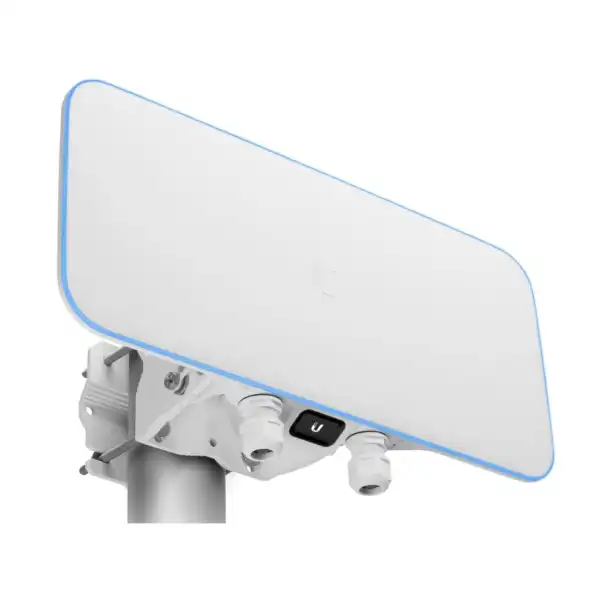
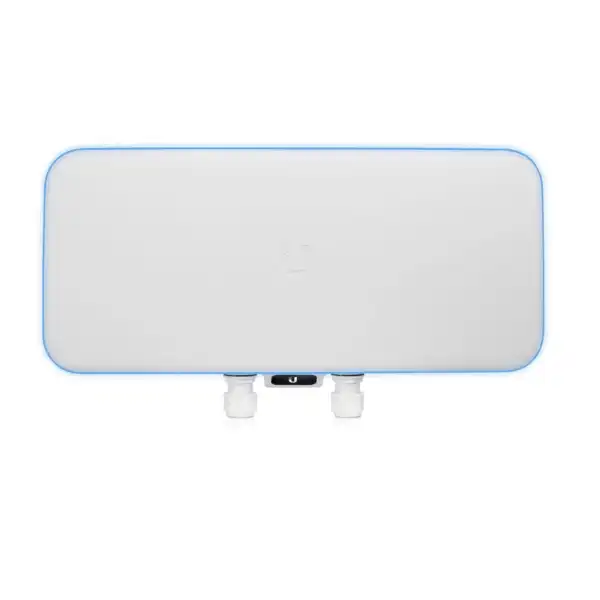
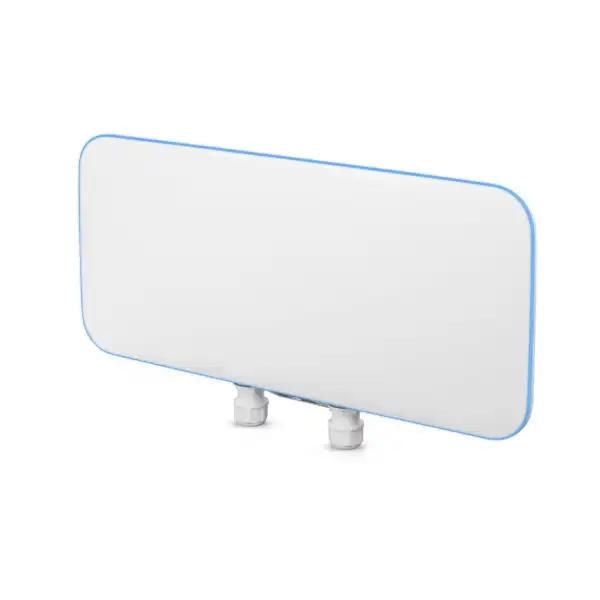
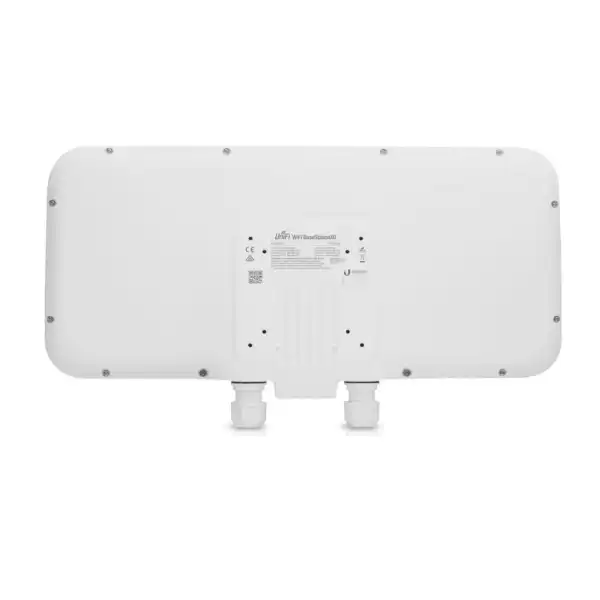
Ubiquiti WiFi BaseStation XG UWB-XG
A directional, three-radio Wi-Fi 5 access point for planned stadium sectors, outdoor events and other high-density venue coverage areas.
Quick buying answer
Consider the BaseStation XG when you need several coordinated 5 GHz radio resources directed toward a known concentration of wireless users. Its design is most useful as part of an engineered venue network, not as a standalone device expected to blanket every room or serve 2.4 GHz-only equipment. Define peak active demand, RF conditions and mounting geometry before purchasing.
Core features
Manufacturer technical specifications
Figures below are manufacturer references. They do not guarantee coverage, simultaneous application capacity or individual user speed at every site.
| Brand and model | Ubiquiti UniFi UWB-XG |
|---|---|
| Wireless generation | Wi-Fi 5 / 802.11ac Wave 2 |
| Client radios | 3 × 5 GHz; 4×4 downlink MU-MIMO per radio |
| Spatial streams | 12 |
| Maximum PHY data rate | Approximately 1.7 Gbps per 5 GHz radio at 80 MHz |
| Selectable antenna | 50° × 50°, 15 dBi; 90° × 90°, 10 dBi |
| Manufacturer max clients | 1,500+; not a throughput guarantee |
| Manufacturer coverage reference | 465 m² / 5,000 ft² |
| Ethernet interfaces | 1 × 1/10 GbE ICM; 1 × GbE RJ45 |
| Power method | PoE++; 44–57V DC; maximum 31W |
| Enclosure | IP67 |
| Mounting | Wall or pole; optional VESA |
| Size and weight | 471.1 × 257.5 × 94.3 mm; 3.2 kg |
| Software management | UniFi Network; confirm release compatibility |
Buying decision: is this the right wireless access point?
The Ubiquiti WiFi BaseStation XG UWB-XG is intended for a specific challenge: directing high-density Wi-Fi service toward a concentration of users in a large, planned coverage zone. Its three 5 GHz client radios and switchable antenna pattern make sense where an engineer can define an audience area, aim a sector and coordinate surrounding cells. It is a different proposition from buying one general-purpose access point for a small building. The starting point is the venue’s actual layout, user behavior, applications and available network infrastructure.
Typical candidates include spectator sections, open-air event seating, outdoor assemblies, large institutional courtyards and designated gathering areas. The unit is most relevant where the site can support a suitable mounting position and reliable wired connection. A scattered collection of rooms, offices or narrow hallways usually benefits from smaller distributed wireless cells instead. The correct choice therefore depends less on a headline product specification than on whether the intended antenna footprint matches the places people actually need connectivity.
If you are evaluating this model for Tanzania, ask the project team to define what successful service means. It may mean dependable ticket scanning at entrances, public guest access during a match, reliable communications for event organizers or a combination of services. These activities impose different performance and security demands. Establish peak active users, device types and required traffic before selecting hardware. Request a project-specific quote only after checking that the proposed network design and scope address those requirements.
Understanding the twelve-stream radio architecture
Ubiquiti describes the access point as a Wi-Fi 5 system with three 5 GHz client-serving radios, each using 4×4 downlink MU-MIMO. Together, these radios provide twelve spatial streams. The manufacturer specifies a maximum physical-layer rate of approximately 1.7 Gbps per radio when an 80 MHz channel is used. This is a wireless signaling capability under appropriate conditions, not a guaranteed speed for an individual guest. Actual application throughput is lower and changes as users compete for airtime.
Multiple radios allow a planner to allocate wireless resources across separate parts of the 5 GHz spectrum, but a useful deployment still requires available channels and thoughtful RF coordination. Twelve streams do not eliminate contention from nearby networks, poor-quality links, weak client radios or crowded spectrum. One slow or distant client can take more airtime to move the same amount of information. Performance planning should therefore account for the mix of phones, tablets and operational devices and the activities they perform during busy periods.
The model supports Wi-Fi 5 rather than Wi-Fi 6 or Wi-Fi 7. Its client service is 5 GHz-only and does not provide a 2.4 GHz radio. That difference matters for older handhelds, entry-level connected devices, scanners and sensors that cannot operate on 5 GHz. Confirm compatibility for the complete device inventory. A venue may need an additional access point layer for legacy clients or other coverage requirements rather than expecting this single specialized unit to serve every kind of wireless equipment.
Directional antenna modes and cell shaping
The integrated antenna offers a software-selectable coverage pattern. Ubiquiti specifies a narrower approximately 50-by-50-degree pattern with 15 dBi gain and a wider approximately 90-by-90-degree pattern with 10 dBi gain. These are antenna characteristics, not promises of fixed distance or complete venue coverage. Their value is the ability to design the boundaries of a sector around the audience instead of dispersing signal equally into areas where it may be unwanted.
A narrow pattern can help serve a defined stand or seating block when the antenna is aligned accurately. The wider pattern may fit a broad gathering zone, but wider coverage can also expose more clients and interferers to the same radio resources. Choosing the pattern should never be reduced to selecting whichever setting looks larger. Consider the shape of the venue, the distance to users, anticipated crowd density, obstructions and overlap with neighboring access points.
Mounting height and tilt influence results alongside the antenna selection. People sitting at the front and back of a steep stand can experience very different signal conditions even when the same antenna serves them. Draw the expected sector boundaries, then measure representative client positions after installation. The design should seek usable service throughout the intended zone while limiting spillover and unnecessary contention. A phone detecting the network name beyond the target area is not in itself evidence of satisfactory coverage.
What the published client and coverage numbers mean
Ubiquiti lists a maximum client count exceeding 1,500 and a nominal coverage reference of 465 square metres, approximately 5,000 square feet. These figures describe product capabilities under the manufacturer’s assumptions; they are not guaranteed results for every site. They do not establish how many simultaneous high-bitrate video calls, media uploads or operational transactions the network can support. Furniture, walls, elevated structures, bodies, interference and antenna placement can change the effective coverage footprint substantially.
It helps to separate associated users from actively transmitting users. A guest whose phone remains connected but occasionally receives a message has different bandwidth needs from a participant livestreaming the event. Peak active sessions, traffic bursts and the minimum acceptable application response time are more meaningful planning inputs than total tickets sold. Estimate normal and busy use cases, add headroom and consider how authentication, roaming and retransmissions consume resources. Then validate those assumptions under representative load.
The manufacturer’s coverage figure is an area reference, not a radius and not a promise that a single access point can cover an entire outdoor arena. Large venues typically require several coordinated sectors and other access points for entrances, passages and operational areas. The strongest design defines each cell’s purpose and its expected demand. It avoids choosing a device count by dividing the total site area by a quoted coverage number without checking obstructions and traffic distribution.
Survey the 5 GHz spectrum before assigning channels
A useful RF survey establishes which channels are available, how crowded they are and which nearby systems affect the proposed cells. The BaseStation XG supports 20, 40 and 80 MHz channel widths in its Wi-Fi 5 configuration. An 80 MHz channel offers a higher theoretical radio rate but occupies a larger section of spectrum. In a dense multi-cell deployment, narrower channels may sometimes offer more useful frequency reuse and reduce contention between nearby sectors.
Channel planning must take account of all three client radios as well as every other nearby wireless installation. Separate radios do not automatically provide separate, interference-free capacity. Temporary event equipment, other venue networks and changes in audience density can alter real-world RF behavior. When automated channel management is used, examine whether its choices match the site’s operational demands. Monitor performance during a busy event rather than assuming a quiet-site scan fully represents normal peak conditions.
Wireless frequency permissions and channel restrictions can vary by country and equipment configuration. Before deployment in Tanzania, confirm the applicable rules and any approval requirements with the appropriate regulator and qualified installation team. Do not copy a channel configuration or claimed local authorization from a foreign market. Maintain a record of permitted channels and the final radio plan so future staff know the reasons behind configuration decisions and can diagnose new interference without random changes.
Build a suitable wired uplink
The UWB-XG provides one 1/10 GbE ICM Ethernet interface and one Gigabit RJ45 Ethernet interface. The high-speed interface can be valuable when several client radios generate substantial aggregate traffic, but its presence does not guarantee ten-gigabit internet service to users. The uplink must connect to capable switching and a network whose gateway, firewall, routing and external connectivity are sized appropriately. Inspect the path from the access point through to the services that visitors or staff need.
Ubiquiti’s installation instructions call attention to configuring flow control on the upstream switch when using the 10 GbE connection for maximum performance. This should be reviewed as a deployment requirement with the site’s switching policy and validated during commissioning. Verify link negotiation, interface errors and traffic behavior under representative demand. A wired problem can remain hidden during a simple connectivity test and become apparent only when many guests begin uploading content at the same time.
A complete materials and installation plan may include suitable switch ports, shielded Ethernet cabling, grounding, surge protection, safe cable pathways and protected aggregation equipment. If a venue uses separate staff, ticketing, media and guest networks, design the corresponding VLAN, routing and firewall policies. Avoid treating the access point as an isolated purchase when the quality of the entire connected infrastructure determines the users’ actual experience.
PoE++ power, redundancy and electrical safety
The manufacturer specifies PoE++ power, a maximum consumption of 31 watts and a supported input range of 44 to 57 volts DC. Its current technical listing indicates an included PoE adapter, but the exact accessories, regional power cable and offered package should be confirmed before purchase. An older PoE port may fit the same connector without delivering the required power. Check the per-port capability and total switch power budget rather than assuming compatibility.
When several sectors rely on one switching cabinet, calculate the combined access point load and allow sensible power margin for the rest of the equipment. Backup power may also be required for the switch, management platform, gateway, internet termination and any authentication service. Keeping only the radio powered provides little benefit if all its essential upstream dependencies shut down. Decide which services must survive an electrical interruption and design the complete power path accordingly.
Outdoor Ethernet links need attention to grounding and electrical protection. Ubiquiti recommends grounded, shielded cabling for outdoor wired connections. A qualified installer should evaluate surge exposure, cable routes, connection sealing and appropriate protective components. Identify which interface supplies power and label the run for maintenance staff. Physical safety, safe access and appropriate electrical work are integral parts of a reliable high-density wireless installation, not extras added after radios are mounted.
Outdoor mounting and exposure
IP67 is a useful enclosure protection rating, but a weather-rated device still depends on correctly installed cable glands, brackets, grounding and cable routes. The BaseStation XG is specified for wall and pole mounting, with optional VESA compatibility. Manufacturer information lists a unit size of approximately 471.1 by 257.5 by 94.3 millimetres and a weight of 3.2 kilograms. These details should inform the structural and installation assessment before the device is attached to an elevated location.
Confirm that the selected support can safely carry the installation in the expected conditions and that the crew can aim the antenna accurately. Physical obstacles or large metal structures near the antenna can undermine an otherwise good radio plan. Weatherproofing should include attention to connectors, water paths and strain relief rather than relying on the enclosure’s rating alone. Keep cables protected from damage and maintain safe distances from activities taking place beneath the equipment.
The manufacturer’s operating-temperature specification is minus 40 to 70 degrees Celsius, with operating humidity of 5 to 95 percent non-condensing. These ranges do not eliminate the need to consider direct sunlight, local rain, corrosion, condensation or dust at the chosen site. In Tanzania, installation conditions can differ significantly between sheltered venues and exposed outdoor structures. Evaluate the actual environment, plan safe service access and record the mounting arrangement for future inspection.
UniFi management and RF monitoring
The product is part of the UniFi Network management environment. Ubiquiti’s current technical specification lists application version 6.0.45 and later, while older setup guides cite earlier releases. For a current installation, verify firmware and management-version compatibility against the manufacturer’s active requirements rather than relying on an old deployment document. Decide who will host the management platform, administer credentials, approve updates and monitor access point health.
Centralized management allows an operations team to coordinate wireless names, client access policies and radio settings across multiple venue sectors. Useful measurements include client counts, airtime utilization, retry behavior, channel conditions and uplink status. These metrics help distinguish wireless congestion from upstream failures or application problems. Establish baseline readings when the network is healthy and compare them with information collected during large events. A series of measurements across time is more helpful than one isolated speed-test result.
Define an operational process before opening the service to visitors. Document configuration choices, preserve backups, establish alert ownership and identify acceptable update windows. Avoid installing untested changes immediately before an important match or event. Keep a change record so faults can be connected to changes in antenna settings, channels, network policies or software. Good documentation makes a complex wireless installation maintainable even when the original project engineer is unavailable.
Security, guest access and separate user groups
Public venues often need different service levels for visitors, employees, event contractors and operational devices. UniFi Network supports features such as guest portals, client isolation, RADIUS-based authentication and differentiated access policies, subject to the deployment’s supported configuration. Choose these features to solve defined requirements. A public device should not have unrestricted access to sensitive administrative systems, while a staff device may require access to a small set of applications unavailable to guests.
A portal must be tested as carefully as the radio service. Visitors need a login flow that works under realistic load with the phones they are likely to bring. Check DNS, certificate behavior, authentication dependencies and the route to any external portal. If voucher or payment features are being considered, verify their suitability for the exact project before promising a particular guest experience. A visually appealing portal is not useful when users repeatedly fail to complete connection.
Network segmentation requires correctly configured switching, routing and firewall policies in addition to access point settings. Restrict management privileges, maintain appropriate software updates and define logs according to the operator’s security and privacy policies. The wireless layer should be treated as one part of a coordinated security architecture. Test critical staff systems independently of public guest access so changes intended for visitors do not accidentally interrupt essential services.
Stadium stands and spectator seating
Stadiums provide a strong example of why directional sector design matters. A BaseStation XG can be aimed at one audience block while other sectors cover adjoining areas. The installation plan must consider seating angles, roofs, steel structures, barriers and the effect of large numbers of people on radio propagation. An empty-venue survey is useful, but it cannot fully model a crowded event. Follow up with measurements when the stand contains a realistic concentration of active users.
Consider the differences between public browsing, event applications, media uploads, ticket verification and operational traffic. Those tasks may have different priorities and acceptable delays. The network should separate important internal services appropriately and avoid assuming the guest network can always carry every critical system. Capacity targets should come from the applications and traffic patterns, not only the total number of spectator seats. Strong signal does not guarantee that an overloaded application server will respond quickly.
Entrances, food service points, walkways and holding areas may experience their own busy periods. A sector pointed toward seated spectators may be a poor way to serve a queue behind the stands. Additional carefully positioned access points may be more effective than widening one beam without considering interference. Plan handoff and user movement across zones, then test roaming with representative devices. The aim is dependable service along the complete visitor journey, not just a good signal at one seat.
Festivals, exhibitions and temporary outdoor events
Temporary events often have changing crowd distributions, movable structures and wireless systems supplied by several teams. A directional high-density access point can be useful for a planned zone, but it must be coordinated with stage production, security, payment and other network requirements. Map expected audience locations and the time each area becomes busy. A device aimed perfectly at a quiet courtyard may be misplaced when the main audience gathers elsewhere.
Temporary physical arrangements also deserve engineering attention. Determine whether a secure mounting point exists, how power and Ethernet will reach the unit, and how cables can be kept away from public circulation paths. Consider weather exposure, suitable protection and safe equipment access after gates open. Installation should not depend on improvised mounting or untested switches on the day of the event. Verify the entire path to the intended services before final crowd preparation begins.
For recurring events, record the final antenna aim, channel choices, connected-client counts and any observed areas of weak service. Keep a repeatable setup and verification checklist while allowing for changes in stage positions and traffic demand. Check authentication, uplink performance and client experience as visitors begin to arrive. Reliable event connectivity is the result of rehearsed installation and monitoring processes as much as it is the capability of the radio hardware.
Institutions, campuses and public gathering spaces
A university or institution may need high-density Wi-Fi in an outdoor auditorium, sports area, courtyard or assembly space. Those are plausible uses for a well-aimed UWB-XG sector. The same access point may not be appropriate for classrooms, dormitories and office corridors where radio signals must pass through walls and devices move between rooms. The institution should distinguish the large outdoor gathering challenge from the wider campus connectivity plan.
Review user groups and compatibility carefully. Students and guests may carry modern 5 GHz phones, while institutional scanners, sensors or specialist tools may only operate on 2.4 GHz. The UWB-XG does not supply that lower band. Other access points may need to cover legacy devices and indoor areas. Segment administrative and visitor services and ensure that the wired network can support the intended mix of applications during large gatherings or academic events.
Institutions should also plan for growth. More students or richer applications can increase active demand over time even when the physical coverage area stays unchanged. Define what would trigger capacity expansion, such as persistent airtime congestion or declining performance during scheduled events. Preserve useful cable paths, switching options and management practices that allow additional sectors to be introduced. A staged plan can be more sustainable than trying to solve an entire campus with a single high-power device.
Compare it with ordinary and newer access points
A typical indoor access point often aims to cover a mixture of 2.4 and 5 GHz devices across a small area. The UWB-XG instead prioritizes a directional high-density 5 GHz sector with multiple client radios. This is why a simple comparison of maximum wireless speed is insufficient. The buyer must look at intended cell geometry, expected users, supported bands, available management, installation complexity and backhaul requirements. A specialized venue product may be valuable in its intended role without being the best default for smaller networks.
Wi-Fi 6 and Wi-Fi 7 alternatives may be appropriate where the project needs a newer wireless standard, different bands or features associated with those device generations. The BaseStation XG’s Wi-Fi 5 specification should be considered in the context of future client equipment and planned network lifetime. Do not assume an older device is automatically unsuitable, or that a newer model automatically replaces its specific directional antenna behavior. Compare the actual technical needs and the available deployment designs.
Where the central issue is reliable access in a small office, choosing a directional stadium-style access point adds complexity without clear benefit. Where hundreds of users gather in a defined outdoor sector, a conventional omnidirectional unit may need a different placement or capacity plan. Ask for a comparative proposal that states the purpose of every proposed device, its expected coverage and the conditions under which its capacity assumptions hold.
Tanzania purchasing and project scope
Procurement should identify the exact manufacturer model UWB-XG and distinguish a bare device from an installed network solution. A complete project may require compatible switches, PoE power, outdoor cable, grounding, mounting accessories, firewall configuration, management and testing. Compare proposals against the same written scope. A lower price for an access point alone is not directly comparable with a quotation that includes surveying, installation and commissioning services.
This content does not confirm Tanzanian shilling pricing, local stock, import arrangements, delivery time, warranty provisions or an official local certification. Those items must be checked for the exact offer. Do not transfer figures from another country’s storefront or claim that an international technical certification automatically establishes local authorization. Confirm permitted channels and deployment obligations with the appropriate Tanzanian authorities and qualified implementation team before operating the equipment.
An accurate quote request describes the building or venue, peak audience, active applications, existing switching and internet service, cable distances, intended mounting positions and required guest or operational networks. Include available drawings or photographs when appropriate and identify any known 2.4 GHz-only client devices. Ask the proposing team to list assumptions and unresolved survey questions. This makes it easier to compare the total network investment and avoid expensive late changes.
Commissioning, handover and fault isolation
Before installation, verify the exact unit, compatible UniFi management release, PoE source, Ethernet connection, planned antenna mode and permitted radio settings. Inspect cabling, mount suitability and protection arrangements. Record the intended sector and its test points. This preparation is especially important when the access point will be elevated and making later physical adjustments requires equipment, permissions or closure of a public area.
During commissioning, check network link speed and stability, SSID discovery, client authentication and access to required services. Measure signal quality and application behavior at several locations across the intended audience area, including edges and known obstructions. Test guest and internal operational networks separately. Generate a representative traffic load and observe switch counters and wireless statistics. A single phone speed test close to the access point cannot validate a large event deployment.
If problems appear later, determine whether they affect one zone, a particular device type or the entire venue. Distinguish coverage gaps from airtime congestion and from gateway, DNS, authentication or upstream failures. Increasing radio power may make a network more visible without improving its usable capacity. Make controlled changes, document their effect and retain known-good configurations. A useful handover includes test results, antenna and channel settings, maintenance access details and an escalation procedure for busy events.
Frequently asked questions
Is UWB-XG Wi-Fi 6 or Wi-Fi 7?
No. It is a Wi-Fi 5 access point using 802.11ac Wave 2 technology. Its purpose is to provide multiple 5 GHz client radios within a high-density directional cell. If your specification requires Wi-Fi 6 or Wi-Fi 7, evaluate products that actually support those standards.
Does the device provide 2.4 GHz?
No. The client radios use 5 GHz. Legacy phones, IoT equipment and scanners that support only 2.4 GHz need separate wireless coverage. Check the site device inventory and do not treat this product as a complete dual-band network solution.
Will 1,500 users all get fast internet?
The manufacturer lists more than 1,500 as a maximum client specification, not a guarantee that all those devices can stream or upload intensively at the same time. Actual capacity depends on active traffic, radio conditions, applications and the wired network. Validate against your peak-use scenario.
What do the 50-degree and 90-degree settings change?
They change the directional antenna pattern. The approximately 50-by-50-degree mode has 15 dBi gain and the 90-by-90-degree mode 10 dBi gain. Choose based on the intended zone, mounting position and neighboring cells. The wider setting is not automatically better.
Is it appropriate for outdoor mounting?
Ubiquiti specifies an IP67 enclosure and wall or pole installation options. Correct cable entry, grounding, physical support, surge precautions and safe access remain essential. The weather rating should not be interpreted as protection for every component of a poorly installed cable route.
Does it need a 10-gigabit switch?
The device includes a 1/10 GbE interface and a separate Gigabit interface. High-density installations may benefit from a 10 GbE uplink, but the appropriate network arrangement depends on expected load, available interfaces and power. Confirm switch configuration, including the manufacturer’s flow-control guidance.
How much power does it use?
The published maximum power consumption is 31 watts and the specified power method is PoE++. Confirm that the proposed switch or injector provides compatible power, that the complete PoE budget is sufficient and that the quoted package includes the required accessories.
How much space does one unit cover?
The manufacturer’s nominal coverage reference is 465 square metres, but it is not a guarantee for every venue. Real coverage depends on antenna orientation, crowd density, obstacles, client radios and interference. An RF survey is needed to plan the count and placement of sectors.
Can public guests and staff use the same access point?
They can be assigned different network policies when the UniFi and upstream infrastructure are configured appropriately. Guest isolation, authentication, VLANs and firewall rules can help separate services. Critical staff systems should be tested independently, and the access point is not a substitute for wider network security.
What should Tanzanian buyers verify before ordering?
Confirm the exact model, the proposed equipment and installation scope, current supply terms, compatible power and networking, local frequency rules and the supported management environment. Request verified pricing, warranty and delivery information for the specific offer rather than relying on foreign listings.
Does the 1.7 Gbps rate apply to each visitor?
No. This is an approximate maximum physical-layer rate for an individual radio in suitable conditions, not guaranteed internet speed for each user. Wireless overhead, congestion, client capability and the upstream path all affect effective throughput.
What details make an accurate quote possible?
Share site dimensions, expected peak active users, critical applications, existing cabling and switches, internet capacity, mounting positions, guest and staff network needs and any legacy devices. The project team can then identify survey requirements and assess whether the UWB-XG suits the site.
Request a UWB-XG quotation for your venue
Contact FourTeck Tanzania with your venue size, user estimates, applications, existing network equipment and intended mounting locations. Request confirmation of the proposed radio design, installation scope, product availability, current quotation, warranty terms and any relevant local compliance requirements. These commercial and regulatory details must be verified for the actual offer.
Request a quote or technical assessment




Reviews
There are no reviews yet.