
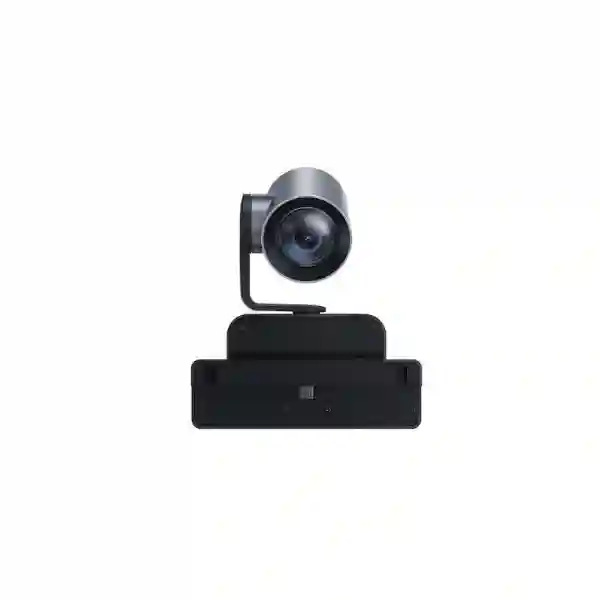
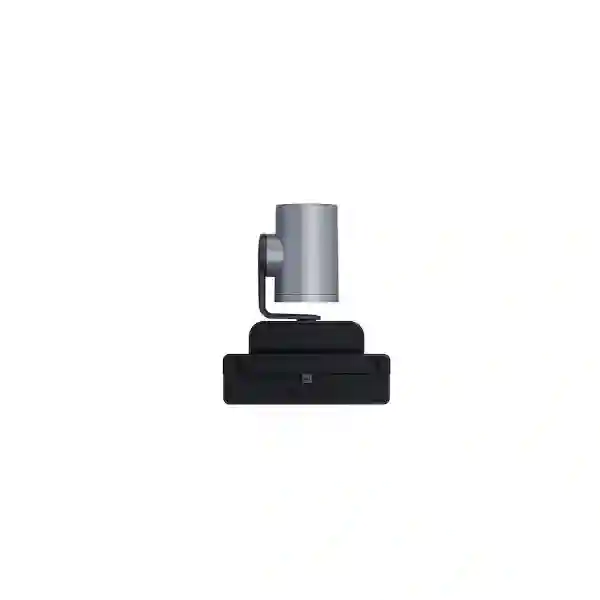
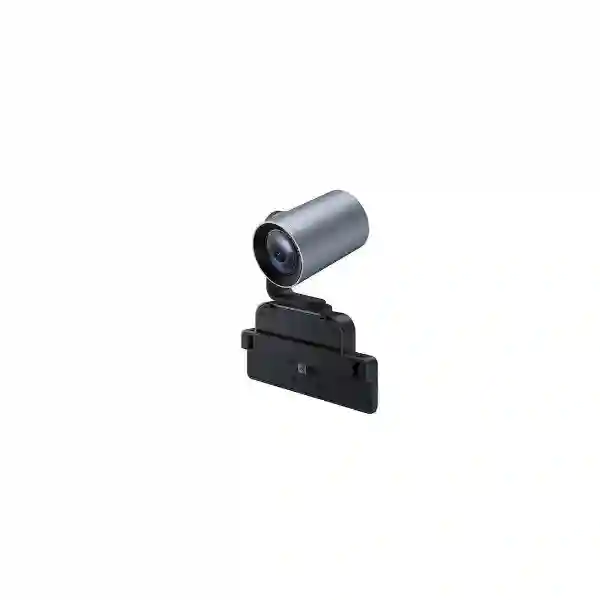
MeetingBoard Pro Camera Expansion
Yealink MB-12X Pro Optical Zoom Camera
The Yealink MB-12X Pro Optical Zoom Camera is designed for second-generation Yealink MeetingBoard systems used in medium and large rooms. It adds a dedicated 12x optical zoom lens to the MeetingBoard environment, helping remote participants see speakers and details more clearly when the room is deeper, the seating is spread across a long table, or a presenter needs to be followed from farther away. For organizations in Tanzania evaluating a camera upgrade for a MeetingBoard Pro room, the MB-12X Pro is a purpose-built option that avoids the complexity of a separate generic camera installation.
Verified highlights
4K/30fps output • 12x optical zoom • DFOV 90° • Pan ±100° • Tilt 0° to -90° • automatic exposure • automatic white balance • electric privacy shutter • MeetingBoard custom-slot mounting.
What the Yealink MB-12X Pro is designed to solve
In a small meeting room, a wide-angle built-in camera may be enough because everybody sits close to the display. Larger rooms create a different challenge. Participants can be several metres from the screen, people may sit along a long boardroom table, and a presenter may move between a display and a discussion area. Digital zoom can enlarge part of an image, but it cannot create optical detail that was not captured in the first place. The MB-12X Pro addresses this by adding a dedicated optical zoom camera module to the second-generation MeetingBoard environment.
Yealink positions the module for medium and large conference-room scenarios. Used with the MeetingBoard’s built-in wide-angle camera capability, it contributes to an intelligent multi-camera experience in which the wider view helps establish room context while the optical lens can provide tighter views of active participants. This is especially useful when a business wants a cleaner all-in-one collaboration environment without adding separate camera mounts, additional camera cabling or an independent USB PTZ device. The module installs through the MeetingBoard custom slot and is intended to operate as part of that platform rather than as a general-purpose standalone camera.
12x optical zoom
Optical zoom helps retain image detail when framing participants or presenters farther from the MeetingBoard.
4K/30fps output
The camera module supports video output up to 4K at 30 frames per second for clear, high-resolution conferencing visuals.
Purpose-built installation
A Yealink custom port and MeetingBoard custom slot simplify physical integration with compatible second-generation MeetingBoard systems.
Privacy control
An automatic electric privacy shutter provides a physical camera privacy mechanism when the lens is not intended to be active.
Verified technical specifications
| Video output | 4K / 30fps |
| Zoom | 12x optical zoom |
| Lens angle | DFOV 90°, HFOV 80°, VFOV 49° |
| Pan / tilt | Pan ±100°; tilt 0° / -90° |
| Focal length | 3.4–40.4 mm |
| Aperture | F1.8–F3.62 |
| Minimum illumination | 0.5 lux day; 0.1 lux night |
| Image controls | Automatic exposure and automatic white balance |
| Privacy | Automatic electric privacy shutter |
| Connection | Yealink custom port |
| Installation | MeetingBoard custom slot |
Compatibility and buying guidance
The most important procurement check is compatibility with the intended MeetingBoard generation and model. The MB-12X Pro is documented for the second-generation MeetingBoard / MeetingBoard Pro environment and uses a proprietary custom connection and mounting slot. Buyers should therefore confirm the exact MeetingBoard model already installed or being purchased, rather than assuming that the camera can be attached to any Yealink display or used as an ordinary USB PTZ camera. For a new project, the room dimensions, maximum seating distance, display position and collaboration platform should be considered together.
For a broader meeting-room design, FourTeck Tanzania can help assess camera coverage, room acoustics, display placement, network readiness and user workflow. See the FourTeck Tanzania technology solutions overview, browse available categories in the Tanzania FourTeck shop, review integration capabilities on the FourTeck Tanzania services page, or use the Tanzania contact and quotation page. Buyers planning related projects in East Africa can also review FourTeck Kenya business IT solutions.
Yealink MB-12X Pro Optical Zoom Camera Tanzania
For organizations in Tanzania, the Yealink MB-12X Pro is most relevant when a MeetingBoard Pro installation must cover more than a compact huddle space. Executive boardrooms, management meeting rooms, training facilities, university collaboration spaces and larger hybrid-meeting rooms often have participants seated at noticeably different distances from the display. In that environment, the 12x optical zoom capability can provide a stronger close-up view than relying only on a wide room image. The purchasing question should not be limited to camera resolution. A successful room design should consider where the MeetingBoard will be mounted, the farthest participant distance, table geometry, lighting, acoustic reflections, microphone pickup, display visibility and the stability of the network used for Teams, Zoom or another meeting service supported by the broader MeetingBoard platform.
Tanzania buyers should also confirm the exact second-generation MeetingBoard model before ordering the MB-12X Pro because the camera is a purpose-built module, not a universal USB webcam. Where the MeetingBoard is being specified at the same time, it is sensible to evaluate the camera and display as one room system. This helps the project team decide whether the built-in camera coverage is sufficient, whether optical zoom adds meaningful value, and whether additional room accessories are required. A quotation request should include the MeetingBoard size or model, room dimensions, table length, maximum participant count, preferred meeting platform, mounting method and whether the room already has dedicated audio equipment.
Network readiness is equally important. High-quality conferencing depends on stable bandwidth, sensible Wi-Fi or wired connectivity, controlled latency and a room environment that does not force participants to struggle with echo or poor lighting. Organizations comparing solutions in Tanzania can use FourTeck’s consultation process to align camera selection with switching, wireless coverage, firewall policies and room installation needs. This integrated approach is particularly useful where collaboration rooms are part of a broader office deployment that also includes IP telephony, managed networking, structured cabling and security systems. The goal is not simply to add more zoom; it is to make remote participants feel consistently connected to the people in the room.
Yealink MB-12X Pro Optical Zoom Camera Dar es Salaam
In Dar es Salaam, many meeting environments combine local teams with regional managers, international partners, suppliers or distributed project stakeholders. A deeper boardroom or presentation room can make a wide fixed image feel distant, especially when one participant is speaking from the far end of a long table. The MB-12X Pro adds optical reach to a compatible second-generation MeetingBoard setup, allowing the system to work with a dedicated zoom lens rather than depending entirely on digital cropping. For organizations upgrading an existing MeetingBoard room, the first step should be to identify the exact MeetingBoard model and verify that the custom camera slot is supported.
Room planning in Dar es Salaam should examine real sight lines. Glass-walled meeting rooms can create reflections; bright windows behind participants may complicate exposure; long rooms may need careful display height so the camera remains close to natural eye level. Because the MB-12X Pro includes automatic exposure and white balance, it is designed to adapt imaging to changing conditions, but good room lighting is still a practical part of professional conferencing. The 12x optical lens is particularly useful when the objective is to show a speaker, presenter or participant more clearly from farther away while preserving a wider environmental view through the MeetingBoard’s broader camera system.
Procurement teams should include room dimensions, seating count, mounting height, existing MeetingBoard details and preferred conferencing platform in the quotation. If the space is being renovated, structured cabling, network outlets, power availability and display mounting should be reviewed before the final hardware is installed. A camera purchase that ignores these dependencies can result in avoidable rework. FourTeck Tanzania can evaluate the camera requirement alongside broader video-conferencing, network and room-integration needs. This is useful for corporate offices, professional services firms, financial teams, hospitality management groups, educational institutions and project organizations that want a cleaner, repeatable collaboration experience in Dar es Salaam rather than a collection of unrelated room devices.
Yealink MB-12X Pro Optical Zoom Camera Mwanza
For businesses and institutions in Mwanza, the Yealink MB-12X Pro can strengthen a MeetingBoard Pro room where participants need to collaborate with teams in other Tanzanian cities or with external partners. The practical value of a 12x optical camera is most apparent when the meeting space has depth: a long table, classroom-style seating, a training arrangement, or a presentation area where speakers move farther from the display. Optical zoom allows the camera to frame distant subjects without relying only on electronic magnification, making the module suitable for spaces where close-up visibility matters.
A good Mwanza deployment starts with compatibility confirmation and room measurement. Buyers should identify the MeetingBoard generation, record the room length and width, note the farthest seating position and describe the typical meeting style. A room used mainly for six-person management meetings has different needs from a training room where one presenter addresses a larger audience. The MB-12X Pro’s custom-slot installation can keep the room visually tidy, but the wider solution still depends on dependable power, network connectivity and appropriate audio pickup. If remote attendees cannot hear participants clearly, better video alone will not solve the meeting experience.
For procurement, organizations should avoid assuming that every accessory is interchangeable across Yealink generations. The MB-12X Pro is a specialized MeetingBoard module and should be quoted against a confirmed compatible system. It is also useful to document who will administer the room, how meetings are launched, whether users connect through a standardized platform, and what support process is expected if the room is unavailable. FourTeck can help organize these requirements into a practical bill of materials and installation plan, linking the camera decision with displays, room audio, wired or wireless connectivity, cabling and endpoint management. This approach supports a conferencing room that can be used consistently by different teams rather than depending on one technically experienced user.
Yealink MB-12X Pro Optical Zoom Camera Arusha
Arusha organizations often work with geographically distributed stakeholders, making professional hybrid meetings important for administration, tourism, development projects, education and regional business coordination. In a medium or large meeting room, a close-up view of the current speaker can improve engagement for remote attendees. The Yealink MB-12X Pro is designed for this type of MeetingBoard Pro expansion, using a 12x optical lens, motorized movement and the MeetingBoard ecosystem to provide more flexible framing than a single wide view.
Before purchasing, the room should be assessed for seating depth and presentation patterns. If most meetings involve participants seated close to the display, the built-in MeetingBoard camera capability may already satisfy the requirement. If executives, presenters or participants are routinely seated much farther away, the optical module becomes more compelling. The camera’s documented field of view, pan range and tilt capability should be considered in relation to the mounting position. Installers should also avoid placing the display where strong window backlight dominates the camera view. Automatic exposure and white balance are useful, but physical room design still influences perceived video quality.
For Arusha buyers preparing a quotation, include the MeetingBoard model, room dimensions, number of seats, preferred collaboration platform and whether microphones or other accessories are already installed. It is also useful to describe whether the camera will be used mainly for board meetings, remote consultations, training, presentations or mixed use. FourTeck can then help determine whether the MB-12X Pro is the correct accessory and what additional infrastructure should be checked. A complete room may also require dependable Wi-Fi or Ethernet, surge and power protection, correct display mounting and user onboarding. Treating the optical camera as one component of a room solution helps reduce compatibility surprises and creates a cleaner user experience for teams that need meetings to start quickly and run predictably.
Yealink MB-12X Pro Optical Zoom Camera Dodoma
In Dodoma, the MB-12X Pro can support organizations that use MeetingBoard Pro rooms for management discussions, public-sector coordination, project briefings, training and remote stakeholder meetings. Larger formal rooms frequently place participants at different distances from the display, so camera framing becomes an operational issue rather than a cosmetic one. A 12x optical lens can focus on a participant or presenter from farther away, giving remote attendees a clearer view than a permanently wide shot of the whole room.
Selection should begin with the installed MeetingBoard generation. The MB-12X Pro connects through a Yealink custom port and MeetingBoard custom slot, which is an advantage for neat integration but also means that model compatibility must be verified before procurement. Room layout should then be reviewed: table shape, display wall, distance to the farthest seat, ceiling height, lighting direction and whether speakers stand during presentations. In formal meeting environments, consistent camera behavior is valuable because users should not need to reposition an external webcam or reconnect cables at the start of every call.
A Dodoma project team can improve quotation accuracy by listing expected room users, meeting frequency, collaboration platform, installed network, power conditions and any audio accessories. Where the MeetingBoard is part of a wider technology rollout, it is wise to coordinate the room with switching, wireless networking, firewall configuration and structured cabling. Video conferencing consumes real network resources and depends on predictable connectivity, especially when several rooms or users participate simultaneously. FourTeck’s Tanzania consultation can help turn those details into a room design that uses the MB-12X Pro only where its optical reach adds measurable value. This avoids overspecification in small rooms while giving larger rooms the camera coverage they actually need.
Yealink MB-12X Pro Optical Zoom Camera UAE
For UAE organizations using Yealink MeetingBoard Pro systems, the MB-12X Pro is suited to medium and large collaboration spaces where a long-distance close-up is more important than a purely wide-angle room view. Executive boardrooms, client presentation rooms, training spaces and hybrid conference facilities can all benefit from optical reach when participants are seated far from the screen. The 12x optical zoom, 4K/30fps output and motorized pan/tilt capability make the module a focused accessory for a compatible MeetingBoard deployment.
The UAE market often includes highly integrated meeting rooms with dual displays, room control, dedicated network segments and standardized conferencing platforms. In such projects, the camera should be treated as part of the complete room architecture. Compatibility with the exact MeetingBoard generation must be verified because the MB-12X Pro uses the MeetingBoard custom slot rather than a universal mounting and connection method. Integrators should also verify display height, table depth, cable pathways, power availability and the location of windows or strong artificial lighting. Even an advanced camera performs best when the physical room supports clear sight lines.
Procurement teams comparing camera options should distinguish optical zoom from digital zoom and consider how far the farthest active speaker sits from the display. A 12x optical lens is especially valuable where image detail must be preserved during tighter framing. At the same time, audio design, network quality and platform management remain equally important to user experience. Organizations with multi-country operations can standardize MeetingBoard room templates where appropriate, using the MB-12X Pro in larger rooms while selecting simpler configurations in smaller spaces. This creates a more maintainable fleet, simplifies user training and allows support teams to document known room designs instead of troubleshooting a different combination of devices at every site.
Yealink MB-12X Pro Optical Zoom Camera Uganda
Uganda-based organizations evaluating a MeetingBoard Pro camera upgrade should consider the MB-12X Pro when a room’s depth makes distant participants appear too small in a wide shot. The camera is designed as a direct MeetingBoard accessory, with a 12x optical zoom lens that can provide closer views without depending solely on digital enlargement. This can improve the remote experience in executive rooms, training spaces and larger meeting environments where hybrid collaboration is part of regular operations.
A structured selection process should confirm the exact MeetingBoard generation, identify the room’s farthest seating position and describe common meeting behavior. If meetings are mostly conversational with everybody seated near the display, the additional zoom may be unnecessary. If presenters stand at the far end, participants occupy a long board table or the room hosts larger groups, optical reach can be more valuable. Network conditions also deserve attention. Conferencing quality is affected by available bandwidth, latency, Wi-Fi congestion and firewall policies, so the camera should not be considered in isolation from the digital path that carries the meeting.
For buyers comparing suppliers, the quotation should identify what is included: camera module, compatible MeetingBoard system where required, installation materials, configuration, testing and any room accessories. It is important not to assume stock, warranty or delivery conditions until they are confirmed in a formal offer. Businesses with operations in both Uganda and Tanzania may also want consistent room standards across sites, which can reduce training and support complexity. FourTeck’s regional technology network can help align camera, conferencing, networking and structured-cabling requirements so that the MB-12X Pro is deployed in rooms where it offers a practical benefit rather than being added simply because it is available.
Yealink MB-12X Pro Optical Zoom Camera Kampala
In Kampala, businesses with regional headquarters, professional services teams, education facilities and distributed operations often need rooms that can connect smoothly to remote participants. When the meeting room is long or the table seats many people, the optical camera can make a substantial difference to framing. The MB-12X Pro’s 12x optical zoom provides the MeetingBoard Pro environment with a dedicated lens for tighter views, helping remote attendees see the active speaker or presenter more clearly.
The buying process should begin with the room, not with a specification sheet. Measure the distance from the display to the farthest seat, note whether participants sit or stand, identify where presenters use a whiteboard or shared display, and check if strong window light enters the camera’s field. Then verify that the installed MeetingBoard model supports the custom camera module. Because the MB-12X Pro is designed for a particular MeetingBoard generation, this compatibility step is essential for avoiding a purchase that cannot be mounted or connected as intended.
A Kampala deployment can also benefit from network and audio checks. Stable wired connectivity is often preferred for permanent room equipment, while well-designed Wi-Fi may support presentation devices and user endpoints. The firewall should allow the required collaboration platform traffic without creating unnecessary exposure. Microphone pickup should cover all seats, and loudspeakers should be positioned so remote voices are intelligible without feedback. For procurement, include the expected number of rooms, installation locations, preferred platform and any standardized support requirements. This information allows a supplier to prepare a more meaningful proposal and helps the organization decide whether every room needs optical zoom or only selected larger rooms. A standardized design can then be documented for easier future expansion.
Yealink MB-12X Pro Optical Zoom Camera Arua
For organizations in Arua, reliable video collaboration can reduce the need for unnecessary travel and improve access to colleagues, consultants and project teams located elsewhere. A MeetingBoard Pro room equipped with the MB-12X Pro can be useful when the room is large enough that participants at the far end require stronger visual framing. The 12x optical zoom helps preserve detail as the view tightens, while the camera’s documented pan and tilt movement supports flexible positioning within the room.
Before ordering, it is important to verify the MeetingBoard model and assess whether the room genuinely needs the optical module. Buyers can make this decision by recording the room dimensions, number of seats, distance from the camera to the furthest participant and the kinds of meetings the room will host. Training sessions and presentations may benefit more from zoom capability than short internal discussions. Lighting conditions should also be reviewed, particularly if the display is opposite a bright window or if the room has uneven illumination.
Connectivity planning is a core part of the solution in Arua. The best camera cannot compensate for an unstable internet path, overloaded Wi-Fi or poor audio pickup. Where possible, the conferencing room should have a predictable network connection, sensible bandwidth allocation and power protection. If a site is upgrading other infrastructure at the same time, the project can be coordinated with switching, structured cabling and wireless design. Procurement teams should ask for a clear scope covering equipment, compatibility, installation, configuration and testing, rather than comparing only the camera’s headline zoom figure. This creates a stronger basis for evaluating total project value and for ensuring the room can be supported after installation by staff who may not be conferencing specialists.
Yealink MB-12X Pro Optical Zoom Camera Mbarara
Mbarara businesses, institutions and project teams can use the MB-12X Pro to extend the reach of a compatible MeetingBoard Pro system in rooms where a single wide shot does not give remote participants enough visual detail. In a deeper conference room, the camera can optically frame a person at the far end of the table or a presenter working from a distance. This is different from simply enlarging an image digitally because the lens changes focal length to capture a closer optical view.
The MB-12X Pro should be purchased only after confirming that the intended MeetingBoard supports the module. Its Yealink custom port and custom-slot installation make physical integration straightforward within the supported ecosystem, but they also mean that the camera should not be treated as a universal accessory. Buyers should document the existing room equipment and identify whether there are other Yealink room accessories, dedicated microphones or control devices that need to work together. In a new room, mounting positions, power outlets, network points and cable routing can be planned before furniture and finishes make changes more difficult.
For Mbarara deployments, the project’s operational requirements are as important as the hardware. Consider who will start meetings, whether staff need a simple touch-based workflow, which collaboration platform is standard, and who provides first-line support. If meetings are business critical, an organization may want documented room settings, labelled network connections and a basic recovery procedure. Quotation requests should include quantity, MeetingBoard model, room size, deployment timeline and any integration requirements. A supplier can then assess whether the optical camera is the correct fit and whether the room would benefit from additional network, audio or installation work. The result should be a reliable collaboration environment rather than an isolated camera upgrade.
Yealink MB-12X Pro Optical Zoom Camera Gulu
In Gulu, the Yealink MB-12X Pro can support larger MeetingBoard Pro rooms used for coordination, education, training, administration and remote engagement. The strongest use case is a room where people sit or present far enough from the display that a built-in wide view makes individuals appear small. With 12x optical zoom and motorized pan/tilt movement, the camera module adds a dedicated way to create tighter participant views while remaining integrated with the MeetingBoard platform.
Room conditions should drive the decision. A procurement team can begin by measuring the table length, noting the furthest speaking position and deciding whether the camera needs to follow seated participants, presenters or both. It is also sensible to check the display wall for glare and ensure that the camera is not mounted excessively high relative to the people in the room. The MB-12X Pro offers automatic exposure and white balance, but good physical placement still improves natural eye contact and image consistency.
A Gulu installation should also consider the supporting infrastructure. Permanent collaboration rooms benefit from stable networking, controlled wireless use, adequate internet capacity and reliable power. If the MeetingBoard is used for important external meetings, test calls should be completed after installation to confirm camera framing, audio pickup, speaker output and platform connectivity. Organizations should request a quotation that specifies the exact supported MeetingBoard system, the camera accessory, installation scope and testing responsibilities. For sites planning future expansion, it may be useful to define a standard small-room configuration and a standard large-room configuration, deploying the MB-12X Pro only in the latter. This approach can control cost while making the user experience consistent across multiple locations.
Yealink MB-12X Pro Optical Zoom Camera Kenya
Kenya organizations operating hybrid workplaces can use the MB-12X Pro where a compatible MeetingBoard Pro needs stronger optical coverage for a medium or large room. The camera’s 12x optical zoom is useful for long boardroom tables, executive rooms, training spaces and presentation environments where a remote participant needs a closer view of the person speaking. Its custom-slot design also supports a cleaner installation than adding an unrelated standalone camera with separate mounting and connection requirements.
For a Nairobi headquarters or a branch elsewhere in Kenya, purchasing should be based on the room’s actual geometry. The team should identify display size, camera height, farthest participant distance, typical seating arrangement and whether the room is used for presentations. The exact MeetingBoard generation must be confirmed before the camera is quoted. This is particularly important in organizations that already own earlier Yealink systems, because accessory compatibility cannot be assumed across every generation. Network readiness, microphone coverage and speaker placement should be included in the same assessment.
Multi-site companies may benefit from standardizing room designs across Kenya, Tanzania and Uganda. A standardized template can define which room sizes use only the MeetingBoard’s built-in camera and which larger rooms add the MB-12X Pro. That makes procurement more consistent and simplifies support documentation. It also helps IT teams avoid overbuying advanced accessories for rooms where they add little value. Quotation requests should state quantity, MeetingBoard model, room size, deployment city and platform preference. Where additional services are required, they can be combined with structured cabling, switching, Wi-Fi or firewall preparation. The practical objective is a room that users can enter, start and operate confidently, with optical zoom serving a clear meeting need rather than functioning as an isolated feature.
Yealink MB-12X Pro Optical Zoom Camera Kuwait
For Kuwait boardrooms and enterprise collaboration spaces, the MB-12X Pro provides a dedicated optical zoom option within the second-generation MeetingBoard environment. Medium and large rooms frequently need more than a static wide image, especially when senior participants sit along extended tables or presenters move between a screen and a discussion area. The camera’s 12x optical zoom gives the system greater flexibility to show subjects at distance with stronger image detail.
A professional deployment should begin with confirmation of the supported MeetingBoard model and a room survey. Mounting height, seating depth, lighting, microphone strategy and display visibility all affect the user experience. The MB-12X Pro’s custom-slot approach can reduce visual clutter, but a clean room also depends on sensible cable pathways, power availability and network placement. Buyers should distinguish camera capability from overall conferencing quality: audio intelligibility and stable network performance remain essential even when video quality is excellent.
For organizations with strict IT standards, it is useful to document the room as a repeatable design. The specification can include the MeetingBoard model, optical camera module where required, network connection, supported collaboration applications, accessory list and acceptance-test procedure. This makes later expansion easier and gives support teams a known baseline. Procurement should request clear equipment identification and avoid assumptions about stock, warranty or delivery until those items are confirmed in a supplier quotation. If several room sizes are planned, the MB-12X Pro may be allocated to larger spaces while smaller rooms use a simpler configuration. That balanced approach gives each meeting space the camera coverage it needs without turning every room into the same high-cost design.
Yealink MB-12X Pro Optical Zoom Camera Ghana
Ghana-based enterprises and institutions can consider the MB-12X Pro when a MeetingBoard Pro room must support hybrid meetings across a longer physical space. In Accra or other business centers, boardrooms are often used for client calls, management reviews, training and regional collaboration. A wide camera image provides context, but remote participants may prefer a closer view of whoever is speaking. The 12x optical lens gives a compatible MeetingBoard system an additional camera perspective for that requirement.
The camera should be selected with room measurements in hand. Buyers should document the maximum distance between the display and participant seating, the location of presentation zones, lighting direction and the type of meetings conducted. They should also verify the exact MeetingBoard generation because the MB-12X Pro is not a generic USB camera. Its custom port and slot are part of the design, which helps streamline compatible installations but demands correct model matching. A room survey can also identify whether microphone expansion, improved network connectivity or display positioning needs attention.
For Ghana procurement teams, a useful request for quotation includes camera quantity, MeetingBoard model, room dimensions, preferred meeting platform and desired installation scope. Where the organization operates several sites, it may be practical to define room standards by size and function. A small huddle room can use one design while a larger boardroom adds optical zoom and more advanced audio. This makes budgeting clearer and support easier. The camera’s technical capability should ultimately serve a business outcome: keeping remote participants engaged, allowing speakers to be seen clearly and reducing manual adjustments during meetings. Planning the complete collaboration environment helps ensure that the investment delivers that outcome consistently.
Yealink MB-12X Pro Optical Zoom Camera Nigeria
Nigeria’s large enterprise and multi-site business environments can make video collaboration a daily operational requirement. In a substantial meeting room, participants seated far from the screen can appear very small in a single wide-angle image. The Yealink MB-12X Pro addresses this within the compatible MeetingBoard Pro ecosystem by providing 12x optical zoom, 4K/30fps output and motorized camera movement. It is suitable for rooms where tighter participant framing can improve communication with remote teams.
A Lagos, Abuja or regional office should assess room depth before specifying the accessory. The procurement team can record the maximum seating distance, typical number of participants and whether presentations take place away from the main table. The MeetingBoard model should then be verified to confirm support for the MB-12X Pro custom slot. Because the device is designed as an integrated module, it should not be treated as a universal camera that can be moved between unrelated conferencing systems.
Organizations with multiple branches may also consider standardized deployment patterns. Large executive rooms can be equipped with optical zoom while smaller rooms use simpler configurations, all documented under a common support model. Network bandwidth, firewall policy, power resilience and audio coverage should be tested as part of commissioning. For quotation accuracy, buyers should state exact room counts, MeetingBoard models, desired installation cities, meeting platforms and any additional accessories. This reduces ambiguity and allows suppliers to separate hardware pricing from installation or integration work. A strong deployment combines camera capability with a usable room workflow, so staff can join meetings quickly and remote participants receive clear video and audio without relying on constant manual camera control.
Yealink MB-12X Pro Optical Zoom Camera Seychelles
For organizations in Seychelles, reliable hybrid meetings can help connect local teams with regional offices, service providers, boards and international partners. When a MeetingBoard Pro is installed in a medium or large conference room, the MB-12X Pro can add optical reach for participants seated farther from the display. Its 12x optical zoom can provide closer views without depending solely on digital enlargement, which is helpful when a room has an elongated table or presentation zone.
The first procurement step is to verify that the installed or proposed MeetingBoard supports the module. The MB-12X Pro uses a Yealink custom connection and mounting slot, so buyers should provide the exact MeetingBoard model in any quotation request. The room itself should also be reviewed for viewing distance, lighting, display placement, microphone coverage and network connection. Island locations can make advance planning especially valuable because incomplete specifications may lead to extra shipping or installation visits that could have been avoided with a clear bill of materials.
Organizations should therefore document all required components before placing an order: MeetingBoard model, MB-12X Pro camera, any audio accessories, mounting equipment, power requirements, network readiness and the desired collaboration platform. Commissioning should include test calls that check video framing at different seating positions, audio pickup, speaker output and user workflow. If the organization operates several meeting spaces, room templates can be standardized by size so that optical zoom is deployed where it makes a visible difference. The final objective is a dependable collaboration experience that reduces distance between teams and supports professional remote interaction, not merely a higher specification on the camera list.
Quotation checklist for the MB-12X Pro
Frequently asked questions
Is the Yealink MB-12X Pro a standalone USB camera?
No. Yealink documents it as an optical zoom camera module designed for the second-generation MeetingBoard environment, using a Yealink custom port and MeetingBoard custom slot.
What is the maximum video output?
The documented video output is 4K at 30 frames per second.
How much optical zoom does it provide?
The MB-12X Pro provides 12x optical zoom.
Which rooms benefit most from this camera?
It is most useful in medium and large rooms where participants or presenters may sit far enough from the MeetingBoard that a tighter optical view improves the experience for remote attendees.
What should I provide for a quotation?
Provide the exact MeetingBoard model, room dimensions, seating count, quantity, intended location, preferred collaboration platform and any existing room accessories. This allows compatibility and installation requirements to be checked before a proposal is prepared.
Decision recap
Choose the Yealink MB-12X Pro when you have a compatible second-generation MeetingBoard and a medium or large room that benefits from 12x optical close-up capability. Verify the MeetingBoard model first, then assess room depth, camera position, lighting, audio pickup and network reliability. For small rooms where everybody sits near the display, the additional optical module may not be necessary. For longer boardrooms, training areas and presentation spaces, it can be a practical way to improve how remote participants see people in the room.
Talk to FourTeck Tanzania about your MeetingBoard room
Share your MeetingBoard model, room dimensions, participant count and collaboration requirements. FourTeck can help review compatibility, determine whether the MB-12X Pro fits the room and identify related networking, audio, installation or cabling requirements that should be considered before deployment.




Reviews
There are no reviews yet.