
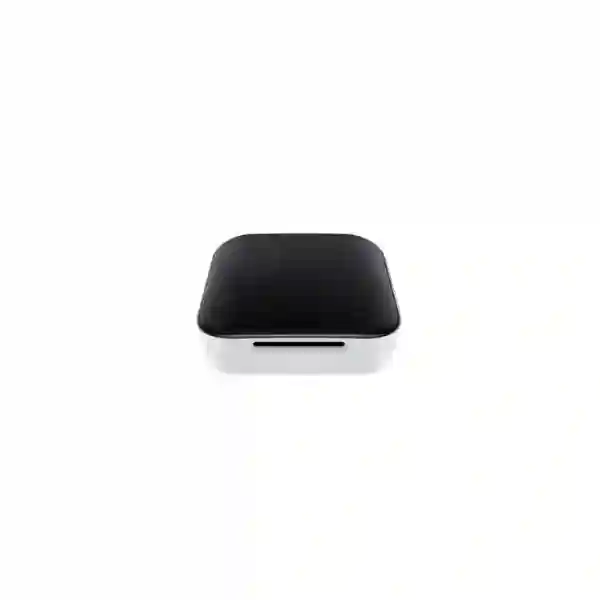
Yealink RoomSensor Tanzania
Yealink RoomSensor is an enterprise multifunctional wireless sensor for meeting-room occupancy, temperature, humidity and light monitoring. It uses passive infrared sensing and Bluetooth communication to support smarter workspace workflows, including room-use awareness and compatible Yealink room-management automations. For organisations in Tanzania planning modern collaboration spaces, RoomSensor can add a practical data layer to huddle rooms, conference rooms, boardrooms and shared meeting areas without introducing a new wired sensor network.
Direct answer
Choose Yealink RoomSensor when you need a cable-free PIR room sensor that can report presence and environmental conditions and participate in supported Yealink room-scheduling and workspace-management workflows. It is especially relevant when RoomPanel, Yealink Workspace Management Platform or a compatible Yealink meeting-room environment is part of the design.
What Yealink RoomSensor does
RoomSensor adds physical-space awareness to a meeting-room deployment. Instead of relying only on a calendar reservation to decide whether a room is in use, the sensor can detect movement through passive infrared technology and can also measure temperature, relative humidity and light conditions. In a compatible Yealink environment, this data can help support functions such as automatic check-in, automatic room release and intelligent workspace actions. The value is not the sensor in isolation; the value comes from using room-state data to reduce unused reservations, understand how collaboration spaces behave and create a more responsive workplace.
Occupancy detection
Passive infrared sensing identifies movement in the monitored area. Yealink specifies a 120-degree PIR detection angle and an adjustable sensor angle of plus or minus 20 degrees, helping installers aim coverage toward the intended seating and activity zone.
Environmental sensing
Temperature, humidity and light detection provide additional context about the room. These readings can contribute to smarter workplace decisions and compatible IoT workflows rather than limiting the installation to simple motion detection.
Wireless installation
A replaceable lithium battery and Bluetooth communication allow installation without running a data or power cable to every sensor point. This can be useful in finished meeting rooms where new cabling would be disruptive or visually undesirable.
Scalable room coverage
A single sensor can suit many huddle and medium rooms, while larger spaces may require multiple sensors and careful placement. Yealink documentation also references BLE mesh and multi-connectivity for broader designs.
Verified Yealink RoomSensor specifications
The following values are based on Yealink product information and datasheet material for RoomSensor. Where Yealink marketing pages and datasheets present different generation wording, the page avoids unsupported extrapolation. Compatibility should be confirmed for the specific Yealink room system, firmware and workspace-management design being deployed.
| Area | Specification |
|---|---|
| Detection | Occupancy, temperature, humidity and light |
| Occupancy technology | Passive Infrared (PIR) |
| PIR angle | 120 degrees |
| Adjustable angle | ±20 degrees |
| PIR coverage at 3 m mounting height | Up to 6 m radius for major motion and 3 m radius for minor motion |
| Temperature measuring range | -10 to 70°C |
| Humidity measuring range | 0 to 80% RH |
| Wireless | Bluetooth Low Energy in the 2.4 GHz band; Yealink datasheet lists BLE 5.2 |
| Wireless reach | Up to 30 m under stated vendor conditions |
| Power | 3 V, one CR123A lithium battery, replaceable |
| Mounting | Circular magnetic bracket; ceiling or wall mounting |
| Ingress rating | IP20 |
| Dimensions | Approximately Ø95.3 mm × 36 mm |
| Weight | Approximately 0.092 kg |
| Management | Yealink management services/platforms as supported by the deployment |
Planning RoomSensor with RoomPanel and Yealink workspace solutions
RoomSensor is most useful when the room-management workflow is defined before installation. A customer should decide what occupancy information is expected to trigger, how reservations are handled, whether automatic room release is desired, and which Yealink scheduling or management component will receive the sensor data. The RoomPanel relationship is particularly important because Yealink promotes RoomSensor as a way to extend room-booking workflows with physical occupancy awareness. The implementation should therefore be treated as a small system design rather than as a stand-alone accessory purchase.
Physical placement matters. PIR devices detect changes in infrared energy associated with movement, so installers should avoid assuming that a sensor placed anywhere on the ceiling will behave identically. Seating position, entrances, glass partitions, room depth, ceiling height and areas with heat movement can influence practical results. For a standard 3 m mounting height, Yealink publishes different coverage radii for major and minor motion. A room where users remain seated and move very little deserves more careful placement than a room where people regularly walk through the sensor field.
Because the unit is battery powered and wire-free, deployment can be clean and fast, but wireless planning still matters. Bluetooth range is affected by walls, metal, room layout and nearby radio conditions. Large spaces may need multiple sensors or a different gateway approach. For the wider meeting-room ecosystem, explore Fourteck Tanzania integrated collaboration solutions, browse available products through the Tanzania technology shop, review Fourteck technology services, and learn about the solution-led approach on the About Fourteck Tanzania page.
Who should consider Yealink RoomSensor?
RoomSensor is suited to organisations that already use or are planning Yealink room-booking and collaboration infrastructure and want to add occupancy and environmental awareness. Typical buyers include corporate offices, shared-workspace operators, universities, training centres, hotels with meeting facilities, government departments and multi-branch enterprises. Procurement teams should define room count, room dimensions, mounting conditions, desired automation, compatible Yealink platform, network/gateway components and required installation scope before requesting a quotation.
Regional procurement and deployment guidance
Yealink RoomSensor Tanzania
For organisations searching for Yealink RoomSensor Tanzania, the key buying decision is whether the sensor will be deployed as part of a complete room-management workflow. Tanzania businesses increasingly operate mixed meeting environments: some rooms are simple video-call spaces, while others include room schedulers, digital signage, booking panels and managed conferencing systems. RoomSensor is relevant when the objective is to make a room aware of real physical use, not just calendar reservations. Its PIR occupancy detection can help provide the presence signal needed for supported Yealink automatic check-in and room-release functions, while temperature, humidity and light readings give the platform additional environmental context.
A Tanzania deployment should begin with room inventory. Record each room’s dimensions, ceiling height, seating plan, entrances, wall materials and current Yealink equipment. The published PIR coverage values are useful for initial planning, but real placement should consider how people actually behave in the room. A boardroom with seated participants creates a different motion pattern from a training room where attendees frequently enter, leave and move between tables. The sensor’s adjustable angle helps refine the monitored area, and wireless battery operation can reduce the need for disruptive new cabling in completed offices.
Procurement should also verify the exact RoomPanel, gateway, management platform and firmware compatibility required for the intended automation. Buyers should not assume every Yealink device exposes every RoomSensor function without checking the current supported topology. A useful quotation request therefore includes room count, whether RoomPanel is already installed, meeting platform, desired occupancy workflow, installation height and whether environmental readings will be used only for monitoring or for broader IoT actions. Fourteck can evaluate the requirement in the context of video conferencing, displays, network connectivity and room-control needs. For organisations standardising collaboration across Tanzania, treating sensors, panels, video systems and management as one architecture usually produces a cleaner deployment than purchasing room accessories independently.
Yealink RoomSensor Dar es Salaam
Yealink RoomSensor Dar es Salaam deployments are particularly relevant for corporate offices, professional services firms, financial organisations, hospitality properties, training centres and headquarters with multiple bookable meeting spaces. In a busy office, calendar reservations do not always reflect actual room use. Employees may reserve rooms and fail to attend, meetings may end early, or teams may occupy an apparently available space without booking. A physical occupancy sensor can add another signal that helps a compatible workplace-management system distinguish between booked and used space.
For Dar es Salaam projects, room-by-room planning is more valuable than simply counting sensors. A compact huddle room may need only one carefully placed RoomSensor, whereas a long boardroom or divisible training room can require broader coverage and a multi-sensor strategy. The wireless design is useful in finished office interiors because it minimizes cable runs, but the project still needs a logical commissioning process: identify the sensor, pair it with the correct Yealink endpoint or gateway, validate occupancy events, test the intended booking action, and document the installed location and battery type.
Environmental sensing can also be useful in heavily air-conditioned meeting spaces. Temperature and humidity values are not a substitute for a dedicated building-management design, but they can provide extra awareness of room conditions inside a compatible Yealink IoT workflow. Procurement teams should ask how the readings will be consumed and which system controls any downstream action. A complete request for quote should include number of rooms, approximate dimensions, ceiling heights, RoomPanel status, desired check-in/release rules and whether installation and configuration are required. Combining RoomSensor planning with conferencing and room-display design can avoid situations where the sensor works correctly but the overall meeting experience remains inconsistent because of poor camera framing, audio pickup, Wi-Fi or display layout.
Yealink RoomSensor Mwanza
For Yealink RoomSensor Mwanza requirements, buyers may be modernising meeting rooms in regional offices, education environments, healthcare administration, distribution operations or growing branch locations. The sensor’s value is its combination of wireless installation and multiple room-condition measurements. Rather than pulling additional network cable to every sensing point, the device can be mounted with its magnetic bracket and connected through the supported Yealink Bluetooth architecture. This can simplify retrofits where ceilings and walls are already finished.
The practical design question is coverage. Yealink specifies a 120-degree PIR angle, adjustable sensor orientation and coverage values referenced to a standard mounting height. Those figures should be used to create a placement plan, then verified on site. Rooms with long tables may need the sensor aimed toward the primary seating zone rather than the doorway. Rooms with strong sunlight, heat sources or unusual ceiling geometry should be tested carefully. For smaller spaces, a single sensor can often cover the required area; larger or irregular spaces may need multiple sensors and a compatible Bluetooth mesh arrangement.
Mwanza organisations should also include supportability in the specification. Because RoomSensor uses a replaceable battery, the facilities or IT team should maintain a simple asset record showing sensor location, pairing relationship and maintenance responsibility. Firmware and management-platform compatibility should be checked when room systems are upgraded. If a company operates meeting rooms across Mwanza and Dar es Salaam, it can be useful to standardise naming, mounting principles and booking rules so support teams see the same logic at both sites. This is especially important where a central IT department manages multiple branches remotely. A quotation should therefore cover not only hardware quantity but also design validation, pairing, workflow testing and handover documentation where those services are required.
Yealink RoomSensor Arusha
Yealink RoomSensor Arusha can support smart meeting-room projects in offices, hotels, conference facilities, NGOs, tourism-related businesses and training organisations. Many such environments have meeting spaces that change use throughout the day. A conference room may be reserved by an internal team in the morning and external guests later, while smaller rooms are shared by staff who need quick visibility of availability. Occupancy sensing can make a supported room-scheduling workflow more responsive by providing a real-world presence signal rather than depending only on the meeting calendar.
Hospitality and training environments should pay particular attention to room layout changes. Furniture may be reconfigured between classroom, boardroom and theatre formats. Because PIR detection depends on the monitored area, the sensor position should continue to cover likely participant zones after a layout change. The adjustable design helps, but installers should test actual presence detection after major room reconfiguration. If rooms are divisible or very large, multiple sensors and a broader Yealink system design may be necessary.
Arusha buyers should define whether they are purchasing RoomSensor as an accessory for an existing Yealink RoomPanel installation or as part of a new smart-workspace project. A new deployment may require room panels, conferencing endpoints, displays, network readiness, management services and configuration policies. Environmental data may also be useful for facility awareness, but the downstream automation depends on compatible gateways and IoT integrations rather than on the sensor alone. For procurement, provide room dimensions, number of rooms, installed Yealink models, desired automation and installation scope. This allows the solution to be sized around real operational needs, reducing the risk of buying sensors that are technically capable but not connected to a workflow that produces useful business outcomes.
Yealink RoomSensor Dodoma
Organisations evaluating Yealink RoomSensor Dodoma may include government institutions, administrative offices, education organisations, national associations, conference facilities and enterprises with formal room-booking processes. In these environments, meeting rooms can be high-demand shared assets. A room may appear reserved for several hours even when the meeting ends early, preventing other teams from using the space. In a supported Yealink workflow, occupancy awareness can help improve the relationship between reservations and real usage.
A well-designed Dodoma installation starts with governance as much as hardware. Decide what period of non-occupancy should trigger a room-release rule, how early users may check in, and whether staff should be able to override automated actions. These policies belong to the workspace-management design, while RoomSensor supplies the physical detection data. The same principle applies to temperature, humidity and light values: define who needs the information and how it will be used before treating environmental sensing as a procurement requirement.
The sensor’s cable-free mounting can make deployments easier in formal offices where visible cabling is undesirable. However, wireless does not mean zero planning. Each unit needs a documented identity and correct association with the room it monitors. During commissioning, technicians should confirm detection across normal seating positions, validate Bluetooth communication and test the exact RoomPanel or management workflow. If the building has multiple floors, use a consistent naming convention linking floor, room name and sensor. This makes support and future battery replacement easier. For a quotation, include floor plans or room dimensions where possible, existing Yealink equipment, number of sensors being considered and the desired automation outcome. That allows the project to be quoted as an operational solution rather than merely a list of accessories.
Yealink RoomSensor UAE
Yealink RoomSensor UAE procurement often forms part of larger workplace-modernisation programmes where companies operate multiple meeting rooms across Dubai, Abu Dhabi or other emirates and want consistent booking behaviour. The device is particularly relevant when Yealink RoomPanel and workspace-management tools are already part of the standard. Occupancy sensing helps the room-management layer understand whether a booked room is actually being used, while environmental sensing provides additional data points that can support smart-office strategies.
UAE offices frequently include glass partitions, premium fit-outs and flexible collaboration areas. The RoomSensor wireless design reduces the need to disturb finished surfaces with new cable routes, but placement should still be validated because PIR sensing needs the correct field of view. Ceiling height, room shape, doorway position and seating pattern can affect coverage. For open collaboration zones, care should be taken to avoid monitoring movement outside the intended space if it could influence room-state logic.
For regional organisations that manage UAE and East African offices together, a common Yealink room architecture can simplify training and support. The UAE requirement may also include integration with broader IT services, room displays and network design. Customers can review the wider Fourteck UAE technology portfolio when coordinating multi-system projects. Before ordering, confirm exact compatibility with the intended RoomPanel or gateway, required firmware, management subscription or platform conditions, and the number of sensors needed per room. A professional deployment should end with tested occupancy behaviour, documented device identities and agreed facilities procedures for battery replacement and periodic operational checks.
Yealink RoomSensor Uganda
Yealink RoomSensor Uganda can be considered by businesses, universities, NGOs, hotels and public-sector organisations building more structured meeting-room environments. The sensor is useful where calendar bookings alone create uncertainty about whether a room is actually occupied. With a compatible Yealink scheduling environment, presence detection can support automation that improves room turnover, while temperature, humidity and light readings can contribute to broader workplace visibility.
Uganda deployments should be scoped by room type. Huddle rooms, executive rooms, classrooms and large conference spaces have different movement patterns. Yealink’s published coverage at a standard mounting height gives a starting point, but actual detection should be tested after installation. A user sitting still during a long video call represents a more demanding detection case than someone frequently moving around a training room. The adjustable sensor angle and magnetic mount help refine the monitored zone, but they do not replace commissioning tests.
Organisations with branches in Uganda and Tanzania may benefit from standardising device naming, RoomPanel configuration and occupancy rules. The Fourteck Uganda technology site provides a regional reference for communication and networking requirements, while the Tanzania site can support Tanzania-focused project discussions. When requesting pricing, list the quantity of rooms rather than only sensor quantity; include dimensions, current Yealink equipment and desired room automation. This enables a more useful conversation about whether every room needs the same architecture or whether certain rooms require multiple sensors, different gateway arrangements or no occupancy automation at all. Good design avoids unnecessary hardware while ensuring important rooms are covered correctly.
Yealink RoomSensor Kampala
Yealink RoomSensor Kampala is relevant for headquarters, banks, professional offices, universities, development organisations and shared workplaces that manage several bookable rooms. In dense office environments, meeting-room availability affects daily productivity. Staff may spend time searching for an empty space even when rooms are reserved but unused. Adding physical occupancy information to a supported scheduling workflow can help workspace teams improve how rooms are released, checked in and analysed.
Kampala projects should distinguish between occupancy sensing and people counting. RoomSensor is designed to detect occupancy using PIR; buyers who require exact people counts should review whether a different Yealink sensor model or solution is appropriate. This distinction matters for capacity analytics and compliance use cases. The standard RoomSensor is a strong fit when the decision is primarily whether a room is occupied and when environmental readings are useful. It should not be specified as a precision head-counting device.
Installation planning can be integrated with wider meeting-room upgrades. If cameras, audio, displays or booking panels are also being installed, the project team can coordinate device placement, power, network access and user workflow in one design. The sensor itself is battery powered, but RoomPanel and conferencing equipment may need PoE, AC power or structured cabling. Coordinating these layers avoids a visually clean sensor installation in a room that still has poorly planned cabling elsewhere. A quotation for Kampala should therefore identify whether RoomSensor is an add-on to an operational RoomPanel environment or part of a full room refresh, and whether the customer needs supply only, configuration assistance, installation validation or broader smart-workspace design.
Yealink RoomSensor Arua
For Yealink RoomSensor Arua requirements, organisations may be looking for a low-disruption way to introduce smarter room utilisation into branch offices, NGO facilities, healthcare administration, education spaces or regional coordination centres. The sensor’s battery operation and Bluetooth communication are attractive where pulling new data cables would be costly or inconvenient. A compact sensor can be mounted on a ceiling or wall and aimed toward the occupied zone using the adjustable mechanism.
Remote or regional sites benefit from simple support procedures. After commissioning, the IT team should record the sensor model, room location, pairing details and battery type so routine maintenance does not depend on the original installer. If the site is centrally managed from Kampala or another city, consistent naming becomes even more important. A remote support engineer should be able to identify which sensor belongs to which room and understand what room-management action it is expected to influence.
Arua procurement should also consider connectivity between the room system and cloud or management services. RoomSensor communicates locally over Bluetooth, but the wider collaboration environment may depend on LAN and internet services for scheduling, device management and meetings. Reliable Wi-Fi or wired connectivity, DNS, time services and account configuration can therefore affect the overall experience even though the sensor itself is wireless. Buyers should include current network conditions and RoomPanel status in their requirement. This produces a more accurate bill of materials and reduces the chance that a sensor arrives before the supporting room-management components are ready. The goal should be an operational smart-room workflow, not merely a successfully powered sensor.
Yealink RoomSensor Mbarara
Yealink RoomSensor Mbarara projects can serve growing businesses, education institutions, healthcare administration, hospitality and multi-site organisations that want better visibility of meeting-room use. A common challenge in shared spaces is that the booking calendar cannot verify whether anyone entered the room. In a supported Yealink configuration, RoomSensor can provide the occupancy signal that enables a smarter relationship between reservations and actual presence.
The procurement process should identify the outcome first. If the goal is automatic release of unattended reservations, confirm the exact supported RoomPanel and workspace platform configuration. If the goal is to observe environmental conditions, confirm where temperature, humidity and light readings will be displayed and whether they need to trigger any automation. If the goal is analytics, confirm what reporting is available in the selected platform. These questions prevent buyers from assuming that the sensor alone provides a complete software experience.
Mbarara rooms with higher ceilings or unusual layouts should be reviewed carefully. Vendor coverage data is referenced to a standard 3 m mounting height, so non-standard installations deserve additional validation. The 120-degree PIR field and adjustable angle provide flexibility, but they should be used deliberately to cover the seating area without unnecessarily sensing adjacent circulation. During handover, test typical user behaviours: entering, sitting for a meeting, leaving early and remaining still for periods. These tests give facilities and IT staff confidence that the configured room-release rules match real working patterns. For organisations deploying sensors in several Ugandan cities, repeatable installation templates can reduce commissioning time and make long-term maintenance easier.
Yealink RoomSensor Gulu
Yealink RoomSensor Gulu is a practical option for organisations improving meeting facilities without adding extensive new cabling. Regional offices, universities, NGOs, training organisations and hospitality sites can use the sensor as part of a Yealink smart-workspace design where occupancy needs to influence room availability. Temperature, humidity and light sensing can add contextual information, while the main operational value typically comes from detecting whether the room is physically occupied.
Because the sensor uses a replaceable lithium battery, facilities planning should include battery checks as part of normal room maintenance. It is better to assign responsibility in advance than to discover a depleted battery only after occupancy automation stops behaving as expected. A simple quarterly or scheduled room-health review can include sensor status, RoomPanel connectivity, conferencing camera operation, microphones, display inputs and network access. This treats the meeting room as a complete service rather than as isolated devices.
For Gulu installations connected to central management, confirm that the chosen Yealink management platform supports the desired remote visibility. Where local teams have limited technical support, clear documentation is especially valuable. Label the room, sensor identity and related panel in the handover record and keep configuration notes with the organisation’s broader IT documentation. Procurement teams should provide room dimensions, expected use patterns and existing Yealink hardware when asking for a quote. This helps determine whether a single sensor is sufficient and whether additional room-management components are needed. The wireless design simplifies physical installation, but successful automation still depends on correct pairing, tested coverage and an intentional booking policy.
Yealink RoomSensor Kenya
Yealink RoomSensor Kenya is relevant for businesses with offices in Nairobi and other commercial centres, as well as schools, hotels, coworking providers and regional headquarters standardising meeting-room technology. When RoomPanel or a broader Yealink workspace platform is already in place, adding occupancy sensing can improve how booked rooms are managed. Instead of treating the calendar reservation as the only source of truth, the system can incorporate physical presence into supported automation.
Kenya projects often involve regional IT teams responsible for multiple East African countries. In this context, standardisation is a major benefit. Using a consistent RoomSensor mounting height, naming system, pairing procedure and room-release policy across branches makes troubleshooting easier. The hardware should still be adjusted for each room’s shape and seating pattern, but the operational process can remain consistent. The sensor’s battery-powered design is helpful for rented offices and finished meeting spaces because it avoids unnecessary cable modifications.
Customers coordinating Kenya requirements can review Fourteck Kenya technology solutions alongside Tanzania planning. For cross-border procurement, confirm product versions and compatibility rather than assuming every shipment or installed room system is identical. RoomPanel generations, firmware and management options may differ between sites. A good request for quote lists the current Yealink estate at each location and identifies the desired outcome: occupancy-based room release, environmental monitoring, broader smart-office control or a combination. This allows the sensor to be positioned correctly within the architecture and avoids paying for capabilities that the surrounding platform cannot use.
Yealink RoomSensor Kuwait
Yealink RoomSensor Kuwait suits corporate offices, government entities, education, hospitality and enterprise workplaces that want room-booking systems to respond to actual use. In high-demand offices, the gap between reservation data and physical occupancy can create wasted capacity. A compatible Yealink deployment can use RoomSensor presence information to support automated check-in and room-release behaviour, while environmental measurements provide additional context for smart-workspace initiatives.
Kuwait interiors often use premium meeting-room finishes where adding new cables after construction can be undesirable. The wireless, battery-powered sensor helps reduce this disruption. However, installers should still map the sensor field carefully because PIR detection is directional. Ceiling height, air-conditioning outlets, doorways and long boardroom tables can influence placement. For a large room, the answer may be multiple sensors rather than mounting one unit in a visually convenient but technically weak position.
Enterprise buyers should treat compatibility verification as part of procurement. Confirm the RoomPanel generation, gateway support, firmware baseline and management platform before ordering a large quantity. If the organisation plans to manage Kuwait, UAE and African branches under shared standards, create a deployment template that documents room naming, sensor association, occupancy rules and maintenance ownership. Regional consistency can reduce training and support effort while still allowing room-by-room adjustments. Request quotations with a room schedule rather than a single total quantity; this helps the solution provider understand which rooms are small, medium, large or divisible and determine where one sensor, multiple sensors or a different occupancy technology is the better fit.
Yealink RoomSensor Ghana
Yealink RoomSensor Ghana is suitable for organisations modernising conference rooms in corporate, education, hospitality and public-sector environments. A smart room should do more than launch a video call; it should also support predictable booking and resource use. RoomSensor contributes by detecting occupancy and environmental conditions and passing that information into supported Yealink workspace workflows. This can help facilities and IT teams reduce situations where rooms remain reserved despite being empty.
Ghana buyers should clarify whether the requirement is a standalone sensor replacement or a complete room-management project. If RoomPanel is not already deployed, additional components and configuration may be required before occupancy data can influence booking actions. If RoomPanel is present, record its exact model and firmware. For multi-room installations, create a matrix showing room name, dimensions, ceiling height, sensor quantity and panel association. This makes ordering, commissioning and support more controlled.
Cross-regional organisations can also use the Fourteck Ghana technology site when planning Ghana infrastructure alongside Tanzania or other markets. Environmental sensing should be presented realistically: RoomSensor supplies temperature, humidity and light measurements, but meaningful HVAC or lighting control requires compatible IoT devices and integration logic. The sensor should therefore be specified as part of a defined workflow, not as an automatic building-management replacement. A strong quotation request includes desired automation, room list, installed Yealink equipment, management platform, installation scope and support expectations. These details allow the project to be designed around measurable outcomes such as improved room availability and easier workplace administration.
Yealink RoomSensor Nigeria
Yealink RoomSensor Nigeria can support smart-office initiatives in corporate headquarters, financial services, technology companies, universities, hotels and shared workspaces. Large organisations often have many meeting rooms but limited visibility of how those rooms are actually used. Calendar data alone shows reservations; occupancy sensing adds a physical indicator that can support more accurate room-state workflows in a compatible Yealink environment.
For Nigerian enterprise projects, scale makes documentation essential. Dozens of sensors across several floors should not be commissioned without a naming and asset-management plan. Each sensor should be associated with a specific room and panel, with its location recorded for future support. Where rooms use different sizes and layouts, coverage should be validated individually rather than applying one mounting point everywhere. The published PIR angle and radius values provide a design baseline, while site testing confirms actual performance.
Customers with Nigerian operations can reference Fourteck Nigeria IT services when coordinating regional requirements. For multinational companies, it can be useful to define a common meeting-room standard across Nigeria, Ghana, Tanzania, Kenya and the UAE. That standard should specify not only hardware models but also booking policy, firmware management, room naming and maintenance. RoomSensor’s wireless installation can simplify expansion, but large deployments still require disciplined commissioning. Procurement teams should request a design review if they are unsure how many sensors a room needs or how RoomSensor should interact with RoomPanel and workspace-management services. This avoids a quantity-driven purchase that fails to achieve the desired automation.
Yealink RoomSensor Seychelles
Yealink RoomSensor Seychelles can be valuable for hotels, resorts, business offices, conference venues and institutions that manage shared meeting or function spaces. In hospitality environments, rooms may be used by internal staff, guests and external event groups, so booking accuracy and quick turnover can matter. Occupancy sensing can provide a real-world signal to a supported Yealink booking environment, while environmental readings can add useful visibility to the condition of smaller enclosed collaboration spaces.
Seychelles deployments should also consider maintainability and spares. Island logistics can make unplanned replacement less convenient, so organisations should keep clear records of installed devices and the CR123A battery type and include RoomSensor in regular meeting-room health checks. A sensor is a small component, but if it drives room-release automation its failure can affect user confidence in the booking system. Periodic testing of occupancy events and panel communication is therefore sensible.
For resorts and conference facilities, room layout flexibility is another factor. A space that changes between meeting, banquet and classroom seating should be tested after substantial reconfiguration to ensure the PIR field still covers the active area. If partitions create smaller rooms, confirm whether each resulting space requires a separate sensor and panel relationship. Procurement teams should provide floor plans or room schedules wherever possible and describe whether the project needs supply only or full configuration and testing. RoomSensor is most effective when it is part of a deliberately designed Yealink workspace system, with clear responsibility for scheduling configuration, device management, room technology and facilities maintenance.
Buying and sizing guidance
1. Count rooms, not just sensors
Create a room list with dimensions and ceiling height. Large or irregular rooms may need more than one sensing point, while some small rooms may need only a single unit.
2. Confirm the Yealink ecosystem
Record RoomPanel, gateway, meeting-room and management-platform models. Compatibility should be checked before bulk ordering.
3. Define the automation
Specify whether you want automatic check-in, room release, environmental monitoring, lighting/HVAC integration or analytics. Different outcomes may require different supporting components.
4. Plan support
Document sensor-room associations, battery type, installation location and commissioning settings so future maintenance is predictable.
Quotation checklist for Yealink RoomSensor
Providing these details makes it easier to confirm quantities and compatibility. Do not base a multi-room purchase only on a sensor-per-room assumption. Larger rooms, partitions and unusual layouts can change the required design, and some workflows may need RoomPanel or other Yealink infrastructure that is not part of the sensor itself.
Yealink RoomSensor FAQs
What does Yealink RoomSensor detect?
It detects occupancy using passive infrared technology and also measures temperature, humidity and light conditions.
Does RoomSensor need network cabling?
The sensor is battery powered and uses Bluetooth communication, so it does not require a dedicated Ethernet cable to the sensor itself. The surrounding Yealink room-management components may still require network and power connectivity.
Can RoomSensor work with Yealink RoomPanel?
Yealink promotes RoomSensor integration with RoomPanel and workspace-management workflows for functions such as automatic check-in and room release. Exact model and firmware compatibility should be confirmed for the planned deployment.
How much area can one sensor cover?
Yealink publishes a 120-degree PIR detection angle and, at a standard 3 m mounting height, up to a 6 m radius for major motion and 3 m radius for minor motion. Real rooms should still be validated because layout, seating and mounting conditions affect practical coverage.
Is RoomSensor a people-counting sensor?
The standard RoomSensor is primarily an occupancy sensor. Buyers needing precise people counting should review Yealink’s newer sensor options and confirm which model best matches that requirement.
Can it control lighting or air conditioning?
RoomSensor can provide occupancy and environmental data that Yealink describes as usable in compatible IoT workflows. Actual lighting or HVAC control requires appropriate gateways, controllers and integration logic; the sensor alone does not replace a building-management system.
Where can RoomSensor be mounted?
Yealink specifies wall or ceiling mounting using a circular magnetic bracket. The correct position depends on room geometry, ceiling height and the area that should be monitored.
Decision recap
Yealink RoomSensor is a strong fit when your meeting-room design needs wireless occupancy and environmental sensing inside a compatible Yealink room-management ecosystem. Its practical strengths are cable-free deployment, PIR occupancy sensing, temperature/humidity/light measurements, adjustable coverage and integration potential with RoomPanel and Yealink workspace tools. The most important procurement step is to verify the supporting platform and room layout before deciding quantity.
For Tanzania projects, Fourteck can discuss the sensor in the context of the complete room: scheduling panels, video conferencing, audio, displays, LAN/Wi-Fi, device management and user workflow. That system-level view helps ensure RoomSensor contributes to a usable smart workspace rather than becoming an isolated accessory.




Reviews
There are no reviews yet.