
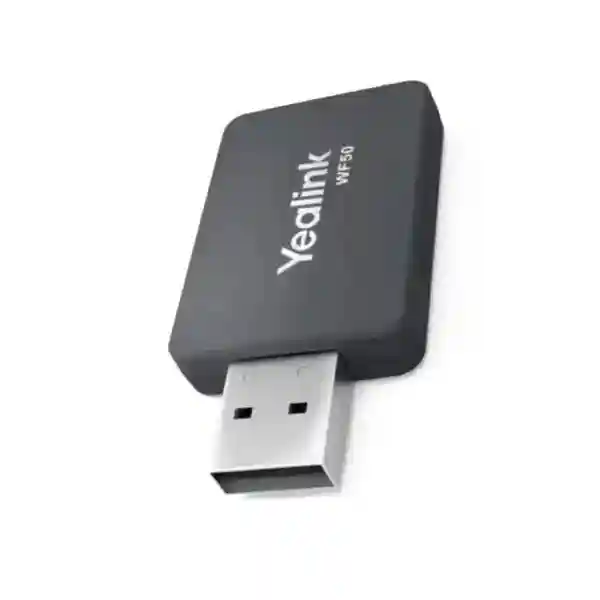
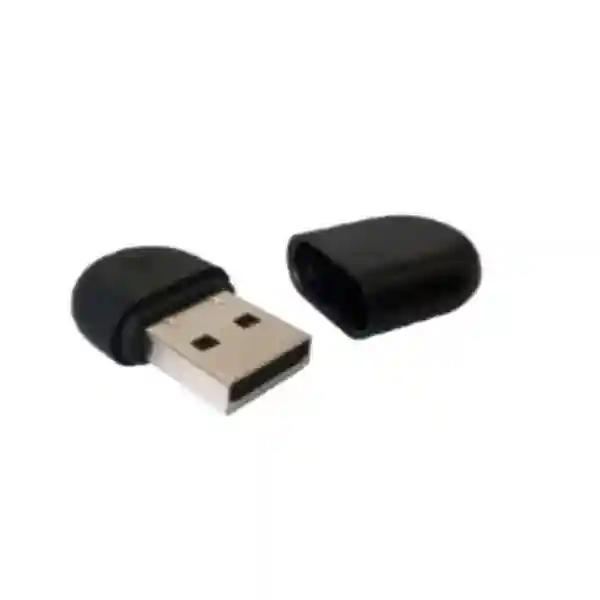
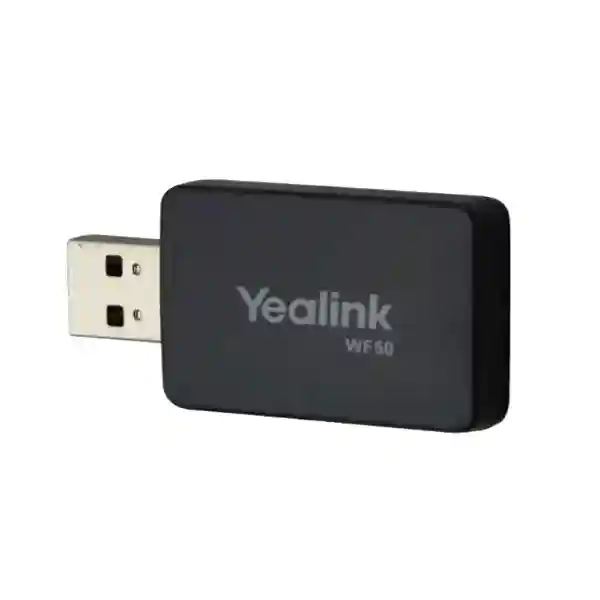
Yealink WF50 Wi-Fi USB Dongle
The Yealink WF50 Wi-Fi USB Dongle is designed to add dual-band wireless networking to supported Yealink business phones. It lets a compatible phone connect to either a 2.4 GHz Wi-Fi network or a 5 GHz Wi-Fi network through its USB interface, which can be useful where an Ethernet cable is inconvenient, a desk layout changes frequently, or a voice endpoint must be installed in a location without a dedicated network outlet. Yealink specifies IEEE 802.11a/b/g/n/ac support, up to 150 Mbps on 2.4 GHz and up to 433 Mbps on 5 GHz, with WPA/WPA2-family security options and a compact integrated antenna.
What the Yealink WF50 solves
A traditional desk phone is normally connected to the LAN with Ethernet. That remains the preferred design in many offices because wired networking is predictable and easy to segment, but not every work area has a convenient data outlet. Temporary offices, executive rooms, reception changes, renovated spaces and desks positioned away from wall ports can create a practical cabling problem. The WF50 addresses that specific issue by allowing selected Yealink phones to join an existing Wi-Fi network instead of relying on a local Ethernet run for network access.
The product is not a general-purpose USB adapter that should be assumed to work with every phone or computer. It is an accessory for supported Yealink endpoints. The most important buying check is therefore compatibility. Yealink documentation lists supported models, and newer WF50 V1 hardware has its own firmware requirements for some phones. A buyer should confirm the exact phone model, firmware release and WF50 hardware revision before deployment. This is particularly important for organisations standardising dozens of endpoints, because a small compatibility mismatch can become a large rollout issue.
For a broader voice deployment, the dongle should be considered together with the phone system and network. FourTeck Tanzania’s business technology services cover IP telephony, switching and Wi-Fi planning, while the Tanzania technology shop provides a useful starting point for related IP phones, network equipment and supporting infrastructure.
Dual-band flexibility
Choose between 2.4 GHz and 5 GHz according to coverage, interference and the wireless network available at the site.
Business Wi-Fi standards
The WF50 supports IEEE 802.11a/b/g/n/ac, allowing it to work across common legacy and 802.11ac wireless environments when paired with a compatible phone.
Compact USB design
The integrated USB 2.0 interface keeps deployment simple and avoids a separate external power supply for the adapter.
Security support
Yealink lists WEP, WPA/WPA2, WPA-PSK/WPA2-PSK and WPA2-Enterprise among supported security modes.
Verified Yealink WF50 technical specifications
| Specification | Yealink published detail |
|---|---|
| Wireless standards | IEEE 802.11a/n/ac and IEEE 802.11b/g/n |
| Frequency bands | 2.4 GHz and 5 GHz |
| Maximum 5 GHz rate | Up to 433 Mbps with 802.11ac; rates are dynamic |
| Maximum 2.4 GHz rate | Up to 150 Mbps with 802.11n; rates are dynamic |
| Interface | USB 2.0 |
| Antenna | Integrated |
| Security | WEP, WPA/WPA2, WPA-PSK/WPA2-PSK, WPA2-Enterprise |
| Operating voltage | 5.0 V DC ±5% |
| Dimensions | 52 mm × 27 mm × 8 mm |
| Weight | 28 g |
| Operating temperature | 0°C to 40°C |
| Package | WF50 and user guide |
Compatibility note: Yealink documents different compatibility conditions for WF50 and WF50 V1. For example, Yealink states that WF50 V1 requires specified firmware on some T4U and T53 models and supports selected newer models. Confirm the phone model, phone firmware and dongle revision before ordering.
Deployment and buying guidance
A Wi-Fi adapter can solve the last-metre network problem, but it does not remove the need for a well-designed wireless environment. Voice is sensitive to packet loss, high latency and unstable roaming. Before replacing a wired connection with Wi-Fi, check signal strength at the desk, access-point capacity, channel utilisation, authentication requirements and whether the voice device needs to reach a dedicated VLAN or restricted network. The 5 GHz band can offer cleaner spectrum and higher throughput, while 2.4 GHz can provide greater range in some environments. Actual results depend on access-point placement, building materials, radio congestion and client distance.
For offices where several phones will use WF50 adapters, test a representative group before a large rollout. Confirm that each handset sees the intended SSID, authenticates correctly and maintains stable call quality under normal business load. If WPA2-Enterprise is used, confirm the phone’s enterprise authentication workflow in the intended firmware. If phones must receive central configuration, verify provisioning after moving from Ethernet to wireless. Keep firmware levels documented so replacement phones or adapters do not introduce unexpected support differences.
The wireless layer also matters. FourTeck Tanzania describes business Wi-Fi, switching, structured infrastructure and IP telephony as connected parts of one environment. For projects that need broader network design rather than only an accessory, review the FourTeck Tanzania technology solutions overview. Multi-country customers can also review the regional technology capabilities at FourTeck Kenya and FourTeck Uganda when standardising branch voice and network deployments.
Yealink WF50 Wi-Fi USB Dongle Tanzania
For organisations sourcing the Yealink WF50 Wi-Fi USB Dongle in Tanzania, the primary decision is whether wireless connectivity is the right fit for the intended desk phones and whether the specific Yealink handset is supported. The WF50 is useful where cabling is difficult, where desks are moved regularly, or where an existing Wi-Fi network can serve voice endpoints reliably. Businesses in Tanzania may use it in corporate offices, reception areas, hotels, clinics, professional practices, branch offices, training rooms or temporary workspaces where a supported Yealink phone needs network access without a dedicated Ethernet outlet.
Procurement teams should avoid treating the adapter as a universal accessory. Start by listing the exact phone model, current firmware and quantity. Yealink’s current documentation distinguishes the compatibility of WF50 and WF50 V1, so hardware revision matters. If the phones are already installed, note whether they are running SIP, Teams or another supported software profile. Confirm the WLAN security mode and whether the organisation uses a simple pre-shared key or enterprise authentication. These details allow a more accurate quotation and reduce the chance of receiving an adapter that is electrically compatible with USB but unsupported by the phone software.
Tanzania deployments can also vary widely by site. A dense office in Dar es Salaam may face radio congestion from many neighbouring networks, while a branch office in another region may have fewer competing signals but more demanding coverage distances. The dual-band design gives administrators a choice between 2.4 GHz and 5 GHz, but that choice should follow site conditions. For voice, a stable connection is more important than headline throughput. Access-point placement, channel planning, DHCP, DNS, firewall policy and voice VLAN design can all affect whether calls remain consistent.
When requesting a Tanzania quote, include the number of WF50 units, phone model, firmware, office location, preferred SSID/security method and whether configuration assistance is required. If the project also needs handsets, PoE switches, wireless access points or PBX equipment, combine those items into one requirement so compatibility can be checked end to end. This approach is especially valuable for new offices and refresh projects because the network, phone firmware and wireless design can be reviewed before hardware is committed.
Yealink WF50 Wi-Fi USB Dongle Dar es Salaam
In Dar es Salaam, the Yealink WF50 can be a practical accessory for offices that need to place supported desk phones away from fixed Ethernet points. Commercial buildings, shared offices, reception desks, customer-service counters and renovated premises often change furniture layouts faster than structured cabling changes. A wireless adapter can reduce the need to run a new cable to every relocated phone, provided the business Wi-Fi network is engineered for stable voice traffic and the phone model is compatible with the specific WF50 revision.
Dense commercial areas may contain many overlapping wireless networks. In such environments, the WF50’s 5 GHz support can be valuable because 5 GHz generally offers more non-overlapping channel options than 2.4 GHz. The practical result still depends on access-point location, channel width, transmit power, walls and user density. A phone at the edge of coverage can experience voice quality issues even though a laptop appears to browse normally, because real-time calls are less tolerant of packet loss and momentary interruptions. Businesses should therefore test call quality at the actual desk before rolling out many adapters.
For a Dar es Salaam procurement request, provide the exact Yealink phone model and firmware, especially for T4U and T53 devices where WF50 V1 firmware requirements are specifically documented by Yealink. Also identify whether phones connect to a cloud PBX, local IP PBX or hosted SIP service, and whether voice traffic uses a dedicated VLAN. If the wireless SSID maps to a different subnet than the wired voice VLAN, routing and firewall policies may need adjustment. Central provisioning should also be tested after the phone moves to Wi-Fi.
Companies deploying at several Dar es Salaam branches should standardise the tested phone firmware, WLAN configuration and adapter revision. This makes spare management simpler and limits configuration drift. A well-documented deployment can record SSID, security mode, firmware baseline, supported models, signal expectations and fallback procedure. If a desk can easily use Ethernet, wired connectivity may remain preferable; WF50 is most valuable when it solves a genuine placement or cabling constraint without compromising the reliability expected from business telephony.
Yealink WF50 Wi-Fi USB Dongle Mwanza
Businesses in Mwanza may consider the Yealink WF50 when they need to extend supported Yealink desk-phone connectivity into rooms or work areas where a fixed data outlet is unavailable. This may include administrative offices, hospitality spaces, clinics, educational environments, logistics facilities and branch locations. The adapter is particularly useful when the telephone endpoint must remain a full desk phone but physical cabling would be disruptive or disproportionate for a small change.
The design should begin with wireless coverage, not with the adapter itself. Confirm that the selected work area receives a strong and stable signal from a managed access point. The WF50 supports 2.4 GHz and 5 GHz, so administrators can choose the band that best matches coverage and interference conditions. Where walls or longer distances make 5 GHz weaker, 2.4 GHz may be usable, but crowded 2.4 GHz channels can affect call consistency. Where 5 GHz coverage is strong, it can help reduce interference from legacy devices and neighbouring networks.
Compatibility is equally important. Yealink has revised the WF50 hardware, and the V1 model has explicit phone and firmware conditions. A Mwanza buyer replacing an older adapter should not assume a newly supplied unit behaves identically with an older handset firmware. Record the phone model from the device label or administration interface and capture the firmware version before ordering. For larger quantities, test one unit on each phone type used in the business and document the successful configuration.
Quotation planning should include quantity, phone models, current firmware, intended wireless security, access-point environment and whether configuration assistance is needed. If the site requires new access points or switching at the same time, the wireless design should be reviewed as a complete voice connectivity project rather than a standalone accessory purchase. That combined approach helps ensure that DHCP, DNS, PBX reachability and security policies remain consistent after the phone transitions from wired Ethernet to wireless access.
Yealink WF50 Wi-Fi USB Dongle Arusha
The Yealink WF50 can support flexible desk-phone placement in Arusha offices, hospitality properties, tour operations, professional firms and growing branch environments. Where a compatible Yealink handset needs to be positioned at a reception point, back office, manager’s desk or temporary workspace without an available Ethernet socket, the WF50 can connect the phone to the organisation’s WLAN. Its compact form factor and plug-in USB interface make the hardware simple, but successful operation still depends on phone support, firmware and network design.
For hospitality and service businesses, voice availability often supports guest communication and operational coordination. A wireless handset connection should therefore be treated as business infrastructure rather than casual Wi-Fi. Access points should be positioned for predictable coverage, and voice devices should not be placed on a heavily congested guest network. If the network uses VLANs, the SSID used by the phone should lead to the intended voice or business segment with the correct routing and firewall rules. Guest isolation settings can prevent a phone from reaching the PBX if the wrong SSID is selected.
The dual-band capability gives Arusha administrators flexibility. 2.4 GHz may travel farther through some building layouts, while 5 GHz can offer more capacity and less interference when coverage is adequate. Measure performance at the intended phone location rather than relying only on an access-point coverage map. Call tests during busy periods are more informative than a single speed test because voice quality depends on latency, jitter and packet delivery as well as bandwidth.
Before requesting the WF50, check the exact Yealink model. Yealink’s documentation includes models such as T42U, T43U, T44U, T46U, T48U, T52S, T54S and T53 among supported product families, but WF50 V1 has more specific conditions for certain devices and firmware versions. A quote request that includes the handset model, firmware version, number of adapters, WLAN security method and site requirement allows compatibility to be reviewed before deployment.
Yealink WF50 Wi-Fi USB Dongle Dodoma
In Dodoma, the Yealink WF50 offers a practical way to add Wi-Fi connectivity to supported Yealink business phones where cabling limitations make a wired connection inconvenient. Government-related offices, professional services, education, NGOs and branch operations may have meeting rooms, temporary offices or rearranged desk areas where adding new structured cabling is not immediately desirable. The WF50 can bridge that gap by allowing the phone to connect to an approved WLAN while retaining the familiar desk-phone user experience.
A controlled deployment should identify which phones genuinely need Wi-Fi and keep wired Ethernet where it is readily available. This prevents unnecessary dependence on the wireless network and makes troubleshooting clearer. For each wireless phone, administrators should document the SSID, expected signal strength, authentication method and PBX reachability. If the phone uses a hosted voice service, internet quality and firewall behaviour matter. If it registers to an internal PBX, the Wi-Fi VLAN must have the correct routing and security policies to reach that system.
The WF50 supports up to 433 Mbps on 5 GHz under 802.11ac and up to 150 Mbps on 2.4 GHz under 802.11n, but voice calls require only a small fraction of those rates. The more relevant operational questions are whether the signal is stable, whether the access point is overloaded, whether latency remains low and whether power to the network infrastructure is dependable. For critical communications, UPS support for access points, switches, routers and PBX components can be as important as the adapter itself.
Dodoma buyers should also confirm WF50 revision compatibility. Yealink identifies WF50 V1 separately and notes specific minimum firmware requirements on certain phones. A procurement checklist should therefore capture phone model, firmware, quantity, WLAN security and any related IP PBX or access-point requirements. This turns a simple accessory purchase into a controlled deployment decision and helps avoid unsupported combinations that may produce an unrecognised-adapter message.
Yealink WF50 Wi-Fi USB Dongle UAE
For businesses operating in the UAE, the Yealink WF50 is relevant to branch standardisation and office moves where supported Yealink desk phones need wireless network access. Modern commercial spaces can change quickly, and hot-desking, temporary project rooms, executive offices and leased premises may not always align with the original data-cabling layout. The WF50 lets compatible phones join 2.4 GHz or 5 GHz Wi-Fi, reducing the need for a dedicated Ethernet path at selected desks while preserving the use of an enterprise desk phone.
High-density office environments require careful radio design. Many neighbouring networks, meeting-room devices and personal hotspots can raise interference levels. The 5 GHz capability can be useful when the site has strong coverage and well-managed channels. However, administrators should still test voice behaviour at each intended location and avoid assuming that high Wi-Fi speed guarantees good calls. Roaming settings, access-point load, QoS, internet path and SIP or Teams service reachability can have more practical impact on user experience than maximum adapter throughput.
Regional IT teams often want the same handset and accessory standard across the UAE, Tanzania, Kenya and Uganda. That strategy works best when hardware revisions and firmware baselines are controlled. WF50 V1 compatibility should be checked separately from earlier WF50 documentation, particularly when older Yealink phone fleets are involved. If replacement adapters are purchased years after the original deployment, retest the current hardware revision before large-scale distribution.
A UAE procurement specification can include the supported phone models, firmware level, quantity, Wi-Fi security method, required SSIDs and whether devices connect to SIP, Teams or another supported platform. For multi-country projects, use the same documentation template in each branch so the network and voice teams can compare results consistently. The purpose is not to eliminate Ethernet everywhere; it is to use the WF50 selectively where wireless access provides a clear operational advantage without reducing call reliability.
Yealink WF50 Wi-Fi USB Dongle Uganda
Organisations in Uganda can use the Yealink WF50 to connect supported Yealink desk phones to Wi-Fi where direct Ethernet cabling is impractical. This can help branch offices, NGOs, financial services, hospitality operations, education sites and professional workplaces that need to relocate phones without rebuilding the cabling layout. The accessory supports both 2.4 GHz and 5 GHz wireless networking, allowing the deployment team to choose the band that best matches coverage and interference at the site.
The first requirement is a stable business WLAN. A phone used for customer calls should not depend on a weak edge-of-coverage signal or a congested guest network. Access points should have adequate capacity, and the SSID used by the phone should provide the correct path to the PBX or cloud voice service. If network segmentation is used, firewall and routing policies must permit registration, signalling, media and provisioning traffic as required by the organisation’s voice platform.
Compatibility checks are particularly important for mixed-age Yealink deployments. The current WF50 V1 revision does not simply inherit every combination supported by earlier WF50 units. Yealink documents specific compatible models and firmware levels. Administrators should therefore inventory their phones before ordering and upgrade firmware where appropriate only after reviewing release guidance and change-control requirements. A pilot installation on representative handsets reduces risk.
For Uganda customers managing more than one office, standardisation can simplify support. Use a documented firmware baseline, consistent WLAN security, approved SSIDs and a known WF50 revision. Record where wired Ethernet remains the primary connection and where Wi-Fi is intentionally used. This makes later troubleshooting easier and prevents a temporary workaround from becoming an undocumented dependency. Quotations should include the adapter quantity, phone models, firmware, network environment and any related access-point, switch or IP PBX requirements.
Yealink WF50 Wi-Fi USB Dongle Kampala
In Kampala, the WF50 can help offices use supported Yealink desk phones in locations where network cabling does not match current seating plans. Growing companies frequently add desks, move reception positions, convert rooms or create temporary project spaces. Rather than immediately extending copper cabling for a small number of endpoints, a compatible Yealink phone can use the WF50 to join the corporate Wi-Fi network. The approach works best when the WLAN is professionally managed and voice performance has been tested.
Kampala office environments can include many overlapping wireless networks, especially in multi-tenant buildings and dense commercial zones. The WF50’s 5 GHz support provides an alternative to crowded 2.4 GHz channels, but 5 GHz signals can weaken faster through walls. Access-point placement should therefore be based on the actual office layout. An administrator should check not only signal level but also call quality during normal working hours when the WLAN is busy with laptops, mobile devices and conferencing traffic.
For secure business deployment, align the phone with the organisation’s intended wireless policy. The WF50 supports several WPA/WPA2 security modes, including WPA2-Enterprise according to Yealink’s datasheet. If enterprise authentication is used, test the exact process supported by the phone firmware. If a pre-shared key is used, handle it as a managed business credential rather than sharing the same key used by guests. The voice device should receive only the network access it needs.
Before ordering units for Kampala, capture the exact phone models and firmware versions. Yealink’s support notice explains that WF50 V1 can show as an unrecognised USB adapter when paired with unsupported firmware. Procurement teams should therefore include firmware compatibility as an acceptance criterion, especially when buying adapters for an installed fleet. A pilot unit, a documented successful configuration and then a phased rollout is safer than deploying a large quantity simultaneously.
Yealink WF50 Wi-Fi USB Dongle Arua
For organisations operating in Arua, the Yealink WF50 can be useful where a supported Yealink desk phone needs to connect through an existing wireless network because fixed Ethernet is unavailable or difficult to extend. Branch offices, field-support centres, administrative sites and development organisations may operate in premises where the data network has been adapted over time. The adapter offers a clean way to add wireless access to selected phones without turning the voice system into an entirely different platform.
Wireless planning is especially important when the site has a limited number of access points. A phone placed far from the nearest access point may appear connected but still experience packet loss or unstable call quality. The WF50 can use 2.4 GHz or 5 GHz, and the better band depends on building layout and radio conditions. Where coverage is more important than peak speed, the network team may prefer the band with the stronger, more consistent signal. Where interference is the main issue, 5 GHz may be advantageous if coverage remains sufficient.
Arua procurement should also consider operational support. If a phone fails to connect, staff should know whether the issue is the adapter, firmware, WLAN credentials, access-point availability or PBX reachability. Keeping a simple deployment record with phone model, firmware, WF50 revision, SSID and IP configuration can shorten troubleshooting. A spare adapter should be tested with the same phone class rather than assumed to work based only on the WF50 name.
For quotation accuracy, specify the number of adapters, the Yealink handset models, firmware releases and the business reason for using Wi-Fi. If the office also requires access-point upgrades, network switches, UPS protection or voice-system changes, include them in the same project discussion. A complete view of the endpoint and infrastructure helps determine whether WF50 is the right solution or whether improving structured cabling would provide a better long-term result.
Yealink WF50 Wi-Fi USB Dongle Mbarara
The Yealink WF50 provides a wireless connectivity option for compatible Yealink phones in Mbarara businesses that need more flexibility than fixed desk cabling provides. A company may add temporary staff, move departments, open a customer-service counter or repurpose a room without having spare Ethernet outlets in every new location. Instead of replacing the phone platform, the WF50 can allow selected supported handsets to use the existing WLAN.
For voice use, the WLAN should be evaluated for consistency. Web browsing and email can recover from short network interruptions without users noticing, while real-time calls can expose even brief packet loss or latency spikes. Test the phone during busy hours and in the exact position where it will be used. If the device connects on 5 GHz, verify that signal remains stable through nearby walls and furniture. If it uses 2.4 GHz, check for interference from other access points and equipment operating in the same spectrum.
Security configuration should fit the business network. Yealink lists WPA and WPA2 options, including enterprise support. Administrators should create a clear policy for how desk phones authenticate and what network resources they can access. Voice devices do not need unrestricted access to every corporate system. Segmentation can reduce unnecessary exposure, but the firewall and routing design must still permit the traffic required by the PBX, DNS, NTP, provisioning and any cloud services used by the phone.
Mbarara buyers should verify phone compatibility before committing to quantity. WF50 V1 has documented firmware requirements on certain Yealink models, and an unsupported combination may be reported as an unrecognised USB adapter. Include the handset model and firmware in the quotation request, then test one adapter with each phone class. If a business uses several branch sites, record the approved combination so future replacements follow the same standard rather than introducing an untested hardware revision.
Yealink WF50 Wi-Fi USB Dongle Gulu
For Gulu offices and institutional environments, the Yealink WF50 can support desk-phone installation in areas where adding a wired outlet is difficult or where workspaces change over time. The adapter gives supported Yealink phones access to 2.4 GHz or 5 GHz Wi-Fi through USB 2.0. This can be helpful for administrative desks, reception points, small branch offices, training rooms and other fixed phone locations that still need some flexibility in how they reach the network.
The most important technical preparation is ensuring that the Wi-Fi network is suitable for business voice. Access-point coverage should be strong at the phone location and should not depend on a weak signal passing through many walls. If the site has only one access point serving a large area, adding the WF50 may reveal capacity or coverage limitations that laptops previously masked. Voice testing should include inbound and outbound calls, hold and transfer functions, long-duration calls and normal office traffic on the WLAN.
Power resilience may also deserve attention. A wired PoE phone can remain powered from a UPS-backed network switch. A phone using Wi-Fi still needs its own supported power arrangement, and the access point, router and PBX path must remain available. Organisations that consider voice critical should evaluate the complete power chain. The adapter does not itself provide resilience; it only changes the network access method.
When ordering WF50 units in Gulu, provide the phone model and firmware version. Yealink differentiates WF50 V1 compatibility and publishes minimum firmware requirements for some models. Confirm the WLAN security mode and whether the deployment uses SIP, Teams or another supported phone profile. For a multi-site organisation, documenting the validated combination of phone, firmware, WF50 revision and SSID settings helps create a repeatable standard that can be used at future branches.
Yealink WF50 Wi-Fi USB Dongle Kenya
Kenyan businesses considering the Yealink WF50 typically want a compact way to give selected Yealink desk phones wireless LAN access. The accessory is relevant to offices, hospitality environments, clinics, schools, branch networks and professional services where a phone must sit beyond an available Ethernet outlet. It can also assist during phased office moves when structured cabling is not yet final, provided the WLAN is stable enough for voice and the handset is in Yealink’s supported list.
The dual-band design is valuable in modern office Wi-Fi. At 5 GHz, Yealink specifies up to 433 Mbps with 802.11ac, while 2.4 GHz supports up to 150 Mbps with 802.11n. Those figures describe link capability rather than expected voice performance. A VoIP call uses relatively little bandwidth, so network quality matters more than raw speed. Interference, latency, packet loss, access-point overload and unstable roaming can cause audible problems even when a speed test looks excellent.
Kenya deployments should take special care when purchasing replacement units for an existing Yealink estate. The current WF50 V1 revision has compatibility conditions that can differ from older assumptions. Record phone model and firmware before ordering. If the site uses T4U or T53 phones, compare the firmware to Yealink’s published minimums for WF50 V1. Where older phones are involved, check whether a different supported Wi-Fi accessory is required rather than forcing an unsupported combination.
For branch standardisation between Kenya and Tanzania, maintain one approved configuration document that lists phone model, firmware, WLAN security, SSID, network segment and WF50 revision. This makes procurement and support more predictable. A quote can include adapters alone or a broader solution with Yealink phones, access points, switching and PBX requirements. The accessory should be selected because it solves a real network-access constraint, not simply because wireless appears more convenient than a well-designed wired connection.
Yealink WF50 Wi-Fi USB Dongle Kuwait
In Kuwait, the Yealink WF50 can support flexible placement of compatible Yealink desk phones in offices, retail administration, hospitality, project facilities and other business spaces where a fixed Ethernet outlet is unavailable. It gives supported handsets a path to 2.4 GHz and 5 GHz WLANs through USB 2.0 and can reduce the need to extend cabling for a small number of moved or newly added phones.
Commercial buildings can have dense wireless activity, making radio planning important. The 5 GHz band is often attractive in busy environments because it provides additional channel options, while 2.4 GHz may offer stronger reach through some structures. Neither band should be chosen solely from theory. Test the actual desk position, especially if the phone is near reinforced walls, enclosed rooms or other sources of attenuation. Calls should be tested while the office is active and access points are serving normal user traffic.
Businesses with strict wireless security can use the security options documented by Yealink, but the exact authentication workflow must be tested on the intended phone firmware. If phones are placed on a dedicated SSID, ensure that DHCP, DNS, time services, provisioning and PBX or cloud communication are allowed from that network. A highly restricted WLAN that blocks required voice traffic can make the phone appear faulty even when the adapter is functioning correctly.
Kuwait procurement teams should ask for compatibility validation using the exact phone model and firmware. Yealink’s support material highlights WF50 V1 as a revised device and notes that unsupported firmware can lead to an unrecognised USB adapter message. For quantity orders, test one unit against each handset type in use. Include the number of endpoints, security method and target network architecture in the quotation so that the adapter can be evaluated as part of a working voice solution rather than as an isolated USB part.
Yealink WF50 Wi-Fi USB Dongle Ghana
For businesses in Ghana, the Yealink WF50 is a focused accessory for supported Yealink phones that need wireless connectivity. It can be useful in branch offices, corporate workplaces, service counters, hotel administration and temporary project environments where an Ethernet drop is not positioned at the intended phone location. By supporting both 2.4 GHz and 5 GHz, the adapter gives administrators flexibility to match the phone to the most suitable wireless band at the site.
A voice endpoint should be placed on a wireless network designed for consistent operation. Signal bars alone are not enough. Check access-point utilisation, channel overlap, packet loss and the path from the WLAN to the PBX or cloud voice service. If the organisation has separate staff, guest and voice networks, the phone should use the network that provides the required security and reachability. Guest isolation can block peer or internal traffic, and captive portals are usually unsuitable for unattended desk-phone connectivity.
The WF50 is small, but compatibility deserves formal change control. Yealink’s current support documentation distinguishes the WF50 V1 revision and specifies supported phone/firmware combinations. A Ghana organisation with older Yealink phones should inventory models and firmware before buying replacement adapters. Large installations should test each phone family, record the result and then standardise on a known combination. This is more reliable than assuming every USB-equipped Yealink handset will recognise the adapter.
A procurement request should include quantity, phone model, firmware version, wireless security method and whether new access points or voice-system changes are part of the same requirement. Where several branches share one PBX or hosted platform, confirm that each branch WLAN can reach the service with appropriate QoS and firewall policy. The goal is a stable phone deployment in which the WF50 provides flexibility without turning the wireless network into an undocumented single point of failure.
Yealink WF50 Wi-Fi USB Dongle Nigeria
Nigeria organisations with Yealink phone deployments may use the WF50 to add wireless access at selected desks where cabling is difficult, temporary or incomplete. In corporate offices, financial services, hospitality, education, healthcare and branch networks, there are often isolated locations where a desk phone is needed but extending Ethernet is inconvenient. The WF50 can solve that specific connectivity problem on supported handsets while allowing the organisation to keep the same phone platform and user interface.
Large office environments can be challenging for Wi-Fi because many clients compete for airtime. The WF50’s 5 GHz support can help move the phone away from congested 2.4 GHz spectrum when the access-point design provides strong 5 GHz coverage. However, administrators should still apply sensible client capacity and channel planning. A voice phone needs low and consistent latency more than it needs high download throughput. Continuous calls should be tested while laptops, mobile devices and collaboration systems are active on the same WLAN.
Security architecture is another important consideration. Yealink documents WPA/WPA2, pre-shared-key modes and WPA2-Enterprise support for the WF50. The phone should join a business-controlled SSID and receive only the access required for voice, provisioning and management. If the PBX is on another VLAN or in a data centre, firewall rules and routing must allow the correct signalling and media paths. DNS and NTP availability should also be considered because phone registration and certificates can depend on them.
For Nigerian procurement teams, hardware revision and firmware verification should be part of the purchasing specification. Yealink has published an explicit WF50 V1 compatibility notice, and unsupported combinations can result in recognition problems. Send the exact phone model and firmware with the quote request. For a fleet, buy a pilot quantity first, validate the configuration and then scale. This approach protects the project from discovering a compatibility issue only after many units have reached multiple branch locations.
Yealink WF50 Wi-Fi USB Dongle Seychelles
Businesses and hospitality organisations in Seychelles may find the Yealink WF50 useful when a supported desk phone needs wireless network access in a location where new Ethernet cabling would be disruptive. Hotels, offices, reception areas, villas used for business operations, service desks and temporary workspaces can have changing layouts. The WF50 provides a compact dual-band option for selected Yealink phones while allowing the voice platform to remain consistent with wired endpoints elsewhere in the organisation.
Wireless design in hospitality and multi-room properties should account for walls, floor layout, access-point density and guest traffic. A phone should not be attached casually to a guest SSID just because that network is visible. Guest networks may use captive portals, client isolation or bandwidth controls that interfere with voice. A business or voice SSID with predictable authentication and routing is preferable. The network team should verify that the phone can reach the PBX or cloud service and maintain calls during periods of high guest usage.
The adapter’s 2.4 GHz and 5 GHz capability allows the installer to choose the band that performs best at a given location. 5 GHz can reduce interference and provide higher throughput when coverage is strong; 2.4 GHz can be useful for range, but congestion must be considered. The best choice can differ from room to room, so a site survey or practical call test is more reliable than a single default configuration.
Seychelles buyers should confirm the precise Yealink handset model and firmware because the WF50 V1 revision has explicit compatibility requirements. For hospitality environments with many identical room or back-office phones, test a sample before bulk deployment and keep one documented firmware standard. Include the number of adapters, phone types, security mode and any requirement for access points, switching or PBX support in the quote request. This helps ensure the complete communication path is considered rather than only the USB accessory.
Compatibility, installation and configuration checklist
Before ordering
Record the exact Yealink phone model, firmware version, desired quantity, WLAN security method and whether the adapter being supplied is WF50 or WF50 V1. Confirm the phone appears in Yealink’s current compatibility guidance. If several phone families are deployed, create a small matrix rather than assuming one result applies to all handsets.
Before installation
Check Wi-Fi coverage at the desk, confirm the intended SSID and credentials, and verify that the wireless network can reach the PBX, DNS, NTP and provisioning services. If the network uses VLANs or enterprise authentication, test those requirements with a representative phone before a larger rollout.
After installation
Place test calls in both directions, verify registration stability, monitor for packet loss or audio dropouts and confirm the phone reconnects correctly after restart. Document successful firmware, SSID and adapter revision so future replacements can follow the same standard.
Who should buy the Yealink WF50?
The WF50 is best suited to an organisation that already uses a supported Yealink phone and needs to solve a specific wireless connectivity requirement. It is a good fit when a desk has no Ethernet outlet, when a phone is being moved temporarily, when a reception or service position changes, or when a branch wants to use an existing managed WLAN instead of extending cabling for a small number of endpoints. It may also be useful for pilot projects and temporary offices where the final cabling plan has not yet been completed.
It is less compelling when reliable Ethernet is already available at the desk, because wired networking is generally easier to predict and troubleshoot for fixed voice devices. The buying decision should therefore be based on operational need rather than on the novelty of Wi-Fi. In a well-designed voice network, wired and wireless connections can coexist: Ethernet for most fixed desks, with WF50 adapters used selectively where they solve a real physical constraint.
Frequently asked questions
Does the Yealink WF50 support both 2.4 GHz and 5 GHz Wi-Fi?
Yes. Yealink specifies support for both 2.4 GHz and 5 GHz, with IEEE 802.11a/b/g/n/ac compatibility. The published maximum dynamic rate is up to 150 Mbps on 2.4 GHz using 802.11n and up to 433 Mbps on 5 GHz using 802.11ac.
Will WF50 work with every Yealink phone?
No. It is intended for supported Yealink models, and compatibility can depend on firmware and WF50 hardware revision. Yealink publishes different conditions for WF50 V1, so confirm the exact phone model and firmware before ordering.
Why does a phone say the WF50 is an unrecognised USB adapter?
Yealink documents this symptom for unsupported WF50 V1 phone or firmware combinations. Check the phone model and firmware against Yealink’s current compatibility guidance before assuming the adapter is faulty.
Is 5 GHz always better than 2.4 GHz for a Yealink phone?
Not always. 5 GHz can offer more capacity and less interference in many offices, while 2.4 GHz may provide stronger range in some layouts. Use the band that gives stable coverage and call quality at the actual desk location.
Can the WF50 replace structured cabling throughout an office?
It can reduce the need for an Ethernet run at selected supported phones, but it does not replace the need for a well-designed network. Fixed phones with convenient Ethernet can remain wired, while WF50 can be used where wireless connectivity provides a clear deployment benefit.
What information should I provide for a quote?
Provide the quantity, exact Yealink handset model, phone firmware, office location, Wi-Fi security method and whether you also need phones, access points, switching, PBX equipment or configuration assistance. These details make compatibility validation much more reliable.
Quotation checklist
For a clear Yealink WF50 quotation, prepare the following information: required quantity; exact phone model; phone firmware version; whether the phone fleet uses SIP, Teams or another supported profile; existing Wi-Fi bands and SSIDs; wireless security type; office or branch location; and whether deployment support is needed. If the requirement is part of a new voice project, also include extension count, PBX platform, switch/PoE requirements, access-point needs and expected growth.
This information helps distinguish a straightforward accessory supply from a deployment that needs network changes. It also prevents the common error of ordering a USB accessory based only on connector type without checking the supported firmware path.
Decision recap
Choose the Yealink WF50 when you have a supported Yealink phone and a genuine need for wireless network access. Its dual-band design, 802.11ac support and compact USB interface make it a practical accessory for flexible desk placement. The key technical facts are straightforward: 2.4 GHz and 5 GHz support, up to 433 Mbps on 5 GHz, USB 2.0, integrated antenna and WPA/WPA2-family security support.
The critical buying risk is compatibility. Confirm the handset, firmware and WF50 hardware revision before purchase. Then confirm the WLAN is strong enough for voice. When both conditions are satisfied, the WF50 can be an efficient way to connect selected desk phones without unnecessary cabling changes.
Discuss your Yealink WF50 requirement
Share the phone model, firmware version, quantity and intended Wi-Fi environment. FourTeck can use those details to help identify whether the WF50 is suitable for the planned deployment and whether related phones, wireless infrastructure, switching or IP telephony components should be considered in the same quotation.




Reviews
There are no reviews yet.