
YEALINK COLLABORATION ACCESSORY
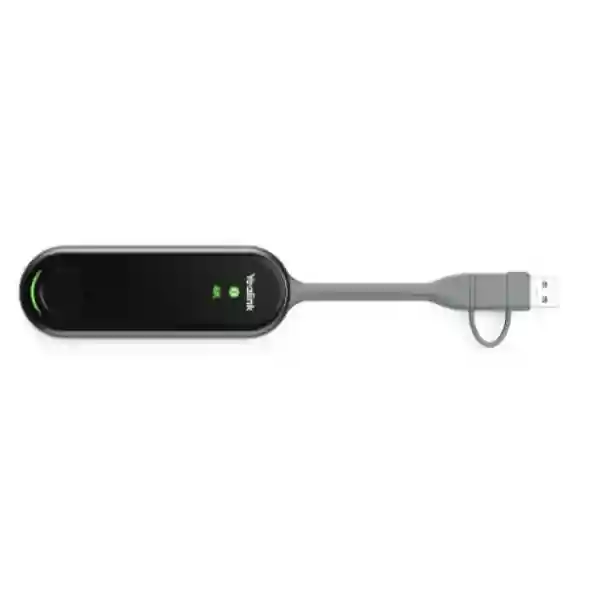
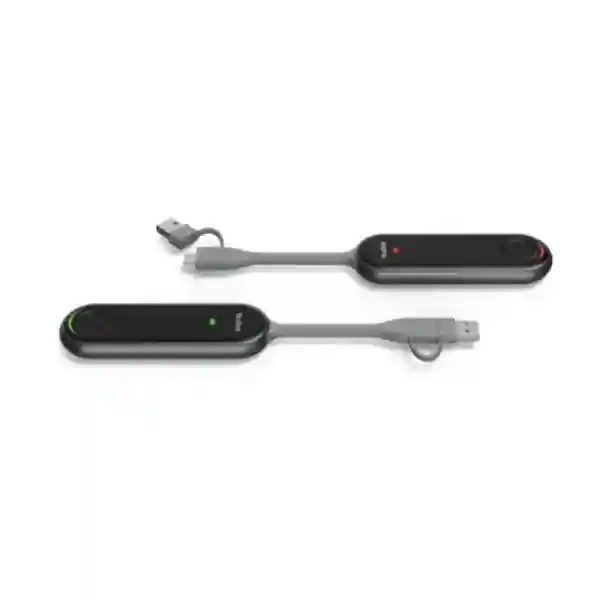
Yealink PA20 BYOD Device
Bring fast, cable-light content sharing and IP-BYOD flexibility to compatible Yealink meeting spaces. The PA20 combines up to 4K/30fps presentation, Wi-Fi 6 connectivity, hardware encoding and a simple USB connection so business users can move from laptop to room display with less setup friction.
What the Yealink PA20 is designed to do
The Yealink PA20 is a business presentation and IP-BYOD accessory for compatible Yealink room environments. According to Yealink, the device can provide up to 4K/30fps content sharing through hardware encoding and uses a Wi-Fi 6 radio with 2×2 MIMO and dual-band 2.4GHz/5GHz operation. The practical benefit is straightforward: a user can connect the PA20 to a supported computer through its full-featured USB Type-C interface or supplied USB-C-to-USB-A adapter, then initiate content sharing without loading a separate presentation driver. This makes it particularly useful in shared meeting rooms where staff, visitors and executives may arrive with different laptops and need a predictable presentation workflow.
PA20 also supports IP-BYOD scenarios. Yealink documents that, for IP-BYOD, the laptop and the compatible room device should be on the same local area network, with BYOD audio and video media transmitted directly over that LAN. This matters for IT teams because successful deployment depends on more than the presentation pod itself. Network addressing, Wi-Fi conditions, segmentation policy, room-device configuration and firmware compatibility should all be checked before rollout. FourTeck can help buyers position the PA20 as part of a complete collaboration design rather than as an isolated accessory.
For organizations planning a refresh of meeting spaces, the PA20 can be evaluated alongside displays, room cameras, speakerphones, microphones, wireless LAN and conferencing endpoints. The broader FourTeck Tanzania technology portfolio covers video conferencing, audio conferencing, business displays, Wi-Fi, switching and integrated support, which are the surrounding elements that determine whether a BYOD room works consistently in day-to-day use.
Verified Yealink PA20 capabilities
4K presentation
Yealink specifies presentation output up to 4K/30fps. Hardware encoding is intended to keep presentation processing efficient and reduce dependence on the laptop CPU.
Wi-Fi 6 connectivity
The PA20 uses 802.11 b/g/a/n/ac/ax wireless standards and operates across supported 2.4GHz and 5GHz bands, with 2×2 MIMO called out by Yealink for responsive wireless presentation.
Plug-and-play connection
A full-featured USB Type-C interface and USB-C-to-USB-A adapter support common business laptop connection patterns. Yealink states that no separate software or driver installation is required for the basic presentation workflow.
Desktop sharing choices
The product specification includes duplicated and extended desktop sharing, giving users a choice between mirroring the main screen and working with an extended presentation area.
Wireless security
Yealink lists WPA-PSK/WPA2-PSK and AES/WPA data protection features. Enterprise network policy should still be reviewed against the organization’s own segmentation and security requirements.
Multi-screen collaboration
Yealink documents support for multiple simultaneous content streams in compatible MeetingBoard or RoomCast scenarios. Exact accessory and endpoint compatibility should be validated before procurement.
Technical specifications at a glance
| Presentation | Up to 4K/30fps |
|---|---|
| Wireless | 802.11 b/g/a/n/ac/ax, 2.4GHz/5GHz |
| Interface | 1 × full-featured USB Type-C, USB-C-to-USB-A adapter included |
| Control | 1 × START/STOP button with status indicators |
| Typical power | 2.2 W; input 5V/600 mA |
| Desktop modes | Duplicated desktop and extended desktop |
| Security | WPA-PSK/WPA2-PSK; Yealink also lists AES & WPA data encryption |
| Dimensions / weight | 220 × 38 × 16 mm; 75 g |
Compatibility is firmware- and endpoint-dependent. Confirm the intended Yealink room system, operating mode and current compatibility list before ordering for a standardized deployment.
Where PA20 fits in a meeting-room design
A content-sharing accessory can appear simple, yet its real value comes from removing recurring friction. In a shared room, every extra login, cable swap, adapter search or driver installation can delay the start of a meeting. PA20 addresses that operational problem by giving users a consistent physical interface and a wireless presentation path. For IT administrators, the next question is whether the surrounding room is equally consistent. The display must expose the right resolution, the room endpoint must support the intended PA20 workflow, the LAN must allow the required communication, and the Wi-Fi environment should be stable enough for reliable content transport.
For that reason, a PA20 purchase often belongs in a wider collaboration project. FourTeck Tanzania’s video-conferencing scope includes room systems, cameras, microphones, displays and hybrid-meeting integration. Its Wi-Fi and networking scope covers the LAN foundation that BYOD media relies on. If the meeting space also requires a screen refresh, commercial display sizing and mounting should be planned together with camera position and participant sightlines. That integrated approach reduces the risk of buying a capable presentation device for a room whose network, display or conferencing endpoint is not ready for it.
Organizations operating across multiple countries can also use a standard room blueprint. FourTeck’s regional network includes FourTeck Uganda, FourTeck Kenya, FourTeck UAE and FourTeck Africa. These links are useful for businesses coordinating related collaboration requirements in neighboring or regional operations.
Yealink PA20 BYOD Device Tanzania
Businesses evaluating the Yealink PA20 BYOD Device in Tanzania are usually trying to simplify one of two meeting-room tasks: sharing a laptop screen quickly or using a personal laptop as the meeting-compute device while taking advantage of compatible room audio and video resources. The PA20 is relevant to both discussions because Yealink positions it as a 4K content-sharing IP BYOD device. For procurement teams, the strongest buying process begins by defining the room endpoint and workflow before asking for a quantity. A boardroom, training room, huddle room and executive office may all use the same accessory differently, and the compatibility check should account for the exact Yealink room system, firmware and operating mode.
In Tanzania, the deployment environment also matters. Wireless presentation quality depends on the room’s radio conditions, while IP-BYOD depends on the local network. If a room is connected through a congested wireless environment or if corporate segmentation prevents the laptop and room device from communicating as required, users may not receive the experience they expect. A practical deployment review should therefore look at LAN/VLAN design, DHCP, Wi-Fi coverage, room-device addressing, display connection, and any security policies that influence communication between user devices and collaboration equipment. These checks are especially useful for organizations that separate staff, guest and infrastructure traffic.
PA20 can also support a broader standardization strategy. Instead of letting every meeting room develop a different collection of adapters and presentation methods, a business can document a common connection procedure and room topology. User guidance can be as simple as identifying the correct USB connection, the presentation button, the room display input and the expected BYOD path. IT teams can then support a known configuration rather than troubleshooting many ad-hoc solutions. The device’s compact size is useful in rooms where table clutter is a concern, but cable routing and storage should still be planned so the pod remains available to users and is not misplaced.
For a Tanzania quotation, provide the number of rooms, room-system models, laptop types, preferred meeting platforms, network topology and whether the need is presentation only or full BYOD. FourTeck can use those details to assess product fit, related display or network requirements and compatible Yealink accessories. The objective is a room that starts quickly and remains supportable rather than simply adding another gadget to the meeting table.
Yealink PA20 BYOD Device Dar es Salaam
Dar es Salaam organizations often operate meeting rooms in headquarters, professional offices, hotels, financial environments, project offices and multi-tenant buildings where collaboration technology has to serve both employees and guests. In that context, the PA20’s value is less about a specification on paper and more about reducing the setup steps before a meeting. Staff can connect using USB Type-C or the included USB-A adapter, while the room design can remain centered on compatible Yealink conferencing equipment. This can be useful for businesses that want a more consistent presentation experience across reception meeting rooms, executive spaces and departmental rooms.
Dense office environments also make wireless planning important. Wi-Fi 6 capability helps the PA20 use modern wireless technology, but every radio system still operates within the conditions of the room. Adjacent access points, neighboring networks, channel utilization and construction materials can affect performance. Before a large deployment, it is sensible to test the accessory in representative rooms rather than assuming that a successful demo in one space proves every location. Where guest laptops are involved, network policy should be reviewed carefully because IP-BYOD requires the laptop and room device to be on the same LAN according to Yealink’s guidance.
Dar es Salaam buyers should also distinguish between content sharing and complete room conferencing. PA20 is not a substitute for the room camera, microphones, speakers or display. It is an accessory that connects the user’s device to a compatible room workflow. A complete bill of materials may therefore include a Yealink room endpoint, display, mounting, microphone solution and network preparation. If an existing room already has Yealink hardware, the model and firmware should be captured in the quotation request so compatibility can be checked before supply.
For procurement teams managing several offices, a pilot room is a useful first step. Document how users connect, how guests are handled, how the PA20 is stored between meetings, how the room system is updated and who owns support. Once the pilot is stable, the same standard can be repeated. This approach makes the Yealink PA20 BYOD Device in Dar es Salaam part of an operational meeting-room standard rather than a one-off purchase.
Yealink PA20 BYOD Device Mwanza
For organizations in Mwanza, collaboration rooms may connect local teams with headquarters, suppliers, field operations or customers in other regions. A device such as the Yealink PA20 can help simplify the presentation side of those meetings by offering a repeatable USB-based connection and up to 4K/30fps content sharing. That is particularly useful when meetings involve spreadsheets, dashboards, engineering drawings, proposals or other visually detailed business material where a clear presentation path matters. The device’s hardware encoding also keeps the basic sharing function self-contained rather than relying entirely on host-computer processing.
A Mwanza deployment should start with the existing meeting-room inventory. Record the Yealink endpoint model, display resolution, network connection, firmware level and whether the organization expects basic screen sharing, extended desktop use or IP-BYOD. The answer changes the deployment checklist. If IP-BYOD is required, confirm that the room endpoint and laptop can communicate on the intended LAN and that security segmentation does not unintentionally block the media path. If presentation is the primary purpose, focus on pairing, display behavior and the day-to-day user sequence.
Power and cable organization are also worth considering. The PA20’s low typical power consumption and compact form make it easy to place in a room, but business reliability comes from consistent handling. A loose adapter can be misplaced; a cable routed across a table can be damaged; an unlabelled room can confuse visitors. Small deployment details such as a defined storage position, visible connection guidance and a tested USB-A/USB-C workflow can save support calls later.
When requesting a Yealink PA20 quotation for Mwanza, include the number of rooms and the type of users expected in each room. A small internal room used by the same team may need a simpler operating guide than a customer-facing boardroom with frequent guest laptops. FourTeck can then align the PA20 with compatible collaboration equipment, network readiness and the display environment, helping the customer build a usable room rather than purchasing an accessory without a deployment plan.
Yealink PA20 BYOD Device Arusha
Arusha businesses, hospitality organizations, NGOs, professional teams and project groups often need collaboration rooms that can accommodate a mixture of internal users and visitors. That makes ease of connection a practical requirement. The Yealink PA20 can provide a familiar presentation action: connect the pod through a supported USB port, use the room’s compatible Yealink system and begin sharing. Because Yealink provides a USB-C-to-USB-A adapter, the accessory can cover many business laptops without requiring the room operator to maintain several unrelated presentation dongles.
For guest-heavy rooms, the network model deserves attention. A visitor device may normally be placed on a guest VLAN with no access to room infrastructure. Yealink’s IP-BYOD documentation, however, states that the laptop and room device should be on the same LAN for that mode. The correct answer is not to weaken network security, but to plan a collaboration policy that safely enables the required communication. Depending on the customer environment, this may involve a dedicated room network or carefully defined access controls. The design should be reviewed by the organization’s network administrator rather than improvised during a meeting.
The display and physical room should also be part of the selection. Up to 4K presentation can be valuable when the screen and room system support an appropriate workflow, but resolution alone does not create a good meeting. Screen size, viewing distance, camera placement, microphone pickup and lighting all affect the experience. In training spaces, extended desktop sharing can be helpful for presenters who want private notes on their laptop while showing a separate presentation view to the room.
A well-prepared quotation for Arusha should identify room dimensions, existing Yealink hardware, screen model, meeting platform and desired guest workflow. This allows compatibility to be checked and highlights any supporting requirements before purchase. The PA20 can then be deployed as part of a controlled collaboration standard that staff can learn quickly and IT teams can support consistently.
Yealink PA20 BYOD Device Dodoma
Organizations in Dodoma that run formal meeting rooms, training facilities, administrative offices and project spaces often value predictable technology more than complex user interfaces. The Yealink PA20 suits that objective by reducing the presentation workflow to a compact hardware accessory with a START/STOP control, visual status indicators and USB connectivity. For users who move between rooms, a standardized PA20 deployment can make the presentation process easier to understand because the same connection pattern is repeated from room to room.
For IT teams, predictable behavior starts with controlled compatibility. Yealink publishes room-accessory compatibility information and firmware guidance, and those details should be checked against the actual endpoint before bulk procurement. Avoid assuming that any Yealink-branded room device will automatically provide every PA20 function. The intended use—presentation, multi-screen collaboration or IP-BYOD—should be matched to a supported room design. This is especially important in organizations where rooms were installed in different years and may not run the same hardware generation.
Network readiness is another key issue for Dodoma deployments. IP-BYOD sends media over the local network between laptop and room device. A network with strict VLAN boundaries, access-control lists or guest isolation should therefore be reviewed before implementation. Wi-Fi channel quality also matters for wireless presentation. A small pilot can reveal whether the room requires wireless optimization, a firmware change or an adjustment to network policy before the organization standardizes the accessory.
Procurement requests should include the quantity, destination rooms, endpoint models and expected meeting platforms. If the project also includes displays, cameras, microphones or switching, combining those items into one room bill of materials makes installation and handover clearer. FourTeck can help structure that requirement and provide a quotation based on verified compatibility and the customer’s actual collaboration workflow.
Yealink PA20 BYOD Device UAE
Businesses searching for the Yealink PA20 BYOD Device in the UAE often manage high-use meeting rooms where employees bring modern USB-C laptops but visitors may still require USB-A connectivity. The PA20’s full-featured USB Type-C port and included USB-C-to-USB-A adapter make it suitable for a mixed laptop estate. In multinational offices, a standardized presentation accessory can also reduce the time spent explaining different room controls to traveling staff who regularly move between branches.
A UAE rollout should still be designed around the installed Yealink room environment. Confirm which MeetingBar, MeetingBoard or other compatible room device will be paired with the PA20, and validate firmware. If the objective is IP-BYOD, the local LAN architecture is central to the design. Corporate offices often use strong network segmentation and security controls, so the room-system network and user-device network should be intentionally designed for the required media communication rather than connected through ad-hoc exceptions.
Meeting rooms in busy headquarters can also experience substantial wireless utilization. The PA20 supports Wi-Fi 6 and dual-band operation, but spectrum planning, access-point placement and co-channel interference remain relevant. A site with many adjacent rooms should test simultaneous usage, not just single-room operation. Standard naming, pairing procedures and room documentation make support easier when multiple collaboration spaces are managed by the same IT team.
For regional procurement, FourTeck UAE can provide a relevant FourTeck network point for UAE collaboration requirements, while the Tanzania team can coordinate the Tanzania side of a multi-country standard. Buyers should provide room counts, Yealink endpoint models, preferred UC platforms, laptop standards and whether content sharing or full BYOD is required. That information supports an accurate compatibility review and avoids ordering based only on the accessory name.
Yealink PA20 BYOD Device Uganda
For Uganda-based organizations, the Yealink PA20 can be considered when meeting-room users need a quicker path from personal laptop to shared room technology. This is useful in branch offices, training rooms, management meeting spaces and project environments where different users present throughout the day. The PA20’s core proposition is practical: up to 4K/30fps sharing, hardware encoding, Wi-Fi 6 and USB connectivity in a small presentation accessory designed for compatible Yealink environments.
Organizations with sites in both Uganda and Tanzania may benefit from standardizing the same collaboration workflow across locations. Standardization is not simply purchasing the same part number. It should include the same pairing process, firmware baseline, network requirements, cable storage, support procedure and user instructions. Once those elements are documented, a support engineer can troubleshoot a room using a known checklist instead of starting from a different configuration at every branch.
If IP-BYOD is part of the requirement, the network team should verify same-LAN communication between laptop and room device. Where guest isolation or strict VLAN policy is used, the organization should determine an approved collaboration path rather than bypassing security controls. Wireless quality should also be measured in the actual meeting-room environment, especially when several rooms or access points operate close together.
The FourTeck Uganda site is a relevant regional resource for customers coordinating Uganda requirements, while FourTeck Tanzania can address the Tanzania project scope. In a quotation request, include room-device models, laptop operating systems, room quantities and deployment cities. This gives the supplier enough information to confirm suitability and identify any supporting display, network or conferencing components that should be included.
Yealink PA20 BYOD Device Kampala
Kampala offices often need meeting-room technology that can handle a fast flow of staff, consultants and visiting partners. The PA20 can reduce connection friction by providing an established Yealink presentation workflow rather than asking users to rely on whichever cable or casting application happens to be available. This can be valuable in executive rooms, consulting environments, customer briefing rooms and training spaces where meetings need to begin without lengthy setup.
For a Kampala deployment, define the user journey before choosing quantity. Will users only share slides and spreadsheets, or should they also bring their preferred conferencing application on a laptop and use compatible room camera, microphone and speaker resources? Those are different workflows. Presentation requirements focus on pairing and display behavior, while IP-BYOD adds network communication and virtual peripheral behavior to the design. The Yealink room endpoint must support the intended mode, and current firmware should be checked.
In buildings with numerous tenants or wireless networks, a pre-deployment wireless assessment can be worthwhile. PA20 supports dual-band Wi-Fi 6, but a crowded spectrum can still reduce consistency. For organizations with managed WLAN infrastructure, coordinate the collaboration room with the wireless team so channel planning and access-point placement are not treated as unrelated infrastructure decisions.
A Kampala quotation should therefore contain the room list, Yealink hardware inventory, display details and network requirements. It is also useful to state whether the business wants a single accessory for an existing room or a complete collaboration-room refresh. That distinction helps the project team avoid over-specifying a simple requirement or under-specifying a room that also needs cameras, microphones, displays and network preparation.
Yealink PA20 BYOD Device Arua
In Arua, businesses and institutions evaluating the Yealink PA20 may be looking for an uncomplicated way to improve hybrid meetings without changing how every employee works on a laptop. The PA20 supports a bring-your-own-device style workflow in compatible Yealink rooms while also serving as a presentation assistant. Users can connect from a supported computer and share content without adding a separate presentation driver, which can be useful where IT teams want to minimize software dependencies on employee devices.
The best deployment begins with compatibility rather than assumptions. Record the room system, firmware and intended use. If the room has older collaboration hardware, verify whether it supports the required PA20 functions before purchase. For new rooms, treat the PA20 as one component in a complete design including room camera, audio, display and network. This avoids a situation where a user can share content but the rest of the meeting experience remains difficult because of poor sound, camera positioning or unreliable connectivity.
For IP-BYOD use, the LAN requirement is important. The user laptop and room device need an approved network path. In smaller sites, that may be straightforward; in managed enterprise networks, it may require coordination with VLAN and access-control policy. Local wireless conditions should also be considered because Wi-Fi performance can vary significantly by building construction and access-point placement.
When seeking a PA20 quote for Arua, provide the room count, endpoint models, meeting platforms, laptop port mix and whether a standardized training or handover is expected. These details allow the project to be planned around the actual user workflow and make it easier to define accessories, deployment tasks and support responsibility before equipment is supplied.
Yealink PA20 BYOD Device Mbarara
Mbarara organizations that rely on collaboration between branches, partners and remote teams can use meeting-room standardization to reduce support effort. The Yealink PA20 fits this strategy as a reusable content-sharing and IP-BYOD accessory for compatible Yealink room environments. Up to 4K/30fps presentation can support detailed business content, while the direct USB connection gives users a visible, physical method for starting and stopping sharing.
A common purchasing mistake is to focus on resolution while overlooking room workflow. A 4K-capable sharing accessory is useful only when the display, room endpoint and connection path are correctly configured. In a Mbarara office, the design team should confirm how users enter the room, where the PA20 is stored, which laptop ports are common, whether guests need access, and what happens when a device is not recognized. A one-page user guide placed near the display can reduce unnecessary support tickets.
Network review becomes essential if the business wants IP-BYOD. Yealink states that the laptop and room device must be connected to the same LAN for that use case. IT teams should translate that requirement into their own security architecture rather than simply flattening network segmentation. A dedicated collaboration segment or controlled policy may provide a better balance between usability and security.
For multi-room projects, start with a representative pilot and capture lessons before wider rollout. Verify firmware, presentation behavior, extended desktop use, BYOD media flow and user instructions. A quotation that identifies these requirements gives the supplier a stronger basis for compatibility checks and helps the organization plan a repeatable meeting-room configuration across Mbarara and other offices.
Yealink PA20 BYOD Device Gulu
For Gulu-based offices and project teams, the Yealink PA20 can provide a compact way to make shared meeting rooms easier to use. Many meeting delays are not caused by the conferencing platform itself but by the first few minutes spent connecting a laptop, switching display inputs or finding an adapter. The PA20’s combination of USB-C, a USB-A adapter and hardware-assisted wireless presentation can help create a simpler room routine when paired with supported Yealink equipment.
Deployment planning should consider who uses the room. Internal staff may already know the procedure, while visiting partners may require a clearly labeled connection point. If visitors are expected to use IP-BYOD, network access must be planned in advance. Guest networks are commonly isolated from infrastructure devices, yet Yealink’s IP-BYOD approach requires the laptop and room device to communicate on the same LAN. The network administrator should therefore define an approved solution that preserves security while enabling the collaboration workflow.
Organizations should also maintain the room as a system. Firmware updates, display settings, network changes and user-device operating-system changes can affect behavior over time. Keeping a record of the tested room configuration makes troubleshooting easier. If an issue appears after a change, support teams can compare the current environment to the known working baseline instead of guessing.
A Gulu quotation should include the existing room equipment, the number of PA20 units, laptop operating systems and ports, the desired presentation resolution and whether BYOD peripheral access is required. This allows compatibility and deployment requirements to be reviewed before purchase and helps avoid treating the PA20 as a universal adapter for room systems it was not designed to support.
Yealink PA20 BYOD Device Kenya
Kenya-based enterprises with distributed teams can use a consistent BYOD room pattern to simplify collaboration across offices. The Yealink PA20 is suited to that strategy where compatible Yealink meeting equipment is already installed or planned. It gives laptop users a direct presentation accessory that supports up to 4K/30fps, Wi-Fi 6 and familiar USB connectivity. For organizations with a mixed fleet of modern USB-C notebooks and legacy USB-A systems, the included adapter is an important practical detail.
In larger offices, PA20 deployment should be coordinated with WLAN and switching design. Collaboration spaces are often concentrated in one part of a floor, which can create a higher density of wireless devices than ordinary desk areas. Test concurrent room usage and verify that access points, channels and uplinks can handle the environment. If the business requires IP-BYOD, document the necessary local network path and align it with network security policy.
Procurement teams should ask for compatibility confirmation against the intended Yealink endpoints rather than only requesting a generic PA20 price. Firmware, meeting-platform mode and room accessory support may influence the correct deployment. If a project includes new displays or cameras, evaluate them together so the room architecture is coherent. Extended desktop support can be useful for presenters who want private notes or presenter controls while sending separate content to the room display.
Customers coordinating a Kenya project can also reference FourTeck Kenya for regional requirements while maintaining a related standard in Tanzania. A useful quotation request lists room quantity, city, endpoint models, displays, preferred meeting platforms, network constraints and expected user types. This produces a better procurement discussion than asking only for unit cost.
Yealink PA20 BYOD Device Kuwait
Organizations looking for the Yealink PA20 BYOD Device in Kuwait may be standardizing meeting rooms across corporate offices, project sites or regional operations. The product’s main advantage in that context is a repeatable presentation and BYOD accessory that can be documented, supported and replaced consistently. Instead of every room depending on different adapters, wireless-casting apps or laptop settings, PA20 can establish one approved method within compatible Yealink environments.
The network design for IP-BYOD should be confirmed early. Yealink specifies same-LAN communication for the laptop and room device, with audio and video media traveling directly over the local network. In security-conscious enterprise environments, that should be incorporated into segmentation policy intentionally. IT teams can define which user networks may reach collaboration devices, monitor the relevant traffic and avoid broad access that is not required by the meeting workflow.
Wireless conditions should also be validated in real rooms. Dual-band Wi-Fi 6 offers modern radio capability, but wall materials, room density, nearby access points and other networks can still influence performance. For a larger installation, a pilot should exercise not only basic screen sharing but also extended desktop use, BYOD mode, reconnection after meetings and behavior across the organization’s common laptop models.
Kuwait procurement teams should send a room schedule with endpoint models, firmware information where available, screens, laptop types and required collaboration modes. If the organization has Tanzania operations as well, the same checklist can be used to align the room standard across markets. Consistency in documentation and configuration often delivers more long-term value than focusing on one accessory specification in isolation.
Yealink PA20 BYOD Device Ghana
For Ghana-based businesses, the Yealink PA20 can be evaluated as part of a modern meeting-room workflow that lets employees bring their own laptops while using compatible room infrastructure. Its plug-and-play design helps reduce software dependencies, while Wi-Fi 6 and hardware encoding support responsive, high-resolution content sharing. This is valuable for organizations that present detailed financial, engineering, sales or project information and want a simple transition from personal device to shared display.
The PA20 should not be specified without the room endpoint. Buyers need to confirm which Yealink conferencing system will work with the intended features. A compatibility check should include firmware and operating mode, particularly for IP-BYOD and multi-screen collaboration. This prevents the common procurement problem of purchasing an accessory because the connector fits while overlooking software and platform compatibility.
Network design is equally important. Same-LAN communication for IP-BYOD should be mapped against the customer’s VLAN structure and guest access policy. Where users frequently bring external laptops, security teams may prefer a dedicated meeting-room network or restricted access model. Wireless testing should also cover peak usage periods, not only an empty-room test, because meeting spaces can create a concentrated load on nearby access points.
A Ghana quotation request should describe the existing or planned Yealink room hardware, displays, number of rooms, typical laptop ports and expected meeting platforms. If the organization is building a cross-country standard, the same specification can be compared against Tanzania and other regional offices. The goal is to produce a supportable collaboration environment in which the PA20 has a clear role and users know exactly how to connect.
Yealink PA20 BYOD Device Nigeria
Nigeria-based organizations with multiple teams and busy meeting facilities often need collaboration accessories that are simple enough for frequent daily use but manageable at scale. The Yealink PA20 fits this requirement when paired with compatible Yealink room systems. Its physical START/STOP button, status indicators and USB connection provide a tangible workflow that users can learn quickly, while IT teams can standardize pairing and network requirements behind the scenes.
For large office deployments, the Wi-Fi environment deserves structured validation. Wi-Fi 6 support is a strong technical foundation, yet user experience still depends on channel design, access-point density and local interference. If several rooms share the same area, test parallel use. A solution that works perfectly in one room during a quiet pilot may behave differently when many meetings run at the same time. Network monitoring can help identify whether wireless airtime or LAN capacity becomes a constraint.
IP-BYOD also introduces a security design question. Yealink requires laptop and room device to communicate on the same LAN for this mode. Enterprises with tightly separated user and infrastructure networks should work with their network team to define the narrowest practical communication policy. The aim is to deliver BYOD convenience without creating unnecessary lateral access across the corporate environment.
When requesting a Nigeria quote, include room counts, existing Yealink models, firmware details if known, conferencing platforms, display specifications and expected laptop mix. For multi-region customers, documenting one standard and then checking it against each office’s network environment can reduce deployment variation. PA20 is most effective when it becomes part of that documented standard rather than an untracked accessory.
Yealink PA20 BYOD Device Seychelles
In Seychelles, meeting spaces in corporate, hospitality, professional and project environments may need to support local staff together with international visitors who bring different laptops. The Yealink PA20 can help create a single presentation method within a compatible Yealink room. USB-C connectivity covers many modern business notebooks, while the supplied USB-A adapter supports systems that still use the older connector. That mix can reduce the need to keep several generic adapters in each room.
For visitor-oriented rooms, network policy should be planned carefully. Guests may normally join an internet-only wireless network, while IP-BYOD expects the laptop and room device to be on the same local network. The collaboration workflow should therefore be designed with IT security rather than improvised by sharing internal Wi-Fi credentials. A dedicated or controlled meeting network may be appropriate depending on the organization’s architecture and risk policy.
Physical room design is also important. Presentation quality is influenced by the screen, lighting and viewing distance, while the conferencing experience depends on camera and microphone placement. The PA20 solves a specific content-sharing and BYOD problem; it does not replace those other room components. For a new meeting room, the bill of materials should therefore be developed around the complete user journey from entering the room to ending the call.
A Seychelles quotation should indicate whether the PA20 will be added to an existing Yealink deployment or supplied as part of a new room solution. Include model numbers of the room endpoints, the number and size of displays, expected UC platforms, laptop connection types and the preferred guest policy. These details help ensure that the proposed accessory fits the real environment and that installation, pairing and handover can be planned before delivery.
Buying and deployment guidance
Confirm compatibility first
Provide the exact Yealink room-system model, current firmware if known and intended operating mode. PA20 capabilities depend on the compatible room endpoint and deployment scenario.
Define presentation vs BYOD
Simple screen sharing and full BYOD are not the same requirement. Clarify whether the laptop must only send content or also use compatible room camera, microphone and speaker resources.
Review the LAN
IP-BYOD requires suitable LAN communication. Check VLANs, guest isolation, access-control rules, DHCP and Wi-Fi conditions before deployment.
Pilot before scaling
Test representative laptops, room endpoints and network conditions in one or more pilot rooms. Capture the working configuration and repeat it consistently.
Quotation checklist for Yealink PA20
To get a useful quotation rather than a generic unit-price response, prepare the following information. It helps determine whether the PA20 is suitable and whether the room requires supporting accessories or network work.
Frequently asked questions
Does the Yealink PA20 support 4K presentation?
Yes. Yealink specifies content-sharing performance up to 4K at 30 frames per second. Actual room output also depends on the compatible endpoint, display and deployment configuration.
Does PA20 need a driver?
Yealink describes PA20 as plug-and-play for presentation and states that no separate software or driver installation is required for its core sharing workflow because the device uses built-in hardware encoding.
Can PA20 connect to USB-A laptops?
Yes. The PA20 has a full-featured USB Type-C interface and Yealink lists a USB-C-to-USB-A adapter as part of the device interface package.
What network is required for IP-BYOD?
Yealink states that the laptop and room device should be connected to the same local area network for PA20 IP-BYOD. Audio and video media streams are transmitted directly over that LAN between the laptop and room device.
Does PA20 support extended desktop sharing?
Yes. Yealink lists both duplicated desktop and extended desktop modes. Extended desktop can be useful when presenters want to keep notes or control content on the laptop while showing a separate view to the room.
Can several users share at once?
Yealink lists support for up to four simultaneous content streams in compatible multi-screen scenarios such as supported MeetingBoard or RoomCast deployments. Confirm the exact endpoint and firmware compatibility for your project.
Is PA20 a complete video-conferencing system?
No. PA20 is a content-sharing and IP-BYOD accessory. A complete room may also require a compatible conferencing endpoint, camera, microphones, speakers, display and suitable network infrastructure.
Decision recap
Choose the Yealink PA20 when your goal is to simplify high-resolution content sharing or enable a compatible Yealink IP-BYOD workflow from business laptops. Its strongest characteristics are up to 4K/30fps presentation, Wi-Fi 6, hardware encoding, USB-C with USB-A adapter support, desktop duplication/extension and a compact plug-and-play operating model.
Before ordering, confirm the Yealink room endpoint, firmware, laptop types and LAN design. If you are designing a complete room, review displays, audio, camera placement and Wi-Fi at the same time. For Tanzania requirements, use the FourTeck Tanzania contact page to request a compatibility-led quotation.
Consult FourTeck about your Yealink room
A useful consultation should answer three questions: Is PA20 compatible with the exact room device? Does the customer need presentation only or IP-BYOD? Is the LAN designed to support the required workflow securely? From there, the project can be expanded to include related displays, conferencing equipment, Wi-Fi or switching only where needed. This keeps the recommendation focused on the room experience and avoids unnecessary hardware.
Share your room list and current Yealink equipment with FourTeck Tanzania. For multi-country organizations, the wider FourTeck network can help align related regional collaboration requirements while maintaining a common technical standard.




Reviews
There are no reviews yet.