
MULTIGIGABIT ACCESS • TANZANIA
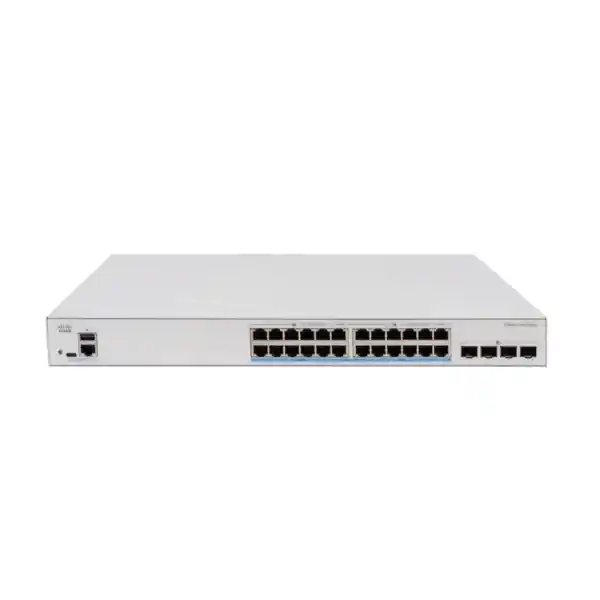
Cisco Catalyst C1300X-24MU-4X Network Switch
Plan a powered access network around the devices it will serve. This model combines multigigabit copper connectivity with mixed PoE+ and PoE++ port capability for compatible endpoints. Review the power allocation and upstream design together before placing an order.
Request a tailored quotation: provide your device list, quantity and intended uplink arrangement to FourTeck Tanzania.
Port and power reference
| Access connections | 24 × 2.5G multigigabit |
|---|---|
| PoE port groups | 16 × up to 30W PoE+; 8 × up to 60W PoE++ |
| Shared PoE budget | 740W |
| High-speed interfaces | 4 × SFP28: 10G uplinks; 25G for stacking only |
| Forwarding and switching | 148.80 Mpps at 64-byte packets; 200 Gbps |
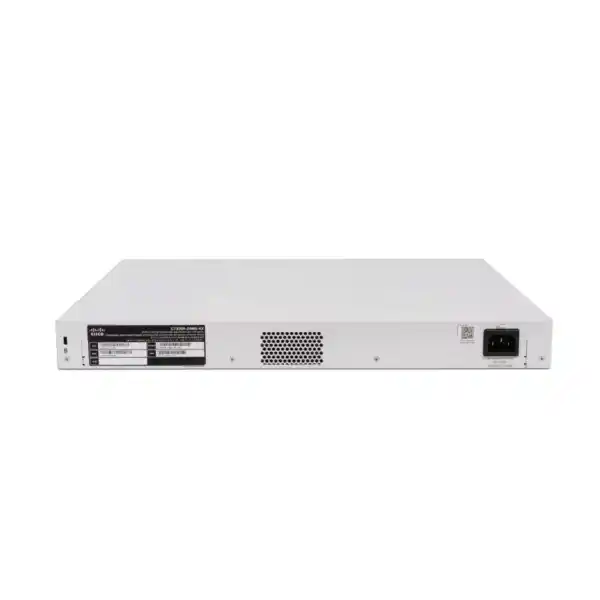
| Chassis | Rack-mountable; 444.3 × 270 × 43.94 mm; 4.28 kg |
Where this multigigabit switch fits
Choose the Cisco Catalyst C1300X-24MU-4X network switch when a business access network needs multigigabit connections across a full bank of copper ports, together with power for compatible wireless access points, phones and other network devices. For buyers in Tanzania, the useful starting point is an endpoint schedule: what will connect, what link speed each device needs, and how much power it requires. Send that schedule with your required quantity to FourTeck Tanzania to request a configuration-specific quotation.
This model is particularly relevant when a wireless refresh would otherwise leave capable access points connected through slower wired links. It can also suit an office floor combining powered devices with compatible multigigabit workstations. The purchase decision should follow the wired design, however: endpoint capabilities, cabling condition and the upstream path determine whether the additional access speed will be useful. A faster switch cannot increase the bandwidth of an internet service or remove a bottleneck elsewhere in an application.
Use the specification summary below to establish hardware fit, then review the power, uplink and deployment guidance before approving an order. The planning examples on this page are illustrative engineering guidance, not a statement of included accessories or a promised implementation outcome. Ask for the exact hardware, compatible connectivity components and any separately scoped services to appear as individual quotation lines.
Verified hardware summary
The manufacturer’s model designation is C1300X-24MU-4X. Keep the complete designation on the request for quotation, purchase order and receiving checklist so that a similarly named switch is not accepted accidentally. The access-port and power combinations distinguish this unit from other Catalyst 1300X products.
Hardware at a glance: 24 × 2.5G multigigabit access ports; 16 ports rated for up to 30W PoE+ and eight for up to 60W PoE++; a shared 740W PoE budget; four SFP28 interfaces supporting 10G uplinks, with 25G reserved for stacking. Cisco lists 200 Gbps switching capacity and 148.80 Mpps forwarding at 64-byte packet size. The rack-mountable chassis measures 444.3 × 270 × 43.94 mm and weighs 4.28 kg.
Treat headline capacity as a switch specification, not a forecast of application throughput. Real traffic passes through endpoints, uplinks, gateways and servers, each with its own capacity and operating conditions. An acceptance test should therefore use the actual traffic path that matters to the business. A local file-transfer test and an internet speed test answer different questions and should be recorded separately.
Decide whether every access port needs 2.5G
Start by separating endpoints into groups: devices that can use a multigigabit link, devices limited to an ordinary gigabit connection, and devices whose primary requirement is power rather than bandwidth. This makes the selection more transparent than counting occupied sockets alone. If most of the proposed connections can never use the additional speed, compare a less demanding access-switch specification before committing the budget. If the network is being prepared for a scheduled endpoint refresh, include that future device list in the assessment.
An access point serving many clients is a different case from a desk phone. Several active wireless users may share its wired connection, while a phone normally contributes a much smaller traffic load. A workstation performing large local transfers presents another pattern again: it may need sustained throughput to a server that is itself connected through a suitable path. Identify these patterns before deciding which devices belong on this switch and which can remain on existing infrastructure.
Do not assume that a multigigabit socket makes every attached device operate at the advertised maximum. Check the endpoint’s Ethernet interface, negotiated link, driver configuration and cable channel during commissioning. Record the expected speed for each connection. That small amount of preparation gives the support team a useful reference when a later complaint concerns one room, one workstation or a specific access point rather than the whole network.
Build the PoE schedule before selecting accessories
Power planning has two separate tests: each device must fit the power capability of its assigned port, and the combined allocation must fit the shared budget. Reserve the higher-power ports for devices that actually need them. Do not distribute endpoints randomly and assume that every copper connection has the same power ceiling. Record the device model, required power standard, maximum requested allocation and intended switch port in a single worksheet that purchasing and engineering can both understand.
For an illustrative allocation, eight endpoints assigned 45W each require 360W, and twelve endpoints assigned 20W each require another 240W. The combined allocation is 600W, leaving 140W below the stated budget. This is arithmetic for preliminary planning, not a compatibility statement or a guarantee that the devices will negotiate those values. Confirm the powered-device documentation, cable losses where applicable and the switch’s allocation behaviour for the selected software and settings.
By comparison, assigning the maximum nominal ratings to all power-capable ports would total 960W: eight multiplied by 60W plus sixteen multiplied by 30W. That exceeds the available shared budget. The practical lesson is to design for the intended mix rather than treating every per-port maximum as simultaneously available. Leave a documented margin for planned additions, and define which devices are most important if the design approaches its allocation limit.
Power demand may change when an access point enables additional functions or a camera activates a high-demand operating mode. Ask the endpoint supplier for the requirement that supports the intended feature set. During acceptance, check power allocation and device behaviour after a restart as well as during steady operation. An endpoint that boots successfully but later disables a needed function has not passed a useful application-level test.
Plan uplinks and stacking as separate uses of the interfaces
Allocate the front-panel high-speed interfaces before building the bill of materials. A port used to connect stack members is no longer available for the same independent upstream connection in that layout. Draw a simple port map showing the distribution switch, any second upstream path and the connections between stack members. Use that drawing to decide how many compatible optics or direct-attach cables the order needs.
The SFP28 form factor must not be interpreted as permission to design a general-purpose 25G upstream link on this model. Plan ordinary uplinks around the stated uplink capability and reserve the higher stacking mode for its supported role. Also distinguish a stack from several separately managed switches connected by Ethernet: the operational model, port allocation and failure behaviour need their own design review.
For a proposed stack, check supported member combinations, software alignment, cable compatibility and the intended topology against current Cisco documentation. Document what happens when a member, interconnect or upstream link is removed. A single management view can simplify operations, but it does not eliminate dependence on power, cabling or upstream equipment. The redundancy objective should be expressed as a tested outcome rather than inferred from the presence of multiple switches.
If stacking is not needed immediately, state whether it is a future requirement or simply an option. Buying connectivity components prematurely can add cost without resolving a current problem, while failing to reserve interfaces can make later expansion awkward. A clear phase-one and phase-two port plan lets the buyer compare present cost with the practical consequences of growth.
Check the upstream traffic path
A group of multigigabit access ports can collectively offer more traffic than a single upstream connection can carry. Whether that matters depends on where the traffic goes and when users generate it. Local communication between attached devices has a different path from traffic travelling to a central server or through a firewall. Estimate the busiest realistic workload rather than adding theoretical link rates and treating that sum as continuous demand.
Link aggregation can be useful in an appropriately designed network, but do not assume that combining links gives one conversation the full sum of their bandwidth. Flow distribution and the capabilities of both ends matter. Ask the engineer to specify the intended aggregation method, compatible peer configuration and expected behaviour under a link failure. Where a single application needs sustained high throughput, test that application directly.
Also inspect the gateway, storage interface and server performance. A switch upgrade will not resolve a slow storage array, an overloaded security appliance or a remote application affected by a constrained wide-area path. Collect a baseline before installation so that any improvement can be attributed to the relevant part of the network. This helps procurement assess value and gives the technical team a sound starting point for troubleshooting.
Keep normal operations and backup traffic in the same capacity discussion. A link that looks comfortable during office hours may become busy when several systems copy data at once. Agree the important test periods and application priorities with the business, then use those requirements to decide whether the proposed upstream layout is sufficient.
Match copper cabling and optical components to the design
Inspect the complete copper channel, including patch leads, wall outlets and patch-panel terminations. A cable label alone does not establish the quality of the installed path. Before a rollout, test representative long runs and any links with a history of errors or unstable negotiation. If the project includes new cabling, state the required channel performance and acceptance evidence in the installation scope.
For optical connections, record the peer equipment, intended operating speed, fibre type, distance, connector and available fibre pairs. These details determine the connectivity component choice. A transceiver that physically fits a cage is not enough evidence of support. Validate the exact part against the switch, peer device and relevant software requirements before it becomes a purchase-order line.
Direct-attach cabling may be practical for suitable short connections within a rack, while fibre may be appropriate for a different distance or layout. Make that choice using the supported design and installation constraints. Avoid routing plans that depend on unverified distances, unavailable fibre types or a connector arrangement that does not match the patching infrastructure.
Label both ends of each uplink and retain the component part numbers in the handover record. If a spare is needed later, the support team should be able to identify the approved item without removing a live connection. Ask the quotation to separate the switch from optics, interconnects and patch leads so that included quantities are clear.
Use the switch as part of a wireless refresh
When replacing wireless access points, begin with the proposed access-point models and their deployment modes. For each one, identify the required Ethernet speed, power input and any feature restrictions associated with a lower power source. This turns an access-switch selection into a verifiable compatibility exercise. Wireless generation names alone do not establish the correct wired connection.
Map staff, guest and device networks through the access point, switch and gateway. The same network name can be broadcast successfully while traffic still fails because a VLAN is missing from a trunk or a gateway policy does not match the design. Include an end-to-end test from a representative wireless client to each permitted destination and confirm that prohibited destinations remain inaccessible.
For a school, office or hospitality project, identify the applications that matter in busy periods. A training room may generate concentrated traffic during a class, while meeting spaces may have variable demand throughout the day. These are planning scenarios, not claims that a particular site will achieve a specified user count. Wireless coverage and capacity still require their own assessment.
FourTeck Tanzania’s Cisco wireless access point guidance provides related buying context. When requesting a combined quotation, include the access-point list and proposed switch-port assignments so that wired speed, power and upstream connectivity can be reviewed together.
Separate network roles before configuring VLANs
VLAN planning should follow business access requirements. Common groups include staff devices, visitors, voice equipment, cameras and infrastructure management. Decide which groups need to communicate, which services they share and where the security policy will be enforced. A written traffic matrix is easier to review than a list of VLAN numbers with no explanation of their purpose.
VLAN separation by itself does not define every security boundary. If routing is allowed between networks, the gateway and access rules determine what can pass. Keep sensitive administration interfaces away from ordinary user access and document the permitted management sources. Avoid broad exceptions added only to make an initial test work; they can remain in place long after the original problem is forgotten.
Trunk configuration deserves particular attention during replacement projects. Record the allowed networks, untagged handling and peer configuration at both ends of each connection. A mismatch can affect only some endpoints, which makes it easy to mistake the fault for an application or wireless problem. Test a representative device from every required network rather than relying on one successful connection.
Keep port descriptions readable. A label such as an access-point location, patch-panel reference or device role is more useful during an incident than an unexplained abbreviation. Include a procedure for moves and additions so that the documented segmentation remains aligned with the physical network after the initial project.
Decide where routing belongs
The Catalyst 1300X family supports OSPF, giving network designers a dynamic-routing option where the wider architecture calls for it. Whether to use that option is a separate decision from selecting port speeds. Many access deployments should follow an existing gateway design, while a routed access design needs explicit ownership of routes, addressing and security boundaries.
Before enabling routing, identify the default-gateway location for each network and trace the intended traffic path. Moving a gateway can change which firewall or policy point sees the traffic. A useful design review therefore includes both connectivity and inspection requirements. The objective is to preserve intended access and control, rather than simply demonstrating that two subnets can exchange packets.
If OSPF forms part of the proposed solution, agree areas, addressing, neighbouring devices and the routes to be advertised. Review the exact software documentation and test the intended peer relationship. A protocol feature should not be treated as evidence that every existing router configuration can be copied without adaptation.
Keep the handover proportional to the design. A straightforward access switch needs clear uplink and VLAN records; a routing deployment additionally needs route ownership, neighbour information and failure-test results. Document the reason for each routing decision so that later maintenance does not unintentionally change the security or resilience of the site.
Protect administration and control endpoint access
Administration should begin with an approved access method and named ownership. Define who can change the switch, how credentials are managed and which network paths are allowed to reach its management interface. Use secure management methods supported by the selected software, and avoid leaving setup access broader than the operational requirement.
Where the project calls for identity-based access, assess the complete authentication environment rather than the switch alone. Cisco documents 802.1X functionality for this family, but endpoint readiness, authentication-server configuration and recovery behaviour still need validation. Pilot a small representative device group before applying an access policy widely.
Plan exceptions carefully for devices that cannot use the chosen authentication method. Record the reason, permitted network access and review owner for each exception. Printers, cameras and specialist equipment may have different operational constraints, and an undocumented bypass can undermine an otherwise sound policy. Keep guest access distinct from trusted administration.
Review unused ports as part of the baseline configuration. Their intended state should be documented, with a controlled process for activation when a new device is installed. During handover, confirm that the support team can identify both authorised endpoints and the person responsible for approving a change. Security controls are easier to maintain when daily administration is practical.
Set application priorities with realistic expectations
Voice calls, interactive meetings and background transfers can compete for the same busy path. The switch’s quality-of-service functions provide tools for handling traffic classes, but useful results depend on a consistent policy across the relevant network. Start with an application requirement and a clear congestion point before selecting classification and queue settings.
Decide where traffic markings should be trusted and where they should be checked or replaced. A device marking its own traffic as important does not make that classification appropriate for the organisation. Keep the policy understandable, and test it using the actual endpoints and applications that staff rely on.
QoS does not create additional bandwidth. If the underlying link is persistently too small, prioritisation can redistribute the impact without solving the capacity shortage. Measure utilisation, errors and application behaviour before concluding that a queue change is the right fix. A fault in cabling or an overloaded remote service may produce symptoms that look similar to local congestion.
Include a representative busy-period test in acceptance. For example, observe a business call while a controlled background transfer uses the same relevant path. Record the test conditions and outcome so that future comparisons are meaningful. Avoid a general promise of improved call quality without evidence from the proposed deployment.
Prepare the rack, power source and operating environment
Check usable rack depth, mounting arrangements, front-panel access and cable routing before ordering. The chassis dimensions do not include every practical clearance needed for installation and maintenance. Leave space for power leads, fibre bend requirements and safe access to connectors. Ensure that supporting equipment and cable management will not obstruct ventilation.
This is an actively cooled model, so installation location matters when nearby staff or guests expect a quiet environment. Assess the proposed equipment space rather than assuming that every compact switch is suitable for a desk or meeting room. Also consider how the room will behave when other rack equipment is operating and the access endpoints are drawing their expected power.
Size backup power for the complete intended load, including switch electronics, powered endpoints and any other equipment on the same UPS. The PoE output budget is not the same measurement as wall power consumption. Ask the person designing backup power to use the relevant equipment data and a realistic runtime target rather than selecting a UPS from the output budget alone.
For a Tanzanian deployment, provide the actual site power arrangement, cabinet conditions and required continuity objective with the enquiry. There is no need to assume a particular city’s power quality or installation environment. Confirm the required power cord, electrical connection and any site preparation as part of the proposed supply and installation scope.
Stage the migration and define rollback
Before removing an existing switch, capture its configuration, port map, uplinks, device assignments and operational dependencies. Photograph labels where useful and identify any undocumented connections. Determine which users and services will be affected by the cutover, including equipment that may be active outside normal office hours.
Prepare the replacement configuration using documentation for the intended platform and software. Familiar terminology does not establish that commands, defaults or management behaviour are identical across Cisco families. Review the settings by function and validate them in a controlled setting wherever the business impact justifies it.
Move a small representative group first when the change plan allows it. Confirm wired access, wireless networks, voice operation, power allocation and management reachability before completing the wider move. Keep the original port mapping available so that a problem can be isolated without repeatedly repatching unrelated devices.
Define the rollback trigger before the maintenance window starts. State who makes the decision, how the previous equipment will be reconnected and how success will be checked. A rollback plan should be executable within the available window. Save the final working configuration and update the documentation after the change, so that the accepted state can be restored later.
Agree measurable acceptance and handover
An effective acceptance checklist follows the intended use of the switch. Confirm the supplied model, assigned port roles, negotiated endpoint speeds and expected power allocation. Check upstream connectivity and every required network segment. Record failed tests with enough detail to distinguish a switch configuration issue from an endpoint, cable or upstream dependency.
Where resilience is part of the design, carry out controlled failure tests with the appropriate permission and maintenance arrangements. Remove the specific link or component identified in the agreed procedure, observe the effect and verify recovery. Multiple cables or switches are not sufficient evidence that applications will behave as required during a failure.
Provide a handover pack containing the final port map, VLAN and addressing information, approved configuration backup, software version, connectivity component list and support contacts agreed for the project. Credentials should be transferred through the organisation’s approved secure process. Include a concise explanation of routine checks so that the receiving team can operate the system confidently.
Set a baseline for later troubleshooting. Record ordinary interface utilisation, power allocation and a few representative application results after the installation has stabilised. Future support can compare against that baseline instead of relying on a vague recollection that the network was once faster. Agree who maintains the records when devices move or the design changes.
Compare the requirement, not only the model name
A simpler gigabit PoE switch may be sufficient when attached devices cannot use multigigabit connections and there is no relevant upgrade plan. A different access-switch specification may be necessary when endpoints need higher copper speeds, a different per-port power level or a larger number of higher-power connections. Compare these requirements directly rather than assuming that products with similar names have interchangeable capabilities.
If the business needs general-purpose 25G uplinks, select a platform documented for that role. Likewise, do not assume a switch is a drop-in replacement for an existing stack or a prescribed enterprise management environment. Check the required architecture, operational tools and support arrangements before narrowing the choice to price.
Organisations replacing an older estate can also review FourTeck Tanzania’s Catalyst 2960-X replacement planning guidance. Use that context to build an inventory and compare the actual replacement requirements; the presence of this product on a shortlist does not establish equivalence to every legacy deployment.
The strongest justification for this model is a documented need for its access-speed and power combination within a suitable upstream design. Request a comparison that explains any proposed alternative against that requirement. This keeps the buying decision focused on usable capacity, deployment effort and long-term operation.
Prepare a complete Tanzania quotation request
A useful enquiry gives procurement a clear item to price and gives engineering enough information to check fit. Include the full model designation, requested quantity, intended site role and a list of the attached devices. Add the required access speeds, power needs, uplink peer and any planned stack arrangement. If the order is part of a wider rollout, identify whether every location uses the same design or whether there are different site types.
Request separate lines for switch hardware, compatible transceivers or direct-attach cables, stack connectivity where required and any patching components. If configuration, migration or on-site work is wanted, describe the required outcome and ask whether that work is available for the proposed location. The scope should define responsibilities, access arrangements, testing and handover rather than leaving these details implicit.
Ask for commercial terms that apply to the exact offer, including price, taxes where applicable, supply timing and any quoted support or warranty arrangement. Keep those terms with the order so that receiving and project teams can check the same commitments. A generic product page should not substitute for a current quotation when availability or delivery timing affects the project schedule.
- Full product model and quantity, with no assumed substitutions.
- Endpoint and PoE schedule, including expected expansion.
- Upstream equipment, link speeds, fibre details and port allocation.
- Required configuration, migration and acceptance scope.
- Site requirements and requested commercial confirmation.
Buyer questions answered
Can every copper port provide 60W?
No. The port groups have different power ceilings, and every powered endpoint also contributes to a shared total. Assign higher-demand devices deliberately and verify their exact requirements. Keep the port schedule with the configuration so that a later move does not place a device on an unsuitable connection.
Are the four SFP28 interfaces general 25G uplinks?
No. Cisco specifies 10G uplink operation and reserves 25G for stacking. If the upstream design specifically requires a general-purpose 25G connection, request a different documented platform. Include the peer device and intended link speed in the enquiry to prevent an incorrect optics or switch selection.
Will this switch make an existing internet connection faster?
It can address a suitable local switching requirement, but it does not change the bandwidth purchased from an internet provider. Test local and internet performance separately. Identify whether the constraint is an access link, uplink, gateway, remote service or the internet circuit before attributing a speed problem to the existing switch.
Can I connect wireless access points from another vendor?
Assess the exact access-point model rather than assuming compatibility from its brand. Confirm Ethernet requirements, power standard, required allocation and VLAN handling for the intended operating mode. Any controller or cloud-management dependencies belong to the access-point solution and should be reviewed independently of the switch purchase.
Does a 740W budget mean a 740W UPS is sufficient?
No. Output power available to connected devices is only part of the backup-power calculation. Include the switch’s own consumption, the other supported equipment, conversion considerations and the required runtime. Have the complete load assessed before selecting the UPS and verify the result under representative operating conditions.
Can the old switch configuration simply be copied?
Treat the existing configuration as a record of requirements. Validate platform-specific syntax, defaults and available features before applying an equivalent design. Back up the old system, prepare a port map and keep a workable rollback plan. A successful login to the replacement does not establish that all user networks and powered devices are operating correctly.
Are optics, stack cables and installation included?
Confirm each item in the written quotation. The proposed topology determines the correct components and quantities, and services need a defined scope. Ask for an itemised bill of materials that identifies the switch, approved connectivity parts and any separately quoted work, rather than assuming that a model name describes a complete deployment package.
How do I obtain a price and confirm supply for Tanzania?
Request a quotation from FourTeck Tanzania with the exact model, quantity and deployment requirements. Ask for the proposed supply timing, applicable commercial terms and any support options in writing. Use the quotation to confirm the offer; no fixed price, live stock quantity or delivery commitment is stated on this page.
Request your switch configuration and quotation
Send FourTeck Tanzania your required quantity, endpoint models, power schedule and proposed upstream connections. Ask for an itemised offer for the exact switch and supported connectivity components, with any configuration or migration work separately scoped. Confirm the final bill of materials and commercial terms before approving the purchase.
Next step: request a Cisco Catalyst C1300X-24MU-4X quotation for your Tanzania deployment.




Reviews
There are no reviews yet.