
Enterprise access switching for 48 powered edge connections
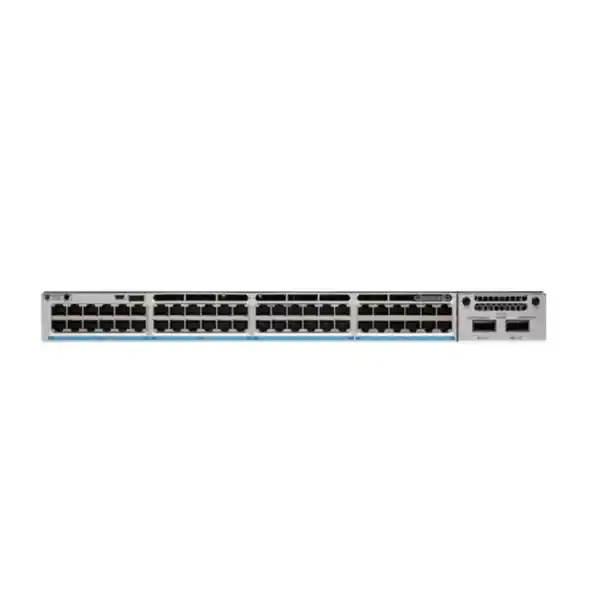
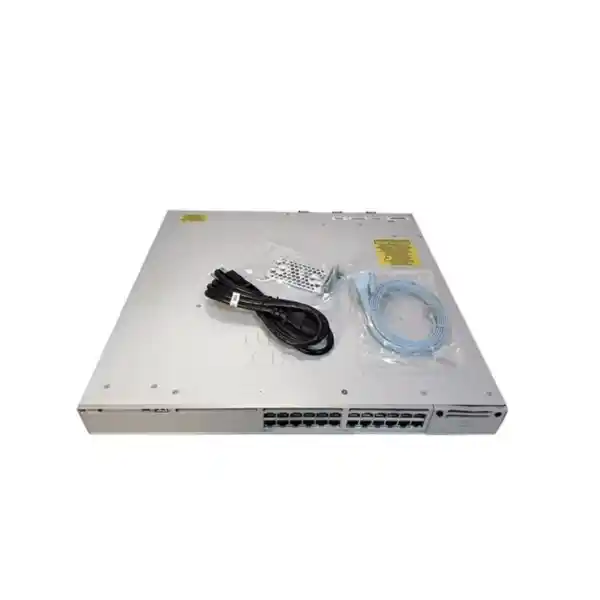
Cisco Catalyst C9300-48U Network Switch
The Cisco Catalyst C9300-48U is designed for organizations that want a high-density, stackable access switch with 48 one-gigabit copper access ports, Cisco Universal Power over Ethernet, modular uplink flexibility, and an enterprise campus architecture. It is a strong fit when the network edge must connect and power a mix of wireless access points, IP phones, cameras, building systems, user devices, and other Ethernet endpoints while preserving a path to higher-speed fiber or copper uplinks. For buyers in Tanzania, the most important purchasing decision is not simply whether the chassis has 48 ports. The complete design should also account for the required software license, total PoE demand, uplink module, optics or transceivers, stacking hardware, power supplies, rack environment, and resilience strategy.
Up to 60W UPOE per port capability
StackWise-480
Modular uplinks
What the C9300-48U is built to solve
Many enterprise networks outgrow basic fixed-access switches because the edge has to do more than provide connectivity. Modern access layers often carry voice, video, wireless, security cameras, IoT devices, building controls, and conventional user traffic on the same physical infrastructure. That places pressure on port density, power delivery, policy consistency, uplink capacity, fault recovery, and operational visibility. The C9300-48U addresses that design problem with forty-eight 10/100/1000 copper access ports, Cisco UPOE support, a field-replaceable uplink-module slot, and StackWise-480 stacking within the Catalyst 9300 family.
The model is especially relevant where 1G to the endpoint is still the correct access speed but standard 30W PoE+ is not enough for every powered device. Cisco positions the C9300-48U as a 60W PoE model. That gives network designers more room for endpoints such as higher-power wireless access points or other powered equipment that may exceed conventional PoE+ requirements. The practical limitation is total switch power budget: supporting up to 60W on an individual port does not mean forty-eight ports can all draw 60W simultaneously from the default power supply. Power planning is therefore a core part of selecting and configuring this switch.
The platform also suits organizations that want to standardize the campus edge around a stackable architecture. Multiple C9300 switches can operate in a StackWise-480 design, giving administrators a way to scale port count and simplify the operational model. Cisco specifies support for up to eight members for C9300 StackWise-480 configurations, subject to supported model and license combinations. This can be valuable for multi-floor offices, schools, hotels, healthcare facilities, government environments, large branches, and other sites where a single access switch is not enough but a consistent switching platform is desirable.
Fast technical summary
| Access interfaces | 48 × 10/100/1000 copper ports |
|---|---|
| Power over Ethernet | Cisco UPOE; up to 60W per-port capability, subject to total available PoE budget |
| Default primary power supply | PWR-C1-1100WAC-P |
| Available PoE power with default primary supply | 822W |
| Switching capacity | 256 Gbps; Cisco lists 736 Gbps with stacking |
| Forwarding rate | 190.48 Mpps; Cisco lists 547.62 Mpps with stacking |
| Stacking | StackWise-480, up to eight supported members in applicable C9300 stacks |
| Uplink architecture | Field-replaceable network module; network module is not included in the default switch configuration |
| License / management ordering paths | Network Essentials, Network Advantage, or Meraki-managed variants depending on the exact product number and subscription choice |
The values above describe the C9300-48U platform and current Cisco ordering options. The final bill of materials can vary according to license, uplink module, power supplies, optics, stacking accessories, software subscription, and other selected components.
48 Gigabit access ports with 60W UPOE capability
The front-panel access design is straightforward: forty-eight copper Ethernet ports for endpoint connectivity at 10, 100, or 1000 Mbps. This makes the C9300-48U a high-density 1G access switch rather than a multigigabit access model. That distinction matters when planning new wireless infrastructure. If an access point, workstation, server, or specialized endpoint needs more than 1G over its copper downlink, the C9300-48U may not be the right member of the Catalyst 9300 family; a multigigabit model such as the C9300-48UXM or C9300-48UN may be more appropriate. If 1G remains sufficient, the C9300-48U provides a clean way to combine dense port count with higher PoE capability.
Cisco UPOE is the major differentiator from the C9300-48P. Cisco lists the C9300-48P as a 30W PoE+ model, whereas the C9300-48U belongs to the 60W PoE group. This makes the C9300-48U relevant when the powered-device estate includes endpoints whose maximum requirements may exceed standard PoE+. It can also give designers headroom for future endpoint changes, although the actual value of that headroom depends on the total PoE budget and the device power profiles in the real deployment.
Power should be planned per closet, not only per port. Build an endpoint inventory and record the expected power class or maximum draw of every powered device. Then calculate normal load, expected growth, and the failure scenario if a power supply is lost. This is particularly important for networks where the switch powers access points, phones, cameras, door controllers, or other operationally important devices. A design that works only when every component is healthy may not meet the business requirement during a power-supply fault or maintenance event.
Understand the 822W default PoE budget
Cisco lists the PWR-C1-1100WAC-P as the default primary power supply for the C9300-48U and specifies 822W of available PoE power with that default primary supply. That number is more useful for real design work than multiplying forty-eight ports by the maximum per-port capability. For example, a deployment with many low-power IP phones may remain well within the budget, while a switch serving a dense set of high-power wireless access points and cameras could approach it much faster. The correct answer depends on the connected device mix and the power each endpoint negotiates or reserves.
Cisco also supports expanded power configurations, including additional or higher-capacity power supplies for supported designs. The exact result depends on the selected power-supply combination and architecture, so it is better to build the bill of materials from the required PoE load than to select redundant power parts after the switch has already been ordered. If power redundancy is a requirement, define whether the goal is merely to keep the switch operating after a PSU failure or to preserve the required PoE load for critical endpoints during that failure. Those are different engineering targets.
Treat 60W as a per-port capability and 822W as the default whole-switch available PoE budget. Size power supplies, UPS capacity, rack PDUs, and any StackPower strategy around the actual endpoint inventory plus growth and resilience requirements.
Modular uplinks: choose bandwidth for the real traffic path
The C9300-48U uses a field-replaceable uplink network module rather than locking the buyer into one fixed uplink speed. Cisco states that the default switch configuration does not include the network module. This is an important ordering detail because a chassis-only decision is incomplete until the uplink requirement is known. The current Catalyst 9300 network-module portfolio includes C9300-NM-4G for four 1G SFP ports, C9300-NM-8X for eight 10G/1G SFP+ ports, C9300-NM-2Q for two 40GE QSFP ports, C9300-NM-2Y for two 25G/10G/1G SFP28 ports, and C9300-NM-4M for four 10G multigigabit copper ports.
Uplink selection should start with aggregate demand. Forty-eight 1G access ports can generate far more traffic than a single 1G uplink can carry. In many enterprise access designs, user traffic is bursty and oversubscription is expected, but the oversubscription ratio should be intentional. A switch carrying office users and phones may have a very different uplink requirement from one carrying surveillance video, wireless aggregation, local servers, storage traffic, or high-volume application flows. Redundant uplinks, link aggregation, routed access, or a stack-level uplink design can further change the capacity requirement.
Optics and cabling must also match the chosen module and the physical path. Check fiber type, connector type, distance, transceiver compatibility, patch-panel design, and the interface capability of the distribution or core switch. If the backbone is being refreshed, a 10G, 25G, or 40G choice can provide more headroom than a minimal 1G design. If the uplink uses copper multigigabit, confirm the cabling category and the capability of the peer device. Do not order the uplink module independently of the rest of the topology.
StackWise-480 for scalable access closets
Cisco lists C9300 models with StackWise-480 support and 480 Gbps of stacking bandwidth. A supported C9300 stack can contain up to eight members, which allows a network team to scale beyond one 48-port chassis while managing the access layer as a coordinated system. This can simplify port expansion in a wiring closet and can support resilient designs where access links, uplinks, and power are distributed across more than one physical switch.
Stacking should be designed, not merely enabled. Member compatibility, license level, software version, stack cables, physical cable routing, member priority, power strategy, and uplink placement all need to be considered. Cisco notes that C9300 stack members must follow supported model and license combinations. A good bill of materials therefore includes stack cables and any related accessories from the beginning, rather than treating them as optional parts discovered during installation.
The performance figures also change when Cisco expresses capacity with stacking. For the C9300-48U, Cisco lists 256 Gbps switching capacity and 190.48 Mpps forwarding rate as platform values, and 736 Gbps switching capacity with stacking plus 547.62 Mpps forwarding with stacking. These figures help compare platforms, but they should not be interpreted as a guarantee that every application flow will see that throughput. Real performance depends on packet size, topology, features, congestion, uplink design, traffic distribution, and configuration.
For a site in Tanzania with several floors or departments, a stack can be useful when multiple access switches share the same communications room and need coordinated uplinks. If switches are physically separated across different rooms or buildings, stacking cable distance and topology may make a routed or distributed design more appropriate. The physical layout should drive the architecture.
Licensing and management: choose the exact C9300-48U variant
The label C9300-48U identifies the hardware family and port configuration, but Cisco ordering uses more specific product numbers. Current Cisco documentation lists C9300-48U-E with Network Essentials, C9300-48U-A with Network Advantage, and C9300-48U-M for a Meraki Advanced or Enterprise management path. These are not interchangeable labels to add after purchase without planning. The required software capabilities, management model, subscriptions, and operational tooling should be considered before the final SKU is selected.
Network Essentials and Network Advantage are intended for different feature requirements within Cisco’s software model. Organizations should map the required routing, policy, segmentation, automation, assurance, telemetry, and operational features to the current Cisco licensing documentation for the planned IOS XE release. Avoid choosing a license purely because another branch uses it or because it is the lowest-cost option. A feature that is not needed today may become important when the access layer is integrated into a broader campus design.
The Meraki-managed ordering path changes the operational experience and should be assessed separately from the traditional IOS XE management approach. Teams considering it should confirm that their required features, management workflows, cloud policy, licensing model, and organizational standards align with the current Meraki-managed Catalyst offering. The hardware capabilities may be related, but the management and subscription decision can affect day-to-day operations, change control, monitoring, and lifecycle procedures.
48-port 1G UPOE hardware with modular uplinks and the Network Essentials ordering path.
48-port 1G UPOE hardware with modular uplinks and the Network Advantage ordering path.
48-port 1G UPOE hardware offered with a Meraki Advanced or Enterprise management path.
Where the C9300-48U fits well
The strongest fit is a managed enterprise access layer where endpoints require standard Gigabit Ethernet but the power requirement can be higher than basic PoE+. A corporate office may use the ports for desks, IP phones, wireless access points, cameras, printers, meeting-room systems, and building devices. An education campus may need dense classroom or administrative connectivity and powered wireless infrastructure. A hospitality site may combine guest-network access points, voice endpoints, cameras, and operational devices. Healthcare, public-sector, retail, logistics, and industrial administration networks can have similar access-layer requirements, even when their applications are very different.
The switch is also useful when network teams want to standardize on a modular uplink architecture. A site can start with an uplink that matches today’s distribution layer while keeping the ability to change the uplink module as the backbone evolves. This does not eliminate the need for lifecycle planning, but it can be preferable to a fixed-uplink switch when the access platform is expected to remain in service through more than one backbone refresh.
Another good fit is a wiring closet that may grow from one switch to several. StackWise-480 gives the design a scale-out path without abandoning the C9300 architecture. The value is operational as much as physical: the network can be planned as a resilient access system rather than a set of unrelated standalone boxes. Whether stacking is the best choice should still be validated against room layout, maintenance practices, failure domains, and uplink strategy.
When another Catalyst 9300 model may be better
The C9300-48U should not be selected simply because it is a 48-port Catalyst 9300. Cisco offers several closely related models for different access requirements. If the endpoint estate needs only data and no PoE, the C9300-48T can avoid paying for power-delivery capability that will not be used. If conventional PoE+ is enough, the C9300-48P provides 48 1G copper ports with 30W PoE capability. If endpoints need up to 90W, Cisco positions the C9300-48H in the UPOE+ group. These distinctions can materially affect cost, power planning, and the appropriate bill of materials.
The biggest technical decision is often 1G versus multigigabit access. The C9300-48U remains a 1G copper access switch. If new wireless access points or specialist endpoints need 2.5G, 5G, or 10G over copper, review the C9300-48UXM, C9300-48UN, or other appropriate multigigabit models. Buying a 1G access switch and expecting a faster uplink module to increase endpoint port speed will not solve that requirement; the modular uplink affects the switch-to-network path, not the speed capability of the forty-eight access ports.
The decision should therefore begin with the endpoint and topology requirements: number of ports, per-port access speed, power class, total PoE budget, expected traffic, uplink capacity, desired stack architecture, and software features. Once those are defined, the correct 9300 model becomes much easier to identify.
Tanzania deployment checklist before purchase
For a Tanzania deployment, verify the complete environment before finalizing the order. The same C9300-48U can be appropriate in many sectors, but the correct configuration depends on the site. Use the checklist below to turn the product choice into an implementation-ready bill of materials.
Count active copper endpoints, reserved ports, uplink connections, and expected growth. Leave practical capacity for moves, additions, and future devices rather than designing every switch at permanent full port occupancy.
Record the power requirement of each access point, phone, camera, controller, or other powered device. Identify devices that actually need more than PoE+ so that UPOE value is clear.
Compare expected endpoint demand against the 822W available PoE budget of the default primary 1100W supply and decide whether additional power capacity is required.
Choose the network module from the traffic requirement and the distribution/core interface, not from port count alone. Include compatible optics and fiber or copper patching.
Confirm Network Essentials, Network Advantage, or the Meraki-managed path against required features, management standards, and subscription policy.
If stacking is planned, include supported stack cables, member design, software alignment, license compatibility, and uplink distribution across members.
Size the UPS and PDU for the switch configuration and powered endpoints. Consider the required runtime and behavior during a PSU, UPS, or utility power event.
Verify rack space, depth, airflow, cable management, ambient conditions, grounding practice, and service access before installation.
Designing the uplink and distribution relationship
An access switch is only as effective as the network path above it. The C9300-48U can serve forty-eight endpoints, but traffic eventually leaves the access layer through the selected uplink module. Start by identifying where the switch connects: a distribution pair, a collapsed core, another stack, a local firewall, or a routed campus layer. Then define how much aggregate traffic must be carried and what level of redundancy is required. The choice between a single high-speed uplink, multiple aggregated links, or diverse uplinks to separate upstream devices should reflect the failure model as well as peak bandwidth.
A network with many voice phones may consume modest bandwidth but require high availability. A network with video surveillance may generate sustained traffic. A dense wireless deployment may produce bursty north-south traffic and local east-west flows. A branch with applications hosted across a WAN may be limited by the WAN long before the campus uplink becomes the bottleneck. The correct module is therefore not always the fastest module available. It is the module that fits the peer interfaces, traffic profile, resilience design, optics, and lifecycle plan.
If the distribution layer is likely to be upgraded during the life of the access switch, modular uplinks can reduce friction because the uplink interface can be changed without replacing the entire access chassis. That flexibility is a reason to consider the C9300 architecture for longer-lived enterprise deployments, but compatibility should always be checked against current Cisco documentation at the time of the change.
Operational considerations after installation
Successful deployment does not end when the switch comes online. Define the operational standard before production: software release strategy, configuration backup, authentication, access control, logging, monitoring, time synchronization, configuration change process, and incident procedures. If the switch is part of a stack, document member roles, physical stack cabling, uplink placement, and the recovery procedure for replacing a failed member. If redundant power is installed, verify that monitoring can detect a failed or disconnected supply before the next outage exposes the reduced resilience.
PoE monitoring deserves special attention on the C9300-48U because endpoint power is a shared resource. Track total power use and identify ports approaching their device power limits. When adding new access points or cameras, do not assume spare Ethernet ports automatically imply spare PoE capacity. Network changes should consider both data connectivity and power availability. This is particularly important in closets where powered-device density grows gradually over time.
Capacity monitoring should also include uplink utilization and error rates. A 48-port access switch can appear healthy while users experience congestion because the uplink is undersized or a redundant path is down. Baseline normal utilization, monitor interface errors and discards, and understand traffic patterns during busy periods. If the network uses advanced segmentation, routing, policy, or automation features, ensure that the chosen license and software release support the intended design and that the operations team has a tested rollback procedure for major changes.
Finally, maintain accurate asset information. Record the exact product number, serial number, installed power supplies, network module, optics, software release, license path, stack membership, rack location, uplink peers, and support information. This makes future troubleshooting, expansion, and replacement significantly easier than relying on the generic C9300-48U family name alone.
A practical specification-to-requirement guide
| Requirement | How C9300-48U addresses it | What to verify |
|---|---|---|
| High port density | 48 copper access ports in one enterprise switch | Current and future endpoint count, spare-port policy |
| Higher-power endpoints | UPOE with up to 60W per-port capability | Per-device requirement and total PoE demand |
| Scalable closet design | StackWise-480 with supported multi-member stacks | Member compatibility, licenses, stack accessories, topology |
| Backbone flexibility | Interchangeable network modules supporting several uplink speeds | Peer interfaces, optics, fiber/copper path, oversubscription |
| Enterprise policy and operations | Multiple Cisco software and management ordering paths | Required feature set, subscriptions, management model |
| Power resilience | Supports configurable power architecture beyond the default supply | Failure-state PoE budget, UPS/PDU sizing, redundant PSU plan |
This mapping helps prevent a common procurement mistake: choosing a switch from a specification sheet without translating specifications into site requirements. The best configuration is the one that satisfies the expected endpoint, power, bandwidth, software, and resilience needs with a clear growth path.
Frequently asked questions
Is the Cisco C9300-48U a 48-port Gigabit switch?
Yes. Cisco describes the C9300-48U as a 48-port 1G copper Catalyst 9300 model. Its access ports are intended for 10/100/1000 Ethernet. The uplink side is separate and uses an optional modular network interface, so faster uplinks do not change the forty-eight access ports into multigigabit ports.
How much PoE can the C9300-48U provide?
Cisco places the C9300-48U in its 60W PoE category, meaning an individual access port can support up to 60W UPOE capability when the design and powered device require it. The default primary PWR-C1-1100WAC-P provides 822W of available PoE power for the switch, so total connected-device demand must remain within the configured power budget.
Can all 48 ports deliver 60W at the same time?
Not from the default single 1100W primary power supply, because Cisco lists 822W of available PoE power in that configuration. Forty-eight ports each drawing 60W would require far more than 822W. If many high-power endpoints are expected, calculate the real demand and design the supported power-supply and power-sharing configuration accordingly.
Does the C9300-48U include an uplink module?
Cisco states that the default C9300 switch configuration does not include the network module. The uplink module should therefore be selected as part of the bill of materials. Available Catalyst 9300 network modules include options for 1G, 10G/1G, 25G/10G/1G, 40G, and multigigabit copper interfaces.
What is StackWise-480?
StackWise-480 is the stacking architecture used by applicable C9300 models. Cisco specifies 480 Gbps stacking bandwidth and support for up to eight members in a supported C9300 stack. Stacking can simplify scale and resiliency in a wiring closet, but member compatibility, license level, software, and stack cabling must be planned correctly.
What is the difference between C9300-48U-E and C9300-48U-A?
Both identify the 48-port 1G copper UPOE hardware family with modular uplinks, but the suffix indicates the Cisco network license ordering path. Cisco lists the -E variant with Network Essentials and the -A variant with Network Advantage. Choose based on the features required by the network design and the current Cisco licensing model.
Is there a Meraki-managed C9300-48U option?
Cisco currently lists C9300-48U-M as a Catalyst 9300 48-port 1G copper UPOE model with modular uplinks under a Meraki Advanced or Enterprise management path. Organizations considering this option should compare the current Meraki-managed feature set, subscription model, operations workflow, and cloud-management policy with their requirements.
Should I choose C9300-48U or C9300-48P?
Choose based mainly on endpoint power requirements. Cisco positions the C9300-48P as a 30W PoE+ model and the C9300-48U as a 60W UPOE model. If all powered endpoints fit comfortably within PoE+ and the total power budget, the 48P may be sufficient. If some devices need more power, the 48U is the more appropriate starting point.
Should I choose C9300-48U for Wi-Fi 6 or newer access points?
It depends on both power and data speed. The C9300-48U can be attractive where an access point needs higher PoE but only a 1G Ethernet data link. If the access point needs 2.5G, 5G, or 10G multigigabit access, review a Catalyst 9300 multigigabit model instead. Power capability alone does not increase the access-port data rate.
What should a Tanzania buyer confirm before requesting a quote?
Confirm the exact license variant, number and type of uplink ports, optics or transceivers, expected PoE load, required power-supply redundancy, stacking plan, rack and UPS environment, software-management preference, and the access-speed requirement of every endpoint category. Providing this information makes it easier to avoid missing modules or selecting a model that does not match the actual deployment.
Is C9300-48U the same as C9300-48UN or C9300-48UXM?
No. They are different Catalyst 9300 models. The C9300-48U is a 48-port 1G copper UPOE model. The C9300-48UN provides multigigabit access up to 5G, while the C9300-48UXM combines thirty-six 2.5G ports with twelve higher-speed multigigabit ports according to Cisco’s current product positioning. Select the exact model from the endpoint speed requirement, not from the similar product name.
Buying guidance: build the complete bill of materials
A complete C9300-48U purchase normally requires more decisions than the chassis model alone. Start with the exact licensing and management variant. Add the uplink network module that matches the distribution or core design. Add compatible optics or copper connectivity for every required uplink. If stacking is planned, include the correct stack hardware and confirm member compatibility. Size primary and secondary power supplies against the endpoint PoE requirement and the intended failure-state behavior. Then confirm rack accessories, patching, UPS and PDU capacity, and any software subscriptions required by the chosen operating model.
This process is especially important for C9300-48U because two otherwise identical-looking quotes can describe materially different solutions. One may include a 10G uplink module, redundant power, stack cables, and Network Advantage, while another may include only the base switch with a different software level. Compare quotes line by line and confirm the exact Cisco product numbers instead of comparing only the generic model name.
The SKU for a specific Tanzania listing should come from that exact listing or confirmed sales record. It should not be inferred from the Cisco model number or copied from another reseller. When requesting a quote, provide the intended topology and endpoint requirements so the final configuration can be checked against the deployment rather than built from assumptions.
Request the correct C9300-48U configuration
Use the Cisco Catalyst C9300-48U when you need forty-eight 1G copper access ports, higher-power UPOE capability, modular uplinks, and a stackable enterprise access architecture. Before ordering, define the exact license, uplink interface, total PoE demand, redundant-power requirement, optics, stacking accessories, and endpoint speed needs. This prevents under-sized power, missing uplink hardware, or a license mismatch from becoming an installation-day problem.
Request a Tanzania quote with your port count, PoE device list, preferred uplink speed, and licensing requirement for configuration review.




Reviews
There are no reviews yet.