
830 W PoE budget
32 MB packet buffer
StackWise-480
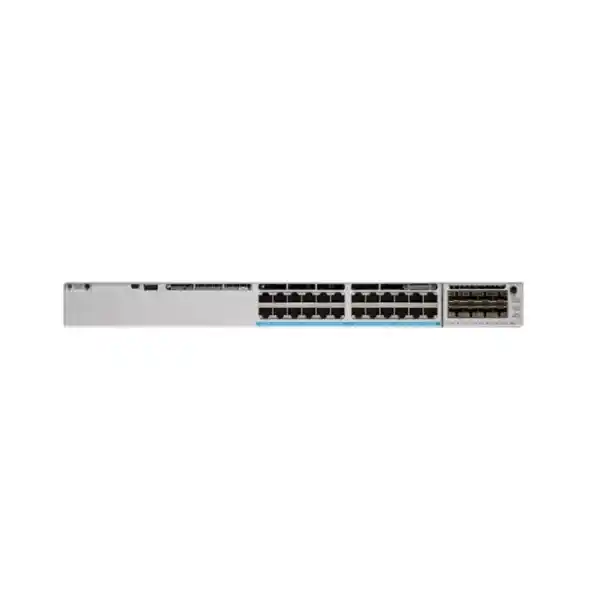
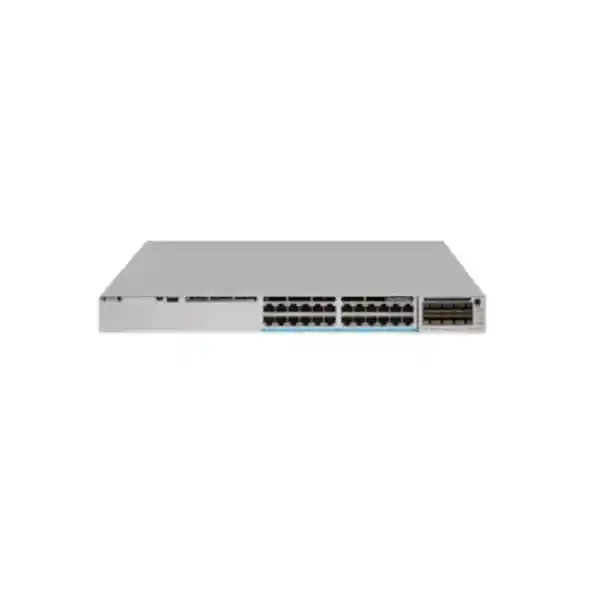
Cisco Catalyst C9300-24UB Network Switch
The Cisco Catalyst C9300-24UB is designed for enterprise access networks that need more than basic 24-port Gigabit switching. It combines 24 copper 10/100/1000 Mbps downlink ports, Cisco UPOE, modular uplinks, StackWise-480 stacking and the higher-scale UADP 2.0 XL forwarding architecture. The practical reason to choose the C9300-24UB instead of a standard C9300-24U is not simply port count or power: it is the additional packet-buffer capacity and the increased MAC, routing, ACL, QoS and flow scale available to the higher-scale Catalyst 9300 models.
For organisations in Tanzania planning a campus refresh, new headquarters network, branch aggregation edge, IP telephony rollout, powered security-device deployment or a wired and wireless access layer, this model is worth considering when traffic bursts, segmentation, policy scale and endpoint growth are important. The correct purchase still depends on licensing, uplink selection, optics, stacking design and the actual PoE load. The C9300-24UB base model should therefore be treated as a platform choice rather than a complete bill of materials.
Fast technical summary
| Model | Cisco Catalyst C9300-24UB |
|---|---|
| Downlink ports | 24 x 10/100/1000 Mbps copper Cisco UPOE |
| Power budget | 830 W available PoE power with the default 1100 W AC power supply |
| Uplink architecture | Modular; network module is selected separately |
| Switching capacity | 208 Gbps standalone; 688 Gbps with stacking |
| Forwarding rate | 154.76 Mpps standalone; 511.90 Mpps with stacking |
| Packet buffer | 32 MB for higher-scale 24/48-port Gigabit Ethernet models |
| Stacking | StackWise-480, with up to eight stacking-capable members; special model-mixing restrictions apply |
| ASIC | Cisco UADP 2.0 XL |
| Memory | 8 GB DRAM, 16 GB flash for the higher-scale Catalyst 9300 class |
| Dimensions | 1.73 x 17.5 x 19.2 in (4.4 x 44.5 x 48.8 cm) |
| Weight | 16.63 lb (7.54 kg) with fan FRUs and default power supply installed |
Why the “UB” higher-scale model matters
The most important buying decision is understanding what separates the C9300-24UB from a normal 24-port Catalyst 9300 UPOE switch. Cisco classifies the C9300-24UB as a higher-scale model. It uses the UADP 2.0 XL ASIC and doubles the Gigabit-model packet-buffer allocation from 16 MB on standard modular-uplink C9300 Gigabit models to 32 MB on the higher-scale class. A larger packet buffer can be useful in networks where short traffic bursts, uplink oversubscription or speed mismatches create temporary congestion. It does not eliminate the need for good capacity planning, QoS design or appropriate uplink bandwidth, but it provides more room to absorb bursts before packets must be dropped.
The scale increase goes well beyond buffering. Cisco lists up to 64,000 MAC addresses for the higher-scale class, compared with 32,000 for standard C9300 modular-uplink models. IPv4 route scale rises to 112,000 total entries in the higher-scale profile, and IPv6 routing entries rise to 56,000. Cisco also lists 18,000 QoS scale entries and 18,000 ACL scale entries for the higher-scale models. Flexible NetFlow scale is listed at 128,000 flows for the 24- and 48-port higher-scale Gigabit Ethernet models. Those figures matter for large, segmented environments where the access layer is expected to carry more policy, routing or telemetry state than a simple Layer 2 edge.
This does not mean every deployment needs the C9300-24UB. A smaller office that only requires 24 PoE-capable Gigabit ports may be adequately served by another Catalyst 9300 model. The C9300-24UB earns its place when the network design expects heavier policy use, more endpoint scale, more routed boundaries, bursts from cameras or storage-related traffic, or a longer growth horizon. Buying the higher-scale model only for the name adds cost and complexity without benefit; buying it for a documented scale requirement can reduce the chance of redesigning the access layer later.
24 Gigabit UPOE access ports: what to plan
The C9300-24UB provides 24 copper access ports operating at 10, 100 or 1000 Mbps. These are Cisco UPOE ports, and Cisco positions the model in its 60 W PoE class. The distinction between per-port capability and total chassis budget is important. The switch has an available PoE budget of 830 W with the default 1100 W AC power supply, so a design that attempts to run every port at the maximum possible powered-device draw must be checked against the total budget. In real networks, phones, wireless access points, cameras, door controllers, sensors and other powered devices often have very different power classes and actual consumption profiles.
A good purchasing process starts with a powered-device inventory. Record the device model, required Ethernet speed, negotiated PoE class, maximum draw, typical draw, redundancy requirement and whether the endpoint needs continuous power through maintenance windows. Add appropriate design margin instead of assuming that the current measured wattage is the only figure that matters. For wireless access points in particular, verify whether all radios and attached USB or IoT features operate at the intended power level. For cameras, verify heater, illuminator or PTZ peak consumption. For desk endpoints, consider phone pass-through and any attached accessories.
Because the access ports are 1 Gigabit rather than multigigabit, the C9300-24UB is best aligned with endpoints whose wired throughput requirement fits within 1 Gbps. If the design includes modern high-performance wireless access points that need 2.5G, 5G or 10G copper access, compare the C9300-24UXB or another suitable multigigabit platform instead. The C9300-24UB can still be an excellent high-scale choice for 1G APs, phones, cameras, user devices, building systems and conventional server or appliance connections, but its strength is high-scale Gigabit access rather than multigigabit downlink speed.
For Tanzanian deployments, power planning should also cover the upstream electrical environment. The switch itself should be installed on an appropriately engineered circuit and protected by a UPS strategy that reflects required uptime, PoE load and generator or backup-power transition. The page intentionally does not assume a particular local utility condition, site voltage quality or backup architecture; those should be verified for the installation location. What matters is that switch runtime calculations include the PoE load, not only the base switch consumption.
Performance, scale and traffic handling
Cisco lists 208 Gbps of switching capacity and 154.76 Mpps of forwarding performance for the C9300-24UB in standalone operation. With stacking, the corresponding published figures are 688 Gbps of switching capacity and 511.90 Mpps of forwarding rate. These headline numbers are useful for platform comparison, but they should not replace a topology-level calculation. A 24-port access switch can still experience contention if many busy endpoints converge on an undersized uplink, and no amount of internal switching capacity can compensate for a WAN, firewall, server or uplink bottleneck elsewhere in the path.
The higher-scale 32 MB packet buffer is particularly relevant in microburst conditions. Cisco documents the large-buffer behavior for the C9300-24UB family as a way to extend packet-buffer capability when traffic arrives in bursts or when there is congestion caused by a speed mismatch. This is common when multiple 1G access ports simultaneously send toward a smaller number of uplinks, or when traffic patterns are synchronized by applications, backups, camera streams or other periodic workloads. Buffering can smooth short bursts; persistent oversubscription still requires more capacity or traffic engineering.
At the control and policy level, the higher-scale profile gives network architects more room for growth. A 64,000-entry MAC scale can matter in large Layer 2 domains, while the published IPv4 and IPv6 route scales can support more ambitious routed-access designs. The 18,000-entry ACL and QoS scales provide greater headroom for segmentation, classification and enforcement. These numbers are platform maximums under Cisco’s documented profiles and should be checked against the actual software release, selected feature set and configuration. Feature combinations can affect practical scale, and platform maximums should never be interpreted as a recommendation to operate continuously at the limit.
The C9300-24UB therefore fits networks that want enterprise access switching with a larger operational envelope. It is not a data-centre switch and should not be selected merely because a specification table shows high scale. The correct question is whether the intended campus or branch architecture benefits from those resources at the edge. If the requirement is high-density 1G access with many policies, routes or endpoints, the fit is strong. If the requirement is high-throughput multigigabit downlink access, look at a different model.
StackWise-480: expansion with an important compatibility rule
The C9300-24UB supports Cisco StackWise-480, allowing multiple compatible switches to operate as a unified stack. Cisco documents support for up to eight stacking-capable switches in a StackWise-480 stack. In a properly designed stack, the members share a single logical management plane, with an active and standby role used for stack control. Stacking can simplify management, increase access-port density and improve resilience when uplinks and power are designed to avoid single points of failure.
The key restriction is easy to miss: Cisco states that C9300-24UB, C9300-24UXB and C9300-48UB switches can only be stacked with each other. A buyer should not assume that every C9300 chassis can be freely mixed in the same stack. Cisco also requires stack members to use the same license level as the active switch and to run compatible software versions. These conditions should be checked before adding a C9300-24UB to an existing deployment.
When designing a stack, consider more than the number of available stack ports. Plan the physical ring, cable lengths, rack placement, power domains, uplink distribution and failure scenarios. If all uplinks terminate on one member, a stack can still have an avoidable concentration risk. If all members share one UPS or one electrical circuit, stacking does not create independent power resilience. Where uptime is important, spread dependencies so that the logical redundancy offered by the stack is supported by physical redundancy as well.
The higher-scale buffer mode is also tied to this family. Cisco’s QoS documentation notes that the C9300-24UB can operate with large-buffer behavior associated with stacking mode and can be configured for standalone mode through the relevant QoS stack-buffer setting, with a reload required when changing modes. That is an operational detail for network engineers rather than a day-one purchasing feature, but it reinforces the need to plan the intended topology before deployment.
For an expansion project in Tanzania, document the current stack PIDs, license level and software train before ordering. If an installed stack contains standard C9300-24U, C9300-24P or other non-compatible members, the C9300-24UB should not be bought on the assumption that it can simply be inserted into that stack. A standalone deployment or redesigned higher-scale stack may be required.
Modular uplinks: choose the module for the topology
The C9300-24UB uses modular uplinks rather than a fixed uplink configuration. Cisco’s current Catalyst 9300 documentation lists several C9300 network modules, including C9300-NM-4G with four 1G SFP slots, C9300-NM-4M with four multigigabit interfaces, C9300-NM-8X with eight 10G/1G SFP+ slots, C9300-NM-2Q with two 40G QSFP+ slots and C9300-NM-2Y with two 25G/10G/1G SFP28 slots. The default chassis configuration does not necessarily include the desired network module, so uplink choice belongs in the bill of materials.
Uplink selection should be driven by aggregate traffic, resiliency and the upstream equipment. Four 1G uplinks may suit a low-demand environment but can be limiting for a 24-port access layer with many active endpoints. Eight 10G/1G interfaces provide more flexible aggregation options, while 25G or 40G can reduce the number of links required for higher-capacity designs. The correct answer depends on the distribution or core platform, supported optics, fibre type, distance, transceiver compatibility and port-channel design.
Do not treat the uplink module name alone as confirmation that a specific optic or cable will work. Validate the network module, transceiver PID, fibre specification, connector type, distance, software support and upstream port capability together. If a brownfield network uses existing optics, check support rather than assuming reuse. A technically compatible connector does not guarantee an officially supported transceiver combination.
This modular design is one of the reasons the Catalyst 9300 platform remains useful in staged network upgrades. A site can select the uplink architecture that matches the current core while keeping a path to faster connectivity where the supported module options allow it. The benefit is flexibility, but that flexibility shifts responsibility to the design stage. The chassis, network module, optics, fibre plant and upstream device should be specified as one solution.
Power architecture and PoE budgeting
Cisco specifies the C9300-24UB with a default 1100 W AC power supply and 830 W of available PoE power. The switch platform also supports StackPower, which is designed to allow power sharing across compatible stack members when the power stack is engineered accordingly. For procurement, the distinction between the installed power supply, the available PoE budget and the actual endpoint load is essential. The 1100 W figure is not the amount that can be assigned to powered devices; the published available PoE budget is 830 W for this model with the default supply.
A PoE design should include normal load, peak load, startup behavior and redundancy. A switch supporting UPOE endpoints may be feeding devices whose maximum demand is much higher than a conventional phone. If a redundant power-supply strategy is required, determine whether the goal is power-supply redundancy, maximum PoE capacity, continued full PoE output after a supply failure, or some combination of those. Different goals can produce different power configurations.
StackPower can be useful where compatible switches share a power architecture, but it should not be treated as a substitute for site electrical design. UPS capacity, circuit diversity, generator support, grounding and rack power distribution all sit outside the switch itself. The power plan should also account for the thermal load created by the switch and powered endpoints because high PoE utilization can influence cooling requirements in communications rooms.
Before purchase, create a port-by-port PoE worksheet. List each endpoint, maximum watts, desired reserve and business criticality. Add future devices and growth margin. Then compare the total against the intended operating mode and redundancy plan. This simple step avoids the common error of buying a switch because it has enough physical ports while discovering later that the total PoE budget is the limiting factor.
Where the C9300-24UB fits well
Campus access
A strong fit where 1G user and device access needs enterprise policy, routing scale, modular uplinks and stackable growth.
IP telephony
Useful for powered phones and converged endpoints when the total PoE budget and VLAN, QoS and resiliency design are validated.
Security devices
Suitable for 1G powered cameras and access-control devices where traffic bursts and endpoint growth make deeper buffering attractive.
Routed access
Higher route, ACL and QoS scale can support more ambitious segmentation and Layer 3 access designs, subject to software and license requirements.
The model is especially compelling where several of these needs occur at once. For example, a building may have phones, cameras, access points, badge readers and user devices on the same physical access layer, while policy separates each device class. Such an environment benefits from strong PoE capability, scalable ACL resources, traffic classification and uplink flexibility. The deeper buffer can also help with short bursts from many devices converging toward the distribution layer.
It is less suitable when the primary requirement is multigigabit access to every endpoint. In that case, a C9300-24UXB or another multigigabit switch may be a better architectural fit. It is also unnecessary where the network is small, the policy and route scale is modest and basic PoE+ is enough. The best purchase is the model that solves the documented requirement with sensible growth headroom, not the one with the largest specification list.
Software and licensing: Essentials or Advantage
The base name C9300-24UB does not by itself tell you which network license is included in an order. Cisco lists C9300-24UB-E as the Network Essentials variant and C9300-24UB-A as the Network Advantage variant. Buyers should therefore confirm the exact orderable PID on the quotation or purchase order. A description that only says “C9300-24UB” is incomplete if the deployment depends on features associated with a specific license level.
The correct license choice depends on the intended features, architecture and software lifecycle. Network Essentials is positioned for a core set of enterprise switching capabilities, while Network Advantage is intended for more advanced functionality. Feature entitlement can evolve across Cisco IOS XE releases and subscription packaging, so the safest procurement practice is to map each required feature to the current Cisco licensing documentation for the software release and term being purchased rather than relying on an old comparison table.
Licensing also matters for stacking. Cisco’s stack guidance requires the members of a switch stack to use the same license level as the active switch. If an existing higher-scale stack is already deployed, confirm its exact PIDs and license level before ordering an expansion unit. Mixing a Network Essentials and Network Advantage member without a supported license alignment plan can complicate deployment.
When requesting a quotation, specify whether the requirement is Network Essentials or Network Advantage, the intended Cisco IOS XE software train, any required subscription or management entitlement, and the desired support coverage. This page does not invent a license term, support contract, warranty period or subscription because those commercial details depend on the exact offer. They should be confirmed in the quotation.
Security, segmentation and operations
The Catalyst 9300 family is built as an enterprise access platform rather than a simple unmanaged switch. Cisco documents platform capabilities that include advanced security functions, policy-based automation and integration with its broader campus architecture. The exact features available on a specific C9300-24UB deployment depend on software version, license level and architecture, so the value of the platform is best viewed as an operational framework rather than a promise that every capability is active out of the box.
For segmentation-heavy networks, the C9300-24UB’s higher ACL and QoS scale can be particularly useful. Access control lists can enforce traffic policy at the edge, while QoS can classify and prioritize voice, video and business applications. Routed access can reduce Layer 2 fault domains where the design calls for it. Telemetry and flow visibility can support troubleshooting and capacity planning. None of these features replaces a coherent network policy, but the hardware scale gives architects more room to implement one.
Operational planning should include configuration backup, AAA, role-based administration, logging, time synchronization, monitoring and software-maintenance procedures. Where switch management is centralized, confirm compatibility with the intended controller or management platform and the target Cisco IOS XE release. Where the network is managed manually, standardize templates for VLANs, spanning tree, routing, QoS, PoE policies and access security to reduce configuration drift.
Security at the access layer is strongest when the switch is treated as part of an end-to-end design. Endpoint identity, network policy, upstream firewalling, secure management, software maintenance and physical access to the rack all matter. Selecting a capable switch is only the hardware foundation.
Tanzania deployment considerations
For a Tanzanian organisation buying enterprise switching equipment, the technical selection should be paired with site-specific deployment checks. Start with the communications room: verify rack depth, front-to-back clearance, airflow, cable management, grounding, power distribution and UPS capacity. The C9300-24UB is approximately 4.4 cm high, 44.5 cm wide and 48.8 cm deep, and weighs about 7.54 kg with fan FRUs and the default power supply installed. Leave sufficient space for power and data cabling rather than designing to the bare chassis depth alone.
Next, verify the fibre and copper plant. The 24 downlink ports are 1G copper, so horizontal cabling should be tested for the intended Ethernet service. For uplinks, specify the module first, then validate the transceiver, fibre type and distance to the distribution or core device. Do not assume that existing optics can be reused merely because the connector appears to match. If the site spans buildings, confirm optical budget, pathway condition and appropriate surge and grounding practices for the overall cabling system.
Power continuity deserves specific attention in any deployment where the switch feeds phones, cameras, wireless access points or access-control devices. A loss of switch power may simultaneously remove network connectivity and endpoint power. Size the UPS around the expected switch and PoE load, required runtime and the site’s backup-power strategy. If the business needs phones, cameras or door systems to remain active during an outage, calculate those requirements explicitly rather than relying on a generic UPS estimate.
Procurement should also separate verified facts from commercial assumptions. This page does not claim current Tanzania stock, delivery time, local warranty, authorization status or price because those details must be confirmed for the exact quotation. The product name alone is not enough to determine the included license, uplink module, optics, stacking cables, secondary power supply or support entitlement. A complete quote should list each component by its exact Cisco PID and quantity.
Finally, plan the software and migration window. Record the current network’s VLANs, routing, spanning-tree topology, PoE endpoints, ACLs, QoS policies, management addressing, monitoring and authentication. If replacing an older switch, compare feature behavior rather than copying configuration line for line. A controlled migration with tested rollback is usually more reliable than treating a Catalyst 9300 as a drop-in device without architecture review.
Which nearby Catalyst 9300 model should you compare?
| Model | Downlink emphasis | Why choose it | Main trade-off |
|---|---|---|---|
| C9300-24U | 24 x 1G UPOE | Standard-scale 1G UPOE access | Less buffer and scale than the UB model |
| C9300-24UB | 24 x 1G UPOE | Higher MAC/IP/ACL/QoS scale and 32 MB buffer | Downlinks remain 1G; special stacking compatibility |
| C9300-24UXB | 24 x multigigabit UPOE | Higher-scale access where endpoints need more than 1G | Different cost and power profile; confirm endpoint need |
| C9300-24H | 24 x 1G UPOE+ | For designs needing the UPOE+ power class | Standard UADP 2.0 architecture rather than the UB higher-scale profile |
The C9300-24U is the most direct comparison when the network needs 24 1G UPOE ports but does not require the higher-scale resources. If the deployment has a relatively modest number of MAC addresses, routes and policies, and traffic patterns are not buffer-sensitive, the standard model can be a simpler fit. The C9300-24UB becomes more compelling when the access layer is carrying a larger policy and endpoint footprint or when microbursts and speed mismatches are a design concern.
The C9300-24UXB is the comparison for high-scale environments that also need multigigabit downlinks. Cisco lists that model with 100M/1G/2.5G/5G/10G copper capability and a larger buffer allocation for the higher-scale multigigabit class. If a new wireless design calls for 2.5G or 5G access, buying a 1G C9300-24UB simply because it has deep buffers would solve the wrong problem.
The C9300-24H is relevant when endpoint power requirements drive the decision toward UPOE+. That choice should be based on the powered-device specification and total PoE plan, not on a desire to buy the numerically highest PoE class. Higher power capability is useful only when the endpoints need it. Comparing these models around downlink speed, power class, scale, buffering, uplinks and stacking constraints usually makes the correct choice clear.
Buying checklist for the C9300-24UB
- Confirm the exact PID. Decide whether the required orderable model is C9300-24UB-E with Network Essentials or C9300-24UB-A with Network Advantage.
- Define the uplink. Select the C9300 network module, supported optics or cables, link speed and redundancy pattern.
- Build a PoE worksheet. Total the maximum and expected draw of every powered endpoint and include growth margin.
- Check stack compatibility. If stacking, verify that all members are within the supported C9300-24UB/C9300-24UXB/C9300-48UB group, use aligned licensing and run compatible software.
- Decide on power redundancy. Specify any secondary power supply, StackPower components and site UPS requirement according to the availability target.
- Verify rack and cooling. Allow for the chassis depth, cable bend radius, power connectors, airflow and maintenance access.
- Plan software. Identify the intended Cisco IOS XE release, management method, license requirements and maintenance process.
- Document accessories. Include stacking cables, console requirements, transceivers, patch leads, rack hardware and any separately ordered network module.
- Validate the upstream network. Make sure the distribution or core switch supports the selected uplink speed, optics and resiliency design.
- Request commercial confirmation. Confirm Tanzania-specific price, stock, delivery, warranty or support details in the actual quotation rather than assuming them from the hardware model.
Installation and migration planning
A successful deployment begins before the switch is powered on. Record the intended rack location, management address, hostname, software image, license level, VLAN plan, routing role, spanning-tree design, uplink port-channel, PoE policy, authentication method, monitoring targets and backup procedure. If the switch will join a stack, stage the software and stack-member plan in advance. If it will replace an older chassis, map old physical ports to new ports and identify any endpoints that require special power or speed settings.
During staging, verify the exact hardware PID and network module, inspect power supplies and fans, install supported optics, and confirm that the switch boots to the expected software. Build a baseline configuration that secures management access before the device is connected to the production network. Apply standardized interface templates for phones, cameras, access points and user ports rather than configuring each port ad hoc.
For cutover, use a written sequence that includes pre-checks, configuration deployment, uplink activation, endpoint migration, routing or spanning-tree validation, PoE validation, monitoring checks and rollback criteria. After migration, review interface errors, port speeds, power allocation, stack health, CPU and memory, routing adjacencies, MAC learning and application reachability. If the design is intended to benefit from higher-scale buffering, monitor congestion and queue behavior rather than assuming the larger buffer automatically resolves every burst condition.
Maintain a final as-built record containing serial numbers, PIDs, software version, license level, stack-member numbering, uplink details and connected critical devices. That documentation is often more valuable during an outage than the original proposal because it reflects the actual deployed state.
Frequently asked questions
Is the C9300-24UB a 24-port Gigabit switch?
Yes. The model provides 24 copper downlink ports supporting 10/100/1000 Mbps Ethernet. Its distinguishing feature is not multigigabit downlink speed but higher scale and deeper buffering within the Catalyst 9300 family. If endpoint links need 2.5G, 5G or 10G, compare a multigigabit model such as the C9300-24UXB instead.
How much PoE power is available?
Cisco specifies an available PoE budget of 830 W for the C9300-24UB with the default 1100 W AC power supply. The ports are Cisco UPOE, and Cisco positions the model in its 60 W PoE class. The total 830 W budget still governs how much power can be allocated across the chassis, so calculate the full endpoint load before purchase.
What makes the C9300-24UB different from C9300-24U?
Both are 24-port 1G UPOE Catalyst 9300 switches, but the C9300-24UB is a higher-scale model based on the UADP 2.0 XL ASIC. Cisco lists a 32 MB packet buffer for the higher-scale Gigabit models compared with 16 MB for standard modular-uplink Gigabit models, along with larger MAC, route, ACL, QoS and flow tables.
Can C9300-24UB stack with any Catalyst 9300?
No. Cisco states that the C9300-24UB, C9300-24UXB and C9300-48UB can only be stacked with each other. Stack members also need compatible software and aligned license levels. Check the PIDs of an existing stack before ordering an expansion unit.
How many switches can be in a StackWise-480 stack?
Cisco documents support for up to eight stacking-capable switches in a StackWise-480 stack. Physical design still matters: build the ring correctly, distribute uplinks and power thoughtfully, and validate supported member combinations rather than focusing only on the maximum count.
Does the switch include fixed uplink ports?
The C9300-24UB uses modular uplinks. Cisco lists C9300 network modules offering 1G, 10G/1G, multigigabit, 25G/10G/1G and 40G uplink options. The appropriate module and optics should be selected according to the upstream network and included explicitly in the bill of materials.
What are the switching capacity and forwarding rate?
Cisco lists 208 Gbps switching capacity and 154.76 Mpps forwarding rate for the C9300-24UB in standalone operation. With stacking, Cisco lists 688 Gbps switching capacity and 511.90 Mpps forwarding rate. Real application performance also depends on uplink design, traffic patterns and the rest of the network path.
Should I buy Network Essentials or Network Advantage?
Choose based on the features your architecture requires. Cisco lists C9300-24UB-E for Network Essentials and C9300-24UB-A for Network Advantage. Because licensing and feature entitlement can change by software release and subscription packaging, map your required functions to current Cisco licensing documentation before purchase.
Is the C9300-24UB suitable for Wi-Fi access points?
It can be suitable when the AP’s wired Ethernet requirement fits within 1 Gbps and its power requirement fits the UPOE and chassis PoE budget. For access points that require 2.5G, 5G or 10G Ethernet to realize their intended throughput, a multigigabit access switch is a better fit.
Is the deeper buffer useful for surveillance networks?
It can be, particularly where many camera streams or bursty traffic converge on uplinks and short periods of congestion occur. Cisco specifically documents the higher-scale model’s large-buffer behavior for handling microbursts and speed mismatch. Persistent oversubscription still requires adequate uplink capacity and good traffic engineering.
Does the C9300-24UB include the uplink module, optics and stacking cables?
Do not assume so. The platform uses optional modular uplinks, and a complete solution may require a network module, transceivers or cables, stacking cables, a secondary power supply and other accessories. The exact quotation should itemize what is included.
What are the chassis dimensions?
Cisco lists dimensions of approximately 1.73 x 17.5 x 19.2 inches, or 4.4 x 44.5 x 48.8 cm, for the C9300-24UB. Cisco lists the weight at 16.63 lb, or 7.54 kg, with fan FRUs and the default power supply installed. Rack planning should add space for cable bends, power leads and maintenance access.
Can I assume Tanzania price, stock or warranty from this page?
No. Price, stock, delivery time, warranty and support entitlement are commercial details that need to be verified for the exact quotation. This product content intentionally avoids inventing those values. Ask for the complete Cisco PID list, licensing, accessories and support terms so the commercial offer matches the technical design.
Request a Cisco Catalyst C9300-24UB solution quote
For an accurate quotation, provide the number of switches required, preferred Network Essentials or Network Advantage licensing, uplink speed and fibre type, expected PoE endpoints, whether stacking is required, and any redundancy or support requirements. That information allows the bill of materials to be built around the actual network instead of treating the chassis as a standalone item.
If you are expanding an existing Catalyst 9300 environment, also provide the current switch PIDs, software version and license level. This is particularly important for the C9300-24UB because its higher-scale stacking family has specific compatibility restrictions. A design review before ordering can prevent mismatched stack members, insufficient PoE capacity or the wrong uplink module.




Reviews
There are no reviews yet.