
4×4:4 tri-band radio architecture
5 Gb multigigabit Ethernet
Indoor enterprise AP
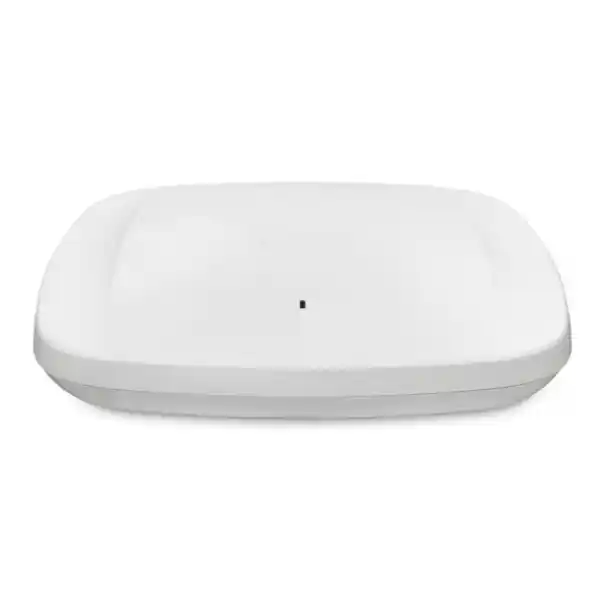
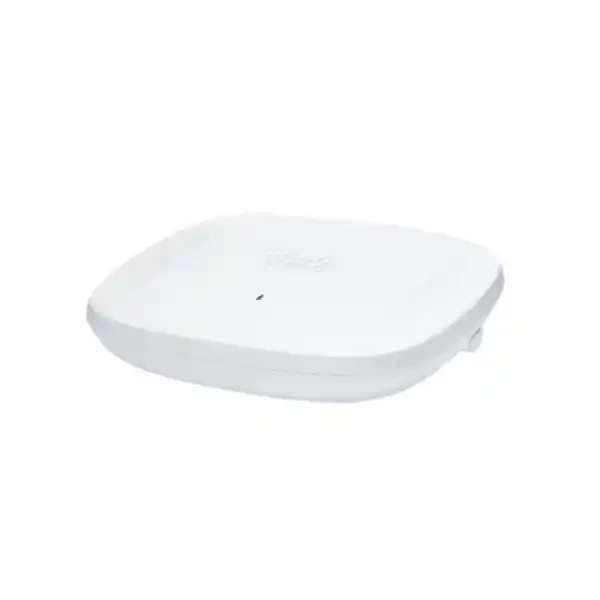
Cisco Catalyst CW9166I Wi-Fi 6E Access Point for high-capacity enterprise wireless
The Cisco Catalyst CW9166I is built for organizations that need more wireless capacity, stronger RF visibility, and a practical path into the 6 GHz spectrum while retaining support for established 2.4 GHz and 5 GHz devices. It is an indoor enterprise access point with integrated omnidirectional antennas, three 4×4 client-serving radios across 2.4 GHz, 5 GHz, and 6 GHz capabilities, an additional tri-band scanning radio for Cisco CleanAir Pro, and a dedicated Bluetooth Low Energy radio for IoT-oriented use cases. For offices, campuses, hotels, hospitals, universities, public facilities, and other busy indoor environments, the platform is designed to handle dense device populations and demanding applications without forcing every endpoint to migrate at once.
For buyers in Tanzania, the key decision is not simply whether Wi-Fi 6E is newer than Wi-Fi 6. The real question is whether your client mix, switching infrastructure, power budget, controller or cloud-management strategy, security policy, and regulatory requirements are ready to use the platform effectively. The CW9166I can be managed with Cisco Catalyst infrastructure or through the Meraki cloud management model, depending on the hardware mode and licensing selected. A correct bill of materials and a site-specific design are therefore essential before purchase.
What the CW9166I gives your network
More spectrum options
Wi-Fi 6E extends 802.11ax into the 6 GHz band, giving compatible clients access to cleaner spectrum and wider channel options. The access point can also continue serving 2.4 GHz and 5 GHz clients, making it suitable for staged migrations rather than all-at-once endpoint replacement.
High-density radio design
Cisco specifies 4×4 uplink and downlink MU-MIMO with four spatial streams across the primary Wi-Fi 6E radios. OFDMA, BSS coloring, beamforming, and Target Wake Time help the network schedule airtime more efficiently and improve consistency when many devices compete for access.
Flexible management
The Catalyst 9166 platform supports a choice between Cisco Catalyst on-premises management and Meraki cloud management. This can help organizations standardize hardware while choosing an operational model that fits their network team, licensing strategy, and broader Cisco architecture.
Multigigabit wired uplink
A single RJ-45 multigigabit Ethernet interface supports 100 Mbps, 1 Gbps, 2.5 Gbps, and 5 Gbps link rates. For dense wireless deployments, this avoids making a traditional 1 GbE uplink the obvious wired bottleneck when aggregate radio traffic grows.
Key verified specifications
| Wireless standard | IEEE 802.11ax, including Wi-Fi 6E operation in the 6 GHz band where permitted and supported |
|---|---|
| Client radio architecture | 4×4:4 on 2.4 GHz, 4×4:4 on 5 GHz, and a 4×4:4 XOR radio that can operate as 5 GHz or 6 GHz |
| Additional radios | Tri-band scanning radio for Cisco CleanAir Pro plus a 2.4 GHz Bluetooth Low Energy IoT radio |
| Antennas | Integrated internal omnidirectional antennas |
| Maximum aggregate PHY data rate | Cisco specifies up to 7.78 Gbps under its 802.11ax radio configuration; real application throughput is lower and depends on clients, channel width, RF conditions, protocol overhead, power, and design |
| Ethernet | 1 × 100M/1G/2.5G/5G multigigabit RJ-45 Ethernet |
| Other interfaces | RJ-45 management console and USB 2.0, with USB power support depending on the power source |
| Power | 802.3bt / Cisco UPOE, 802.3at PoE+, or 54 V DC input. 802.3af PoE is intended for configuration staging with radios disabled |
| Dimensions | Approximately 241.3 × 241.3 × 56.9 mm without mounting brackets |
| Weight | Approximately 1.60 kg |
| Operating environment | 0°C to 50°C and 10% to 90% noncondensing humidity, subject to Cisco installation guidance and operating constraints |
Why Wi-Fi 6E matters in a busy indoor network
The most important advantage of Wi-Fi 6E is access to 6 GHz spectrum for compatible devices. In many established WLANs, 2.4 GHz is congested and has limited channel capacity, while 5 GHz carries much of the high-performance traffic. Adding a 6 GHz radio can create additional room for modern laptops, phones, and other capable endpoints, particularly where the network needs to support video meetings, cloud applications, high-resolution content, voice, collaboration, large file transfers, and increasing numbers of concurrently connected users. The additional spectrum does not automatically create good Wi-Fi, but it gives a well-designed network more options for channel planning and contention management.
The CW9166I also retains support for legacy and current client populations on 2.4 GHz and 5 GHz. That matters because most organizations do not replace every device in the same year. Barcode scanners, printers, handhelds, older laptops, IoT devices, guest phones, and specialist equipment may continue to rely on older bands even while executive laptops and newer mobile devices become 6 GHz capable. A tri-band architecture lets the wireless design accommodate both groups and gradually move suitable traffic to cleaner spectrum.
For a Tanzania deployment, 6 GHz should be treated as a design decision that must align with current national spectrum rules, the correct Cisco regulatory domain, and the exact software configuration. The access point family supports country-specific regulatory behavior, and Cisco explicitly requires buyers to verify country approval and the applicable regulatory domain. A deployment should therefore confirm both the legal use of the relevant 6 GHz channels and the product variant before procurement or activation.
Built for dense client populations, not just headline speed
Enterprise wireless performance is usually limited by airtime efficiency and contention before it is limited by the theoretical peak rate of a single access point. Cisco specifies uplink and downlink MU-MIMO, OFDMA, BSS coloring, beamforming, and 1024-QAM as part of the CW9166I Wi-Fi 6E feature set. These mechanisms are important because they allow the access point and clients to use the medium more efficiently, especially when many devices are active at the same time. OFDMA can schedule smaller resource units for multiple clients instead of making every client wait for an entire channel opportunity, while MU-MIMO can use multiple spatial streams to serve compatible devices more effectively.
BSS coloring helps devices distinguish overlapping basic service sets so that a busy network can make more intelligent decisions about when the channel is truly unavailable. Target Wake Time can reduce unnecessary wake cycles for compatible battery-powered endpoints. These features do not remove the need for careful AP placement, channel planning, transmit-power tuning, minimum data-rate design, and client validation, but they provide the technical foundation for better behavior in crowded environments.
Cisco lists a maximum combined PHY data rate of up to 7.78 Gbps for the 802.11ax configuration across 2.4 GHz, 5 GHz, and 6 GHz radio capabilities. This figure should be treated as a radio-layer specification rather than an expected application speed test. Real user throughput depends on client capability, spatial streams, channel width, signal quality, interference, encryption, contention, WAN capacity, application behavior, and protocol overhead. Buyers should use the figure to understand platform class, not as a guaranteed per-user or per-AP throughput result.
Catalyst or Meraki management: choose the operating model before you buy
One of the most useful characteristics of the Catalyst 9166 family is management flexibility. Cisco supports the platform in a Catalyst management model using Catalyst 9800 Series Wireless Controllers, and the family can also be operated in a Meraki cloud-managed model with the appropriate hardware mode, licensing, and migration process. For organizations that already run Cisco Catalyst infrastructure, the CW9166I can fit into controller-based architecture and integrate with the broader Cisco enterprise networking stack. For teams that prefer a cloud dashboard and Meraki operational model, a cloud-managed variant can be considered.
The choice affects licensing, onboarding, monitoring, configuration workflow, support processes, and how the WLAN integrates with the rest of the network. A buyer should not assume that purchasing only the access point is sufficient. The correct software entitlement or Meraki license, controller compatibility, required software release, and organizational account model must be included in the design. Cisco currently states that cloud management requires an appropriate Meraki license, while Catalyst-managed deployments depend on the relevant Cisco software subscriptions and controller environment.
If your organization expects to change management models later, confirm the exact migration requirements, remaining license terms, and operational impact at that time. The converged hardware concept offers strategic flexibility, but a migration is still a managed technical and licensing activity rather than a simple cosmetic dashboard switch.
5 Gb multigigabit Ethernet helps protect the wired side of the design
A high-capacity access point can only deliver useful performance if the wired network can carry the traffic. The CW9166I provides one multigigabit Ethernet uplink that can negotiate at 100 Mbps, 1 Gbps, 2.5 Gbps, or 5 Gbps. In a dense deployment, using a compatible multigigabit switch port can prevent the uplink from becoming an obvious constraint when many wireless clients are active. This is particularly relevant where the network uses wider channels, high-performance 5 GHz and 6 GHz clients, local application traffic, or multiple simultaneous video and collaboration sessions.
Before deployment, check whether the access-layer switches provide enough multigigabit ports, the required PoE standard, and adequate total power budget. It is common to focus on wireless coverage and overlook switching capacity. The result can be a premium AP installed on a 1 GbE-only port or powered in a reduced-function mode. Network planning should include the switch model, available port speeds, cabling quality, patch-panel path, PoE class, LLDP/CDP power negotiation, uplink oversubscription, and redundancy strategy.
Existing Category 5e cabling can support some multigigabit Ethernet use cases, but actual performance depends on cable condition, channel length, installation quality, interference, and switch capabilities. For a business-critical rollout, test representative cable runs rather than assuming that every existing drop will reliably support the target link rate. Where new cabling is planned, align the cabling specification with long-term access-layer requirements rather than only today’s minimum AP need.
Power planning: PoE+ works, but understand the feature differences
Cisco supports the Catalyst 9166 with 802.3bt / Cisco UPOE, 802.3at PoE+, and 54 V DC power. According to Cisco’s current data sheet, 802.3bt can support the 4×4 radios, a 5 Gbps Ethernet link, and USB power up to the documented limit, with maximum PoE consumption listed at 30.5 W. With 802.3at PoE+, Cisco lists the 4×4 radios and 5 Gbps link as available but USB power disabled, with maximum PoE consumption of 25.5 W. That means PoE+ can be a practical production option when USB power is not required, but the design should still confirm the feature set expected at each AP.
802.3af should not be treated as normal operating power for this model. Cisco states that it is for configuration staging, with the radios switched off, Ethernet reduced to 1 Gbps, and USB disabled. If an access switch cannot provide at least the required production PoE level, the AP may power up but not provide the wireless service buyers expect. This is why a PoE budget audit is as important as an RF survey when replacing older access points with a higher-performance platform.
Power availability also needs to be considered at the switch and UPS level. A floor with dozens of APs can add a material load to the switch stack. Calculate total PoE demand with appropriate engineering margin, confirm PSU capacity and redundancy, and make sure backup power can sustain the required wireless coverage during outages. In environments where business operations depend on Wi-Fi, power resilience is part of the WLAN design, not a separate facilities issue.
Security considerations for Wi-Fi 6E
The 6 GHz band introduces stricter security expectations than many older WLANs. Cisco’s Wi-Fi 6E configuration guidance states that 6 GHz SSIDs require WPA3-based or Enhanced Open security options and Protected Management Frames; traditional open or WPA2-only modes are not used for 6 GHz operation. This is an important planning point because a network that still depends on older authentication methods may need a segmented migration strategy rather than simply extending the same SSID configuration onto every band.
For enterprise authentication, validate endpoint support for the intended WPA3 and 802.1X configuration, certificate chain, supplicant behavior, identity infrastructure, and roaming requirements. For guest access, consider how Enhanced Open or captive-portal workflows will behave across the client population. Security should be tested with representative Windows, macOS, Android, iOS, scanner, voice, IoT, and specialist devices used in the organization, not just one current laptop model.
A strong WLAN security design also includes segmentation, least-privilege policy, rogue-device visibility, management-plane protection, software maintenance, and monitoring. The CW9166I can participate in broader Cisco security and assurance architectures, but the access point itself does not replace sound identity, firewall, NAC, logging, and lifecycle practices. Buyers should treat the AP as one layer in the overall access-security model.
Dedicated RF visibility with CleanAir Pro scanning
The CW9166I includes a dedicated tri-band scanning radio for Cisco CleanAir Pro. This is valuable because RF troubleshooting requires visibility into what is happening around the WLAN, not only traffic carried by the serving radios. A scanning radio can support spectrum intelligence and help the management system identify interference patterns, channel conditions, and RF anomalies without relying only on periodic off-channel scans by the client-serving radios.
In practical terms, this can help network teams investigate complaints that are difficult to diagnose from basic signal-strength measurements. A user may report poor call quality even when the received signal looks strong, for example. The underlying issue might involve contention, non-Wi-Fi interference, channel utilization, retransmissions, roaming behavior, or a client driver problem. Better RF telemetry gives engineers more evidence for separating coverage problems from capacity and interference problems.
Advanced analytics are most useful when the network has a defined monitoring and escalation process. During procurement, decide who will own wireless assurance, which management platform will collect the telemetry, what alerts matter, and how historical data will be used. Buying an AP with advanced sensing does not automatically improve operations unless the visibility is integrated into day-to-day support.
Integrated BLE and environmental sensing
Cisco equips the CW9166I with an integrated Bluetooth Low Energy radio that can support location and IoT-oriented use cases when used with the appropriate Cisco services and application architecture. Organizations exploring asset visibility, wayfinding, presence-based workflows, or sensor integration may benefit from having BLE capability embedded in the WLAN infrastructure rather than deploying an entirely separate radio overlay. The value depends on the specific application, tags or devices, management platform, licensing, and design, so BLE capability should be treated as an enabler rather than a complete solution by itself.
The access point also contains sensors for ambient temperature, relative humidity, and total volatile organic compounds. Cisco documents these environmental sensors for use with Cisco Spaces. This can be useful in offices and facilities where the WLAN footprint can provide additional environmental telemetry without installing a separate sensor in every location. However, buyers should confirm that the sensor accuracy, placement, calibration expectations, licensing, and data use meet the needs of the intended application before relying on AP telemetry for operational or compliance decisions.
These capabilities are especially interesting for organizations that want network infrastructure to do more than provide IP connectivity. A well-planned deployment can combine wireless access, RF visibility, location services, and selected IoT telemetry. The business case should still be defined clearly: identify the workflow, data owner, integration, retention requirements, and expected benefit before adding platform components solely because the hardware supports them.
Where the CW9166I is a strong fit
Corporate offices
Suitable for floors with dense laptop and smartphone use, video meetings, cloud applications, Wi-Fi calling, collaboration rooms, and growing numbers of 6 GHz capable devices. The internal omnidirectional antenna design fits conventional ceiling-oriented enterprise coverage patterns when supported by a proper survey.
Education and training environments
Useful where classrooms, lecture spaces, labs, and staff areas create concentrated device counts and highly variable usage. Capacity planning should account for students carrying multiple devices and synchronized traffic peaks during online assessments, media use, and collaborative sessions.
Hospitality and conference spaces
A candidate for hotels, meeting venues, and conference areas where guest density can spike quickly. Design should consider roaming, guest authentication, traffic segmentation, upstream internet capacity, and event-driven peaks rather than only average occupancy.
Healthcare and institutional sites
Can support modern clinical, administrative, voice, and mobile workflows where wireless availability is important. Device compatibility, segmentation, roaming, security, and application-specific validation should be completed before migration because specialist endpoints may behave differently from mainstream laptops and phones.
High-density public indoor areas
The platform class is relevant where many concurrent users require reliable service. In these environments, capacity design, channel reuse, mounting height, cell size, and backhaul sizing matter more than simply increasing transmit power.
Technology refresh projects
A strong option when replacing older Wi-Fi 5 or early Wi-Fi 6 infrastructure and the organization wants multigigabit uplinks, 6 GHz readiness, WPA3-focused security, richer telemetry, and a management strategy that can align with Catalyst or Meraki operations.
When another access point may be a better choice
The CW9166I is a high-capability indoor access point, which means it may be more than some sites need. Small branches with modest client counts and limited traffic may achieve the required outcome with a lower-tier access point. Choosing a premium radio platform without matching switching, licensing, and management investment can increase project cost without producing a proportional user benefit. Start with coverage, capacity, application, and operational requirements, then select the AP class.
If the installation needs a directional radiation pattern for high ceilings, long aisles, auditoriums, warehouses, or other specialized spaces, the CW9166D1 should be evaluated because Cisco designs that model with integrated directional antennas. The CW9166I uses integrated omnidirectional antennas and is better suited to conventional indoor coverage cells. If outdoor exposure, weather resistance, external antennas, or harsh environmental operation is required, use an outdoor or purpose-built model rather than installing an indoor AP in an unsuitable enclosure or location.
Organizations moving directly toward Wi-Fi 7 should also compare newer Cisco platforms against the expected refresh cycle and client roadmap. Wi-Fi 6E remains valuable, particularly when a business has substantial 6 GHz capable Wi-Fi 6E clients and wants a mature 802.11ax architecture, but buying decisions should consider the expected life of the deployment rather than only the current endpoint population.
Tanzania deployment note: verify 6 GHz regulatory and product-domain requirements
Wireless frequency use is country specific. Tanzania’s spectrum framework is administered by the Tanzania Communications Regulatory Authority, and Cisco also publishes regulatory-domain guidance for its access points. Before ordering or enabling 6 GHz operation, confirm the current Tanzania rules that apply to WLAN equipment, the permitted frequency range and power mode, the exact product regulatory domain, and any type-approval requirements for the equipment being supplied. Do not assume that a part number intended for another country is suitable simply because the hardware name is the same.
Cisco’s documentation explains that where 6 GHz is not authorized or supported for a country, the platform can disable the 6 GHz radio and use the flexible radio as a secondary 5 GHz radio instead. This design provides operational flexibility, but buyers should still choose the correct regulatory variant and verify the intended feature set before procurement. Regulatory status can change over time, and enterprise projects should use current information at the point of deployment.
The same caution applies to transmit power, channel width, indoor-only restrictions, and mounting environment. A technically capable radio does not override local spectrum conditions. A compliant design combines the correct hardware variant, approved software behavior, configured country code, and site-specific RF plan.
Site survey and AP placement are still essential
Wi-Fi 6E can provide more spectrum, but 6 GHz signals generally experience more propagation loss through distance and building materials than lower-frequency signals. A design based only on an old 2.4 GHz or 5 GHz AP map may therefore leave 6 GHz coverage gaps or create inconsistent client behavior. For a new rollout, conduct a predictive design using accurate floor plans and building materials, then validate with an onsite survey where practical. For a replacement project, collect current client, utilization, and RF data before deciding that the existing AP count and locations can remain unchanged.
Mounting height, wall construction, glass, concrete, metal shelving, elevator cores, machinery, partitions, and furniture density all influence RF performance. The internal omnidirectional antenna pattern is intended for general indoor deployment, but the AP should not be hidden above dense metal structures or placed simply where cabling happens to be easiest. Coverage and capacity goals should drive location, with cabling adapted to the design where possible.
Post-install validation should check signal level, signal-to-noise ratio, channel utilization, retries, roaming, client distribution, multigigabit uplink rate, PoE negotiation, authentication performance, and application experience. Test representative peak-use scenarios rather than only walking the site with a single laptop during a quiet period. A technically correct installation is one that meets the organization’s user and application requirements under realistic load.
Client readiness determines how much value you get from 6 GHz
A Wi-Fi 6E access point does not make an older client a Wi-Fi 6E client. The endpoint must have compatible 6 GHz hardware, driver support, operating-system support, country behavior, and an appropriate security profile. Before designing a large 6 GHz capacity plan, inventory the actual client population. Separate devices into 2.4 GHz only, 5 GHz capable, Wi-Fi 6, Wi-Fi 6E, and newer categories, and identify which business-critical applications run on each group.
Driver maturity is particularly important for enterprise laptops. A client may advertise Wi-Fi 6E capability but still perform poorly with an outdated driver or firmware version. Standardize approved driver baselines, test roaming, validate WPA3 and 802.1X behavior, and confirm the endpoint can discover and join the intended 6 GHz SSID. For managed mobile fleets, align OS versions and security settings before turning 6 GHz into a dependency for business-critical applications.
During transition, many organizations will run a mixed-band environment. The objective is not to force every device onto 6 GHz; it is to use each band intelligently. Low-bandwidth IoT devices may remain on 2.4 GHz, mainstream clients may use 5 GHz, and suitable modern clients can use 6 GHz for additional capacity. Good policy and RF design allow these groups to coexist without making the network harder to manage.
Physical and environmental considerations
The CW9166I is an indoor access point with a chassis approximately 241.3 mm square and 56.9 mm high, weighing about 1.60 kg without brackets. Cisco specifies a normal operating temperature range of 0°C to 50°C and operating humidity from 10% to 90% noncondensing. These limits make the model appropriate for many conditioned indoor spaces, but equipment rooms, ceiling voids, warehouses, factories, and buildings with limited climate control should be assessed carefully.
Cisco’s installation guidance notes that operation at higher ambient temperatures can impose performance constraints. This is particularly relevant in hot environments where the temperature at the ceiling may be materially higher than the occupied-zone temperature. Do not assume that because a room feels comfortable at desk level, the AP mounting location is within the same thermal range. Measure or estimate the actual operating environment, especially in spaces with metal roofs, limited ventilation, or heat-generating equipment.
Use the correct Cisco-compatible mounting hardware for the ceiling or wall construction, follow grounding and electrical safety requirements, and keep serviceability in mind. Installation quality affects both safety and RF consistency. Document AP names, locations, switch ports, MAC addresses, cable IDs, and floor-plan positions so that future troubleshooting does not depend on physically searching every ceiling.
Procurement checklist before requesting a quote
How to evaluate the CW9166I against project requirements
Start with user experience targets. Define which applications matter, how many concurrent devices the busiest area must support, what roaming behavior is required, and whether voice or real-time collaboration depends on the WLAN. Then map those requirements to coverage, capacity, security, and wired infrastructure. This approach prevents the common mistake of choosing an AP from a specification table first and trying to justify the design afterward.
Next, decide whether 6 GHz is a requirement, an optimization, or future readiness. If the organization already has a large fleet of Wi-Fi 6E clients, the 6 GHz radio can provide immediate value. If most devices are Wi-Fi 5 or Wi-Fi 6 without 6 GHz, the platform may still be useful for its radio density, telemetry, management flexibility, and upgrade path, but the near-term return from 6 GHz will be smaller. This distinction is important when comparing the CW9166I with lower-cost models.
Then assess operational fit. A network team that already runs Catalyst 9800 controllers, Cisco identity services, Catalyst Center, and Cisco Spaces may value the integration path differently from an organization standardized on Meraki dashboard operations. The hardware can support different management approaches, but each organization should choose one that matches staff skills, support processes, and licensing policy.
Finally, test the entire solution, not only the AP. A pilot should include production-like switch power, real cabling, representative endpoints, authentication, roaming, WAN paths, monitoring, and expected application traffic. This is the best way to validate whether the proposed architecture meets business needs before a broad rollout.
Frequently asked questions
Is the Cisco CW9166I a Wi-Fi 6 or Wi-Fi 6E access point?
It is a Wi-Fi 6E access point. Wi-Fi 6E uses the same 802.11ax technology family as Wi-Fi 6 but extends operation into the 6 GHz spectrum for compatible clients. The CW9166I also supports 2.4 GHz and 5 GHz, so it can serve existing Wi-Fi clients while newer devices use 6 GHz where the country, client, and configuration support it.
Does every client get 7.78 Gbps?
No. Cisco’s 7.78 Gbps figure is an aggregate PHY specification across the AP’s radio configuration, not a guaranteed user throughput figure. A client’s actual speed depends on its own radio capabilities, spatial streams, channel width, signal quality, contention, interference, security, protocol overhead, wired backhaul, and application or internet limits.
Can the CW9166I run from standard PoE?
For production use, plan for 802.3at PoE+ or 802.3bt / Cisco UPOE, or use the supported DC power option. Cisco documents 802.3af as a staging mode with radios disabled, 1 GbE Ethernet, and USB off. The switch PoE standard and total budget should therefore be checked before installation.
Do I need a 5 GbE switch port?
The access point supports up to a 5 Gbps multigigabit Ethernet link, but whether 5 GbE is required depends on traffic expectations and the rest of the design. For high-density areas, multigigabit switching is recommended to avoid unnecessary uplink constraints. Lower link rates may be acceptable for some sites if measured demand is lower.
Can it be managed from the Meraki dashboard?
The Catalyst 9166 family supports Meraki cloud management as well as Catalyst management, but the exact deployment depends on the product variant, licensing, organizational account, and migration state. Buyers should decide the management model before ordering and include the required Meraki or Cisco software licensing.
Does the CW9166I have external antenna connectors?
No. The CW9166I uses integrated internal omnidirectional antennas. If a project needs an integrated directional pattern, compare the CW9166D1. If the project requires external antennas, outdoor operation, or specialized coverage, evaluate a different Cisco model designed for that requirement.
Will older 2.4 GHz and 5 GHz devices still connect?
Yes, subject to the WLAN security and compatibility configuration. The AP supports 2.4 GHz and 5 GHz client operation as well as 6 GHz. This is useful for mixed environments where newer Wi-Fi 6E clients are introduced gradually. Always test business-critical legacy devices before changing security or radio policies.
Is 6 GHz automatically enabled in Tanzania?
Do not assume automatic 6 GHz operation. The deployment must use the correct Cisco regulatory domain and comply with current Tanzania spectrum and equipment-approval requirements. Confirm the applicable rules and exact product variant during procurement, then configure the WLAN using the approved country settings and software.
What to provide for an accurate project quote
To size the solution correctly, prepare the number of sites, floor plans, estimated concurrent users, device types, current access points, current switches, available PoE standards, controller model if applicable, internet and WAN capacity, expected applications, security requirements, and whether the project is a new deployment or a replacement. If 6 GHz is a major objective, include the approximate number of Wi-Fi 6E-capable endpoints and any policy constraints around WPA3 or 802.1X.
For refresh projects, also provide current problem areas such as dead zones, overloaded meeting rooms, poor roaming corridors, voice issues, high retry rates, slow authentication, or insufficient guest capacity. A useful quotation should be based on the network outcome, not only an AP quantity. The bill of materials may need access points, licenses, mounting components, multigigabit PoE switching, power accessories, controller capacity, and professional design or installation elements depending on the existing environment.
Request a Cisco Catalyst CW9166I solution review
Choose the CW9166I when you need an enterprise indoor access point with Wi-Fi 6E, 4×4 radio capacity, integrated omnidirectional antennas, multigigabit Ethernet, strong RF visibility, and a management path that can align with Cisco Catalyst or Meraki operations. The best result comes from pairing the access point with the correct regulatory domain, licensing, switching, PoE, client strategy, and site-specific RF design.
Next step: request a project review with your floor plans, user counts, client mix, switch details, and preferred management model so the correct CW9166I variant and supporting components can be identified for your Tanzania deployment.




Reviews
There are no reviews yet.