
Hanwha Vision • Outdoor network surveillance
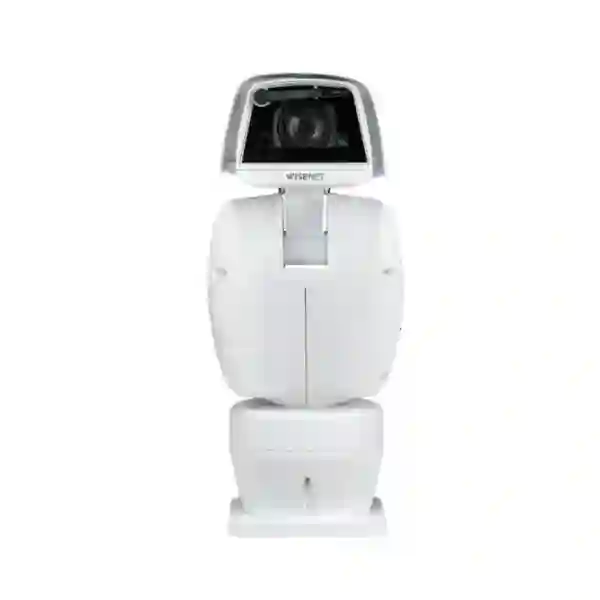
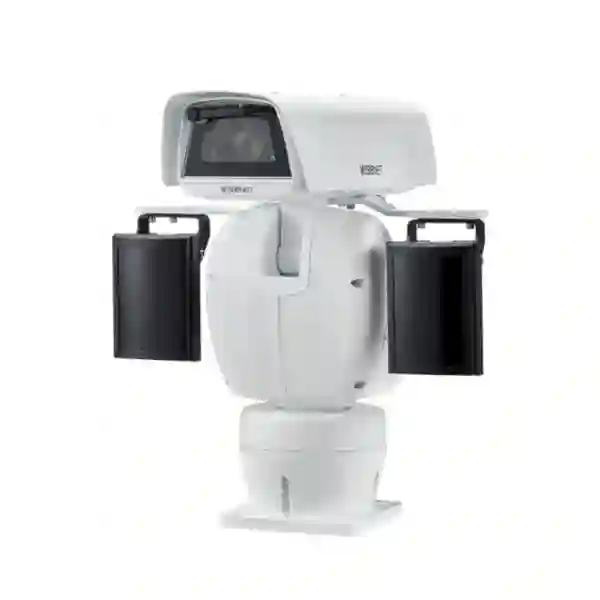
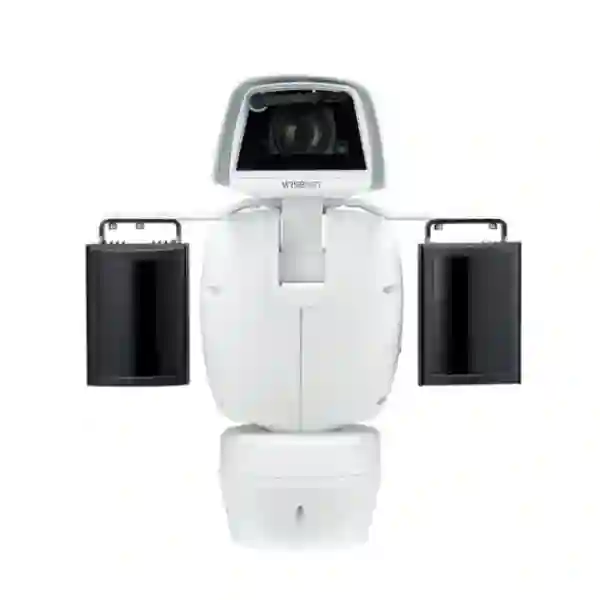
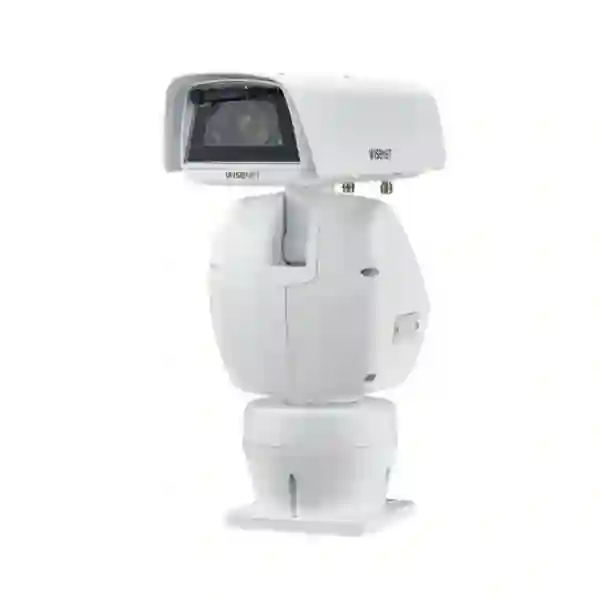
Hanwha TNU-6321 2MP 32x Positioning Camera
Flexible visual oversight of large sites with full-HD imaging, a 32x optical zoom lens and continuous 360-degree pan. Review your viewing distances, power supply and recording needs before choosing the complete configuration for your Tanzania project.
Verified technical specification
| Image | 2MP, 1920 × 1080, 1/2.8-inch CMOS |
|---|---|
| Lens | 4.44–142.6 mm, 32x optical zoom |
| Horizontal view | Approx. 61.8° wide to 2.19° telephoto |
| Movement | 360° continuous pan; −90° to +40° tilt |
| Video | H.265 / H.264 up to 60 fps (60Hz); MJPEG up to 30 fps |
| Imaging tools | Day/night ICR; 120 dB WDR; defog; digital image stabilisation |
| Protection | IP66 camera enclosure; built-in wiper |
| Network | 10/100BASE-T Ethernet; ONVIF Profiles S, G and T |
| Storage | One microSD/SDHC/SDXC slot; up to 256GB |
| Input power | 24VAC; approx. 25W typical / max. 100W heater on |
| Size and weight | 219 × 528.2 × 460 mm; approx. 14 kg |
Manufacturer specifications can change with revisions and firmware. Confirm the exact current equipment documentation before ordering.
A positioning camera for large outdoor scenes
The Hanwha TNU-6321 positioning camera is intended for surveillance teams that need to look across a wide site and then inspect a selected area with meaningful optical detail. It combines a 2MP network video stream, a 32x motorised zoom lens and a positioning mechanism capable of endless 360-degree panning. It is a sensible candidate for a planned, operator-led security system rather than a simple fixed view of one doorway. Ask for a deployment-specific quotation that covers the camera, power, mounting and recording design together.
This model is particularly relevant when a control-room operator must move from overall situational awareness to a closer view of a distant gate, vehicle approach, fence line or operational zone. The value lies in directing one view to changing priorities, not in claiming that a single camera can record every direction at once. A moving camera observes the direction it is pointed toward; important locations may still require fixed cameras for continuous evidence.
Before selecting this unit, define the exact places that must be recognised, the viewing distances, the lighting and any site movements. The appropriate answer may be a positioning camera used alongside several fixed views. The technical details below explain what the camera can do, where its capabilities have limits and what a Tanzania project team should verify before procurement.
At-a-glance specification and what it means
At its core, the TNU-6321 uses a 1/2.8-inch CMOS image sensor and records at resolutions up to 1920 × 1080. Hanwha Vision specifies up to 60 frames per second with H.265 or H.264 in the relevant 60Hz setting, and up to 30 frames per second with MJPEG. These are maximum supported settings, not a promise that every installation will record at that rate when multiple features, streams or bandwidth limits are applied.
The optical assembly spans 4.44 to 142.6 mm with 32x optical zoom. Horizontal viewing angle changes from approximately 61.8 degrees at wide angle to 2.19 degrees at the telephoto end. That is a powerful shift in framing. Wide settings support orientation and context, while telephoto settings concentrate available pixels on a smaller area. Neither zoom nor software enhancement can restore details absent because of motion blur, poor illumination or atmospheric conditions.
The camera supports H.265, H.264 and MJPEG, a mechanical day/night infrared-cut filter, 120 dB wide dynamic range and defog processing. It offers a built-in wiper, image stabilisation, event analytics and network integration options. Its quoted temperature range is broad, but outdoor suitability still depends on professional mounting, sealed connections, electrical protection and a maintenance plan.
Who should evaluate this model
Facilities teams responsible for large yards, perimeter corridors, transport movements and high-level overview positions may have a legitimate need for precise mechanical positioning. An operator can call a saved preset to inspect a known location, or move the camera manually when an event demands attention elsewhere. These applications benefit from the combination of movement, long focal length and networked recording rather than from resolution alone.
Industrial sites, distribution compounds and transport facilities often contain obstacles, changing vehicle positions and multiple lines of sight. A positioning camera can complement a fixed-camera layout by resolving selected details without installing a separate long-lens camera at each viewing direction. Whether one mounting point can see all the necessary positions must be established with a site survey; trees, roofs, walls and equipment can block the view even if pan travel is unrestricted.
For a small reception or narrow corridor, this model may be unnecessarily large and specialised. A compact fixed dome or bullet with suitable resolution and optics may provide simpler always-on coverage. The TNU-6321 is best assessed against a defined surveillance objective, not purchased only because a 32x zoom specification looks impressive.
Understanding 2MP video and operational image quality
A 1920 × 1080 picture supplies approximately two million pixels per frame. For surveillance planning, what matters is how many of those pixels cover the subject of interest after the lens is aimed and zoomed. A person occupying only a tiny portion of a wide scene will not be identifiable merely because the frame is labelled full HD. A tighter field of view improves subject sampling, but reduces the amount of surrounding activity visible simultaneously.
Image quality also depends on shutter speed, focus, weather, camera motion and illumination. A fast-moving vehicle seen at night may require a shorter exposure than a stationary scene, and that decision introduces a light-versus-blur trade-off. The motorised lens can refocus, but testing should include transitions between wide and telephoto framing and between day and night. The most useful evidence is a realistic recording of the precise task, not a promotional still image.
For critical identification points, insist on live commissioning tests at the intended distance and angle. Confirm that the operator can recognise what is required on the actual playback workstation and at the recorded frame rate. If identification must occur continuously at a particular gate, a dedicated fixed camera may still be the more reliable evidential device.
What the 32x optical zoom changes
The specified 4.44–142.6 mm optical range lets the camera cover broad context and narrow distant targets without depending entirely on digital enlargement. At wide angle it can help an operator understand which part of a compound needs attention. At long focal length it can isolate a smaller region, making the available full-HD pixels more useful for a particular object. That flexibility is one of the primary reasons to choose a positioning camera.
Optical zoom should not be confused with a guaranteed recognition distance. The usable outcome varies with mounting height, haze, rain, glare, vibration, lighting, subject size and the required standard of evidence. Long-range views are especially sensitive to atmospheric shimmer and small mechanical movements. The camera’s digital stabilisation and defog functions are useful tools, but they cannot eliminate every environmental limit.
Prepare at least three representative sightline tests: the broadest overview, the farthest routine point of interest and a high-risk location where clear detail matters. Record the expected zoom position and time needed to reach each view. A design that works only in ideal daylight may be unsuitable for round-the-clock security operations.
Pan, tilt, presets and patrol logic
The TNU-6321 provides continuous 360-degree pan movement and a tilt range from minus 90 to plus 40 degrees. Hanwha specifies pan preset movement up to 120 degrees per second and tilt preset movement up to 40 degrees per second, with fine manual control at much slower speeds. These figures help the designer understand how quickly the camera can move between viewpoints; they do not describe how long it will take an operator to assess an event.
The published positioning functions include up to 255 presets, swing, group, tour, automatic run and scheduling options. Presets are useful for repeatable checkpoints, especially when an event can direct the camera to a chosen view. A thoughtfully configured patrol alternates between the places that matter operationally rather than wandering through the maximum number of possible positions. Every dwell time has a coverage consequence.
Test preset accuracy after installation, especially at high zoom where a small angular error changes the framed subject substantially. Decide what happens when an alarm and a scheduled patrol request the camera simultaneously. Define who may override an automatic tour, when it resumes and which fixed cameras retain continuous coverage while the positioning camera is redirected.
Day and night operation
The camera uses automatic day/night switching with an infrared-cut filter. Manufacturer-listed minimum illumination figures are approximately 0.05 lux in colour and 0.005 lux in black and white under stated test conditions. Such laboratory figures describe sensor sensitivity; they should not be treated as a guarantee of usable facial or vehicle detail at an unlit perimeter. Real images also depend on exposure, lens position, movement and scene contrast.
Crucially, do not assume that this model includes built-in infrared illumination just because it has a night mode. Hanwha documentation identifies an optional compatible SPI-50 infrared illuminator. Any proposal for active infrared must verify accessory availability, operating range, mounting relationship, power and the actual scene requirements. Existing visible lighting may provide a better colour image in some environments.
Run acceptance tests at the darkest expected hour and at the telephoto setting actually needed. Verify focus shifts, reflective surfaces, dust and insects around lighting equipment. A camera that gives a useful wide-angle night overview may perform very differently when zoomed tightly on a moving subject.
Handling backlight, fog and difficult weather
Wide dynamic range rated at 120 dB is intended to help balance bright and dark areas in a scene. It can be relevant where a gate looks toward strong daylight, reflective roofs or contrasting shadow. Backlight compensation and highlight compensation are additional tools, but settings should be chosen for the site rather than simply enabled at maximum. Extreme backlight and headlamps can still obscure details.
Defog image processing can improve perceived contrast when atmospheric conditions soften the picture. It is not a substitute for visibility through dense mist, heavy rain or airborne dust. The built-in wiper helps address water on the viewing window, while site maintenance remains necessary for dirt, salt residue or accumulated grime. In a harsh location, cleaning access and safe servicing are part of the design.
Test important views at morning and evening when sunlight angles can change dramatically. Compare recordings across alternative WDR and shutter settings, and preserve those commissioning results. The desired result is a repeatable picture that supports the security task, not simply the most visually dramatic image on a monitor.
IP66 housing and environmental planning
Manufacturer materials identify the TNU-6321 with an IP66-rated outdoor enclosure. This describes the enclosure’s tested resistance to dust ingress and powerful water jets under the relevant test method. It does not mean the system can be submerged, nor does it guarantee that junction boxes, conduit entries, external connectors and mounting hardware achieve the same protection. The assembled installation must be reviewed as a whole.
Hanwha specifies an operating ambient temperature range of minus 40 to plus 55 degrees Celsius and non-condensing humidity up to 90 percent. The manufacturer also notes a startup condition above minus 30 degrees Celsius. Tanzania installations normally raise different practical concerns: solar heating, rainfall, humidity, lightning exposure, wind loading and ease of access for maintenance. These are site-design issues, not claims that the unit is certified for a particular location.
Specify an appropriate mounting height and structural support, allow for safe access and consider how the camera behaves during storms. Do not infer explosion-proof approval or suitability for hazardous areas from a general outdoor rating. If the application contains flammable gases or requires a special protective classification, obtain a separately verified product and installation design.
Power supply is a critical purchase detail
The TNU-6321 uses a 24VAC input. Hanwha lists approximately 25W typical consumption with the heater off and up to 100W with the heater on. A buyer should therefore not assume the camera can be powered directly by an ordinary PoE switch port. A complete quote must account for the specified 24VAC supply, a suitable distribution system and installation accessories rather than treating a network connection as the whole electrical requirement.
Power-cable lengths, conductor sizing, voltage drop, protective devices and local electrical practice must be evaluated by a qualified installer. Allowance for heater operation matters when sizing equipment even if the installation is expected to operate mostly in warm weather. A power system designed only around the typical figure may be inadequate for the published maximum load or startup conditions.
For a security-critical location, discuss backup power, lightning and surge protection, secure power routing and recovery after an outage. Verify whether the recording equipment and network infrastructure remain online during the same event. A camera with excellent optics cannot provide usable evidence when the power, communications link or recorder is unavailable.
Mechanical dimensions and mounting responsibilities
The published body dimensions are approximately 219 mm wide by 528.2 mm high by 460 mm deep, with a mass of roughly 14 kg. This is materially different from hanging a lightweight indoor dome camera. Supporting steelwork, brackets, bolts, anchors and any pole or wall structure must be rated for the camera, its dynamic movement and the site-specific environmental load. The installer should also consider cable routing and servicing space.
Mounting height should balance field of view, tamper exposure, accessible maintenance and the viewing angle needed for evidence. A very high position may provide broad visibility but a steep angle on people or vehicles. A low position may give better detail but increase obstruction risk. A drawing that shows the camera can rotate does not by itself demonstrate that every critical checkpoint is in view.
Review manufacturer-approved mounting arrangements and compatible accessories before ordering. Where existing infrastructure will be reused, confirm its condition and load capacity. A security design should include a safe means of getting to the camera for window cleaning, inspection and replacement without disrupting the operational area unnecessarily.
Network video and codec choices
The camera supports H.265, H.264 and MJPEG compression. H.265 can be attractive when the recording platform supports it and bandwidth efficiency matters. H.264 may provide a simpler interoperability route for older recorders, while MJPEG can suit particular applications but may consume more bandwidth. Codec choice should be tested with actual motion in the scene because compression behaviour varies with texture, light and the camera’s movement.
Hanwha lists WiseStream II and configurable bitrate control. That gives an engineer tools for optimising network traffic, but no universal bandwidth figure should be promised before the desired frame rate, image quality and scene activity have been specified. A busy vehicle yard at night may behave differently from a quiet fence line. Set a measured bitrate budget and verify the results after commissioning.
The model offers multiple stream profiles, allowing different consumers to request different picture sizes or rates within the device’s capabilities. A practical design may use a high-quality recording stream and a lighter live-view stream. Make sure user demand, remote access and any analytics feeds do not exceed system or network capacity.
ONVIF integration and management software
Published interface specifications include ONVIF Profiles S, G and T, alongside Hanwha’s SUNAPI and Open Platform capabilities. These standards and APIs may support integration with compatible video-management and recording systems, but the presence of a named profile does not guarantee that every third-party feature will operate automatically. A VMS may receive video yet handle presets, events, audio or edge recording differently.
Before ordering, identify the exact VMS or NVR software version, planned firmware, required codec and specific functions that operators must use. Test live view, continuous recording, event handling, PTZ permissions, preset calls, playback and time synchronisation. If a project depends on alarm-to-preset handover, prove that path in the intended integration rather than relying on a generic compatibility label.
Document the tested firmware and configuration. When equipment is later updated, retest the workflows that matter most. A carefully completed interoperability checklist can prevent expensive surprises where the camera picture appears correctly but advanced controls or evidence retrieval do not meet the security specification.
Storage at the edge and central recording
The model provides one microSD, SDHC or SDXC storage slot with a manufacturer-listed capacity up to 256GB. Edge recording can form part of a resilience strategy, particularly where a camera temporarily loses its path to a central recorder. It is not a substitute for evaluating the storage workload or for deciding how evidence will be retained, protected and exported.
Actual retention depends on bitrate, frame rate, scene activity, event configuration and whether continuous or event-only recording is used. A 256GB headline capacity does not tell a buyer how many days of footage will remain. Calculate retention from a representative measured stream, include overhead and test playback and retrieval from the selected media. Specify appropriate media endurance and review it during maintenance.
If a central NVR or VMS handles the primary archive, define precisely how recording gaps are detected and reconciled. Verify any supported edge-storage recovery workflow with the chosen recorder rather than assuming automatic backfill. The operational objective is trustworthy evidence continuity, not simply the presence of two storage destinations.
Built-in event analytics
Hanwha describes motion, tampering, defocus, fog, face and audio detection, plus virtual-area functions such as line crossing, intrusion, entry, exit, loitering, appearance and disappearance. These are useful event tools for creating operator prompts and targeted recordings. They must not be confused with a guarantee of identification, face recognition, vehicle classification or other unlisted artificial-intelligence capabilities.
A virtual line is useful only when its direction, scene geometry and expected traffic are defined. Motion alerts can be triggered by vegetation, shadows, weather or animals. Low light and a rapidly moving view also affect detection reliability. Plan detection zones around stable scenes where possible, and establish who will review alarms, which ones require action and how events are logged.
During commissioning, test both missed events and nuisance alerts under representative conditions. Do not simply count how many detection types are printed on a feature sheet. The useful outcome is a manageable alarm queue that assists operators without distracting them from the wider surveillance picture.
Audio and alarm I/O
Manufacturer specifications list selectable microphone or line audio input, line output and one alarm input with one alarm output. These interfaces can be relevant when a project has approved audio sources or external triggering equipment. The exact field wiring and supported event logic should be confirmed against current product installation documentation and with the control platform being used.
Audio recording creates additional operational and privacy obligations. Decide whether it is necessary and lawful for the environment rather than activating it by default. Where a gate-contact or other external signal is expected to call a camera preset, test the full sequence including the alarm source, network connection, camera movement, recording marker and operator display.
Do not claim that the camera alone delivers an intercom, public-address or complete access-control solution. Such outcomes normally require additional equipment, software and design. Keep the camera’s confirmed interfaces separate from any proposed third-party system capabilities in the project specification.
Designing a perimeter surveillance strategy
Start with a map of the boundaries, entry points, blind spots and response routes. Mark the locations that require permanent observation and those that require occasional high-zoom inspection. The second category may benefit most from a positioning camera. For the first category, fixed cameras can preserve uninterrupted coverage while an operator redirects the TNU-6321 to investigate activity elsewhere.
Assess line-of-sight obstacles at the actual proposed mounting point. Vehicles, seasonal growth, stored containers and new site structures may change a viewpoint over time. A panoramic view on a plan can overlook these practical obstructions. For each important preset, record the subject, distance, scene lighting, the expected detail standard and the fallback camera covering that location.
Decide who controls the camera and how access is prioritised across control-room users. Manual investigation, alarm handover and programmed tours can compete. Written operating procedures should explain whether a preset returns automatically, how exceptional events are escalated and what footage remains available during a patrol. Good security coverage is a system behaviour, not merely a device specification.
Vehicle entrances and logistics yards
A logistics environment combines wide movement patterns with detailed events at entrances and loading areas. A 32x positioning camera can help an operator inspect activity at selected locations from a suitable elevated point. However, rapid motion and reflective number plates demand careful lighting and shutter setup. It would be inappropriate to promise dependable number-plate recognition without dedicated site testing and, if needed, a specialised capture camera.
Use wider views to establish context and narrower presets for a vehicle path, barrier or cargo-handling zone. If several events are likely to happen simultaneously, independent fixed views prevent one investigation from interrupting all other evidence collection. Operator workflows can use radio or access-system reports to direct attention, but the required integration needs engineering verification.
A practical acceptance test should include daytime deliveries, nighttime headlights, wet road surfaces and typical traffic speeds. Compare live video with recorded playback. If staff cannot retrieve clear footage of the required event on the intended system, reconsider camera placement or add a dedicated camera rather than relying on the headline zoom ratio.
Industrial operations and large compounds
Large facilities may need an operator to inspect equipment movement, access roads, storage areas and distant boundary sections. The TNU-6321 can be considered for that flexible observation role where a single viewpoint can reach multiple unobstructed areas. Its weather-resistant enclosure and wiper support outdoor operation, subject to appropriate installation, while the moving lens provides a practical method for changing the focus of attention.
Different use cases require different evidence. A safety supervisor watching vehicle segregation does not need exactly the same image as a security officer trying to identify a person at a gate. Define the question each view must answer and then set the lens, exposure and recording quality accordingly. If operations call for thermal detection, temperature measurement or explosion-proof protection, this conventional visible-light positioning camera is not a replacement for those specialised functions.
Establish operational ownership of the system: who approves new presets, who cleans the viewing window and who checks event alerts after changes to the site. These details determine whether the camera remains useful after the initial installation.
Coastal, humid and dusty locations
Some Tanzania projects may place outdoor equipment in humid, dusty or coastal environments. The manufacturer’s IP66 rating and wiper provide useful information, but neither fact removes the need to inspect connectors, enclosure seals, mounting finish and maintenance access. Salt-laden air, airborne particles and prolonged exposure can affect the assembled system beyond the camera enclosure itself.
Before specifying a mounting pole or bracket, consider corrosion protection, wind conditions and the ease of replacing cable glands or external components. Protect power and data connections in suitable field enclosures. Select a cleaning routine compatible with the manufacturer instructions, and prevent cleaning arrangements from creating unnecessary work-at-height exposure.
Local conditions should inform the service interval and spare-parts plan, but neither service coverage nor product stock is assumed here. Ask for a project-specific installation proposal that identifies the site, environment and ongoing support responsibilities rather than using a generic promise of nationwide availability.
A practical bandwidth planning method
Begin by choosing a realistic primary recording profile: resolution, frame rate, codec, image-quality target and average and peak motion levels. Obtain a sample stream from a test setup or a representative site trial. Measure its observed bandwidth when the camera is stationary, panning and zooming, because changing scenes can generate different traffic from a static shot.
Multiply the measured demand by the recording period and the number of cameras, then add a documented safety margin for peak usage, client viewing and future changes. Check both the switch uplink and the route to the recorder. If live monitoring crosses a constrained connection, design a separate lower-bitrate display stream where practical. Avoid selecting a recorder based only on camera count without validating the actual throughput.
Finally, test under expected network loss and recovery conditions. Time synchronisation, dropped frames and incomplete file exports can undermine an otherwise satisfactory video design. Document the chosen settings so future maintenance does not accidentally replace a tested profile with a materially different bandwidth or recording requirement.
Camera security and access control
Network cameras are computing devices and should be managed within a security architecture. Segment surveillance traffic where appropriate, use unique credentials, remove unnecessary accounts and give operators only the permissions needed to perform their tasks. The TNU-6321 supports secure networking options including HTTPS and other protocol controls, but a secure deployment depends on configuration and the wider network environment.
Check the current firmware release and applicable guidance from Hanwha Vision before commissioning. Plan updates around service windows and verify compatibility with recording software. Control external access through an approved architecture rather than leaving a camera openly reachable from the internet. Use monitored administration, configuration backups and a documented recovery procedure.
A camera may be technically working while security practices around it are weak. Include account review, time accuracy, login controls and incident-response responsibilities in the handover. Video retention and privacy arrangements should follow the project’s applicable legal and organisational requirements rather than assumptions made from the product feature list.
Comparing a positioning camera with fixed CCTV
A fixed camera continually records a specific field of view, which is valuable for entrances, cash points and evidence-critical routes. A positioning camera allows one operator-controlled optical view to cover changing areas, making it useful for investigation and oversight. Neither approach universally replaces the other. The deciding factor is whether the security objective requires continuous coverage or flexible targeting.
The TNU-6321’s 2MP sensor and long optical zoom differ from a fixed high-resolution camera with a wide lens. A high pixel count spread over a large scene may show broad context, while a long zoom concentrates pixels on one selected target. Yet zooming away also leaves the previous viewpoint unattended. Design teams should weigh these effects rather than comparing only megapixels or theoretical field-of-view diagrams.
Ask whether a single operator will actively control the equipment, whether alarm presets are operationally viable and whether several simultaneous events are likely. For many large sites, a combination of fixed cameras, a positioning camera and a suitably configured VMS is more defensible than choosing one camera type for all tasks.
How to read manufacturer DORI figures
Hanwha publishes DORI figures for detection, observation, recognition and identification under a defined pixels-per-metre methodology. At the telephoto end, the listed theoretical ranges are about 2,009 m for detection, 803.6 m for observation, 401.8 m for recognition and 200.9 m for identification. These figures describe geometric image sampling under the stated standard, not assured field performance at those distances.
Real-world recognition depends on a person’s orientation, weather, contrast, motion, illumination, compression and the display and recording chain. A theoretical identification distance should never become an unqualified promise that a person will be identifiable from that range on a particular site. The terms detection, observation, recognition and identification also correspond to different operational outcomes and must not be used interchangeably.
Use DORI as an early lens-planning tool, then validate high-priority viewpoints at the intended mounting height with recorded evidence. Where a project must satisfy a formal evidential standard, define the acceptance criteria with the client and test them rather than relying on a single distance figure.
Selecting recording and control equipment
An NVR or VMS selection should be based on the number of video channels, codec support, recording throughput, storage design, export requirements and the needed PTZ functions. The ability to display an H.264 stream is only one part of compatibility. Operators may also require preset control, event bookmarks, alarm escalation, edge playback and different permission levels.
Set out a feature checklist before procurement. Confirm the exact software versions and, where needed, test the camera with the intended management platform. Pay special attention to time synchronisation and correct event labelling because evidence from several cameras may need to be compared. Also verify how audio, if approved for use, is recorded and exported.
If the project is expected to expand, reserve appropriate capacity in switching, storage and backup power. Do not assume a camera will connect directly to a cloud service: the manufacturer describes direct cloud connection as optional and requiring a gateway. Any proposed hosting, cloud integration or service arrangement must be separately verified.
Commissioning checklist before acceptance
A good acceptance process starts with the physical installation. Verify that the structure is stable, the camera has safe service access and the field connections are properly protected. Check input voltage at the equipment under realistic load conditions, including any applicable heater demand. Confirm that the network link remains stable during sustained pan, tilt and zoom operation.
Next, test image quality at key presets in daylight and low light. Record the fastest moving subject expected at the site, then replay and export it. Evaluate WDR, exposure, focus, wiper operation and the transition into night mode. Compare the result with the agreed identification or observation requirements. Test the camera’s return to presets after network or power interruptions.
Finally, exercise the whole workflow: user login, permission control, alarm input, event processing, recording, playback, export and backup recovery. Keep a signed record of settings and test results. This approach turns a list of specifications into evidence that the particular installation meets its defined purpose.
Maintenance and lifecycle considerations
Plan for cleaning, inspection and software maintenance at the procurement stage. A camera installed in a difficult-to-access position may require more labour to maintain than the hardware initially costs. Confirm how the viewing window and wiper should be inspected, what mounting components are reachable and how operators will report degraded video or positioning accuracy.
Schedule periodic reviews of image clarity, stored footage and event notifications. Environmental changes can make an earlier preset ineffective: a new structure, planted tree or relocated yard equipment can block the target. Recheck the critical scenes after changes to lighting, roads or surrounding infrastructure. A fault-free electronic device can still be operationally ineffective if its views no longer meet the brief.
Before budgeting long-term use, obtain current written details for spares, warranty, regional support and firmware policy for the exact supply arrangement. These commercial matters cannot be inferred from an international specification page. Project owners should also maintain a secure record of settings, software versions and access responsibilities.
Questions to settle before requesting a quote
Share the intended mounting position, the farthest and nearest viewing points, and the kind of events the camera must capture. Indicate which checkpoints need continuous recording and which can be visited by manual or automatic patrol. Include daylight and nighttime conditions, expected vehicle speeds, available power, network topology and the recorder or VMS already in service.
Ask the supplier to itemise the correct 24VAC arrangement, manufacturer-compatible mounting hardware, any optional illumination, cabling, surge protection and the recording solution. The quote should clarify what is supplied and what remains part of installation work. If remote operators will manage presets, specify their permission levels and expected event workflow.
Obtain written confirmation of regional availability, price, delivery arrangements, warranty and commissioning scope before issuing an order. These details depend on the actual offer and cannot responsibly be stated as universal product features. A precise request for quotation helps distinguish a complete working security subsystem from a camera-only hardware price.
Frequently asked question: is the camera suitable for outdoor use?
Yes, the manufacturer describes an IP66-rated enclosure and a wide operating temperature range for the TNU-6321. The useful qualification is that the rating applies to the camera under specified conditions, not automatically to the entire installation. Cable entries, mounting interfaces, field boxes, electrical protection and long-term maintenance must all be selected for the actual outdoor location.
In a project exposed to heavy weather, verify the installation drawings, the environmental assessment and the service access plan. IP66 should not be represented as underwater suitability or as special hazardous-area approval. Appropriate system design determines whether the full installation is robust over time.
Frequently asked question: is this a 4K or thermal camera?
No. The TNU-6321 is a 2MP visible-light network positioning camera with maximum 1920 × 1080 resolution. It is not a 4K sensor, and the specified device is not a thermal imager. Its main optical advantage is the 32x zoom and movable positioning head, which can place the available pixels over a smaller subject area.
If the surveillance requirement is heat detection, temperature measurement, vision through complete darkness without added light, or high-resolution fixed overview capture, assess a different specialised camera or complementary system. Do not choose solely on the basis of a similar-looking model number.
Frequently asked question: does it include infrared lighting?
The TNU-6321 supports automatic day/night imaging but the manufacturer identifies optional external illumination rather than an integrated infrared projector as the assumed standard configuration. A compatible SPI-50 illuminator is named in manufacturer literature, subject to confirming current accessory availability and specification for the chosen supply.
Plan the actual illumination separately. Useful night detail depends on range, beam coverage, reflectivity, exposure and weather, and should be demonstrated at the required zoom setting. An advertised minimum lux figure is not an alternative to night-time testing.
Frequently asked question: can it use PoE?
The specified input is 24VAC, with the manufacturer listing typical and maximum consumption according to heater state. Do not plan a direct ordinary Power over Ethernet feed as the camera’s power source. The camera has an Ethernet connection for network communications, but this is not the same thing as a confirmed PoE power specification.
Ask a qualified project designer to select the correct supply, electrical protection and backup arrangement. Be sure the design accounts for the quoted maximum power demand rather than only the lower typical figure.
Frequently asked question: will it work with my NVR?
The manufacturer lists network protocols and ONVIF Profiles S, G and T, which can help interoperability with compatible management systems. However, there is no responsible way to guarantee support for a particular recorder and every advanced function without knowing its model, firmware and supported features.
Check live video, the preferred codec, PTZ movement, presets, events, recording, time synchronisation and playback on the specific system. If essential functions cannot be demonstrated, evaluate a suitable software update, supported integration route or different recorder before purchase.
Frequently asked question: what recording capacity is available?
The camera includes one microSD-family memory-card slot, with a published upper capacity of 256GB. This is edge-storage capability, not a guarantee of any particular number of recording days. Duration depends on the selected quality, bitrate, frame rate and recording schedule.
For central recording, size the NVR or VMS storage from measured stream demand and retention policy. Confirm whether any desired recovery or synchronisation feature is actually supported by the selected platform. Local cards should be chosen and maintained for the expected workload.
Frequently asked question: can it watch every direction at the same time?
No. Endless 360-degree pan means the head can rotate continuously; it does not mean the lens records all directions simultaneously. A patrol can visit many preset positions, but it cannot preserve permanent detailed coverage of every position while the camera is facing somewhere else.
For critical gates, exits and evidence points, use dedicated fixed cameras where uninterrupted recording is mandatory. Treat the positioning camera as a complementary view that can investigate activity or provide flexible oversight.
Frequently asked question: what is the best way to evaluate long-distance detail?
Choose a specific target distance and a specific desired outcome: detecting movement, observing activity, recognising a known subject or identifying a person. The manufacturer supplies DORI guidance, but site conditions may change the result substantially. Obtain recorded demonstrations using the intended angle, light level, zoom and subject movement.
Do not translate a theoretical distance into a security guarantee. Make the acceptance standard explicit and test the result on the actual playback and export tools. This gives the buyer a far more useful answer than an isolated range figure.
Frequently asked question: what should a Tanzania buyer confirm?
A Tanzania procurement should confirm the exact model, accessories, power supply, appropriate mounting and compatibility with the existing system. The buyer should also request written confirmation of price, quotation currency, current stock or lead time, warranty conditions and the responsibilities included in any proposed installation.
No local price, office, stock status, delivery guarantee or service-area claim is assumed in this description. Those details are offer-specific and must be confirmed with the supplier. The most productive next step is a site-based specification and quotation rather than a hardware-only comparison.
Request a complete, site-specific quotation
The Hanwha TNU-6321 positioning camera is a candidate for outdoor surveillance projects that need full-HD video, 32x optical zoom and repeatable pan-and-tilt positioning. It is most compelling where operators need to examine selected areas across a large site. It is less suitable as the sole source of uninterrupted evidence for many directions or where a specialist thermal or hazardous-area camera is required.
Request a quotation that identifies camera hardware, correct 24VAC power, approved mounting components, any external illumination, network and recording integration, commissioning tests and the intended service arrangement. Supply the site drawings and your evidence requirements so the proposed system can be judged against a real operational need. Confirm commercial terms and local availability in writing before ordering.
Plan the complete camera installation
For a useful quotation, provide your mounting point, target distances, recorder or VMS model, daytime and nighttime evidence requirements, power arrangement and any proposed optional lighting. Request written confirmation of current Tanzania supply terms, exact accessories and commissioning scope.




Reviews
There are no reviews yet.