
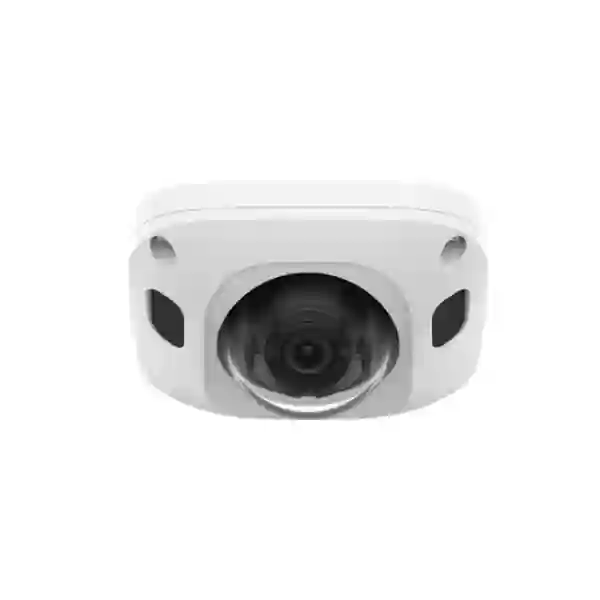
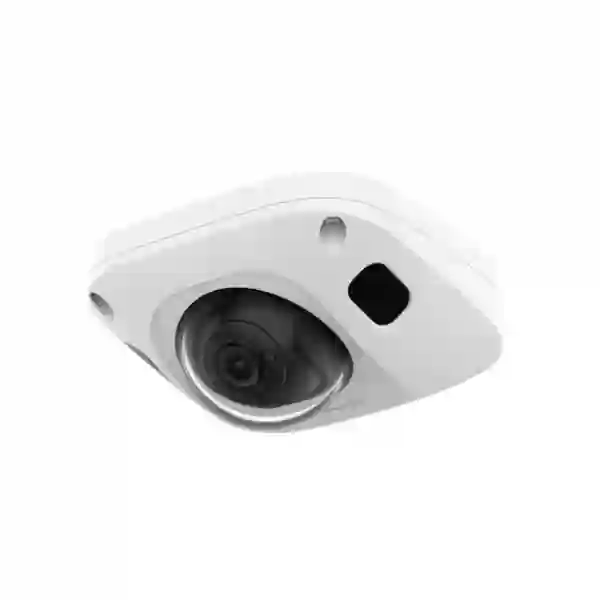
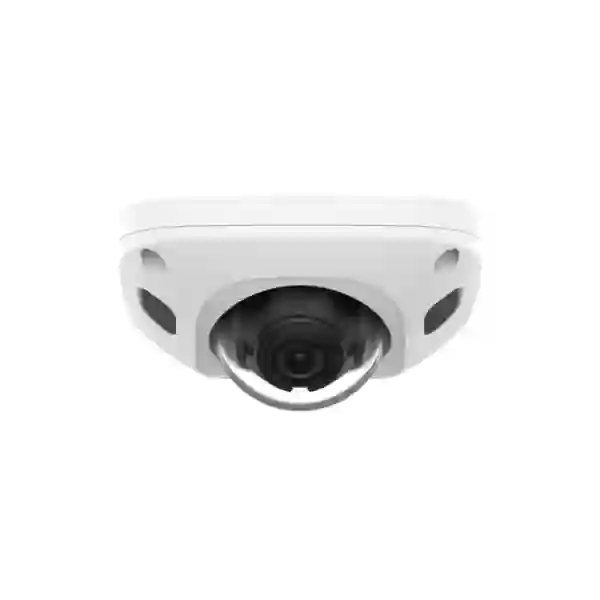
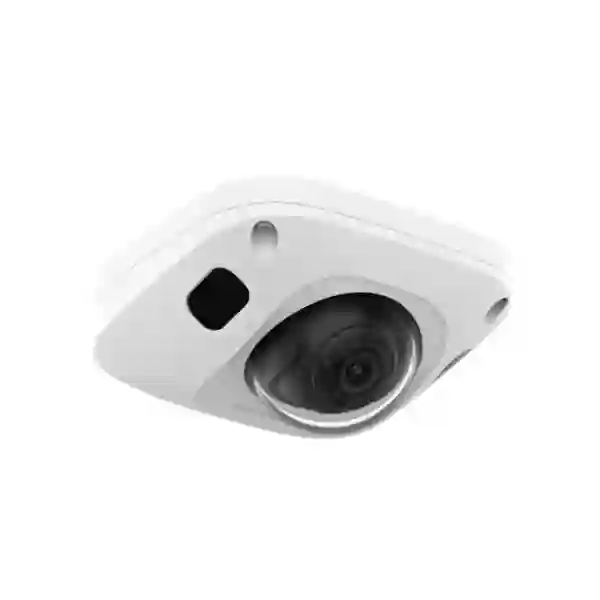
Hanwha TNV-C8034RM 5MP AI Mobile IR Camera
The Hanwha Vision TNV-C8034RM is a 5MP AI mobile infrared network camera built for clear, targeted video in buses, trains and other constrained or vibration-prone installations. Its 6mm fixed lens gives a 50-degree horizontal view, while built-in infrared illumination, image stabilization, rugged housing and AI-based event functions support a carefully engineered monitoring system. Buyers planning deployment in Tanzania can use this guide to judge fit, confirm accessories and prepare a complete specification. The most important first step is to verify the scene to be recorded and the M12 connection needed by the chosen network.
Key features at a glance
Verified technical specifications
| Specification | TNV-C8034RM |
|---|---|
| Camera type | Hanwha Vision T Series AI mobile IR flat camera |
| Maximum resolution | 5MP, 2592 × 1944 |
| Maximum frame rate | 30fps / 25fps with H.265 or H.264 (60Hz / 50Hz mode) |
| Lens and view | Fixed 6mm, H 50°, V 37°, D 64° |
| Infrared | Up to 30m published viewable length; 850nm IR |
| Image processing | 120dB WDR; AI-based WiseNR II; digital stabilization |
| Analytics | People and vehicle classification; line and area rules; counting features |
| Network and power | M12 Ethernet; IEEE 802.3af PoE Class 3; 7.2W maximum |
| Storage and audio | One microSD/SDHC/SDXC slot up to 256GB; built-in microphone |
| Housing and operating range | IP66, IK10; -40°C to +55°C (start above -30°C) |
| Dimensions and weight | 106 × 105 × 55mm; 466g |
| Compatibility planning | ONVIF S/G/T/M; verify actual VMS and firmware integration |
Specifications are based on Hanwha Vision’s current published model information. Confirm current documentation and the configured feature set during procurement.
Why this camera is designed for moving environments
The Hanwha TNV-C8034RM is a specialist 5MP network camera for projects where the video system must operate in a vehicle or another space exposed to movement, vibration and limited installation clearance. Unlike a general indoor dome selected mainly for offices or shop floors, this model combines a compact flat form factor with a hard-coated dome, a mobile-oriented network connector and electronic image stabilization. Those differences matter when the mounting point is close to passengers, equipment or a low ceiling and the installation must remain practical to maintain.
A buyer evaluating cameras for a bus, rail carriage or comparable transport environment should start with the viewing objective rather than the megapixel number alone. Define whether the intended evidence is a doorway, a short aisle, a boarding area or a particular part of the interior. Then assess the physical position, field of view, lighting, recording connection and power arrangements. The right choice is the camera that produces usable footage at the required point while fitting the operating conditions of the vehicle or facility.
What you get from 5MP video
The specified maximum image size is 2592 by 1944 pixels. That provides more recorded picture detail than a conventional 1080p stream when the lens, lighting, focus and recording settings are suitable. Hanwha specifies a maximum 30 frames per second with H.264 or H.265 in 60Hz mode, and 25 frames per second in 50Hz mode. This is useful for observing motion, but effective results depend on the configured profile, exposure time and whether footage is preserved at the selected quality.
Resolution should not be confused with guaranteed identification. A person occupying a small portion of the image may still be difficult to identify, even when the whole image is 5MP. Determine how many pixels the subject occupies at the farthest relevant point and review sample footage under real mounting conditions. For transport interiors, a thoughtful placement that captures faces or activity at useful angles often matters more than simply selecting a larger camera sensor.
Understanding the 6mm fixed lens
This exact model uses a 6.0mm fixed focal-length lens with a manufacturer-stated horizontal angle of approximately 50 degrees, vertical angle of 37 degrees and diagonal angle of 64 degrees. Its narrower perspective is well suited to watching a defined direction or area rather than seeing every corner of a large cabin in a single image. The fixed lens also means the installer should plan the scene before drilling, because it is not an optical zoom lens that can be widened after installation.
Measure the expected mounting height and subject distance, then map the scene to the 50-degree horizontal coverage. If the primary goal is an entire wide cabin, the viewing angle may be too narrow and a wider-lens variant or additional cameras may be more appropriate. Where the goal is a focused doorway, an aisle segment or a particular vehicle compartment, a tighter composition can make better use of the available pixels. Verify the actual coverage with an on-site test before final sign-off.
A low-profile form factor for restricted clearance
The published dimensions are 106 by 105 by 55 millimetres, with a weight of approximately 466 grams. This low-profile construction is relevant where overhead equipment and passenger headroom create practical limits. A compact camera can be positioned close to a ceiling or enclosure without using a large hanging bracket. The body uses aluminium and a hard-coated dome surface, but the surrounding mounting structure and fasteners remain important parts of the finished installation.
Before specifying the quantity, review the available surface area, cable route, access for servicing, line of sight and any existing trim panels. Camera height affects whether nearby objects block the image and whether a passenger can reach the unit. On a vehicle, the design review should include vibration at the chosen location and the way the cable is restrained. Physical suitability is a complete mounting decision, not just a comparison of the camera’s outside dimensions.
Infrared monitoring after dark
Built-in infrared illumination has a published viewable length of up to 30 metres. The camera also includes automatic day and night switching, while Hanwha states low-light sensitivity values of 0.03 lux in colour and 0.003 lux in black and white under specified test conditions. Its infrared arrangement is designed to help reduce reflection from the dome. These features support monitoring in changing light, such as an interior that alternates between daylight, enclosed stops and darkness.
A 30-metre infrared figure is not a promise that every subject at that distance will be identifiable. Dark materials, reflective windows, dirty protective surfaces and the geometry of the scene can change the result. Test the camera at night with the vehicle lights in their normal operating modes. Check near-field overexposure around reflective handrails as well as detail farther into the cabin. The quality of the captured evidence, not a nominal infrared distance, should determine acceptance.
Handling strong contrast and glare
The TNV-C8034RM supports 120dB wide dynamic range and several backlight-processing functions. These tools can help when sunlight enters through a doorway while the inside of a vehicle remains relatively dark. Without balanced exposure, a bright opening may be correctly exposed but nearby people appear as silhouettes. The camera’s image-processing options offer a way to improve visibility in such mixed scenes while still recording the full activity area.
Wide dynamic range should be configured against the actual image rather than enabled without checking the result. Compare footage at different times of day, including early morning and afternoon when sun angles change. Review moving faces, signs and dark clothing to see whether critical details remain usable. If the target scene has strong reflections, moving the camera or changing its viewing direction may yield a larger improvement than any image setting.
Stabilization, movement and vibration
A built-in gyro sensor supports the model’s digital image-stabilization capability, and the specification also includes shock detection. These features are particularly relevant to moving installations, where road irregularities or vehicle vibration can make recorded video harder to watch. Stabilization is intended to reduce the effect of camera movement on the displayed image. Shock detection provides a separate event input that can assist operators in investigating unusual movement or possible interference with the unit.
Neither feature eliminates the need for a mechanically sound installation. An unstable bracket can create image defects that electronic processing cannot fully correct. The final design should account for mounting rigidity, suitable fixings and vibration-resistant cable support. During commissioning, inspect footage on both smooth and uneven operating routes where practical. Review whether stabilization changes the effective crop or field of view in the selected configuration and confirm that the required area remains visible.
AI classification rather than simple motion alone
The manufacturer’s specification lists AI-based classification of people and vehicles, alongside attributes such as clothing colours and vehicle types. A system can use classification to distinguish relevant moving subjects from less useful background activity. For a monitoring team reviewing multiple cameras, this can help organize events around objects of interest rather than relying only on changes in image pixels. The camera also supports BestShot thumbnails for suitable search and review workflows.
Classification is a decision aid, not a guarantee of perfect detection. Occlusion, poor lighting, unusual viewing angles and crowded scenes can reduce accuracy. Define the purpose of every rule and test it with genuine activity in the monitored environment. Record both false alarms and missed events before operational use. If the plan includes integration with a particular video management platform, verify that the chosen event types, metadata and search features are actually supported in the intended software version.
Rules for crossing lines and protected areas
Supported AI events include virtual-line crossing and direction, plus virtual-area rules for loitering, intrusion, entering and exiting. These are useful tools when an operator needs to watch a defined boundary rather than every movement in a scene. For example, a project may focus on movement through a controlled access point or activity around a restricted equipment cabinet. The alert logic can be configured to reflect that defined objective and should be documented in the site design.
A line or zone should be placed where objects are consistently visible, with enough image detail for the analytics to distinguish them. Rules positioned near a frame edge may behave differently from rules in the centre. For busy passenger areas, use analytics cautiously: normal boarding or crowd movement can resemble an event if the rule is not carefully defined. Review the intended operational process so an alert has a responsible recipient and a clear purpose.
Counting and operational insight
The model lists AI-based people counting, vehicle counting, heatmap and queue-management functions. These features can contribute information about movement patterns or occupancy-related activity when the camera position and configured analytics support the chosen measurement. The main value is the ability to use an installed video source for both security observation and selected operational reporting, rather than deploying a separate sensor for every question.
Counts and heatmaps should be treated as estimates requiring validation. A narrow viewing angle, overlapping people and partial visibility may make a particular position unsuitable for accurate flow measurement. Agree in advance on the counting line, reporting interval, validation method and acceptable error. Do not assume a transport operator will obtain reliable passenger totals from a camera pointed at a distant aisle. The placement and rule design determine whether a business-intelligence feature produces information worth using.
Recording and compression choices
The camera supports H.265, H.264 and MJPEG video compression, including Hanwha’s WiseStream III smart-codec technology. Different compression profiles help teams balance picture detail, storage use, network traffic and compatibility with their recorder. H.265 can be attractive for efficient storage where supported, while H.264 remains relevant for systems that require it. MJPEG is available but has different performance characteristics, particularly at the maximum image resolution.
Plan storage from measured or carefully estimated bitrates rather than camera count alone. A moving vehicle may present changing image complexity, nighttime noise and frequent scene changes, all of which affect traffic. Establish the required resolution, frame rate, recording schedule, retention period and recording redundancy. Confirm how the central recorder behaves if the vehicle’s uplink becomes unavailable. Compression can reduce data requirements but cannot replace an explicit recording-capacity calculation.
Onboard microSD as a design option
A single microSD, SDHC or SDXC slot is specified for cards up to 256GB. Edge storage may help a design capture selected footage at the camera, particularly where transmission to a central recorder is intermittent. It can also be part of an event-recording strategy when the platform supports the necessary configuration. The camera’s security specifications include encrypted SD-card partition support, which may be relevant to a controlled evidence-handling plan.
Card capacity alone does not indicate how many days will be stored. Retention depends on actual bitrate, recording mode and how much the camera captures each day. Removable media also requires an approach to endurance, replacement and failure monitoring. Confirm which cards and recording settings are appropriate before procurement. Where evidence is mission-critical, define what happens if an SD card fails, a network connection drops or someone needs to retrieve footage from a deployed vehicle.
M12 network connection: an important purchasing check
The network interface is M12 Ethernet, reflecting the camera’s mobile-installation design. It is not the same physical connection as the familiar RJ45 socket on many office IP cameras. Hanwha states that an M12-to-RJ45 adaptor is not included with the product in its regional product documentation. This detail can affect the cable schedule, accessory order and deployment budget even when the rest of the camera specification appears suitable.
Ask the integrator to confirm the mating connector, compatible cable assembly, required protection and route to the recording or switching equipment. Check the actual installation guide for the camera’s connector arrangement rather than assuming every M12 cable will fit. If a project uses conventional RJ45 patching elsewhere, include the correct transition components in the bill of materials. This small procurement detail can prevent avoidable delays during installation and commissioning.
Power over Ethernet and electrical planning
The camera uses IEEE 802.3af Power over Ethernet, Class 3, with published maximum consumption of 7.2 watts and typical consumption of 4.2 watts. That allows power and network connectivity to be planned together, provided the selected infrastructure is compatible. A designer still needs to allocate sufficient PoE budget for every connected device, consider the cable run and ensure the power source remains suitable for the vehicle’s electrical architecture.
In mobile installations, the network switch and its supply are often just as important as the camera. Check power conversion, transient protection, serviceability and the sequence in which equipment starts when the vehicle is energized. The camera specification also notes a startup-temperature condition above minus 30 degrees Celsius. The Tanzania project team should use the exact vehicle and site design to establish a practical power plan, rather than relying on the camera’s low wattage alone.
Weather resistance and impact protection
The published housing ratings are IP66 and IK10. IP66 describes protection against dust ingress and powerful water jets under defined test conditions; IK10 refers to a high level of impact resistance. The camera also has a hard-coated dome and an operating-temperature range of minus 40 to plus 55 degrees Celsius. These are helpful product characteristics for demanding installations where equipment may face moisture, handling or rough operating conditions.
Ratings apply to the product under the specified installation conditions and do not automatically protect badly routed cables, compromised seals or an unsuitable mounting surface. Inspect the finished assembly for exposed connections and water paths. The installer should follow the official mounting instructions and avoid changes that compromise protective features. For transport or industrial projects, assess environmental risks at the actual mounting point instead of equating a housing rating with universal suitability for every exposure.
Vehicle and railway standards in context
Hanwha’s technical documentation lists several railway- and vehicle-related standards, including EN 50155 and IEC/EN 61373, as well as relevant electromagnetic-compatibility and environmental references. This makes the model worth evaluating when transport equipment requirements are more demanding than those for a typical building camera. The individual standards should be checked against the tender’s exact scope and any certificate or test report requested by the project engineer.
A manufacturer’s standards list is not a substitute for the purchaser’s local approval process. It should not be interpreted as automatic authorization for every rail operator, public-transport authority or installation in Tanzania. Ask for current model-specific supporting documents if the procurement requires formal evidence. Review the complete system, including power supplies, switch, recorder, enclosures and installation workmanship, since one compliant device does not make the entire deployment compliant.
Audio capture and privacy decisions
The TNV-C8034RM includes a built-in microphone and an audio input arrangement described in the manufacturer’s specifications. This can add useful context to an investigation where audio recording is lawful, necessary and properly configured. The same hardware may be used in environments where sound recording is not appropriate, in which case the project team should decide whether to disable audio. A camera’s audio capability should never be mistaken for permission to record every conversation.
Before rollout, document the specific purpose of collection, the roles allowed to listen, retention and access controls, and any notices or approvals required for the deployment. Treat these as project and legal decisions that require local review rather than assumptions based on a product brochure. Ask the operator who is responsible for data requests and incident exports. Security teams benefit from knowing exactly which streams carry video, which carry audio and how each is controlled.
Privacy masking and sensitive areas
The camera supports configurable privacy-masking functions, including dynamic masking in its listed features. Static privacy zones can help exclude portions of a scene that the security team does not need to view. This may be relevant when a camera covers a doorway but also sees a nearby private workstation, a passenger information display or another area that should not form part of routine monitoring. The goal is proportionate collection aligned to the stated purpose.
A privacy mask must be tested at the final camera angle and under different lighting conditions. Confirm how the chosen masking function behaves in the live view, recorded video, snapshots and any third-party platform. Rules and permissions should prevent ordinary operators from casually disabling safeguards. Technical masking is only one part of a privacy program; retention limits, approved access, operator training and an incident-response process remain necessary.
Cybersecurity capabilities and configuration
Hanwha lists secure boot, signed and encrypted firmware, support for secure communication such as HTTPS, IEEE 802.1X network authentication, device credentials and log-management features. These capabilities allow a system designer to incorporate the camera into a more controlled network architecture. The published specification also includes security controls for SD-card data. Such features are especially important when a camera becomes part of a distributed fleet or remote monitoring infrastructure.
Actual security depends on how the device is installed and maintained. Use unique credentials, limit administrator access, restrict unnecessary services and review firmware through an approved change process. Separate camera traffic from general-purpose user access where the network architecture permits. Ensure the operator knows how to revoke access after staff changes and how to respond to an affected device. A security feature listed in a datasheet cannot deliver protection if it is left unconfigured.
ONVIF, management software and interoperability
The network specification lists ONVIF Profiles S, G, T and M, as well as SUNAPI and additional network protocols. This can support integration planning with recording and video management software, although a supported protocol does not mean every feature works identically in every system. Basic video streaming, event metadata, analytics search, recording control and audio may have different compatibility requirements within the selected software product.
Request a compatibility check against the exact VMS version, camera firmware and recorder model before buying a fleet quantity. Run a small integration test covering live view, time synchronization, recording, alarms, permissions and playback. If AI metadata is important, confirm that the receiving platform understands the needed event types. Also determine what technical support is available if an integration issue occurs after deployment. This is more reliable than deciding solely from an ONVIF logo.
Cloud and remote access considerations
The manufacturer’s information identifies direct cloud-connection support and compatibility with selected Hanwha services. Those capabilities may be relevant to organizations planning centralized oversight of many remote locations or vehicles. They should be evaluated as part of the intended solution architecture, not assumed to be available as an included local subscription or a service operated by FourTeck. Cloud functionality may have service, account, region and licensing conditions.
For a moving installation, ask how footage and events reach the central platform, what happens when the mobile data connection is interrupted, and whether essential recording continues locally. Evaluate bandwidth limits, user permissions, authentication, cybersecurity and data-location requirements. Confirm current service availability and commercial terms for the exact deployment before committing. A camera that supports cloud connectivity still needs a dependable connectivity plan and an appropriately configured management service.
Tanzania use-case planning
For a Tanzania-based procurement, relevant evaluation questions include the type of fleet or facility, operating hours, temperature and dust exposure, vehicle power system, chosen recorder and the way footage will be retrieved. A transport operator may prioritize boarding visibility and evidence retention, while a facility operator may prioritize a defined equipment-access zone. These are potential use cases for assessment rather than claims of a particular customer installation or local service arrangement.
The proposed installation should be checked against the customer’s actual routes, lighting and maintenance arrangements. If wireless backhaul is planned, test the chosen network on the operating route rather than assuming uninterrupted coverage. Establish who will retrieve recordings, how devices will be serviced and whether the deployment needs a central monitoring desk. Request local commercial confirmation separately; model specifications do not establish Tanzania stock, shipment timing, installation coverage, warranty terms or a local selling price.
Choosing one camera or several
A single 50-degree view may be sufficient when it looks directly at a small entrance or a focused area, but larger spaces generally need a coverage plan. Start with the security objective for each position: observation, tracking movement, recognizing familiar subjects or collecting detailed evidence. Draw the camera cones over a plan and identify blind spots, obstructions and strong backlighting. Then check whether the proposed locations are mechanically and electrically feasible.
Adding multiple carefully aimed cameras may deliver better practical coverage than asking one fixed-lens model to capture an entire wide scene. Conversely, unnecessary overlap increases equipment, storage and maintenance cost without necessarily improving evidence. Test the most difficult sightline first, particularly at night and when the space is occupied. A camera schedule should give each device a unique purpose, expected coverage and recording requirement. This makes procurement and later fault diagnosis clearer.
What the DORI distance figures mean
Hanwha publishes DORI reference distances for this model using a specified pixels-per-metre method: approximately 111.2 metres for detection, 44.5 metres for observation, 22.2 metres for recognition and 11.1 metres for identification. These figures describe geometric image-detail thresholds under a standard reference approach. They are not the camera’s night-vision range and should not be read as guaranteed identification distances in every real-world scene.
In particular, a camera with infrared illumination specified to 30 metres cannot be assumed to identify a subject at 111 metres in darkness. Actual evidence quality depends on lighting, target size, angle, motion blur, encoding and scene conditions. Use DORI as an early design tool to compare coverage, then validate with a relevant target at the required distance. For crowded vehicle interiors, occlusion and moving subjects can matter more than a theoretical distance calculation.
Installation and commissioning checklist
Before mounting, confirm the current installation guide, correct fixing method, camera orientation, cable type, PoE supply, network plan and recording destination. Check the view from the proposed position and make sure the camera does not obstruct access, signage or normal vehicle movement. Prepare consistent labels for camera names, cable routes and recorder channels. A simple site-specific checklist helps technicians avoid mixing up units and makes future servicing faster.
During commissioning, test live video, recording and playback, time settings, infrared operation, microphone policy, user permissions and any AI rules the operator expects to use. Repeat essential video checks in daylight and darkness and, for mobile use, while the vehicle is moving. Confirm which staff will receive alarms and how incidents will be exported. Capture representative sample clips and document acceptance criteria so the buyer can judge the installation on evidence rather than assumptions.
Recording retention and incident workflows
Recording policy should begin with a realistic incident scenario. Decide who may request footage, how quickly it must be found, which recordings must be protected from routine deletion and what format an authorized investigator needs. The camera can provide video and selected analytics, but the recorder and management platform determine much of the end-to-end workflow. A clear design joins those elements with a documented operating procedure.
Retention periods should be selected through the organization’s operational, contractual and legal review rather than a generic number attached to the camera. Storage calculations must account for all deployed streams, likely bitrates and recording patterns. Test the process for footage retrieval after a network outage or camera replacement. Administrators should be able to distinguish routine access from incident export and confirm that copies are handled and deleted according to the approved policy.
Comparing this model with a conventional dome
A standard building dome may be a reasonable option where the camera stays on a stable ceiling, uses normal RJ45 network cabling and does not face a mobile-installation requirement. The TNV-C8034RM becomes more compelling when space is restricted, vibration is relevant and the network design already anticipates an M12 connection. Its published 5MP image, AI functions, infrared capability and impact protection add to the decision, but none replaces matching the lens to the scene.
Compare whole-system cost rather than a headline camera price. Include mounting hardware, connector accessories, PoE switching, recorder licensing if applicable, storage, cables, installation time and support arrangements. If a broader field of view is essential, examine a suitable wider-lens alternative instead of assuming this model can optically zoom out. Make the selection using the actual deployment requirements, supported integrations and proven image coverage.
Questions to settle before requesting a quotation
A useful quotation request names the intended use, camera quantity, site or vehicle type, recording platform, target view distance, preferred retention and power arrangement. If the buyer has an existing system, include the recorder model, software version and a description of how footage is currently accessed. This allows a supplier or integrator to identify compatibility questions before recommending accessories or an installation approach.
For this model, specifically ask about the correct M12 cabling and any necessary M12-to-RJ45 transition, the mounting components, edge-storage plan and tested integration with the selected recorder. Where the project has formal transport standards or security requirements, request the current manufacturer documentation needed for evaluation. Prices, delivery dates and warranty terms should be confirmed by an actual quotation; this product description does not represent a verified inventory or commercial offer.
A practical acceptance test for buyers
Agree a short acceptance schedule before equipment is installed across a fleet. It might include face or activity visibility at a chosen doorway, acceptable footage from a difficult aisle, correct infrared switching, stable recording during vehicle movement and recovery after a planned network interruption. The test should use the actual camera, mounting position and recorder settings. Representative clips are a better foundation for approval than a demonstration using different equipment.
Document which conditions are pass or fail, who reviews the results and what changes are permitted. If image quality falls short, adjust the mounting position, scene composition and settings within the supported installation limits before adding more cameras. Recheck analytics rules after any field-of-view change. Once the test succeeds, preserve the baseline configuration so later maintenance or firmware changes can be assessed against the same expected results.
Who should shortlist the TNV-C8034RM
This model deserves consideration from buyers who need a compact, ruggedized, AI-enabled fixed network camera for a defined viewing direction in a moving or tightly constrained environment. It is especially worth assessing where a standard dome’s physical connection or mounting profile is not ideal. Security integrators, fleet technical teams and operations managers can use the published specifications as a starting point for a detailed design and pilot test.
It may be a poor fit when the project requires a panoramic view from one unit, a motorized zoom lens, a conventional built-in RJ45 socket or confirmed compatibility with an untested recording platform. These limitations are useful screening questions, not criticisms of the product. The next step is to share the intended location, viewing objective and existing system details so that the camera, accessories and installation method can be evaluated together.
Frequently asked questions
Is the Hanwha TNV-C8034RM suitable for buses and trains?
Hanwha describes it as a mobile IR flat camera with a low-profile housing, stabilization, shock detection and listed transport-related standards. Suitability for a specific fleet still requires installation review, applicable documentation and testing under the operator’s conditions.
Does the camera have a zoom lens?
No. The model specified here has a fixed 6mm lens with a published 50-degree horizontal viewing angle. Plan its position to fit the required scene; do not assume a remotely adjustable optical zoom.
Can it record in the dark?
It includes built-in infrared illumination with a stated viewable length of up to 30 metres and automatic day/night switching. Actual detail in darkness depends on the scene, angle, reflection, movement and recording configuration.
Does it need a separate power supply?
The published power method is IEEE 802.3af PoE, Class 3. Confirm a compatible PoE source, adequate power budget and a correctly designed mobile or fixed electrical installation before connection.
Can I plug it directly into a standard RJ45 switch?
The camera’s Ethernet interface uses M12. A suitable cable or adapter arrangement may be required; Hanwha notes that an M12-to-RJ45 adapter is not included in its regional product information. Check the exact installation guide and accessories.
Does AI provide automatic passenger counts?
The specification lists people-counting and other business-intelligence functions, but measurement reliability depends on placement, visibility and rules. Pilot the intended camera view and validate counts against observed activity before relying on the reports.
Is the camera weatherproof and vandal resistant?
The manufacturer lists IP66 and IK10 ratings. These ratings support use in demanding conditions when the product is installed correctly, but cable entry, seals, mountings and local exposure all require engineering review.
Does it include local storage?
It has one slot for a microSD, SDHC or SDXC card of up to 256GB. Media selection, configuration, actual retention and any backup arrangement must be planned separately.
Will it work with my existing VMS?
The camera lists ONVIF profiles S, G, T and M as well as SUNAPI. Confirm integration against your exact recorder or VMS version, especially for analytics metadata, audio, events and edge recording.
Does it record sound?
A built-in microphone is specified. The organization operating the system must decide whether audio is needed and permitted, configure permissions and safeguards, and apply appropriate local privacy review.
What price and stock are available in Tanzania?
No Tanzania price, stock status, delivery schedule or local warranty has been verified for this listing. Request a current quotation that also confirms connector accessories and the intended installation scope.
What details should I provide for a quote?
Share quantity, intended mounting environment, viewing distance, recording equipment, required retention, power and network arrangement, and any transport compliance documents required by the project. This helps avoid a quote for an incomplete system.
Request a project-specific quotation
For a Tanzania deployment, request a quotation for the Hanwha TNV-C8034RM together with the correct M12 connectivity components, mounting arrangements and compatible recording solution. Provide the intended use, quantity and existing system details so the full technical scope can be reviewed. Stock, price, delivery and warranty require separate confirmation.
Ask FourTeck Tanzania to review your camera specification and integration requirements.




Reviews
There are no reviews yet.