
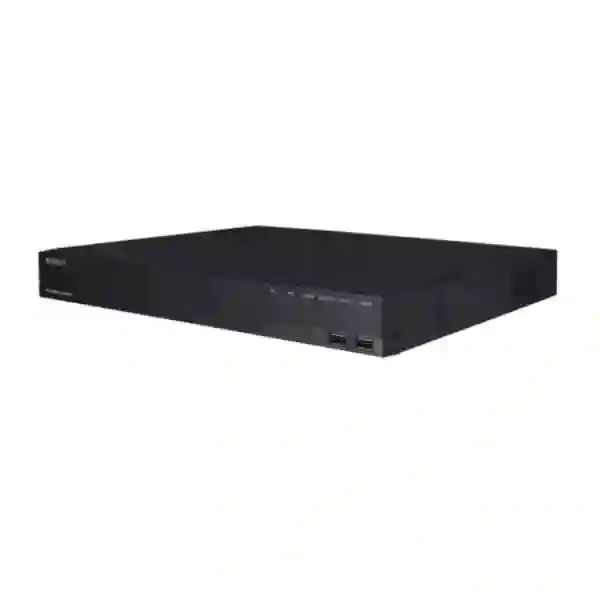
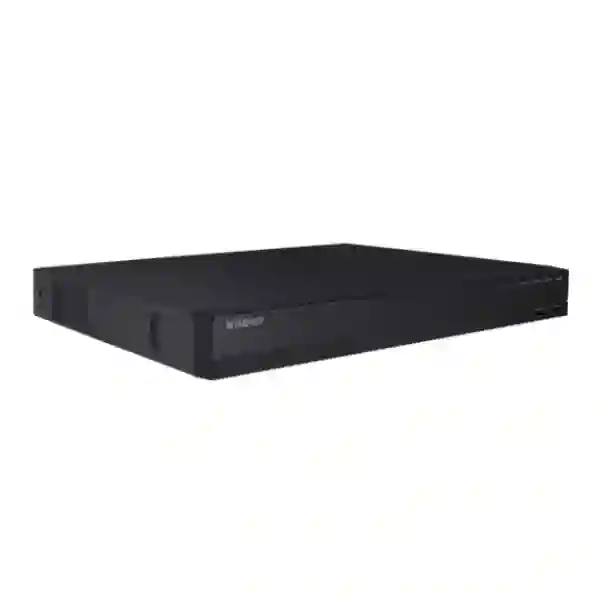
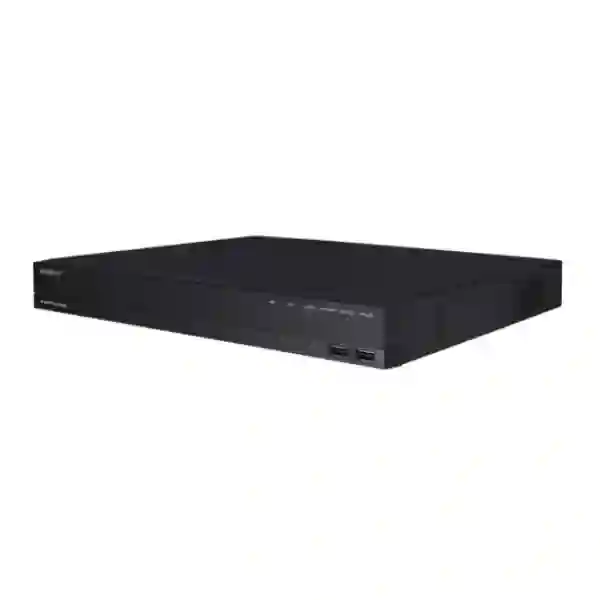
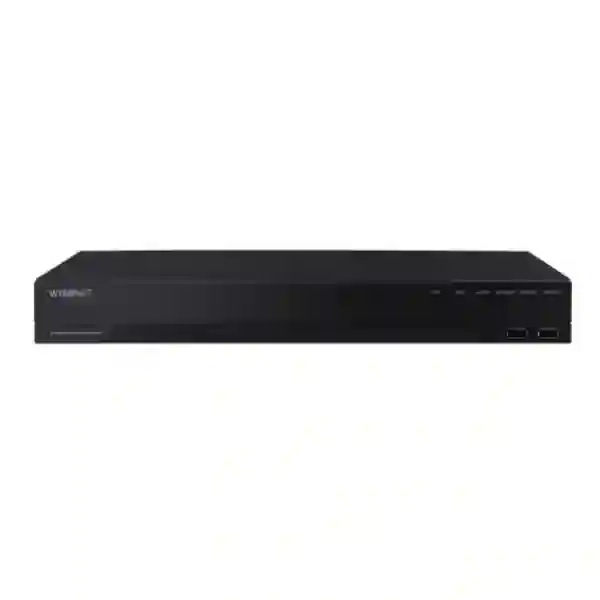
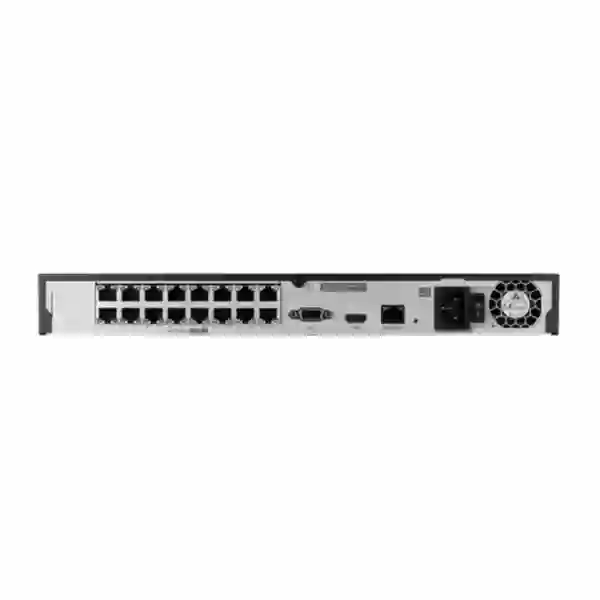
Hanwha ARN-1610S: 16-Channel PoE NVR for Business CCTV Systems in Tanzania
Planning an IP surveillance system for an office, shop, warehouse or managed property? The Hanwha ARN-1610S connects up to sixteen compatible network cameras, supports camera resolutions up to 8MP, and combines 16 built-in PoE ports with local and remote monitoring options. Its suitability depends on matching camera bitrate, power use, storage and access requirements to the verified recorder limits.
Request a configuration-based quotation from FourTeck Tanzania after confirming your camera list, recording period, hard-drive needs and site conditions. Price, stock, delivery and included services are not stated here because they depend on the exact offering.
Quick technical specifications
| Product type | 16-channel PoE network video recorder |
|---|---|
| Supported camera inputs | Up to 16 channels; up to 8MP per supported camera |
| Network-camera recording bandwidth | Maximum 80 Mbps aggregate |
| Recording codecs | H.265, H.264, MJPEG |
| PoE connections | 16 × 10/100 RJ-45 camera-side ports |
| Shared PoE power budget | 130W total |
| Network uplink | 1 × gigabit RJ-45 network connection |
| Hard drive bays | 2 SATA bays; up to 6TB each (12TB total) |
| Playback bandwidth | Maximum 32 Mbps, per manufacturer |
| Local display | HDMI up to 3840 × 2160 / 30Hz; VGA up to 1920 × 1080 / 30Hz |
| Camera integration protocols | ONVIF and SUNAPI; specific functions subject to compatibility |
| Remote software options | Wisenet Viewer and Wisenet Mobile; configuration-dependent |
| Operating range | 0°C to +40°C; 20%–85% relative humidity |
| Power input | 100–240VAC, 50/60Hz |
| Maximum listed consumption | 188.2W with 2 HDD and PoE operating |
| Chassis dimensions | 370 × 44 × 320mm; 1U height |
Specifications reflect Hanwha Vision’s ARN-1610S manufacturer listing. Supported combinations and available features can depend on firmware, connected cameras and the exact supplied configuration.
How to choose and deploy the ARN-1610S successfully
A practical sixteen-camera recorder for a real business
The Hanwha ARN-1610S is designed for a site where multiple IP cameras need one place to record, search and manage video. Instead of assuming that every camera or location has the same needs, start with the areas that matter: entrances, reception, payment points, stock areas, vehicle access, corridors and other agreed observation zones. The recorder gives installers a sixteen-channel platform, but the useful result depends on selecting cameras that capture the necessary detail and positioning them well.
For a Tanzania-based buyer, the most important decision is not simply whether an NVR says 16CH on the box. The proposed system must fit the number of cameras, their individual bitrates, their power demand, the recording schedule and the available storage. The ARN-1610S combines integrated PoE, local monitoring and remote-access capabilities, making it an option for single-site small and medium installations. It does not eliminate the need for design work, electrical protection or appropriate network security.
Before requesting a quote, document the number of cameras needed today and any likely expansion. Ask whether each location requires identification-quality images, wide situational coverage or basic activity review. These requirements help distinguish a recorder that merely connects the cameras from a complete surveillance solution that is usable when an incident needs to be investigated.
What the sixteen channels do—and do not—promise
The unit accepts up to sixteen network-camera channels. A channel is a camera input, not a guarantee that every connected camera will operate at its highest advertised resolution and bitrate at the same time. Recording bandwidth, PoE power and storage are shared system resources. A design using sixteen economical streams may fit comfortably, whereas sixteen high-bitrate cameras can exceed the recorder’s 80 Mbps aggregate recording limit.
Allow for channels allocated to cameras that may be installed later, but avoid buying around an expansion assumption that has not been costed. If the site is likely to exceed sixteen cameras soon, evaluate a larger platform or a carefully designed additional recorder. An extra recorder can create separate user accounts, search interfaces, storage and maintenance tasks, so future capacity should be considered early.
The recorder’s sixteen built-in PoE ports are useful for straightforward direct camera connections. They should not be confused with sixteen unrestricted power outputs or a guarantee that every model of camera will connect successfully. Establish the camera schedule, protocol support, network cabling, transmission needs and power budget before installation, then check the final proposal as a whole.
Understanding the 8MP camera specification
Hanwha specifies network-camera support up to 8MP for this model. That permits suitable high-resolution IP cameras where detailed coverage is required, but image quality also depends on the camera sensor, lens, exposure, night illumination, compression, mounting height and distance to the subject. An 8MP camera positioned too far from an entrance may give less useful evidence than a properly chosen camera with a narrower field of view.
Use resolution intentionally. At a narrow cashier position or doorway, higher detail can help when paired with the right lens and viewing angle. In a broad car park or warehouse, a single wide camera may provide context but not a close image of every person or plate. A site survey should turn each monitoring objective into a camera placement and appropriate resolution, rather than selecting every camera by megapixel count alone.
4K HDMI output is a display capability of the recorder; it does not imply that all sixteen live streams are decoded as sixteen simultaneous 8MP pictures at full frame rate. The manufacturer publishes local decoding limits separately from camera-input limits. Ask the integrator to demonstrate the intended live-view layout, playback and image detail before accepting the design.
Why 80 Mbps recording bandwidth matters
The manufacturer’s maximum network-camera recording bandwidth is 80 Mbps. This is an aggregate allowance across the incoming camera recordings, not an 80 Mbps allowance for each camera. Bitrate depends on resolution, frame rate, compression profile, scene movement, lighting and camera configuration. Busy entrances, foliage, vehicle movement and noisy night scenes can use more bits than a quiet indoor corridor.
For a simple planning illustration, sixteen cameras set to an average recording rate of 4 Mbps would collectively use about 64 Mbps. Sixteen at 6 Mbps would request approximately 96 Mbps and exceed the stated recording ceiling. These are examples, not promises that a particular camera delivers useful video at those settings. Allow margin for changes in video content and verify the supported codec profiles.
Recorders are often assessed by channel count alone. For this model, a buyer should request a camera-by-camera bitrate schedule and review the estimated peak as well as the normal rate. If a proposal pushes the full 80 Mbps limit continuously, consider lower recording bitrates where they still meet the evidence requirement, more efficient profiles or a recorder with greater capacity.
Planning the shared 130W PoE budget
The ARN-1610S has sixteen PoE camera ports and a manufacturer-stated total PoE budget of 130W. This total matters more than the port count when cameras have different power requirements. Dividing 130W by sixteen gives only about 8.1W per connected camera on average. That arithmetic is a planning warning, not a per-port specification and not permission to assume that every port delivers exactly that amount.
A camera’s consumption can rise when infrared lighting, heaters, motorized zoom, special illumination or other functions are in use. A proposed camera drawing 15W should be counted at its relevant maximum demand rather than its quiet daytime consumption. For example, sixteen cameras each needing 12W would total 192W and exceed the recorder’s combined budget, even though there are enough physical network ports.
Ask the installer for a PoE load table listing model, estimated maximum consumption and total system demand. Where power requirements exceed the recorder’s limits, assess a correctly rated external PoE solution or an appropriately sized alternative architecture. Confirm camera compatibility, switching arrangements and network paths rather than assuming that attaching additional hardware automatically solves every configuration constraint.
How the built-in network ports simplify wiring
Sixteen 10/100 PoE RJ-45 connections form the recorder’s camera-side interface, and a separate gigabit RJ-45 network connection links the recorder to the wider network. This layout can reduce the number of separate PoE switches needed in a compact site, provided the cabling distances, power draw and network design remain suitable. A direct connection also provides a clear physical inventory of which ports serve which cameras.
Design cable routes around the actual building rather than around the neat diagram on a quotation. Long corridors, detached guardhouses, compound perimeters and outdoor camera poles may require additional network equipment or protected cabling methods. Plan for appropriate cable type, labeling, containment, weather protection and surge exposure where relevant. Avoid leaving outdoor cable entries or equipment joints unprotected.
The recorder’s WAN-side uplink is not a substitute for a secure internet service or a managed network. Where business data and CCTV share infrastructure, define segmentation, permitted access and monitoring responsibilities. Keep network drawings, port labels, camera IP addresses and administrator details in a controlled handover record so the system remains maintainable after the original installer leaves.
Selecting the right cameras to pair with the recorder
The best camera mix is guided by what the site needs to see. A fixed indoor dome may be appropriate for reception or a corridor; a weather-resistant outdoor camera may be needed for a gate; a varifocal lens may be useful where framing must be adjusted during commissioning. The recorder supports up to 8MP inputs, but the right camera is not automatically the one with the highest available resolution.
For each proposed camera, check the recording profile, frame rate, codec, ONVIF or SUNAPI interoperability and power requirements. If two-way audio, analytics events, PTZ or specialized functions matter, confirm their behavior on this exact recorder and camera firmware combination. Basic video display over a shared protocol does not necessarily mean every advanced function is interoperable.
Prepare a camera schedule with the area covered, mounting point, objective, model, lens, night requirements, expected bitrate and maximum wattage. That one document makes the quote easier to review, helps installers commission correctly, and reduces surprises when the system is handed over to staff who need to locate recorded footage.
ONVIF, SUNAPI and mixed-camera compatibility
Hanwha lists ONVIF and SUNAPI among the recorder’s supported camera protocols. These interfaces can support integration with appropriately compatible IP cameras, including mixed-brand installations in some situations. However, protocol support is not a blanket certification of every camera model, firmware version, codec or advanced feature. The actual camera and recorder combination needs testing.
If the business already owns IP cameras, record the exact model names and firmware versions before choosing this NVR. Confirm that the cameras can be added, display live video, record on the intended schedule and replay footage successfully. Test motion or analytic events if the recording plan depends on those signals, rather than relying only on continuous recording.
Third-party PTZ presets, audio functions, dewarping, event metadata or camera-specific settings may have different limitations. Some functions are available only when matched vendor devices and profiles are used. A small predeployment compatibility test can prevent a costly rollout problem at a warehouse, retail chain or facility where older cameras need to be reused.
Recording schedules and event-based workflows
The product supports normal, scheduled, event-related and dual-stream recording modes as described in the manufacturer specification. A continuous schedule is easy to understand and helps avoid missed events, but it uses storage steadily. Motion or event-triggered recording can reduce storage demand in some environments, although poorly set detection areas or environmental movement may create many unnecessary recordings.
A useful recording policy separates areas by risk and operating hours. An entrance or cash-handling point might need a different timetable from a low-traffic storage corridor. Agree the schedule with the responsible business manager and test it across opening, closing and overnight conditions. Confirm pre-event and post-event behavior on the selected camera and firmware configuration.
Events can support notifications and operational follow-up, but alarms should not be treated as a substitute for a person or process that responds. A well-designed system specifies who receives relevant alerts, what happens outside working hours and how events are documented. The NVR is a recording platform within that wider security process.
Compression: choosing H.265, H.264 or MJPEG
The ARN-1610S supports H.265, H.264 and MJPEG. Efficient codecs can help balance image quality and storage requirements, particularly when a business runs many cameras around the clock. The real savings vary by scene, camera settings and implementation, so it is better to measure representative footage than promise a fixed percentage reduction.
H.265 may be attractive where supported by the cameras and client devices, while H.264 can be relevant for certain compatibility requirements. MJPEG is available but may have very different bandwidth and storage characteristics. The installer should agree a preferred recording profile and verify that remote viewing, exports and any required integration tools can work with it.
Do not reduce bitrate until the scene looks acceptable during daytime and nighttime tests. Compression artifacts can conceal details in fast movement or difficult lighting. Keep evidence objectives visible throughout commissioning; a smaller stored file is not a successful outcome if the necessary incident detail becomes unreadable.
Two internal HDD bays: what capacity really means
Hanwha specifies two SATA hard-drive bays with support for up to 6TB per drive, allowing a stated maximum of 12TB in total across both bays. This is the recorder’s supported capacity, not a promise that the unit comes fitted with disks. Bare recorder and preconfigured storage bundles may differ by supplier, so request a quotation identifying the exact drive quantity, capacity and included accessories.
Use recording-rated hard disks that are appropriate for sustained video workloads and compatible with the recorder. The available formatted space will be lower than a drive manufacturer’s nominal decimal capacity, and the recording system may reserve some capacity for internal operation. Storage behavior also depends on configuration, and installing two drives should not be assumed to provide automatic protection against a drive failure.
Determine the requested retention period first, then calculate the drive requirement. If available capacity cannot meet the agreed footage period at the planned bitrates, change the camera profile, recording policy or platform design. Do not promise a number of days merely because a quotation includes a particular disk size.
A transparent way to estimate recording retention
Storage planning starts with aggregate average bitrate, continuous recording hours and the number of days that footage must remain available. As a useful theoretical rule of thumb, 1 Mbps of continuous video consumes about 10.8GB per 24 hours using decimal units. Sixteen cameras averaging 3 Mbps each would therefore generate about 518GB per day before allowing for practical overhead and variations in actual video rates.
At that illustrative 48 Mbps total, seven days of uninterrupted recording represents roughly 3.6TB of raw video, fourteen days about 7.3TB and twenty-one days about 10.9TB. These examples are not guaranteed retention values. Audio, additional streams, changing scenes, file system usage and overwrite settings can affect the result, and actual usable disk capacity is lower than the headline capacity.
The more reliable approach is to simulate the proposed camera profiles using vendor planning tools or controlled recordings from representative scenes. Review a high-motion period, a quiet overnight period and a period with infrared lighting. Then add operational margin. If the client requires retention for a policy, insurance or legal purpose, put that requirement in writing and document the actual tested result.
When event recording helps—and when it does not
Event-triggered recording may be suitable for a quiet storeroom or seldom-used access passage, but the storage saving can be small in a busy shop or at a constantly moving gate. Motion caused by rain, shadows, insects, headlights or vegetation can produce frequent triggers. Users should decide whether any reduction in storage is worth the risk of an unrecorded event.
Consider a mixed approach: continuous recording at sensitive areas, while lower-risk views use carefully tested event recording or another schedule. Check whether the selected cameras communicate the events the NVR expects. Set adequate pre-event and post-event capture where available and inspect the first week of recordings for gaps and nuisance alerts.
Retention should be validated by checking the oldest available recordings after the system has been operating under real load. A theoretical capacity calculation is a starting point. Actual archived history, searchability and incident export quality are the measures that determine whether the proposed design meets the business requirement.
Local monitoring through HDMI and VGA
The recorder provides HDMI output up to 3840 × 2160 at 30Hz and a VGA output up to 1920 × 1080 at 30Hz according to Hanwha’s interface specification. This allows local monitoring using a suitable screen, subject to the supported display and decoding layouts. Local observation can be useful in a security room, manager’s office or other controlled location.
Do not interpret the HDMI resolution as a promise to display sixteen separate 8MP streams at full frame rate. Multi-camera display modes and live decoding performance are different specifications. Choose the monitor size and layout around the operator’s tasks. A sixteen-way view may show general activity, while a full-screen view may be needed to inspect an incident.
Provide a usable mouse, screen, power outlets and physical access arrangement for the recorder. Operators should be able to switch views, search a time range and export authorized evidence without improvising during a stressful event. A clear demonstration at handover is often more valuable than a complicated control-room design that nobody has practiced using.
Remote monitoring from permitted devices
Hanwha identifies Wisenet Viewer and Wisenet Mobile among the recorder’s viewing options and advertises QR-code P2P setup. Remote access can help authorized managers check a site, but it depends on correct network configuration, supported software, available connectivity and the organization’s security policy. It is not evidence of included mobile data, unlimited remote users or guaranteed availability from every network.
Before enabling remote access, decide who requires live viewing, who needs playback and who may export video. Give individuals appropriately scoped accounts instead of sharing administrator credentials. Test remote playback over the internet connection the user will actually use, including realistic upload bandwidth at the site and mobile-network conditions when relevant.
Where business policies restrict cloud-assisted P2P connectivity, the integrator should explain supported alternatives and their security implications. Do not expose management interfaces to the public internet simply to make remote viewing easier. Use the manufacturer’s current guidance for configuration and confirm software support against the specific firmware installed.
Managing accounts and cybersecurity
The manufacturer describes security features including access logging, address filtering, encryption, device certificates and signed firmware. Those capabilities are useful only if commissioning and ongoing administration are handled properly. Replace default credentials, create named users where supported, limit permissions and secure the physical device against casual tampering.
Firmware maintenance should be scheduled, not ignored. Review official release guidance for the exact ARN-1610S hardware and installed version, back up configuration where supported, and carry out changes in a controlled maintenance window. Avoid assuming instructions for similarly named older or newer models apply unchanged. Record the software version as part of the site documentation.
Network isolation, protected administrator accounts, time synchronization and secure evidence handling all matter. If the NVR is connected to the same infrastructure as point-of-sale equipment or office computers, define segmentation and firewall rules with the IT team. The goal is to allow required viewing and maintenance while minimizing unnecessary access paths.
Finding video quickly after an incident
Recordings become useful when authorized personnel can find the right footage without searching through every camera for hours. Hanwha lists date-and-time, event-list, text and smart-search capabilities, with behavior depending on configured functions and software versions. Decide in advance which cameras cover an incident area and make sure the recorder clock and camera clocks are synchronized.
Test a realistic investigation scenario: choose a particular date, identify the appropriate camera, play video around a reported incident, and save a clip that can be checked on another approved computer. Confirm the timestamp and view information are preserved. Make sure playback controls and permission settings are understandable to the staff assigned to footage retrieval.
Document any policies on who may search, view, copy or share recordings. Video may contain personal data and sensitive business activity. Retention and disclosure decisions should be made through the customer’s applicable organizational and legal processes rather than through an installer assumption. A short documented workflow can reduce both lost time and inappropriate access.
Exports, backups and incident handover
The NVR includes documented backup and export capabilities, but an export method should be demonstrated using the actual installed firmware and client workstation. A playable exported file is only part of an evidence process; users also need the correct camera name, time window, chain of custody and authorization to release the material.
Keep a dedicated, controlled destination for incident exports rather than copying footage onto untracked personal devices. Where an investigation spans several cameras, explain whether the preferred export format preserves timing relationships and whether separate files are needed. Test the intended player or recipient software before an urgent request arrives.
Hanwha also lists ARB support and N+1 failover functions, but these features depend on compatible devices and appropriate setup. Do not describe them as an automatic replacement for storage planning, independent backups or a tested recovery plan. Ask the installer to specify which recovery functions, if any, are included in the proposed deployment and demonstrate them when required.
Temperature, ventilation and physical location
The manufacturer’s stated operating range is 0°C to +40°C, with 20% to 85% relative humidity. Those limits should guide the installation location. A locked cupboard without ventilation, an exposed outdoor guard post or a space beside heat-producing power equipment can create conditions outside the device’s intended environment.
Plan an indoor, dry and secure location with sensible airflow and access for maintenance. Keep cable bundles neat and avoid blocking chassis ventilation. If the building experiences high room temperatures, consider suitable environmental control rather than assuming a slim metal enclosure is designed for every possible site condition.
The recorder measures approximately 370 × 44 × 320mm and is described as a 1U-height unit. Confirm shelf or rack mounting compatibility, rear-cable clearance and access to front USB ports in the exact cabinet proposed. Leave sufficient space for disk service and clearly identify the power source and network links.
Power continuity and the Tanzania site context
The ARN-1610S accepts 100–240VAC, 50/60Hz input, and Hanwha states maximum consumption of approximately 188.2W with two drives and PoE operating. Actual system demand also involves any connected switches, router, monitor or other equipment. A suitable uninterrupted power supply may help maintain recording through brief disturbances, but it must be sized using the complete load.
Consider how the site will handle a longer outage. An NVR connected to a UPS cannot continue recording from cameras that have lost their network or PoE power. Likewise, live footage may remain locally available while internet access is interrupted, depending on the network arrangement. Map every powered component that is critical to the desired operation.
For a Tanzania deployment, discuss power protection, building grounding, cable exposure and operational procedures with a qualified local installer. Do not assume a particular utility supply quality or promise uninterrupted monitoring. The correct solution is site-specific and should be documented before procurement, especially when outdoor equipment or a remote gate is included.
Small and medium office deployment example
An office installation might cover the reception desk, visitor entrance, parking approach, server-room door, corridors and shared work areas. The business should identify areas where video genuinely helps safety and incident review, while avoiding unnecessarily intrusive coverage. Camera placement and privacy decisions should follow the employer’s policies and applicable requirements.
The built-in PoE ports can make a compact office system easier to cable when camera runs terminate near the recorder. However, the power budget and 80 Mbps recording limit still require checking. If the office has variable internet service, consider which users truly need remote access and ensure local recording continues when remote connectivity is unavailable.
Choose recording schedules around occupancy and access patterns, then test whether motion events cover opening and closing hours. Prepare a short training session so an authorized administrator can locate, play and export footage. The system’s long-term usefulness depends on these ordinary processes as much as on the number of cameras.
Retail shop and checkout deployment example
A retail site may require views of entrances, cash handling areas, stock access and sales-floor movement. Image framing needs special attention near counters: wide views describe activity, while dedicated close views may be needed for practical incident detail. Test the view under daytime glare and the lighting used during evening operations.
Retail recordings can be busy and therefore require a realistic bitrate and retention plan. Movement at a checkout or busy doorway can produce constant event activity, so motion-triggered recording may not save much storage. Continuous recording in critical areas can simplify investigations, while other positions may use different schedules after testing.
Store managers may benefit from controlled remote viewing, but permissions should be limited to legitimate operational needs. Identify the person responsible for incident export and maintain a consistent naming scheme across cameras. A design that can be operated without a specialist present is often more valuable to a shop than numerous functions left unconfigured.
Warehouse and stock-control deployment example
Warehouses can present challenging camera distances, high mounting points and mixed lighting. A high-resolution camera is helpful only when the lens and mounting geometry deliver sufficient detail at the relevant distance. Divide the space into zones such as receiving, dispatch, high-value storage, loading entrances and perimeter access instead of expecting one wide lens to cover every task.
Long cable runs and remote structures may change the network design. Confirm whether camera endpoints can be brought to the built-in PoE interfaces within suitable Ethernet installation limits or need an engineered switching arrangement. Outdoor or semi-outdoor devices should be selected for the relevant environment, with electrical protection considered by the installer.
Archive requirements may differ for loading operations and low-traffic aisles. Where a business needs to investigate a discrepancy weeks later, calculate retention from real camera profiles rather than relying on a nominal drive size. Clear time synchronization and a documented export process will improve the usefulness of the resulting evidence.
Hospitality and customer-facing property example
Hotels, guest facilities and other customer-facing buildings often need security coverage at entrances, reception, common corridors and vehicle approaches. Plan cameras around legitimate safety objectives, respect private areas, and define which employees may access recordings. A recorder’s capability to accept many cameras does not make every recording location appropriate.
Reception and security staff may have different viewing permissions. A local screen could show operational views, while investigation and export functions remain with an authorized manager. Confirm the number of simultaneous viewing users and the workload of remote playback against the manufacturer limits and the intended software.
During commissioning, verify a typical busy arrival period, low-light conditions and any connectivity transitions. The business should also consider how video access is handed over when staff changes. Clear camera labels, unique accounts and periodic review of permissions help maintain control throughout normal operations.
Multiple sites and remote branches
An organization operating several branches should distinguish local recording from central oversight. A separate NVR at each branch can preserve local video if wide-area connectivity is disrupted, while management software or remote viewing may support authorized checks. The suitability of central visibility depends on the viewer software, network architecture and bandwidth available at each location.
Do not assume one ARN-1610S can act as a central repository for unrestricted cameras across multiple branches. Its sixteen-channel and 80 Mbps limits still apply, and remote streams may create additional network demands. A multisite design should separately budget recording, live viewing, user accounts, storage and recovery processes.
Use consistent camera names, time settings, recording policies and incident workflows across sites. If a centralized solution is required, compare the total cost and administrative complexity of several local recorders with a platform specifically designed for larger fleets. The simplest system to purchase is not necessarily the easiest to maintain.
When a different recorder may be the better choice
The ARN-1610S is a sensible candidate when up to sixteen compatible cameras, up to 8MP input resolution, 80 Mbps aggregate recording and the shared 130W PoE budget meet the project. It may not be the best choice for sites requiring more than sixteen channels, consistently high-bitrate recordings, very long retention, unusually power-hungry cameras or advanced integrations not supported by this specific model.
If the design needs higher recording throughput, additional bays, redundant storage or a greater camera-power budget, compare alternatives on those precise requirements. Purchasing another unit in response to a shortfall can fragment storage and administration. A capacity-first comparison makes the trade-off understandable before equipment is ordered.
Likewise, do not choose an NVR solely on the number of cameras it can connect. Check the expected workload, the evidence detail required and how staff will use recordings. A smaller system with adequate headroom and tested workflows is preferable to a technically crowded installation with no capacity for unexpected scene changes.
Questions to resolve before asking for a quotation
Provide the intended camera count, exact camera models if already purchased, site type, desired recording days, expected operating hours and whether remote viewing is needed. Specify any required live monitor, access-control coordination, PTZ operation, audio or software integration. Include an approximate site plan or camera schedule if one is available.
Ask the supplier to quote the recorder configuration separately from the hard drives, cameras, cabling, power protection, installation work and optional remote-access setup. Confirm whether disks are fitted, which drive capacities and model families are proposed, and whether any product accessories or software services are included. Do not assume that a photo or general product listing defines the exact supplied bundle.
Request a clear compatibility and bandwidth check, plus a PoE-power schedule. If the proposal includes a very specific retention promise, ask for its assumptions and margins. FourTeck Tanzania can use these details to discuss a configuration-based quotation; stock, exact price, delivery, warranty and installation coverage should be confirmed for the particular request, not inferred from this informational page.
Commissioning checklist for a working system
At the initial setup, confirm the recorder model and firmware, assign the correct time zone, synchronize time, create secure administrator and operator credentials, and configure network settings. Label every camera with a useful location name. Verify each camera’s video resolution, codec, recording schedule and relevant event settings.
Record the camera’s maximum or expected power use and compare the total against the 130W PoE budget. Check aggregate recorded bitrate against the 80 Mbps capacity and inspect that the installed drives are recognized. Confirm the planned overwrite behavior and verify at least one realistic export. Test both daytime and low-light scenes wherever the coverage objective requires them.
Before sign-off, demonstrate live view, calendar playback, incident export, authorized remote access if selected, and the behavior during a controlled restart. Deliver an equipment list, network diagram, camera schedule, retention assumptions, user-access policy and maintenance contact procedure. This handover helps the customer protect the value of the system beyond the installation date.
Maintenance and routine verification
Surveillance recording should be reviewed periodically rather than treated as a permanently self-checking service. Assign a responsible person to confirm that all expected cameras remain online, their images are unobstructed and timestamps are correct. Check that the oldest available footage still matches the retention requirement as site activity and camera settings evolve.
Review disk and recorder health indicators supported by the current interface, inspect ventilation and cable condition, and investigate recurring recording or network errors. Camera lenses may require cleaning, particularly where dust, rain or insects affect the view. Make changes to camera bitrate or frame rate through a recorded procedure so the retention calculation remains meaningful.
Maintain a controlled firmware process using manufacturer instructions for the precise model. Back up configuration when supported, log maintenance activity and re-test critical recording and playback functions following changes. The best maintenance routine is one the customer can realistically sustain, not a long checklist that is never executed.
Privacy, evidence and organizational responsibilities
A CCTV recorder captures information about people and activities, so buyers should set lawful purposes, appropriate notices, user permissions, retention periods and evidence-release rules with their own responsible advisers. The hardware specification does not determine those rules. This page does not claim legal compliance or certification for a particular Tanzania deployment.
Limit recording to areas that serve a legitimate safety or security purpose. Authorize access based on job role and retain audit information where available. Instruct employees not to publish incident video casually or export it to personal devices. These measures help avoid the operational risks of uncontrolled recording practices.
When the customer requests longer footage retention, distinguish a policy need from an informal preference. Document the requested period, the available capacity and the response if storage is full. Have a named person own footage retrieval and deletion rules. The recorder then supports a clear business process instead of becoming an unmanaged repository.
Practical evaluation before a purchase decision
Ask for a short design summary showing the camera count, channel allocation, estimated total recording bitrate, maximum PoE draw, proposed disk capacity and expected retention. Each number should have a stated assumption. If an existing camera fleet is involved, obtain a confirmation or test record for interoperability, especially if event or PTZ functions are important.
Compare installation simplicity against long-term support. Built-in PoE can reduce some infrastructure needs, but external switching may still be appropriate for distant cameras. Two storage bays offer a clear capacity boundary; a long-retention customer may need a different NVR. Remote viewing adds convenience only when the required network and account safeguards are present.
Once the design fits, request a formal quote for the exact Hanwha Vision ARN-1610S configuration from FourTeck Tanzania. The useful discussion is about the complete recording system and its operating requirements, not merely the recorder chassis. Confirm availability, commercial terms, applicable support arrangements and installation scope directly before commitment.
Buyer questions about the Hanwha ARN-1610S
Does the ARN-1610S support sixteen IP cameras?
Yes, the model provides up to sixteen network-camera channels. The final selection must also fit the aggregate 80 Mbps recording bandwidth, total 130W PoE power budget, camera resolution limits and compatible protocols.
Can every connected camera record at 8MP simultaneously?
The recorder supports cameras up to 8MP, but that does not guarantee unrestricted sixteen-camera recording at every bitrate or frame rate. Calculate aggregate bandwidth, confirm codec profiles and test the desired live-view and playback workload.
Are hard drives included?
The base model should not be assumed to include storage. Hanwha specifies two SATA bays supporting up to 6TB per drive. Ask the supplier whether the exact quoted configuration includes compatible recording drives.
How many days of video can 12TB hold?
Retention depends on average bitrate, number of cameras, recording hours, audio, scene complexity and usable disk capacity. For example, sixteen cameras averaging 3 Mbps continuously create roughly 518GB of raw video per day. Real retention needs testing and overhead margin.
Is the PoE budget enough for sixteen cameras?
It depends on the maximum power demand of the specific cameras. The NVR has sixteen PoE ports but only 130W total. Add the cameras’ rated demands, including night illumination and accessory loads, before approval.
Can I connect cameras from another brand?
Hanwha lists ONVIF and SUNAPI support, which can help interoperability. Compatibility of individual camera models and features is not automatic; confirm live video, recording, events, PTZ and audio where those capabilities matter.
Does the recorder work with a 4K monitor?
The HDMI output is specified up to 3840 × 2160 at 30Hz. The number of high-resolution video streams that can be displayed or decoded simultaneously is subject to separate live-view performance limits.
Can authorized staff view video remotely?
The product offers viewing through compatible Wisenet software and supports a QR-code P2P setup option. Remote access depends on connectivity, software version, user permissions and secure network configuration.
What happens if internet service stops?
A properly configured local recorder and cameras can continue local recording when the internet connection is unavailable, provided the equipment and internal network remain powered and functional. Remote access may be interrupted until connectivity returns.
Does it support motion-based recording?
The product specifies event- and schedule-based recording capabilities. Check camera event compatibility and test detection areas, alerts and pre/post event capture. Continuous recording may remain preferable for critical high-activity areas.
Can the recorder be installed outside?
The manufacturer’s operating range is 0°C to +40°C and 20% to 85% relative humidity. An exposed outdoor installation should not be assumed suitable; use an appropriate protected indoor location and follow manufacturer environmental guidance.
How should I request the correct model and quote?
Identify the exact model ARN-1610S, proposed camera models, number of channels, camera power requirements, recording period, storage requirement and any installation services. Ask FourTeck Tanzania for the exact configuration, price and commercial terms.
Request an ARN-1610S configuration quote
Tell FourTeck Tanzania how many cameras you need, the exact models where known, whether they require PoE, how many days of recording you expect, and whether local or secure remote viewing is needed. This makes it possible to review the camera compatibility, shared power budget, storage requirement and suitable recorder choice before purchase.
Ask for confirmation of the precise product bundle, compatible hard drives, price, availability, delivery terms, warranty and any installation or support services in the formal quotation.




Reviews
There are no reviews yet.