
Hanwha Vision • IP video recording
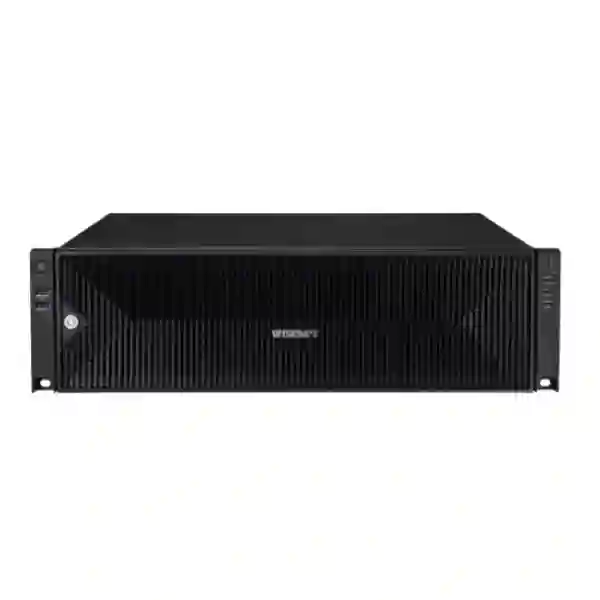
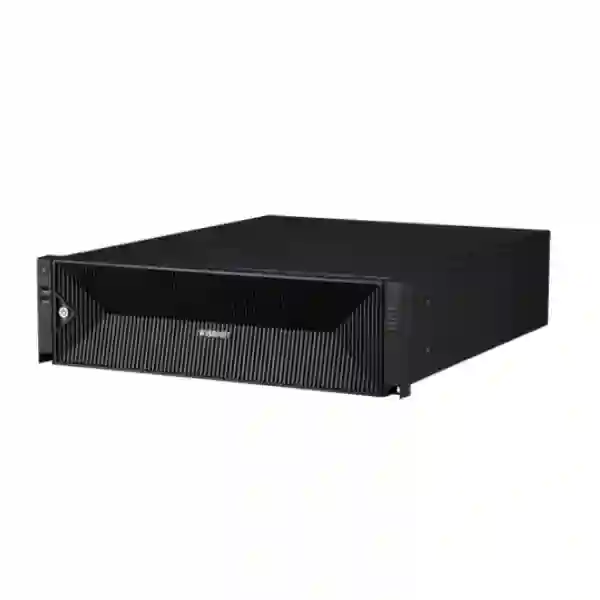
Hanwha PRN-3200B4 32-Channel AI NVR
Review the Hanwha PRN-3200B4 for an existing CCTV recording system, a compatibility assessment or a replacement plan in Tanzania. This is a high-capacity 32-channel recorder with up to 32MP support and sixteen internal SATA bays. Hanwha Vision marks the model discontinued. Request a current-model assessment before choosing hardware for a new installation.
Important: manufacturer lifecycle notice
Hanwha Vision identifies PRN-3200B4 as discontinued and names XRN-3220RB2 as its replacement model. This page explains the older unit for system owners and technical buyers. It does not claim current Tanzania stock, price, warranty, delivery terms or guaranteed interchangeability with the replacement. Verify any offered hardware and support arrangements before procurement.
Technical snapshot
| Network video inputs | Up to 32 compatible IP cameras |
|---|---|
| Camera recording resolution | Up to 32MP; relevant codec and performance restrictions apply |
| Supported compression | H.265, H.264, MJPEG and compatible WiseStream workflows |
| Internal drive bays | 16 SATA; maximum 10TB per compatible drive |
| Nominal raw storage limit | 160TB non-RAID; usable storage differs |
| Storage redundancy | RAID 5/6, up to two arrays of eight drives |
| Recording bandwidth | Configuration-dependent; up to 400 Mbps in specified conditions |
| Local display | Two HDMI outputs |
| Ethernet interfaces | Three Gigabit RJ-45 ports |
| Alarm interface | Eight inputs and four outputs |
| Electrical rating | 100–240VAC, 50/60Hz; maximum 285W with sixteen HDDs |
| Environment | 0–40°C; 20–85% relative humidity |
| Lifecycle status | Discontinued; XRN-3220RB2 named as replacement |
Manufacturer maximum figures are not necessarily simultaneous or applicable to every operating mode.
Understanding the recorder and its lifecycle
The Hanwha PRN-3200B4 is an IP network video recorder, rather than a camera, a PoE switch, or a cloud subscription. Its main role is to collect compatible camera streams, preserve video on configured storage and provide ways for authorized operators to view, search and export recordings. Hanwha specifies support for up to 32 camera channels and resolutions up to 32MP within particular codec and performance limits. A specification sheet describes a capability envelope, not an assurance that all upper limits can be achieved simultaneously. Installation design must consider the specific combination of camera streams, recording settings, storage configuration, live viewing and playback activity.
Hanwha Vision’s official product resources mark this exact model discontinued and name the XRN-3220RB2 as its replacement. This fact should guide any purchase decision. A discontinued unit may still be in use at an existing property, but manufacturer discontinuation does not prove availability of remaining inventory, firmware support for every future period, or a valid warranty for any particular sale. A new project should compare a currently supported alternative with the operational requirements. An existing owner should document the installed recorder’s condition, assess support and plan any replacement without assuming the named successor has identical capabilities or is a drop-in swap.
Who may benefit from a 32-channel recording platform
A 32-channel NVR can be relevant to a property with several monitored zones, such as entrances, loading areas, interior corridors, parking approaches, service areas and equipment rooms. Businesses, educational facilities, hospitality premises and warehouses may have different surveillance goals, even when their channel counts are similar. The important starting point is a camera schedule that describes why each view exists, what image detail is required and how long the footage must remain available. Avoid selecting recorder hardware simply because a large channel number appears in its title. An NVR with excess channels but insufficient practical bandwidth or storage is not a balanced design.
For a Tanzania deployment, document the real site’s network infrastructure, power stability, environmental conditions and staffing arrangements. No particular city coverage, delivery arrangement or local stock is assumed here. Where a security control room is staffed continuously, operator workflow and clear event management may matter greatly. At a property where footage is reviewed only after an incident, search, retention and export procedures may deserve more attention. The recorder should support those workflows rather than dictate them. Make the design review include the people who will operate the system, not only the personnel who purchase it.
Thirty-two channels do not mean unlimited performance
Channel count is only one of several limits. Camera bitrate varies with resolution, frame rate, scene movement, image noise and codec settings. A 32-channel system containing high-resolution outdoor cameras can place a very different load on a recorder than a 32-channel system with lower-resolution indoor views. Total recording bandwidth must be calculated using expected and peak traffic, not just an average from a quiet sample. Live display decoding, remote users and evidence retrieval add further demands. A system can have unused channel slots yet be unsuitable for another camera because other constraints have already been reached.
Hanwha’s detailed specifications differentiate recording modes, citing up to 400 Mbps for distributed operation and up to 150 Mbps for normal mode; RAID conditions also affect limits. Therefore the headline 400 Mbps should always carry a configuration qualification. Request a documented operating-mode choice and an aggregate bitrate calculation before ordering. During commissioning, test representative camera streams in realistic conditions and check whether recording continues while operators use the expected live and playback functions. Keep sensible engineering headroom rather than planning around a maximum figure every minute of every day.
Recording resolution and the usable image
Manufacturer information states that the PRN-3200B4 accepts compatible camera recordings up to 32MP. This permits consideration of detailed image streams, but the recorder cannot recover information not captured by the camera. Lens focal length, field of view, exposure, lighting, shutter speed and installation height determine whether a person, vehicle or event is adequately visible. In a busy entrance, a carefully placed camera with an appropriate lens may be more useful than a much higher pixel count aimed too broadly. Define the visual purpose of each camera before deciding its recording resolution and frame rate.
The maximum recording resolution is not a guarantee that every image can be decoded at full resolution on every monitor layout. The detailed Hanwha specification has codec-dependent decoding and playback limits, including H.265-dependent high-resolution capabilities. A control-room screen usually displays scaled camera images, and a compressed recording may be rendered at a different resolution during review. Request a demonstration of the critical camera feeds, including night scenes, moving subjects and the chosen monitor arrangement. Evidence quality should be judged from realistic recorded and exported footage, rather than promotional still images.
Selecting H.265, H.264 and MJPEG streams
The recorder supports H.265, H.264 and MJPEG. Those formats provide flexibility when dealing with cameras of different generations, but they should be chosen according to compatibility, evidence quality and storage requirements. H.265 can reduce data requirements compared with H.264 under comparable conditions, although the actual result depends on encoder settings and recorded scenes. A stream containing moving foliage, rain, headlights or low-light noise may consume more capacity than a quiet indoor view even with an unchanged nominal resolution. Treat advertised compression savings as potential benefits, not fixed numbers for every deployment.
A useful camera profile specification identifies resolution, frame rate, bitrate control, maximum bitrate and any supported stream optimization functions. Hanwha also lists WiseStream and dual-stream features in relevant configurations. Confirm which stream is actually retained for evidence and which is used for lightweight viewing. For critical views, avoid reducing image quality solely to make an optimistic storage calculation appear affordable. Test recordings taken during normal business activity, after dark and under difficult lighting. Revisit the bitrate budget if event detection, analytics processing or camera profiles are changed after the system goes live.
Sixteen SATA bays and what 160TB really means
Hanwha specifies sixteen internal SATA bays, with a documented maximum of 10TB per supported disk, yielding 160TB of raw capacity in the non-RAID arrangement described by the manufacturer. Raw capacity means nominal installed disk capacity before redundancy overhead and other operating requirements. It must not be presented as a promise of 160TB of usable video storage. Moreover, the product model alone does not establish how many disks are included in a specific seller’s bundle. An itemized quotation should distinguish the NVR chassis from fitted hard drives and show disk models, quantities, nominal capacities and the selected storage layout.
Disk selection should use the manufacturer’s HDD compatibility guidance and appropriate surveillance workload considerations. An ordinary drive with a matching connector is not automatically a tested, supported choice. Where storage expands or a disk fails, document the exact existing array and replacement requirements before making changes. The specification lists hot-swappable bays, but a technician still needs to identify the correct device and confirm system status before removal. Keep an inventory of drive slots and serial numbers, plan maintenance windows where necessary and check storage alarms routinely so that a developing problem is discovered before footage is required.
RAID 5, RAID 6 and the limits of redundancy
The recorder supports RAID 5 and RAID 6 with up to two eight-disk arrays according to Hanwha’s technical specifications. These options can help tolerate defined disk failures in a correctly configured array, but parity reduces usable space and rebuilding a damaged array creates operational demands. An appropriate choice depends on the number of disks, required retention, acceptable failure exposure and the performance of the entire system. The recorder’s RAID-related bandwidth numbers differ between normal and degraded or rebuilding conditions, so system sizing cannot be based only on healthy-array operation at a headline peak.
RAID must not be described as a complete backup strategy. It does not protect against every kind of deletion, administrative error, equipment damage, malicious action or normal overwriting after the retention period. Important incident clips should be preserved through a separate approved export and storage procedure. A procurement specification should define both recording resilience and evidence preservation, as these address different risks. When an array reports a problem, staff should know who is notified, who approves disk replacement and what is done to protect critical recordings until full redundancy is restored.
Estimating storage and video retention
Retention requirements should be expressed as days of retrievable footage for the relevant cameras, not as an isolated hard-drive capacity. Start with the proposed camera count, realistic recording bitrate and recording hours per day. As a simple planning relation, a sustained one-megabit-per-second video stream consumes approximately 10.8 gigabytes over twenty-four hours before overhead. This formula is useful for estimating needs, but it does not claim that any specific camera operates at one megabit per second. Actual bitrates must be measured or responsibly estimated using intended encoding, motion and image-quality settings.
Calculate the total footage produced by each camera group, then account for usable capacity after RAID and other recorder requirements. A busy outdoor channel may require different assumptions from a static indoor camera. Event-only schedules reduce storage when nothing is triggered, but they may also omit context if an event is missed. Include an allowance for variation and validate projected retention after commissioning by watching actual disk consumption. If the customer changes frame rates, adds cameras or extends hours, recompute the plan. No fixed retention period can be promised solely from the PRN-3200B4 model number.
AI search and the camera dependency
Hanwha describes AI-assisted functions such as BestShot and attribute search, and its documentation refers to categories including people, faces, vehicles and licence plates in applicable scenarios. However, the important buyer qualification is that AI search relies on supported Wisenet AI cameras and the required metadata. The recorder should not be presented as turning every ordinary ONVIF stream into a fully featured AI analytic camera. A compatible camera’s model, firmware and selected analytic functions must be checked against the intended search scenario. This distinction matters especially when upgrading an existing mixed-brand camera estate.
Write down the exact investigative questions that the system should answer. Is a user trying to locate all vehicle events, narrow footage by a supported person attribute or jump to alarm-linked clips? Those goals are not identical. Search results can be incomplete or inaccurate because camera angle, illumination, object size and other scene conditions affect metadata creation. Demonstrate representative scenarios using actual footage and preserve human review as part of the process. Also define who is permitted to search personal images and export the results, in keeping with the site’s applicable policies and obligations.
SUNAPI, ONVIF and camera compatibility
The network camera interface specification lists SUNAPI and ONVIF support. These protocols can help the recorder work with supported cameras, but protocol support is not a universal guarantee that all camera functions transfer correctly. A third-party camera may provide live video while advanced event metadata, configuration options, fisheye functions or PTZ control behave differently. Even cameras within a single brand can vary by firmware. A project that requires more than basic video should document exact interoperability for each camera model rather than assume the standard name is enough.
Before committing to a mixed estate, test camera discovery, stable recording, time synchronization, video-loss recovery, expected event triggers and playback. Verify any audio, PTZ, fisheye or analytic functions that the operating team actually needs. Carry out the test with the planned network switches and firmware versions. Record what works and any limitations so the final quotation matches reality. For a new project, a compatible camera specification can prevent avoidable integration work; for a retrofit, a short compatibility demonstration may be the most valuable procurement step.
Dual HDMI displays and control-room usability
The detailed manufacturer interface information lists two HDMI outputs, including a 3840 × 2160 output at 30Hz and a 1920 × 1080 output at 60Hz. These allow local monitoring arrangements within the product’s decoding and layout constraints. They do not make every recorded camera stream appear at full native resolution in every split-screen view. A wall of small thumbnails may give broad situational awareness but be poor for identifying an incident. Plan monitor size, viewing distance and camera priorities together. Critical entrances or loading areas may deserve larger persistent views than routine overview channels.
A control room should have documented layouts for routine monitoring, incident review and technical troubleshooting. Check how an operator switches between cameras, starts playback, finds a bookmarked segment and returns to live viewing without losing context. Where an incident requires detailed scrutiny, a second output can support review while another display continues normal monitoring, subject to system limits. Include staff who actually work at the desk in acceptance testing. Effective surveillance depends on an understandable interface, clear camera names and reliable recordings as much as on monitor resolution.
Remote monitoring and mobile access
Hanwha documents browser and mobile access capabilities and QR-assisted connection processes. Remote viewing can be convenient for approved managers or security personnel, but it should not be offered without security planning. Exposing recorder management interfaces directly to the public internet can create unnecessary risk. Use approved access arrangements, strong account credentials and the network controls required by the organization. The manufacturer’s detailed specifications distinguish different categories of live, search and remote-user access, so a high number of simultaneous users should be tested against the actual documented limits.
Remote performance depends on available upstream capacity, chosen stream profiles and competing traffic. A site with a modest connection might accommodate occasional incident verification but struggle with multiple continuous high-resolution viewers. For a Tanzania project, evaluate the connectivity available at the actual premises rather than generalizing about an entire city or region. Confirm what happens when the internet connection is interrupted: the local recording plan should remain clearly defined. Mobile access is a useful operational feature, not a substitute for a dependable on-site recording path and controlled permissions.
Recording schedules and incident events
The product supports continuous recording, scheduled and event-based workflows, pre-event and post-event recording arrangements, and bookmarks in applicable configurations. The right approach depends on why a camera is installed. Continuous recording can preserve broader context but increases disk consumption. Event-only recording may reduce stored data, yet can omit important footage when detection thresholds are poorly tuned or movement occurs outside the expected trigger zone. Many systems benefit from distinguishing critical cameras that require uninterrupted video from less critical views where scheduled recording may be reasonable.
An event plan should specify each trigger, its related camera, applicable hours, notification recipient and required response. The manufacturer documents events including video loss, camera events and alarm inputs, with various supported actions. Test alarm behavior in realistic conditions instead of relying only on a simple movement demonstration. Ensure timestamps are synchronized across cameras and recorder so footage can be compared accurately. Review false alerts and missed events during commissioning, and train the operating team to interpret what a notification means before they depend on it during a real incident.
Physical alarm inputs and outputs
Hanwha lists eight alarm input terminals and four alarm outputs for the recorder. These interfaces may assist integration with supported sensors, contacts or local notification devices when properly engineered. However, terminal counts alone do not guarantee compatibility with a specific alarm panel, door system or other device. Integration requires verification of signal type, electrical ratings, wiring, control logic and software setup. A qualified designer should provide a connection schedule and confirm that the intended event is represented accurately in the recording and response workflow.
For example, an entrance contact may trigger a camera event, but that does not automatically mean a security officer knows which action to take. The event matrix must identify the area, camera, alert type and response owner. Test what happens on both activation and restoration, and verify that relevant footage is retained with sufficient context. If alarm outputs are used, avoid assuming they can drive every external load directly. The manufacturer documentation and actual connected equipment specifications should determine the safe interface arrangement.
Automatic Recovery Backup and failover planning
The published feature set includes Automatic Recovery Backup and support for N+1 failover in relevant circumstances. These are meaningful capabilities only when the overall surveillance design includes the necessary compatible cameras, equipment and configuration. A standalone recorder does not become a fully redundant recording service simply because a feature name appears on the product sheet. Identify the failure scenarios that matter: drive failure, lost camera connection, failed recorder, damaged network segment or power interruption. Each can require a separate recovery strategy with different costs and operating procedures.
If the project needs failover, request a detailed architecture showing which device takes over, how capacity is reserved, which cameras are supported and what operators should expect while the system recovers. Test recovery under controlled conditions before signing off. ARB-related behavior likewise needs confirmation for the exact connected camera and recording architecture. Never describe it as a universal guarantee of all missed footage being recovered. Maintain configuration records and escalation contacts so staff can move from an alarm to the correct corrective action without guessing.
Network switches, interfaces and PoE power
Hanwha’s interface specification lists three Gigabit Ethernet RJ-45 ports. The recorder should not be assumed to power thirty-two cameras directly: the published interface list does not identify a built-in bank of per-camera PoE outlets. Cameras require a separate suitable power and network design using compatible switches, injectors or other equipment. A network plan should identify switch port counts, uplink bandwidth, cable routes, IP addresses and any segments shared with normal office traffic. Camera traffic must reach the NVR consistently for reliable footage to be recorded.
A gigabit link at the recorder is only part of the path. An overloaded upstream switch, damaged cable or poorly planned wireless bridge can create missing video despite having capacity at the NVR itself. Consider traffic segregation, link monitoring and administrative ownership. When several users connect remotely, account for extra outbound video traffic. A project IT team should agree on address management, time synchronization, approved firewall rules and secure access methods. The goal is an observable, maintainable network rather than a collection of cameras that happen to connect during installation.
User permissions and cybersecurity
Hanwha lists IP filtering, 802.1X-related capabilities, signed firmware, certificate functions and access logging among its security features. Those controls require proper implementation and ongoing administration. Give each approved operator a role appropriate to their duties, avoid unnecessary shared administrative accounts and control who may change recording settings or export video. Recorder devices should be included in the organization’s asset inventory and change-management process. Review remote access methods and reduce exposed services. Technical features cannot compensate for weak credentials or unmanaged user accounts.
Discontinuation increases the importance of a lifecycle and security-support review. The manufacturer marking a model discontinued does not automatically establish a particular vulnerability, but it is a signal to verify the firmware and maintenance position before new deployment. Confirm the supported update method and record which firmware is installed. When personnel leave or responsibilities change, update their access promptly. Maintain a practical record of important administrative activity and ensure surveillance data is handled under the site’s relevant security, privacy and evidence-retention policies.
Electric power, UPS planning and cooling
The stated power input is 100–240VAC at 50/60Hz, and the manufacturer gives a maximum power consumption of 285W with sixteen disks installed. A backup-power design must include all critical associated equipment, such as network switches and camera power supplies, not just the recorder chassis. Determine the runtime required during an interruption, then size the UPS according to measured or documented loads and the UPS manufacturer’s guidance. Do not promise a runtime from the recorder’s power figure alone. Test the sequence for orderly restart when power returns.
The published operating range is 0°C to 40°C and 20% to 85% relative humidity. Hot equipment rooms, obstructed rack ventilation, dust or condensation can threaten recording reliability. The mechanical dimensions are approximately 440 × 132 × 571.1 mm, with a weight of about 13.6 kg before disks. Check rack depth, usable ventilation space, safe support for the loaded chassis and access to remove drives. For a site in Tanzania, verify the actual room environment and electrical conditions before finalizing its housing, cooling and power design.
Searching, exporting and preserving evidence
The value of a video recorder is demonstrated when a relevant clip can be found and reviewed after an incident. Hanwha documents time-based and event-related search and supported video backup tools. An operator should know how to select the correct camera, date, time range and recording segment, then export it in an appropriate supported format. Test the exported file on the receiving computer before an urgent request occurs. Recording video successfully does not guarantee that staff can locate the correct footage or deliver it in usable form without practice.
Create an evidence procedure that names the authorized export roles, establishes incident identifiers and preserves the original recorded material as required by policy. Retain enough video before and after the event to show relevant context, and record where exported copies are kept. Check that displayed timestamps are correct and consistent. Handle images or audio involving identifiable people under the site’s applicable rules. An NVR product description should never imply that a particular format automatically satisfies every legal or evidential requirement; controlled handling and verification remain essential.
Choosing between old hardware and the named replacement
Hanwha officially identifies XRN-3220RB2 as the replacement for PRN-3200B4, but the designation should not be treated as proof of one-to-one equivalence. Compare the number of supported cameras, ingest bandwidth, playback and monitor arrangements, compatible disks, supported AI metadata, management interfaces and network-security capabilities. An existing customer must also check whether camera settings and retained recordings can be migrated through a documented, supported process. Old video storage may need to remain accessible after replacement even if the live cameras are transferred successfully.
A new project should usually focus on meeting current functional and support needs with an appropriate current offering instead of seeking an old model without a lifecycle assessment. An existing installation may be kept running while a careful migration is planned, depending on condition and risk. Neither decision should be made from the model number alone. Obtain a specific bill of materials, confirm the identity of the recorder that will actually be supplied and request a compatibility demonstration where integration risks are material. Local stock, price, warranty and lead time require separate verification.
Typical Tanzania project scenarios and tradeoffs
A warehouse design may prioritize vehicle approaches, loading areas and restricted storage. Such scenes can involve moving objects and strong changes in light, making realistic bitrate and nighttime tests important. An office building may emphasize entrances, corridors, operator permissions and a reliable process for retrieving incident footage. A hospitality property may need carefully limited access to recordings and a straightforward export workflow. These are possible use cases, not claims about any existing installation or the company’s verified services in specific cities.
In a multi-building estate, uplink design and cable paths may dominate the technical decision. A small premises with only a few cameras may not need a large recorder and sixteen drive bays. A complex site requiring more than thirty-two cameras or extensive simultaneous monitoring may require a different architecture. Compare total lifecycle and support costs, not just chassis specifications. Every design should align camera coverage, recording capacity, storage retention, maintenance access, operator training and the actual conditions found at the intended property.
A disciplined procurement request
Before requesting a quotation, assemble a camera schedule showing the present number and planned growth, model names, resolution, intended codec, typical bitrate and recording hours. Specify retention days, expected number of local and remote users, required AI search functions and whether the project involves replacing an installed PRN-3200B4. Include the location of equipment rooms and any power or network constraints. These details help a supplier propose a technical solution rather than guess at requirements based on a short product description.
Ask for an itemized comparison of recorder hardware, approved hard drives, network equipment, backup power, configuration, testing, training and documented support commitments. Confirm whether the proposed recorder is the discontinued original, the named replacement or another current model. Clarify disk inclusion, usable storage estimates and the factors influencing retention. Pricing, inventory, delivery and warranty terms should be provided for the exact Tanzania offer rather than inferred from unrelated international product pages. Keep the final bill of materials tied to a measurable acceptance checklist.
Commissioning, acceptance and ongoing checks
A sensible acceptance process tests every installed channel, checks the intended recording profile and reviews archived footage rather than relying on live display alone. Measure actual bandwidth, confirm disk and array health, test event triggers, verify date and time and carry out representative exports. Use the anticipated number of operators where practical. In mixed-camera environments, verify the special functions required from each brand and firmware version. Include realistic lighting conditions and a controlled network interruption test when it can be performed safely without compromising operations.
After handover, assign responsibility for inspecting recording gaps, disk warnings, camera outages and unexpected retention changes. Maintain an inventory of connected devices and a written route for authorizing firmware or configuration changes. Reassess storage whenever the camera count or recording settings change. Review the discontinued product’s support position as part of maintenance planning and keep a migration pathway for critical sites. A successful CCTV installation is one that operators can trust, investigate and maintain—not simply one that powered on at the end of an installation visit.
Project review checklist
Use these planning prompts to turn the product specification into an evidence-based design and purchasing decision. Each item should have an owner, an answer and a verification method. The result can be used to compare an existing PRN-3200B4 installation with a replacement proposal without assuming the models are interchangeable.
Camera inventory
Record every camera’s brand, model, firmware, location, codec, resolution, frame rate and purpose. Include proposed additions. This checklist establishes real channel needs and flags existing devices that require a compatibility demonstration before the recorder configuration is finalized.
Performance budget
Add the expected bitrates of all recorded streams and compare the total with the chosen recording mode. Leave allowance for active scenes and operational peaks. Separate recording load from live viewing, remote access and export demand so specifications are not double-counted or misunderstood.
Retention target
State how many days each camera group must remain retrievable. Calculate disk requirements using realistic continuous or event-recording activity, and calculate usable rather than raw capacity. Retest retention after the system has recorded ordinary operating conditions for a suitable observation period.
Supported disk list
Use the manufacturer’s HDD compatibility guidance, document drive model and capacity, and confirm the supplied quantity. If RAID is selected, write down parity overhead and rebuild procedures. Ensure maintenance staff can identify a failed bay without risking removal of a healthy drive.
AI search validation
List the camera-specific event and attribute searches required by the operations team. Check that the chosen Wisenet AI camera and firmware actually provide the metadata needed. Demonstrate each material use case with realistic subjects and conditions rather than relying on a generic AI badge.
Incident workflow
Have an authorized operator find a test event, review context and export a clip. Verify the file on a separate computer, establish chain-of-handling procedures and document permissions. This exercise confirms that footage is usable for the intended workflow, not merely present on a disk.
Remote access
Identify every user group and separate live-view, search, export and administration roles. Confirm session limits, upstream connectivity and secure access arrangements. Do not expose management interfaces simply to make mobile viewing convenient. Test practical performance over the connection available at the premises.
Power and environment
Record equipment-room temperatures, ventilation arrangements, rack space and all devices that must remain powered during an outage. Size any UPS for the complete operational chain. Confirm that the environment remains within the manufacturer’s limits during the actual site’s expected conditions.
Lifecycle planning
Note the PRN-3200B4’s manufacturer discontinued status and the designated XRN-3220RB2 replacement. Review firmware support, operational risk, compatibility and evidence migration requirements. Never assume the named replacement has identical storage, management or interface behavior without checking its current specification.
Commercial verification
Ask for the exact product model, disks, accessories, scope of work and approved terms for any offer. Verify stock, pricing, delivery and support specifically for the proposed supply. A technical page should be used to frame questions, not as a substitute for an accurate current quotation.
Frequently asked questions
Is the PRN-3200B4 discontinued?
Yes. Hanwha Vision’s official product resources label the PRN-3200B4 discontinued. This does not establish that every existing device has stopped working or that any particular seller has inventory. A new deployment should include a current-model assessment.
What replacement does Hanwha name?
The manufacturer names XRN-3220RB2 as the replacement. Confirm its current feature set and the exact requirements of your camera estate before specifying it. The replacement designation is not a blanket compatibility or stock guarantee.
How many IP camera channels does it record?
Hanwha lists a maximum of 32 channels. Stream bitrates, selected operating mode, storage capacity and the needed playback or monitoring workload can impose additional practical limits. Verify the complete design rather than relying only on the channel number.
Can this NVR accept 32MP cameras?
Hanwha lists support for resolutions up to 32MP in relevant configurations. Codec, frame rate and decoding restrictions still apply. Confirm the exact camera output and the combined workload before assuming every channel can run at the highest possible profile.
How much disk space can be installed?
The manufacturer quotes sixteen SATA bays and up to 10TB per compatible disk, for 160TB raw maximum non-RAID capacity. RAID, system overhead and the supplied drive population affect usable footage space. Always calculate retention from usable rather than raw space.
Are hard drives included with the model?
The model number alone does not verify whether any HDDs are fitted to the offered unit. Ask for a bill of materials showing the number, capacities and supported models of included drives. Do not treat another seller’s configuration as definitive for the Tanzania listing.
Does RAID make backups unnecessary?
No. RAID provides defined disk-level resilience when configured properly; it does not eliminate risks such as deletion, overwriting or other recorder failures. Preserve important evidence separately using a documented export and controlled storage procedure.
Can third-party cameras be connected?
The recorder lists ONVIF support, but exact behavior varies by camera and firmware. Test video, reconnect behavior, events, PTZ and any special functions. SUNAPI and ONVIF support should not be treated as proof of universal feature compatibility.
Will any IP camera support AI search?
Not automatically. Hanwha ties important AI search functions to compatible Wisenet AI cameras and the metadata they provide. Confirm the exact analytic feature and firmware before adding AI search to an acceptance specification.
Does the recorder power cameras using PoE?
The official interface list describes Gigabit Ethernet ports, not a built-in bank of thirty-two per-camera PoE outputs. Camera power must be planned with supported switches, injectors or other appropriate equipment.
Can it be accessed from a phone?
Hanwha documents supported mobile viewing and QR-assisted connection capabilities. Secure configuration, available uplink bandwidth and user-session limits determine practical use. Remote access should follow the institution’s network and permission policies.
How long can footage be retained?
There is no universal answer without the camera bitrates, recording hours, number of channels and usable disk capacity. Build a capacity estimate and validate it using actual recording behavior. Changes to image profiles or camera counts require a new calculation.
Is 400 Mbps guaranteed in every operating mode?
No. Hanwha distinguishes distributed and normal recording modes and provides separate RAID-related limits. The specific configuration must be reviewed against projected camera traffic and the appropriate margin for changing scenes.
What power and temperature limits apply?
Hanwha lists 100–240VAC input, maximum consumption of 285W with sixteen disks, and an operating temperature range of 0–40°C. Site UPS design and cooling requirements depend on the whole installation, not just this chassis.
Should an existing unit be replaced immediately?
Not solely because the product is marked discontinued. Review the installed system’s reliability, support position, risk tolerance and replacement plan. A critical site may need planned migration while a functioning system is still available to support operations.
What details are needed for a quotation?
Provide current and planned camera count, camera models, stream settings, desired retention, storage arrangement, AI search needs, operator numbers and whether this is an existing-system replacement. Request verified commercial terms for the exact proposed hardware.
Request a compatibility or replacement review
For a Tanzania project, share the intended camera count, actual camera models, preferred retention period, disk configuration, recording mode and any AI search requirements. If you already own a PRN-3200B4, explain whether the objective is maintenance, additional cameras or migration. Ask for a comparison with the manufacturer-designated XRN-3220RB2 replacement where relevant. Current sourcing, pricing and terms need confirmation for the exact proposed solution.
Request a technical review or quotation from FourTeck Tanzania.
Specifications and lifecycle details are based on manufacturer product documentation. Camera compatibility, installation conditions, disk inclusion and commercial arrangements require configuration-specific verification.




Reviews
There are no reviews yet.